
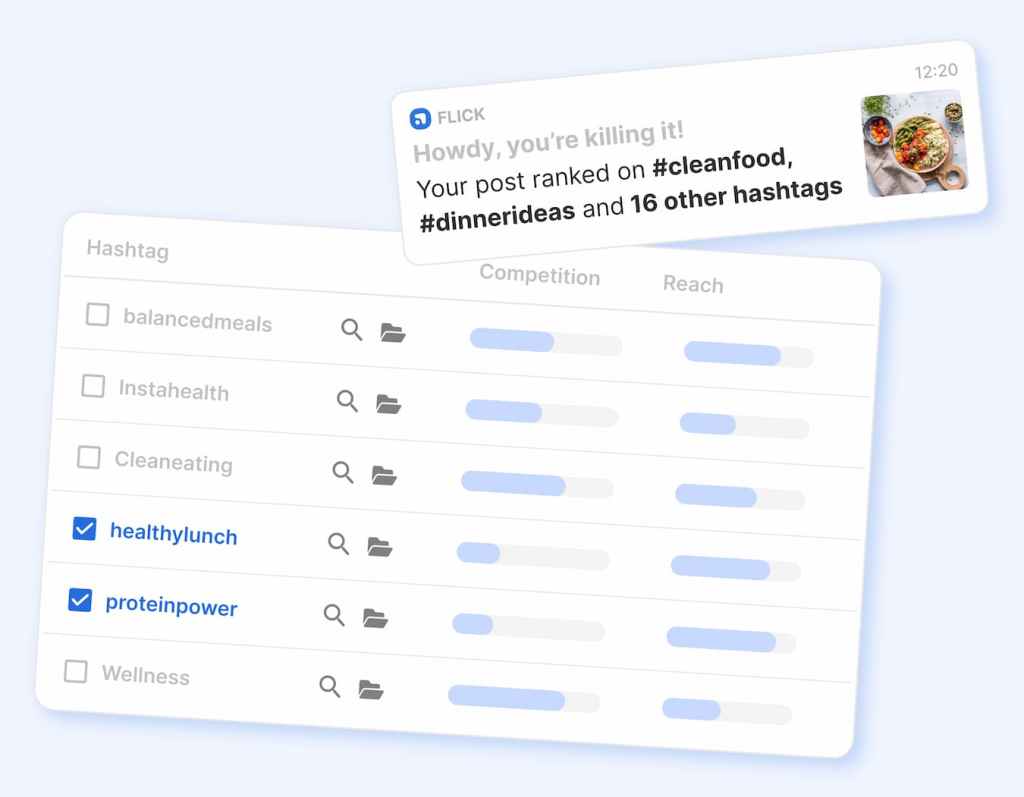
Flick vs Buffer comes down to one simple question: do you need more help making better social content, or do you mostly need a cleaner way to plan, schedule, and manage it? That difference matters because these tools overlap, but they do not feel the same once you look at pricing, workflow, and what they are really built to solve.
Flick leans harder into captions, hashtags, AI-guided content help, and an Instagram-heavy creator workflow. Buffer feels more like the practical scheduler most people can understand fast, especially if they care about lower cost, a free plan, broader channel support, and a simpler team setup.
If you already know what you want to post and just want to stay consistent, Buffer usually makes sense faster. If your bigger problem is coming up with stronger posts, better angles, and smarter hashtag choices, Flick becomes much easier to justify.
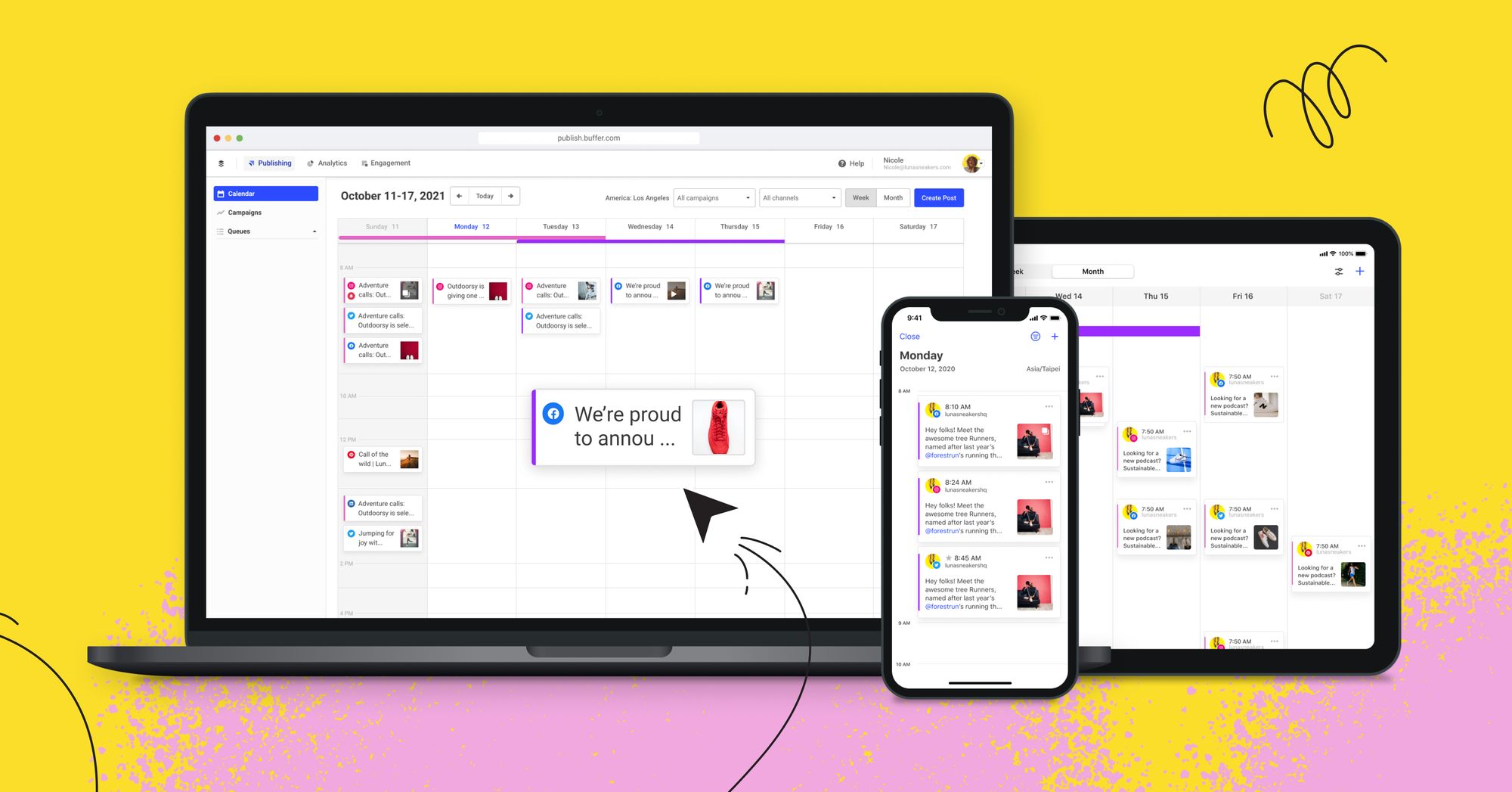
Image source: Buffer
Fast comparison
This quick snapshot gets you most of the way to an answer. Buffer is easier to recommend as the safe default, while Flick is easier to recommend when content creation is the real bottleneck.
Explore Flick Try BufferMy quick take
Buffer is the easier recommendation for most people who want a scheduler first and a social media “brain” second. The lower entry price, the real free plan, and the broader set of supported channels make it easier to test without feeling locked into a more opinionated workflow.
Flick gets more interesting when your problem is not just publishing. It is stronger when you want the tool to help you think, write, optimize, and keep an Instagram-led content machine moving without doing every step manually.
That makes Buffer the better pick for a lot of freelancers, small businesses, and lean teams that want something clean and dependable. It also makes Buffer easier to justify if you are switching from a messy setup and mainly want one place for scheduling, analytics, comment handling, and collaboration.
Flick earns its spot when content quality is the bigger pain than post logistics. If captions, hashtag research, idea generation, and creator-style planning are where you lose time every week, Flick feels like it is trying to solve the right problem.
Neither tool is perfect for everyone. If you post casually and only need the basics once in a while, both can be more than you need, and Buffer is the one that still makes more sense because the entry cost is lower.
Who each one is really for
Choose Buffer first if you manage several channels, want an easier learning curve, or care more about consistency than creative assistance. It is the safer option when your team needs to publish, review, reply, and move on without spending extra time learning a quirky system.
Choose Flick first if you are a creator, coach, marketer, or small brand that wants more help shaping the content itself. Flick makes more sense when your workflow is still heavily tied to Instagram-style growth, hashtags, visual planning, and AI-backed content support.
Buffer also looks better if price is your first objection. A free plan plus a cheaper starting plan lowers the risk, which matters when you are not sure the software will replace enough work to pay for itself.
Flick looks better if switching later would keep delaying your content system. When your current process is slow because you keep staring at blank captions, second-guessing hashtags, and planning one post at a time, waiting usually means you stay stuck with the same manual workflow.
Article outline
Use these page jumps like a shortcut. The structure is simple: get the fast answer, look at the details that affect day-to-day use, then make the final call.
- Start here: my quick take and who each one is really for.
- Look at the details: what Flick gives you, what Buffer gives you, the good stuff, pricing and value, and why buying now may make sense.
- Make the final call: alternatives, final verdict, and FAQ.
The short version is still this: Buffer is usually the smarter default buy, while Flick is the more interesting buy for people who want help creating better posts, not just scheduling them. That is the real split, and the rest of the article is about figuring out which side of that split you are on.
What you get with Flick
Flick gives you a 7-day free trial on every paid plan, and the platform is clearly built for people who need help with the content itself, not just the publishing calendar. It bundles scheduling, hashtag research, caption help, AI idea generation, and Instagram-focused analytics into one place.
The cheapest plan starts at £11 per month billed yearly, and that gets you 4 social profiles, 1 user login, 30 scheduled posts per social each month, and 30 tracked Instagram posts each month. The jump to Pro is where Flick starts feeling like the full product, with 8 social profiles, 2 users, unlimited scheduling, unlimited Instagram tracking, and full feature access for £24 per month billed yearly.
Flick also supports scheduling for Instagram posts and Reels, Facebook, TikTok, and LinkedIn. That is enough for a lot of creators and smaller brands, but it is still a much narrower channel mix than Buffer.

Image source: Flick
The big reason to pay for Flick is simple: it helps when your real problem is staring at a blank post, second-guessing your hashtags, and wasting time trying to make every post feel more strategic. If you want the software to help you think, write, and plan faster, Flick is a lot easier to justify than a plain scheduler.
The catch is that Flick is not the cheapest way to stay organized, and some of its strongest value still leans heavily toward Instagram. Its analytics section on the pricing page is still framed around Instagram account, content, audience activity, and hashtag performance, so this is not the broadest reporting tool in the category.
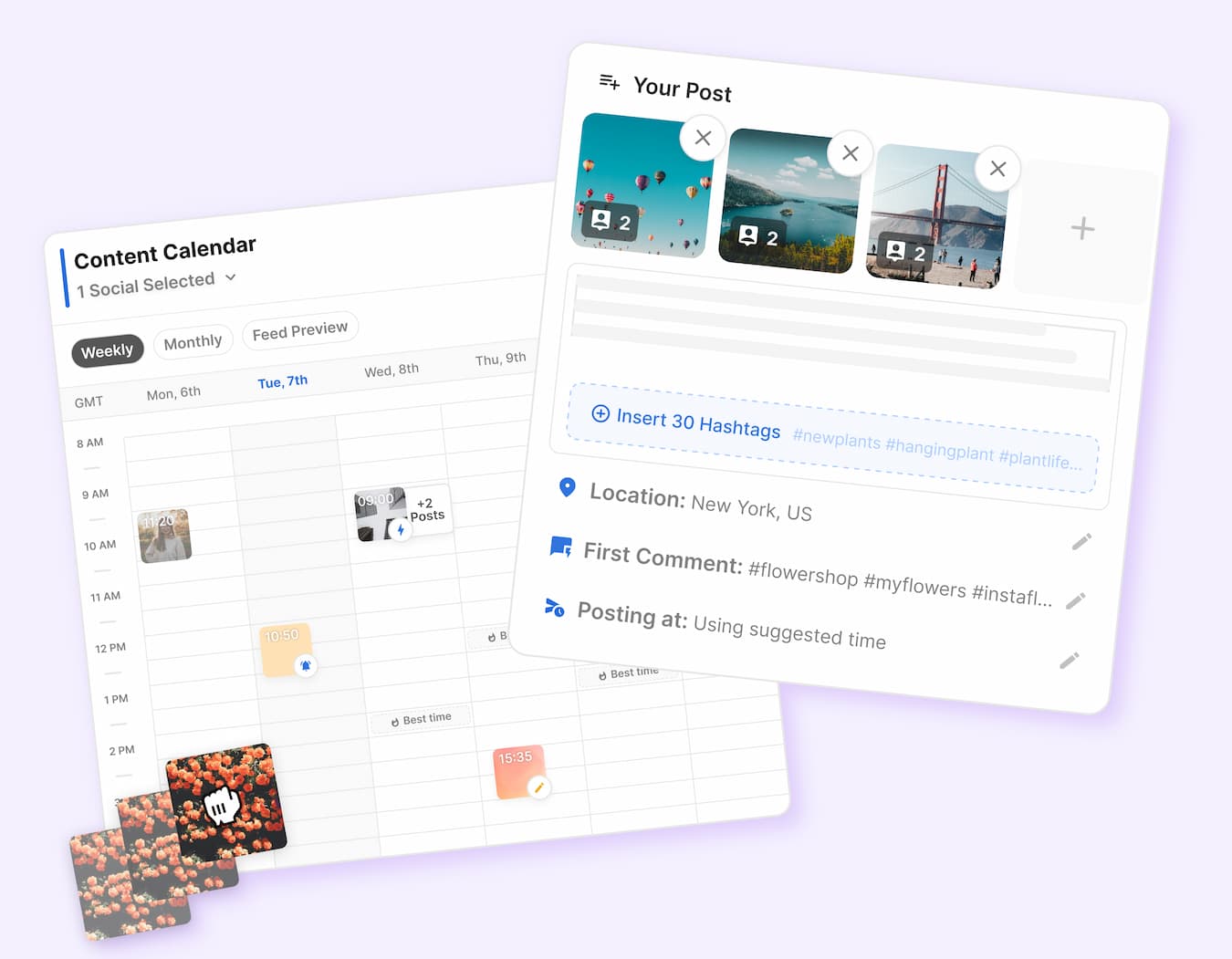
Image source: Flick
Flick makes the most sense when content creation is the bottleneck. If you already know what to say and only need a reliable queue, it starts to look expensive faster than Buffer does.
What you get with Buffer
Buffer gives you a much easier way in. There is a free plan for up to 3 channels, 10 scheduled posts per channel, 100 ideas, 1 user account, AI Assistant, basic analytics, and the community inbox, which is a stronger starting point than most people expect from a free tier.
The paid plans are cheaper at the entry level too. Essentials starts at $5 per month per channel when billed yearly, or $6 monthly, and adds unlimited scheduled posts, unlimited ideas, advanced analytics, community inbox, hashtag manager, and first comment scheduling.
Buffer also gives you a 14-day free trial on paid plans, and that trial drops you into the Team plan with full features and extra users so you can see the whole thing before paying. That removes a lot of hesitation if you are trying to decide whether Buffer is too basic or not.
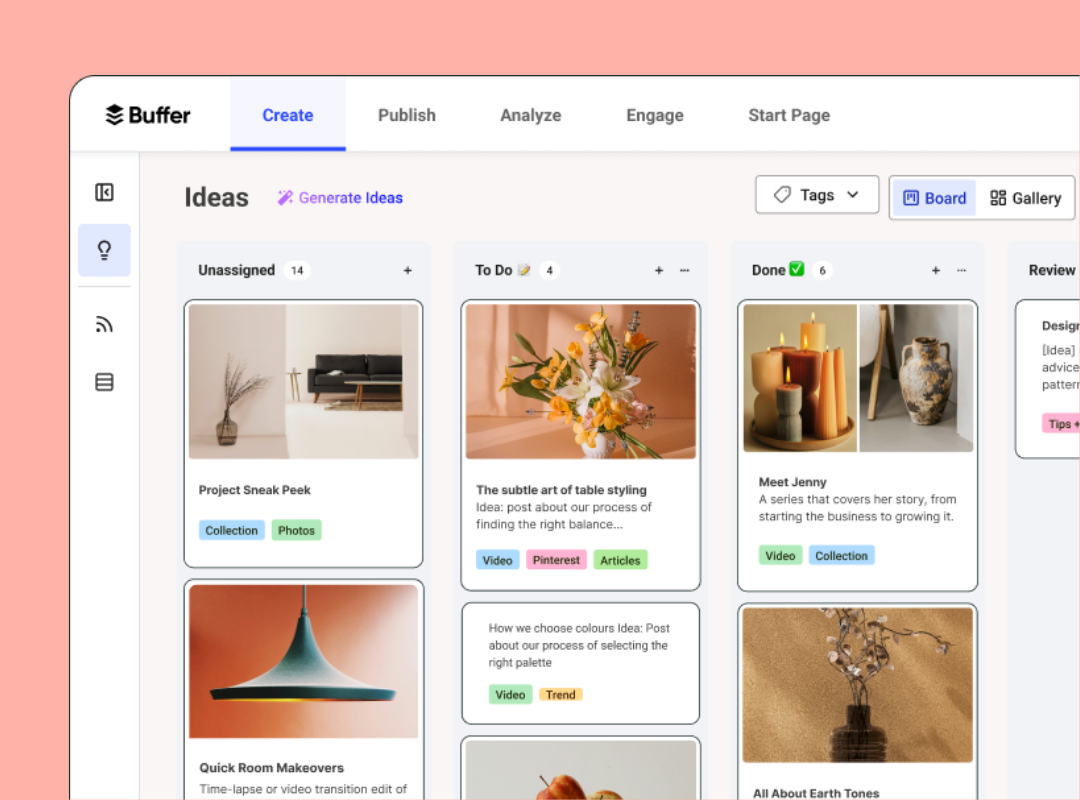
Image source: Buffer
Buffer feels broader and more practical for day-to-day social management. It supports a much wider spread of channels, including Instagram, Facebook, X, LinkedIn, Pinterest, TikTok, Threads, Bluesky, Mastodon, Google Business Profile, and YouTube Shorts, even if not every network gets the same mix of publishing, analytics, and engagement features.
Buffer also has a cleaner team story. Team starts at $10 per month per channel billed yearly and adds unlimited users, access levels, and approval workflows, which matters a lot once social media stops being a one-person job.
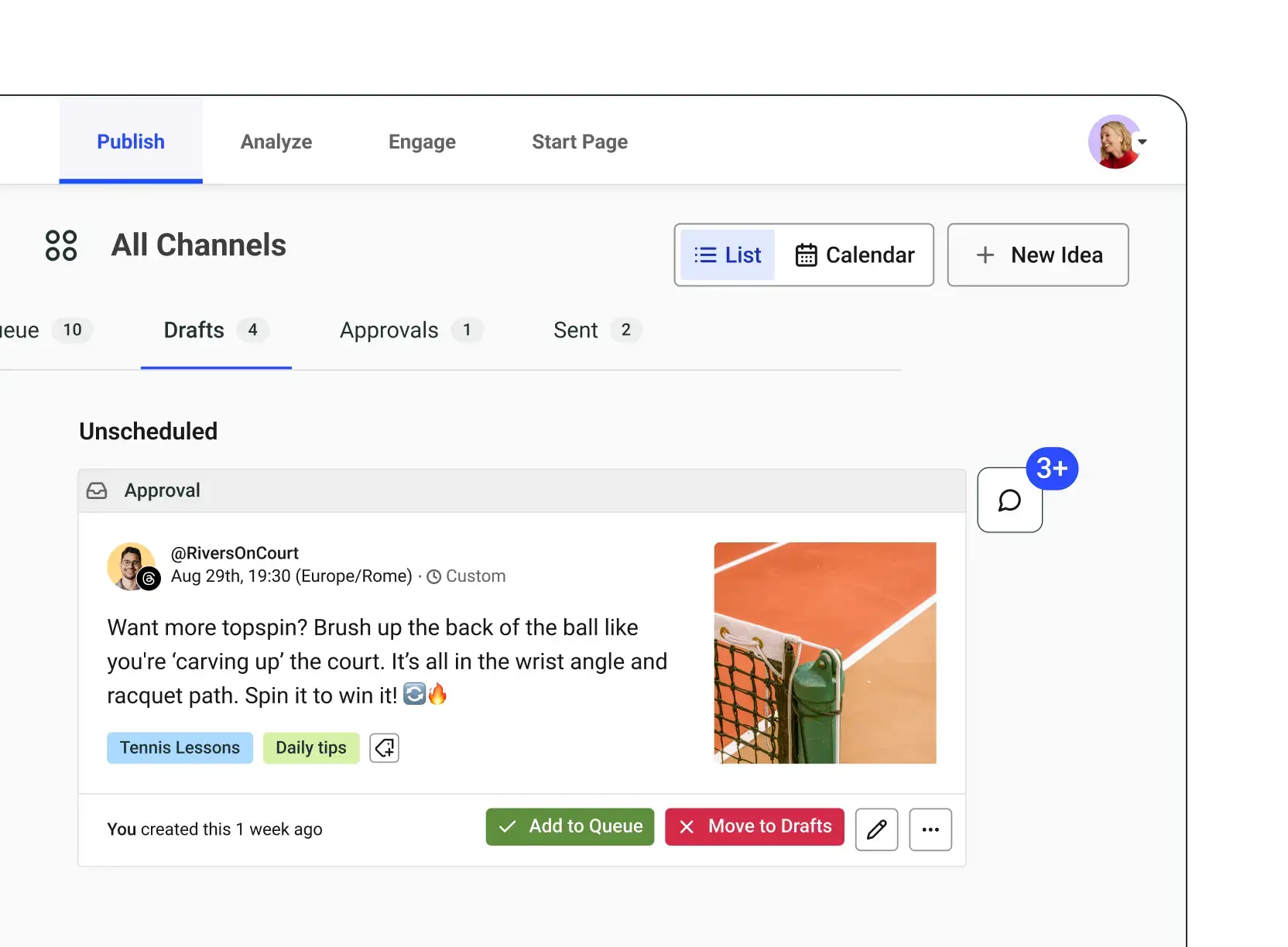
Image source: Buffer
The downside is that Buffer charges by channel, so the cheap starting price can climb if you manage a lot of accounts. It is still the easier buy for scheduling and publishing, but it does not go as deep as Flick when your bigger problem is content ideas, caption writing, and hashtag strategy.
The good stuff
Flick wins when you want the tool to help shape better posts before they go live. The AI content tools, hashtag features, and creator-style planning flow give it a stronger “help me make this post better” feel than Buffer.
Buffer wins when you want something you can understand fast and trust across more channels. The free plan is genuinely useful, the paid plans are easier to swallow, and the workflow around ideas, publishing, analytics, inbox, and approvals feels more balanced for general social management.
That split matters because a lot of people buy the wrong tool for the wrong problem. If your issue is messy scheduling, Buffer fixes it faster; if your issue is weak content planning, Flick has the stronger case.
Pricing and value
This is the part that decides most purchases. Buffer is cheaper and easier to test, while Flick asks for more money sooner and earns it by doing more around content quality and hashtag workflow.
Check Flick’s free trial See Buffer plansBuffer is the easier value buy for most people because you can start free, move into a cheap paid plan, and still get real day-to-day usefulness. Flick becomes worth the extra money when it replaces enough of your thinking time that the higher price feels smaller than the hours you keep losing every week.
That is why the better paid entry point is not the same for both tools. Buffer Essentials is the better budget move, but Flick Pro is the better “I need better content help, not just a calendar” move.
Why buying one now can make sense
Waiting usually keeps the same problem in place. If you are already posting and the workflow still feels messy, manual, or inconsistent, another month of “I’ll sort it out later” usually just means another month of missed posts and weak follow-through.
Buy Buffer now if your main pain is staying consistent across channels without turning social media into admin work. Buy Flick now if the real friction is coming up with better ideas, faster captions, and smarter hashtag choices.
Wait if you barely post at all and you still do not know what you want your social media to do for the business. Start now if you already have something to publish, because both tools make more sense once you are close enough to action that speed actually matters.
Alternatives that make more sense for certain buyers
Flick vs Buffer is not a battle where one tool crushes the other for everyone. They solve different problems well enough that the better pick depends more on your workflow than on the feature list.
Buffer is the cheaper and easier buy for most people. Flick is the stronger buy when content quality, caption help, and hashtag strategy are slowing you down more than scheduling itself.
Image source: Buffer
There is also a third path worth mentioning if you run an agency or want to replace a much bigger stack. GoHighLevel is not the cleanest social scheduler in this group, but it becomes relevant when social posting is only one piece of a bigger lead-gen and client-management setup.
Explore Flick Try BufferChoose Flick if better content is the goal. Choose Buffer if the cheaper and easier scheduler is enough, and choose GoHighLevel only if you want a broader all-in-one system around your social workflow.
Image source: Flick
Flick keeps its edge because it feels like a content tool first and a scheduler second. That is a strong reason to pay more if your current process breaks down before the post is even ready to publish.
Buffer keeps its edge because it removes confusion fast. You can get in, connect channels, queue content, and keep moving without feeling like you bought a tool that expects a whole new operating system around it.
GoHighLevel is the wildcard. It is attractive for agencies because it folds social planning into CRM, automations, calendars, and client workflows, but it is the wrong buy if you only want the cleanest way to manage social content.
My honest final verdict
Buffer is the safer recommendation for more people. The free plan, lower paid entry, broader channel coverage, and easier setup make it the tool I would point most small businesses and freelancers toward first.
Flick is the better recommendation for a narrower group, but that group will probably like it more. If content ideas, captions, and hashtags are where you keep losing time, Flick feels more tailored to the real problem.
That is why Flick vs Buffer is not really about which brand is “better.” It is about whether you need a social media organizer or a tool that helps you make stronger posts before they go out.
Image source: Buffer
Buffer is the better buy now if you want the least risky decision. You can start cheap, learn it fast, and still get enough scheduling, analytics, inbox, and approval workflow to make the monthly cost easy to defend.
Flick is the better buy now if your current system is already costing you time every week. When the bottleneck is writing posts, picking hashtags, and turning loose ideas into a real calendar, paying more can make sense sooner than you expect.
Skip both for now if you still barely post and do not have a real content habit yet. Software does not fix a missing strategy, and paying before you are ready usually just adds another login you ignore.
Go broader with GoHighLevel only if you are already piecing together CRM, automations, funnels, booking, and social under one roof. That move makes sense for agencies and service businesses, not for someone who mainly wants a better posting workflow.
Image source: Flick
For the right buyer, Flick is absolutely worth trying. It is easier to justify once you stop comparing it to the cheapest scheduler and start comparing it to the hours you burn every month trying to make content better by hand.
For the average buyer, Buffer is still the easier yes. It gets you organized, keeps you consistent, and does not ask for much commitment before it proves useful.
FAQ
Is Flick better than Buffer?
Flick is better if you want more help with captions, hashtags, and content planning. Buffer is better if you want the easier, cheaper, broader social management tool.
Is Buffer better for beginners?
Yes, usually. The free plan and simpler workflow make Buffer easier to recommend to someone who wants results without much setup friction.
Should agencies look at GoHighLevel instead?
Agencies should look at GoHighLevel when social scheduling is only one part of a bigger client-delivery stack. If social content is the main need, Buffer or Flick is still the cleaner choice.
Should I switch now or wait?
Switch now if you already post regularly and your current workflow feels slow or scattered. Wait if you are still not clear on what you want social media to do for the business.
Image source: Buffer
Should you click now, later, or skip it?
Click Flick now if your content is the bottleneck and you want a tool that helps you think as well as publish. Click Buffer now if you want the simpler buy that gets you organized fast for less money.
Wait if you are not posting enough to feel the pain yet. Go with GoHighLevel only if your social tool also needs to live inside a much bigger marketing and client-management system.
Check Flick’s free trial See Buffer plans Explore GoHighLevel Filip Konecny Enterprises