
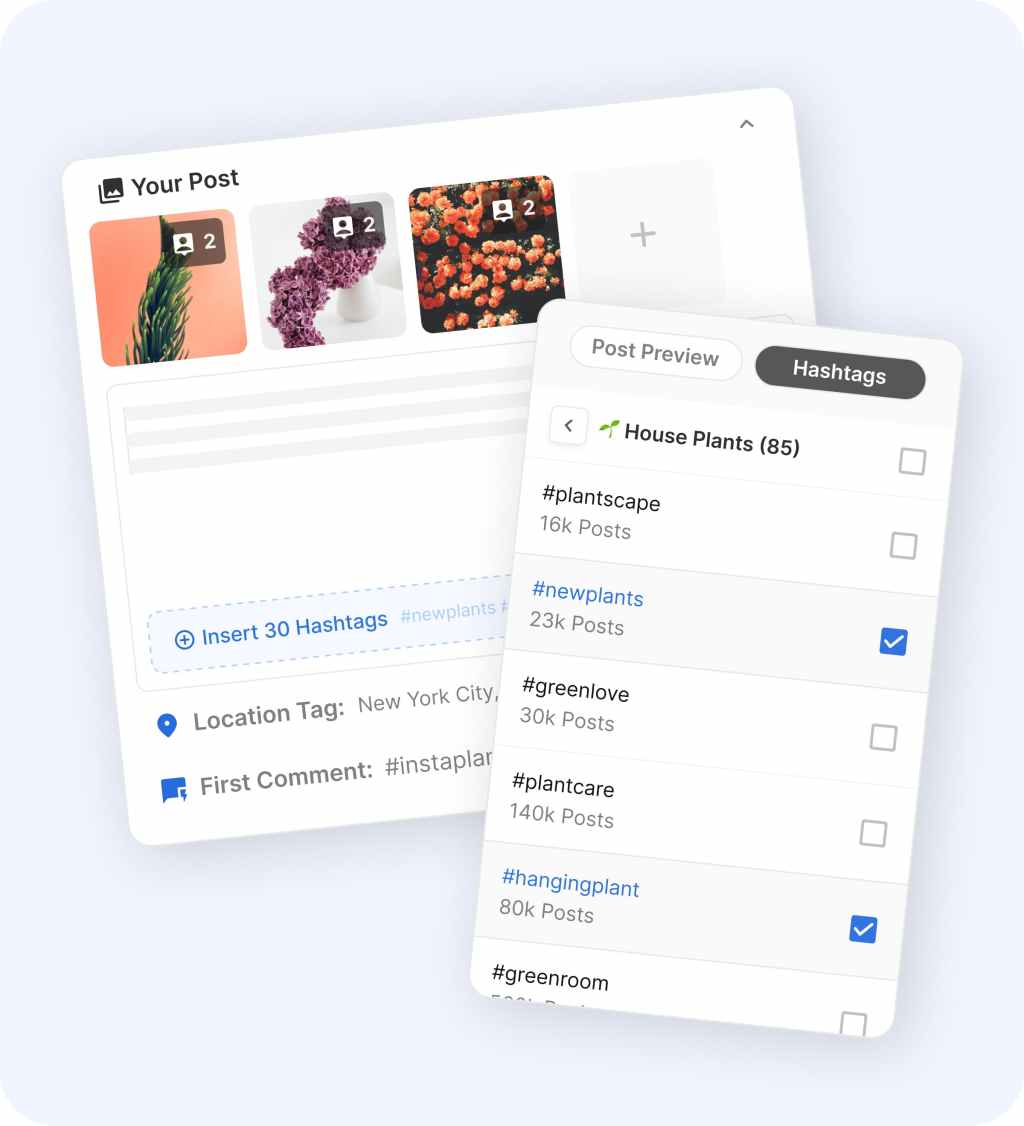
Flick and Later solve a similar problem, but they do not feel like the same kind of buy. Flick looks stronger when you want a tighter Instagram-first workflow with scheduling, hashtags, analytics, and AI help in one place.
Later looks stronger when you want broader channel coverage, a bigger content operation, Link in Bio, and more room for collaboration. Most people choosing between these two are really choosing between focus and breadth.
You probably do not need both. You need the one that fits the way you already publish, because the wrong pick usually turns into another monthly subscription you barely use.
Article outline
This comparison is split into three parts so you can get to the buying decision faster instead of drowning in random feature lists.
- Start here: my quick take on Flick vs Later and who each tool fits best
- Next: free trial details, what you actually get, what feels good, and whether the price makes sense
- Finish with alternatives, the final verdict, and whether you should buy now, wait, or skip
My quick take on Flick vs Later
Flick is the easier pick when Instagram is still doing most of the heavy lifting for your brand. Its pitch is simple: help you plan content, find and track hashtags, write faster, and see what is working without paying for a bigger platform than you really need.
Later makes more sense when your workflow is wider than that. It supports more networks, leans harder into Link in Bio and creator commerce, and gives you more breathing room for teams, social inbox, and higher-end reporting as you move up the plans.
Price is part of the story too. Flick starts cheaper, which makes it easier to justify if you are still building your process, while Later gives you more trial time and a broader setup if you already know you need more than an Instagram-heavy tool.
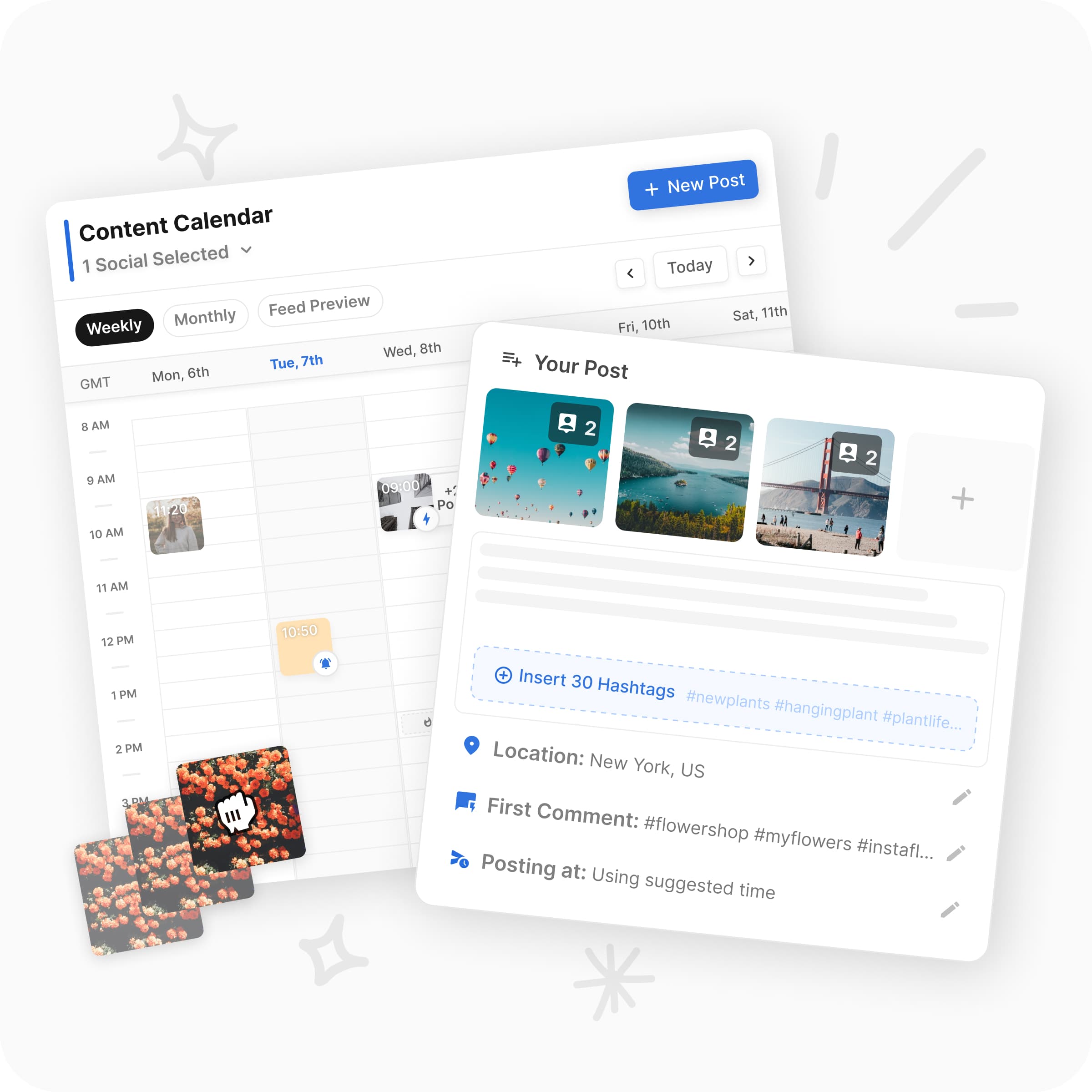
Image source: Flick Instagram Scheduler
You do not need a massive feature dump to get the first answer. These are the differences that matter fastest if you are trying to decide whether to test one now or keep shopping.
Explore FlickPick Flick if you care more about speed, hashtags, and lower risk
Flick feels like the smarter buy when you are a solo operator, a small team, or a client-focused marketer who wants fewer moving parts. The starting price is easier to swallow, and the product is built around the everyday jobs that matter most if Instagram is still one of your main growth channels.
That matters more than people admit. A cheaper tool is not automatically better, but a cheaper tool that matches your actual workflow is usually the one you will keep using.
Flick also makes the most sense when hashtags still matter in how you plan, publish, and review performance. Later can cover more ground, but Flick keeps that Instagram growth angle more central instead of treating it like one item inside a bigger social suite.
Pick Later if your workflow is wider and your team needs more room
Later supports Instagram, Facebook, Pinterest, TikTok, LinkedIn, Threads, YouTube Shorts, and Snapchat in its social product, which is simply a broader footprint than Flick’s core scheduler positioning. That wider reach matters fast if you manage several brands, several channels, or clients who do not live on Instagram alone.
Later also gives you a more obvious path into Link in Bio, social inbox, longer analytics windows, and higher-tier listening features. If your content operation already feels bigger than a lean creator setup, Later will probably feel safer even if it costs more.
The catch is that not everyone needs that much platform. If you are still posting manually, have not nailed your content rhythm, or mostly care about building a repeatable Instagram workflow first, Later can be more tool than you need right now.
Part 2 is where this gets more decisive. Trial length, plan limits, what is locked behind higher tiers, and whether either tool actually replaces enough manual work to justify the monthly bill will tell you which one deserves a real test.
What you get when you actually start the trial
Flick gives you a 7-day trial across its plans, while Later gives you 14 days on its paid plans. Buffer also gives 14 days on paid plans, so Flick is the shortest test window of the three.
That sounds like a disadvantage until you look at what each tool is trying to do. Flick is easier to judge fast because its pitch is tighter: scheduling, hashtags, Instagram analytics, and AI help in one place instead of a broader social suite with more layers.
If you already publish regularly, 7 days is enough to know whether Flick saves you time. If you are still figuring out your workflow, Later’s longer trial gives you more room to poke around without feeling rushed.
Flick shows its value fast
Flick’s Solo plan starts at £11 per month billed yearly, and that entry plan includes 4 social profiles, 1 user, 30 scheduled posts per social each month, and 30 tracked Instagram posts each month. Pro moves to unlimited scheduled posts and unlimited tracked Instagram posts, plus more users and more connected socials.
That setup is useful if your current process is messy but still pretty simple. You are not buying a giant team tool first and then trying to justify it later.
You also get the part that makes Flick feel different from a basic scheduler: the hashtag workflow is built into the posting process instead of sitting off to the side. That matters if Instagram is still where most of your content decisions live.
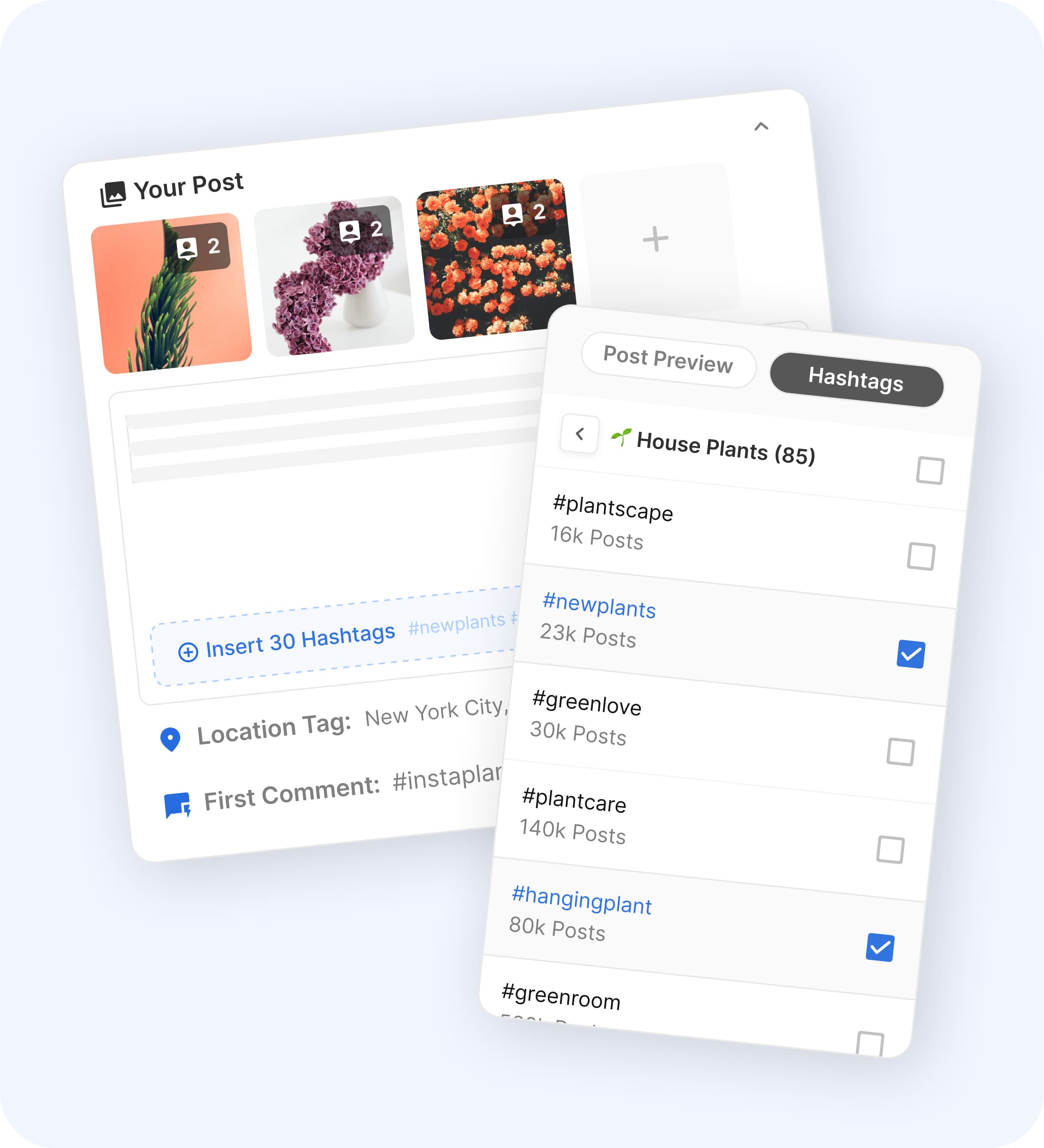
Image source: Flick social media scheduler
Later gives you more time and a wider setup
Later’s Starter plan begins at $18.75 per month billed yearly and includes 1 Social Set, which means up to 8 profiles total across Instagram, Facebook, Threads, Pinterest, TikTok, LinkedIn, YouTube, and Snapchat. It also includes 30 posts per profile, Link in Bio, up to 3 months of analytics, and 5 AI credits a month.
Growth is where Later starts feeling more serious because you get 2 users, 2 Social Sets, 180 posts per profile, social inbox, approvals, more AI credits, and up to 1 year of analytics. Scale pushes further with custom analytics, competitive benchmarking, brand mentions, and longer analytics history, but the price jumps hard.
Later is easier to justify when you already know you need more than Instagram support. It is harder to justify when you mainly want a faster publishing flow and better hashtag-driven planning without paying for broader team features yet.
The good stuff
Flick makes the strongest case for itself when you look at how much manual work it can cut out for an Instagram-heavy brand. Instead of bouncing between a scheduler, notes app, analytics tab, and separate hashtag tool, you do the core work in one place.
That does not sound dramatic until you are doing this every week. Small repeated tasks are exactly where social tools either earn their price or become dead weight.
Flick feels built for people who still care about reach, timing, and hashtags
The best part of Flick is not one flashy feature. It is that post timing suggestions, feed planning, scheduling, hashtag search, hashtag collections, and hashtag tracking are tied together closely enough to make day-to-day publishing feel lighter.
That is also why Flick can beat Later for the right buyer even though Later is broader. If Instagram is still your main growth engine, broader does not always mean better.
Flick also supports scheduling for Instagram, Facebook, TikTok, and LinkedIn, so it is not locked into a one-network corner. It just keeps its strongest value around the Instagram workflow instead of trying to be everything to everyone.
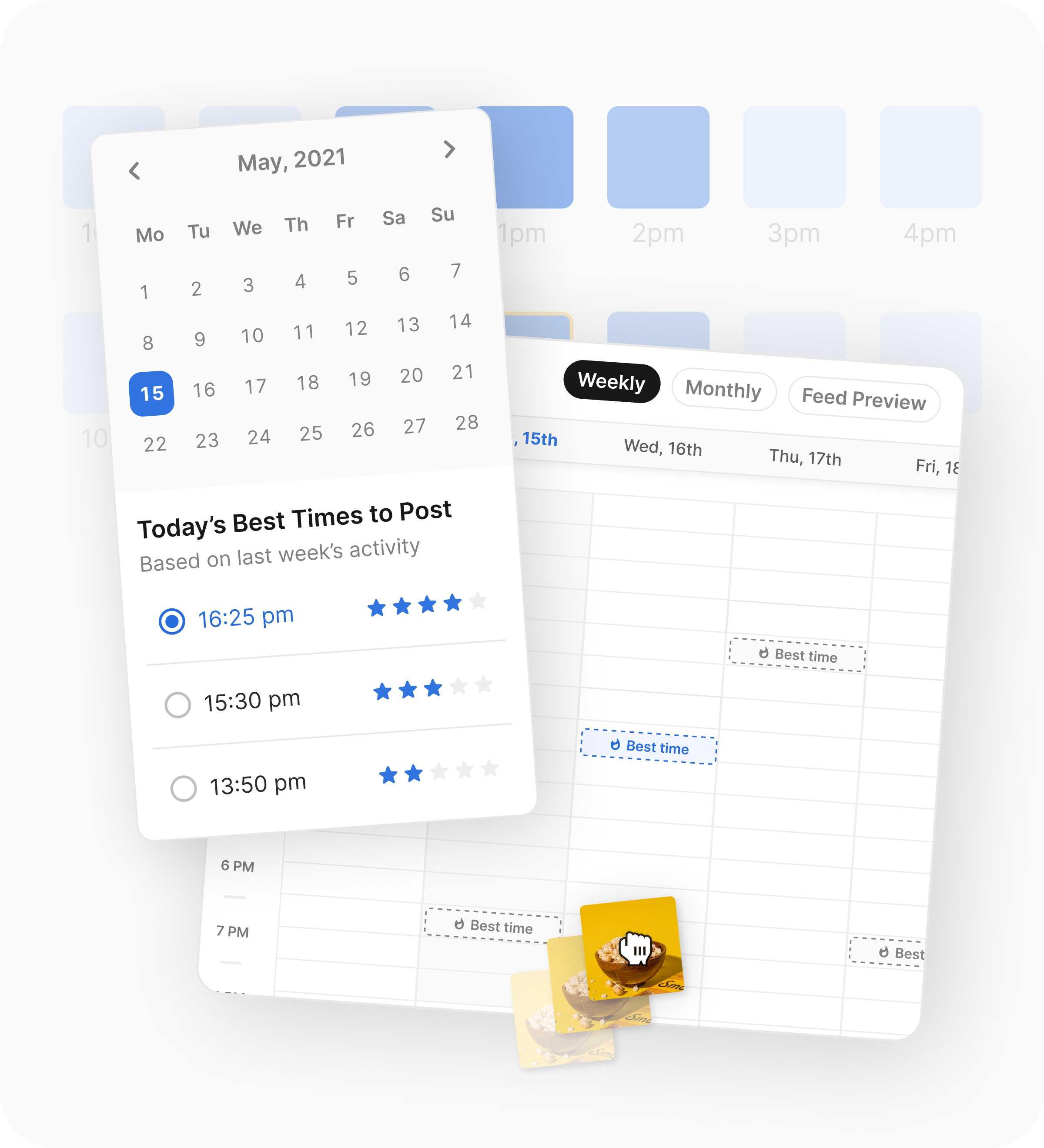
Image source: Flick Instagram planner
Later wins when your content operation is wider
Later’s strength is breadth. You get more supported networks in the self-serve plans, Link in Bio in the entry plan, and a cleaner path into approvals, inbox, competitive benchmarking, and broader analytics as your team grows.
That makes Later more attractive if you manage multiple brands or multiple channels that all need to stay active. You are paying more, but you are also buying more operational range.
Here is the catch. A lot of smaller brands do not actually need that range yet, so they end up paying for capacity they barely touch.
Flick earns its price when you want a smaller stack
Flick starts to make more financial sense when you compare it to doing the work manually or patching together separate tools. A scheduler alone does not solve timing decisions, hashtag research, or post-level Instagram tracking, and that is where Flick has a better story than a lot of lighter schedulers.
Buffer is the obvious cheaper comparison because it starts at $5 per month per channel billed yearly and even has a free plan for up to 3 channels. It is a great low-friction option for simple scheduling, but the pricing climbs as you add channels, and its hashtag tools are not the same thing as Flick’s dedicated hashtag search, collections, and tracking setup.
If your main pain is just getting posts out on time, Buffer can be enough. If your pain is planning, timing, hashtag selection, and post review all at once, Flick is easier to justify.
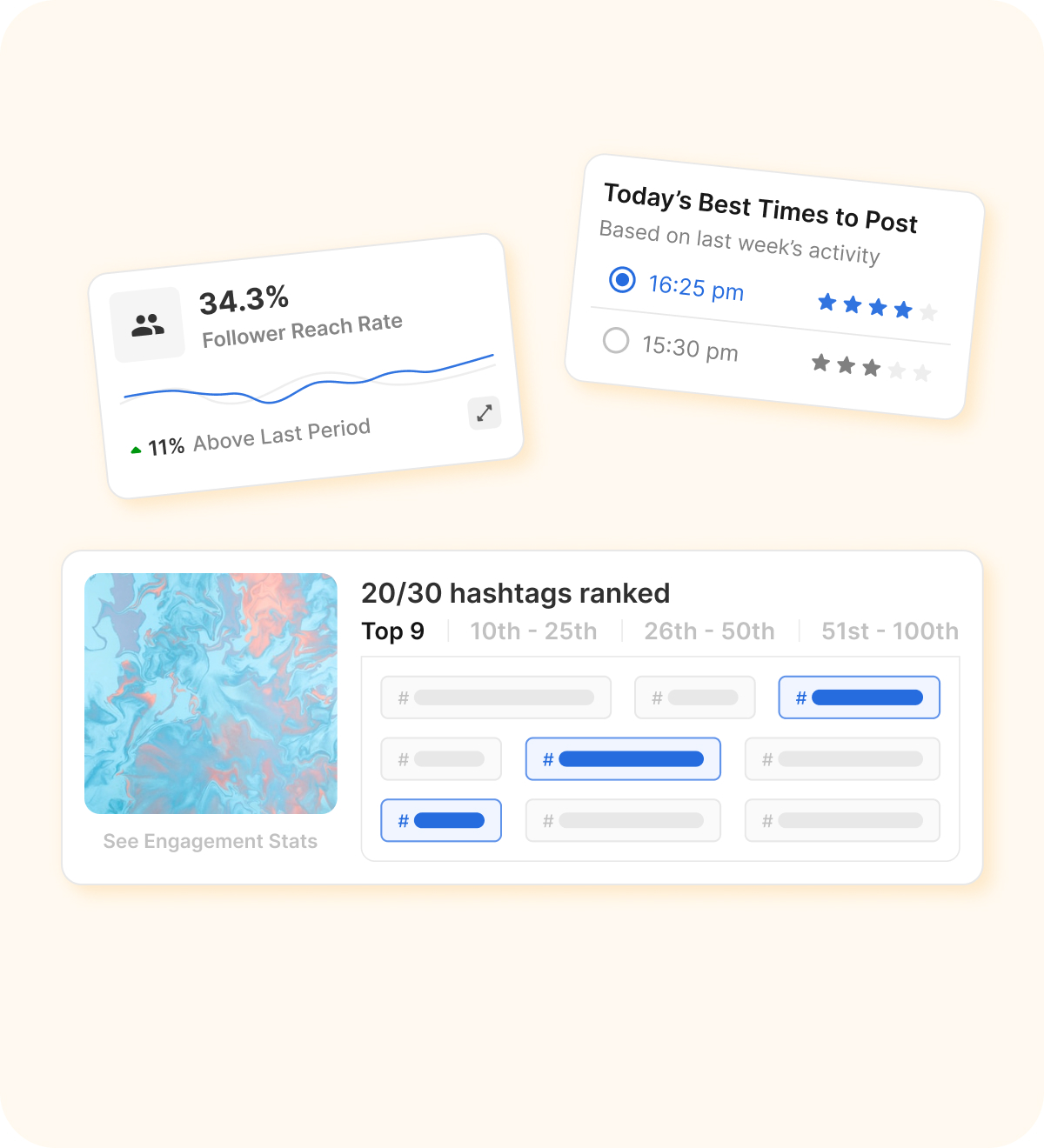
Image source: Flick planning and analytics tools
Pricing and value next to cheaper options
This is not a perfect apples-to-apples price comparison because Flick charges by plan, Later charges by Social Sets and users, and Buffer charges by channel. It still shows the buying decision clearly enough to save you time.
Check the official free trialFlick wins this snapshot if you want the best mix of price and focused social workflow. Later wins if broader channel coverage and team features are already non-negotiable, and Buffer wins if low cost matters more than depth.
That is why Flick sits in a sweet spot for a lot of buyers. It is not the cheapest and it is not the broadest, but it can replace enough small annoyances to feel worth paying for quickly.
Why buying now can make sense
Start Flick now if you already have content to publish and your current setup feels patchy. Waiting usually means you keep doing hashtag selection, post timing, and review work the slow way for another month.
Start Later now if your team is already juggling several channels and approvals are slowing you down. That is the buyer who gets value from the longer trial and broader feature path fast enough to justify the higher spend.
Wait if you are barely posting, still validating your offer, or just need the cheapest way to schedule a few posts. In that case, Buffer or even manual scheduling may be enough until you actually feel the pain that Flick or Later solves.
Flick is the one I would lean toward if Instagram still drives most of your attention and you want a smaller tool stack without losing useful data. If that sounds like you, Flick is worth a real look before you move on to broader and more expensive options.
If Flick or Later does not feel right, here are the real alternatives
Most people comparing Flick vs Later are not deciding between two random tools. They are choosing between an Instagram-first workflow, a broader social suite, a cheaper scheduler, or a bigger all-in-one system.
That is why this section matters. A tool can be good and still be the wrong buy for the way you actually work.

Image source: Flick social media scheduler
Flick stays attractive because it keeps the core job simple. You plan the post, work in hashtags, pick better timing, and review performance without jumping between a pile of smaller tools.
Later is still the better fit for some buyers. It supports more channels out of the gate and gives teams a cleaner path into approvals, inbox, Link in Bio, and bigger reporting needs.
Explore FlickChoose Flick if Instagram is still the channel you care about most and you want the smoothest mix of scheduling, hashtag help, and post review. Choose Buffer if price matters more than depth, and choose GoHighLevel if you need a broader business system, not just a social tool.
Choose Later when your content operation is already wider and your team needs more structure across more networks. It is the better buy for that kind of workflow, even if it is not the one I would pick for a leaner Instagram-first setup.
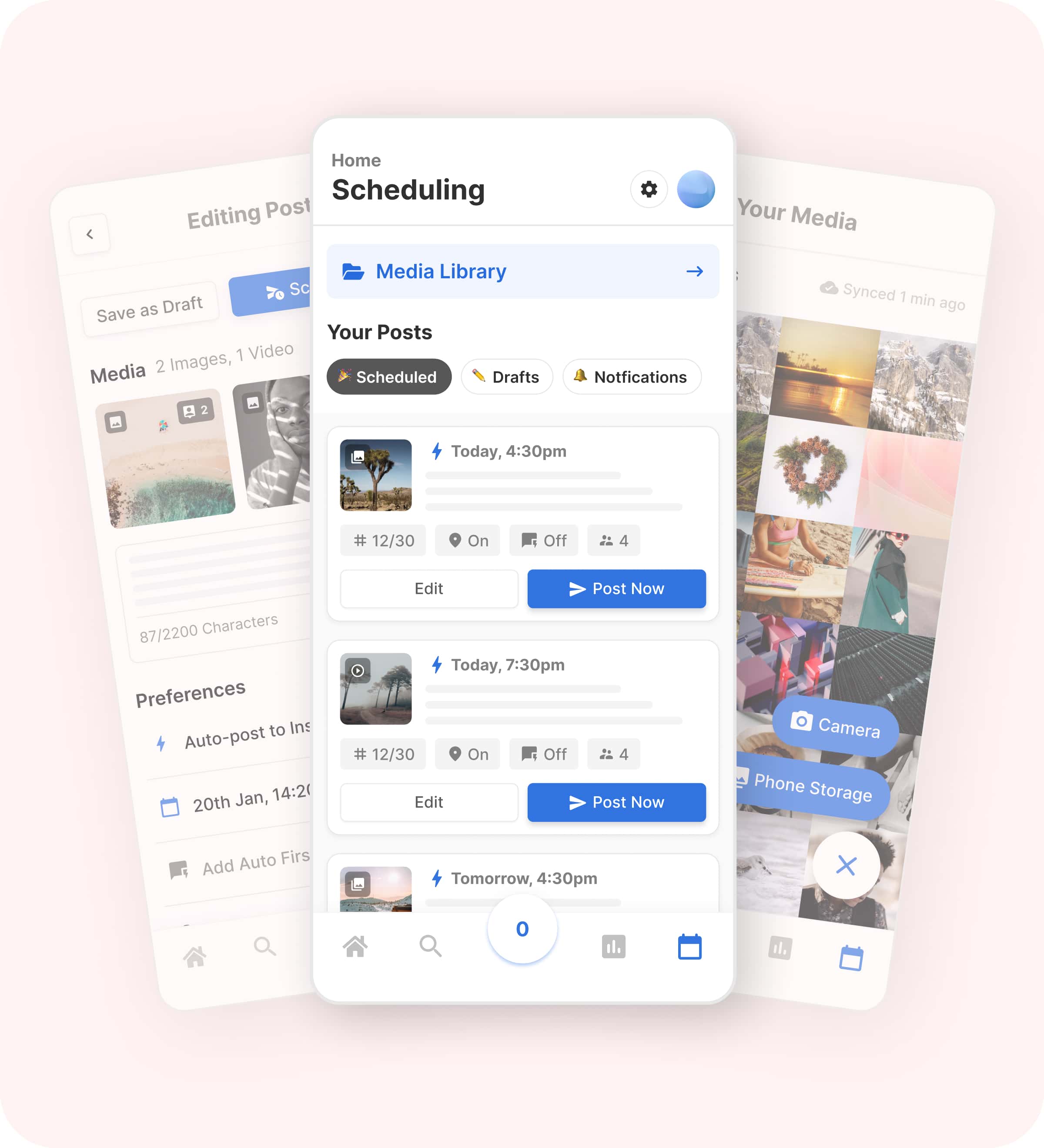
Image source: Flick mobile scheduling tools
My honest take
Flick is the one I would put in front of a creator, freelancer, or small brand that wants to get more organized without buying a bloated social suite. It is not the cheapest option, but it has a stronger argument than a bare-bones scheduler because the workflow around hashtags, timing, and review is more complete.
Later is better when your needs are already bigger than that. If you know you need more channels, more collaboration, and more room for team processes, paying more for Later can be justified pretty quickly.
Flick becomes the better buy when you are tired of doing little pieces of the job manually. That is where the monthly cost starts looking more reasonable, because staying patchy has a cost too.
Who should buy now, wait, or skip
Buy now if you already post consistently and your current setup feels annoying every single week. You will know fast whether Flick saves enough time to earn its price.
Wait if you are barely posting or still trying to prove the offer behind your content. A focused tool still needs a real workflow to improve, and without that you will not get much value out of any paid plan.
Skip Flick if your real problem is not social planning at all. If you need CRM, lead capture, automations, funnels, and appointment follow-up, GoHighLevel makes more sense than trying to force a social planner to do a bigger job.
Image source: Flick Instagram analytics tools
FAQ
Is Flick better than Later for beginners?
Flick is easier to justify for beginners who mainly care about Instagram and want a smaller learning curve. Later is better for beginners only when they already know they need several channels and a wider feature set.
Is Flick too Instagram-focused?
It is Instagram-first, and that is part of the appeal. Flick also supports scheduling across other networks, but its strongest value still comes from the way it handles Instagram planning, hashtags, timing, and analytics together.
Should you choose Buffer instead?
Choose Buffer if you mostly want simple scheduling at a lower cost. Choose Flick if you want a more decision-helping workflow around Instagram instead of just a cheaper posting tool.
Can GoHighLevel replace Flick or Later?
It can replace them for some agency or business workflows because it includes social planning inside a much bigger marketing system. It is still a very different buy, and paying GoHighLevel money only makes sense when you actually need the CRM, automations, funnels, and booking tools too.
Should you start the trial?
Start Flick if you want the most focused answer to the Flick vs Later question. It is the stronger pick for the buyer who wants less friction in an Instagram-heavy workflow without jumping to a broader and pricier tool too early.
Keep shopping if you already know you need a wider team setup. Otherwise, Flick is absolutely worth a real look.
Get started with Flick Filip Konecny Enterprises