
Flick is one of those tools that sounds more useful the busier your social workflow gets. If you are tired of jumping between caption writing, hashtag research, scheduling, and analytics, this is the kind of platform that can look a lot more attractive than doing everything manually.
That does not automatically mean it is right for you. Some people will save time fast with Flick, while others will pay for features they barely touch and would be better off with a cheaper scheduling tool.
This review is built to help you make that call before you start the trial. If you already want to take a look, you can check the official free trial here.
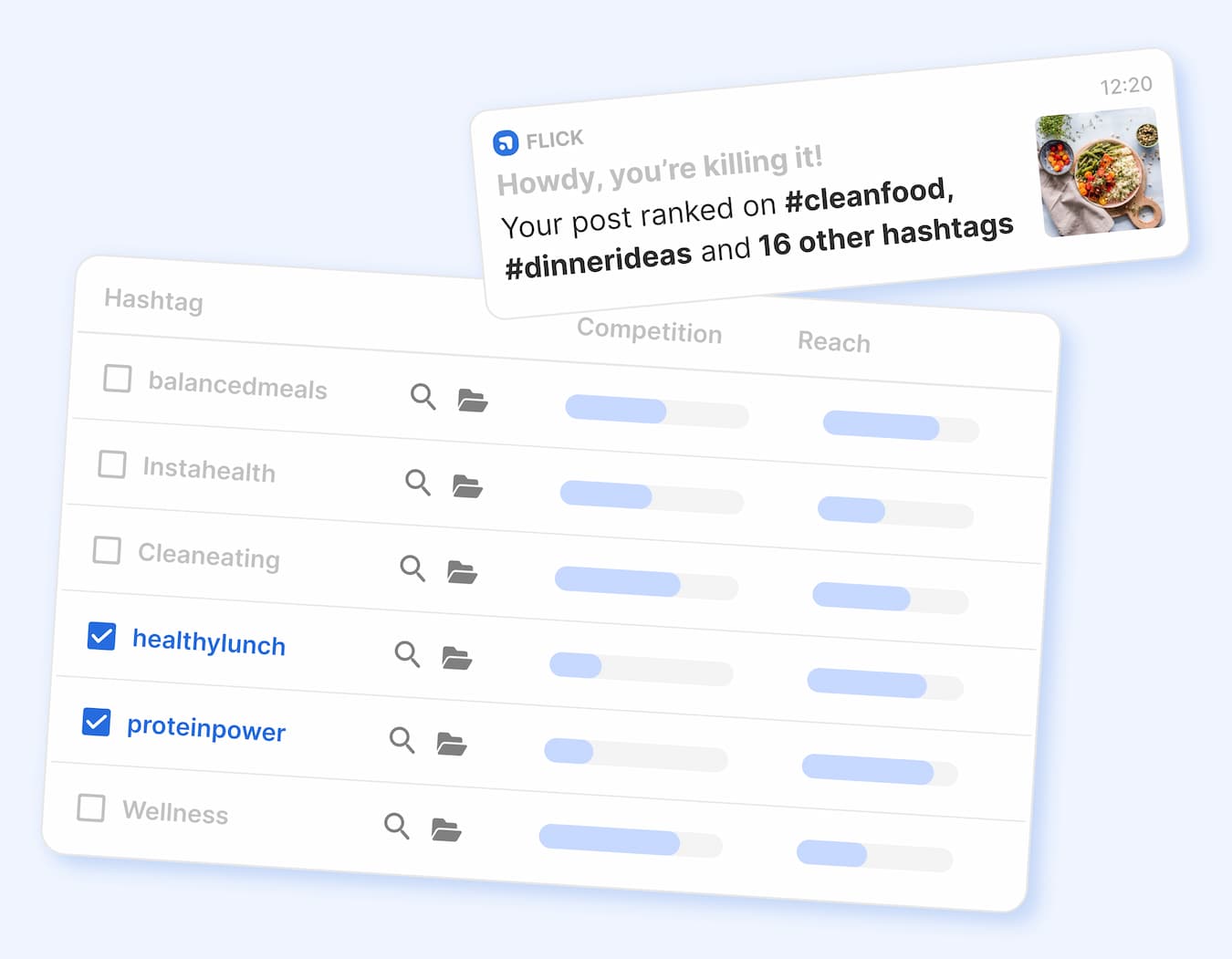
Image source: Flick
Is Flick worth looking at in the first place?
Yes, for the right buyer. Flick looks strongest when you want one tool to help you plan content, write faster, schedule posts, and get clearer feedback on what is working without building a messy stack around your social workflow.
The biggest reason people will be interested in Flick is convenience. The platform combines scheduling, hashtag tools, AI-assisted writing, and analytics, which matters because patching those tasks together manually usually means slower publishing, more inconsistency, and more second-guessing every time you post.
The catch is that not everyone needs that bundle. If you only want a basic scheduler and do not care much about hashtags, captions, or post-performance analysis, Flick can feel like more tool than you need.
That is where most reviews get lazy. They either act like every creator should buy it immediately, or they talk so broadly that you still do not know whether it fits your setup.
Here is the simple version. Flick makes the most sense for creators, marketers, and small businesses that post often enough for speed and consistency to matter. If social is already part of how you get attention, leads, or sales, a platform like this can be easier to justify because saving time usually turns into publishing more consistently.
It makes less sense if you are still figuring out what you even want to post. A tool cannot fix weak positioning, weak offers, or a brand that has no clear direction yet.
That does not mean you should wait forever. It means the trial is most valuable when you already have something to promote and want help producing, organizing, and improving content faster.
Flick also stands out because it still leans into hashtag and Instagram-centered workflow support instead of trying to be a bloated enterprise platform. That focus will be a plus for some buyers and a limitation for others, which is exactly why this review needs to look at who it helps most, where the price starts to make sense, and when an alternative is smarter.
Article outline
I broke this review into three clear sections so you can jump straight to the part that matters most to your buying decision.
Start here if you are still deciding whether Flick fits your workflow
Then look at what you get and whether the price feels fair
Finish here if you want the shortest path to a decision
The next section gets into the practical stuff: what the trial actually lets you test, where Flick starts to earn its price, and where it may still be too much for a beginner. That is the point where this stops being a vague “looks nice” tool and becomes a real buy, wait, or skip decision.
What you get in the free trial
Flick’s core pricing page currently shows a 7-day free trial on all plans, and that is enough time to figure out whether the platform actually makes your content workflow easier or whether it just looks nice on a landing page. That matters because a lot of social tools feel useful in theory, then sit there once real work starts.
The trial is not just a basic scheduler demo. Flick gives you access to the parts people usually care about most: post scheduling, hashtag search and collections, analytics, and its AI content tools.
You can also see quickly whether the setup feels manageable. Flick supports scheduling for Instagram posts and reels, Facebook, TikTok, and LinkedIn, so the trial is practical if you already publish across at least two of those channels and want one place to handle the work.
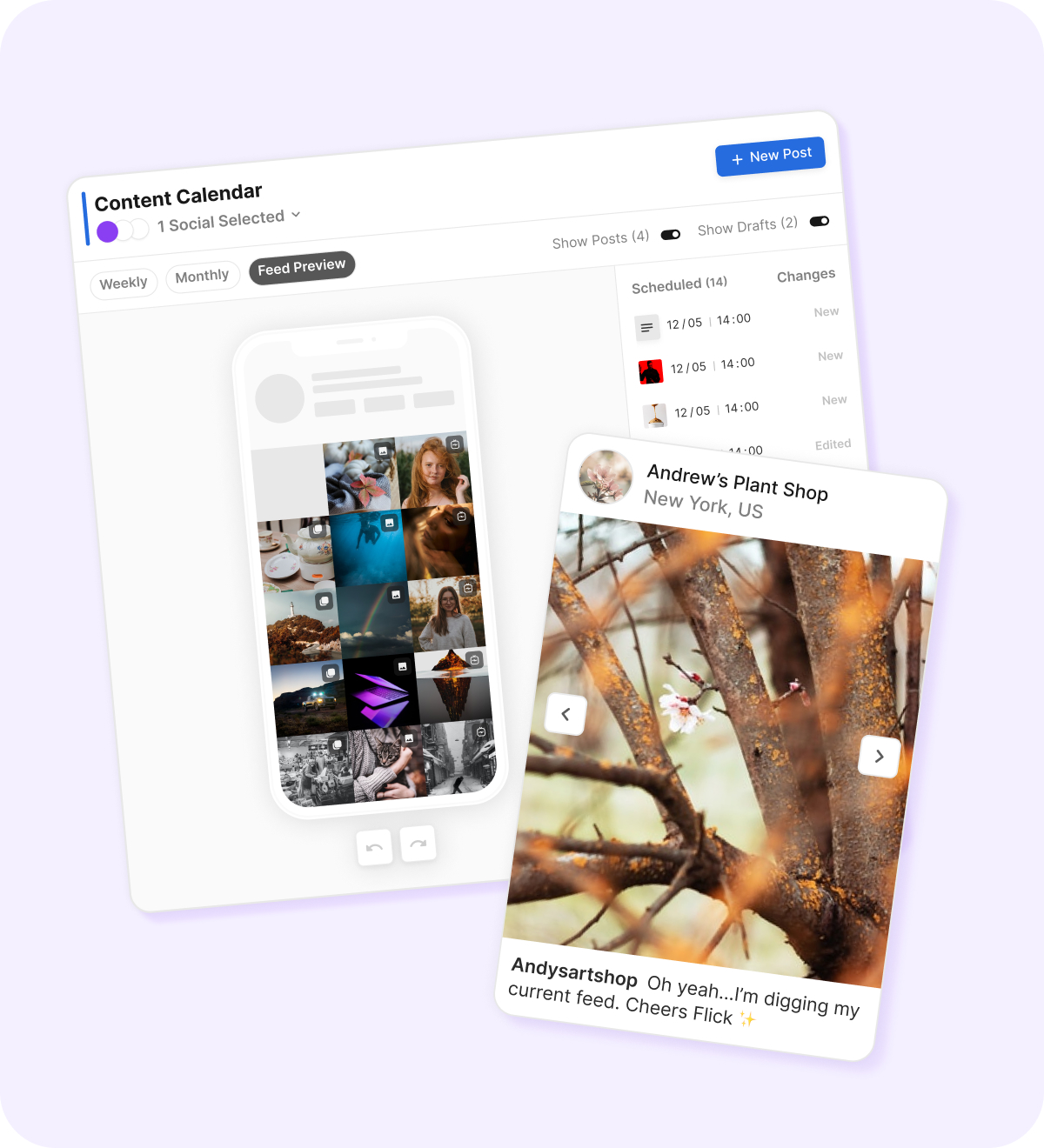
Image source: Flick
The smartest way to use the trial is simple. Link your socials, build a week of posts, test the AI help for captions or ideas, schedule content into the calendar, and then check whether the analytics and hashtag tools give you anything you would not get from a cheaper scheduler.
That last part is the real decision point. If all you do is queue a few posts, you will not learn much. If you actually test the workflow from idea to publishing, you will know pretty fast whether Flick saves you enough time to justify paying for it.
There is one limitation you should know up front. Flick’s analytics focus is strongest around Instagram, so if your main priority is deep reporting across every social network you touch, the trial may feel narrower than an enterprise-style platform.
The good stuff
Flick looks strongest when you want one tool to help you plan, write, schedule, and improve content without bouncing between separate apps. That is the main reason it stands out from a basic scheduler.
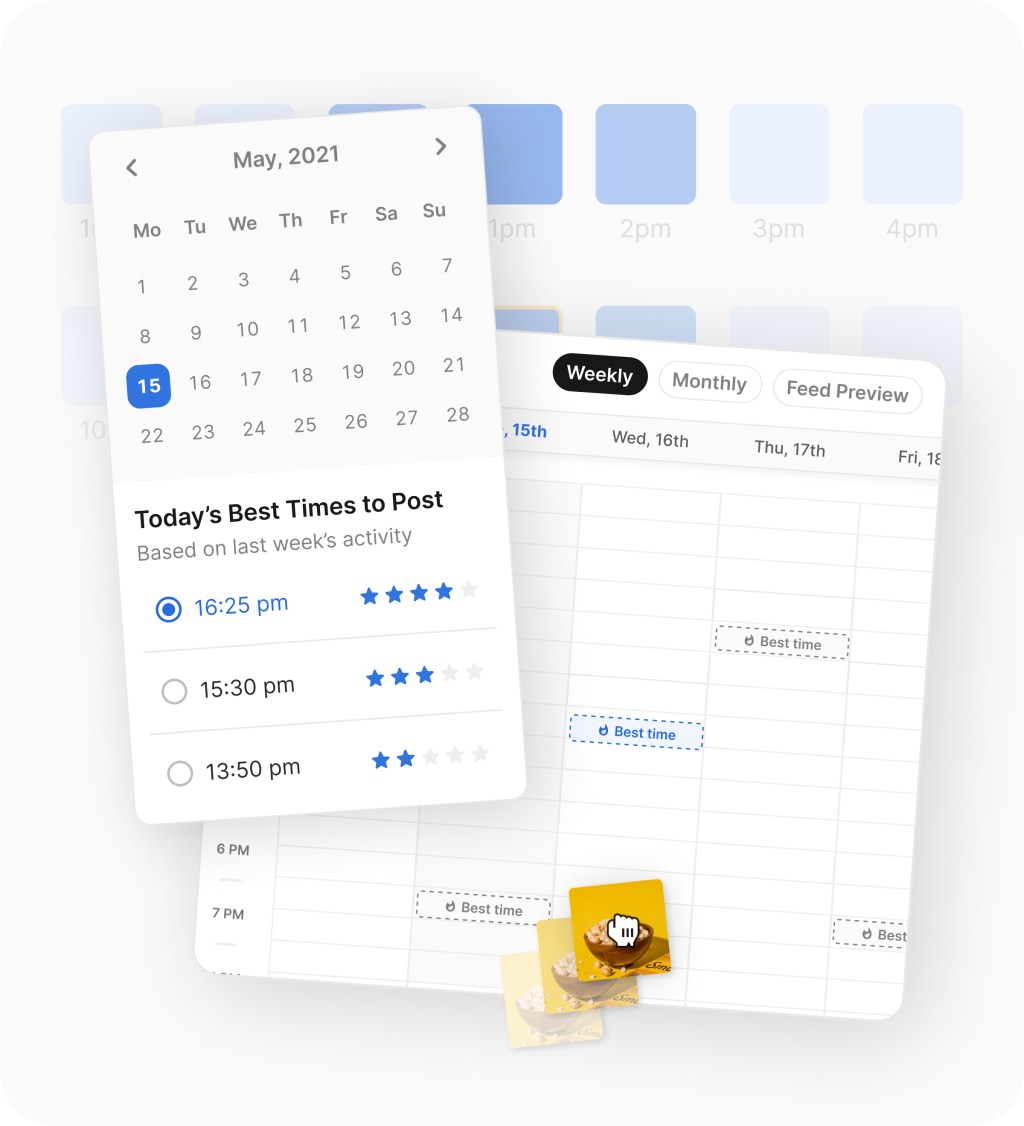
The scheduling side looks genuinely useful instead of stripped down. You get a visual content calendar, feed preview tools, media handling, drafts, and best-time suggestions, which means the tool is not just helping you post later, it is helping you organize the entire week or month.

Image source: Flick
The biggest practical advantage is that hashtag research and post creation sit inside the same workflow. If Instagram still matters to your growth, that is a real convenience because you are not copying notes from one place, writing captions somewhere else, and then trying to remember what worked last month.
The AI side also makes Flick more appealing for busy marketers and creators. You can use it for brainstorming, captions, and content planning, which is helpful if your main bottleneck is not publishing itself but the constant pressure to come up with something worth posting.
Ease of use looks like another plus. The official pages lean hard into easy setup, mobile access, and working from one content calendar, and that is exactly the kind of thing that reduces drop-off after the first week.
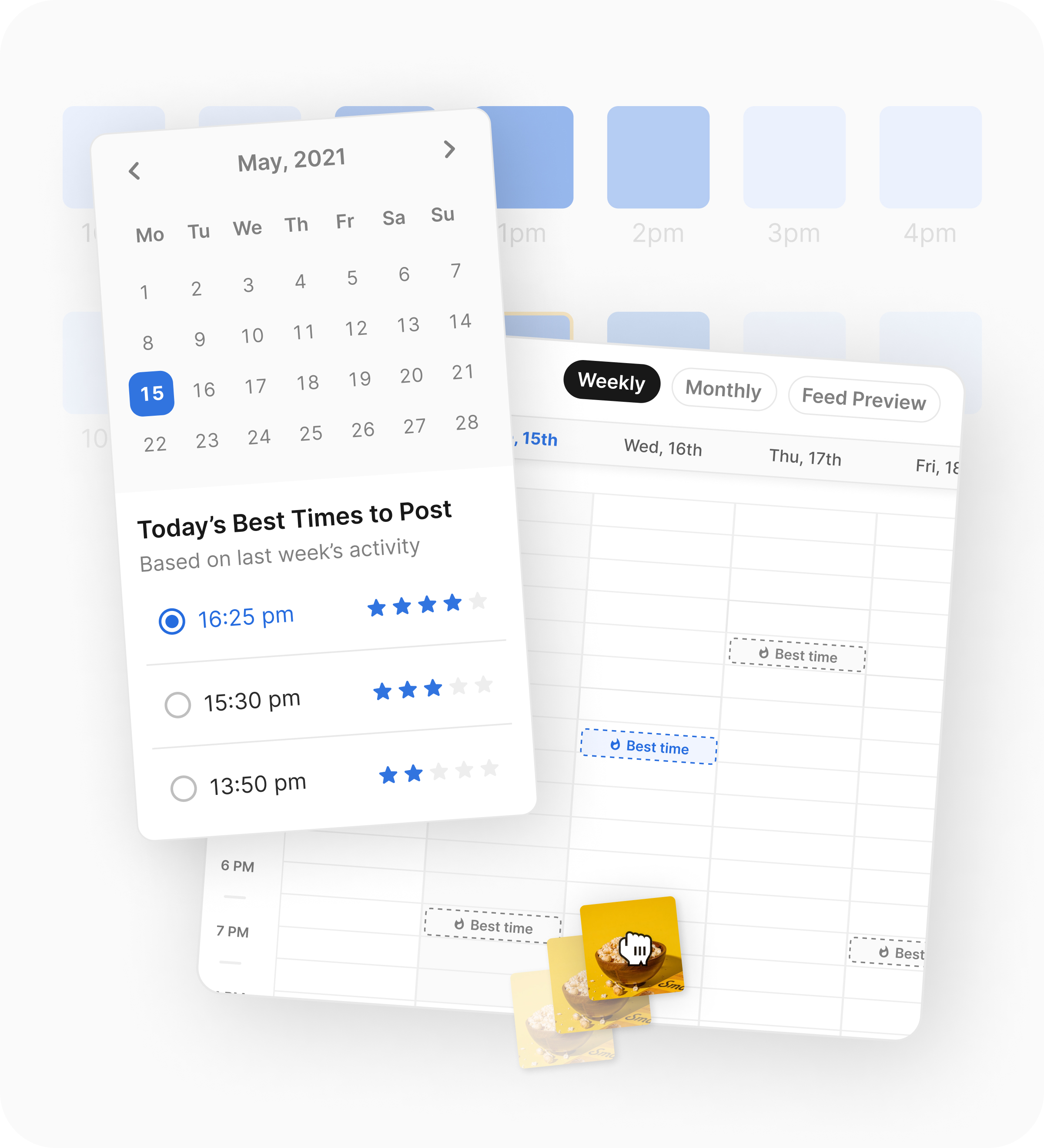
Image source: Flick
- Strongest win: one workflow for planning, writing, scheduling, hashtags, and core analytics.
- Best feature combo: content calendar plus hashtag tools plus AI help.
- Best fit: creators, marketers, and small teams posting often enough to care about speed and consistency.
- Main catch: if you only want lightweight scheduling, some of this will feel unnecessary.
That catch matters. Flick is great for some people and overkill for others. If you post once in a while and already know what to write, you may not need the extra content support at all.
Pricing and value
Flick becomes easier to justify once you look at what each plan is trying to replace. The pricing page currently lists Solo at £11 per month billed yearly, Pro at £24 per month billed yearly, and Agency at £55 per month billed yearly, with extra socials at £4 and extra users at £8 on the higher plans.
Solo is fine if you mainly want structure and a lighter version of the toolkit. Pro is where the value starts to look stronger because unlimited scheduling, unlimited tracked Instagram posts, and full feature access make the tool easier to use seriously instead of cautiously.
Agency makes sense if you are handling multiple brands or clients. If that is not your situation, jumping straight to the top plan is unnecessary.
Flick wins that comparison when your problem is content production and consistency, not full business infrastructure. Buffer is cheaper, and GoHighLevel is broader, but Flick sits in the middle nicely for people who want more guidance and workflow help without buying an agency-sized stack.
That makes Pro the most interesting plan for most serious users. It is the point where Flick stops feeling like a limited starter tool and starts behaving like something you can actually build your weekly social process around.
Why starting now may make sense
If your current social process feels messy, waiting usually does not fix it. You just keep writing captions late, forgetting posts, guessing at hashtags, and telling yourself you will “get organized next week.”
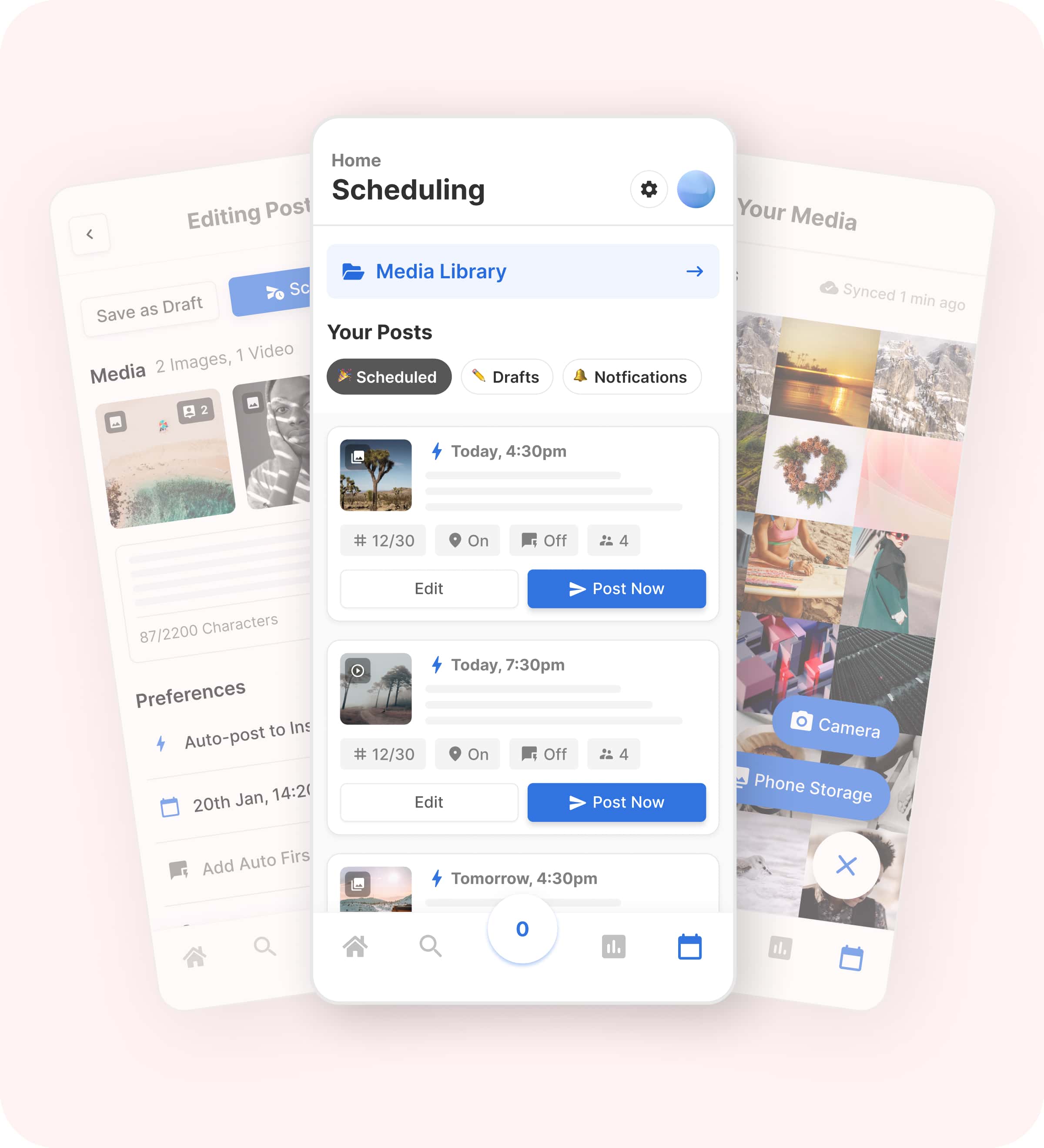
Image source: Flick
Flick is easier to justify when you already have something to promote and social is part of how people find you. In that situation, more consistency is not a vanity benefit. It is how you give your offers more chances to be seen.
Buying now also makes more sense if you are stuck in tool overlap. Once one platform can help with ideas, captions, scheduling, hashtag organization, and post analysis, the price starts to look less like “another subscription” and more like a cleaner way to work.
Do not force it if you are brand new and barely posting. A cheaper scheduler or even native posting tools may be enough for now. But if you are already serious about growing and your workflow is slowing you down, Flick is the kind of tool that can save time fast because it tackles the annoying parts people keep putting off.
For the right buyer, that is the real reason to start the trial now instead of later. You will know within a week whether Flick helps you publish more consistently, think less about logistics, and get your content moving again.
Alternatives worth comparing before you decide
Flick is not the automatic winner for everyone. The right pick depends on whether you want a better content workflow, a cheaper scheduler, or a broader all-in-one system that goes way beyond social media.
Flick looks strongest when you care about planning, writing, scheduling, hashtag help, and Instagram-focused insights in one place. If that is your real problem, it usually makes more sense than buying the cheapest tool and then patching the missing pieces yourself.
Image source: Flick
Buffer is the easier recommendation if your main goal is simple publishing at a lower price. Later is more appealing if you want a bigger social management workspace with stronger visual planning and are okay paying more. GoHighLevel is the better fit if social content is only one small piece of a much bigger funnel, CRM, and automation setup.
Choose Flick if you want your social workflow to feel faster and less scattered without paying for a giant business suite. Choose Buffer if budget matters more than depth, and choose GoHighLevel if you actually need CRM, funnels, and automation alongside social.
Later makes more sense if you want a broader visual planner and can justify the higher entry price. Flick wins when the balance you want is speed, helpful content tools, and a platform that still feels focused.
My final verdict
Flick is worth trying for the right buyer. That buyer is not someone posting once in a while with no real content process. It is someone who is already trying to stay consistent and is tired of doing too much of the work manually.
The best part of Flick is not one flashy feature. It is the way the pieces fit together. Planning, writing help, scheduling, hashtag support, and performance feedback live close enough together that the tool can genuinely shorten the distance between idea and published post.
Image source: Flick
That is why the price can make sense faster than it first looks. If you are already spending time bouncing between notes, caption drafts, scheduling tools, hashtag lists, and post checks, keeping that process manual costs you more than it seems.
The limitations are real. Flick is less compelling if you only want cheap scheduling, and it is not the best fit if you need the kind of broad multi-channel reporting or full business automation that bigger suites push harder.
Beginners can still use it, but beginners do not always need it yet. If you are still figuring out your offer, your voice, or your posting rhythm, a simpler tool might be enough for now. If you already know social matters for your business, Flick is a much easier yes.
That is my honest take. For creators, marketers, and small brands who want to move faster without building a clumsy tool stack, Flick looks like a smart buy. For everyone else, it is better to wait or go cheaper.
FAQ
Is Flick good for beginners?
Yes, the interface looks approachable enough for beginners. The bigger question is whether a beginner actually needs it yet. If you are barely posting, a cheaper scheduler may be the smarter first step.
Is Flick better than Buffer?
Flick is better when you want more help with the actual content workflow, especially hashtags, caption support, and planning. Buffer is better when your priority is keeping things simple and inexpensive.
Can Flick replace other tools?
It can replace more than a basic scheduler because it also covers content planning, hashtag organization, and some analytics. It will not replace a full CRM or a broader marketing stack, so do not buy it expecting that.
Is the 7-day trial enough?
Yes, if you use it properly. Connect your socials, build a real week of content, schedule posts, test the writing tools, and check whether the workflow feels faster. If you do that, you should know within the trial whether it is worth paying for.
Should you start now or wait?
Start now if you already have something to promote and your content process feels messy. Wait if you are still at the stage where the bigger problem is not publishing speed, but not knowing what you want to say yet.
Image source: Flick
If your current setup feels scattered, Flick is worth a real look. If you already have offers, products, or services to promote, waiting usually just means more delays, more manual work, and more inconsistent posting than you need.
 Filip Konecny Enterprises