
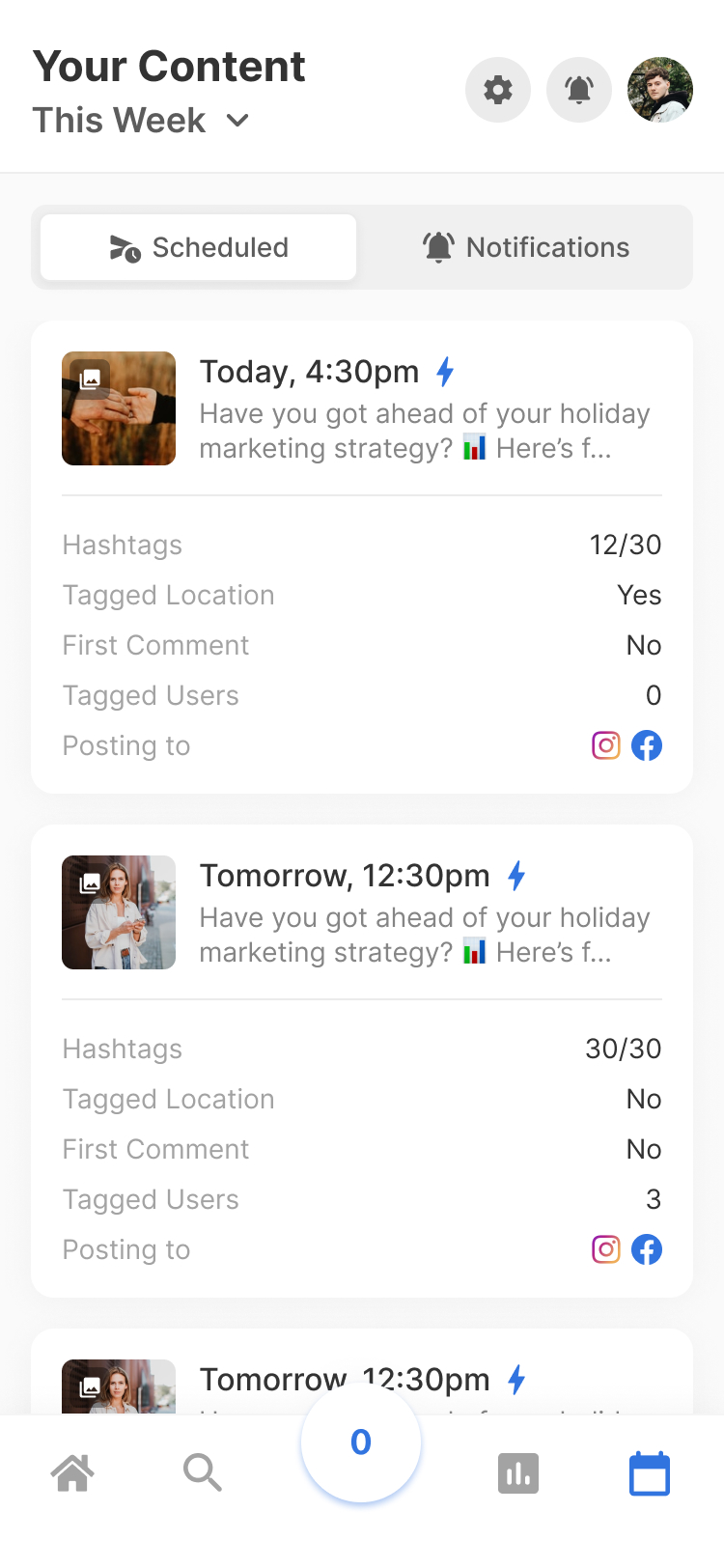
Flick is one of those tools that looks simple at first and then gets more interesting once you realize how much social media busywork it tries to pull into one place. You get scheduling, AI caption help, hashtag research, planning tools, and analytics without bouncing between a pile of tabs all day.
That does not automatically make it a must-buy. The real question is whether Flick saves you enough time, gives you enough clarity, and replaces enough smaller habits or tools to justify the monthly cost.
For the right buyer, it probably does. If you mainly care about Instagram plus a few other channels, want a cleaner workflow, and keep losing time to captions, content planning, and hashtag guesswork, Flick is worth a serious look instead of another month of doing everything manually.
Quick verdict
Flick looks strongest for creators, solo marketers, and small teams that want one place to plan posts, write faster, schedule content, and keep an eye on what is working. It is easier to justify when you are already posting consistently and the real pain is the time it takes to keep the machine moving.
It looks weaker if you need deep cross-platform analytics, large-team collaboration, or a broader all-in-one marketing stack. A lot of the product’s sharpest edges still lean toward Instagram workflows, so the value depends on whether that matches how you actually work.
Image source: Flick Instagram Planner
Check the official free trialWho this review is for
This Flick review is for someone close to taking action, not someone casually browsing tools for fun. If you already post content, already know consistency matters, and are tired of cobbling together notes apps, caption drafts, scheduling tools, and random hashtag lists, Flick is the kind of software that deserves a real evaluation.
It is also a better fit when social media is attached to an actual business goal. That could be leads, sales, audience growth, client work, or simply getting your content out without it taking over your week.
If you are barely posting and still figuring out whether social matters for your business at all, paying for a tool like this may be early. In that case, waiting or using a cheaper option first could make more sense than jumping in before you have a repeatable content process.
Article outline
I structured this review to help you answer the buying question fast. You do not need a generic social media guide here. You need to know whether Flick is worth trying, what you actually get, where it falls short, and whether another tool would fit better.
- Start here: quick verdict, who Flick fits, and the short version of whether this is worth your time
- Next: what you get in the trial, the strongest parts of the platform, pricing, value, and why buying sooner may save you more time than waiting
- Last: the main alternatives, who should pick Flick anyway, who should go cheaper, and the final verdict
That flow matters because Flick is not the cheapest social tool you can find, and it is not trying to be everything for everyone. The decision gets much easier once you look at it through one lens: does this help you publish better content faster and with less friction than your current setup?
If the answer ends up being yes, the trial is the obvious next move. If the answer is no, it is better to know that now than pay for features you will not use.
What you actually get in the trial
Flick keeps the trial simple. All paid plans come with a 7-day free trial, so you are not dealing with a fake demo or a stripped-down preview that tells you nothing.
What you can test depends on the plan you start with. Solo is the cheaper entry point, but Pro and Agency are the plans that open up the full feature set, so they give you a much clearer picture of whether Flick is worth paying for long term.
That matters because Solo has real limits. It is cheaper for a reason, and if you judge the whole product from the lightest plan, you can easily undersell what Flick is actually good at.
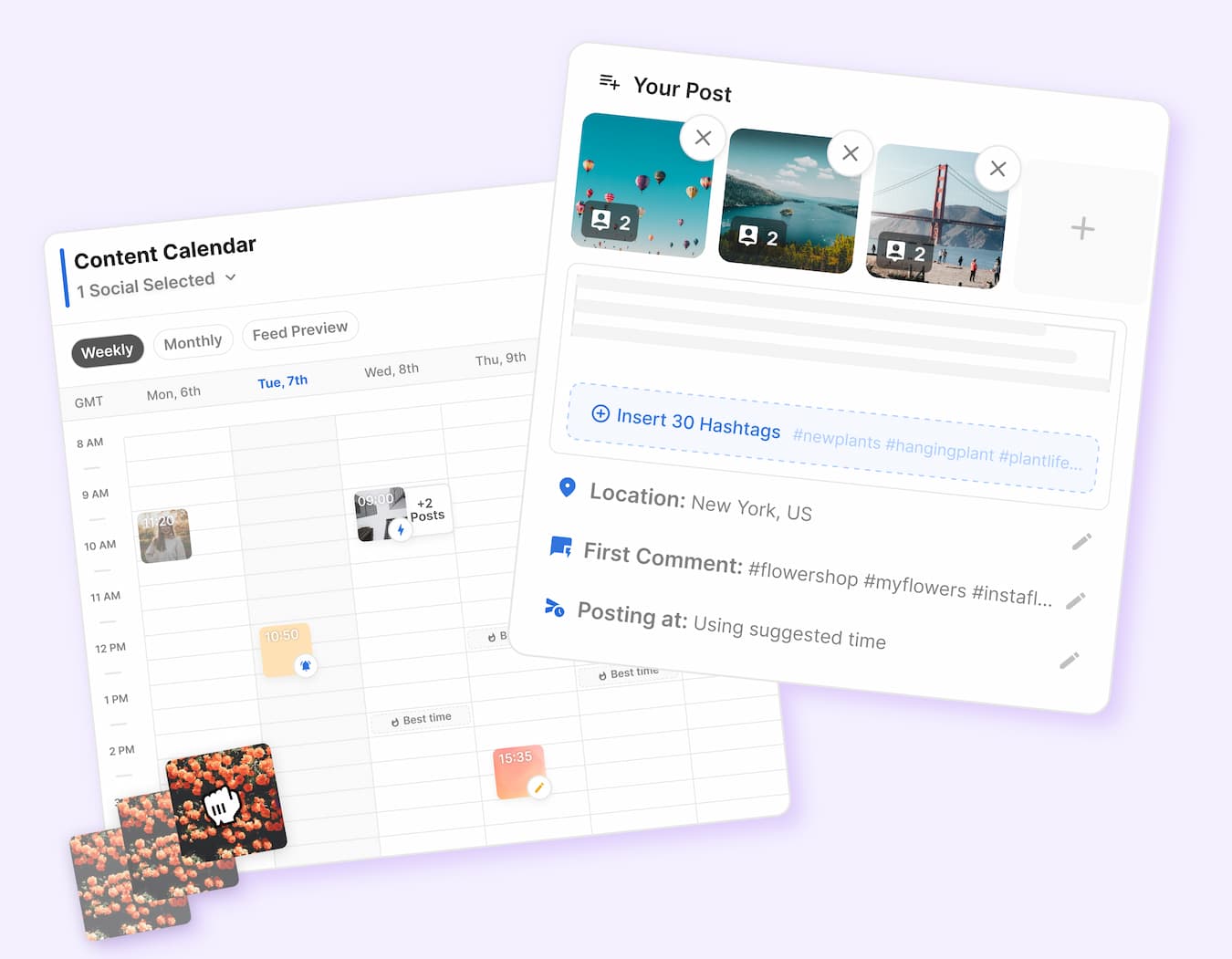
Image source: Flick Social
The practical upside is that you can test the parts that actually decide whether a tool earns its subscription. That means scheduling posts, checking the content calendar, using the caption and hashtag workflow, and seeing whether the analytics are useful enough to change what you post next.
Flick also supports scheduling for Instagram, Facebook, TikTok, and LinkedIn, so the trial is not boxed into one channel only. If your workflow lives mostly on Instagram but spills into a few other platforms, that makes the test a lot more realistic.
See current pricingIf you want to judge Flick fairly, start the trial with an actual week of content ready to build. Connect your accounts, schedule real posts, test the captions and hashtags, and see whether the workflow feels faster than your current mess of notes, drafts, and browser tabs.
The good stuff
Flick’s strongest pitch is speed. Not fake “10x your growth” speed, but real day-to-day speed where planning, writing, scheduling, and checking performance happen in one place instead of four.
That is the kind of value that is easy to underestimate until you are the one doing the work every week. If your current setup already feels annoying, Flick will probably feel useful fast.
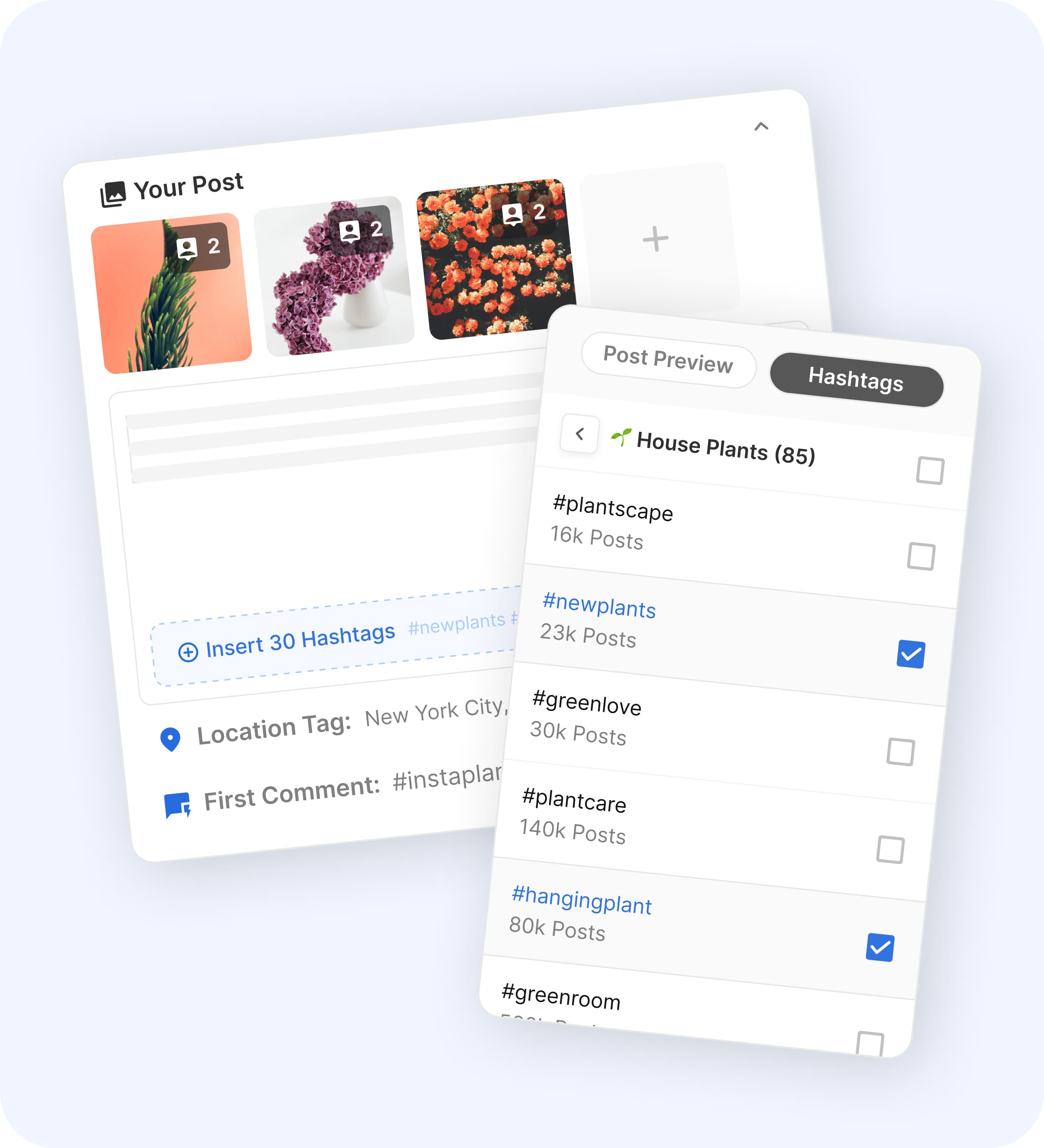
Image source: Flick Social
The scheduling side looks especially appealing if consistency is your biggest problem. Flick gives you a visual calendar, post creation tools, and timing suggestions, which is a lot better than deciding what to post five minutes before you need to publish something.
The hashtag tools are still one of the clearest reasons to consider Flick over a generic scheduler. If Instagram is still a serious channel for you, getting help with finding, organizing, and reusing stronger hashtags can make the platform feel more specialized than cheaper tools that mostly stop at publishing.
The AI features also make sense when used for what they are good at. They help you get unstuck, draft faster, and keep content moving, but they are not a substitute for knowing your offer, your audience, or your brand voice.
That balance is important because beginner buyers often expect instant content magic. The better way to think about Flick is that it helps a good process move faster, not that it saves a weak strategy by itself.
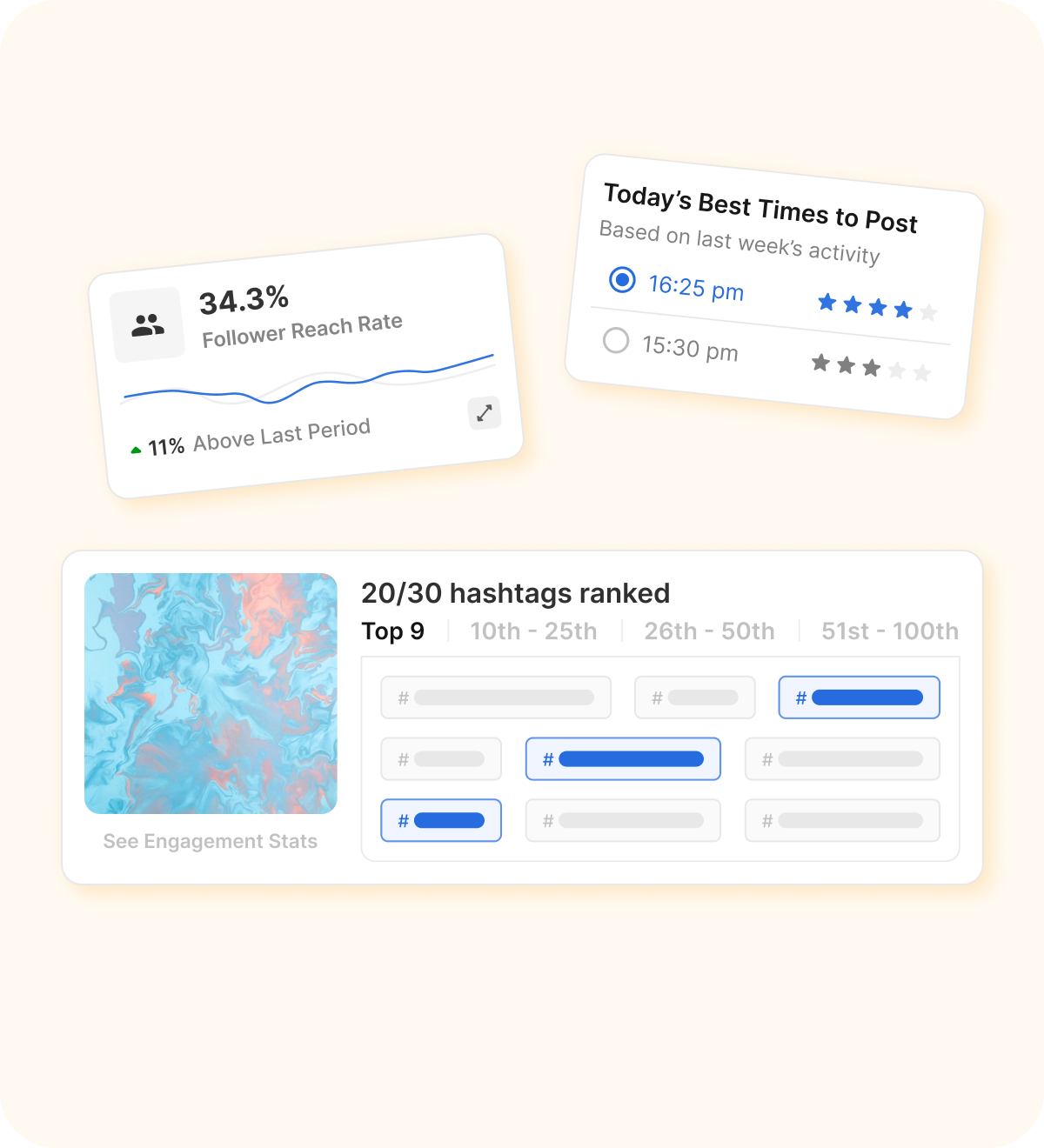
Image source: Flick Social
The analytics angle is another plus because it gives the tool a reason to stay in your workflow after scheduling is done. You are not just publishing and hoping for the best; you are getting performance data, hashtag feedback, and posting-time guidance that can actually change the next batch of content.
That does not make Flick a deep enterprise analytics suite. It makes it useful for creators, marketers, and smaller teams who want clearer decisions without paying for a much heavier reporting stack.
Pricing and value
Flick is not the cheapest social tool you can buy. The price starts low enough to test without pain, but the real decision is whether the saved time and cleaner workflow are worth more to you than a lower monthly bill somewhere else.
That comparison gets easier once you look at the alternatives honestly. Buffer is cheaper to start, offers a free plan for up to 3 channels, and runs paid pricing by channel, which makes it attractive if you mainly want straightforward scheduling and basic social management without paying for a more Instagram-specific workflow.
Flick beats that cheaper route when hashtags, content planning, caption help, and Instagram-first execution are part of the reason you are shopping in the first place. If you mostly want to publish posts and keep costs lean, Buffer is the simpler buy.
The bigger alternative is GoHighLevel. It starts much higher, around $97 per month, and it makes more sense when you need CRM, funnels, automations, websites, client sub-accounts, and a broader business system rather than a dedicated social content tool.
That is why Flick lands in a useful middle spot. It is more focused and easier to justify than GoHighLevel if your real problem is social execution, but more specialized than Buffer if Instagram workflow and hashtag performance still matter to your business.
Buying now makes the most sense when you already have something to publish. If content is already part of your sales or growth plan, waiting usually means more manual scheduling, more half-finished drafts, and more weeks where posting consistency slips because the workflow is too annoying.
Skip it for now if you are barely posting, still guessing what channel matters, or only need a dirt-cheap scheduler. Start the trial now if you are already active, want a better system, and need a tool that helps you plan, write, schedule, and review content without building your own patchwork setup.
Check the official free trialFlick vs the main alternatives
Flick is not trying to beat every social media tool at everything. It looks best when you want a cleaner posting workflow, stronger hashtag help, and enough analytics to improve what you publish without paying for a giant team-focused suite.
That makes the alternatives decision pretty simple. If you want the cheapest decent option, one tool wins. If you want a broader creator setup, another one makes more sense. If you want CRM, funnels, and automations on top of social, that is a completely different category.

Image source: Flick Social
Check the official free trialChoose Flick if your biggest problem is getting quality content planned, written, scheduled, and improved without wasting hours every week. Choose Buffer if price matters most and your needs are basic, choose Later if you want a broader creator-style scheduler, and choose GoHighLevel only if you want a much bigger business stack than a social content tool.

Image source: Flick Social
My honest take
Flick looks worth it for the right buyer. That buyer is already posting, already cares about results, and is tired of using a sloppy setup for captions, hashtags, planning, scheduling, and review.
The reason it earns a real look is focus. Flick is narrow in a good way. It does not pretend to be your CRM, your sales funnel builder, your help desk, and your accounting app at the same time.
That focus also explains who should skip it. If you only need the cheapest scheduler possible, Buffer is easier to justify. If you want one giant business stack, GoHighLevel is the more logical direction.
Flick sits in the sweet spot between those two extremes. It looks strongest when Instagram still matters to your growth and you want better execution, not a whole new operating system.
Beginners can use it, but beginners do not automatically need it. If you are barely posting, the software will not fix that habit for you. If you already have offers, content ideas, or client work that depends on staying consistent, the trial becomes much easier to justify.
Waiting only makes sense if you are not ready to publish. If you are ready now, delaying the purchase usually means more manual posting, more half-finished drafts, and another month of letting your content workflow stay messier than it needs to be.

Image source: Flick Social
My lean is simple. If you are serious about publishing and want a tool that helps you move faster without jumping into a bulky all-in-one suite, Flick is worth trying now.
Get started with FlickA few last questions
Is Flick too expensive for beginners?
Sometimes, yes. If you are still figuring out whether you will post consistently, paying for a specialized tool early can be unnecessary. If content already drives leads, sales, or client visibility for you, the price looks a lot more reasonable.
Can Flick replace other tools?
It can replace part of a messy content workflow. It will not replace a full CRM or bigger marketing stack, but it can reduce your need for separate scheduling, caption drafting, hashtag research, and light performance tracking tools.
Is the 7-day trial long enough to judge it properly?
Yes, if you use it with real content. A week is enough to connect accounts, build a few posts, test the calendar, try the hashtag tools, and see whether the workflow feels better than what you are doing now.
Should you switch right now?
Switch if your current setup is slowing you down and Instagram still matters to your business. Wait if your content process is not active yet, or go cheaper first if your only goal is basic scheduling at the lowest possible cost.

Image source: Flick Social
If you already know social content matters for your business, the cleanest next step is obvious. Open the trial, build a real week of posts, and see whether Flick saves you enough time to earn its place.
Explore Flick Filip Konecny Enterprises