
What you get in the free trial
If you are looking for a Flick alternative to Metricool, the trial is where the decision gets easier fast. Flick’s pricing page currently pushes a 7-day free trial, and that week is enough to see whether the platform helps you create and schedule content faster or just gives you another dashboard to look at.
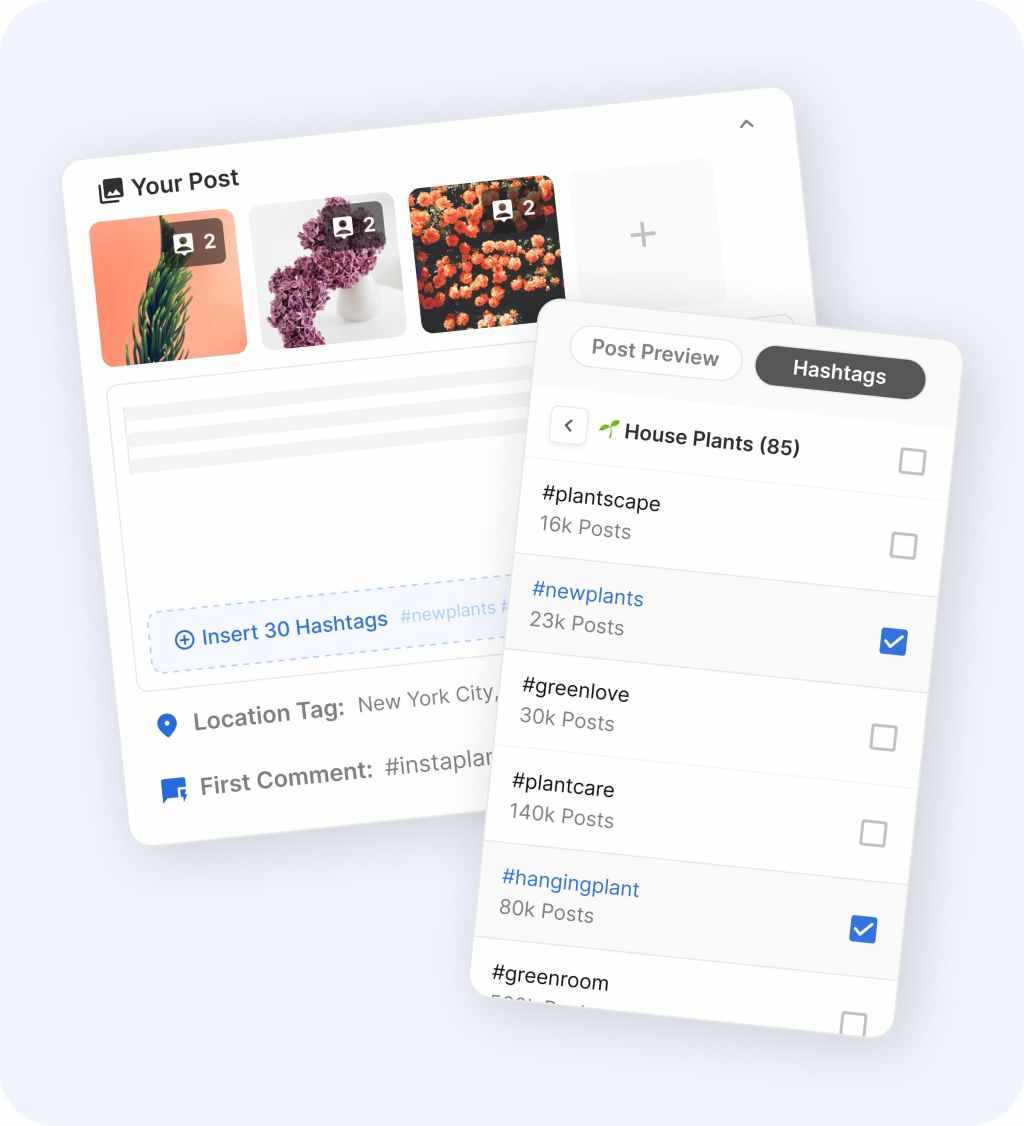
You can connect your accounts, test the scheduler, use the AI assistant, work with hashtags, and see whether the calendar feels easier to use than your current setup. The downside is simple: seven days is not long, so this works best when you already have content ideas ready to test instead of starting from zero.
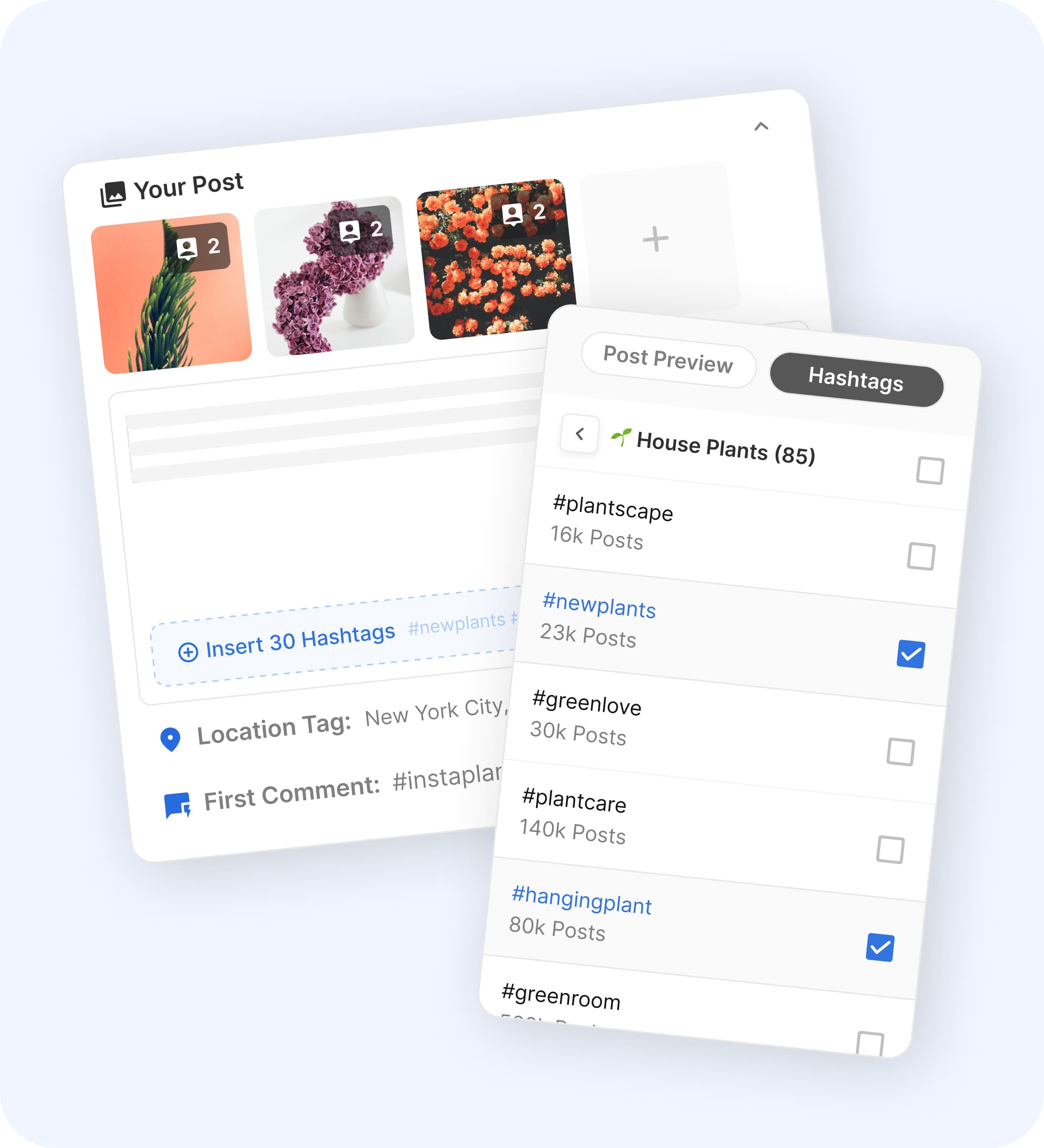
Image source: Flick Instagram planner
That matters because the real comparison is not just Flick vs Metricool. It is Flick vs doing content the hard way with a notes app, a separate AI tool, a hashtag spreadsheet, and whatever scheduler you already have open in another tab.
Metricool feels broader on reporting and brand management, but Flick tries to win the trial on speed. If your bottleneck is turning rough ideas into finished posts, check the official free trial while you still have a real content week ahead of you to test it properly.
The good stuff
Flick gets more interesting when Metricool feels a little too focused on reporting and not focused enough on helping you publish faster. The product pages keep pointing to the same core value: planning, caption help, hashtag research, analytics, and scheduling all sitting close together.
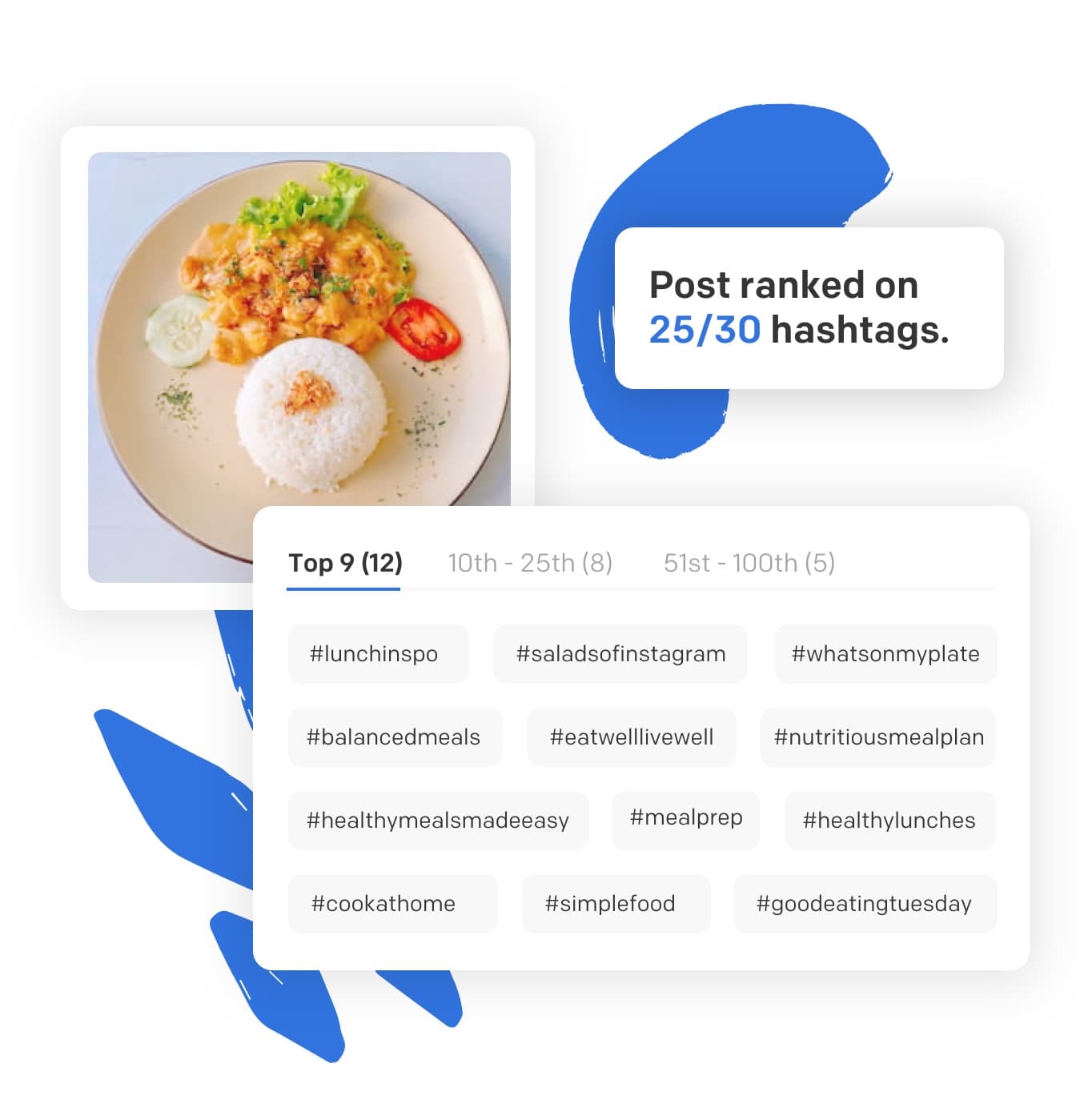
Image source: Flick hashtag tool
The hashtag side is still one of Flick’s clearest strengths. If Instagram reach matters to your business, being able to build hashtag groups and see what is actually helping you rank is more useful than a scheduler that only handles publishing.
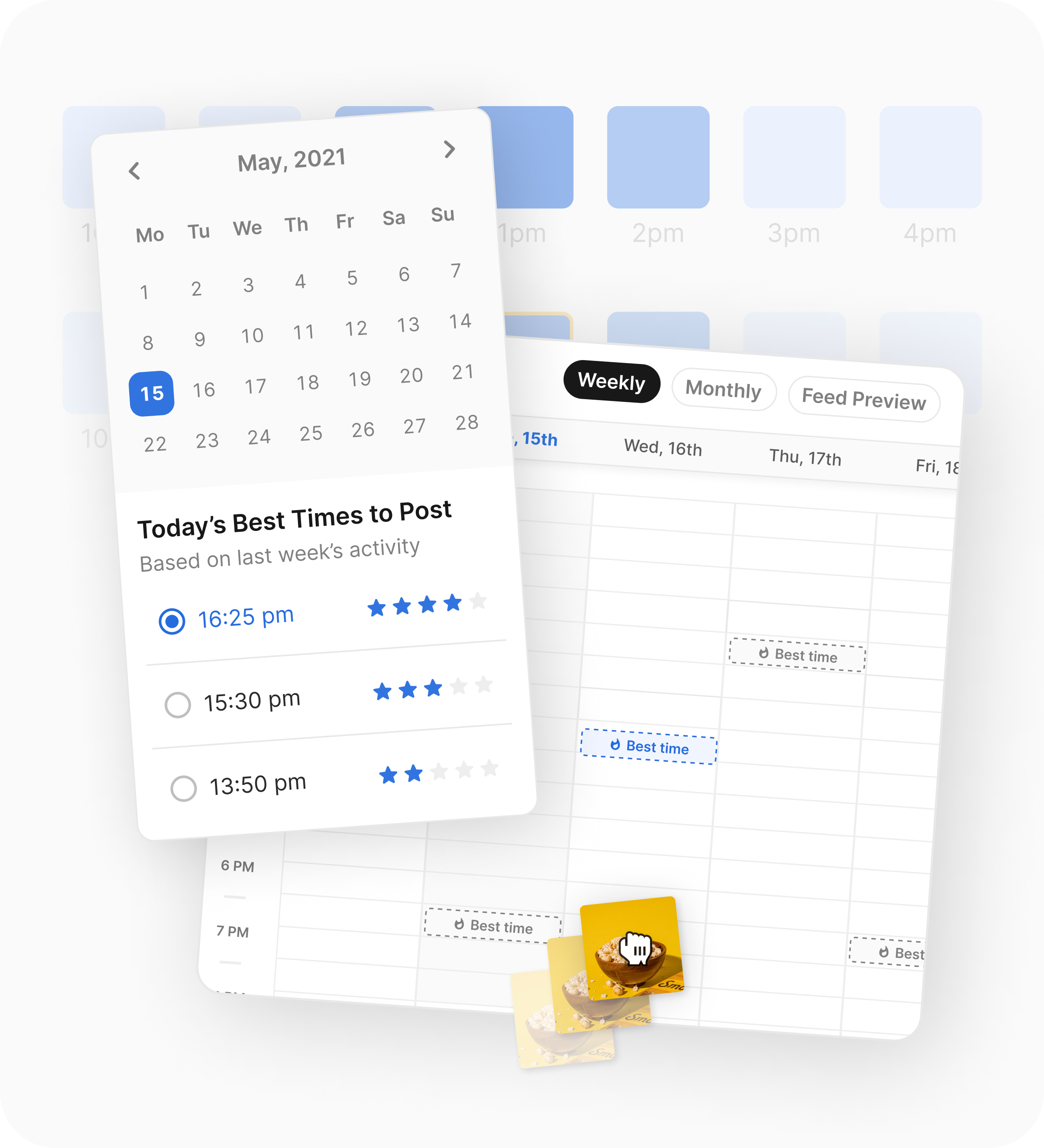
Image source: Flick Instagram planner
I also like that best-time suggestions live close to the calendar instead of feeling like separate advice you have to remember later. That sounds small, but it is the difference between “nice insight” and something you actually use when scheduling.
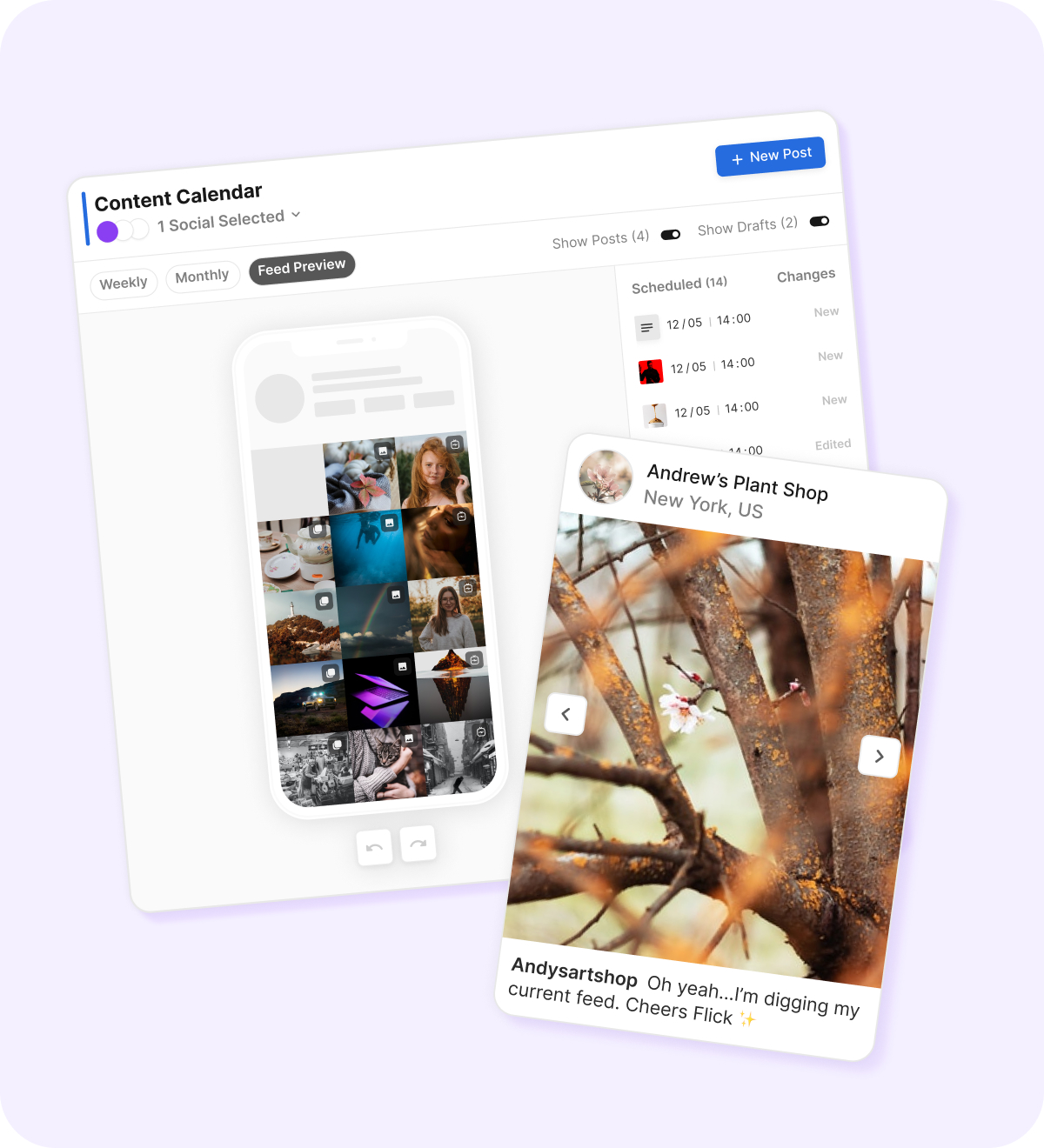
Image source: Flick Instagram planner
Feed preview and visual planning are also stronger here than you might expect, especially for creators, coaches, ecommerce brands, and personal brands that care how the grid looks before anything goes live. If your work is more agency-heavy and you care more about client approvals, team workflows, or broader reporting, Metricool still has a stronger case.
Flick is also more focused than broad. That is a strength when you mainly publish on Instagram, Facebook, TikTok, and LinkedIn, but it is a limitation if your workflow needs a wider channel mix or deeper ad reporting.
Pricing and how it stacks up
Pricing is where you need to be honest with yourself. Flick is not the cheapest way to schedule content, so it only makes sense when the planning, caption help, hashtag workflow, and posting speed save you enough time to matter.
The table below uses the entry pricing currently shown on official pages, but the plans are not identical and some tools bill by channel, some by brand, and some by account structure. Read it as a buying shortcut, not as a perfect apples-to-apples spreadsheet.
Check the official free trialHere is the simple read on that table. Flick beats Metricool when content creation is the problem, Buffer beats both on entry price, and GoHighLevel only makes more sense if social is just one piece of a much bigger sales system.
Why getting Flick now can make sense
Flick is worth moving on now if Metricool already showed you the limits of a reporting-first tool for your workflow. If your real struggle is planning posts, writing captions, choosing hashtags, and keeping a consistent calendar, Flick solves closer to the actual pain.
Manual content work looks cheap until it starts eating hours every week. Once you are bouncing between notes, AI prompts, saved hashtag lists, and native schedulers, you are paying in time, inconsistency, and slower learning from what performs.
I would not push you toward Flick if you need a forever-free plan, deeper agency reporting, or broader channel support first. I would push you toward it if you already publish regularly on Instagram, Facebook, TikTok, or LinkedIn and you want a faster path from idea to scheduled post.
That is the buyer this makes the most sense for. If that sounds like you, explore Flick before you spend another month patching together a workflow that still slows you down.
Alternatives worth considering
If you are searching for a Flick alternative to Metricool, the real question is not which tool has more features on a list. The real question is which one helps you publish better content faster without paying for stuff you will barely use.
Flick still has a strong case even inside that comparison. It is narrower than Metricool, but that focus is exactly why some creators and small brands end up preferring it.

Image source: Flick
Metricool is broader and better known for analytics, reports, and multi-brand management. Flick feels more useful when your main pain is creating posts, choosing hashtags, planning your feed, and getting content scheduled without bouncing between separate tools.
Check the official free trialChoose Flick if your bottleneck is planning and publishing better posts consistently. Choose Buffer if price matters most, and choose GoHighLevel if social sits inside a much bigger sales and automation machine.
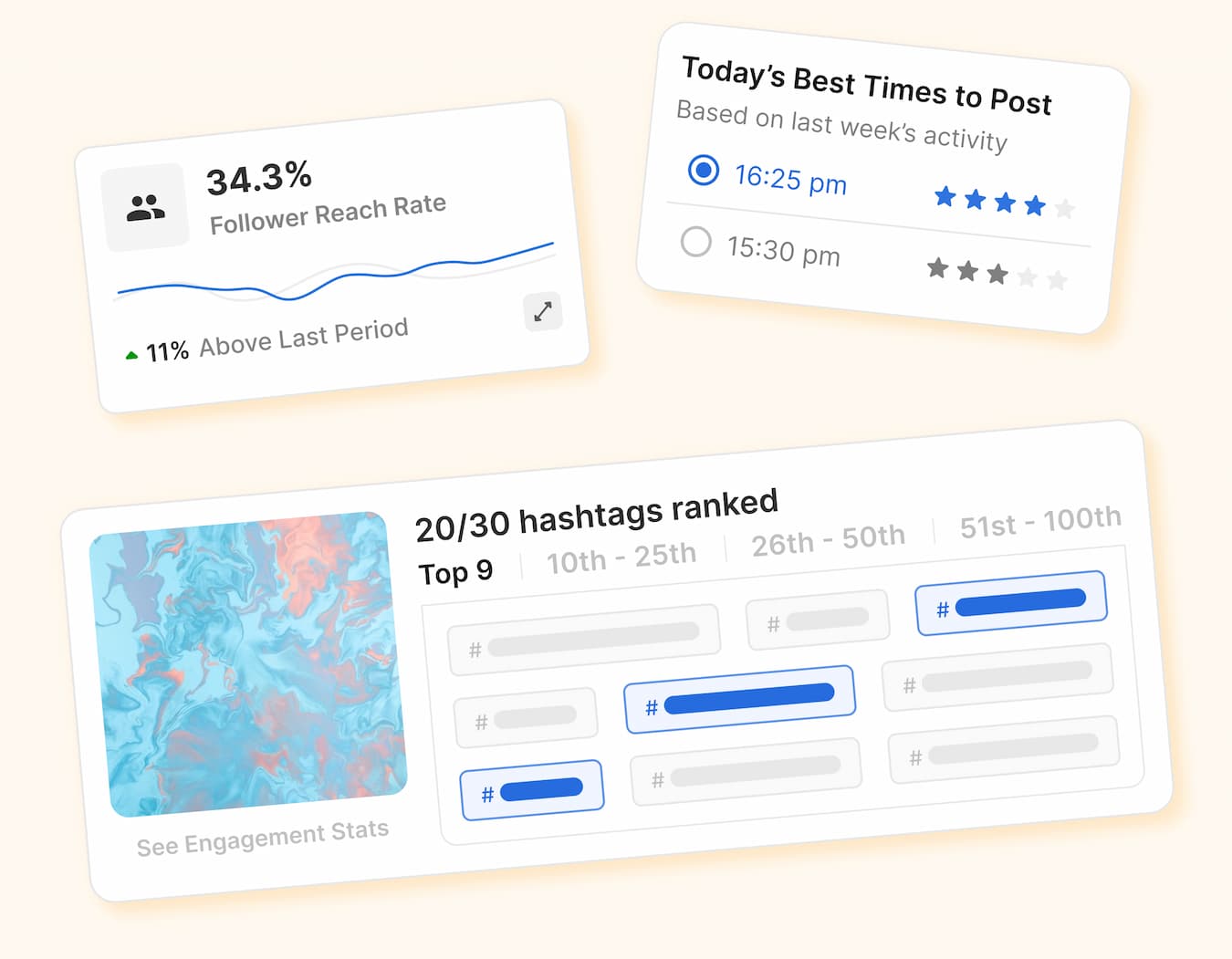
Image source: Flick
My honest take
Flick is not the best choice for everyone. It is the better choice for people who care more about getting content out the door than building a giant reporting and client-management setup.
That is why it can be a smarter buy than Metricool for the right person. If your week disappears into caption drafting, hashtag picking, calendar juggling, and feed planning, Flick goes closer to the actual problem.
Image source: Flick
Here is the catch. If you barely post, do not know what you want to say yet, and mostly need a cheap way to queue content, Flick can feel like more tool than you need.
That does not make it overpriced. It means the payoff shows up faster when you already have an offer, a real posting habit, or an audience you are actively trying to grow.
Image source: Flick
That is also why waiting is not always the smart move. If you already know content consistency is the thing holding you back, putting off the trial usually means another month of messy manual work.
FAQ
Image source: Flick
Is Flick better than Metricool?
Flick is better if you want a tighter content workflow with planning, hashtag help, and scheduling in one place. Metricool is better if your priority is wider analytics, reports, and brand management.
Is Flick good for beginners?
Yes, but only if you are actually posting and want help doing it better. If you are still figuring out whether social media matters to your business at all, a cheaper tool like Buffer is easier to justify.
Does Flick replace other tools?
It can replace more than a basic scheduler because it also covers content planning, hashtag work, AI help, and posting. It does not replace a bigger CRM or all-in-one business system like GoHighLevel.
Should you switch to Flick now or wait?
Start now if you already publish regularly and your current workflow feels scattered. Wait if you are not posting consistently yet, because software will not fix a content habit you have not built.
Should you try Flick now?
Yes, if you want a real Flick alternative to Metricool that feels more creator-friendly and more focused on getting posts planned, written, and published. No, if you mainly want the cheapest scheduler or a heavy agency reporting setup.
For the right buyer, this is absolutely worth trying. If you already have something to promote and you are tired of patching together your content workflow by hand, Flick makes a lot more sense than waiting.
Explore Flick Filip Konecny Enterprises