
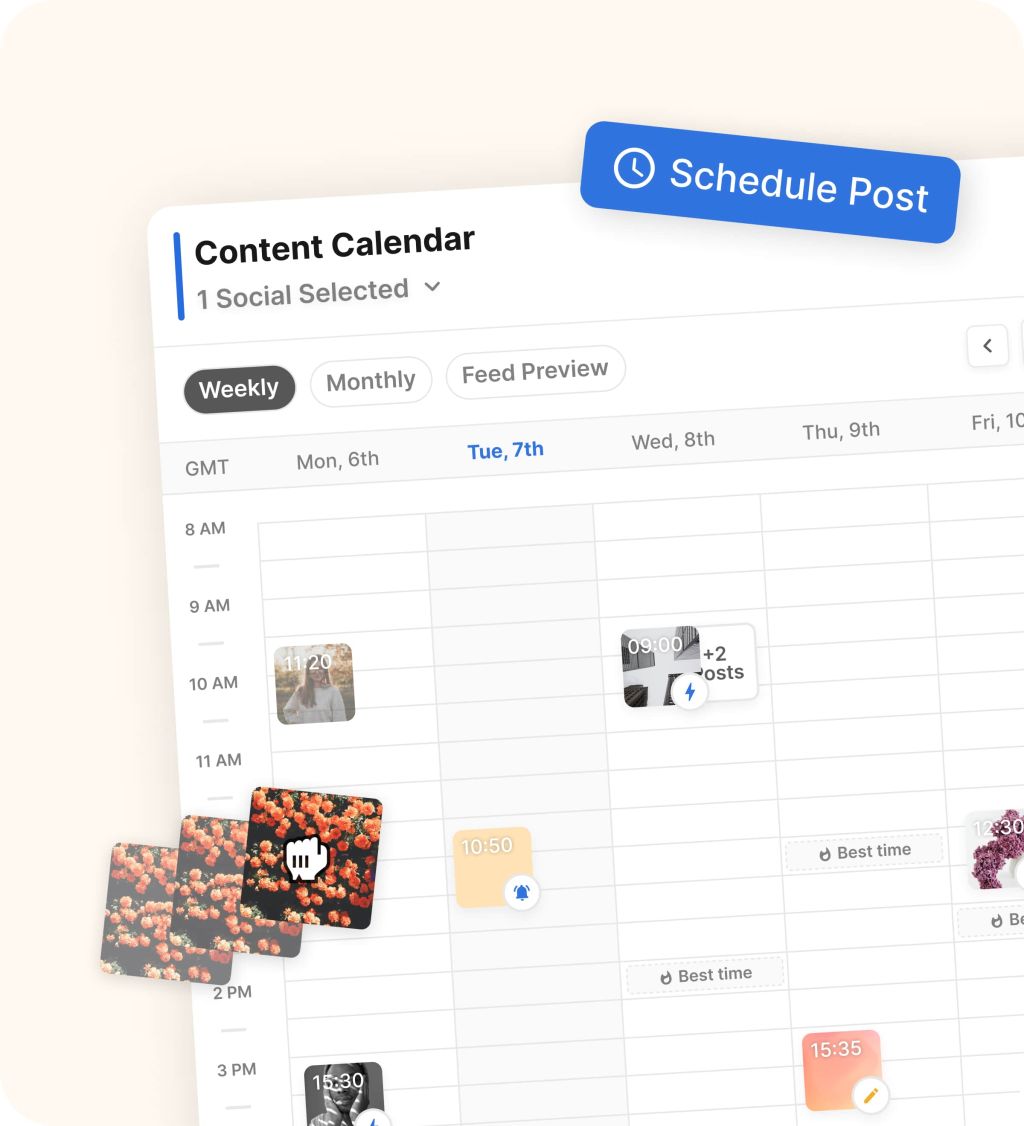
If you searched for a Flick alternative to Buffer, you are probably not looking for another generic scheduler. You want to know whether Flick gives you enough extra upside over Buffer to make the switch worth the money, the setup time, and the hassle of changing your workflow.
The short version is simple. Flick looks more compelling when Instagram is doing real work for your business and you want scheduling, hashtag research, AI help, and analytics in one place, while Buffer still makes more sense when your main goal is cheap, easy publishing with less complexity.
That difference matters more than most people think. Buying the wrong tool usually means you either overpay for features you never touch or stay stuck in a cheaper setup that never really helps you grow.
Flick vs Buffer at a glance
Flick is built around a more Instagram-heavy workflow. On its current pricing page, every plan includes a 7-day trial, the Solo plan starts at £11 per month on annual billing, and that entry plan includes 4 social profiles, 1 user, and 30 scheduled posts per social.
Buffer comes in cheaper and easier to test. Its current pricing page shows a free plan with up to 3 channels and 10 scheduled posts per channel, while Essentials starts at $5 per month on yearly billing for 1 channel and includes unlimited scheduled posts per channel plus a 14-day trial.
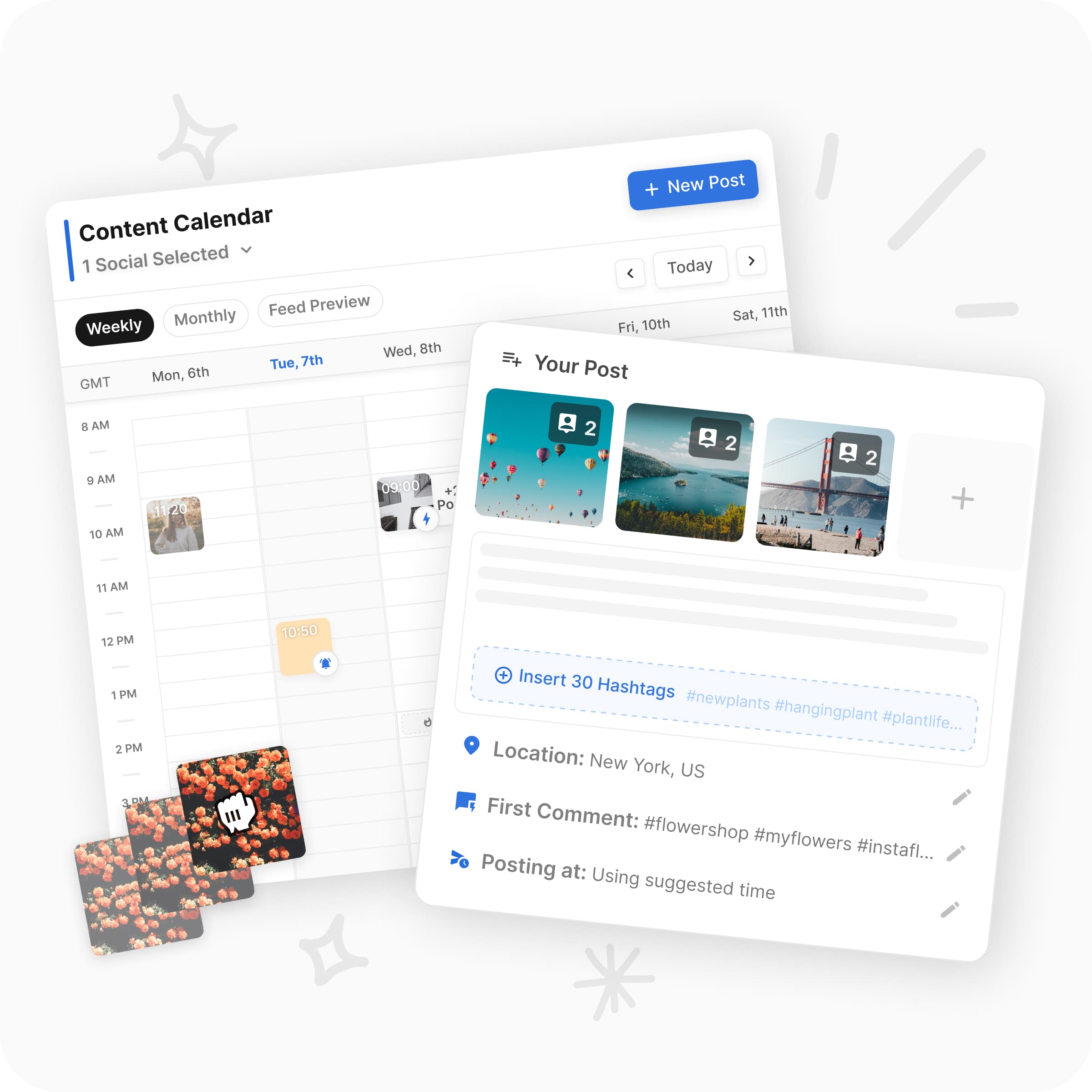
Image source: Flick scheduler page
Check the official free trialMy quick take is that Flick only starts to look like the smarter buy when you are frustrated with how basic Buffer feels. If you mostly need a posting queue and a clean calendar, Buffer still wins on price and simplicity, and that matters.
Flick gets interesting when your current process is messy. If you are bouncing between caption drafting, hashtag research, posting-time guesses, and analytics checks, paying more for one tighter workflow can easily make more sense than staying cheap and piecing everything together manually.
Article outline
The rest of this review is split into three clean passes so you can jump straight to the part that matches where your head is right now. If you are already leaning toward a switch, skip ahead to pricing and trial details; if you are still skeptical, the alternatives and final verdict will save you time.
- Start with fit: Flick vs Buffer at a glance and what you get in the trial will tell you fast whether Flick is worth testing or whether Buffer is already enough for you.
- Then go deeper: the good stuff, pricing and value, and why buying now may make sense will show whether the extra cost actually buys you a better outcome or just more features on paper.
- Finish with the decision: alternatives, the final verdict, and FAQ will help you decide whether to start Flick now, wait until you are more ready, or stay with something cheaper.
That is the real goal of this review. By the end, you should know whether Flick is the Buffer alternative that finally gives you a better workflow, or whether Buffer is still the more sensible buy for the way you actually work.
What you get in the trial
Flick gives every plan a 7-day trial and says you can cancel anytime. That is enough time to judge the workflow, but it is not a lazy freebie like Buffer, which is easier to poke around in slowly because it has a free plan and a longer 14-day paid trial.
The entry plan is where the decision gets real. Flick’s Solo tier starts at £11 per month on yearly billing, includes 4 social profiles, 1 user, and 30 scheduled posts per social, while Pro jumps to £24 per month with 8 social profiles, 2 users, unlimited scheduling, and access to all features.
That means the trial only makes sense if you already have something to test. Connect your real channels, build a few posts, try the AI writing tools, check the hashtag workflow, and look at the analytics before the week disappears.
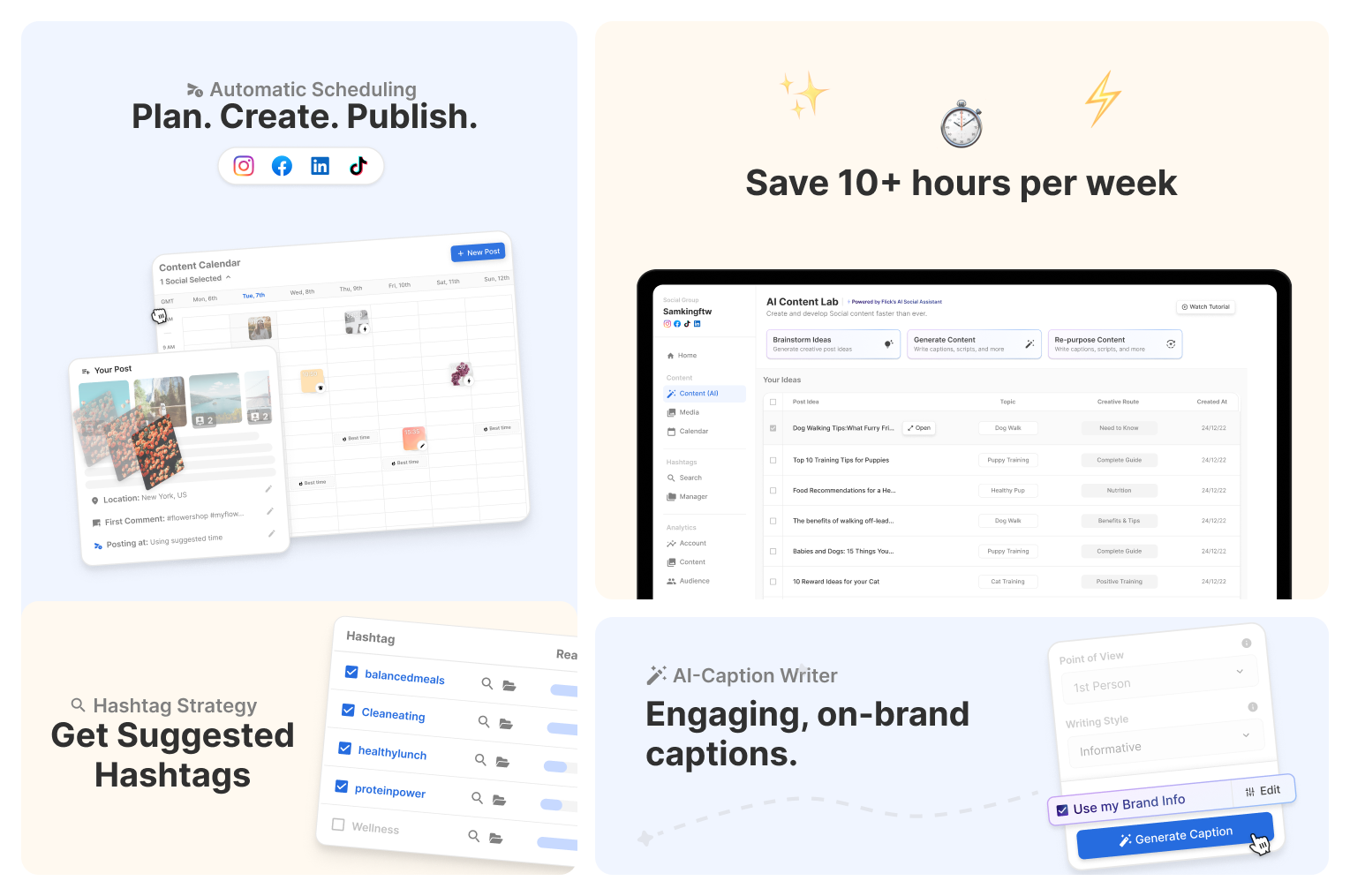
Image source: Flick
Flick supports scheduling for Instagram posts and Reels, Facebook, TikTok, and LinkedIn, so you can judge quickly whether it fits your real content mix. If you only want a basic queue and a calendar, Buffer will probably feel easier and cheaper from day one.
The good stuff
Flick keeps more of the work in one place
This is the clearest reason to pick Flick over Buffer. You are not just scheduling posts, because the tool also pulls in caption writing, hashtag research, best-time suggestions, and analytics in the same workflow.
That matters because manual social media work gets messy fast. Once you start jumping between a scheduler, a notes app, a hashtag list, and native analytics, the cheap tool stops feeling cheap because it keeps costing you time.
The AI gets more useful when you give it context
A lot of AI content tools sound helpful until they spit out bland copy you would never post. Flick gets more interesting because it lets you feed in brand info, product details, audience context, and style preferences so the output has a better shot at sounding like your business instead of generic internet mush.
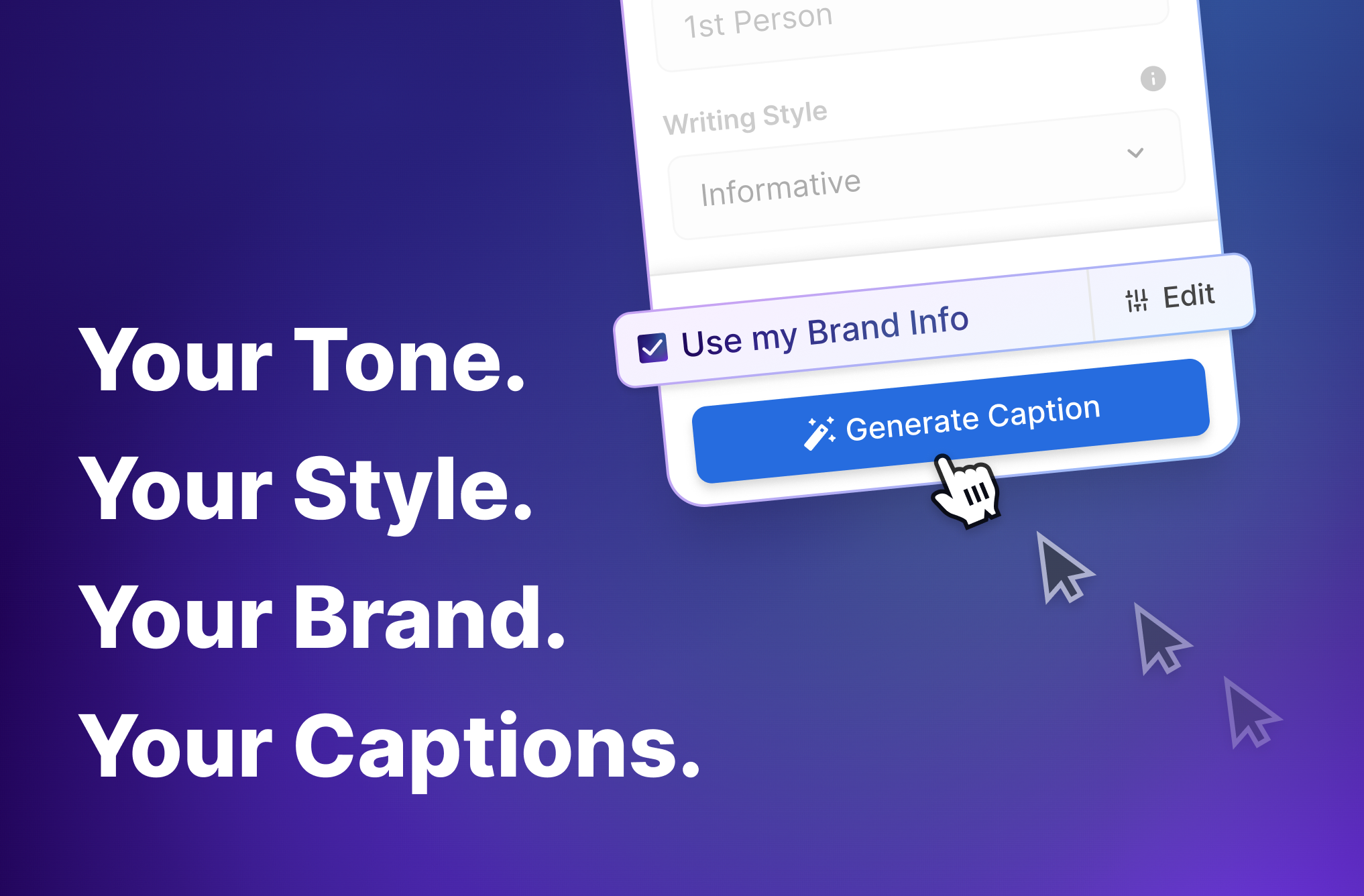
Image source: Flick
That does not mean the AI magically fixes a weak strategy. If you do not know your audience, your offer, or your voice yet, Flick can still save time, but the payoff will feel smaller and the platform may feel like more tool than you need right now.
Flick makes more sense when Instagram still matters
Flick feels more opinionated about Instagram than Buffer does, and that is a good thing for the right buyer. Between hashtag search, hashtag collections, best times to post, audience activity, and deeper Instagram reporting, it leans into the stuff that actually helps when Instagram is still a serious traffic or sales channel for you.
Buffer is not weak on paid plans, though, and this is an important part of the decision. Buffer Essentials already includes unlimited scheduled posts per channel, AI Assistant, advanced analytics, a hashtag manager, and first-comment scheduling, so Flick’s edge is not that Buffer lacks features; it is that Flick packages the workflow in a way that feels more built around content growth instead of basic publishing.
Pricing and value
Price is where most people hesitate, and fair enough. Flick costs more to start than Buffer, so the real question is whether it saves you enough time and mental clutter to justify that jump.
Check the official free trialBuffer wins on pure affordability. Flick wins when the extra money replaces enough friction in your weekly content process that you stop caring about the price gap.
The broader affiliate tools only make sense if your problem is bigger than social scheduling. GoHighLevel starts far higher and is better when you need CRM, funnels, automations, and a social planner in one stack, while Systeme.io is a smarter buy if your main headache is funnels, email, courses, or selling digital products.
Another edge case matters here too. If your actual bottleneck is not scheduling but DMs and follow-up, ManyChat is usually a better spend than either Flick or Buffer because it solves a different problem entirely.
Why buying now can make sense
If you are already posting regularly, waiting usually does not save money. It usually means you spend another month juggling captions, hashtags, planning, and analytics by hand while your content process stays slower than it needs to be.
Flick is worth trying now when you already have real content to publish and a reason to stay consistent. Creators, marketers, and small brands that still care about Instagram performance are the people most likely to feel the difference fast.

Image source: Flick
You probably should not buy it yet if you are just experimenting, managing one casual account, or mainly need a cheap post queue. In that case, Buffer is still the more sensible choice, and there is no shame in that.
The strongest case for Flick is simple. You want to move faster, stop stitching together half a workflow, and give your content process a better shot at consistency without hiring more help yet.
Get started with FlickAlternatives worth looking at before you decide
If you are looking for a Flick alternative to Buffer, you are really choosing between three different paths. You can pay a bit more for a stronger Instagram-first workflow with Flick, stay cheap and simple with Buffer, or go much broader with GoHighLevel.
That matters because these tools do not solve the exact same problem. Flick is still the most appealing when your real frustration is content planning, hashtag work, and Instagram performance, while Buffer wins when you mainly want reliable scheduling without paying for extra depth.
GoHighLevel is the wildcard. It can make sense if social posting is only one piece of a much bigger client or marketing stack, but it is not the lightweight choice and it is absolutely not the easiest one to learn.
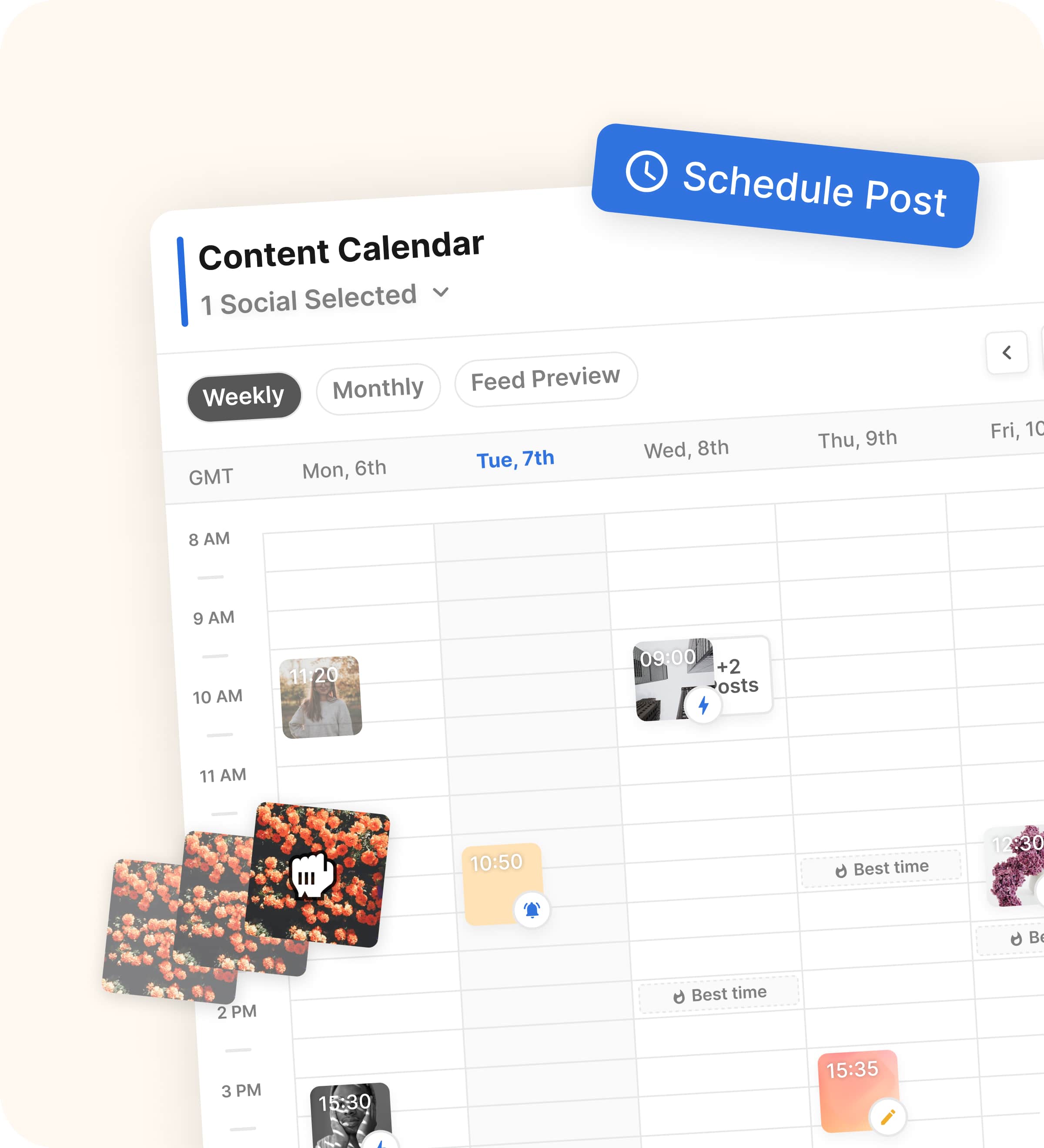
Image source: Flick
Check the official free trialChoose Flick if you want the better content workflow and Instagram still matters to your business. Choose Buffer if the cheaper and simpler route is enough, and choose GoHighLevel only if you are ready for a much bigger all-in-one system instead of a focused social tool.
My honest take
Flick is not the obvious choice for everyone, and that is exactly why it can be a very smart buy for the right person. If Buffer already feels fine and you are just trying to schedule posts without spending much, switching will probably feel unnecessary.
Flick earns its price when your content process is getting more serious and more annoying at the same time. It gives you a stronger shot at planning faster, writing faster, choosing better hashtags, and using analytics without bouncing between too many tools.
That is the real dividing line. Buffer is easier, Flick is deeper, and GoHighLevel is broader.
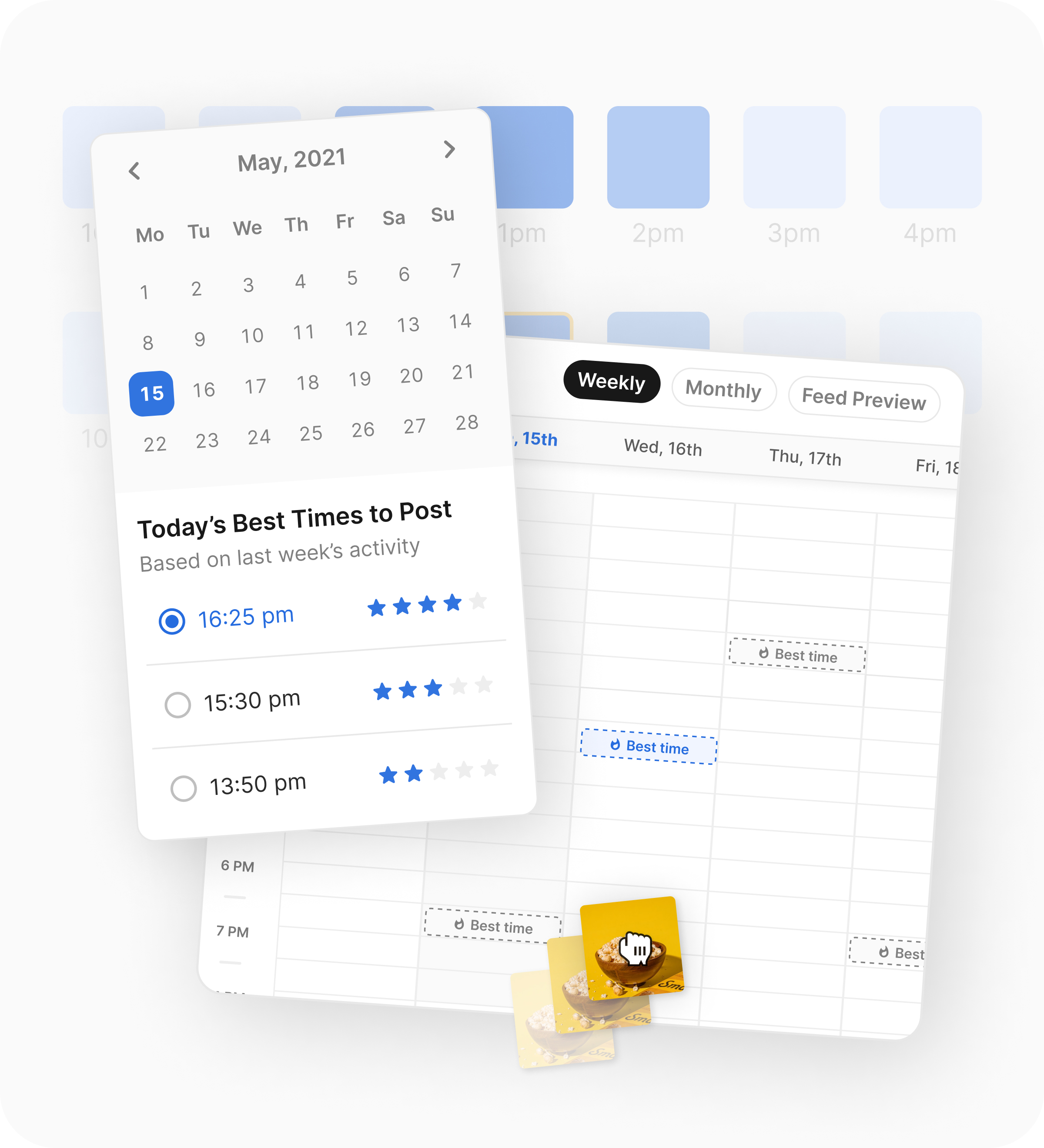
Image source: Flick
I would try Flick now if Instagram is still one of your main growth channels, you post often enough to feel the pain of doing things manually, and Buffer has started to feel a little too bare-bones. I would wait if you are still figuring out your offer, barely posting, or not ready to use the trial with real content and real channels.
I would skip Flick and stay with Buffer if your main goal is cheap scheduling with as little setup as possible. I would also skip both and look at GoHighLevel if your actual problem is bigger than social media and you need CRM, funnels, and automation in the same stack.
FAQ
Is Flick actually better than Buffer?
Better is the wrong word if you do not need the extra depth. Flick is better for an Instagram-heavy workflow, while Buffer is better if simple scheduling and lower cost are the main goals.
Is Flick worth paying for if Buffer is cheaper?
Yes, but only when the extra workflow saves you real time every week. If the extra cost replaces manual hashtag work, faster caption drafting, and more useful analytics, the price starts to feel easier to justify.
Is Flick too much for beginners?
Sometimes, yes. If you are brand new and mostly need a queue to keep posting, Buffer is usually the easier starting point.
Should you switch right now?
Switch now if you already have content to publish and you know Buffer is no longer enough for the way you work. Wait if you are still in the messy early stage where a cheaper tool is fine and consistency matters more than feature depth.
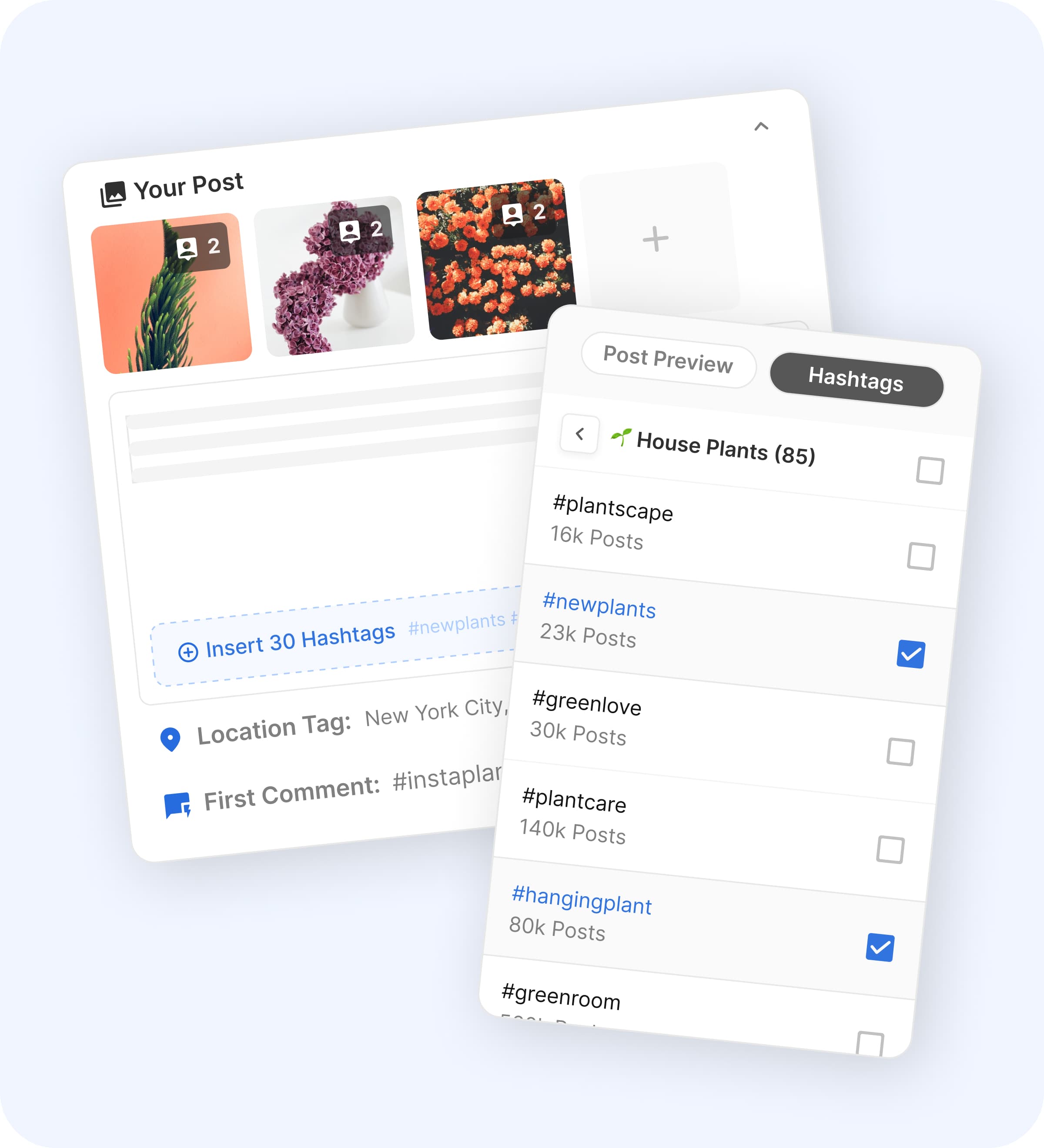
Image source: Flick
Should you start the trial?
Start the trial if you already know your social media process needs more than a cheap queue. Flick makes the most sense when you want a better system now, not another month of piecing things together by hand.
Stay with Buffer if you want the safest low-cost option and that is honestly enough for you today. Go broader with GoHighLevel only if you are ready to replace far more than your scheduler.
Get started with Flick Filip Konecny Enterprises