
If you searched for “Copper, is it worth it?”, you probably do not need another vague CRM explainer. You need to know whether this thing will actually save you time, fit your workflow, and feel worth paying for once the trial ends.
Copper is easiest to recommend when your business already lives inside Gmail, Google Calendar, and the rest of Google Workspace. It gets a lot less compelling when your team uses Outlook, wants deep enterprise customization, or expects a free forever plan.
My early take is simple: Copper looks smart for small teams that want a CRM that feels close to invisible instead of one more system to babysit. The catch is just as clear, because Copper openly says it only works with Gmail and Google Workspace, so the wrong buyer should skip it fast.
Article outline
- First, I will give you the fast answer in my quick take so you can decide whether Copper even belongs on your shortlist.
- Next, I will cover what you get in the free trial, the good stuff, pricing and value, and why buying now may make sense if your current setup is slowing you down.
- Last, I will break down the main alternatives, give you the final verdict, and finish with a short FAQ for the objections most buyers still have at the end.
My quick take
Copper earns a real look if your team hates manual CRM admin and already works in Google every day. The product pitch is not hard to understand: it is built to pull contacts, emails, meetings, and workflow activity closer to the tools you already use instead of forcing you into a separate heavyweight sales system.
That matters because most CRM regret starts when people buy a platform that feels powerful on the sales page and annoying in real life. Copper’s best case is not “more features than everyone else.” Its best case is that it feels lighter, faster to adopt, and easier to keep updated because it sits so close to Gmail and Calendar.
I would not call it the automatic best choice for everyone. I would call it one of the clearer yes-or-no tools in this category, because if you are a Google Workspace team the value is easy to see, and if you are not, the answer is usually no.
Image source: Copper signup page
That table tells you most of what you need before you waste an hour comparing every CRM on earth. Copper is trying to win on fit and ease, not on being the cheapest tool or the biggest platform.
The price looks reasonable at the low end, but the real question is whether you will stay on the low end for long. If you need pipelines, automations, reporting, and broader integrations, you are moving past Starter quickly, so the value depends on how much busywork Copper actually replaces for your team.
That replacement angle is the whole point of this review. If Copper keeps your sales, client management, and follow-up work closer to Gmail, it can justify itself much faster than a cheaper tool that everyone ignores after setup.
I also like that Copper makes the limitation obvious instead of hiding it in the fine print. A CRM that only really makes sense for Google Workspace teams will frustrate some buyers, but it also means the right buyer can get to a confident yes much faster.
That is why Copper feels worth reviewing at all. Plenty of CRMs try to be everything for everyone, and that usually means more setup, more admin, and more training before you get anything useful back.
Copper feels narrower than that, and in this case narrow can be a good thing. If your business already runs through Gmail and Calendar, a CRM that works where your team already works is often more valuable than a “bigger” platform that nobody wants to open.
The next section is where the decision gets more practical. I will show you what the free trial actually gives you, where Copper starts earning its price, and where a cheaper or broader alternative may still make more sense.
What you get in the free trial
Copper gives you a 14-day trial with no credit card, and that makes the first decision pretty easy. You can connect Google Workspace, click around the real workflow, and decide whether the product feels useful before you spend anything.
That matters more than it sounds. A CRM can look great on a pricing page and still feel annoying once your team has to use it every day.
Copper says setup can happen in days, not weeks, which makes the trial more practical for Google Workspace teams. You should know pretty quickly whether the Gmail-first approach saves time or whether you would rather use something broader.
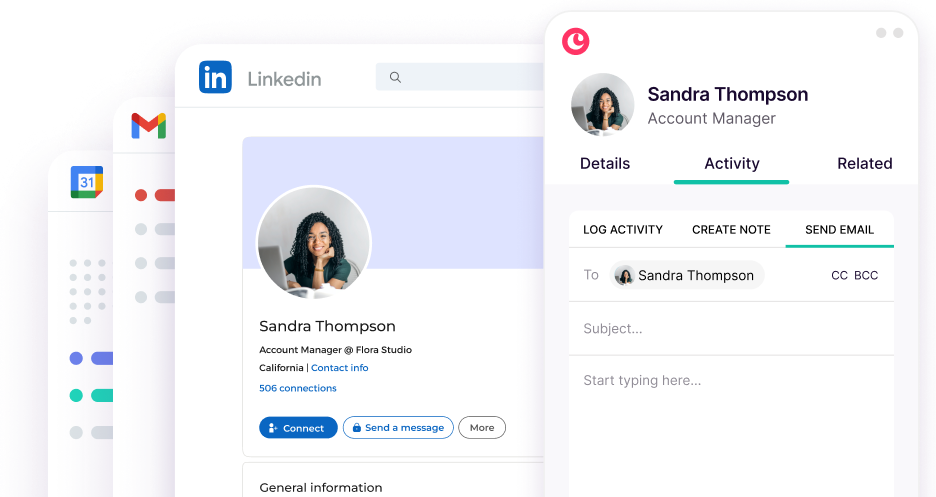
Image source: Copper marketing tools page
The best way to use the trial is to test the boring stuff you already hate doing. Add a lead from Gmail, update a deal, create a task, and see whether Copper cuts down the manual logging that usually kills CRM adoption.
Copper also says you can pay and add your team later, which lowers the pressure even more. That makes the trial feel like a real test drive instead of a rushed commitment.
The good stuff
Copper is easiest to like when your business already runs through Gmail and Google Calendar. Its Google Workspace pages keep pushing the same idea: add leads, track conversations, manage files, and stay inside the tools your team already opens all day.
That is a real advantage, not just branding. A CRM that sits close to inbox activity has a better shot at staying updated because people do not have to remember to jump into a separate system every five minutes.
Copper also keeps selling the “less manual entry” angle, and I think that is fair. The Chrome listing says records are automatically populated with Gmail data, which is exactly the kind of feature that can make a CRM feel worth paying for instead of feeling like admin work with prettier colors.
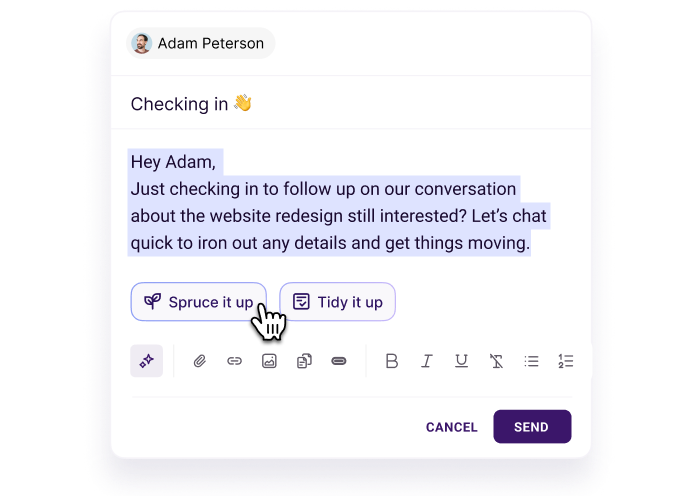
Image source: Copper marketing tools page
The paid tiers get more convincing once you look past contact storage. Copper highlights AI writing help, templates, merge fields, click tracking, and email automations, which gives you more than a place to dump contacts.
That is where the value starts to feel real. You are not just tracking people anymore; you are speeding up follow-up, nudging stalled leads, and getting more consistent communication without building everything by hand.
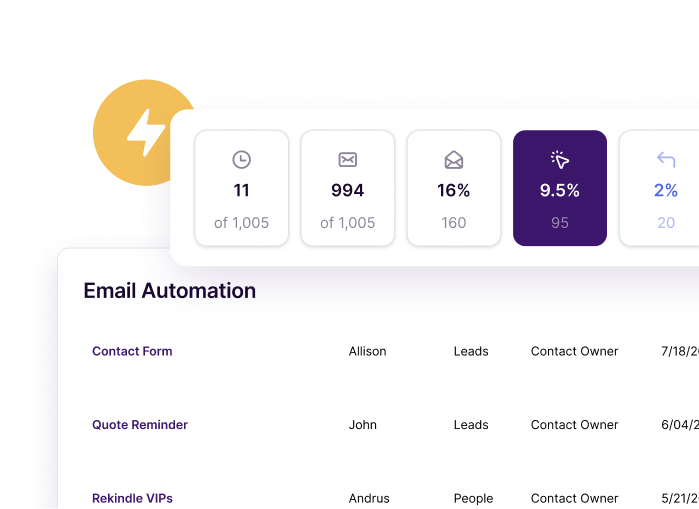
Image source: Copper marketing tools page
Copper becomes more interesting again if your work continues after the sale. The project pages show templates, task management, alerts, subtasks, and project views, which means the tool can carry some delivery work too.
That helps justify the cost because it reduces tool sprawl. If your team sells, hands work off, and then has to keep client activity organized, Copper can look smarter than a CRM that stops being useful the second the deal closes.
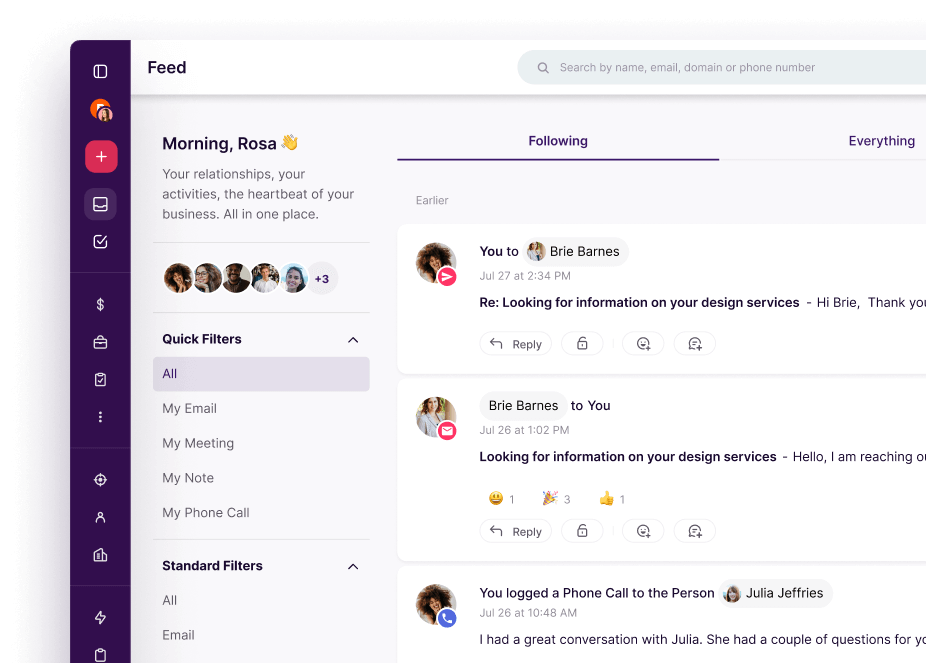
Image source: Copper project management page
Copper’s feature ladder also makes the pricing easier to read. Starter gives you contact management, tasks, forms, and Zapier, but Basic adds pipelines, task automation, project management, and contact enrichment, which is where the platform starts feeling like a real operating system for a small team.
Professional adds workflow automation, bulk email, reporting, and integrations, while Business adds unlimited contacts, email series, custom reports, and premium support. That split matters because Copper is not expensive only when you stay on the low end, and many teams will outgrow Starter pretty fast.
That is the honest catch. Copper is great for some people and overkill for others.
Pricing and how it compares
Copper starts at $9 per seat per month on annual billing, then moves to $23 for Basic, $59 for Professional, and $99 for Business. The starting price looks easy, but the real buying decision usually sits between Basic and Professional because that is where the useful workflow features kick in.
That makes Copper a value play for the right team, not a universal bargain. If Gmail is already the center of your business, the lower setup friction can be worth more than saving a few dollars on a tool that feels worse to use.
GoHighLevel does more on paper, but it also asks more from you. It is the better pick when you want a much bigger marketing stack and can handle a heavier setup.
Systeme.io is cheaper and even has a free plan, so it is the obvious answer if price is your biggest objection. Copper still wins when you care more about Gmail-native workflow than about squeezing the monthly bill as low as possible.
That is why Copper can be worth it even when it is not the cheapest option. Fit beats feature overload when your team actually has to use the thing every day.
Why buying now can make sense
Copper is worth moving on now if your team is already feeling the pain of scattered follow-up. Once deals, notes, tasks, and client emails live in too many places, the manual cleanup usually costs more than the software.
That is especially true for Google Workspace teams. If Gmail and Calendar already run your day, Copper gives you a way to organize sales and client work without forcing a huge behavior change first.
Waiting makes sense if your business is still too early. If you do not have a repeatable sales process, a tiny contact list, or no one who will actually maintain the CRM, even a good tool will feel unnecessary.
Buying sooner makes sense when you are already selling and the admin is getting in the way. Copper feels like a smart next step for that buyer because the setup looks lighter than a giant enterprise CRM and the workflow looks cleaner than keeping everything in inbox threads and spreadsheets.
My honest read is simple. If you are a Google Workspace team that wants faster adoption, less manual entry, and a CRM that does not feel like homework, Copper is absolutely worth a real look.
I would skip it for teams outside the Google ecosystem or for buyers whose only goal is the lowest possible monthly cost. I would also look at GoHighLevel if you want the CRM inside a broader all-in-one system, or Systeme.io if you want a cheaper entry point.
Copper vs the main alternatives
Copper is not trying to beat every CRM on every feature. It is trying to be the easiest yes for teams that already live in Gmail, Google Calendar, and Chrome.
That makes the comparison cleaner than most software reviews. You are mostly choosing between tighter Google Workspace fit, a cheaper all-in-one starter option, or a broader marketing stack that does far more but also asks more from you.
Image source: Copper marketing tools page
Choose Copper if your business already runs through Google and you want a CRM that feels easier to adopt than a bigger platform. Choose Systeme.io if price is your biggest objection, and choose GoHighLevel if you want a wider all-in-one system and can handle a steeper setup.
My honest take
Copper is worth it for the right buyer, but the right buyer is pretty specific. If your team lives in Gmail, wants less manual CRM admin, and hates bouncing between too many tools, Copper makes a lot of sense.
The price is not the full story, though. Copper starts at $9 per seat, but the official feature comparison keeps Sales Opportunities and Leads off both Starter and Basic, so serious sales teams should judge Copper closer to Professional than to the entry plan.
That is the biggest thing people should know before buying. Copper can still be worth it at that higher bar because easier adoption and tighter Google workflow often save more time than a cheaper tool people barely use.
Image source: Copper project management page
I would buy now if your current setup is already slowing follow-up, handoffs, or client communication. I would wait if you barely have a sales process yet, and I would skip it if your team is outside Google Workspace.
That puts Copper in a strong middle ground. It is not the cheapest option, and it is not the biggest platform, but it can be the smartest choice when you want a CRM that fits the way your team already works.
Copper FAQ
Is Copper too limited if you do not use Google Workspace?
For most teams, yes. Copper keeps tying its value to Gmail, Google Calendar, Chrome, Google Contacts, and Google Drive, so the fit drops fast if your business runs on Outlook or Microsoft 365.
Is the Starter plan enough?
Starter can be enough if you mainly want contact management, tasks, forms, and Google Workspace sync. If you need real sales tracking, the official plan comparison makes it clear that Sales Opportunities and Leads start on Professional, so the cheap entry price can be misleading.
Can Copper replace separate email tools?
Sometimes, yes. Professional adds bulk email, reporting, and integrations, while Business adds email series, so Copper can replace some lightweight email and follow-up tools for Google-first teams.
Image source: Copper marketing tools page
Copper is not the better buy if you want a giant marketing stack with funnels, websites, SMS, and client sub-accounts under one roof. That is where GoHighLevel starts looking stronger.
Can beginners get value from Copper fast?
Yes, if they already live in Gmail and Chrome. Copper looks easier to pick up than heavier all-in-one tools because the workflow stays close to familiar Google apps instead of forcing a huge behavior change on day one.
Image source: Copper marketing tools page
Beginners should still wait if they do not have an offer, leads, or a repeatable process yet. Good software does not fix a business that is still too early for a CRM.
Should you start the trial now or wait?
Start now if you already have leads, clients, or active conversations scattered across Gmail, notes, and spreadsheets. Wait if you are still figuring out whether you even need a CRM, because Copper becomes easier to justify once the messy manual work is already costing you time.
Copper is a strong buy for Google Workspace teams that want less admin and faster adoption, even if it is not the cheapest route. If that sounds like you, the next step is simple.
 Filip Konecny Enterprises