
If Pipedrive feels great for moving deals but a little too narrow once the client work starts, Copper is one of the few alternatives that makes real sense. It gets more interesting when your team already lives in Gmail, Google Calendar, and Google Drive and wants the CRM to sit inside that workflow instead of fighting it.
Copper is not a better fit for everybody. If your business is built around pure sales pipeline management, outbound reps, and a more sales-first setup, Pipedrive still has a strong case.
This review is here to help you make a clean decision. You will see where Copper is genuinely better, where it is weaker, and whether you should start the trial now, wait until your process is messier, or stick with Pipedrive.
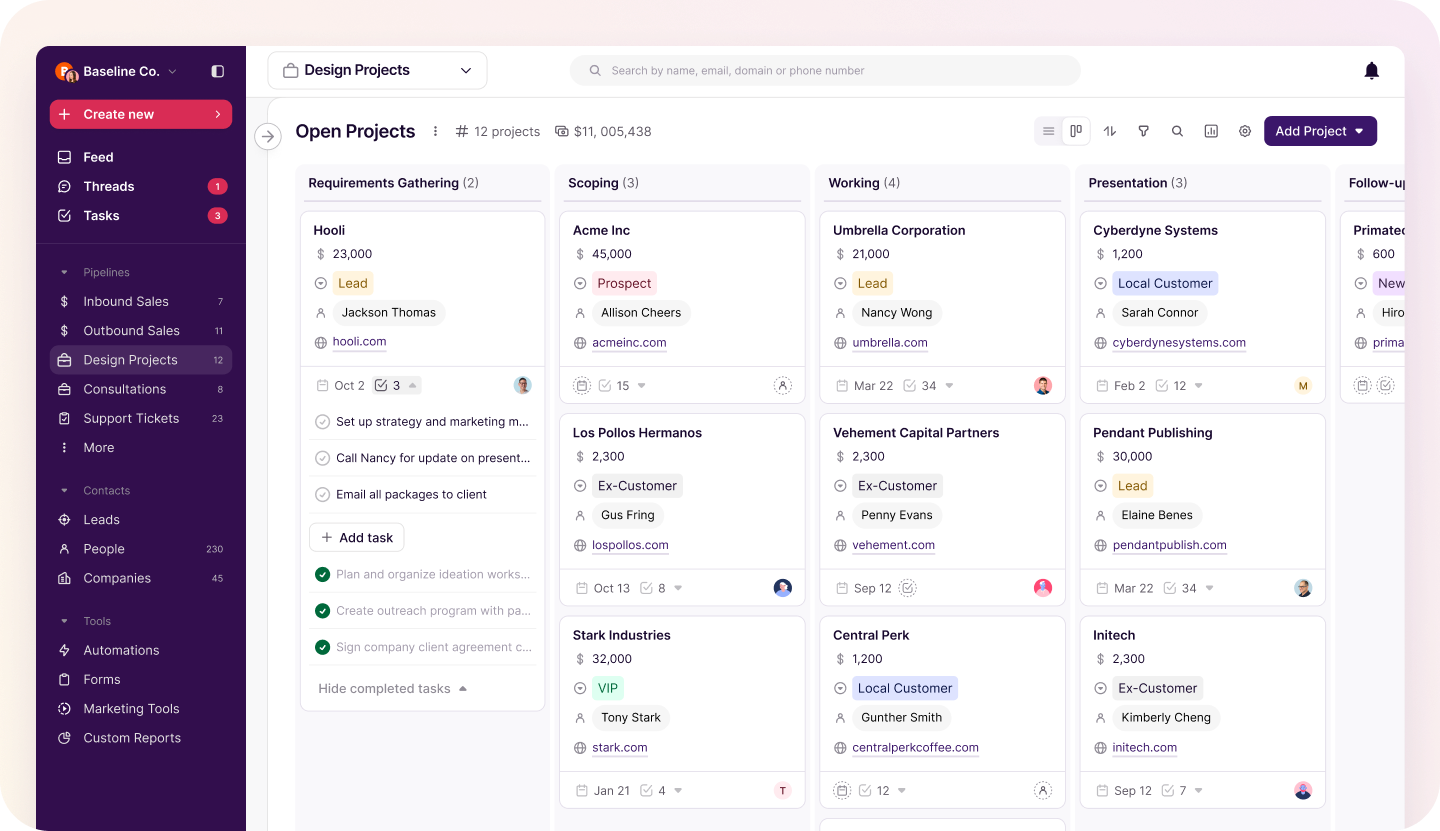
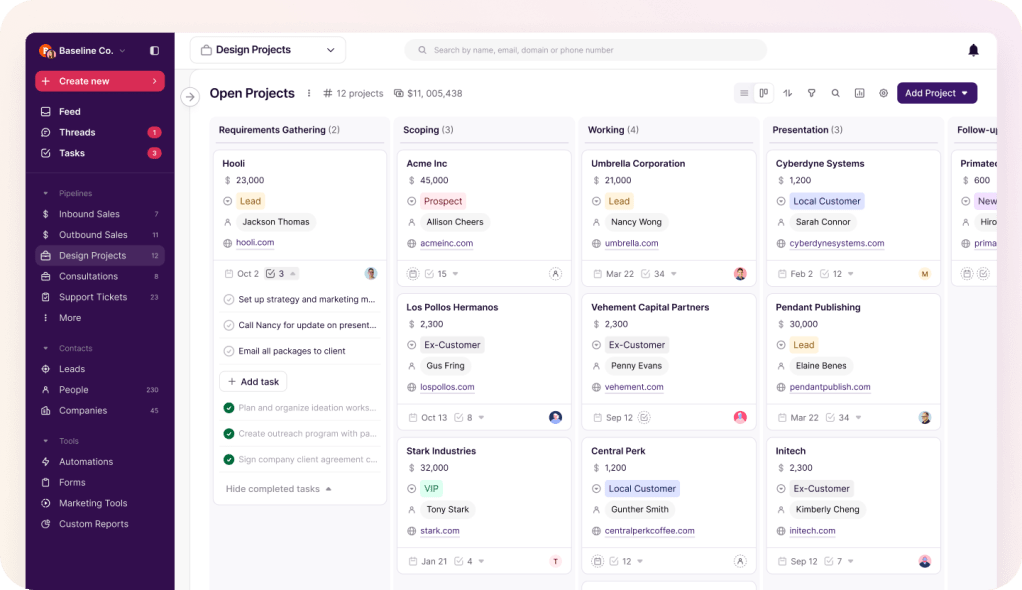
Image source: Copper lists and pipeline view
Article outline
- Start here: the quick verdict and a fast buyer snapshot so you can see whether Copper is even the right kind of Pipedrive alternative for you.
- Then: what you get in the trial, the good stuff, pricing and value, and why switching can make sense.
- Finish with: the best alternatives, a final verdict, and a short FAQ so you know whether to buy, wait, or skip it.
My quick take
Most people searching for a Copper alternative to Pipedrive are not looking for a wildly more complicated CRM. They usually want less admin, a tighter Google Workspace fit, and a better way to handle what happens after a lead turns into a real client.
That is where Copper’s Gmail and Google Calendar setup starts to look smart. It is built much more like a CRM for people who spend the whole day inside Google tools, not a sales platform that happens to connect to them.
Copper also gets extra points because its own pricing page puts project management on Basic, while Pipedrive keeps Projects higher up the stack or in add-ons depending on plan. If your work does not end when the deal is won, that difference matters more than flashy feature lists.
The catch is simple. Copper is more opinionated, more Google-centered, and less of a classic sales-machine choice than Pipedrive, so it can feel like the wrong move if your team is not already anchored in Gmail.
I would look at Copper first if you run an agency, consulting business, service business, or any small team that wants one calmer place for contacts, deals, tasks, and ongoing client delivery. I would slow down if you are on Microsoft tools, need a harder-core sales setup, or mainly care about squeezing every possible sales feature out of the platform.
Copper vs Pipedrive in one glance
This is the fast version. The better choice depends less on which homepage sounds better and more on how your team actually works all day.
Check the official free trialCopper’s 14-day free trial is easy to justify if you already know your current setup is costing you time. Waiting usually means you keep juggling Gmail, spreadsheets, task lists, and post-sale work in separate places for another month.
You probably should not rush into Copper if you are still choosing your whole business stack from scratch. But if you already sell through Google Workspace and Pipedrive feels a bit too sales-only for the way your business actually runs, Copper looks like a serious upgrade instead of just another CRM swap.
What you get in the trial
Copper keeps the first step simple. The official trial is 14 days, does not require a credit card, and pushes you toward a Google-based setup instead of a long onboarding maze.
That matters if you are leaving Pipedrive because you want less setup work, not more. Copper also makes it very clear on the signup flow that it is built for Gmail and Google Workspace, so this is a strong fit for Google-first teams and a weak fit for everyone else.
The trial is enough time to make a real decision if you use it properly. Import a handful of live contacts, build one active pipeline, turn one won deal into a delivery workflow, and you will know fast whether this feels smoother than your current setup.
The trial is not magic. If your team is still arguing about process, or you want to compare five CRMs at once, 14 days will disappear fast and you probably should wait.
Copper becomes easier to judge once you realize what it is trying to replace. It is not just a deal board with a prettier Gmail extension; it is trying to pull your contacts, deals, task lists, project handoffs, and some email work into one cleaner Google-native system.
The good stuff
The best reason to choose Copper over Pipedrive is simple: it feels built around how small service teams actually work. If your day starts in Gmail and ends in Google Calendar, Docs, and Drive, Copper makes more sense than a sales-first CRM that expects the rest of your workflow to live somewhere else.

Image source: Copper sales and delivery workflow page
The second big win is the move from deal tracking into client delivery. Copper’s project management setup is the kind of thing Pipedrive users usually end up patching together with extra tools, spreadsheets, or a separate PM app.
That is a bigger deal than it sounds. When sales closes the work and delivery picks it up in the same system, fewer details get lost, fewer tasks get missed, and your team spends less time repeating context that should have stayed attached to the client record.
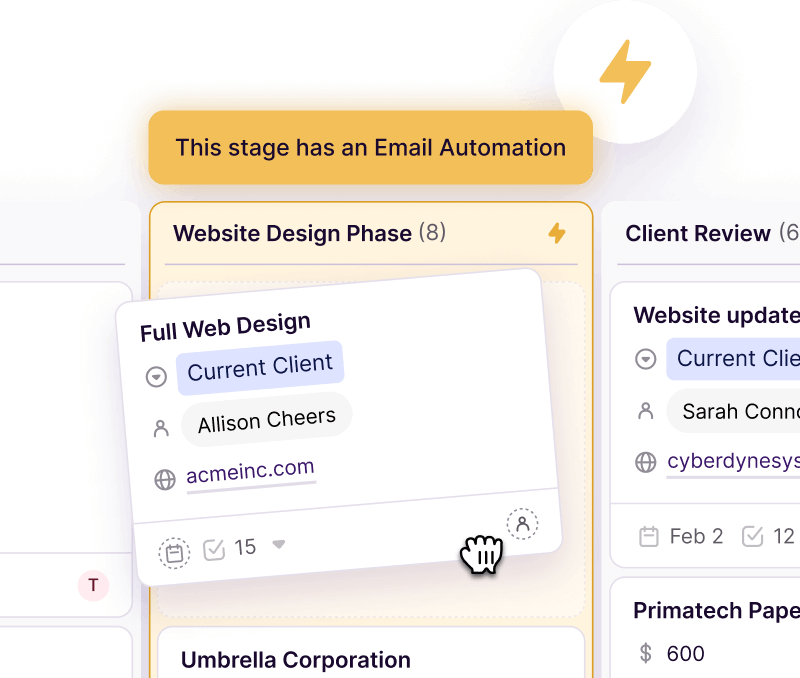
Image source: Copper project management feature page
Automation is another quiet strength. Copper’s email and workflow tools are not as sprawling as GoHighLevel, but they are easier to understand and a lot less likely to overwhelm a small team.
That balance matters. You do not always need the biggest automation engine on the market; you need enough automation to keep follow-ups, reminders, and handoffs moving without hiring a full-time systems person.
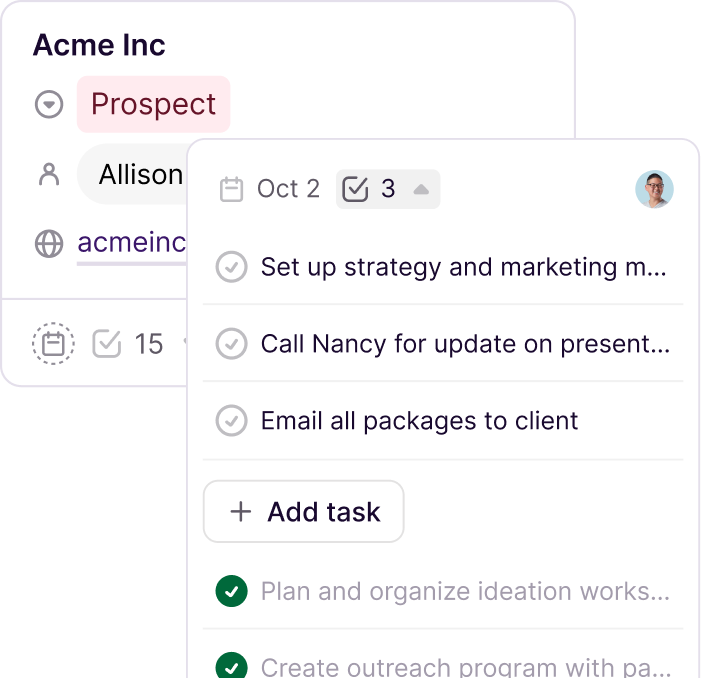
Image source: Copper tasks and project workflow page
Copper also deserves credit for not pretending every buyer wants the same thing. The platform gives you tasks, forms, pipelines, automation, reporting, and bulk email at different levels, which is useful, but it also creates a catch you need to see clearly before you switch.
Pricing and value
Copper looks cheap at first glance, but the real value depends on which plan actually replaces Pipedrive for you. The official pricing page starts at $9 per seat per month on annual billing for Starter, then $23 for Basic, $59 for Professional, and $99 for Business.
Here is the catch. Copper’s own feature comparison shows that Sales Opportunities and Leads do not appear until Professional, so Basic can be attractive for service delivery but too limited if you want a true Pipedrive replacement for active sales work.
See current pricingCopper wins the value argument when you want a CRM that also handles the messy middle after the sale. GoHighLevel is broader and more aggressive, while Systeme.io is much cheaper, but neither one is trying to be a clean Google Workspace-first client management tool in the same way.
Why getting Copper now can make sense
Switching makes sense when Pipedrive is no longer the full answer. If your team keeps winning deals and then jumping into spreadsheets, task apps, email threads, and Google Docs to actually deliver the work, you are already paying a hidden tax every week.
Copper earns its keep by reducing that handoff mess. The platform gives you a better shot at keeping sales context, next steps, deadlines, files, and client communication attached to the same workflow instead of scattering them across tools.

Image source: Copper deal-to-delivery workflow page
This is great for some people and overkill for others. If you mostly need a lean sales board and your delivery work already runs perfectly somewhere else, Copper may not be worth the change.
Copper is easier to recommend when you already know the pain point. If you are serious about making the switch from sales-only tracking to a system that also supports onboarding, execution, and repeat client work, the free trial is a smart next step.
Waiting usually means you keep doing the same manual handoff work for another quarter. At some point, that costs more than the subscription does.
Check the official free trialThe best alternatives if Copper is not quite right
A good Copper alternative to Pipedrive depends on what you are actually trying to fix. If Pipedrive feels too sales-only, Copper is the cleaner move. If Copper feels too Google-dependent or too expensive once you need Professional, one of these other options may fit better.
Image source: Copper list and project workflow page
Copper stands out because it tries to keep the deal, the client, and the work in one flow. Most alternatives lean harder in one direction: cheaper, broader, or more sales-driven.
Check the official free trialChoose Copper if you want the cleanest mix of CRM, Google Workspace, and client delivery in one place. Choose Systeme.io if your budget is tight and you can live with a simpler setup, or GoHighLevel if you want a much broader all-in-one stack and do not mind the extra complexity.
My honest take
Copper is a strong buy for the right team. It makes the most sense when you are tired of treating sales, onboarding, delivery, and follow-up like four separate jobs inside four separate tools.
Image source: Copper sales and project pipeline page
Copper is not the cheapest way to replace Pipedrive if you need serious sales features. The Professional plan is where leads, workflow automation, bulk email, and reporting show up, so the real comparison is often not Copper Starter or Basic, but Copper Professional at $59 per seat.
That price is easier to swallow when your business actually uses the project and handoff side of the product. If your work continues long after the deal closes, Copper can replace enough manual coordination to justify the jump.
I would not push Copper on a team that lives in Outlook, wants a pure outbound sales machine, or already has a project system everyone loves. In those cases, sticking with Pipedrive or moving to something broader makes more sense.
I would push Copper on a small service business, agency, consultancy, or relationship-driven team using Gmail all day. For that buyer, this is not just a CRM switch; it is a cleaner operating system for keeping the client work moving.
That is why the platform feels worth trying now instead of six months from now. Waiting usually means another quarter of scattered handoffs, missed follow-ups, and admin work that should already be automated.
FAQ
Is Copper better than Pipedrive?
Copper is better if your team uses Google Workspace heavily and needs project-style delivery after the sale. Pipedrive is better if you want a more traditional sales CRM with a lower entry price and a stronger pipeline-first focus.
Is Copper worth the price?
Copper is worth it when it replaces manual handoffs between Gmail, spreadsheets, task lists, and a separate project tool. It is harder to justify if you only need simple deal tracking, because the more complete sales setup starts on Professional.
Should beginners start with Copper?
Beginners can start with Copper if they already run client work inside Google Workspace and want something that feels calmer than a giant all-in-one system. If budget is the main concern and the workflow is still basic, Systeme.io is the easier low-cost place to begin.
Should you switch now or wait?
Switch now if your current process breaks after the deal is won and the team keeps bouncing between tools to deliver the work. Wait if your process is still changing every week, because no CRM feels great when the business itself is still undefined.
Should you start the trial?
Start the trial if you already know what is frustrating about Pipedrive. Copper becomes easy to judge once you move one real client through the full path from contact to deal to delivery.
Image source: Copper won-deal to delivery workflow page
Skip the trial for now if you only want a basic sales board or you are still shopping for your entire business stack. Copper wins when you need a Google-first CRM that keeps working after the close, not when you want the cheapest tool with the shortest feature list.
For the right buyer, this is absolutely worth trying. If your current setup feels messy and your team already works inside Gmail, Copper is a smart next step.
Get started with Copper Filip Konecny Enterprises