
If you are searching for Firecrawl pros and cons, you are probably not looking for a generic scraping lesson. You want to know whether this tool is actually worth paying for, whether it fits your workflow, and whether it saves enough time to beat doing this the manual way.
Firecrawl is appealing because it is not just another single-purpose scraper. The official product docs and open-source vs cloud breakdown show a broader pitch: search, scrape, crawl, map, interact, and structured extraction in one product instead of stitching together five separate tools.
That sounds great until the billing question shows up. The pricing page gives you 500 one-time credits for free with no card, but the rate limit docs also make it clear there is no pure pay-as-you-go model, which matters a lot if your usage is unpredictable.
A quick buyer snapshot
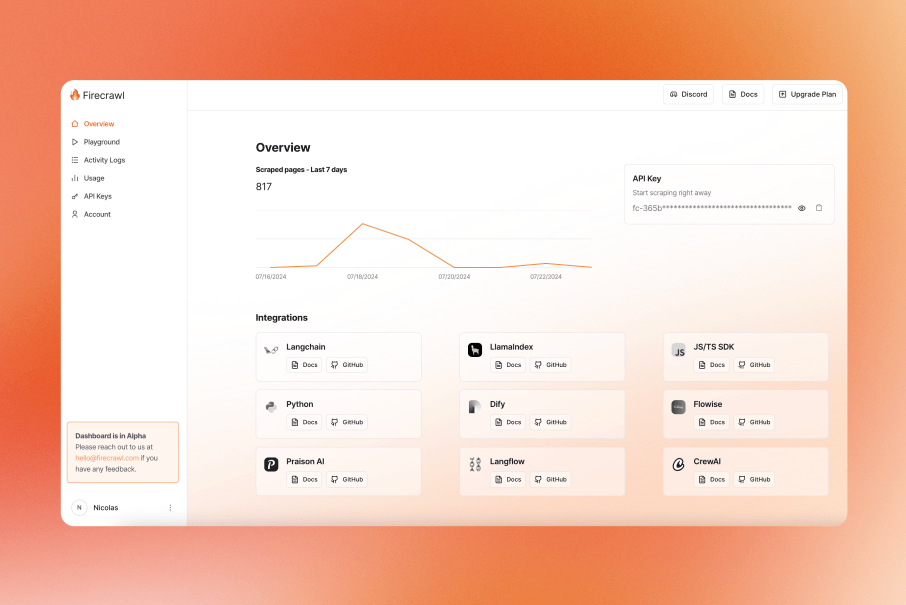
The easiest way to understand Firecrawl is to stop thinking about it like a tiny API that grabs text from a URL. The dashboard, usage tracking, activity logs, and playground shown in the dashboard docs and the product’s update post make it clear this is built for teams and builders who expect ongoing usage, not one-off experiments forever.
That is also where the first big pro and the first big con show up at the same time. Firecrawl can replace a messy stack of scripts, browser workarounds, and output cleanup, but once you rely on it regularly, the monthly credit model becomes part of the buying decision instead of a minor detail.
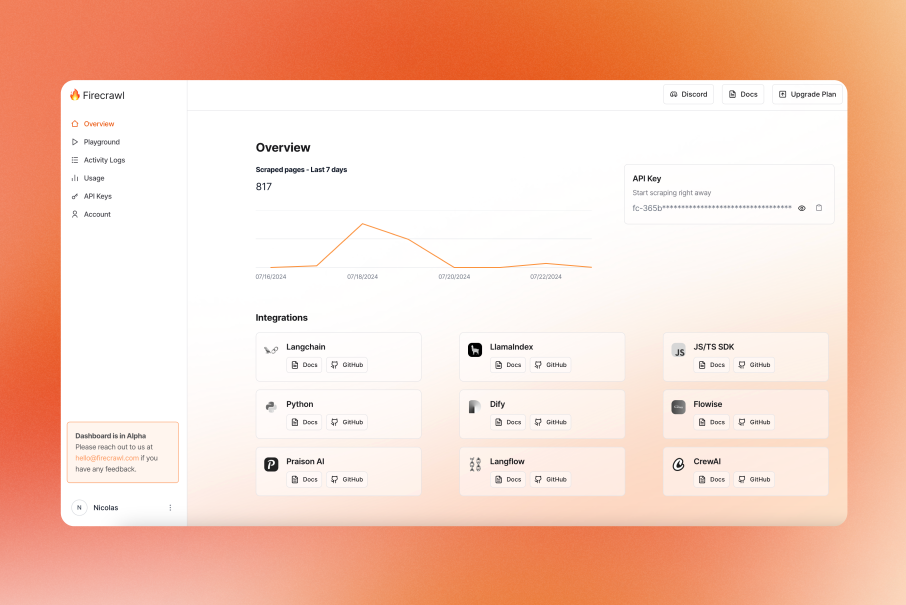
Image source: Firecrawl June 2024 updates
Check the official free planArticle outline
This review is built to answer the practical questions first. You will see where Firecrawl is genuinely strong, where the pricing model can get annoying, and when another tool is the smarter move.
- A quick buyer snapshot — the fast answer on who should keep reading and who can probably skip this.
- What you get before you pay — the free plan, the hard limits, and whether the trial is enough to make a real decision.
- The good stuff — the features that make Firecrawl feel better than a manual scraping setup.
- Pricing, credits, and value — where the cost feels fair and where it starts climbing faster than expected.
- Why buying now can make sense — when delaying usually means you keep losing time to patchwork tools.
- Firecrawl vs the alternatives — who should stay with Firecrawl and who should go cheaper, broader, or more specialized.
- My honest take — the clear answer on buy now, wait, or skip.
- FAQ — short answers to the objections most buyers have before they commit.
The big thing to keep in mind before we move on is simple. Firecrawl usually makes the most sense when web data is already central to what you are building, because that is when the convenience, cleaner output, and time savings start to justify the monthly credit model.
If that sounds like your situation, the next section matters. If not, that is useful too, because you will know early that this might be a tool to revisit later instead of paying for too soon.
What you get before you pay
Firecrawl gives you 500 one-time credits on the free plan, and you do not need a card to get in. That matters because you can test the real output before spending money instead of guessing from sales copy.
The free tier is enough to learn how the product behaves because scrape and crawl usually cost 1 credit per page, map costs 1 credit per call, and search costs 2 credits per 10 results. You can run a few realistic tests, compare markdown vs JSON output, and see pretty quickly whether this fits your workflow.
Free plan limits you should know before you get too excited
The free plan is for testing, not for steady production use. Firecrawl lists it with 2 concurrent requests and low rate limits, so you will feel the ceiling fast if you try to run larger jobs.
The bigger catch is billing structure. Firecrawl says in its rate limit guide that it does not offer a pure pay-as-you-go plan, and its billing FAQ also says standard plan credits do not roll over. That makes the free entry point generous, but it also means casual users may love the product and still dislike the subscription model.
Image source: Firecrawl June 2024 updates
That dashboard screenshot is a good preview of what you are actually buying into. You are not just paying for a single scrape endpoint; you are paying for a managed setup with usage tracking, API key management, logs, and a cleaner place to test ideas without building everything from scratch.
The good stuff
Firecrawl gets interesting once you stop comparing it to a basic scraper and start comparing it to the messy stack most people build by accident. The official docs split the product into scrape, crawl, map, and search, which is exactly why it feels more useful than a one-trick API.
That matters in practice because the tool can cover different stages of the same job. You can discover URLs, crawl a site, scrape structured fields, and search the wider web without bouncing between totally different services and data formats.
The output quality is the real selling point
A lot of scraping tools give you raw HTML and leave you to clean the mess. Firecrawl keeps pushing the opposite angle in its scrape docs and extract docs: markdown, structured JSON, screenshots, links, and schema-based outputs that are already closer to what AI apps, agents, and enrichment workflows need.
That is why Firecrawl can be worth paying for even when free scraping libraries exist. You are not just buying page access; you are buying less cleanup, less brittle parsing, and fewer weird formatting problems downstream.
The docs also show that dynamic content, PDFs, images, screenshots, and JavaScript-rendered pages are part of the product story, not a side note. If your current setup breaks every time a site gets more interactive, that alone makes Firecrawl more attractive.
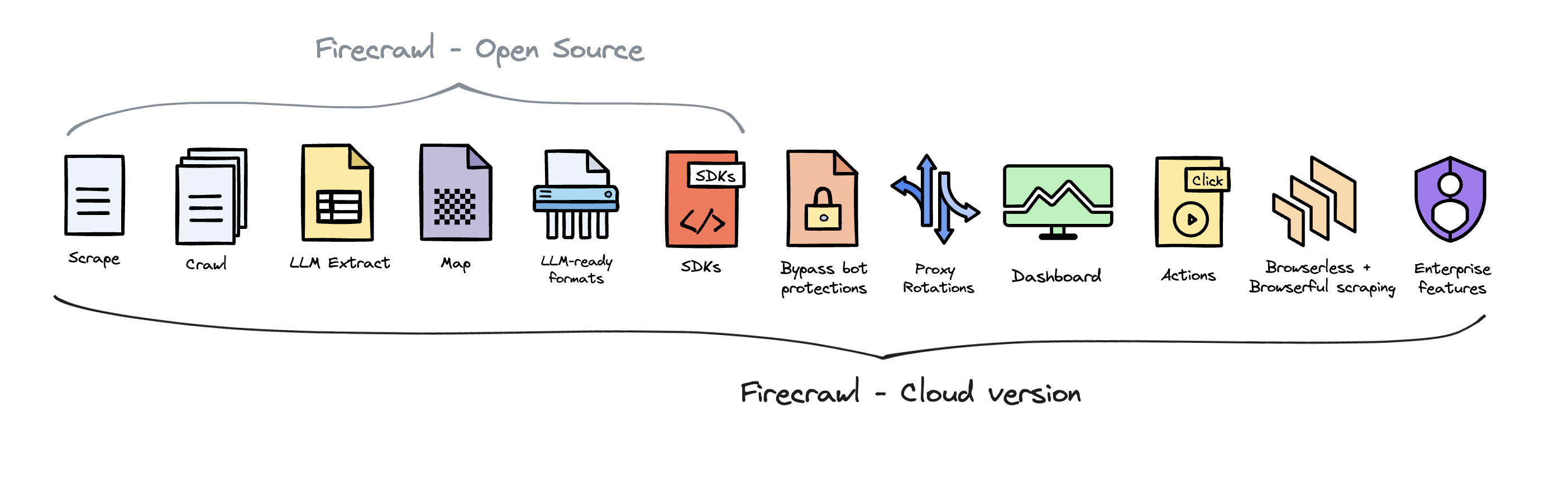
Image source: Firecrawl open source vs cloud guide
That diagram explains the value gap pretty well. The cloud product is where you get the extras that save time for real work, including dashboard access, SDK support, bot-protection bypass, proxy rotation, actions, and the broader managed experience instead of a bare self-hosted install.
This is also where Firecrawl becomes overkill for some buyers. If you only need a few pages scraped every month, a custom script or a lighter tool can still be the smarter move because you will not feel the full benefit of all those extras.
Pricing and value
The plan ladder is simple enough to understand. Firecrawl currently lists Free, Hobby at $16/month billed yearly, Standard at $83/month billed yearly, and Growth at $333/month billed yearly.
The clean part is that usage math is pretty readable. The annoying part is that some features can burn credits faster than basic scraping, especially when you step into browser sessions at 2 credits per browser minute or use advanced options like JSON extraction and enhanced proxy mode shown in the scrape pricing notes.
See current pricingHobby is the easiest paid entry point, but Standard is where the platform starts to make more sense for serious use. If you are already running recurring crawls, search jobs, or structured extraction for an app, the jump to 100,000 monthly credits and 50 concurrent requests is where the value starts feeling practical instead of theoretical.
If your usage is spiky and unpredictable, the model is less comfortable. No pure pay-as-you-go and no normal rollover means you need enough confidence in your workload before you subscribe, which is a real downside and not something to brush off.

Image source: Firecrawl homepage
Why buying now can make sense
Firecrawl is easiest to justify when the problem is already costing you time every week. If you are still manually collecting pages, cleaning messy HTML, fixing brittle scripts, or chaining search and scrape across different tools, waiting usually means you keep paying that hidden tax in time instead of money.
For the right buyer, this is absolutely worth trying now. That usually means developers, product teams, AI builders, and data-heavy operators who already know they need recurring web data and want one tool that gets them from URL to usable output faster.
How it compares to the other tools you might buy instead
If your real goal is a customer-facing chatbot, Chatbase is the cleaner buy because it helps you ship the bot itself. Firecrawl is better when the hard part is collecting, refreshing, and structuring the web data that powers a custom bot, agent, or internal workflow in the first place.
If your real goal is funnels, email, CRM, and sales automation, Systeme.io or GoHighLevel are more relevant buys. Firecrawl does not replace those platforms, but it can feed them better data if scraping, monitoring, or enrichment is part of your growth workflow.
That is also the clearest answer to whether Firecrawl is overkill. If you need web data infrastructure, it is focused and useful; if you need a business operating system or a no-code marketing stack, it is the wrong product and you should not force it.
The simplest buying advice is this. Start with the free credits if you are still proving the workflow, move to Hobby if you are building a real side project, and step up only when recurring jobs are already part of the business.
If you already know that web search, crawling, and structured extraction are core to what you are building, delaying the switch rarely saves money. It usually just delays the moment you replace patchwork tooling with something built for the job.
Firecrawl vs the alternatives
This is the part most buyers care about. Firecrawl is strong, but it is not the automatic winner for every scraping job.
The cleanest way to think about it is this: Firecrawl is built for people who want AI-ready web data without babysitting a fragile scraping stack. If your priority is cleaner output, faster setup, and less maintenance, it looks better than tools that give you more knobs but also more moving parts.
If your work is lighter, more manual, or mostly no-code, one of the alternatives can still be the smarter buy. That is not a knock on Firecrawl; it just keeps you from paying for a workflow you are not really running yet.
Explore FirecrawlChoose Firecrawl if you are building something that depends on fresh web data and you want the data to be clean enough for AI workflows without extra cleanup. Choose Browse AI if you want a cheaper, easier no-code path, and choose Apify if you want a broader automation ecosystem and do not mind more moving parts.
Bright Data makes more sense when access at scale is the whole game. Most solo builders and small AI teams do not need that on day one, which is exactly why Firecrawl lands in a sweet spot for the right buyer.
Image source: Firecrawl June 2024 updates
My honest take
After going through the real Firecrawl pros and cons, the answer is pretty simple. Firecrawl is worth it when web data is already part of the job, not when you are just curious about scraping for the first time.
The big upside is speed to value. You can search, scrape, crawl, map, and extract in one place, and the output is already much closer to what AI apps, agents, and enrichment workflows actually need.
The biggest downside is the billing model. No normal pay-as-you-go option and non-rolling credits make it less appealing for inconsistent low-volume use, so hobby-level buyers should be honest with themselves before subscribing.
I would not call Firecrawl the cheapest option. I would call it one of the easier ways to stop wasting time on patchwork scraping infrastructure once your project is real.
If you are a builder, operator, or team already working with recurring web data, this is a strong buy. If you only need occasional one-off extraction, wait or go cheaper.
FAQ
Can Firecrawl handle pages that need clicks, forms, or navigation?
Yes, and that is one of the reasons it stands out. Firecrawl has pushed further into interaction with features like Actions and the newer /interact endpoint, which let you click, type, and move through a page before extraction.
That is a real advantage over simpler scrapers that stop at the first page load. If your data sits behind search boxes, buttons, filters, or multi-step flows, Firecrawl gets much easier to justify.
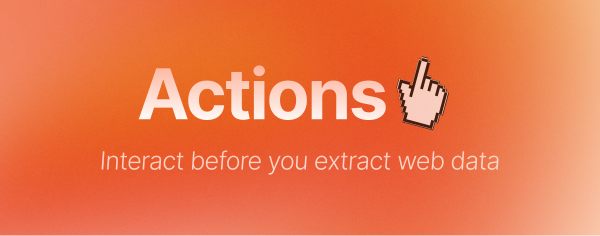
Image source: Firecrawl llms-full index
Is Firecrawl good for beginners?
It is beginner-friendly for developers, but not really a toy. The API and credit model are easier to grasp than many scraping stacks, but you still get the most value when you already know what kind of data you need and what you plan to do with it.
If you are not technical and mostly want a point-and-click workflow, Browse AI will probably feel easier. If you are technical and want to move fast, Firecrawl is much more compelling.
Does Firecrawl replace other tools?
Sometimes, yes. It can replace a messy combination of scraping scripts, ad-hoc browser automation, URL discovery tools, and parts of your content-cleaning step.
It does not replace your CRM, chatbot platform, funnel builder, or email stack. It makes those setups better when better web data is the missing piece.
Can you run Firecrawl on a schedule?
Yes, and that matters more than people think. Once scraping turns into a recurring job instead of a one-time experiment, automation is where the product starts paying for itself.
Firecrawl has official docs and examples for automation workflows, and its scheduling tutorial shows how recurring runs can be wired into GitHub Actions. That is useful when you are tracking changes, collecting data daily, or feeding a pipeline that needs fresh context.
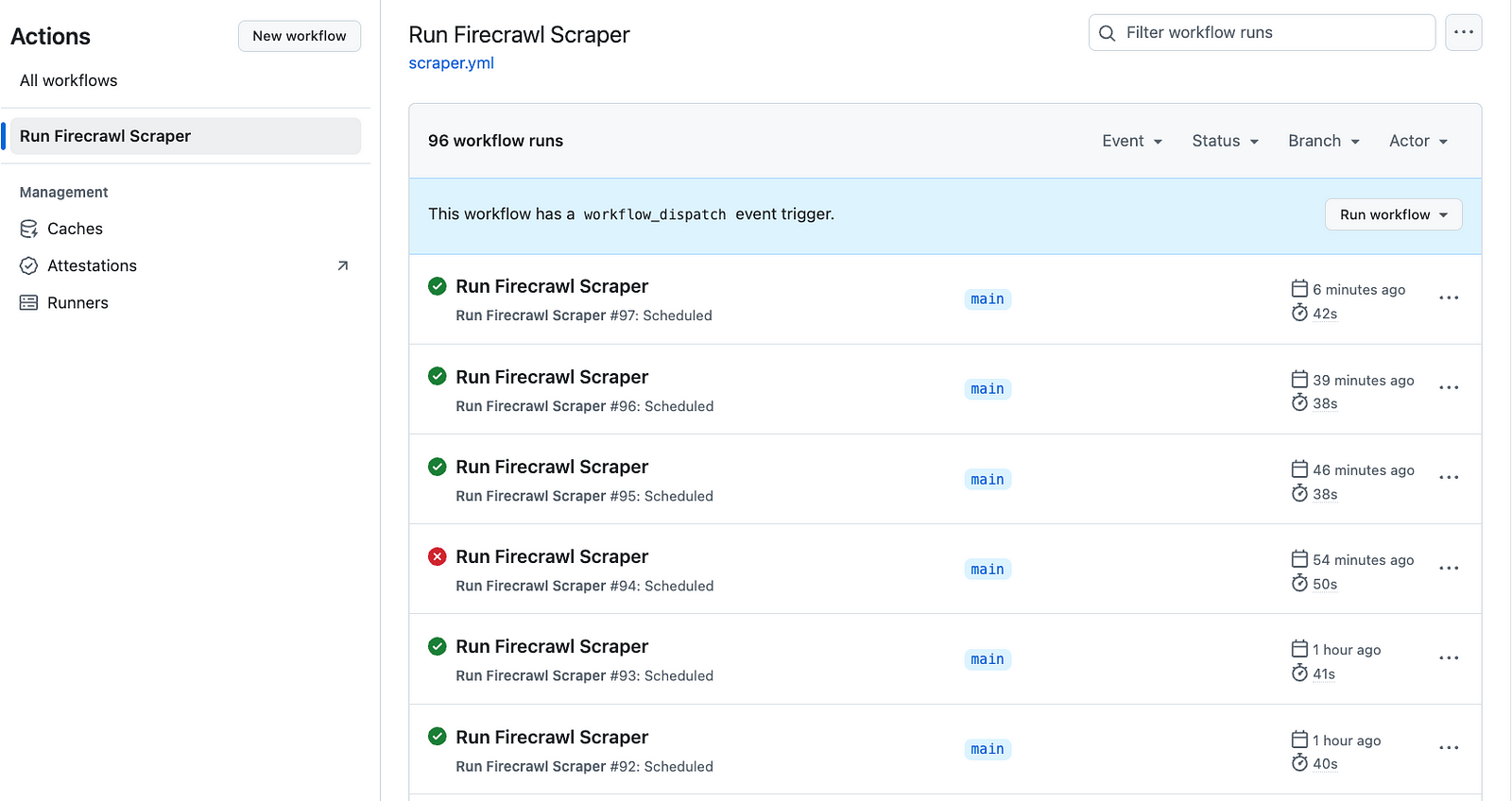
Image source: How to run scrapers on a schedule
That is where buying now can make sense. If you already know the workflow needs to run again and again, delaying the purchase usually just means you keep rebuilding the same brittle process by hand.
Get started with Firecrawl Filip Konecny Enterprises