
Copper is one of the easier CRMs to say yes to if your team already lives in Gmail all day. It feels a lot more practical than the bloated CRM setups that look powerful on paper but turn into admin work the second you try to use them.
The pitch is simple: keep your contacts, deals, tasks, and project handoff in one place without dragging your team into a long setup project. Copper also gives you a 14-day free trial, and the entry plan currently starts at $12 per seat monthly, so it is not hard to test before you commit.
That does not mean it is right for everyone. If your team works outside Google Workspace, wants deep enterprise customization, or only needs a bare-bones contact list, Copper can feel either too narrow or more expensive than it needs to be.
Copper review at a glance
Copper looks strongest for service businesses, agencies, consultants, and small sales teams that want a CRM people will actually use. The big reason is that Copper keeps leaning into its Google Workspace fit instead of trying to be everything for every company.
That is also the catch. Copper becomes less attractive when your business needs heavyweight forecasting, very deep custom sales ops, or a broader all-in-one stack built around funnels, SMS, and aggressive automation rather than relationship management.
Check the official free trialMy early take is pretty straightforward: Copper is worth a serious look if you already have clients, leads, or projects moving through Gmail and you are tired of stitching tools together. If that sounds like your setup, the trial is easy to justify because you can tell fairly quickly whether the workflow clicks or not.
You can also see the bigger promise in Copper’s own product visuals. The platform is clearly trying to make reporting and relationship context easier to read without dumping you back into spreadsheets every time you want a snapshot of the pipeline.
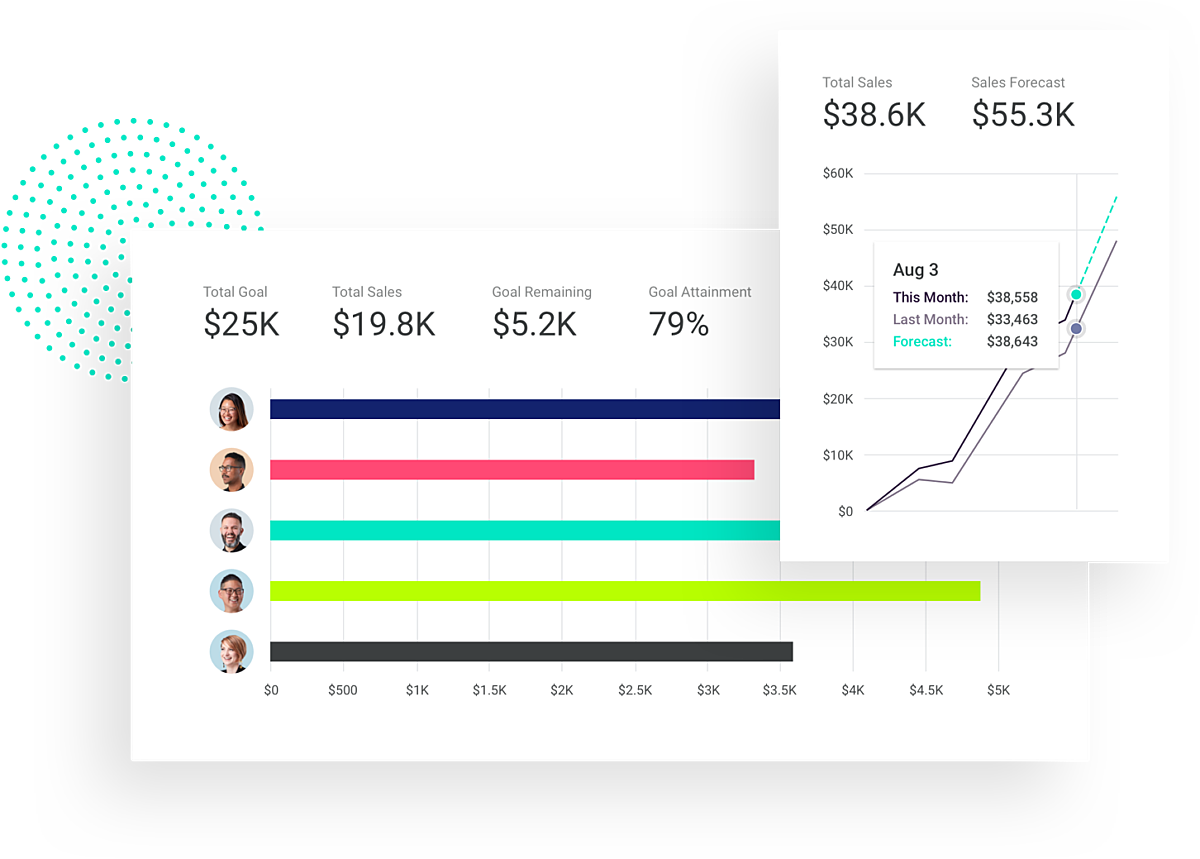
Image source: Copper sales forecasting page
Article outline
I split this review into three clean parts so you can jump straight to the decision point that matters most. That is usually the fastest way to figure out whether Copper deserves your time now, later, or not at all.
- Quick verdict and fit check — who Copper makes sense for, where it starts to earn its price, and the main reason some buyers should skip it.
- Trial, features, and pricing — what you actually get in the trial, the parts of Copper that feel most useful, how the plans stack up, and whether paying for it beats staying manual.
- Alternatives, final verdict, and FAQ — when Copper is the better pick, when a cheaper or broader tool is smarter, and whether you should start the trial now or wait.
The next part is where this review becomes more practical. I will break down what you can really test in Copper, which features matter for actual day-to-day work, and whether the pricing feels fair once you look at what the platform can replace.
What you get in the free trial
Copper gives you a 14-day free trial with no credit card, and that is enough time to tell whether it fits your team or not. The bigger win is that Copper says the trial runs on the Business plan, so you are not testing a stripped-down version that hides the better stuff until after you pay.
That matters because the advanced features are where Copper starts to feel worth the money. You can test reporting, email series, integrations, and the broader automation layer during the trial, then decide whether you actually need those paid tiers or whether a simpler setup would be enough.
Copper also makes one thing very clear on the signup page: it is built for Gmail and Google Workspace. If your team is not already living in Gmail, Calendar, Drive, and Google Contacts, this review gets a lot shorter because Copper loses its biggest advantage fast.
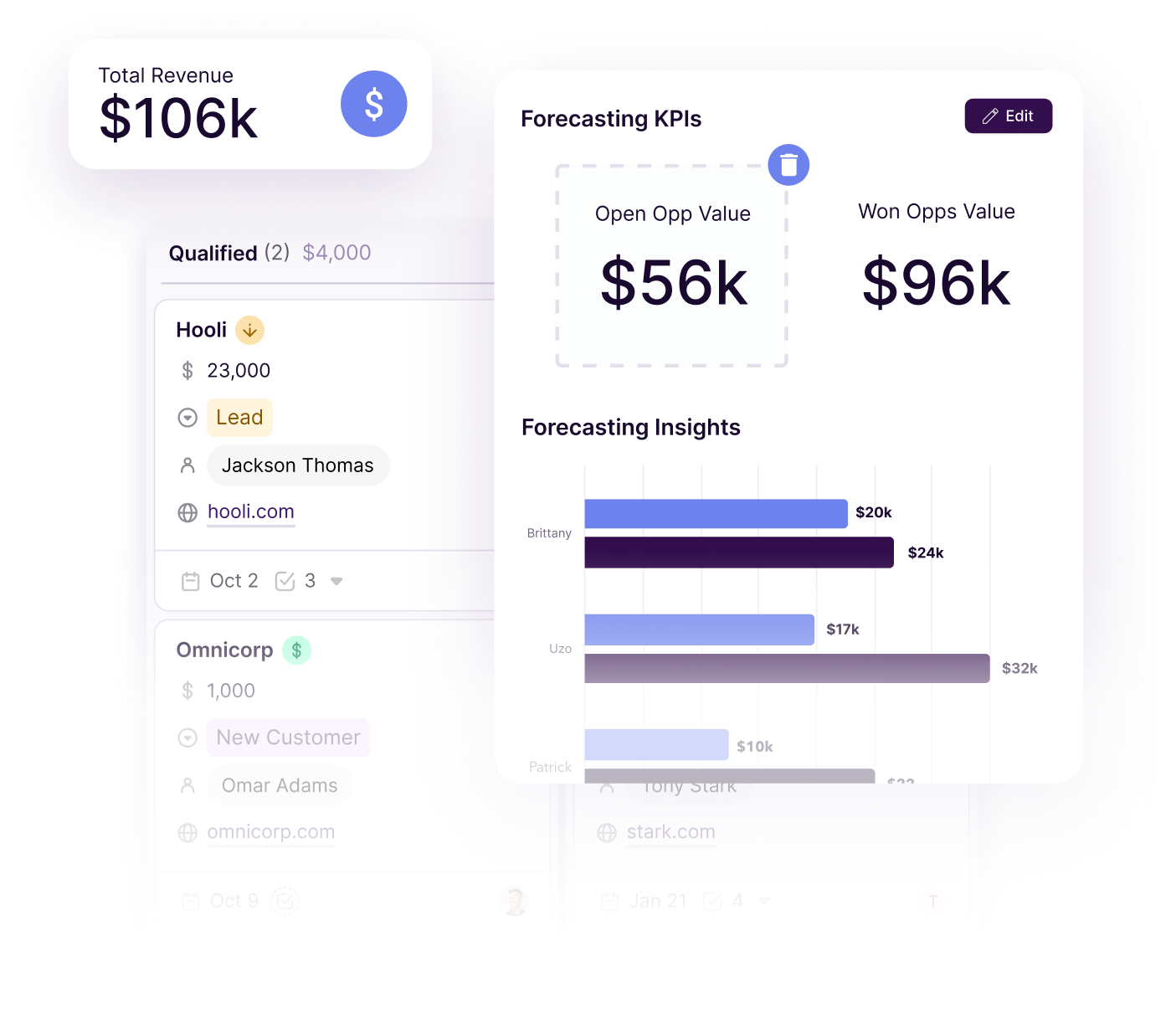
Image source: Copper sales reporting page
The trial is generous, but there is a catch you should know before you get too excited. What you test in the Business trial is broader than what you get on Starter or Basic, so you need to compare your favorite trial features against the live pricing page before assuming the cheapest plan will cover your workflow.
The good stuff
Copper looks strongest when your business already runs through Gmail and your current CRM feels like extra homework. The contact view is clean, the filters are practical, and it is easy to see why small teams keep describing Copper as easier to live in than heavier CRM setups.
The contact and people area is especially useful if your data is scattered across inboxes, spreadsheets, and random notes. Copper pulls the relationship context closer together, which helps when your team needs to know who last spoke to a client, what stage they are in, and what needs to happen next.
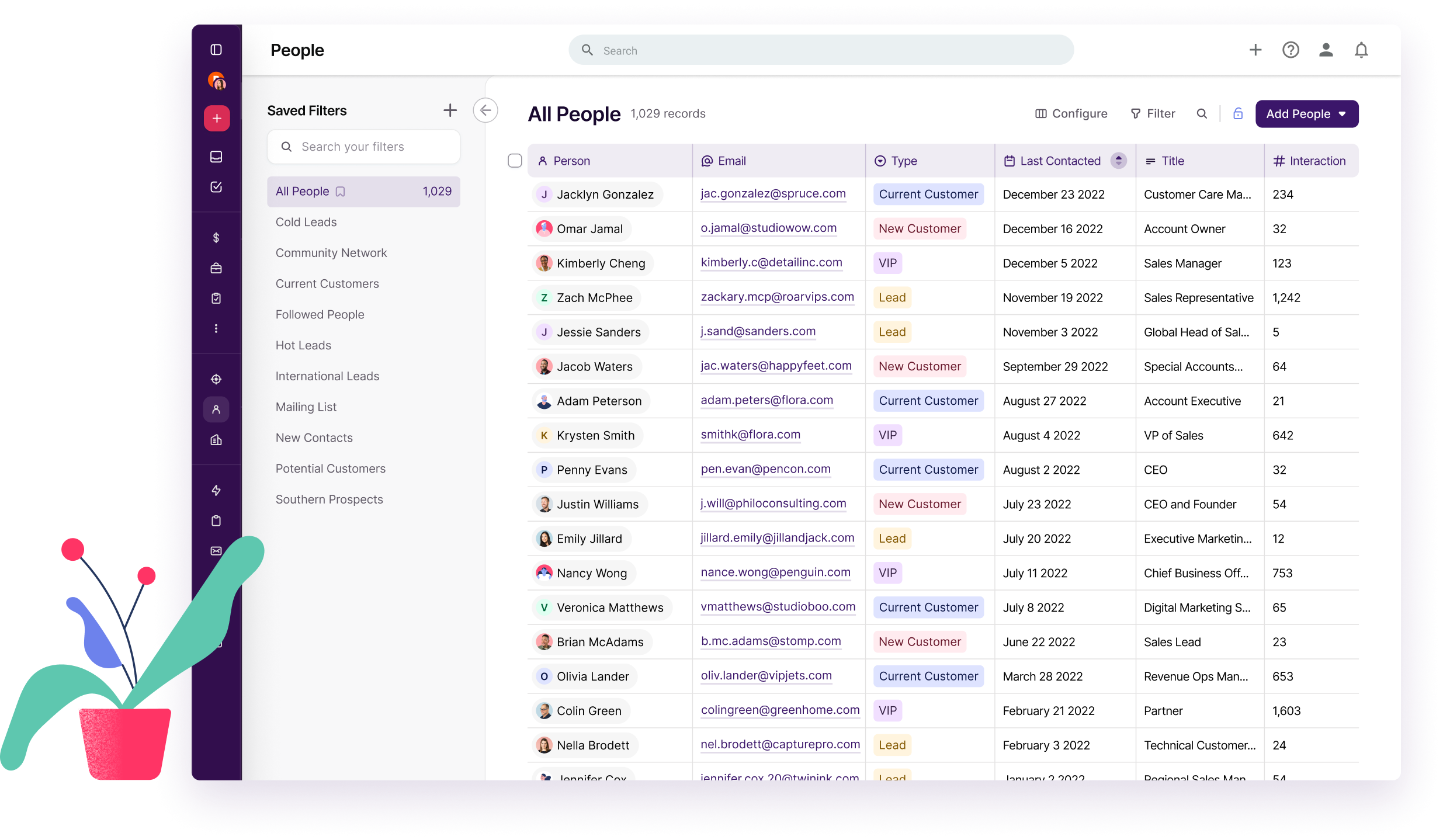
Image source: Copper manage contacts page
Project pipelines are another real selling point. Copper is one of the few CRM options that makes sense for agencies, consultants, and service businesses that need to move from winning work into delivering it without switching tools the second a deal closes.
That saves more time than it sounds. You are not just tracking a sale anymore; you are keeping onboarding, client delivery, and recurring work in the same system your team already uses to manage relationships.
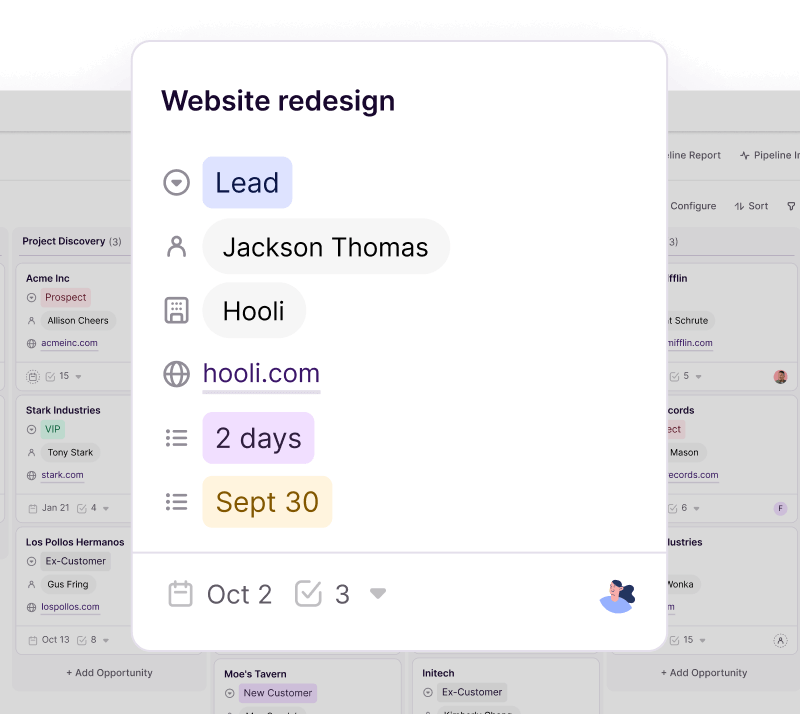
Image source: Copper manage projects page
Automation is not the wildest part of Copper, but it handles the kind of automation most small teams actually need. You can create tasks, trigger emails, and move work forward when a pipeline stage changes, which is often enough to stop routine follow-up from slipping through the cracks.
Public feedback across G2, Capterra, and TrustRadius keeps circling the same pattern: ease of use and Google Workspace fit are the main positives, while support issues and reporting limits show up often enough that I would not ignore them. That makes Copper look best for teams that want usable day-to-day workflow improvement, not enterprise-grade sales ops complexity.
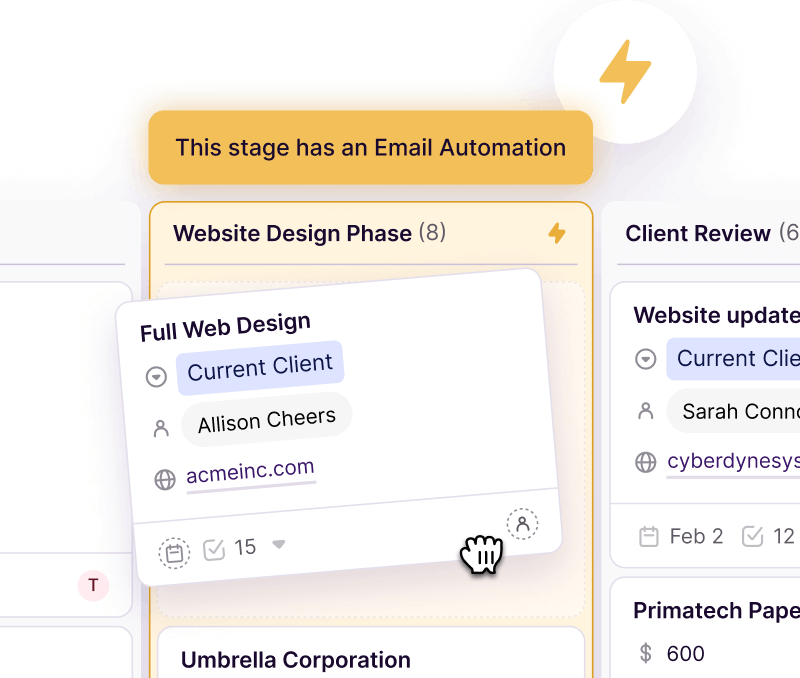
Image source: Copper manage projects page
Pricing and value
Copper’s entry price looks friendly, but the cheapest plans are narrower than many buyers expect. Starter is fine for relationship management around Gmail, tasks, forms, and basic contact organization, but it is not the full sales machine some people picture when they hear “CRM.”
Prices below are the current official rates in USD per seat, per month. Copper also says taxes and fees are extra where applicable.
See current pricingProfessional is where Copper starts to look like the product most people expect when they shop for CRM software. Starter and Basic can still be good buys for service teams and relationship-heavy workflows, but they are weak choices if you need a classic lead-to-opportunity sales setup.
Copper also keeps some of the more compelling email features higher up the ladder. Bulk email starts on Professional, email series and custom reports are Business-only, and that makes the trial useful because you can test whether those upgrades are nice extras or features you would genuinely miss.
Compared with GoHighLevel, Copper is cheaper to start and much easier to justify for teams centered on Gmail, client work, and light-to-moderate automation. GoHighLevel is the stronger buy if you need funnels, SMS, phone, booking flows, and agency-style automation, but its official pricing starts at $97 monthly and extra usage charges can sit on top of that.
Compared with ClickFunnels, Copper wins when the real problem is relationship management and team workflow. ClickFunnels starts at $97 monthly and makes more sense when your business revolves around funnels, checkout flows, upsells, and selling offers online rather than keeping client communication and delivery organized in Google Workspace.
Compared with Systeme.io, Copper is clearly not the budget option. Systeme.io starts free and then $17 monthly, so it is the smarter call for solo creators who mainly want low-cost funnels, email, and digital product delivery instead of a CRM that feels native to Gmail.
Why you might want to start now
Copper makes the most sense when your business is already moving and your current setup feels patched together. If leads, client work, and follow-up are spread across Gmail, spreadsheets, and task tools, waiting usually means more manual admin and more dropped details.
The trial is easy to justify because you can answer the important question fast. Build one pipeline, move one real contact through it, hand one closed deal into delivery, and you will know whether Copper is replacing enough friction to earn the paid plan.
Hold off if you are not on Google Workspace, you are still validating your offer, or your bigger need is funnels rather than CRM. In those cases, Copper is either the wrong tool or a tool to buy later, not now.
Check the official free trialCopper alternatives worth looking at
Copper looks best when your team already works inside Gmail and wants a CRM people will actually keep open. If your real need is broader marketing automation, funnel building, or the cheapest possible setup, another tool will make more sense.
Current official pricing puts Copper at $12 per seat monthly, GoHighLevel at $97 monthly, ClickFunnels at $97 monthly, and Systeme.io from free or $17 monthly on paid plans. Price matters, but the bigger decision is whether you need relationship management inside Google Workspace or a broader online sales machine.
Image source: Copper manage contacts page
Check the official free trialChoose Copper if you run a relationship-heavy business inside Google Workspace and want something your team can adopt without a fight. Choose Systeme.io if budget is the whole game, GoHighLevel if you want the broader all-in-one stack, and ClickFunnels if funnels matter more than contact management.
Image source: Copper manage projects page
My honest take
Copper is a strong buy for agencies, consultants, recruiters, deal teams, and service businesses that already live in Gmail. It solves a real problem by keeping contacts, pipelines, follow-up, and client delivery closer together instead of spreading them across five tools.
It is not the best buy for everyone. If your team needs funnels, SMS campaigns, call tracking, booking automation, or heavy outbound workflows, GoHighLevel will usually give you more, and if you are just trying to get online cheaply, Systeme.io is easier to justify.
Copper also makes the most sense once you already have real client or sales activity to manage. If you are still validating your offer, or you only need a basic contact list, paying for Copper too early can feel like buying structure before you have enough volume to use it.
Switching to Copper is easiest to justify when your current CRM is technically powerful but your team avoids it. If people already use your existing setup consistently and you do not need tighter Google Workspace integration, migration pain may outweigh the upside.
Professional and Business are the plans that make Copper feel more complete. Reporting, bulk email, opportunities, and higher limits are where the platform starts earning its price instead of just looking tidy.
Image source: Copper sales forecasting page
FAQ
Is Copper worth it for a small team?
Yes, if the team already works in Gmail and has active leads, clients, or projects moving every week. No, if the team only needs a simple address book or is still too early to benefit from structure.
Which Copper plan makes the most sense?
Starter makes sense for light relationship tracking, but it is limited. Basic is better for service businesses that need pipelines and project management, while Professional is the smarter starting point if you need opportunities, reporting, and broader automation.
Can Copper replace project management software?
It can replace lightweight client-delivery workflows for many service teams, especially when the main job is moving work through stages and keeping tasks tied to people or deals. It is less convincing if your work depends on complex documentation, engineering workflows, or deeper project planning.
Should you pick Copper or GoHighLevel?
Pick Copper if your business revolves around relationships, email, and Google Workspace. Pick GoHighLevel if you want a broader customer acquisition stack with funnels, SMS, booking, and more aggressive automation.
Does Copper still make sense if you do not use Gmail?
It can still work, but one of its biggest advantages disappears. Copper gets much more compelling when Gmail and Google Workspace are already central to how your team works.
Should you start the trial?
Start the trial now if you already have leads, clients, or projects moving through Gmail and you want a cleaner system fast. You should know pretty quickly whether Copper makes daily work easier or just gives you another login to ignore.
Wait if you are still validating your offer, need funnels more than CRM, or your team is not built around Google Workspace. For the right buyer, though, Copper’s free trial is absolutely worth trying because the payoff is easy to understand once you see your contacts, deals, and delivery work in one place.
Get started with Copper Filip Konecny Enterprises