
Searching for Copper pros and cons usually means you already like the pitch. A CRM that lives close to Gmail sounds a lot easier than forcing your team into a bulky system nobody wants to update.
Copper looks best when your work already happens inside Google Workspace all day. If your team lives in Gmail, Calendar, and Drive, this can feel less like adding software and more like cleaning up the mess that comes from juggling too many tabs.
Copper is not for everyone, and that is exactly why this review matters. If you use Outlook, want deeper enterprise reporting, or need a broader sales-and-marketing machine, Copper’s biggest strength can also be the reason you skip it.
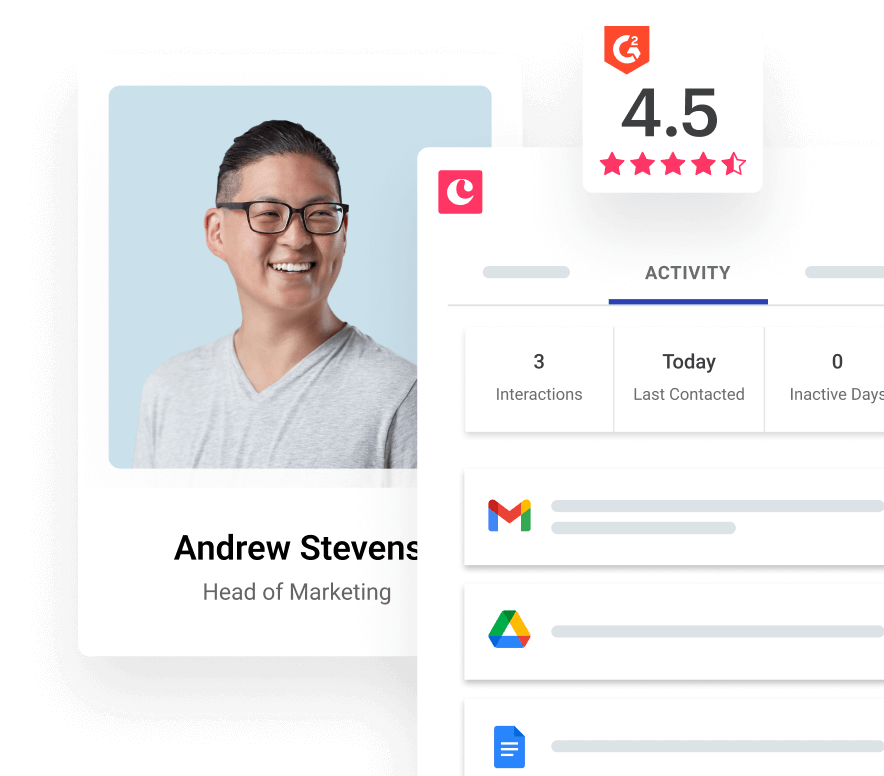
Image source: Copper pricing page
Quick take
Copper earns its keep when manual follow-up, scattered notes, and missed context inside Gmail are already slowing you down. The appeal is not just that it stores contacts, but that it pulls your email, meetings, files, and pipeline work closer together so the CRM feels easier to keep updated.
That convenience matters more than it sounds. Plenty of CRMs look cheaper at first, then quietly cost you more in setup time, extra tools, and team resistance because nobody wants to leave their inbox just to log another note.
Check the official free trialCopper is easiest to justify when you already have leads, deals, or clients moving through a repeatable process. If you are still at the stage where a spreadsheet handles everything just fine, paying monthly for convenience alone may feel early.
The lower plans make Copper accessible, but the stronger value usually shows up once you need automation, reporting, bulk email, and better collaboration. That is where the price conversation gets real, because the platform starts replacing more manual work instead of simply storing contact records.
Buyers who should pay close attention to Copper are usually trying to solve a workflow problem, not just buy another CRM. Buyers who should slow down are usually looking for the cheapest possible place to track a few contacts, or a broader all-in-one platform that goes much further into marketing and automation.
Article outline
This review is built to answer one question fast: should you start Copper now, wait, or move on to something else. I am going to keep the structure simple so you can jump straight to the part that matches where you are in the buying process.
- The real Copper pros and cons so you can see where the Gmail-first setup saves time and where the platform starts to feel narrow.
- What you get from Copper including the free trial, the features that actually matter, the pricing jump between plans, and when paying more starts to make sense.
- Copper alternatives and the final verdict so you can decide whether Copper is the smart move, a tool to bookmark for later, or something to skip in favor of a cheaper or broader option.
Start with the pros and cons section if you are still unsure whether Copper fits your team. Jump to the pricing section if you already know you want a CRM built around Gmail and only need to decide whether the plan upgrades are worth paying for.
The real Copper pros and cons
Copper feels unusually easy when your team already lives in Gmail. The biggest reason people stick with it is simple: email, calendar context, files, and contact history sit much closer to the work you are already doing instead of asking everyone to babysit a separate CRM all day.
That advantage shows up on the lower tiers too. Starter includes Google Workspace integration, tasks, activity feed, forms, and Zapier, so you can tell pretty quickly whether Copper makes your day cleaner or just adds another tool.
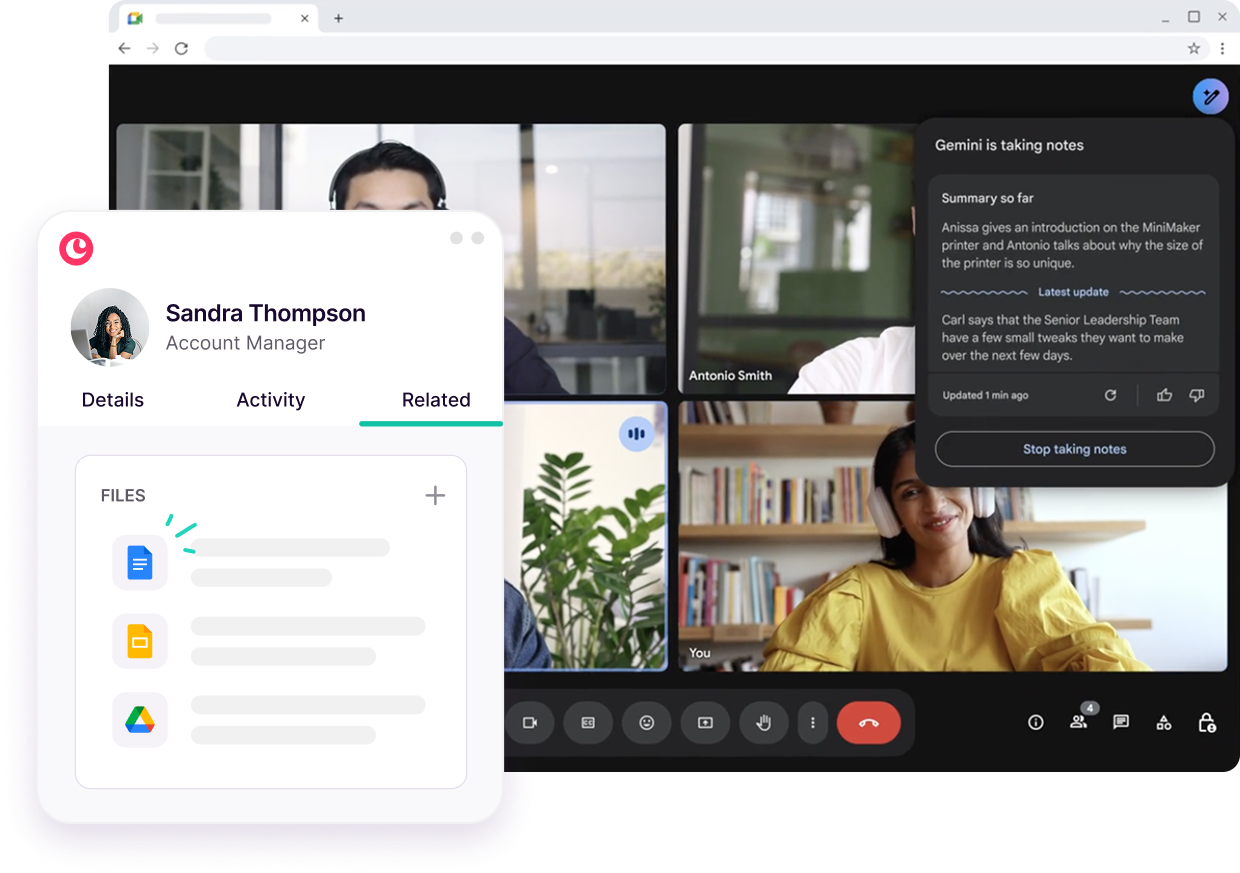
Image source: Copper Google Workspace CRM page
Copper also does more than basic contact storage. Basic adds pipelines, project management, contact enrichment, and task automation, which makes it more useful for agencies, consultants, and service teams that need to manage delivery after the deal is signed.
The mobile side is stronger than many lightweight CRMs. Copper’s mobile app is available on all plans, so logging notes after meetings or updating tasks on the go does not force you back to your laptop.
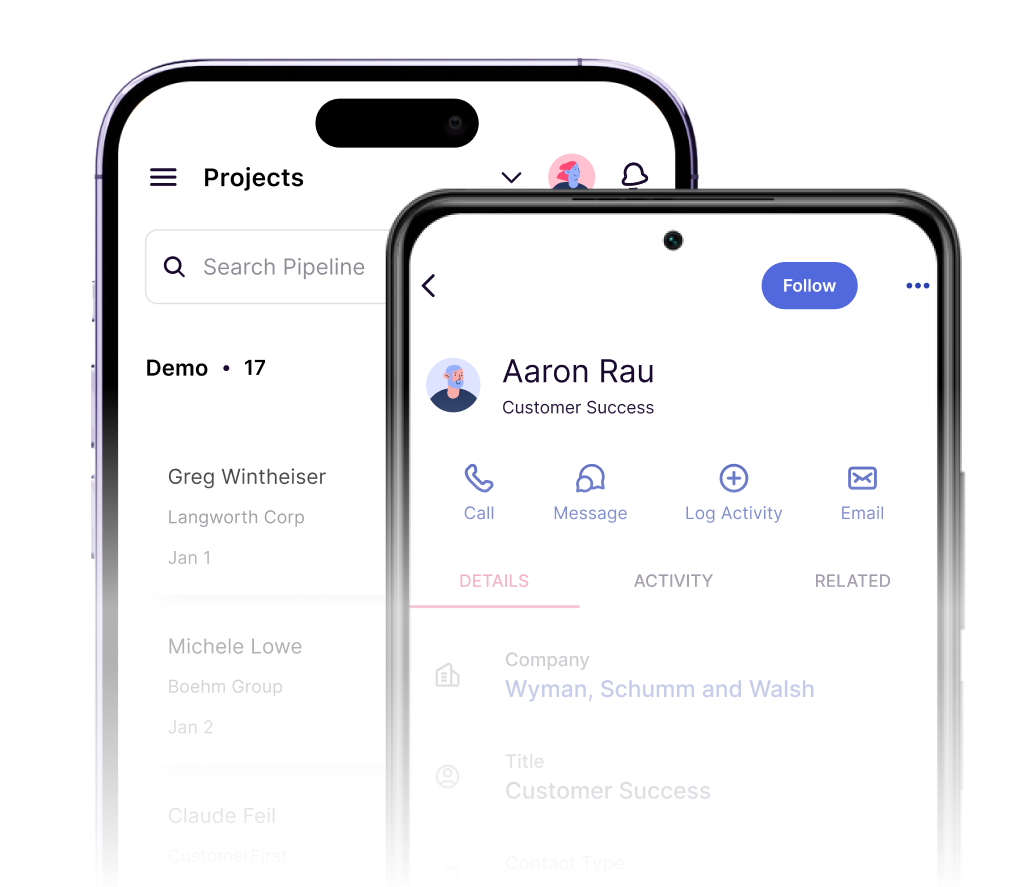
Image source: Copper mobile CRM page
The main downside is obvious and important. Copper tells you right on the signup flow that it is built for Gmail and Google Workspace, so this is not the CRM I would point an Outlook-heavy team toward.
The other catch is plan depth. Starter and Basic do not include Leads or Sales Opportunities, which means the cheap entry price looks better than the real fit if your team wants a more traditional sales pipeline setup from day one.
Copper can also feel a little admin-led once you move into heavier automation. Workflow rules, forms, and email automations lean toward admin or account-owner control first, which keeps things tidy but can frustrate teams that want every user building their own automations.
What you get when you start Copper
What you get in the free trial
The free trial lasts 14 days and does not require a credit card. That is enough time to connect Google Workspace, bring in a few real contacts, and see whether the Gmail-first workflow saves you time or just sounds nice on a landing page.
The best way to judge Copper during the trial is not to click around aimlessly. Add a few live contacts, schedule a real follow-up, attach files, and use the task flow inside Gmail and mobile so you can tell whether the setup actually removes manual logging from your week.
Copper is easy to misunderstand if you only look at feature checklists. It starts to make sense once you see email history, meeting context, files, tasks, and records living closer together, because that is the payoff you are really paying for.
The good stuff
Copper’s strongest feature is not some flashy automation trick. It is the way the platform keeps normal relationship work inside the Google tools your team already uses, which makes adoption easier than heavier CRMs that demand a full behavior change.
Project management is another reason Copper stands out. A lot of CRMs are fine until the deal closes, then you have to hand everything off into another app and lose context along the way.
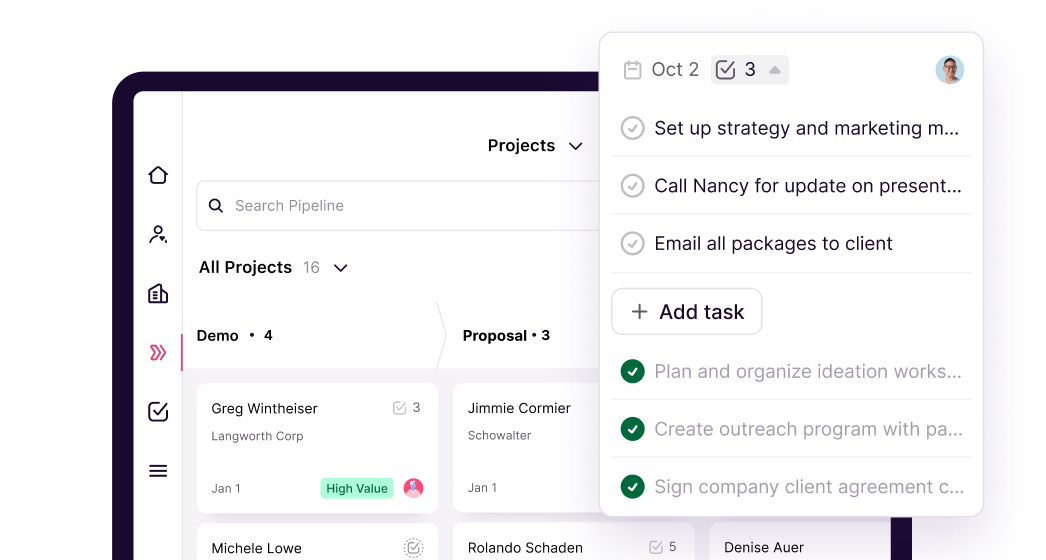
Image source: Copper mobile CRM page
That matters most for client-service businesses. If you sell, onboard, and deliver inside one connected system, Copper can justify itself faster than a CRM that only helps you before the contract is signed.
The jump from Basic to Professional is where Copper starts feeling like a fuller CRM. Professional adds Leads, Sales Opportunities, workflow automation, bulk email, reporting, and Google Sheets or Looker Studio reporting, which is the point where growing sales teams stop seeing it as just a clean Gmail add-on.
Mobile access is not an afterthought here either. If your team works from meetings, site visits, or calls in the field, the app makes Copper easier to justify because records can stay updated in real time instead of hours later when details are already fuzzy.
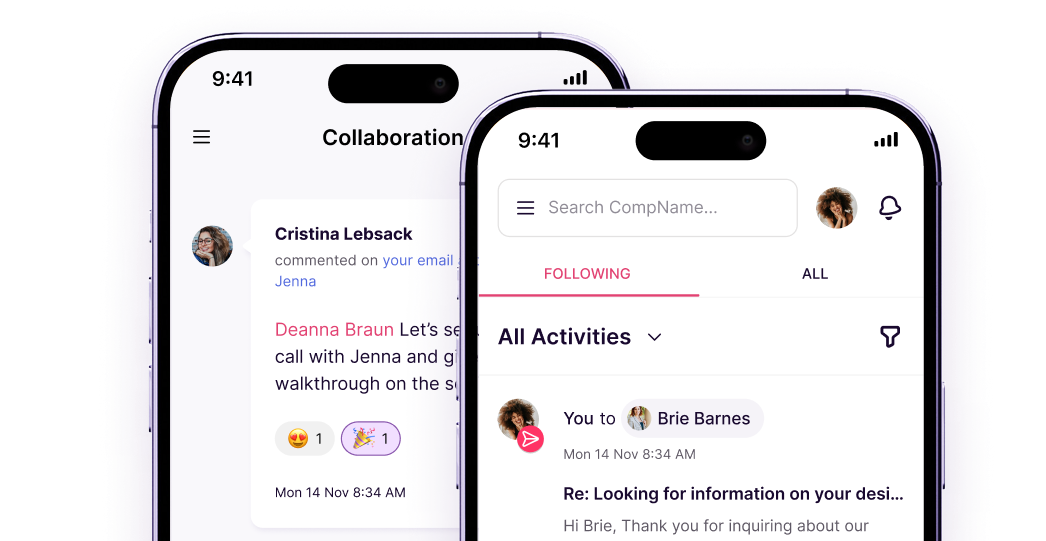
Image source: Copper mobile CRM page
Pricing and how it compares to other tools
Copper looks cheap at the front door, but price only matters if the plan actually matches your workflow. Starter is good value for relationship tracking inside Google Workspace, while Professional is usually the tier that makes the most sense for teams that need proper sales records, automation, and reporting.
See current pricingCopper wins this comparison when your team already works inside Gmail and wants less software overhead. Systeme.io wins on raw price, ClickFunnels wins on funnel selling, and GoHighLevel wins when you need a much broader marketing and automation machine.
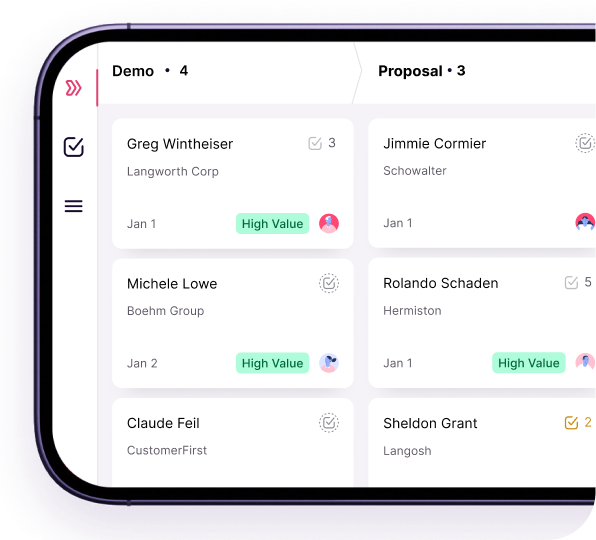
Image source: Copper mobile CRM page
Why starting now can make sense
Copper is worth trying now if your customer history already lives in inbox threads, calendars, and scattered notes. Waiting usually means you keep losing time to manual updates and missing context that should already be attached to the relationship.
The trial is easiest to justify when you already have a real offer, active clients, or a repeatable process to test. If you can run actual work through Copper for a week, the product usually becomes a clear yes or a clear no without much guesswork.
Hold off if you are still too early for a CRM or if your business does not revolve around Google Workspace. For the right buyer, though, Copper is not hard to recommend because it solves a boring but expensive problem: too much customer work still gets trapped in the inbox.
That is the main reason this tool keeps making sense. If you are serious about cleaning up how your team tracks contacts, follow-ups, and client work inside Gmail, checking the official free trial is a very reasonable next step.
Alternatives and the final verdict
Copper is not trying to be everything. That is exactly why comparing it to the right alternatives matters, because the best choice depends on whether you want a Gmail-first CRM, a cheaper all-in-one, a funnel builder, or a broader agency stack.
Copper usually wins when your team already works inside Gmail and wants client history, tasks, and projects closer to the inbox. It loses ground when you need heavier marketing automation, deeper funnel building, or the absolute cheapest way to get started.
Image source: Copper mobile CRM page
Copper vs the main alternatives
This table is the fastest way to decide. If you already know you want a CRM close to Google Workspace, focus on Copper first and only leave if one of the other tools solves a more important problem for your business.
Check the official free trialChoose Copper if your team works in Gmail all day and needs a CRM that people will actually keep updated. Choose Systeme.io if price is your main problem, and choose GoHighLevel if you want a broader agency machine and do not mind more setup.
Choose ClickFunnels if your money is made through funnel performance first and CRM convenience second. Copper sits in the middle nicely: more relationship-focused than funnel software, but much lighter than a full agency operating system.
Image source: Copper mobile CRM page
My honest take
Copper is worth it for the right buyer. That buyer is usually a small team, agency, consultant, or service business that already lives in Google Workspace and wants less admin work without buying a giant CRM nobody enjoys using.
Copper gets harder to justify if you are outside Gmail, still very early, or mainly shopping for funnels and aggressive automation. The cheapest plans look attractive, but most sales teams will only feel the full value once they move past Starter and into the tiers that add more serious pipeline, workflow, and reporting features on Copper’s current pricing page.
The strongest reason to buy Copper is adoption. A CRM is only useful when people use it, and Copper’s Gmail-first setup gives it a real edge over tools that look powerful on paper but die because the team never updates them.
The biggest limitation is focus. Copper is intentionally narrow compared with bigger all-in-ones, so you should not buy it hoping it will replace everything from funnel building to heavy-duty agency automation.
That focus is also why Copper can be a smart buy. If your current setup feels messy, scattered, and too dependent on memory, Copper looks a lot more attractive because it pulls normal client work into one calmer system instead of asking you to patch together five different tools.
I would buy now if you already have active leads, clients, or repeat work moving through Gmail and Calendar. I would wait if your business is still too early for a CRM or if your stack is not centered on Google at all.
Image source: Copper mobile CRM page
FAQ
Is Copper good for a small business?
Yes, if the business already runs on Gmail and needs structure without a monster setup. Copper is a much better fit for relationship-driven small teams than for companies that need enterprise reporting or a huge outbound sales machine.
Is Copper too limited if I do not use Google Workspace much?
Usually, yes. Copper’s own positioning around Gmail and its Google Workspace Recommended badge are big parts of the appeal, so the value drops if your team works mostly somewhere else.
Can Copper replace other tools?
It can replace more than a basic contact tracker because Copper includes tasks, pipelines, project management, workflow features, and reporting depending on plan. It will not replace a funnel-first platform like ClickFunnels or a bigger automation stack like GoHighLevel if those are the core jobs you need done.
Is the free trial enough time to decide?
Usually, yes. Copper gives you 14 days with no credit card required, which is enough to connect Google Workspace, add real contacts, run a few follow-ups, and see whether the workflow feels easier than what you are doing now.
Should you start the trial?
Start the trial if your inbox is already acting like a messy unofficial CRM. Copper is a smart next step when you need cleaner client tracking now, not months from now after more follow-ups slip through the cracks.
Skip it for now if you are not committed to Google Workspace or if a cheaper funnel or automation tool solves your more urgent problem. For the right buyer, though, Copper is easy to recommend because it makes everyday relationship management feel lighter without dumbing the job down.
Get started with Copper Filip Konecny Enterprises