
Copper is easy to like at first glance. The 14-day free trial, no-card signup, and Gmail-first setup make it feel a lot less intimidating than most CRMs.
The catch shows up once you look past the clean interface. Copper is tightly built around Google Workspace, and a lot of the features buyers expect from a more serious sales CRM sit further up the pricing ladder on the current plans page.
That is why this review matters. If your team lives in Gmail and wants a simpler way to manage contacts, deals, and follow-up, Copper can still be a smart buy. If you need deeper reporting, cheaper scaling, or a CRM that feels just as natural outside Google, the limitations can hit earlier than you expect.
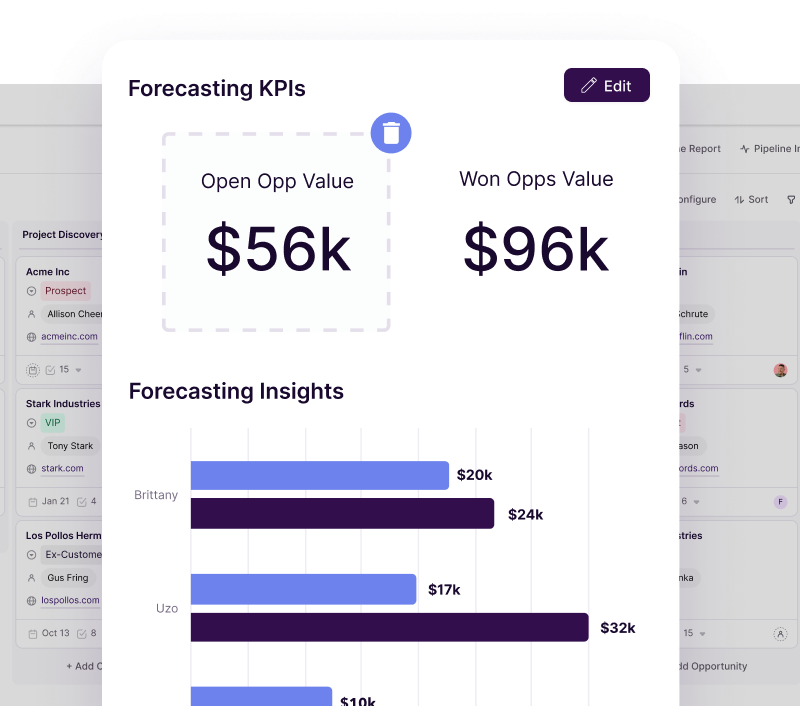
Image source: Copper sales reporting
My quick take
Copper makes the most sense for teams that already work inside Gmail, Google Calendar, and Google Drive all day. That is where the product feels genuinely useful, because you are not forcing your team into a giant CRM they will hate opening.
The limits start showing when you want more than lightweight relationship management. On the entry plan, you get core contact management, forms, Google Workspace integration, and basic organization tools, but not the kind of deeper sales setup many growing teams expect.
The pricing structure is where Copper becomes a real yes-or-no decision. Basic adds task automation and pipelines, but the bigger jump comes later, because Leads and Sales Opportunities only become available on Professional, while custom reports, unlimited contacts, and email series sit even higher.
So when people search for Copper limitations, this is usually what they are really asking: does the clean Google-friendly experience make up for the features you lose at the lower tiers? For the right buyer, yes. For anyone hoping to grow into advanced CRM functionality without moving up the pricing ladder quickly, probably not.
Check the official free trialArticle outline
This review is split into three clear sections so you can jump straight to the part that matters most. The goal is simple: help you decide whether Copper is worth trying now, worth waiting on, or worth skipping for something else.
- First, I cover my quick take and then move into what you get in the free trial.
- Next, I break down the good stuff, pricing and where Copper gets expensive, and why you might buy now instead of waiting.
- Finally, I compare alternatives, give you the final verdict, and wrap up with a short FAQ.
The next section is where Copper gets easier to judge. Once you see what the trial includes and what it does not, the platform stops feeling vague and starts feeling either like a smart fit or an overpriced compromise.
What you get in the free trial
Copper makes the first step easy. The signup page still offers a 14-day free trial with no credit card, so you can get in fast and see whether the Google-first workflow feels natural or not.
The bigger filter is compatibility. Copper tells you right there during signup that it is built around Gmail and Google Workspace, which is great if that is your stack and a real limitation if your team mostly works in Outlook or Microsoft 365.
The trial is useful for answering the questions that matter early. You can judge setup speed, how well contact records show up alongside your email, whether the layout feels cleaner than your current spreadsheet mess, and whether your team will actually use it instead of avoiding it.
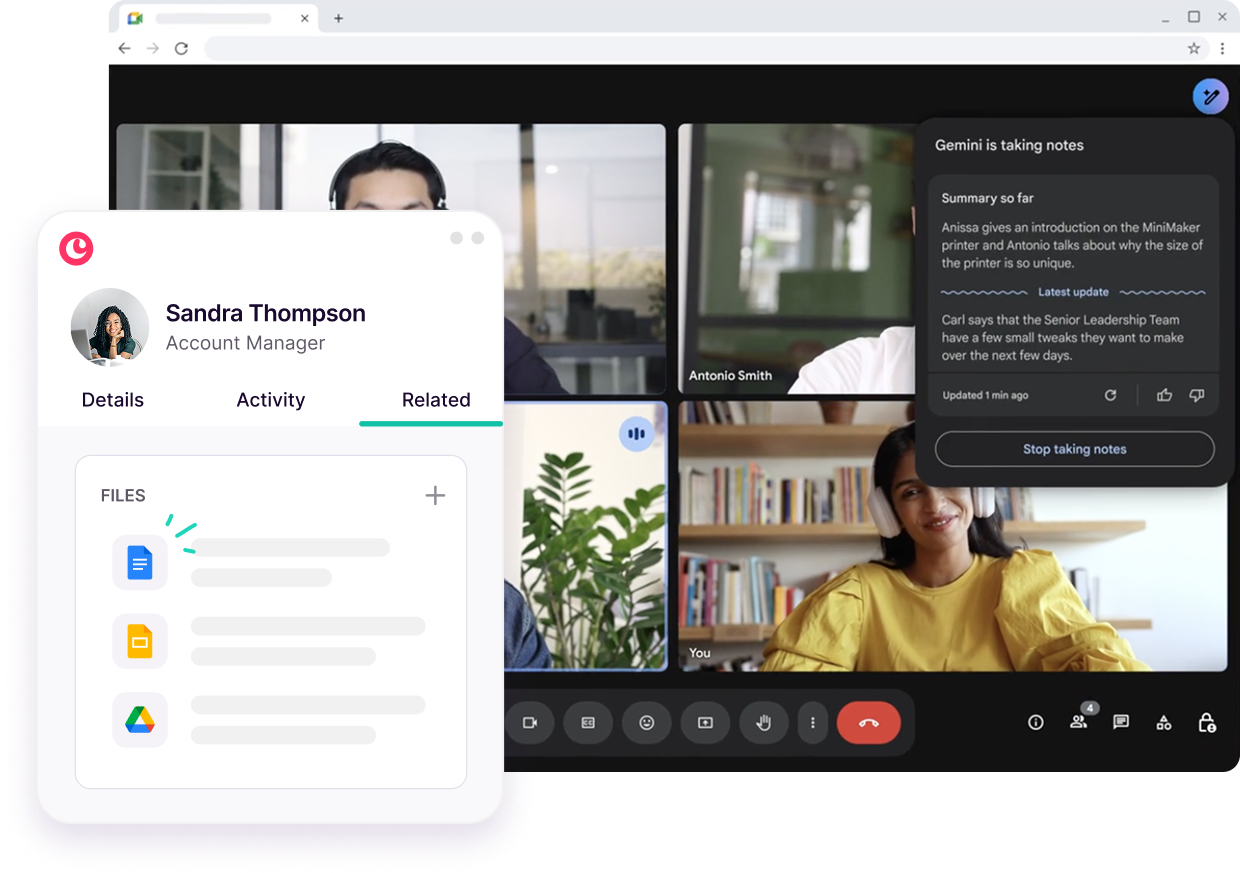
Image source: Copper Google Workspace CRM
You should not assume the trial tells the whole story. Copper’s own reports FAQ says reports are only on Professional and Business, and trials do not have reports access, so one of the more valuable advanced features is not something you can fully judge before paying.
That matters because a lot of Copper limitations only become obvious once you move beyond simple contact management. If reporting, deeper automation, or wider integration depth are part of your buying decision, the trial is more of a fit check than a full proof run.
Still, the trial is strong enough for the right buyer. If your main goal is to stop living in Gmail, spreadsheets, and sticky-note follow-ups, Copper gives you enough room to see whether the core experience feels lighter and faster than what you are doing now.
The good stuff
Copper’s best feature is still the same one that makes people click in the first place. The Google Workspace integration is not some side add-on buried in settings. It is the product’s whole identity.
That makes the learning curve easier than a lot of CRMs. If your team already lives in Gmail and Calendar, Copper feels closer to an extension of work you already do than a separate system you have to beg people to update.
The second thing Copper gets right is keeping sales and post-sale work closer together. On the plan comparison, Basic adds both opportunity pipelines and project pipelines, which matters if you do client work and want the handoff after the deal to feel less chaotic.
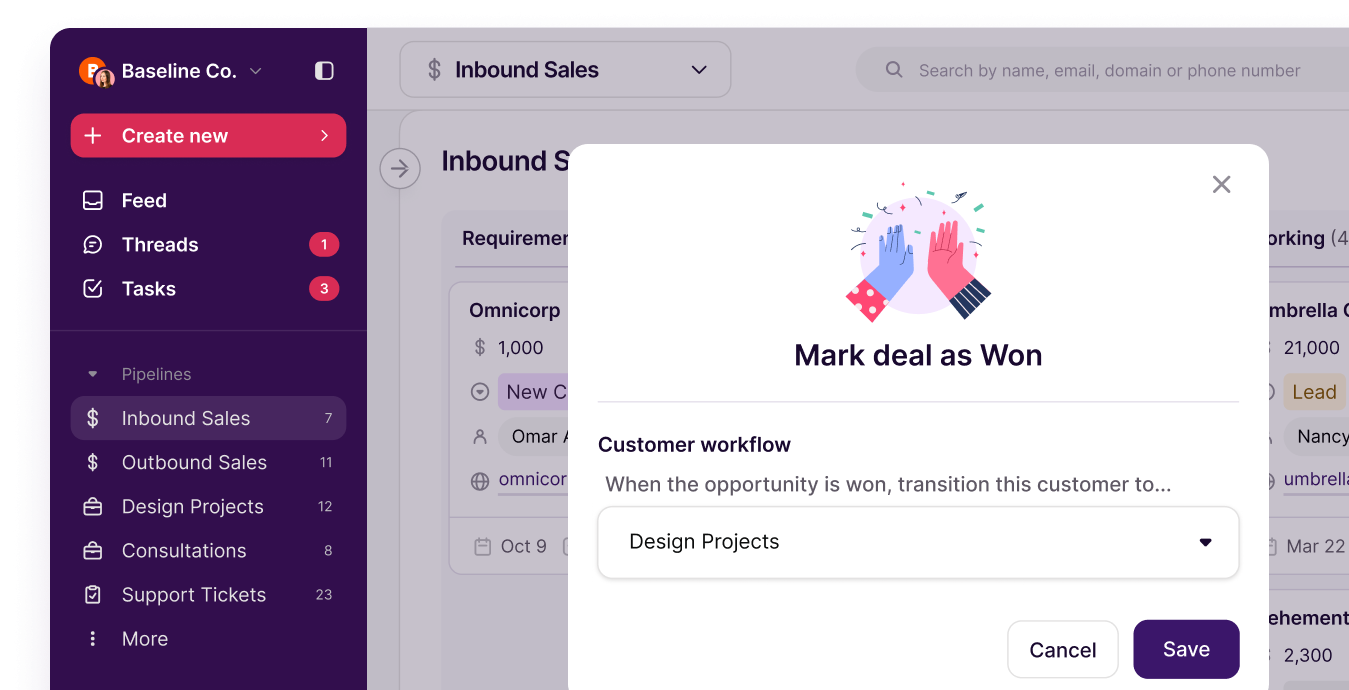
Image source: Copper lead and pipeline tracking
Copper also feels more useful once you start templating routine communication. The email tools page shows why people like the product for warm follow-up, because it keeps templates and communication close to the inbox instead of pushing you into another bulky marketing tool.
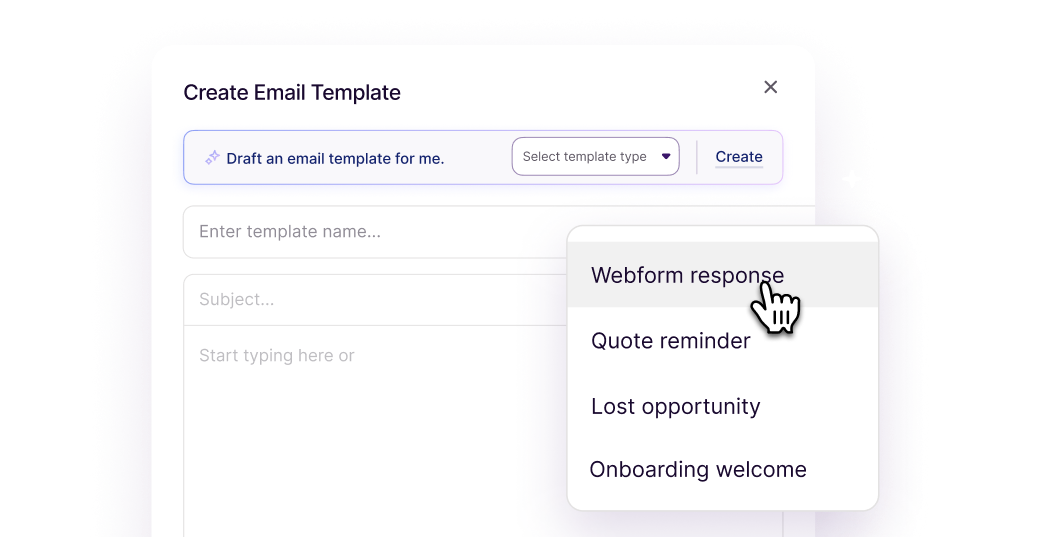
Image source: Copper email sequences and automation
Forms are another quiet win if you are trying to reduce manual intake. Copper’s forms overview shows that Basic and up can create pipeline records from submissions, and Professional and Business can also trigger auto-response emails.
That is the real payoff. Copper does not replace every tool in your business, but it can replace a lot of low-value admin work if your sales and delivery process is still being held together with inbox searches and spreadsheets.
Pricing and where Copper gets expensive
Copper starts cheap enough to get your attention. The pricing page shows Starter at $9 per seat per month billed annually or $12 monthly, but that plan is really for basic relationship management, not a full-featured sales setup.
Basic is where the CRM starts to feel more useful because it adds pipelines, project management, task automation, and contact enrichment. Professional is where the bigger jump happens, because that is where workflow automation, integrations, reporting, leads, bulk email, and unlimited custom fields show up on the feature comparison.

Image source: Copper reports and forecasting
Business is where Copper finally removes the contact cap and adds email series plus the custom report builder. Copper’s email automation FAQ also makes the limitation clear: Professional can send a single automated email, while Business can build a series.
See current pricingThis is where you need to be honest with yourself. If you only need a clean Google-centric CRM, Copper can still be worth it. If you need a broader all-in-one with funnels, texting, scheduling, and heavier automation, GoHighLevel gives you more surface area, even if it feels heavier and less elegant.
If your main objection is price, Systeme.io is much easier on the budget and includes funnels, email marketing, automation, and CRM-style contact handling. The tradeoff is simple: it is cheaper, but it is not as polished for relationship-driven Google Workspace teams that want CRM first instead of creator tools first.
Why you might buy now
Copper is easier to justify when your current setup is already slowing you down. If leads live in Gmail, follow-ups live in your head, and delivery lives in a project tool nobody updates properly, waiting usually means you keep paying the hidden cost of manual work.
For a Google Workspace team with active deals or active client work, Copper can tighten the whole process quickly. You get a lighter CRM than most big-name alternatives, and you do not have to rebuild your team’s habits around some giant enterprise system.
You should still wait if the fit is wrong. If you are not committed to Google Workspace, if your budget tops out around entry-level software, or if you already know you need deeper reporting and automation without paying for higher tiers, Copper limitations will annoy you faster than they will help you.
For the right buyer, though, this is not hard to call. If you want a CRM that feels close to Gmail, gets rid of busywork, and gives your team a cleaner place to manage relationships, checking the official free trial is a smart next step.
Copper alternatives
Copper limitations matter most when you are choosing between simplicity and breadth. Copper is lighter, cleaner, and easier to adopt for Google Workspace teams, but some buyers will get more value from a cheaper all-in-one or a broader automation-heavy tool.
The easiest way to look at it is this: Copper is strongest when CRM adoption and Gmail integration are the priority. If you care more about funnels, mass automation, or squeezing the monthly cost down, another tool may fit better.
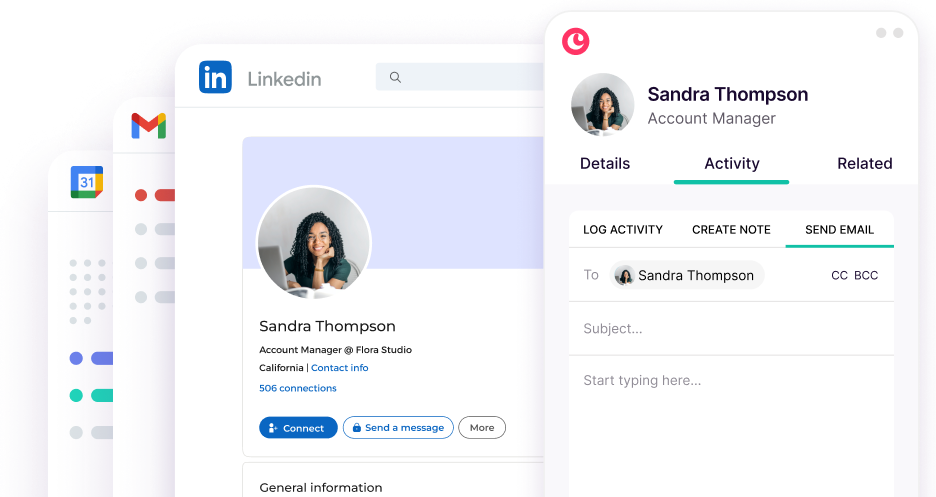
Image source: Copper marketing tools
Check the official free trialChoose Copper if your team already lives in Gmail and wants a CRM that feels close to invisible instead of overwhelming. Choose Systeme.io if budget matters most, and choose GoHighLevel if you want a much broader operating system for marketing, automation, and client accounts.
Final verdict
Copper limitations are real, but they are not random. Most of them come from two things: the product is heavily centered on Google Workspace, and the more serious reporting, automation, and email nurture features are pushed higher up the pricing ladder.
That makes Copper a bad fit for some buyers. If your team uses Microsoft tools, wants the cheapest possible setup, or needs a huge all-in-one from day one, you will probably feel the limits faster than the benefits.
Copper is still a strong recommendation for the right buyer. If your team works in Gmail all day, hates bloated CRMs, and needs a cleaner way to manage contacts, deals, tasks, and follow-up without constant tab switching, this is absolutely worth a real look.
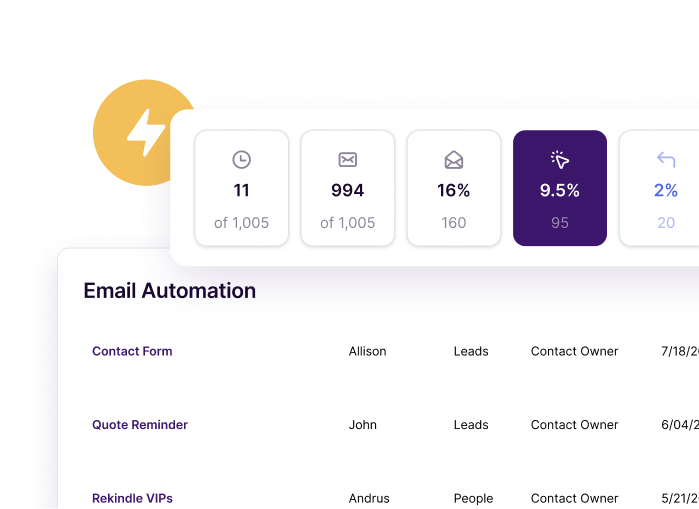
Image source: Copper marketing tools
The payoff is easy to understand. Copper will not magically replace every tool you own, but it can cut a lot of admin work if your leads, client notes, handoffs, and reminders are still scattered between inboxes and spreadsheets.
Waiting only makes sense if you are not ready to use it properly. If you already have active deals or client work and your current process feels messy, delaying the switch usually means more manual follow-up, more lost context, and more time wasted cleaning up avoidable chaos.
FAQ
Is Copper still worth it for a small team?
Yes, if that small team is deep in Google Workspace and wants something simple enough to adopt fast. No, if “small team” really means “very tight budget,” because Systeme.io or Brevo can make more financial sense at the low end.
Are Copper limitations a deal-breaker outside Google Workspace?
For many teams, yes. Copper openly leans into Gmail and Google Workspace as the core experience, so buyers outside that world should look hard at GoHighLevel or another broader option before paying for a Google-first CRM.
Image source: Copper marketing tools
Can Copper handle follow-up well enough without another email tool?
For light to moderate follow-up, yes. Copper’s templates, bulk email, automations, and higher-tier email series features can cover a lot of routine nurture work, but it is not the best pick if your main priority is heavy email marketing depth over CRM usability.
Does Copper give you enough AI help to save time?
It can, especially if your bottleneck is writing and polishing follow-up emails. That benefit matters more on the upper plans, so it helps justify the spend for teams already selling, but it is not a strong enough reason by itself to ignore the rest of Copper’s limitations.
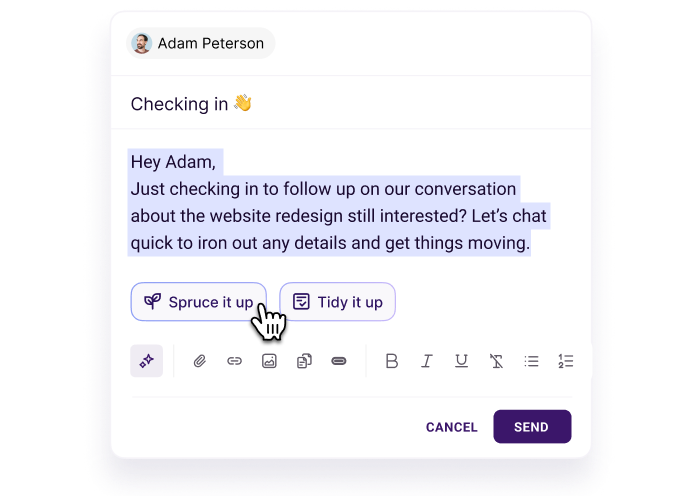
Image source: Copper marketing tools
Should you start the trial now or wait?
Start now if your team already works in Gmail and your current sales or client workflow feels sloppy. Wait if you are still deciding on your stack, still using Microsoft tools, or already know you need a broader all-in-one than Copper is trying to be.
Image source: Copper marketing tools
Copper is not the best CRM for everybody. It is one of the better choices for Google Workspace teams that want speed, clarity, and less daily friction, and that is exactly why the free trial is worth using before you keep patching the same messy workflow together.
Get started with Copper Filip Konecny Enterprises