
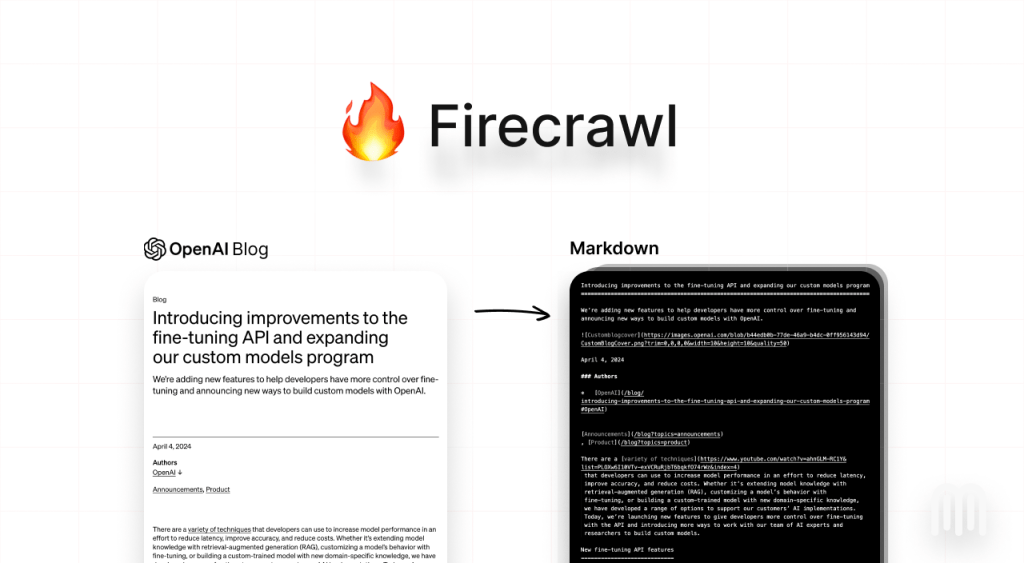
Picking between Apify and Firecrawl gets expensive fast if you choose the wrong one. They both help you pull data from the web, but they are not built for the same buyer, and that is exactly why so many comparisons blur the part that matters most: which one will actually fit the way you work.
If your goal is getting clean web data into an AI workflow without a lot of setup, Firecrawl looks stronger right away. If you need a bigger scraping platform with a huge library of ready-made tools, longer-running jobs, scheduling, storage, and more room to build custom workflows, Apify usually has the edge.
That difference matters more than feature checklists. The wrong choice can leave you paying for flexibility you never use, or saving money up front only to hit limits once your project gets serious.
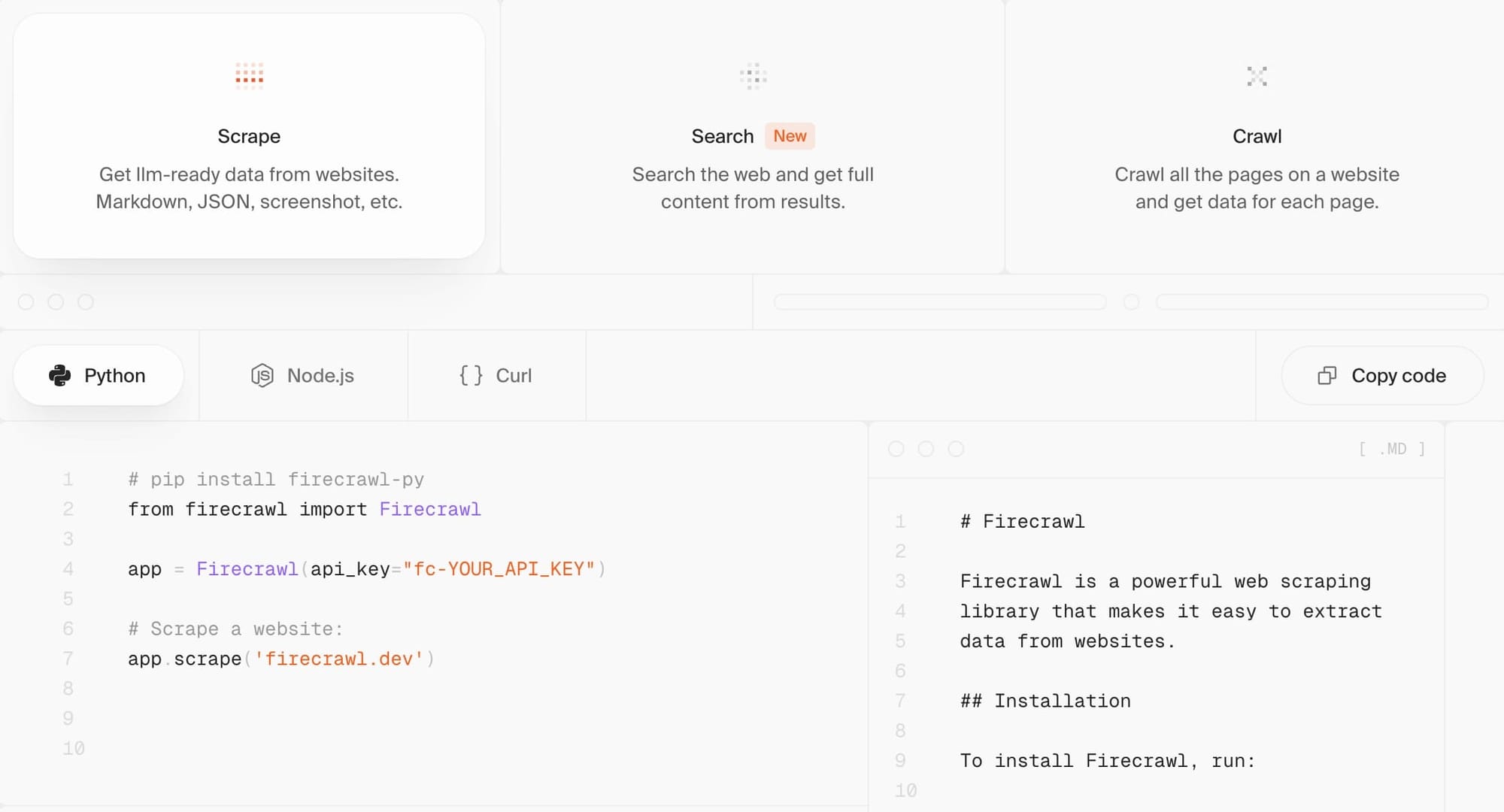
Image source: Firecrawl homepage
Article outline
- The quick verdict so you can tell which tool fits your use case in a couple of minutes.
- What you get with Firecrawl if you care more about fast AI-ready output than managing a larger scraping stack.
- Where Apify pulls ahead if you need a broader platform, more automation options, or ready-made scrapers.
- Pricing and value so you can judge whether the simpler tool or the broader platform gives you better return.
- Should you buy now, wait, or skip based on how ready your project is today.
- Alternatives worth a look if neither one feels like the perfect fit.
- Final verdict with a straight answer on who should choose Firecrawl, who should choose Apify, and who should hold off.
- FAQ for the objections most buyers still have after comparing both tools.
The quick verdict
Firecrawl is the easier recommendation when you want the fastest path from URL to LLM-ready markdown or JSON. It is simpler to understand, the pricing is easier to estimate, and it feels much closer to a focused API product than a full-blown scraping platform.
Apify makes more sense when your work is wider than AI ingestion. It gives you a much bigger ecosystem, a massive Actor marketplace, built-in scheduling and storage, proxy tools, and more ways to run long or specialized scraping jobs without rebuilding the same foundation every time.
So the real question is not which tool is better in the abstract. It is whether you want speed and simplicity for AI workflows, or a larger platform that can handle more scraping situations once your needs get messier.
The fast side-by-side snapshot
Explore FirecrawlFirecrawl feels easier to justify when you already know the job: scrape pages, turn them into useful output for an LLM, and move on. That is where simple products tend to win, because they reduce the amount of time you waste understanding the tool before you ever get value from it.
Apify starts to look better when your project stops being one clean workflow. If you need specialized scrapers, longer-running jobs, reusable automations, or you want to browse a library instead of building every scraper yourself, Apify’s bigger platform can save a lot of work later even if it feels heavier on day one.
Price is where buyers usually hesitate first. Firecrawl’s credit model is easier to read because standard scraping and crawling are priced per page, while Apify mixes subscription credit, compute usage, and sometimes Actor-level pricing, which gives you more flexibility but also makes costs harder to predict until you know your workload.
Free access also tells you a lot about who each tool is trying to attract. Firecrawl gives you a one-time 500-credit test drive that is great for proving a workflow quickly, while Apify’s free plan is better for ongoing experimentation because the monthly $5 credit keeps resetting.
Ease of use is another split worth taking seriously before you spend anything. Firecrawl is easier to recommend to builders who want the shortest route to useful web data, while Apify asks you to think in terms of Actors, runs, inputs, storage, and usage patterns, which is powerful once it clicks but less friendly when you just want results fast.
My early call is simple. Buy the simpler tool first if your main job is AI-ready crawling and extraction, and lean toward the broader platform if you know you are building a bigger scraping operation that will need more than one neat API endpoint.
What you get with Firecrawl
Firecrawl gives you a much clearer first test than Apify if your main goal is AI-ready web data. The free access is simple: 500 one-time credits, no card, and you can start scraping right away instead of learning a bigger platform first.
That sounds small until you look at what those credits are for. Firecrawl’s core product is built around turning pages into markdown, HTML, JSON, screenshots, links, or structured extraction output, which is exactly the kind of output most AI teams, RAG builders, and agent workflows actually need.

Image source: Firecrawl official site
The bigger payoff is that Firecrawl keeps the workflow tight. Search can pull web results and optionally scrape them in one go, scrape can return clean page content in several formats, crawl can move through a whole site, and extract can structure data from one page, many pages, or even wildcards without forcing you to build a lot of brittle selectors first.
That is where Firecrawl starts feeling worth paying for. You are not just buying scraping calls, you are buying time back from handling rendering, dynamic pages, anti-bot headaches, and messy output cleanup by hand.
Firecrawl also has an interact flow for pages that need clicks, typing, or navigation after the first scrape. If your current method involves patching together Playwright scripts, parsers, retries, and post-processing just to get one clean dataset, the $16 entry plan becomes much easier to justify.
The catch is that Firecrawl is still a focused tool, not a giant marketplace. It gives you a cleaner API-first route into web data, but it does not try to be everything Apify already is for teams that want a massive library of ready-made scrapers and a broader cloud automation stack.
Where Apify pulls ahead
Apify wins on breadth. If you want a bigger scraping operation with more built-in moving parts, it gives you a Store with 21,000+ Actors, scheduling, storage, proxies, integrations, and more ways to run recurring jobs without building every workflow from scratch.
That matters if your work is not just “grab this site and make it LLM-ready.” Apify is stronger when your project depends on specific prebuilt scrapers, long-running automation, reusable tasks, or platform features like datasets, request queues, scheduled runs, and Actor-level pricing models.
Apify’s free plan is also better for slow, ongoing experimentation. The platform credit renews monthly, so if you are testing different Actors over time and not running a lot of volume yet, that recurring credit can feel more forgiving than Firecrawl’s one-time starting allowance.
Apify is not the easy recommendation for everyone, though. The same depth that makes it powerful also makes it heavier, and the pricing takes longer to understand because you are dealing with subscription credit, compute usage, and sometimes Actor-specific fees instead of one cleaner page-based model.

Image source: Firecrawl official site
That complexity is not automatically bad. If you already know you need lots of specialized scrapers, better cost control on optimized Actors, or a platform that can host and schedule more involved automations, Apify can absolutely be the better long-term pick.
So this section is where the honest answer matters most. Firecrawl is easier to buy, easier to estimate, and easier to plug into AI workflows, while Apify is easier to grow into if your team needs a bigger toolbox than one focused web-data API.
Pricing and value
Firecrawl’s pricing is easier to understand. On the official plans, the free tier gives 500 one-time credits, Hobby starts at $16 per month billed yearly for 3,000 credits, Standard starts at $83 for 100,000 credits, and Growth starts at $333 for 500,000 credits, with scrape and crawl usually costing 1 credit per page.
Apify starts free too, but the math is less obvious. The free plan includes $5 in recurring monthly platform credit, Starter begins at $29 per month, Scale at $199, and Business at $999, while real cost depends on platform usage, compute units, proxies, and sometimes how a specific Actor is priced.
See current Firecrawl pricingFor most buyers, this is the section that makes the decision easier. Firecrawl usually gives you the cleaner deal when you want predictable web-to-LLM output and do not want your costs tied to a more layered platform model.
Apify can still win on value when you squeeze a lot out of optimized Actors or when a ready-made scraper saves you from building and maintaining your own workflow. Firecrawl wins on buyer clarity, which matters more than people think when you are trying to launch fast instead of budgeting around a moving target.

Image source: Firecrawl official site
Should you buy now, wait, or skip it?
Buy Firecrawl now if you already have a real use case and your current setup feels messy. If you are feeding content into an LLM, building internal research tools, enriching leads, monitoring pages, or pulling live website data into an app, the simpler setup usually saves more time than the subscription costs.
Wait if you are still guessing at the use case. Firecrawl is easier to buy than Apify, but software still gets wasted when the project is not defined and you do not know what pages, outputs, or workflows you actually need.
Skip Firecrawl for now if you mainly want a giant marketplace of ready-made scrapers or a recurring free sandbox you can stretch over time. Apify is better for that buyer, and pretending otherwise would make this comparison less useful.
For the right buyer, Firecrawl is absolutely worth trying. It makes the most sense when you are serious about getting results from web data quickly and you do not want to spend the next few weeks babysitting scraping infrastructure instead of shipping the thing you were actually trying to build.
Waiting also has a cost here. Every extra week spent doing this manually usually means more brittle scripts, more cleanup work, and more delayed testing, while a focused tool like Firecrawl lets you find out faster whether the workflow is worth scaling.
If that sounds like your situation, the next move is pretty obvious. Check the official Firecrawl free access and see whether the first few hundred pages already prove the workflow for you.
Alternatives worth a look
Firecrawl is not the only smart option here. It is the one I would lean toward first for AI-ready crawling and extraction, but that does not mean it is automatically the best fit for every buyer.
Apify is the broader choice when you want a huge library of ready-made scrapers, recurring jobs, storage, and a platform you can keep expanding. Browse AI is the easier pick if you want no-code scraping and monitoring without thinking like a developer, while Bright Data starts to make more sense when you need enterprise-grade unlocking, proxies, and serious scale.
Image source: Firecrawl official site
Explore FirecrawlChoose Firecrawl if you want the cleanest path from web page to useful AI data. Choose Browse AI if you want the cheaper, friendlier no-code route, and choose Apify or Bright Data if you know you need a broader system with more moving parts than Firecrawl is trying to give you.
Final verdict
Apify vs Firecrawl is really a decision about focus. Firecrawl is the better buy for the person who already knows the job and wants the fastest route to clean output, while Apify is better for the buyer who wants a larger scraping setup that can keep growing in different directions.
That is why Firecrawl comes out ahead for me in this comparison. Most people looking at these two tools are not asking for the biggest platform they can find, they are trying to get a workflow working without wasting time on extra complexity.
Image source: Firecrawl official site
Firecrawl earns that recommendation because the value is easy to feel. You scrape, crawl, search, or extract, and you get output that is already close to what an LLM app, agent, or internal tool actually needs instead of another messy cleanup project.
Apify still deserves real credit. It is the better choice when you need prebuilt Actors, recurring workloads, marketplace flexibility, and a wider platform that can handle more scraping scenarios once your project stops being simple.
Price objections are fair, but they land differently depending on the buyer. Firecrawl is easier to justify when the real cost is developer time and delayed shipping, while Apify is easier to justify when you will actually use the extra platform depth instead of paying for it and barely touching it.
Beginners can use Firecrawl faster than they can use Apify. That does not mean it is a toy, it just means the product has a tighter job to do, and that usually helps when you want proof of concept now instead of after a week of platform learning.
Firecrawl is not perfect, and that honesty matters. Some newer extraction features are still evolving, and if you need massive site coverage, highly customized logic, or a marketplace full of specialist scrapers, Apify or Bright Data can be the better long-term move.
My honest take is simple. Firecrawl is the stronger pick for the right buyer, and the right buyer is someone who wants results from web data fast, plans to use that data inside AI workflows, and does not want to glue together a bigger stack than necessary.
Buy now if that sounds like you. Wait if your use case is still fuzzy, and skip it for now if you mainly want a no-code monitor or a giant scraping marketplace instead of a focused web-data API.
FAQ
Is Firecrawl better than Apify for AI workflows?
Usually, yes. Firecrawl is easier to recommend when the goal is getting LLM-ready data quickly, because the product is more focused on clean scrape, crawl, search, and extraction output instead of a much wider platform experience.
Is Apify cheaper than Firecrawl?
Not automatically. Apify starts at a higher entry price and then layers in usage, but it can still be better value if you use its Store, storage, scheduling, and broader tooling enough to replace other parts of your setup.
Can a beginner actually use Firecrawl?
Yes, and that is one of its biggest advantages. Firecrawl makes more sense for newer buyers because the path from signup to useful output is shorter, while Apify usually asks you to understand more platform concepts before it feels easy.
Should you buy Firecrawl now or wait?
Start now if you already have a clear use case and your current workflow is slowing you down. Wait if you are still guessing at what data you need, because even a good tool becomes a bad purchase when the project is not defined yet.
Image source: Firecrawl official site
If Firecrawl already looks like the cleaner fit, dragging the decision out usually does not help. Waiting tends to keep you stuck with manual cleanup, brittle scripts, or a tool stack that keeps getting more annoying every time you touch it.
For the right buyer, this is absolutely worth trying. Check the official Firecrawl plans and get started if you want the faster route from web pages to data you can actually use.
Get started with Firecrawl Filip Konecny Enterprises