
If you want free dictation inside Google Docs, Google Voice Typing is still hard to argue with. If you want your voice tool to follow you across email, chat, notes, and documents, Wispr Flow is playing a different game.
That difference matters because plenty of people compare these tools like they are direct clones. They are not. One is a free browser-based feature inside Google Docs, while the other is a paid cross-app writing tool with a free tier and a 14-day Pro trial built for heavier daily use.
My early take is simple: Wispr Flow looks stronger for people who write for work all day and hate context-switching, while Google Voice Typing still makes more sense for casual use, student work, and anyone who mostly lives in Docs. That is exactly what this review will help you decide before you spend money you do not need to spend.
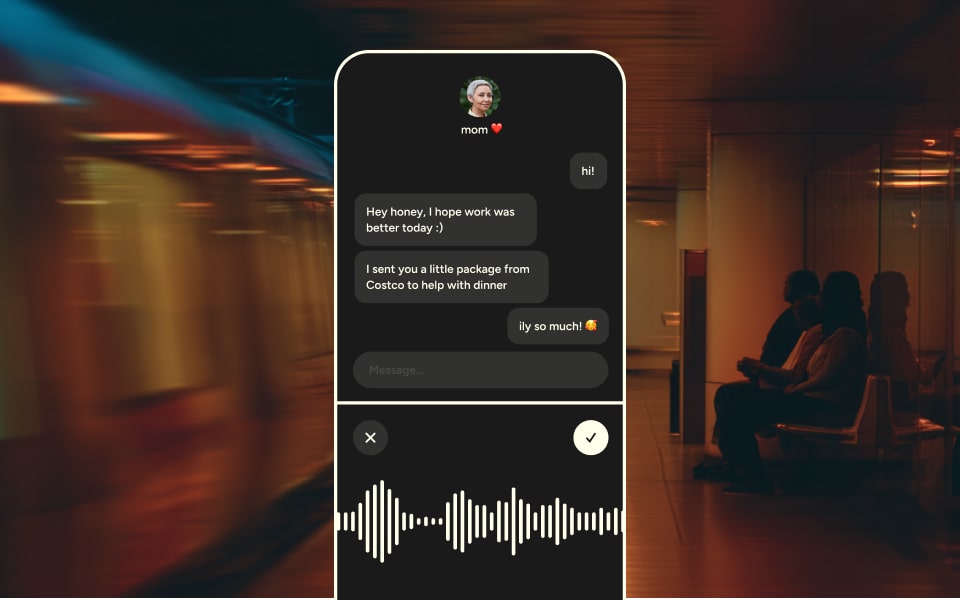
Image source: Wispr Flow iPhone announcement
The main reason this comparison is worth your time is that free dictation can feel fine right up until your workflow gets messy. Once your day includes Slack, email, docs, AI tools, and your phone, the difference between “voice typing exists” and “voice typing actually fits my work” gets very obvious.
Paying for dictation can sound unnecessary at first. It starts making sense when typing, cleanup, and app-hopping are slowing you down enough that a better tool saves more time than it costs.
Quick decision snapshot
Wispr Flow earns attention because it is built to work across apps on Mac, Windows, iPhone, and Android. Google Voice Typing is much narrower, but that narrow setup is also why it stays attractive for people who just want a free way to talk into a document and move on.
Your decision comes down to one thing: are you trying to improve dictation in one place, or are you trying to replace a lot of typing everywhere? If the answer is “everywhere,” Google’s free tool usually stops feeling like a real substitute.
Wispr Flow is not the automatic winner for everyone. If you mostly draft in Google Docs, do not write much on mobile, and only dictate occasionally, the paid upgrade will probably feel like overkill.
Here is the short version before we get deeper into features, pricing, and alternatives. This should tell you whether you should keep reading with real buying intent or probably stick with the free option.
Check the official free trialThat table is the simple answer. Wispr Flow makes more sense when your writing happens in five places at once, while Google Voice Typing stays smart when your needs are light, your budget is zero, and Google Docs already feels like home.
Part 2 is where this gets more practical. That is where the trial, the paid plans, and the actual “does this save enough time to justify the money?” question either gets stronger or falls apart.
Article outline
Use these page jumps to move through the full review as the next sections are added. The structure is built to answer the only questions that matter in a review: should you try Wispr Flow now, wait, or skip it and keep using the free Google option.
- Quick decision snapshot — the short answer if you want the fastest recommendation.
- What you get with Wispr Flow — the free tier, the trial, and what is actually included.
- The good stuff — where Wispr Flow feels better than basic voice typing.
- Pricing and value — whether the upgrade is justified or too much for your needs.
- Alternatives worth looking at — when a cheaper or broader tool makes more sense.
- Final verdict — who should start now, who should wait, and who should skip it.
- FAQ — quick answers to the common objections people usually have before trying a dictation tool.
If you already know you need something that works beyond Google Docs, Wispr Flow is off to the stronger start. If you are still not sure whether cross-app dictation matters enough to pay for, the next section is the one that should settle it.
What you get with Wispr Flow
Wispr Flow makes a strong first impression because the trial is easy to start. New accounts get 14 days of Flow Pro with no credit card, so you can test the paid experience without playing the usual cancellation game.
That matters more than it sounds. A voice tool is hard to judge from a feature list, but two weeks is long enough to find out whether you will actually use it in email, chat, docs, and notes or whether it just feels clever for a day.
If you do nothing after the trial ends, Wispr drops you back to the free Basic plan instead of forcing a paid renewal. That lowers the risk a lot, especially compared with tools that want your card before you even know whether they fit your workflow.
Image source: Wispr Flow iPhone launch page
The free plan is not useless bait. Wispr says Basic includes 2,000 words per week on Mac or Windows, 1,000 words per week on iPhone, unlimited words on Android during launch, a custom dictionary, snippets, 100+ languages, Privacy Mode, and HIPAA-ready support.
That is already more flexible than Google Voice Typing. Google’s tool is still free, and it is still handy, but it mainly lives inside Google Docs in a supported desktop browser, plus Google Slides speaker notes, which is a much smaller lane.
Flow Pro is where the real upgrade starts. The paid tier removes the word limits across Mac, Windows, iPhone, and Android, adds prioritized support, early feature access, team features, and desktop Command Mode for voice-powered editing.
That last part is the one to pay attention to. Google Voice Typing helps you speak text into a document, but it does not try to become your cross-app writing layer in the same way.
What you can actually test during the trial
- Whether dictation across apps feels better than being stuck inside Google Docs.
- Whether the cleanup is good enough that you stop fixing filler words, punctuation, and mid-sentence corrections by hand.
- Whether snippets, dictionary support, and voice editing save real time in your everyday writing.
That is why the trial feels fair. You are not guessing whether the paid version might be good later, because the important parts are available right away.
The good stuff
Wispr Flow starts to look worth paying for once your writing is spread across different apps. If you answer emails, send Slack messages, draft notes, and work from your phone as much as your laptop, the cross-platform setup is the biggest reason to care.
Google Voice Typing does one thing well: it lets you speak into Google Docs without spending money. That is still useful, but it is also the reason many people hit its ceiling fast.
Wispr’s stronger pitch is that it tries to give you finished text, not just raw transcription. The feature pages lean hard into automatic cleanup like filler-word removal, formatting, punctuation, and handling course corrections while you are still talking.
That sounds like marketing fluff until you think about the real annoyance it is solving. Basic dictation often saves typing time but gives some of it right back in cleanup time, which is why free voice typing can feel less impressive after the first week.
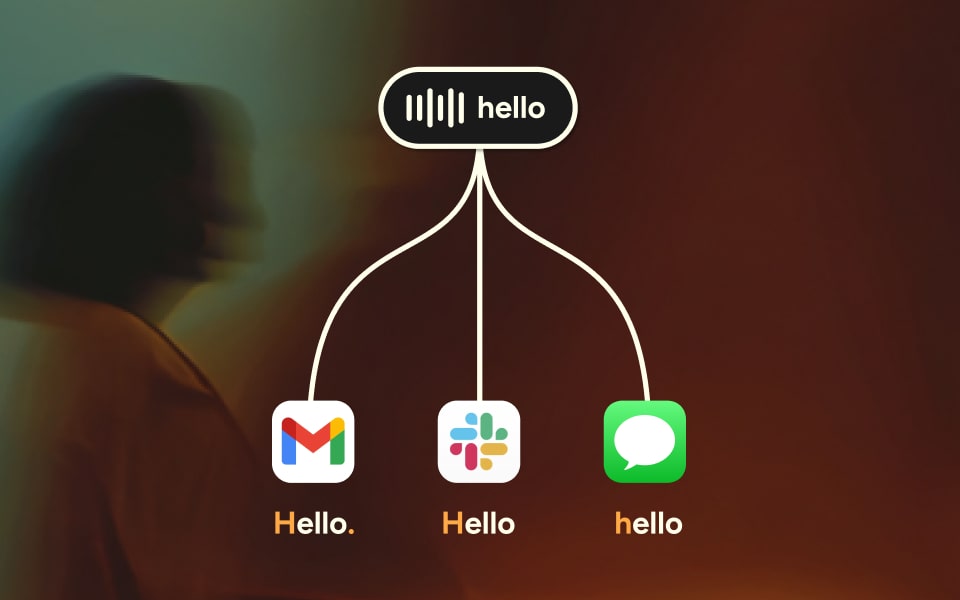
Image source: Wispr Flow Personalized Style page
The other thing Wispr does well is adapt output to context. Personalized Style and app-specific formatting make more sense for heavy daily users than casual users, because the payoff is not “voice typing exists,” it is “my messages look right without extra fiddling.”
That is a real difference from Google Voice Typing. Google gives you voice input and a long list of editing commands, but those commands are only available in English, and the whole experience is still tied to the Docs environment instead of following you around your day.
Snippets are another feature that sounds small until you use them on repeat. Being able to say a trigger phrase and drop in an address, intro, signature, or common reply is the kind of thing that turns a voice tool from novelty into muscle memory.
Command Mode is even more important for the right buyer. On Mac and Windows, paid users can highlight text and speak commands like making something more concise, translating it, expanding it, or summarizing it, which pushes Flow closer to an editing tool instead of plain dictation.

Image source: Wispr Flow style preview examples
There is a catch. Some of the smartest features are not universal across every platform yet, so you should not buy it assuming every desktop feature works identically on Android or iPhone today.
That is not a dealbreaker for most buyers, but it matters. If desktop is your main work machine, Flow looks stronger; if your whole decision depends on every advanced feature being equally mature on every device, wait and watch the roadmap a bit longer.
Pricing and value
Wispr Flow is priced like a productivity tool, not a throwaway utility. Pro is listed at $15 per user per month on monthly billing or $12 per user per month on annual billing, while the free tier stays available if your usage is light.
That price will feel completely reasonable to some people and unnecessary to others. The difference is not your interest in voice typing; it is how often typing and cleanup are slowing you down right now.
See current pricingPro is the right move if you already know voice input saves you time and your current setup still leaves you fixing too much by hand. Unlimited use plus voice editing is where Wispr stops feeling like a cool feature and starts feeling like a daily tool.
Basic is probably enough if you are still experimenting. That is especially true if Google Voice Typing already covers most of your needs and you rarely need dictation outside Docs.
The student deal is the easiest yes in the lineup. Three months free and 50% off after that takes away most of the price objection, so eligible students have less reason to wait if typing is slowing down essays, notes, or outreach.
Why paying can make sense sooner than you think
Waiting sounds sensible until you notice what you are really delaying. If you already spend hours a week typing replies, notes, prompts, and drafts, sticking with a weaker setup usually means you keep wasting time in small chunks that add up fast.
That does not mean everyone should upgrade right now. It means the right buyer should stop asking whether paid dictation sounds weird in theory and start measuring whether cleaner, faster writing across devices would pay for itself in practice.
If your day is still mostly one Google Doc at a time, stay free for now. If your work is scattered across apps and you are serious about writing faster without sacrificing polish, Wispr Flow is worth a real look before you keep patching the problem with a tool that was never built for that kind of workflow.
Alternatives worth looking at
Wispr Flow is not the automatic answer for everyone. In a Wispr Flow vs Google Voice Typing decision, the smarter buy depends on whether you need a free tool for one app or a paid tool that follows you across your whole day.
Google Voice Typing is still the easy recommendation for light use because it is free and built into Google Docs. Wispr Flow becomes more compelling when your writing happens in email, chat, notes, prompts, and mobile apps instead of one browser tab.
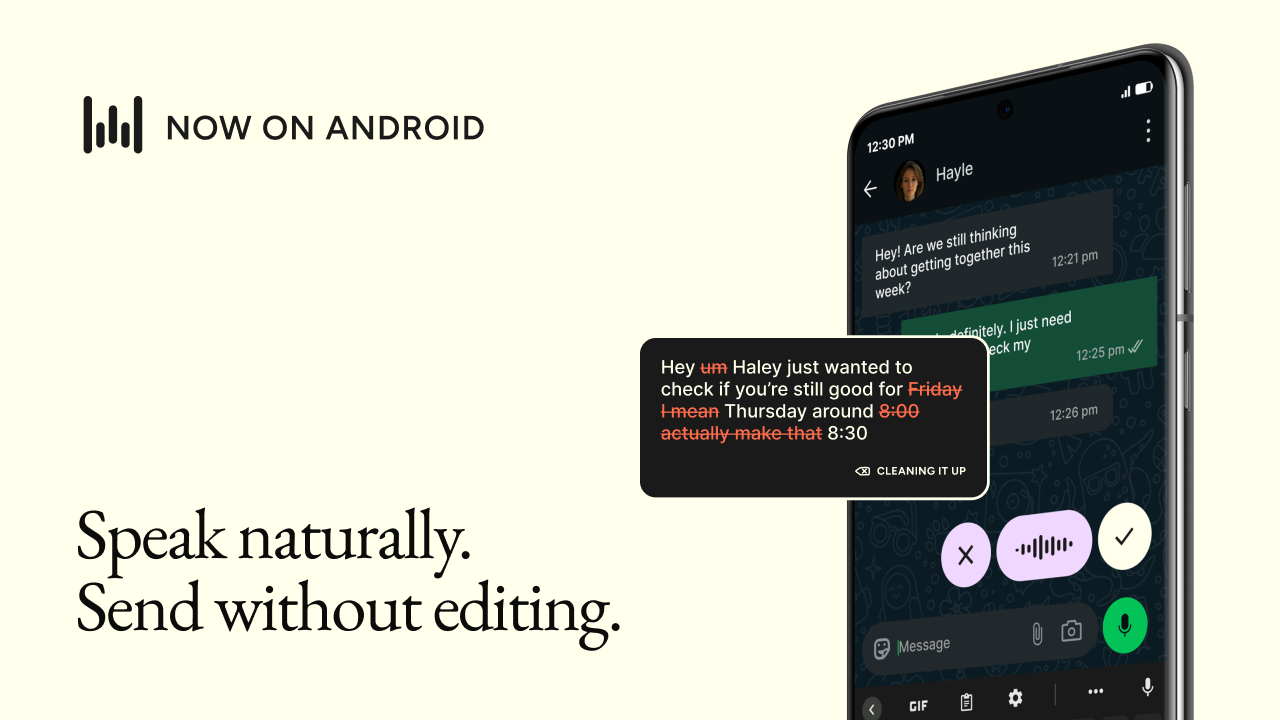
Image source: Wispr Flow Android launch update
Built-in options from Apple and Microsoft deserve a look too. They cost nothing, they are already on your device, and they make more sense than a paid upgrade if your main goal is basic dictation or broader voice control inside one operating system.
Here is the cleanest way to think about the alternatives without turning this into a giant tool list. The point is not to crown one winner for everyone, but to make it obvious which option fits your workflow and budget.
Check the official free trialChoose Wispr Flow if you want the best paid upgrade for fast, polished writing across apps and devices. Choose Google Voice Typing or Apple Dictation if free matters more than polish, and choose Windows Voice Access if you want a broader hands-free option that controls the computer as well as the text box.
Final verdict
Google Voice Typing wins the price argument. Wispr Flow wins the convenience argument once voice writing becomes something you do every day instead of something you only use when your hands are busy.
That is why this is not really a close call for the right buyer. If your writing happens across Slack, email, docs, prompts, notes, and your phone, Wispr Flow looks much more like a smart upgrade than a luxury.

Image source: Wispr Flow Personalized Style update
The biggest reason to pay is not transcription by itself. Free tools already let you talk into a text box, but Wispr Flow is clearly trying to fix the annoying part after that by cleaning up filler words, handling corrections, and keeping your output closer to how you actually want to sound.
The biggest reason to skip it is also simple. If you mostly work in Google Docs, dictate occasionally, or are still figuring out whether voice writing will stick, the free options are good enough for now.
The biggest reason to try it now is momentum. If you are already dictating a lot, waiting usually means you keep wasting time with a setup that was never designed to give you polished, cross-app writing in the first place.
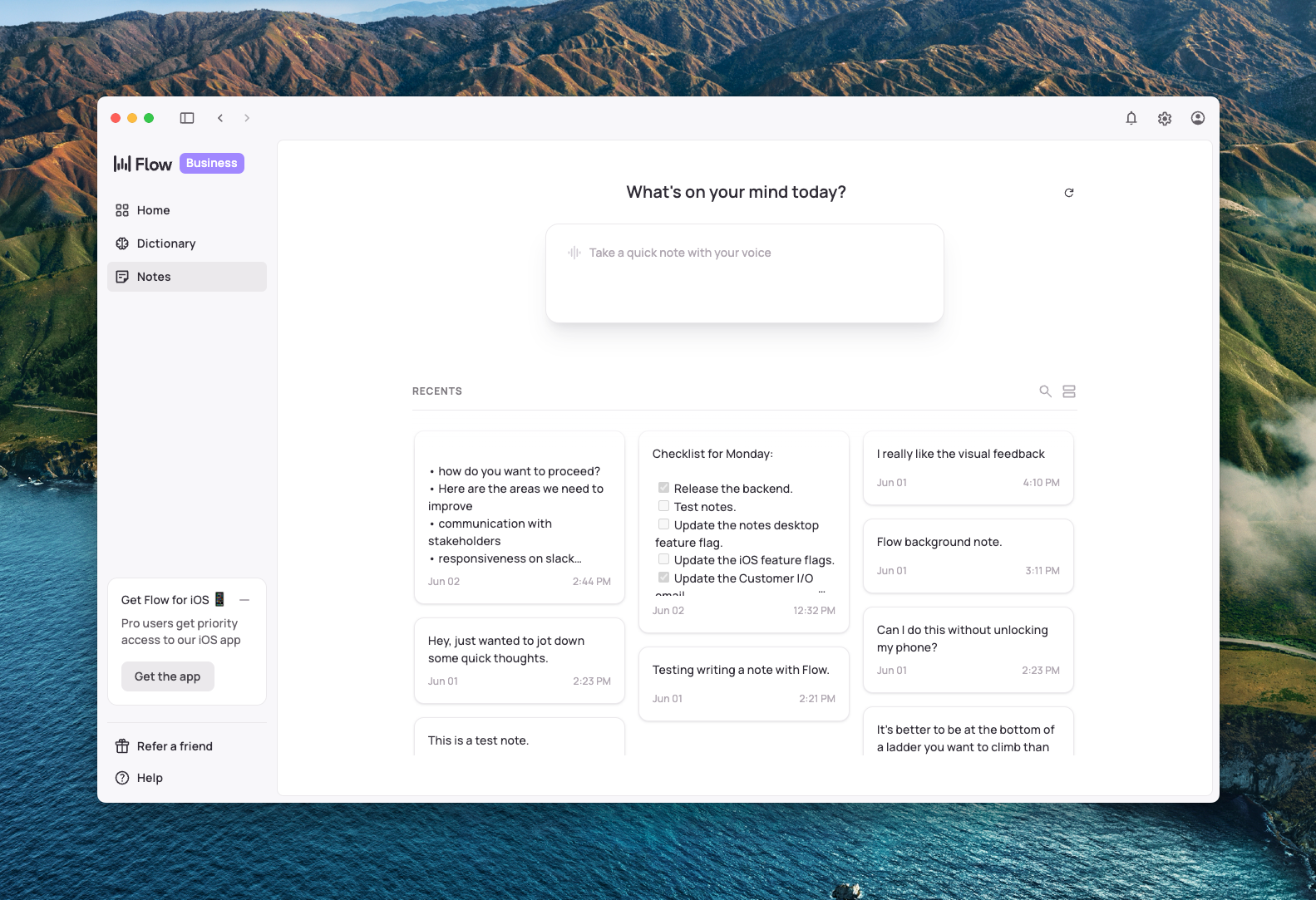
Image source: Wispr Flow notes sync update
My honest take is pretty blunt. Wispr Flow is worth trying if typing is slowing you down, your workflow is spread across multiple apps, and you want a voice tool that feels like more than a free browser feature.
It is not the right buy for everyone. It is the right buy for people who are already close to action and want a better daily writing setup instead of another workaround.
Get started with Wispr FlowFAQ
Is Wispr Flow better than Google Voice Typing?
It is better for heavier users, not necessarily for everyone. Google Voice Typing is still the better free pick if you mostly dictate inside Google Docs, but Wispr Flow is the better fit when you want voice writing across apps, devices, and everyday work.
Is Wispr Flow overkill if I only use Google Docs?
Usually, yes. If Google Docs is where almost all of your dictation happens, paying for Wispr Flow will be harder to justify unless you care a lot about cleaner output and want room to expand beyond Docs later.
Can I use Wispr Flow quietly in public?
Wispr has pushed whisper-friendly features hard enough that this looks like a real advantage, not a throwaway line. That matters if you want to send messages or take notes in shared spaces where normal dictation would feel awkward.

Image source: Wispr Flow whispering mode update
Does Wispr Flow take forever to set up?
No. Wispr says the setup guide gets you running in under five minutes, which makes the trial much easier to justify because you can test it quickly instead of burning time on configuration.
Should you try it now, wait, or skip it?
Try it now if you already write a lot, switch between apps constantly, and want cleaner dictation without extra cleanup. Wait if you are still not sure voice input will become a habit, and skip it for now if free Google Docs dictation already covers almost everything you need.
See current pricing Filip Konecny Enterprises