
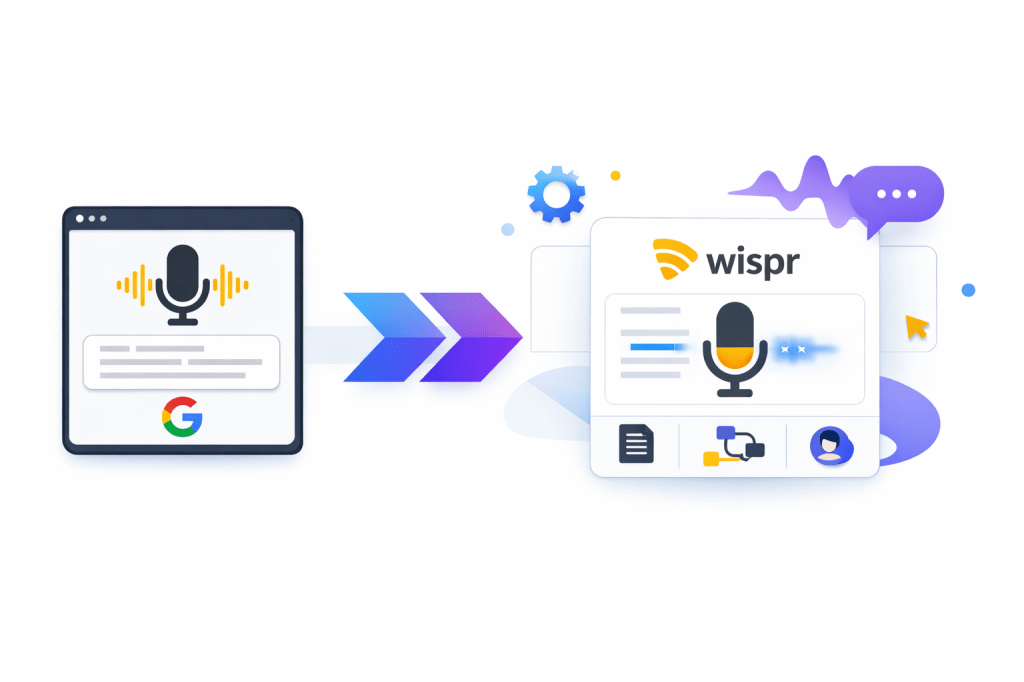
Google Voice Typing is fine when you live inside Google Docs and just want free dictation. Wispr Flow starts to make more sense when that basic setup feels limiting and you want voice typing that works across your apps, cleans up your wording, and saves you from fixing every sentence afterward.
That does not automatically make Wispr Flow the better choice for everyone. If your needs are simple, free still wins, and paying for a dictation tool can feel unnecessary fast.
This review is here to help you make that call without guessing. You will see where Wispr Flow clearly beats Google Voice Typing, where it feels like overkill, and who should probably stay with the free option a little longer.
Article Outline
- Quick take: who should consider Wispr Flow over Google Voice Typing
- Who this review is for
- What you get in the trial and free plan
- The good stuff
- Pricing and value
- Why trying it now may save you time later
- Alternatives worth looking at
- My honest verdict
- FAQ
Quick take: who should consider Wispr Flow over Google Voice Typing
The easiest way to think about this is simple. Google Voice Typing is the free built-in option for drafting inside Google Docs, while Wispr Flow is the paid upgrade for people who want dictation to feel like a real workflow tool instead of a single feature inside one workspace.
Wispr Flow currently runs on Mac, Windows, iPhone, and Android, supports 100+ languages, includes a custom dictionary, offers snippets, and gives new users a 14-day Pro trial with no credit card. Google Voice Typing is still attractive because it costs nothing, but it stays tied to Google Docs and browser-based use instead of following you everywhere you type.
For the right buyer, that trial is the reason to pay attention here. You can find out pretty quickly whether cleaner dictation across all your apps saves enough time to justify the upgrade, or whether Google’s free option already covers what you need.
Who this review is for
You should keep reading if you already use voice typing often and feel annoyed by where Google Voice Typing stops. That usually means you write in places like Gmail, Slack, ChatGPT, forms, CRMs, notes apps, and messaging apps, not just in a Google Doc.
You should also keep reading if cleanup is the part you hate most. Wispr Flow is built around the idea that talking should produce something closer to send-ready text, which is a real upgrade when your current routine is speak, stop, fix punctuation, delete filler, and rewrite awkward phrasing.
You probably do not need Wispr Flow yet if you only dictate occasional rough drafts in Docs, rarely write on mobile, or mainly want the cheapest possible solution. In that case, Google Voice Typing still does the job well enough, and paying for more software too early just adds another subscription without solving a big problem.
The biggest mistake is treating this like a pure accuracy contest. The real decision is whether you want a free dictation feature inside Google’s editor or a fuller voice-writing tool that follows you across devices and removes more manual work.
What you get in the free trial
Wispr Flow makes the trial easy to justify because it starts every new account with 14 days of Flow Pro with no credit card required. That matters because you can test the paid version properly instead of guessing from a crippled demo.
The free plan is not unlimited on every device, so you should know the limits before you install it. Basic includes 2,000 words per week on Mac and Windows, 1,000 words per week on iPhone, and unlimited words on Android during its current launch period.
Basic still gives you some of the stuff that makes Wispr Flow interesting in the first place. You get a custom dictionary, snippets, support for 100+ languages, and privacy mode, so the free tier feels like a real test drive instead of bait.
Pro is where the product starts to justify paying for it. That is where unlimited dictation across platforms, Command Mode for voice editing, prioritized support, and early feature access kick in, which is exactly what frequent users care about.
Google Voice Typing handles this very differently. It is free, but it stays tied to desktop use in Google Docs and Google Slides speaker notes instead of acting like a voice layer that follows you around your whole workflow.
The good stuff
The biggest win is range. Wispr Flow supports Mac, Windows, iPhone, and Android, and your subscription, dictionary, and snippets sync across devices when you sign in to the same account.
That sounds small until you compare it with Google Voice Typing in real life. Free dictation inside Docs is useful, but it does not help much when your actual work happens in email, chat, AI tools, notes apps, forms, and customer platforms.
The cleanup is the second big reason people will pay for this. Wispr Flow leans hard into turning messy speech into cleaner text, and even its Android store listing makes that pitch directly by saying it removes filler words, broken sentences, and reformatting before you hit send.
The custom dictionary is another real advantage over basic built-in dictation. If you write names, product terms, jargon, or bilingual phrases all day, being able to teach the app what you actually mean saves more time than raw transcription accuracy alone.
Snippets make the tool more than dictation. Repeating intros, meeting links, support replies, and short boilerplate by voice is the kind of thing that makes a paid tool feel practical instead of just clever.
The language support is strong too. Wispr Flow says it supports 100+ languages, and its help docs show language switching and auto-detect built into the workflow, which matters if Google Voice Typing feels too locked to one context at a time.
Setup is not perfect on every device, and this is the catch. Desktop looks straightforward, but Android setup can require microphone access, accessibility permission, display-over-other-apps permission, and battery settings, so mobile power users may love it while casual users may decide the free Google route is easier.
Device support is also not universal. Wispr Flow currently requires macOS 12+, Windows 10+, iOS 18.3+, or Android 13+, and it does not support Linux, Chromebooks, iPad, virtual machines, or ARM-based Windows devices.
That limitation matters more than people think. If your device is not supported, the decision is over fast, and Google Voice Typing will look better simply because it works in a browser on desktop without another app layer.
Pricing and value
Wispr Flow is cheap for heavy users and unnecessary for light users. That is the cleanest way to look at it.
The current pricing is simple enough. Basic is free, Pro is $15 per user per month on monthly billing or $12 per user per month on annual billing, and Enterprise goes higher for security and admin controls.
Google Voice Typing still wins on price because free beats paid every time when your needs are narrow. Wispr Flow wins on value only when the extra polish, wider device support, and cross-app use save you enough time to matter every week.
That table tells the whole story. If you only want free speech-to-text in Google’s editor, stay with Google Voice Typing, but if you want one voice tool that can replace a lot of manual typing in more places, Wispr Flow earns a real look.
Why trying it now may save you time later
Voice tools are easy to postpone because typing still works. The problem is that postponing usually means you keep burning time in the exact places where a better workflow would already be helping you.
Wispr Flow is most appealing when your current setup already feels messy. If you bounce between replies, notes, prompts, admin work, and follow-ups all day, a tool that lets you speak once and clean up less can start paying for itself faster than you expect.
The risk is low because the trial is low-friction. You are not stuck entering a card just to find out whether Command Mode, snippets, and cross-device dictation actually improve your day.
Beginners should still be honest with themselves. If you barely use dictation now, this may be more tool than you need, but if you already know you think faster than you type, starting the free trial is a smarter move than waiting for your workflow to magically fix itself.
That is also where Wispr Flow looks better than doing it manually. Manual typing costs nothing upfront, but repeated slow writing, repeated corrections, and repeated context switching have a cost too, and heavy writers usually feel that cost before they calculate it.
Alternatives worth looking at before you decide
Wispr Flow is not the automatic winner just because it does more. The right pick depends on where you write, how often you dictate, and whether you want a free built-in tool or something that feels closer to a serious voice-writing setup.
Google Voice Typing is still the obvious baseline because it costs nothing and works well enough for a lot of people. Apple Dictation and Windows voice tools matter too because they are already sitting inside devices many people use every day, which makes them the first alternatives worth comparing before you pay for anything.
Choose Wispr Flow if you dictate often, switch between apps constantly, and care about getting cleaner text with less fixing afterward. Choose a cheaper built-in option if you mainly want free speech-to-text, and choose the broader Windows route if hands-free control matters almost as much as writing.
My honest verdict
Wispr Flow is a real upgrade over Google Voice Typing for the right person. That person is not someone who occasionally dictates a paragraph in Google Docs, but someone who writes everywhere, hates cleanup, and wants voice input to feel like a daily productivity tool instead of a free convenience feature.
That is why the price can be fair without being automatic. Paying around the cost of a small software subscription each month is reasonable when the tool saves repeated typing and editing across your day, but it is wasted money if you only touch dictation once in a while.
The biggest argument for Wispr Flow is not that Google’s option is bad. Google Voice Typing is good for what it is, but Wispr Flow is aimed at a broader, more serious job: speaking across more apps and devices while doing more of the cleanup work for you.
The biggest argument against it is simple too. If your workflow already lives comfortably inside Google Docs or built-in device dictation, you may not feel enough extra payoff to justify another subscription.
I would lean toward trying Wispr Flow now if you already know two things are true. You think faster than you type, and you are tired of cleaning up rough dictation after every message, note, prompt, or draft.
I would wait if you are still figuring out whether voice typing belongs in your workflow at all. Free tools are good enough for that stage, and there is no reason to force a paid upgrade before the habit is there.
FAQ
Is Wispr Flow better than Google Voice Typing?
It is better for people who need dictation across more than Google Docs. If you only need a free voice tool inside Docs, Google Voice Typing may still be the smarter pick.
Is Wispr Flow worth paying for?
It can be worth paying for when you dictate a lot and want the text to need less cleanup. It is not worth paying for if free built-in dictation already covers most of what you do.
Can beginners use Wispr Flow?
Yes, but beginners should be honest about how much they will actually use it. People who already know they like voice input will usually get more value from it faster.
Should you switch right away?
Switch now if your current voice workflow already feels limiting and you want to test a better one without card friction. Wait if you are still in the casual-testing stage and have not hit those limits yet.
Bottom line: Wispr Flow is not the cheapest alternative to Google Voice Typing, but it is one of the clearest upgrades if you want voice typing to become a real part of how you work. If that sounds like you, exploring Wispr Flow makes more sense than squeezing another few months out of a setup that already feels too limited.
 Filip Konecny Enterprises