
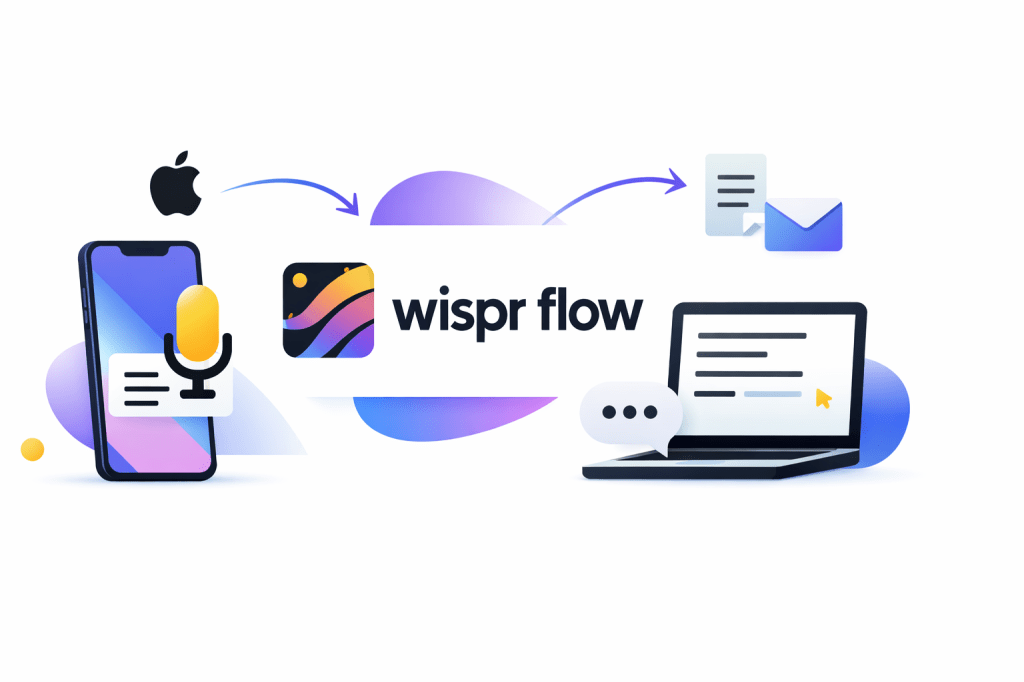
Apple Dictation is tough to beat on price because it is already sitting on your Mac and iPhone. The problem is that free stops feeling free once you spend too much time fixing phrasing, punctuation, and awkward dictation after the fact.
Wispr Flow is more interesting than a lot of voice tools because it is not just trying to transcribe your words. It is trying to turn messy speech into cleaner text that feels closer to something you would actually send, which is a much better pitch if you write all day.
This review is here to help with one decision: should you keep using Apple Dictation, try Wispr Flow now, or wait. For some people Apple’s built-in option is enough, but for anyone who wants cleaner output, broader device support, and less manual cleanup, Wispr Flow deserves a serious look.
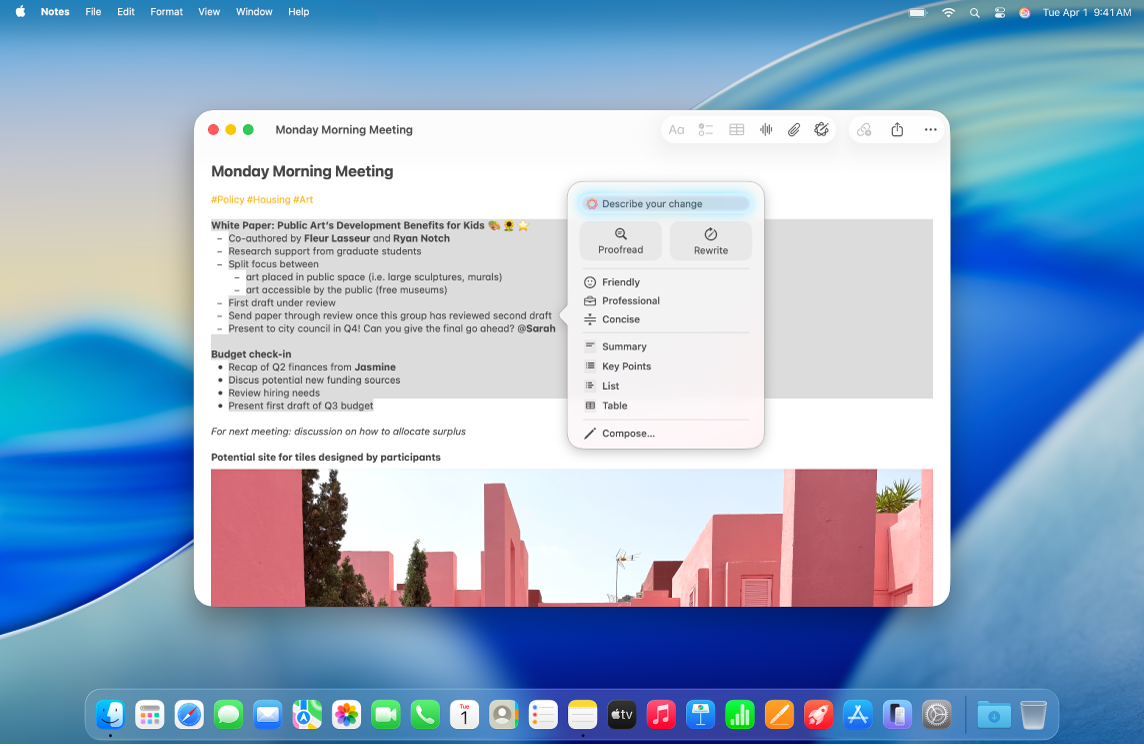
Image source: Apple Support
Is Wispr Flow actually a better Apple Dictation alternative?
Yes, for the right buyer. Wispr Flow looks better the moment you care more about ready-to-use writing than raw transcription, and it looks even better if you switch between Mac, Windows, iPhone, and Android instead of living fully inside Apple’s ecosystem.
Apple Dictation still has a very real advantage: it is built in, it is free, it supports commands and auto-punctuation, and it is the easiest option for casual voice typing. Apple also gives you Writing Tools on supported devices, but that is still a separate layer after dictation, while Wispr Flow’s whole pitch is that cleanup happens during the dictation process instead of after you are done.
That difference matters more than it sounds. If your typical use case is replying to a quick message or dropping a short note into Apple Notes, Apple Dictation is probably enough; if you are drafting longer emails, prompts, docs, meeting notes, or client updates, Wispr Flow starts to feel like the upgrade you wanted Apple to build in the first place.
Check the official free trialThat table is the whole review in miniature. If you only dictate quick texts on Apple hardware, paying for another tool can feel unnecessary; if you spend hours each week turning speech into real work, the extra polish starts to justify itself fast.
Wispr Flow also removes one of the biggest reasons people quit voice typing: cleanup fatigue. If your current dictation habit dies because the output still needs too much fixing, upgrading sooner can save more time than waiting around for Apple’s built-in option to feel “good enough.”
Article outline
Here is how the rest of this review is structured, so you can jump straight to the part that matters most.
- Is Wispr Flow actually a better Apple Dictation alternative?
- What you get in the free trial
- The good stuff
- Pricing and value
- Alternatives worth looking at
- My final verdict
- FAQ
Next, I’ll break down the free trial and the paid plans so you can see what you actually unlock beyond Apple’s free setup. That is where this review shifts from “interesting app” to “is this worth paying for me personally?”
After that, I’ll cover the good stuff, the pricing trade-offs, and the alternatives that make sense if Wispr Flow feels too expensive or too much. That part usually decides whether you should start the trial now, wait until you are using dictation more heavily, or stick with a simpler option.
What you get in the free trial
Wispr Flow makes the first test easy. New users start with 14 days of Flow Pro, and the company says you do not need a credit card to activate that trial.
That matters because you can test the paid experience instead of guessing from a crippled demo. You get the version that is supposed to beat Apple Dictation, not a watered-down teaser that hides the good parts until after you pay.
The trial also answers the biggest buying question fast: does cleaner output actually change how often you use dictation. If your current routine is “talk, fix, retype, give up,” you will know pretty quickly whether Flow breaks that pattern.

Image source: Wispr Flow
During that trial, you can use unlimited dictation across Mac, Windows, iPhone, and Android on the same account. You also get paid-only features like Command Mode, prioritized support, and early access to new features.
There is a catch, and it is worth knowing up front. Command Mode is a desktop feature on Mac and Windows, so if your whole comparison is based on iPhone use alone, the trial still gives you value, but not every headline feature lands the same way.
If you do not upgrade, Wispr does not leave you with nothing. It drops you to the free Basic plan, which keeps the custom dictionary, snippets, 100+ language support, and limited weekly dictation instead of forcing an all-or-nothing decision on day 15.
That fallback matters more than most people think. Apple Dictation stays free forever, so Wispr only feels fair if the post-trial free plan still lets you keep testing your workflow instead of pushing you into a hard paywall.
The good stuff
Wispr Flow wins by acting more like a writing layer than a plain speech-to-text box. Apple Dictation is still useful, but it mostly captures what you said, while Flow is built to hand you something closer to what you meant.
It cleans up the draft while you talk
This is the feature that gives Wispr Flow a real reason to exist. It removes filler words, handles backtracking when you change your mind, formats numbered lists, and adds punctuation automatically instead of making you clean everything up after the fact.
That difference sounds small until you use dictation for real work. Short texts, emails, prompts, notes, and client replies get easier when the first draft already looks presentable.
Image source: Wispr Flow
It works across more of your actual workflow
Apple Dictation is most comfortable when you already live inside Apple hardware. Wispr Flow is built around the idea that your writing happens in a mess of apps and devices, so the same subscription can follow you across desktop and mobile instead of staying trapped in one ecosystem.
That helps if your day bounces between Gmail, docs, chat apps, browser tabs, and your phone. The more scattered your workflow is, the stronger the case for Wispr gets.
Image source: Wispr Flow
It remembers the words you actually use
The personal dictionary and snippets are more valuable than they look on a feature list. If you keep typing the same names, acronyms, links, addresses, or canned replies, Flow can learn them or drop them in with a spoken trigger phrase instead of making you correct the same thing every week.
Apple Dictation can absolutely handle simple commands and punctuation. Wispr gets more appealing when your problem is repeated cleanup, repeated phrasing, and repeated vocabulary that a normal built-in dictation tool never really learns well enough.
The honest limitation is that Flow still is not equally strong on every device. Android is missing some desktop features like Dictionary, Snippets, Styles, and Spell Names Right for now, and the iPad experience is still not fully optimized, so the best version of Flow is still the desktop version.
Internet is also required for transcription. If offline dictation is part of your non-negotiable checklist, that is a real reason to pause before paying.
Pricing and value
Wispr Flow only makes sense if the time you save is worth more than the subscription. That usually happens once dictation becomes part of your daily writing instead of a once-in-a-while shortcut.
The paid plan currently sits at about $15 per month on monthly billing or about $12 per month when billed annually. That is not cheap compared to Apple Dictation, but it is much easier to justify if you are replacing manual cleanup, not just adding another app to your dock.
See current pricingThe table makes the buying decision simpler than the marketing does. Apple Dictation is still the right call if you only dictate here and there, while Flow Pro makes more sense when you want voice input to save real time every week.
Flow Basic is a smart middle step if you are interested but not ready to pay yet. You can keep using the product after the trial and see whether the weekly caps feel generous or instantly annoying.
Student pricing can improve the value even more if you qualify. Teams also get shared dictionary and shared snippets, which makes the paid plan more attractive if multiple people need the same terms, links, and canned responses.
Why you might want to start now
Waiting makes sense only if you barely use dictation today. If you already send voice notes, draft emails, write prompts, or dump ideas into docs every day, the trial gives you enough room to see whether cleaner output changes your workflow right away.
This is where Wispr Flow starts to earn its price. At some point, free stops being the cheaper option because you keep paying with editing time, repeated corrections, and the friction that makes you abandon voice input altogether.

Image source: Wispr Flow
For the right buyer, this is absolutely worth trying now instead of later. You do not need months to judge it, because the real question is simple: does your spoken draft come out close enough to final text that you keep using it.
If the answer is yes, Wispr Flow is a much better Apple Dictation alternative than just stacking more manual editing on top of a free tool. If the answer is no, you can fall back to the free plan or stick with Apple Dictation and you have not boxed yourself into a bad purchase.
Check the official free trialAlternatives worth looking at
Wispr Flow is not the only way to upgrade from Apple Dictation. The better question is which trade-off matters most to you: price, privacy, built-in convenience, or the quality of the text you get back.
Apple Dictation still wins on simplicity because it is free and already built into your Apple devices. Superwhisper gets more appealing if privacy and local processing matter more than cross-platform reach, while Dragon Anywhere makes more sense for heavier voice-driven document work on mobile.
Image source: Wispr Flow
Check the official free trialChoose Wispr Flow if you want the cleanest all-purpose Apple Dictation alternative and you write across multiple devices or apps every day. Choose Apple Dictation or Superwhisper if you want the cheaper route, and choose Dragon Anywhere if your job depends on heavier document dictation, templates, and voice editing more than everyday polished writing.
That is why Wispr Flow lands in a very specific sweet spot. It is not the cheapest option, but it is one of the easiest to justify when your current dictation setup keeps slowing you down instead of saving you time.
My final verdict
Wispr Flow is worth trying if Apple Dictation already feels too basic for the way you work. The biggest reason to pay is not accuracy alone; it is that the text comes out cleaner, more structured, and more usable before you start editing.
That makes it a strong buy for writers, founders, sales people, operators, students, and anyone who lives inside email, docs, chat, prompts, and notes all day. If you already know voice input helps you think faster than typing, Wispr Flow looks much easier to justify than sticking with a free tool that still leaves too much cleanup behind.
It is not for everyone. If you barely dictate, if you only work on Apple devices and mostly send short replies, or if offline privacy is the deciding factor, you can absolutely skip it for now and either stay with Apple Dictation or try Superwhisper instead.
Image source: Wispr Flow
The timing question is simple. Start the trial now if you already use dictation a few times a week, because the value becomes obvious fast when your spoken draft stops feeling like raw transcript cleanup work.
Wait if you are still mostly typing and only want to experiment once in a while. Apple Dictation is good enough for that stage, and paying early usually feels like overkill if the habit is not there yet.
FAQ
Is Wispr Flow really better than Apple Dictation?
Yes, for people who want cleaner finished text and not just speech turned into words. Apple Dictation is still excellent as a free built-in option, but Wispr Flow makes more sense when you are writing longer messages, notes, prompts, or documents and want less editing after you stop talking.
Does Wispr Flow work offline?
No, internet is required for transcription. That is one of the clearest reasons to pick something else if local processing or offline use matters more to you than Wispr’s polished-output approach.
Is Wispr Flow overkill if I am just getting started with dictation?
It can be. If you are still figuring out whether you even like voice typing, Apple Dictation or Wispr’s free plan is the smarter low-risk starting point.
The paid plan earns its keep once dictation becomes part of your normal workday. That is when the cleanup savings and cross-device convenience stop feeling optional.
Should I switch now or wait?
Switch now if Apple Dictation already annoys you because it leaves too much fixing behind. Wait if your current setup is not slowing you down yet, because buying before the pain is real usually leads to software you never fully use.
Image source: Wispr Flow
Bottom line: Wispr Flow is one of the best upgrades to Apple Dictation if you want voice typing to feel like a serious writing tool instead of a handy extra. It is not the cheapest path, but for the right buyer it is the one that most clearly turns dictation into something you actually keep using.
Get started with Wispr Flow Filip Konecny Enterprises