

Searching for a Wispr Flow alternative usually means you are close to buying something, not casually browsing. You want to know whether Wispr Flow is still the easiest pick, whether the monthly cost is justified, or whether a cheaper offline option would suit you better.
Wispr Flow has a real case for itself because it runs across Mac, Windows, iPhone, and Android, and the official pricing page currently shows 14 days of Flow Pro free with no credit card. That lowers the risk a lot if you already know you want voice dictation in your daily workflow.
The hesitation usually shows up right after that. Superwhisper, Aqua Voice, and VoiceInk all come up for a reason, because once you care about privacy, local processing, or long-term cost, Wispr Flow stops being the automatic winner for everyone.

Image source: Wispr Flow official site
Start here if you are deciding fast
Wispr Flow looks strongest for people who care most about cross-device convenience and polished text inside everyday apps. It gets harder to justify when your main concern is keeping everything local, avoiding a recurring bill, or buying once and being done.
That is why the search for a Wispr Flow alternative is worth doing before you commit. Some buyers will end up seeing that Flow is still the most practical choice, while others will realize they would rather trade some convenience for lower cost or tighter privacy.
Here are the basics you should know before reading the rest of the review.
Article outline
I split this review into three simple sections so you can jump to the part that matters most.
- Start here if you are deciding fast — the short version on whether you probably need a Wispr Flow alternative at all.
- What you get in the trial, the good stuff, and pricing and value — the middle section looks at what you actually get for the money and where Wispr Flow starts earning its price.
- Alternatives to consider, final verdict, and FAQ — the last section helps you choose Wispr Flow, wait, or go with a cheaper or more private rival.
Who should keep reading
Keep going if you write a lot of emails, docs, prompts, support replies, or messages and you are tired of typing everything by hand. Wispr Flow is aimed at exactly that kind of buyer, especially if you move between desktop and phone all day.
Keep going if price is the only thing holding you back. Monthly software feels expensive until it replaces enough friction to change how fast you actually work, and this review is meant to help you figure out whether Flow crosses that line for you.
You should be more skeptical if your setup depends on offline use or if you hate subscriptions on principle. In those cases, the best Wispr Flow alternative may feel less polished at first but still end up being the smarter buy over time.
- Flow will look better the more you care about using one dictation tool on multiple devices.
- Alternatives will look better the more you care about local processing, one-time pricing, or Mac-first workflows.
- The free trial matters most if you already have a real daily use case and can test it under normal work conditions.
- Waiting makes sense if you only want dictation occasionally, because occasional use rarely justifies a recurring plan.
If you already know that cross-device voice dictation is what you want, it is reasonable to check the official free trial before you read the deeper comparison. If you are still unsure, the next section is where the decision gets much easier.
What you get in the free trial
Wispr Flow makes the first decision easy. New accounts start with 14 days of Flow Pro and no credit card, so you can test the paid experience before you commit.
That matters because the free tier is useful, but it is not enough for heavy daily writing. The current plan details show 2,000 words per week on Mac and Windows, 1,000 words per week on iPhone, and Android listed as unlimited for now on the free plan, which makes mobile testing unusually generous right now.
This is a real advantage if you are searching for a Wispr Flow alternative because you can answer the main question fast. If your daily writing already blows past those desktop or iPhone limits, the Pro trial will tell you pretty quickly whether the speed boost feels worth paying for.
Image source: Wispr Flow official site
The best way to use the trial is simple. Dictate the stuff you already write every day like emails, Slack replies, notes, prompts, docs, and quick messages instead of inventing fake test cases that tell you nothing.
Android is the wildcard here. Wispr Flow is already on Google Play and the official site is still pushing the “free and unlimited during launch” angle, but Android is also clearly still in an early-access phase, so I would treat it as promising rather than fully mature.
The good stuff
Wispr Flow starts to feel different when you stop judging it as plain voice typing. The appeal is that it is trying to turn rambling speech into finished text instead of dumping a messy transcript into your text box.
That payoff shows up in the features Wispr highlights most: auto-edits, filler-word cleanup, punctuation handling, backtracking when you correct yourself, and voice-friendly formatting. If you already know basic dictation annoys you because it leaves cleanup behind, this is the part that makes Flow easier to justify.
The personal dictionary and snippets matter more than they sound. A dictation tool gets expensive fast if it keeps butchering names, product terms, or the same replies you send all week, and Wispr Flow is clearly built around reducing that cleanup.
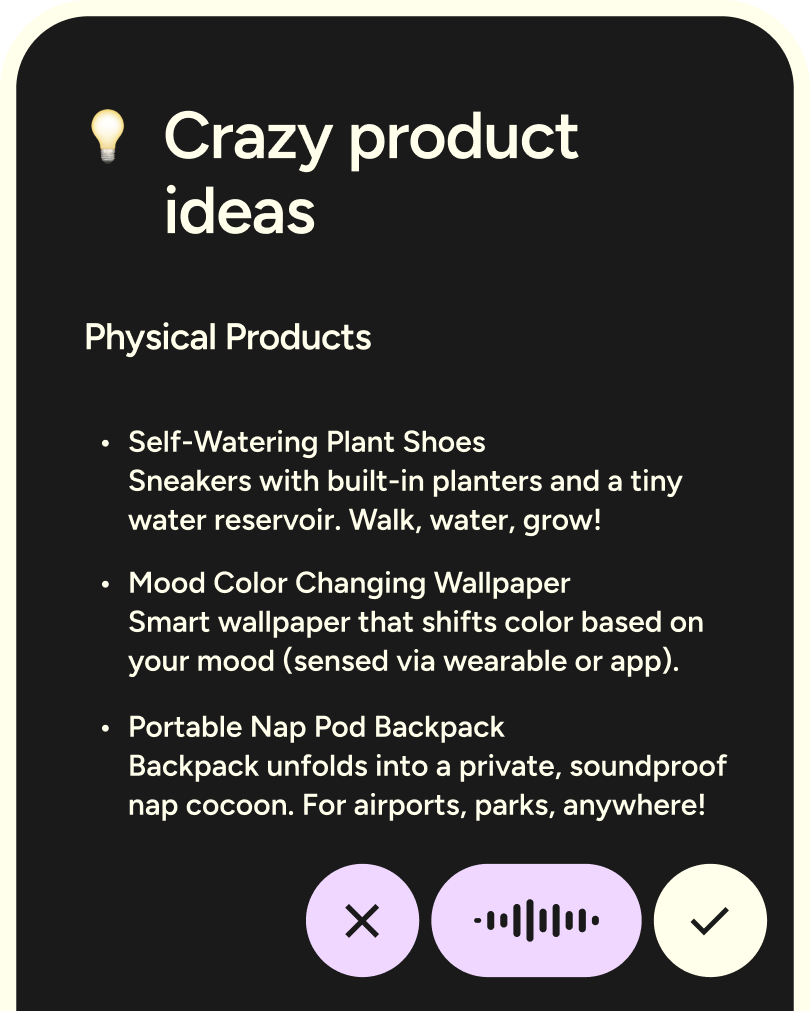
Image source: Wispr Flow official site
Cross-device use is another strong point. Wispr says Flow works across Mac, Windows, iPhone, and Android with your settings, dictionary, and style synced everywhere, which is a big reason some people will stick with it instead of chasing a cheaper single-device alternative.
The language support is also better than most people expect. The feature page currently says 100+ languages, and that makes the tool more practical for mixed-language work instead of feeling like a niche English-only add-on.
Pro is where the editing side gets stronger. Command Mode is on the paid plan, so if you want voice-based editing instead of just voice input, that is one of the clearest reasons to move past the free tier.
Image source: Wispr Flow official site
Here is the catch. If you only dictate now and then, most of this polish will feel nice but unnecessary, and that is when a cheaper Wispr Flow alternative starts looking smarter.
Daily writers will feel the value much faster. If you write enough that typing is constantly slowing you down, Flow makes more sense because it is selling speed, less cleanup, and less friction between your thought and the final text.
Pricing and value
Wispr Flow is cheap for power users and overpriced for light users. That is the cleanest way to look at it.
The official plan details currently list Flow Basic at free, Flow Pro at $15 per user per month or $12 billed annually, Team at $12 monthly or $10 billed annually, and Enterprise at $30 monthly or $24 billed annually. The same pricing docs also note a student offer with three months free and 50% off Pro, which makes the paid plan much easier to justify for that audience.
Check the official free trialFlow Pro earns its price when you already know you will use it every day. Unlimited usage, cleaner dictation, and voice editing are the parts that separate it from a casual free toy.
Basic is enough to test the feel, not enough to replace typing for serious work. That is why the trial matters so much more than the free plan if you are making a real buying decision.
Do not confuse Wispr Flow with broader business tools just because they also use AI. Something like GoHighLevel is built for CRM, marketing, and automation, and something like Chatbase is built for AI support agents, so neither one is a real substitute if your problem is that typing is slowing you down.
Should you try it now or wait?
Try it now if you already have a real writing workload. Emails, notes, prompts, meetings, customer replies, outreach, and idea capture are enough to tell you within a few days whether Flow saves you time or just feels novel.
Wait if you only want occasional dictation or if you are mainly hunting for the cheapest possible option. In that case, a Wispr Flow alternative with local processing or a one-time payment may fit you better, even if it looks less polished on day one.
Flow makes the strongest case for the buyer who wants the cleanest all-around voice writing setup without piecing together separate desktop and mobile tools. If that sounds like you, the no-card trial is worth using because waiting usually just means you keep doing more manual typing than you need to.
Alternatives worth looking at
A Wispr Flow alternative makes sense when one of three things matters more than polish. You want lower long-term cost, fully local processing, or a Mac-only tool that does not lock you into another monthly bill.
Wispr Flow still has a strong edge because it is the easiest option here if you want one dictation setup across Mac, Windows, iPhone, and Android. Most alternatives get cheaper or more private by giving something up.
Image source: Wispr Flow official site
Check the official free trialChoose Wispr Flow if you want the cleanest all-around experience and you will use it across desktop and phone. Choose Aqua Voice or VoiceInk if you are mostly Mac-only and want to spend less. Choose a broader all-in-one tool like GoHighLevel only if your real bottleneck is CRM and follow-up, not dictation.
Image source: Wispr Flow official site
My honest take
Wispr Flow is the one I would put in front of the widest group of buyers. It is not the cheapest and it is not the most privacy-hardcore option, but it does the best job of feeling finished.
That matters more than it sounds. A dictation tool only earns a subscription when you stop thinking about the tool and just start using it everywhere.
Wispr Flow is worth trying now if you already write a lot and want polished text on more than one device. The trial is easy to justify because it answers the only question that matters: does this actually make your day faster?
You should wait or skip it if you only dictate occasionally. You should also skip it if fully local processing is non-negotiable, because that is where Superwhisper or VoiceInk make a stronger case.
Switching from another tool only makes sense when Wispr fixes a real gap. If you are already happy with a Mac-only setup and do not care about mobile, a Wispr Flow alternative may still be the smarter buy.
FAQ
Is Superwhisper a better Wispr Flow alternative?
It can be if you care more about local and cloud model flexibility than cross-device simplicity. Wispr Flow is easier to recommend when you want one cleaner setup across Mac, Windows, iPhone, and Android.
What is the cheapest good alternative to Wispr Flow?
VoiceInk stands out if you are on Mac and want a low one-time purchase instead of another subscription. Aqua Voice is also cheaper on an ongoing basis if you still prefer a subscription but want to spend less than Wispr Flow.
Is Wispr Flow private enough for work?
Wispr Flow offers Privacy Mode, which disables dictation data retention and model-training use, though the company still says usage statistics like word counts may be collected. If you want everything processed on your own device, a local-first option is the safer fit.
Is Wispr Flow good on Android now?
Android is live in early access, and the official site already lists it alongside Mac, Windows, and iPhone. That makes Wispr more attractive if phone support matters, but it is still fair to treat Android as the newer part of the product.
Image source: Wispr Flow official site
Wispr Flow is not the right answer for every buyer. It is the right answer for the person who is done tinkering and wants voice dictation to feel easy on the devices they already use.
That buyer should not overthink it. If you already know typing is slowing you down, this is a strong trial to start now.
Get started with Wispr Flow Filip Konecny Enterprises