

If you are stuck between Typeform and Fillout, the decision usually comes down to one simple question: do you care more about polished form experience or better overall value? Both tools can help you collect leads, applications, bookings, feedback, and payments, but they do not feel the same once you look past the homepage.
Typeform is still the brand most people recognize first. It looks clean, it feels premium, and it is built around that one-question-at-a-time experience a lot of teams love. Fillout is the one that tends to surprise people because it packs in more flexibility, stronger workflow options, and a much more generous starting point on pricing, which is why a lot of buyers end up wanting to explore Fillout before they make the final call.
This review is here to help you make a buying decision, not waste your time with generic form-builder theory. I am going to show you where Typeform still has an edge, where Fillout looks like the smarter buy, who should move now, and who should wait instead of paying for features they probably will not use yet.
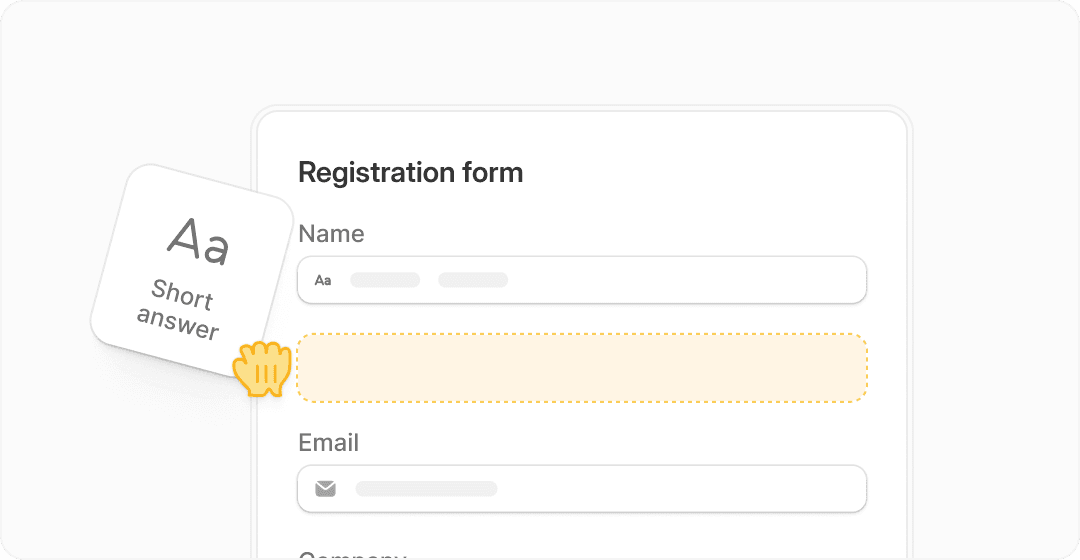
Image source: Fillout official website
My quick take before we get into the details
Typeform makes the strongest first impression. If your brand cares a lot about presentation, smoother conversational flow, and forms that feel a little more premium out of the box, it still makes sense to keep it on your shortlist.
Fillout gets more interesting once you care about what the form actually needs to do after someone hits submit. Its current positioning is much broader than a simple form builder, with forms, workflows, payments, scheduling, PDFs, and a free plan that starts with 1,000 responses per month on the official pricing page, which makes it much easier to test properly before you pay see current Fillout plans.
That difference matters because most buyers are not shopping for a form in isolation. They are trying to collect leads, qualify people, send data somewhere useful, maybe take a payment, maybe route submissions, and avoid stitching together five extra tools. That is where this comparison gets real fast.
My early read is simple. Typeform is easier to justify when design and brand feel are the main priority. Fillout looks stronger for buyers who want more functionality per dollar, especially if they are already thinking about automation, internal workflows, or replacing multiple smaller tools with one platform.
That does not mean Fillout wins for everyone. If you only need a beautiful survey or lead form and you love the Typeform experience, paying more can still be worth it. But if you hate paying premium prices for branding alone, Fillout is the tool that will probably keep pulling your attention the longer you compare.
Article outline
Here is how this review is structured so you can jump straight to the part that matches where you are in the buying process.
- Quick take if you want the short version before comparing features and pricing.
- What you get and where each tool feels stronger if you are trying to figure out whether Typeform or Fillout will actually do what you need.
- Pricing and value if price is your main objection and you want to know whether Fillout earns the click.
- Why buying now may make sense if you already know your current setup is messy and you are tired of delaying the switch.
- Alternatives worth considering if neither tool feels like a perfect fit and you want a cheaper or broader option.
- Final verdict if you just want the bottom line on who should choose what.
- FAQ if you want quick answers on pricing, ease of use, switching, and whether this is overkill.
What you get and where each tool feels stronger
The next section gets practical. I will break down what you actually get, where Typeform still feels better, and why Fillout keeps getting attention from buyers who want more than a pretty front end.
Pricing and value
This is where a lot of people make the decision. A tool can look great, but if it gets expensive too early or forces upgrades before you can really test it, that changes the buying math.
Why buying now may make sense
Waiting is not always the cheap option. If your forms are already tied to manual follow-up, scattered integrations, or clunky user experience, delay usually means more wasted time and more duct-taped processes.
Alternatives worth considering
Trust matters more when a review admits the product is not for everyone. I will compare both tools against relevant alternatives so you can avoid overbuying or locking yourself into the wrong stack.
Final verdict
The last section will make the decision plain: choose Typeform, choose Fillout, wait, or go with something cheaper.
FAQ
I will close with the practical questions buyers usually have right before they click, especially around pricing, setup, and whether switching is worth the hassle.
What you get before you pay
Fillout gives you a much better real-world test drive. Its free plan includes unlimited forms, unlimited seats, 1,000 responses per month, payments, scheduling forms, PDF generation, conditional logic, workflows, calculations, and pre-fill fields, which is enough to build something serious before you spend a dollar.
Typeform also has a free plan, but it feels more like a preview than a proper sandbox. You can absolutely use it to understand the interface, but most buyers comparing Typeform vs Fillout will hit the ceiling faster if they want to collect real submissions, work with a team, or test more advanced use cases.
That matters because most people do not buy a form tool for the form alone. They buy it because they want a smoother lead capture flow, a cleaner application process, better qualification, easier follow-up, or fewer manual steps after someone hits submit.
Image source: Fillout official website
The good stuff
Typeform still wins on presentation. Its one-question-at-a-time style looks cleaner, feels more premium, and makes a lot of sense when the form experience itself is part of your brand.
If you run polished lead gen campaigns, premium onboarding, branded surveys, or customer-facing applications where first impression matters a lot, Typeform still has a real edge. That is why people keep paying more for it even when cheaper tools exist.
Fillout wins on practical value. It gives you a wider set of built-in tools without pushing you up the pricing ladder as fast, and that changes the math for buyers who want forms to do more than just look nice.
The feature list is where Fillout gets hard to ignore. Its pricing page currently shows scheduling forms, PDF generation, calculations, workflows, payments, signatures, REST API access, and most integrations available even before the highest tier, which makes trying Fillout feel a lot easier to justify.
This is great for some people and overkill for others. If all you need is a beautiful survey, Typeform stays attractive. If you want the form to trigger follow-ups, route submissions, collect payments, schedule calls, and maybe generate documents too, Fillout starts pulling ahead fast.
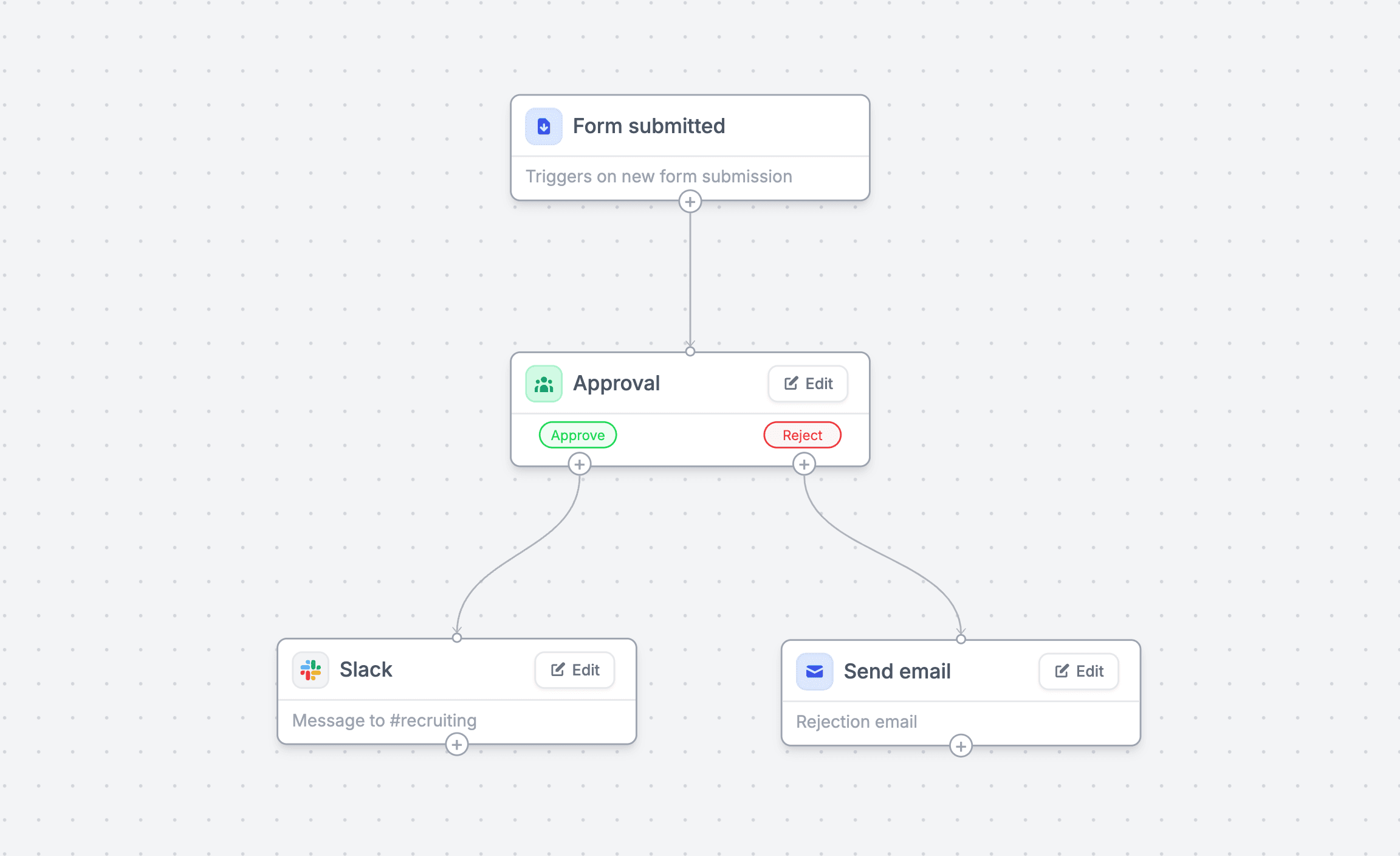
Image source: Fillout workflows page
Fillout also looks better for teams. Unlimited seats on every plan, including free, is a strong advantage if multiple people need access. Typeform charges more aggressively once collaboration starts to matter.
That does not make Typeform a bad buy. It just means the premium needs to pay you back in better completion rates, stronger brand feel, or a smoother customer experience. If that payoff is not important in your business, you will probably feel the price sooner than the benefit.
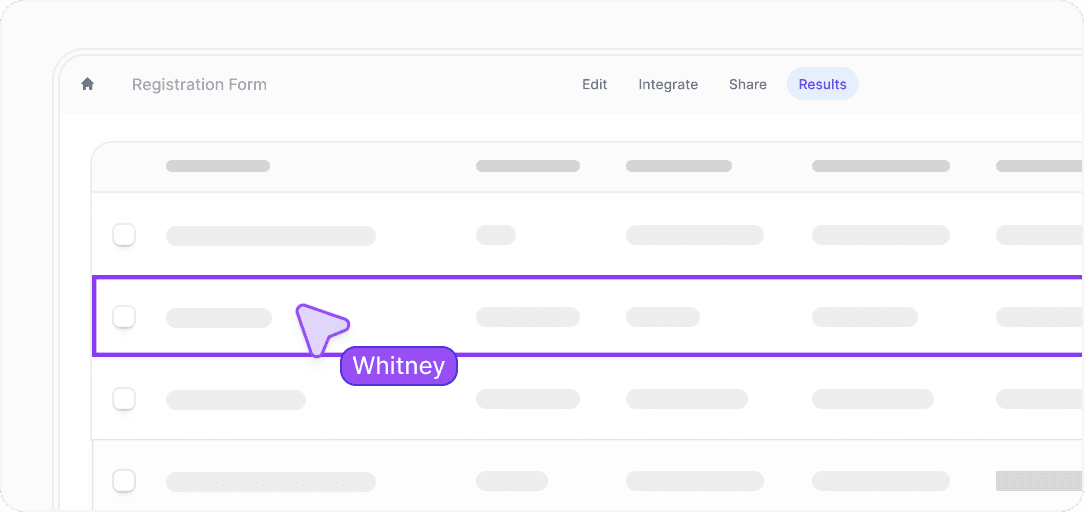
Image source: Fillout official website
Pricing and value
This is where the gap gets harder to ignore. Typeform’s current core pricing starts at $29 per month for Basic, $59 for Plus, and $99 for Business, while Fillout starts at $15 for Starter, $40 for Pro, and $75 for Business.
Fillout also gives you more room before upgrading hurts. Its free plan includes 1,000 responses per month, while Typeform’s free plan is much tighter, which means Fillout lets you test a real workflow instead of just poking around the interface.
Cheaper is not always better, though. Systeme.io and GoHighLevel both deserve a mention because they are not just form tools. They are broader platforms that can make more sense if your real goal is funnels, CRM, automation, and sales workflows rather than best-in-class form UX.
See current Fillout pricingFillout looks like the smartest buy for most people in this comparison. It is not the cheapest thing on the internet, but the combination of lower entry price, broader feature set, and more generous free plan makes it easier to recommend without hesitation.
Typeform still makes sense when the form itself is part of the pitch. If you care a lot about aesthetic feel, cleaner presentation, and a more premium interaction, paying extra can still be worth it. Just be honest with yourself about whether that polish will actually move the needle for your business.
Why switching now may save you time later
Manual follow-up gets expensive faster than software does. If your current setup means copying submissions into a spreadsheet, sending emails by hand, chasing approvals, or patching together multiple tools, you are already paying for the mess.
Fillout makes the strongest case for moving now because it can replace more pieces at once. Forms, routing, approvals, scheduling, PDFs, and payments in one place is not just convenient. It reduces handoffs, mistakes, and the small delays that slow down lead handling and internal workflows.
Waiting usually makes sense only if you barely use forms today. If you already have traffic, leads, applicants, bookings, or internal requests coming through forms every week, this is the point where getting started with Fillout becomes a smart next step instead of another tool you keep meaning to test later.
If you are still very early and mostly need a simple contact form, you can wait or go cheaper. If you are already collecting meaningful submissions and your current process feels clunky, Fillout is probably worth trying now and Typeform is worth paying for only if the premium front-end experience is the main reason you are shopping.
Alternatives worth looking at before you decide
Typeform vs Fillout is a strong comparison, but it is not the only decision. Some buyers realize halfway through that they do not just need a form builder, or that they are overpaying for something simpler than their real goal.
The table below makes this clearer. It shows when Fillout is the better move, when Typeform still makes sense, and when switching to a broader tool might actually save you more time.
Try Fillout hereFillout is the easiest recommendation for most people reading this. It balances price, flexibility, and real-world usefulness better than Typeform, especially if your forms are tied to actual business processes.
Typeform still wins when presentation matters more than functionality. If your form is part of a premium brand experience, the higher price can still make sense.
Systeme.io is better if you want funnels, email, and automation bundled together cheaply. GoHighLevel is the move if you are running a business or agency and want one platform to replace everything else.
My honest final take
Fillout is the smarter buy for most people comparing Typeform vs Fillout. It gives you more room to build, more features to actually use, and a lower price barrier that makes it easier to commit.
Typeform is still a premium option. It looks better, feels smoother, and makes sense when the user experience itself is part of what you are selling.
The deciding factor is simple. If your forms are mostly about collecting information in a clean, branded way, Typeform works. If your forms need to do more after submission, Fillout is the better investment.
Most people delay switching because their current setup “works.” In reality, it just works slowly. If your forms are already part of how you generate leads, qualify users, or run internal workflows, upgrading now usually saves time immediately instead of later.
FAQ
Is Fillout really better than Typeform?
For features and value, yes. For design and brand feel, Typeform still has the edge. The better choice depends on what you care about more.
Is Typeform overpriced?
It can feel that way if you are paying mainly for functionality. It makes more sense when you are paying for a premium experience that affects how users interact with your brand.
Can Fillout replace other tools?
In many cases, yes. Forms, workflows, scheduling, payments, and PDFs in one place can replace several smaller tools, which is where the value starts to add up.
Is this too advanced for beginners?
Fillout gives you room to grow, but you can start simple. If you only need basic forms, you might not use everything right away, but you will not outgrow it quickly either.
Should you switch now or wait?
Switch now if your current setup feels messy or manual. Wait if you barely use forms or are still figuring out what you actually need.
Explore Fillout and get started Filip Konecny Enterprises