

Tally and Fillout are both easy to like for one simple reason: they make a lot of older form builders feel overpriced. The hard part is that they win in different ways, so picking the wrong one can leave you paying for features you barely use or hitting limits sooner than you expected.
Tally usually looks better first because the free plan is unusually generous. Fillout starts looking better when your forms need deeper workflows, stronger integrations, login-based flows, or more control over how the whole thing fits into the rest of your stack.
This review is here to help you decide fast. You will see where Tally is the smarter cheap pick, where Fillout earns its price, and which one is more likely to save you time instead of creating another tool decision you regret.
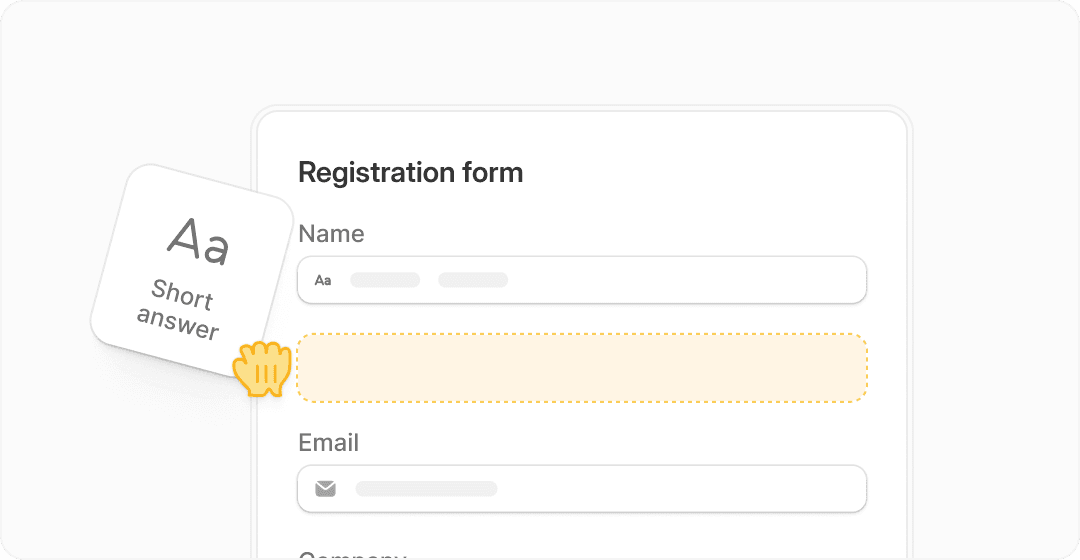
Image source: Fillout
Explore FilloutArticle outline
This comparison works best if you read it in order, because the pricing only makes sense after you see what each tool actually gives you. Here is how the rest of the review is structured so you can jump straight to the part that matters most to you.
- What you get and where each tool feels strong — the next section looks at the free experience, standout features, and the practical stuff that makes one platform feel easier to justify than the other.
- Pricing, value, and when paying more is worth it — this is where the decision usually gets real, especially if you are wondering whether Fillout replaces enough manual work to justify the upgrade or whether Tally stays the smarter budget pick.
- Alternatives, final verdict, and the best next move — the last section compares these tools with other options, then gives a blunt recommendation on whether you should start now, wait until you have a clearer use case, or skip both.
Early verdict: Tally is easier to recommend when price matters most and you mainly want a clean form builder that does more than it should for free. Fillout is easier to recommend when forms are tied to operations, lead routing, internal workflows, richer integrations, or a setup that needs to feel more like part of your business than a standalone form tool.
That difference matters more than feature-count screenshots ever will. A cheap tool is not really cheap when you end up duct-taping other apps around it, and a more expensive tool is not really expensive when it replaces enough of that mess to save time every week.
If you already know your forms are becoming more than simple surveys, Fillout is worth a serious look. If you are still at the stage where unlimited free usage matters more than deeper workflow power, Tally may end up being the better first stop.
What you actually get
Tally is still the easier pick if your main goal is getting a lot done for free. Its pricing page says 99% of features are available on the free plan, and Tally keeps unlimited forms and submissions open as long as you stay inside fair use.
Fillout takes a different angle. The free plan is still generous, but it is capped at 1,000 responses per month, and the bigger pitch is that you get more business-ready depth right away like scheduling, payments, PDF generation, workflows, and login-based flows.
That is the core of Tally vs Fillout. Tally feels like the smarter free tool, while Fillout feels like the stronger operational tool once your form is tied to bookings, approvals, routing, branded emails, or data updates across other apps.
Fillout gives you more than a form builder
Fillout looks better the moment your form stops being “just a form.” It can collect payments, book meetings, run workflows, support conditional logic, generate PDFs, and let people log in to edit or update an existing submission.
That matters because a lot of teams do not need another simple intake form. They need a form that kicks off the next step without someone manually checking a spreadsheet, sending a follow-up email, or chasing the person to book a slot.
Image source: Fillout
The builder itself also looks easy to understand. That sounds small, but it matters when you are trying to move fast and do not want to spend half a day learning a clunky interface just to publish one polished form.
The best part of Fillout is the workflow layer
This is where Fillout starts to justify paying for it. The workflow tools are what make it feel closer to a lightweight operations platform than a plain form builder.
If a lead comes in and should be qualified, routed, emailed, approved, or pushed into the rest of your stack without manual work, Fillout is much easier to defend on price. Tally can absolutely cover a lot of collection and integration use cases, but Fillout feels more complete when the process after the form matters as much as the form itself.

Image source: Fillout
That does not make Tally weak. Tally still gives you conditional logic, calculations, payments, Airtable integration, Notion integration, webhooks, and API access, and a lot of that is available without paying.
Tally just makes more sense when you care most about low cost, quick publishing, and a clean form experience. Fillout makes more sense when every submission needs to trigger something useful right after it lands.
Fillout is also better when forms need access control
Login forms are one of those features that sound niche until you need them. Once you want respondents to verify identity, update an old submission, keep access internal, or limit responses more tightly, Fillout starts pulling away.
That makes it more appealing for client portals, employee requests, internal approvals, onboarding flows, and anything that should not behave like a public one-off survey. Tally can still do a lot, but Fillout looks more serious for controlled workflows.

Image source: Fillout
Beginners should pay attention here. If you are only collecting leads, newsletter signups, or simple feedback, this extra depth may be overkill right now.
If you already know people need to come back, edit answers, schedule something, or go through a multi-step process, Fillout will likely save you time faster than sticking with a simpler tool and patching the rest manually.

Image source: Fillout
The review and collaboration side helps too. Once a form is part of an approval process or shared across a team, better visibility is not just a nice extra feature; it keeps the whole thing from turning into inbox chaos.
Pricing and value
Tally is cheaper. That part is straightforward.
Tally Pro is $29 per month and Tally Business is $89 per month. Fillout starts lower at $15 per month on Starter, but its more serious paid setup usually means comparing Starter, Pro at $40 per month, and Business at $75 per month depending on how many responses, branding controls, and workflow-heavy features you need.
The free-plan comparison is where Tally looks strongest. Fillout free gives you unlimited forms and seats but stops at 1,000 monthly responses, while Tally keeps the free plan open much wider for simple use cases.
The paid comparison is where Fillout starts earning more attention. Starter adds login forms, premium field types, signatures, CAPTCHA, custom endings, and redirect options, then Pro removes branding and adds custom emails and CSS, and Business adds unlimited responses, analytics, custom domains, partial submissions, and pre-fetch data.
That is why Fillout often feels more expensive only on paper. If it replaces a scheduling tool, a PDF workaround, manual follow-up steps, and part of your intake ops, the price starts looking a lot more reasonable.
How Fillout stacks up against broader alternatives
Some buyers looking at Tally vs Fillout are really deciding something bigger. They are not asking which form builder is prettier; they are asking whether they need a stronger form tool or a broader all-in-one system.
See current Fillout pricingWhy paying for Fillout can be the smarter move
If you are still building basic forms, wait. Tally gives you more room for free, and that is hard to argue with.
If your forms are tied to revenue, onboarding, approvals, scheduling, or internal ops, waiting usually means you keep doing manual follow-up work that software should already be handling. That is where Fillout stops feeling like “just another subscription” and starts feeling like the cleaner next step.
For the right buyer, Fillout is absolutely worth trying now. It is easier to justify when you already know the form is part of a real process and not just a box for collecting names and emails.
That is also why Tally vs Fillout is not really a winner-takes-all decision. Tally is the better free-first pick, but Fillout is the better buy when forms need to do real work after submission.
Alternatives worth looking at before you decide
Tally vs Fillout gets clearer once you stop treating them like the only two options. Most buyers are really choosing between three paths: a cheaper form-first tool, a smarter workflow-heavy form tool, or a broader all-in-one system that does much more than forms.
Fillout still lands in a very useful middle spot. It gives you more depth than a basic form builder without forcing you into a giant stack like an agency CRM platform.
Image source: Fillout
Check the official Fillout free planChoose Fillout if your form needs to qualify leads, collect payments, schedule meetings, gate access, or trigger next steps without manual cleanup. Choose Tally if cost matters most and your setup is still simple.
Choose a cheaper all-in-one like Systeme.io when forms are secondary to funnels, email, and selling digital products. Choose a broader stack like GoHighLevel when forms are just one piece of a much bigger client or revenue machine.
Image source: Fillout
My honest take
Tally wins the cheap-and-simple argument. If you mostly want beautiful forms, unlimited free usage, and a tool that does not punish you early, it is still one of the easiest recommendations in this category.
Fillout wins the “real business use” argument. It becomes the better buy once the form needs to do something meaningful after submission, because that is where the extra features stop looking fancy and start saving time.
That is why I would not treat Tally vs Fillout as a pure price battle. For the right buyer, Fillout is worth more because it keeps you from stitching together scheduling tools, manual follow-up, approval steps, and awkward workarounds.
Beginners should not force it. If you are still testing ideas and barely need logic, Tally is probably enough for now.
People already running intake, onboarding, bookings, applications, or internal ops should look hard at Fillout. Waiting usually means you keep patching together small tasks that should already be automated.
Image source: Fillout
FAQ
Is Fillout better than Tally?
Fillout is better when your form is tied to workflows, access control, scheduling, payments, PDFs, or team processes. Tally is better when you want the strongest free value and do not need as much operational depth.
Should beginners start with Tally or Fillout?
Most beginners should start with Tally if budget is tight and the use case is simple. Start with Fillout if you already know your form needs to power something bigger than collecting answers.
Is Fillout worth paying for?
Yes, for the right buyer. It is easier to justify once one form replaces manual follow-up, extra tools, or messy handoffs between apps and people.
Should you switch from Tally to Fillout?
Switch when Tally starts feeling like the cheapest workable option instead of the best fit. That usually happens when you need more control, better workflow handling, or a more serious setup around submissions.
What should you do next?
Try Tally first if your main priority is keeping costs close to zero. Try Fillout first if you already have a live use case and want the form to do more of the work for you.
Get started with Fillout Filip Konecny Enterprises