
These tools get compared because both use voice, but they solve very different problems. Otter.ai is built to capture meetings and turn them into transcripts, summaries, and follow-ups, while Wispr Flow is built to help you write faster in the apps you already use.
That difference matters more than the feature lists. If your day is packed with calls, interviews, client meetings, or team syncs, Otter is usually the more obvious fit. If your bigger pain is typing emails, docs, messages, prompts, or notes all day, Wispr Flow is usually the one that feels more valuable faster.
This review is here to make that decision easier. You should leave knowing whether Otter.ai fits your workflow better, whether Wispr Flow is the smarter buy, whether using both makes sense, or whether you should wait and keep your money for now.
Start here if you want the quick take
Otter.ai wins when you need a meeting memory. Wispr Flow wins when you want to replace a chunk of your daily typing with voice and keep moving inside normal work apps instead of jumping into a separate recorder.
Most people do not need both on day one. Otter can feel like too much tool if you rarely need transcripts after meetings, and Wispr can feel incomplete if your real problem is forgetting what happened on calls and needing better notes afterward.
The price question also changes the decision. Otter gives you a free Basic plan for light use, while Wispr Flow starts new accounts with 14 days of Flow Pro and no credit card, which makes it easier to test whether voice dictation will genuinely save you time before you commit.
Check the official Wispr Flow trialThe overlap between these tools is smaller than it looks at first. Otter turns spoken conversations into shared notes you can search later, while Wispr turns your spoken thoughts into polished text as you work through email, docs, prompts, messages, and quick notes.
That is why the wrong choice can feel disappointing even if the tool itself is good. Buying Otter when you mostly need faster writing can make it feel underused, and buying Wispr when you mainly need automatic meeting records can leave you still hunting for a proper call-notes workflow.
Wispr also has a cleaner “try it and know quickly” setup for some buyers. If you already write a lot every day, a 14-day Pro trial is enough time to see whether voice dictation becomes part of your routine or whether it just turns into one more app you forget to open.
The image below shows the kind of workflow Wispr is aiming at. It is built for in-the-moment dictation inside everyday writing, not for storing and organizing long meeting transcripts afterward.
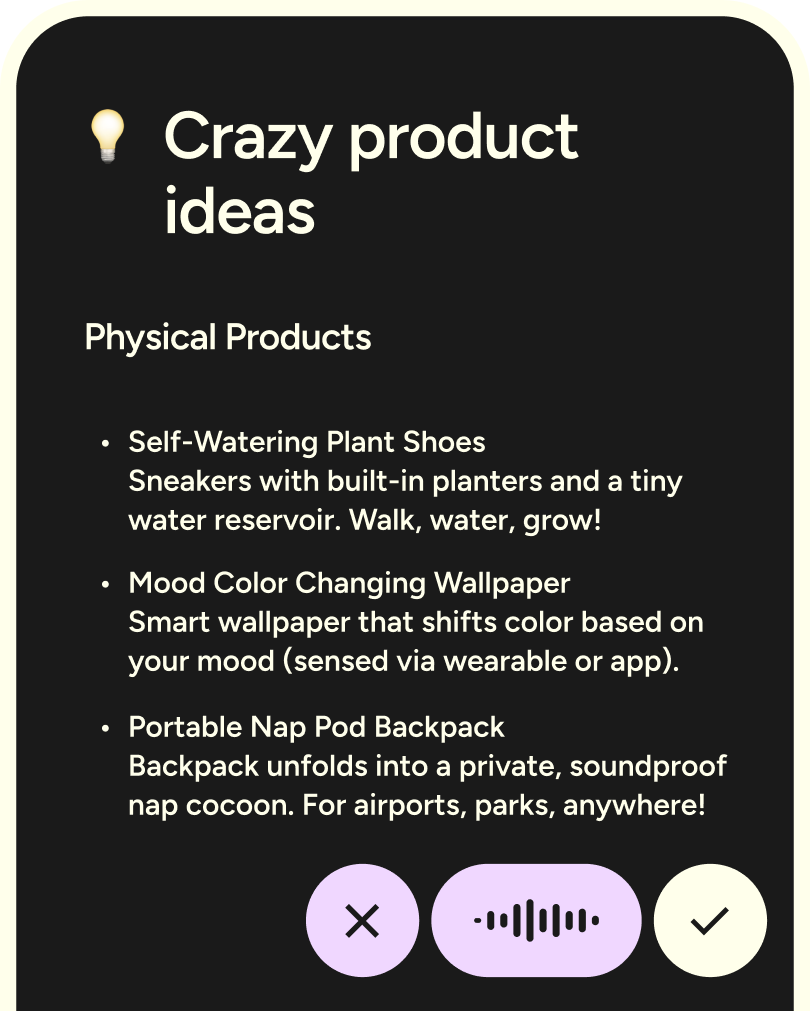
Image source: Wispr Flow homepage
That distinction also affects whether waiting makes sense. If you already know your bottleneck is slow writing, delayed follow-ups, or getting ideas out of your head and into text, waiting usually just means you keep doing the same work manually. If your workflow is not meeting-heavy and you are not writing much every day, there is less reason to rush into either one.
Article outline
Use these jump links if you already know what you care about most.
- What you get from each tool before you pay
- The good stuff and where each one earns its price
- Pricing, value, and where the cost starts to make sense
- Who should try one now, who should wait, and who should skip
- Alternatives that may fit better
- Final verdict
- FAQ
The rest of the review will focus on the buyer decision, not filler. You will see where Otter.ai is the smarter pick, where Wispr Flow is easier to justify, and where a cheaper or more specialized alternative may actually fit better than either one.
What you get before you pay
Otter and Wispr do not give you the same kind of trial run. Otter’s easiest entry point is the free Basic plan, while Wispr starts new accounts with a 14-day Flow Pro trial with no card required.
Otter Basic is useful if you want to test meeting capture without paying. You get Zoom, Microsoft Teams, and Google Meet support, live transcription, speaker identification, mobile apps, AI chat across meetings, and 300 transcription minutes per month, which is enough to see how the meeting workflow feels but not enough for a packed schedule.
Wispr’s free plan is more limited on weekly words, but the paid experience is easier to judge fast because the trial drops you straight into the better version. You can see whether unlimited dictation, editing commands, and voice-first writing across normal apps actually save you time or just sound good on a landing page.
That changes the early decision in Otter.ai vs Wispr Flow. Otter is the better slow test for meeting notes, while Wispr is the better fast test for daily writing.

Image source: Wispr Flow homepage
The good stuff
Otter is stronger when meetings create the mess you are trying to clean up. Its most useful features are the ones that cut the after-meeting work: automated summaries, action items, outlines, searchable transcripts, and integrations that push notes into tools like Slack, Google Docs, Notion, Salesforce, HubSpot, Jira, and Asana.
That payoff is practical, not theoretical. Instead of digging through a notebook, replaying a call, or asking the team what was decided, you get one place to search the transcript, find the task owner, and send the follow-up faster.
Wispr is stronger when the pain happens between meetings. It works anywhere you can type, supports 100+ languages, gives you a personal dictionary and snippets, and the paid plan adds Command Mode so you can say things like make this shorter, rewrite this, or clean up a rough draft without switching tools.
That is why Wispr can feel more valuable in a normal workday than its feature list first suggests. If you spend hours inside email, docs, chat, notes, or prompts, this tool touches more of your day than a meeting recorder does.
Here is the catch. Otter does not replace a voice dictation layer across your apps, and Wispr does not replace a real meeting archive with structured summaries and action items.
Image source: Wispr Flow homepage
Image source: Wispr Flow homepage
Pricing and value
Otter looks cheaper at the first paid step if you pay annually. Wispr costs more than Otter Pro on paper, but it can still be the better buy if typing is your daily bottleneck and you actually use unlimited dictation across your apps.
See current Wispr Flow pricingOtter Pro starts to earn its price once missing a detail from a call is already costing you more than the subscription. If your week is packed with client calls, interviews, internal syncs, or research conversations, the searchable record and post-meeting cleanup are the real value.
Wispr Pro starts to earn its price once the keyboard feels like the bottleneck. If you write client updates, sales emails, Slack replies, notes, or AI prompts every day, better dictation can justify itself faster than most people expect because it touches so much of your workflow.
Both are overkill for light use. Otter Basic is enough for occasional calls, and Wispr Basic is enough to decide whether speaking instead of typing feels natural to you at all.
Why waiting can keep the same bottleneck in place
Buy Otter now if meetings are where work keeps slipping through the cracks. Waiting usually means more missed action items, more manual notes, and more follow-up work that should have been handled by the tool already.
Buy Wispr now if your hands are doing work your voice could do faster. A two-week paid test is long enough to know whether this becomes part of your routine, and you can check the official free trial without adding a card.
Wait if you do very few meetings, very little writing, or still hate voice tools after a few days. Buy the one that matches the work you already repeat every day, because that is where the value shows up fastest.
What to choose instead
Otter.ai vs Wispr Flow is already a choice between two different kinds of tools, but a couple of other options are worth a look if the fit still feels off. The smartest move is matching the tool to the bottleneck instead of buying the one with the louder feature list.
Pick a meeting tool when your problem starts on calls and keeps following you after the call ends. Pick a dictation tool when your problem is the hours you burn typing follow-ups, drafts, notes, prompts, and messages the rest of the day.
Check the official Wispr Flow trialChoose Wispr Flow if your keyboard is the bottleneck and you already know voice can save you time. Choose a cheaper dictation alternative like Superwhisper if recurring cost bothers you more than having the most polished all-around workflow.
Choose Otter.ai or Granola if your day is dominated by meetings and you need searchable notes more than faster typing. Otter is the more obvious fit when you want meeting transcripts, summaries, and action items to live in one place.
Image source: Wispr Flow
My honest take
Otter.ai vs Wispr Flow stops being confusing once you stop treating them like direct substitutes. Otter is for remembering meetings, and Wispr is for getting your words out faster everywhere else.
Wispr is the better buy for the right person. If you write throughout the day and hate how much work still happens through the keyboard, this is one of the easier upgrades to justify because it touches email, docs, notes, chat, prompts, and quick replies instead of only helping on calls.
Otter is still the smarter pick if meetings are where work gets lost. If clients, team calls, interviews, or research conversations create the mess, paying for a meeting-first tool usually makes more sense than paying for better dictation.
Buy Wispr now if you already know voice input fits your work style and you want that benefit across more of your day. Wait if you barely write, dislike speaking your drafts out loud, or mainly need transcripts after calls.
Skipping both is reasonable if your current workflow is simple and not slowing you down. Most people should not buy a voice tool just because AI sounds exciting.
For the buyer who is already close to action, Wispr is the one I would try first. The free entry plus the paid trial makes it easy to find out quickly whether this becomes part of your routine or just another app you forget.
Image source: Wispr Flow
FAQ
Can Wispr Flow replace Otter.ai?
No, not fully. Wispr can replace a lot of typing, but it does not replace Otter’s role as a meeting recorder, searchable transcript archive, and summary tool.
Should I pay for Wispr Flow right away?
Start with the free entry and use the trial seriously for a few workdays. If you catch yourself using it in email, docs, notes, and chat without forcing it, the paid plan is much easier to justify.
Does it ever make sense to use both?
Yes, but only for people whose jobs genuinely split into two problems. Otter handles the meetings, and Wispr handles the writing that happens before and after them.
Which one is easier for beginners?
Wispr usually feels easier to judge fast because the benefit is obvious the moment it saves you typing. Otter can take longer to appreciate if you do not have enough meetings to make transcripts and summaries valuable.
What if built-in dictation already feels good enough?
Keep using the free options and wait. Wispr becomes worth paying for when the polish, speed, editing commands, and cross-device workflow save enough time to beat “good enough.”
Image source: Wispr Flow
If your real problem is typing too much, delaying the trial usually just means you keep doing the same work manually. If that sounds like your day, Wispr Flow is worth a real look.
Try Wispr Flow Filip Konecny Enterprises