

If you are deciding between Jotform and Fillout, you probably do not need another fluffy forms-guide. You need to know which one will get your form live faster, which one gets expensive sooner, and which one feels like the smarter buy for the way you actually work.
Here is the blunt version. Jotform is still the broader platform if you want a huge template library, lots of payment gateways, and extra products around forms, while Fillout feels cleaner, more generous on the free plan, and a lot easier to like if design, logic, and team access matter right away.
That does not mean Fillout wins for everybody. Jotform still makes more sense for some teams, especially if you need deeper product breadth, HIPAA-focused upgrades, or a mature ecosystem that goes well beyond just form building.
Quick snapshot before you choose
The fastest way to separate these two is simple. Fillout usually looks better for small teams, marketers, no-code builders, and anyone who wants a generous free plan without seat limits, while Jotform looks stronger when you want the bigger all-around platform and do not mind working inside a more crowded product.
Free plan value is where the gap shows up fast. Fillout gives you unlimited forms, unlimited seats, and 1,000 responses a month on free, while Jotform’s Starter plan is much tighter and is better treated as a testing plan than a long-term setup.
Explore FilloutThat table is not the whole decision, but it tells you where this comparison is heading. If you care most about getting more room on the free plan and bringing teammates in without extra seat drama, Fillout starts with a real advantage.
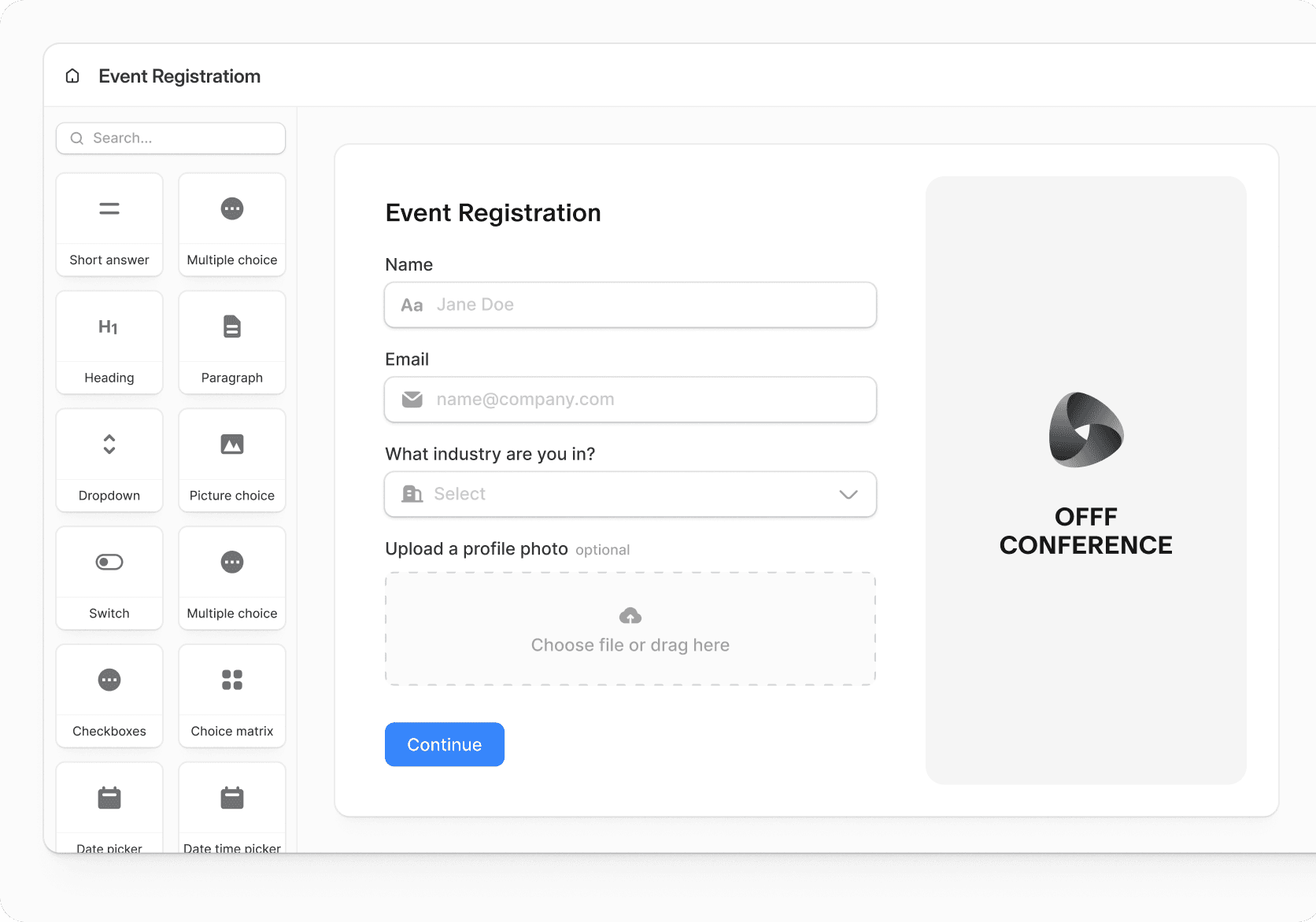
Image source: Fillout
The reason Fillout keeps coming up in these comparisons is not just price. The interface looks more modern, the builder feels closer to what marketers and no-code teams expect now, and the platform puts useful things like conditional logic, payments, scheduling, PDFs, and integrations in front of you early instead of making the product feel cramped from day one.
Jotform still has real strengths, and skipping those would make this comparison less useful. It has been around longer, it offers a much larger template catalog, it supports a wider spread of products around forms, and it has strong payment depth, compliance options, and enterprise paths that some buyers will care about a lot more than a prettier builder.
That is why this comparison matters. A lot of people do not need the bigger platform, and they end up paying for complexity they never use, while other teams jump to the cleaner option and only later realize they wanted the wider toolkit Jotform already had.
Article outline
I split this review into three simple sections so you can jump straight to the part that helps you decide. Start with the free plan and feature fit if you are still narrowing the choice, then move to pricing if you are already close to buying.
- Quick snapshot before you choose
- What you get on the free plans and where the limits show up
- The good stuff each tool does really well
- Pricing, value, and which one feels easier to justify
- Why waiting can keep your forms messier than they need to be
- Alternatives if neither one feels like the right fit
- My honest final verdict
- FAQ
My early read is pretty clear. Fillout is the easier one to recommend first for most small teams, agencies, marketers, and no-code users because the free plan is more usable and the product feels less annoying to grow into.
Jotform is not the wrong choice. It just makes the most sense when you know you want the bigger ecosystem, the broader template and payments setup, or specific compliance and enterprise paths that justify living with a product that can feel heavier.
The next section gets into the stuff that usually decides it for real buyers: what you actually get before paying, what gets locked behind upgrades, and where each tool starts to feel worth the money.
What you get before paying
Fillout gives you more room to actually use the product before you spend anything. The free plan includes unlimited forms, unlimited seats, and 1,000 responses per month, which is enough for a lot of small teams to build real workflows instead of just poking around.
Jotform handles the free entry differently. Its Starter plan is free and includes standard features, but it stays much tighter on limits, keeps Jotform branding on your forms, and does not give you a paid-plan trial beyond that free tier.
That changes the feel of Jotform vs Fillout right away. Fillout feels like a product you can seriously test with your team, while Jotform’s free plan feels more like a preview that nudges you toward upgrading faster.
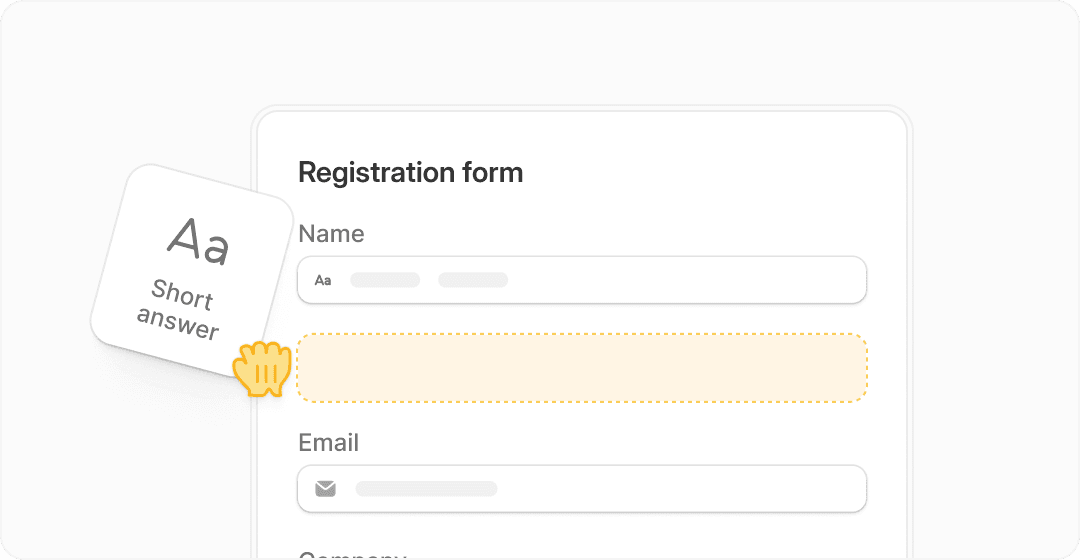
Image source: Fillout
Builder comfort matters more than people admit. Fillout looks cleaner, the form logic is easier to understand, and the whole thing feels built for people who want smart forms without staring at a crowded interface for an hour.
Jotform is still easy enough for a lot of users, but it shows its age a bit in this matchup. You get a huge amount of functionality, which is good, but the product can feel busier when you only want to build something clean, branded, and fast.
Payments, scheduling, PDF generation, conditional logic, answer piping, and integrations all matter because they decide whether a form builder stays a form builder or starts replacing manual work. Fillout puts a lot of those practical features in play early, and that is a big reason it feels easier to justify.
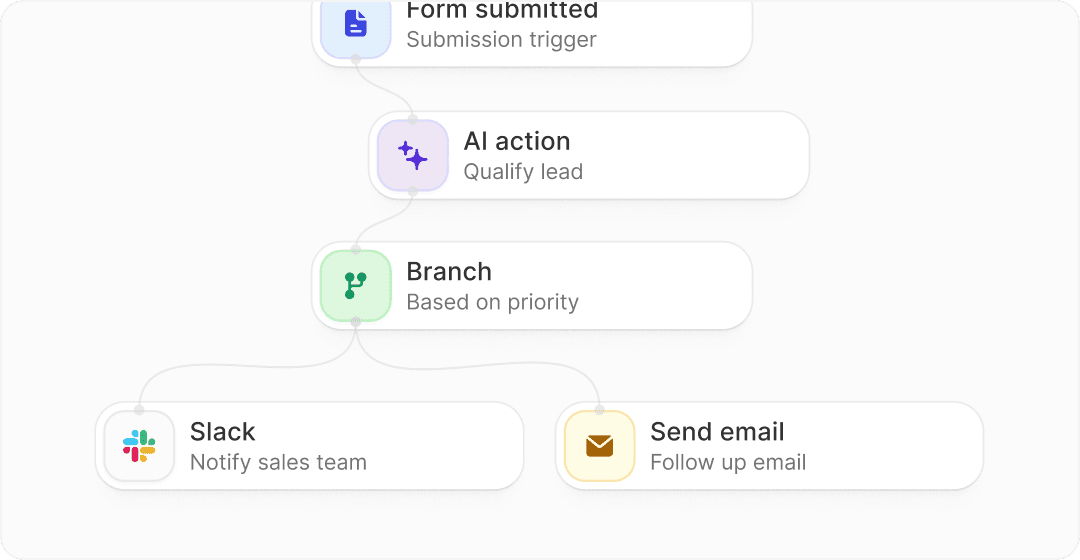
Image source: Fillout
Jotform still has one big edge you should not ignore. It supports 30+ payment gateways and has a much wider product footprint around forms, approvals, signatures, workflows, and enterprise use cases, so broader needs can push the decision back toward Jotform.
If you are only trying to collect leads, applications, bookings, or intake data with a polished experience, Fillout is usually the easier yes. If you already know you want a heavier-duty form stack with more surrounding products, Jotform becomes more attractive.
The good stuff
Fillout earns attention because it does not make modern forms feel harder than they should be. The combination of strong design control, flexible logic, unlimited seats on every plan, and a free tier that is actually usable makes it feel more generous than a lot of competitors.
Unlimited seats is a bigger deal than it sounds. It means you can bring in teammates, clients, or collaborators without getting punished for adding people before the workflow is even proven.
Security and gated access also make Fillout more than a basic lead form tool. Login forms, internal-only forms, and response editing give it more depth than the average no-code form builder.
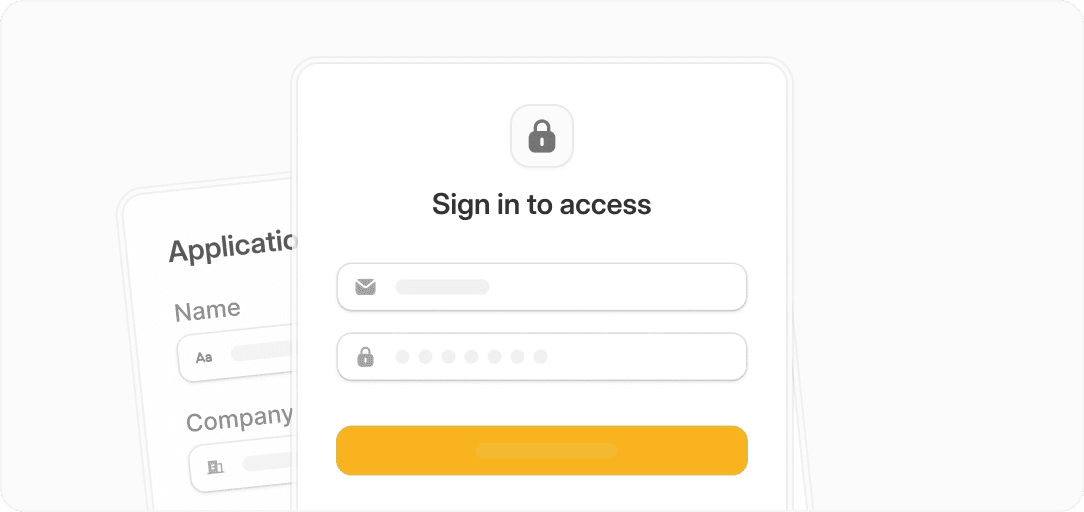
Image source: Fillout
Jotform’s good stuff is different. It gives you a much bigger template library, a long list of payment options, solid no-code workflow tools, and better alignment for teams that want extra products in the same family instead of just a sleek form builder.
That means the better product depends on what you want the form to do after someone hits submit. Fillout is stronger when you care about form experience, logic, branding, and light operational workflows, while Jotform is stronger when you want breadth and a more mature business toolset around the form itself.
Reporting is another point that helps Fillout look more serious on higher plans. Analytics, conversion tracking, drop-off visibility, partial submissions, and pre-fill tools move it closer to a real conversion tool instead of a glorified intake form.
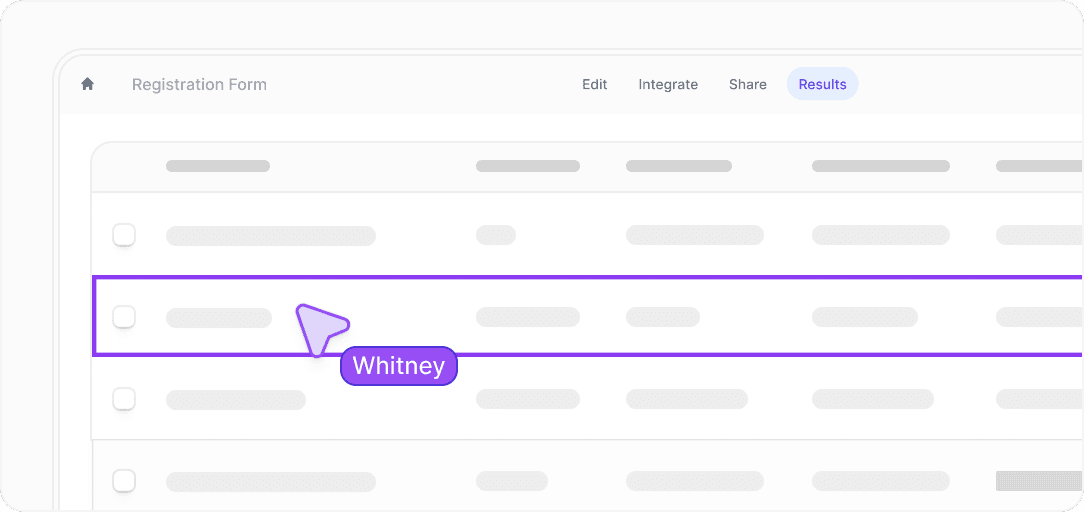
Image source: Fillout
That matters because better forms usually do not fail at the build stage. They fail when you cannot route responses, follow up fast, or learn where people are dropping off.
Pricing, value, and the first plan that makes sense
Fillout is the easier product to justify early. The free plan is generous, the Starter plan begins at $15 per month, and every tier keeps unlimited seats, which keeps the upgrade conversation from getting annoying too fast.
Jotform can absolutely be worth paying for, but the value calculation is different. You are paying for a broader platform and bigger range of business use cases, not just a cleaner form-building experience.
Check the official free trialThat table is the practical decision in one screen. Fillout is the best pick when you want your forms to look good, work hard, and stay affordable longer, while Jotform makes more sense when you need the broader toolkit and can live with a steeper value curve.
GoHighLevel and Systeme.io only make more sense if you are really shopping for an all-in-one business stack, not just a form tool. If forms are the main event, they are alternatives, not cleaner replacements.
Why buying now can make sense
Waiting sounds sensible until you remember what manual form work costs. Bad-looking forms, clunky follow-up, no branching logic, weak analytics, and messy handoffs waste time every single week even when the software bill is still at zero.
Fillout is the kind of upgrade that saves friction early without forcing a huge commitment. If you already know you need branded forms, payments, scheduling, PDFs, or better routing, the free plan is enough to validate the setup and the paid plans are not hard to justify after that.
Jotform is still worth it for the right buyer, but Fillout is easier to recommend right now for most people reading this. It gets you moving faster, it is simpler to like, and it does not make you pay for team access before you know the workflow is even working.
If your current setup feels patched together, this is probably the point where waiting starts costing more than testing. Explore Fillout here if you want the cleaner option, or look at GoHighLevel and Systeme.io if you are really trying to replace a bigger pile of tools.
Alternatives worth looking at before you decide
Jotform vs Fillout is a strong comparison, but it is not the whole market. If you are already thinking about replacing multiple tools, or you care more about funnels and automation than forms alone, a different option might make more sense.
That is where tools like GoHighLevel or Systeme.io come in. They are not direct form builders first, but they can replace forms, email, CRM, funnels, and automation in one place, which changes the buying decision completely.

Image source: GoHighLevel
GoHighLevel is the “all-in” option. You get forms, landing pages, pipelines, email, SMS, and automation in one system, which can replace multiple subscriptions if you are running a business or agency.
The downside is obvious. It is more complex, more expensive, and overkill if you just want a clean form builder.

Image source: Systeme.io
Systeme.io sits on the opposite side. It is cheaper, simpler, and easier to get started with if you want funnels and basic forms without spending much.
The trade-off is that it is not as strong as Fillout for form experience or Jotform for form depth. It is a budget all-in-one, not a premium form tool.
Image source: Fillout
Fillout still wins if your main goal is better forms. Cleaner UI, better logic, and fewer limits early make it the easiest upgrade for most people comparing Jotform vs Fillout.
Get started with FilloutPick Fillout if your priority is better forms and smoother workflows. Pick Jotform if you want a broader form ecosystem. Pick an all-in-one like GoHighLevel or Systeme.io only if you are ready to replace multiple tools at once.
My honest take
Fillout is the easier recommendation for most people comparing Jotform vs Fillout. It feels more modern, gives you more freedom on the free plan, and removes a lot of the friction that usually shows up when you try to scale forms with a team.
Jotform is still a solid choice, but it makes the most sense when you specifically need its broader ecosystem. If you do not need that extra depth, it can feel heavier and more restrictive than it needs to be.
For the average marketer, founder, or small team, Fillout is simply the faster path to better forms. And if you already know you need forms for real workflows, not just basic collection, that difference shows up quickly.
FAQ
Is Fillout better than Jotform?
Fillout is better for most modern use cases where you care about design, logic, and team access. Jotform is better if you need a broader platform with more templates and extended features beyond forms.
Is Jotform still worth using?
Yes, especially if you need advanced payment integrations, compliance features, or a larger ecosystem. It just does not feel as flexible or generous as Fillout for smaller teams.
Is Fillout good for beginners?
Yes. The cleaner interface and more usable free plan make it easier to get started without running into limits too quickly.
Should I switch from Jotform to Fillout?
Switch if your current setup feels restrictive, expensive for your team size, or harder to manage than it should be. Stay if you rely on features that only Jotform offers.
Should you try it?
If you are still comparing Jotform vs Fillout, the simplest move is to try Fillout first. The free plan gives you enough room to test real workflows, not just basic forms.
If it clicks, you will know quickly. If it does not, you can always move to Jotform or an all-in-one later without losing much time.
Check the official free trial Filip Konecny Enterprises