
Searching for a Flick demo usually means you want one answer fast: is this tool actually worth your time, or is it just another social media app with AI slapped on top? That is the right question, because Flick is not the cheapest way to schedule posts, and it only makes sense if you will actually use the extra help it gives you.
Flick gets more interesting once you realize it is not trying to be only a scheduler. It combines post planning, hashtag research, analytics, and AI writing, which can save real time if your current workflow still lives across notes, spreadsheets, browser tabs, and a basic scheduler.
One thing is easy to miss when you search for a Flick demo. The public demo call is for Flick’s managed social media service, while most software buyers will learn more from the 7-day free trial and the product pages.
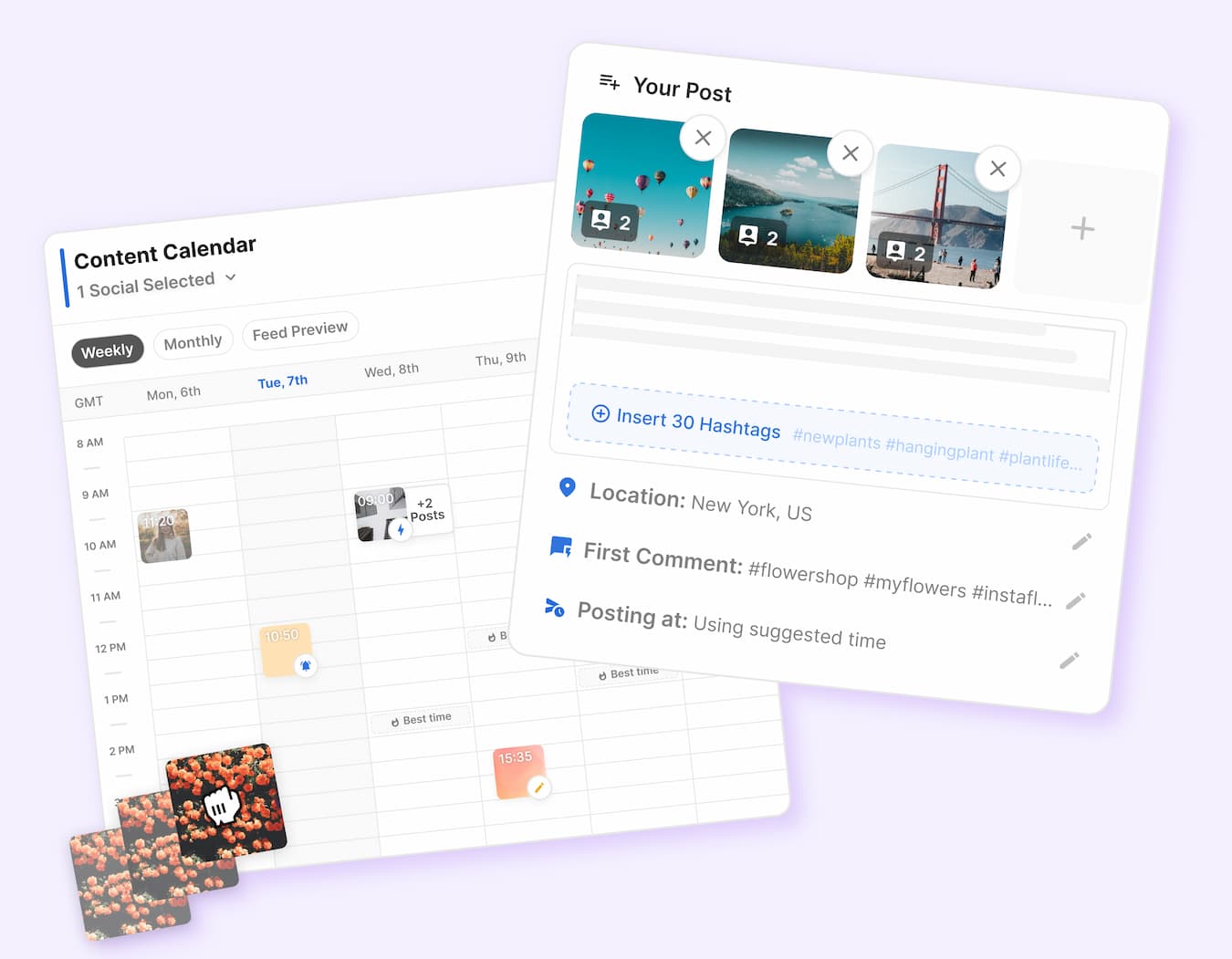
Image source: Flick scheduler page
Article outline
Start with the fast decision
- Is Flick actually worth trying? You will get the short answer first, including who should look closer and who should probably keep their money.
- What you get in the free trial I will break down what you can realistically learn during the trial, so you do not waste those seven days clicking around blindly.
Then check the parts that make or break the value
- The good stuff This is where Flick starts to justify itself, especially if you want help with planning, captions, hashtags, and staying consistent.
- Pricing and value I will compare what you pay with what you actually replace, because this is not a tool you buy just to admire the dashboard.
- Why you might want to start now This section handles the common hesitation around timing, setup, and whether you should wait until you feel more ready.
Finish with the real choice
- Alternatives You will see where Flick wins, where a cheaper tool makes more sense, and where a broader all-in-one platform may be the smarter move.
- My honest verdict I will make the final call clear: buy now, wait, or skip it.
- FAQ A few direct answers for the last-minute questions people usually have before they click.
Is Flick actually worth trying?
Yes, for the right buyer, Flick is worth a real look. It is most appealing if you post often, care about Instagram performance, want built-in hashtag help, and are tired of bouncing between a scheduler, a caption tool, and your notes app.
It is less compelling if you only need a bare-bones post scheduler. In that case, paying extra for hashtag research, AI brainstorming, and deeper social planning can feel like buying a bigger toolkit than you actually use.
The biggest reason the trial matters is that Flick is easy to judge in a week. You can connect your accounts, build a few posts, test the writing tools, check the calendar, look at the hashtag workflow, and decide pretty quickly whether it saves you time or just adds one more dashboard.
That matters because this category gets crowded fast. A lot of social tools promise to help you post more consistently, but Flick is trying to help earlier in the process too, which is where many people get stuck in the first place.
The stronger case for Flick is simple. If your bottleneck is not just publishing, but also deciding what to post, writing captions, finding usable hashtags, and keeping content organized, Flick has a better shot at earning its cost than a cheaper scheduler does.
The weaker case is just as clear. If you already have a content system you like, rarely use hashtags strategically, and mostly want posts to go out on time, Flick can feel like more software than you need.
Buyer feedback tends to lean positive on ease of use, scheduling, and hashtag research. The more mixed reactions usually show up around AI output and the fact that lower plans are tighter on limits, which is exactly why the trial is useful instead of optional.
Flick at a glance before you click
Check the official free trialIf you already have something to promote and you are serious about posting consistently, this is worth testing now instead of endlessly reading feature pages. A week is enough to figure out whether Flick genuinely speeds you up.
If you post rarely or you mainly want the cheapest way to queue content, waiting is fine. Flick becomes easier to justify when messy content planning is already slowing you down.
What you get in the free trial
Flick is easy to judge fast. The official pricing page says every plan comes with a 7-day free trial, so you do not need a long runway to figure out whether it saves you time or just gives you one more login to manage.
Use the trial to test the real workflow, not just poke around the dashboard. Connect your accounts, build a week of posts, try the hashtag workflow, check the calendar, and see whether the platform actually helps you move faster.
That matters because Flick is not trying to win on price alone. It is trying to be the place where you plan, write, organize, schedule, and improve your content instead of splitting that work across random tools and browser tabs.
Test the core workflow first
Start with the scheduler because that tells you quickly whether the interface clicks for you. Flick supports scheduling for Instagram, Facebook, TikTok, and LinkedIn, and its core planning flow is built around a visual calendar, draft posts, media storage, and best-time suggestions.

Image source: Flick hashtag tool page
The useful part is not just that you can queue posts. You can see the draft, the caption, the hashtags, the posting time, and the calendar in one place, which is a lot cleaner than writing in one app and scheduling in another.
The trial also tells you whether Flick’s Instagram angle is actually useful to you. If hashtags still matter in your workflow, this is where Flick feels different from a basic scheduler.
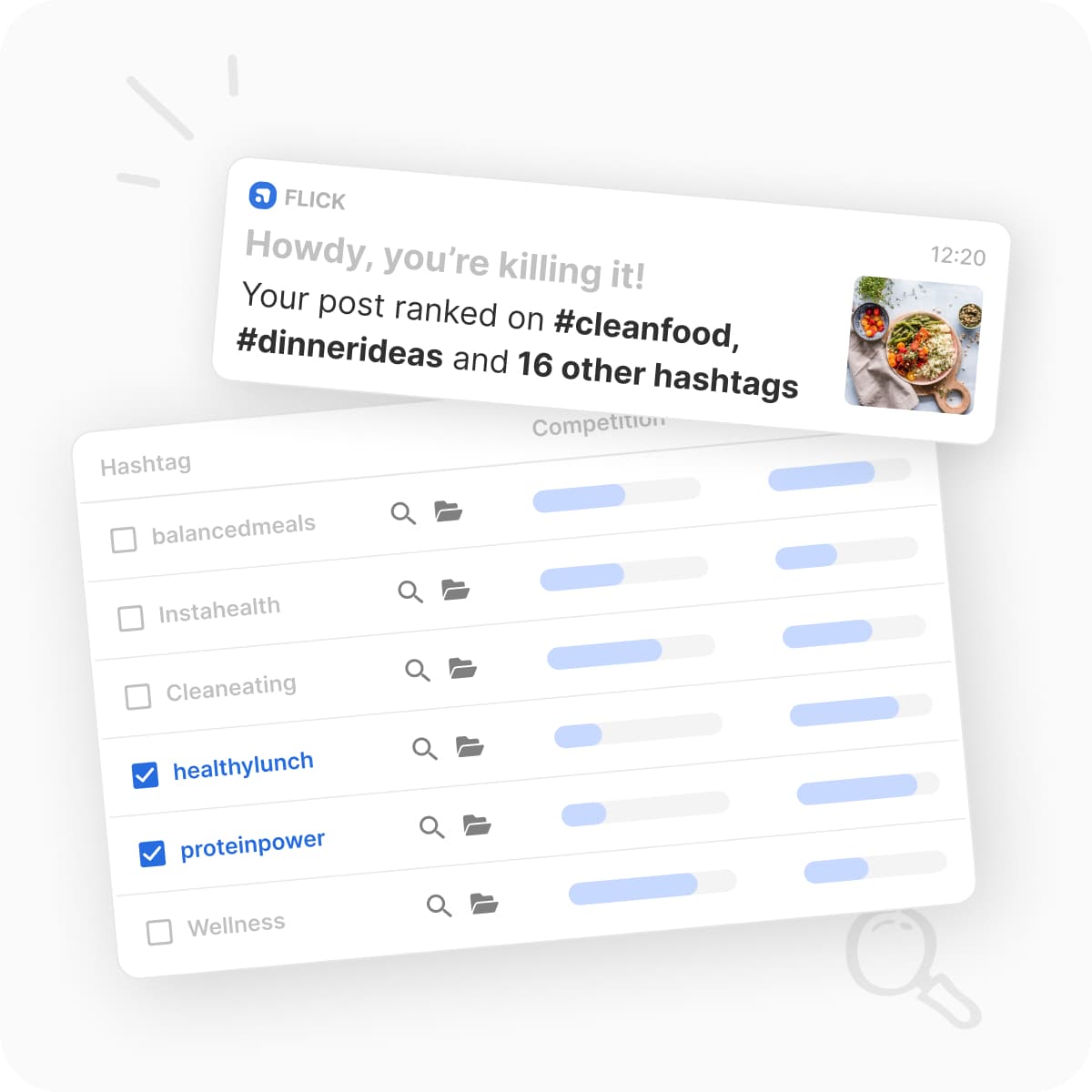
Image source: Flick hashtag tool page
If you never think about hashtags and mainly need posts to go out on time, this part will not impress you enough to justify the extra cost. If you do care about reach, relevance, and keeping hashtag research tied to the actual post you are building, the trial gets a lot more interesting.
The good stuff
Flick gets stronger once you stop thinking of it as only a scheduling tool. The appeal is that content planning, scheduling, hashtag help, best-time suggestions, and Instagram analytics live close enough together that the whole process feels less messy.
That is the main payoff. Manual posting is not just annoying because it takes time, but because it breaks your rhythm, and Flick is trying to fix that part more than it is trying to win a feature-count war.
Planning feels cleaner than doing this manually
The visual calendar is a real selling point. You can drag posts around, map out the week, save drafts, and see your posting cadence without juggling spreadsheets or trying to remember what still needs writing.
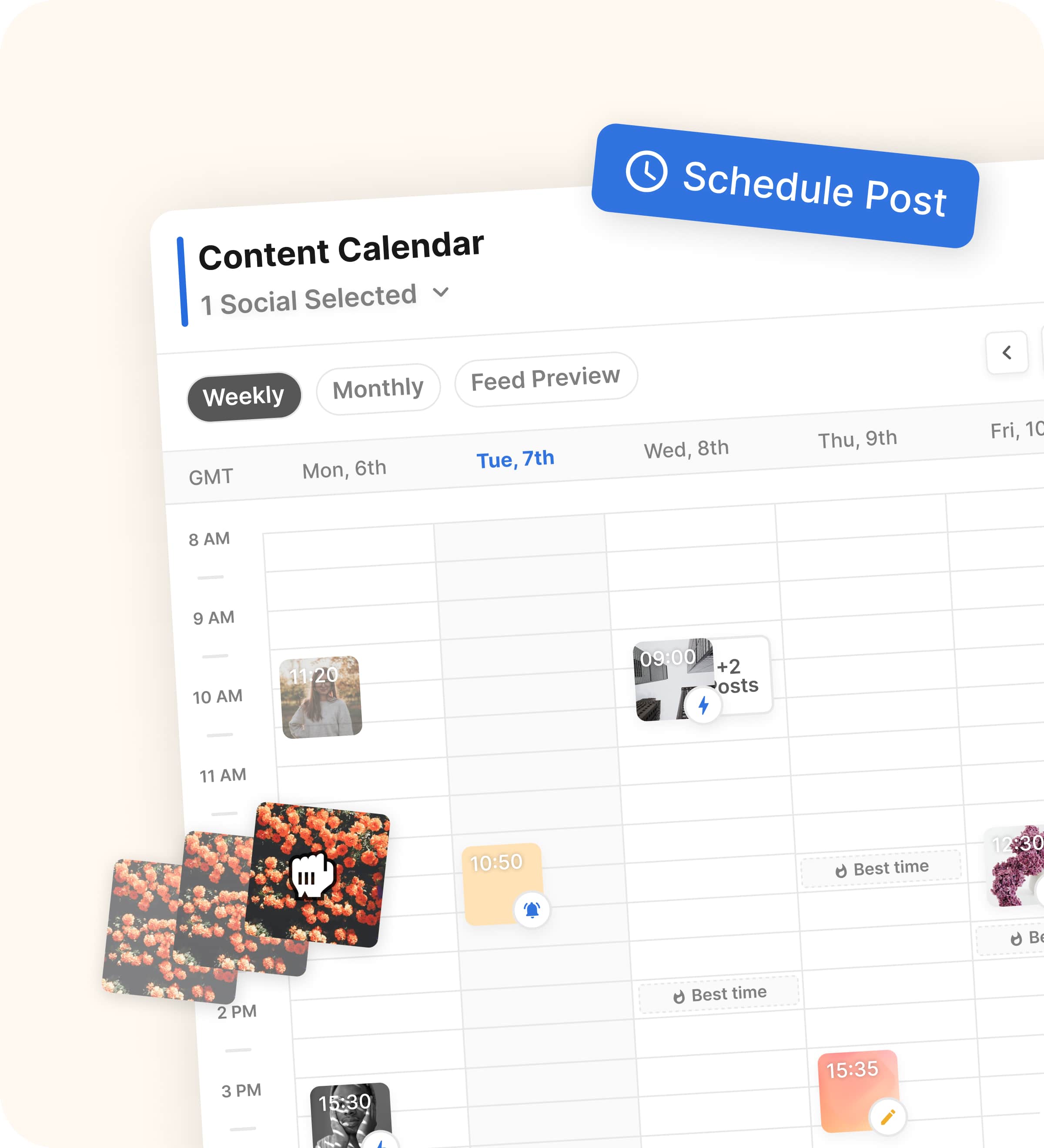
Image source: Flick scheduler page
That sounds simple, but it matters if consistency is your problem. A lot of people do not need more ideas as much as they need a system that makes it easier to finish the post and get it scheduled.
Best times and hashtags are where Flick earns its place
Buffer is cheaper, and that matters. Flick starts to justify itself when you want more than simple scheduling and you actually plan to use features like best times to post, hashtag collections, suggested hashtags, and Instagram performance tracking.
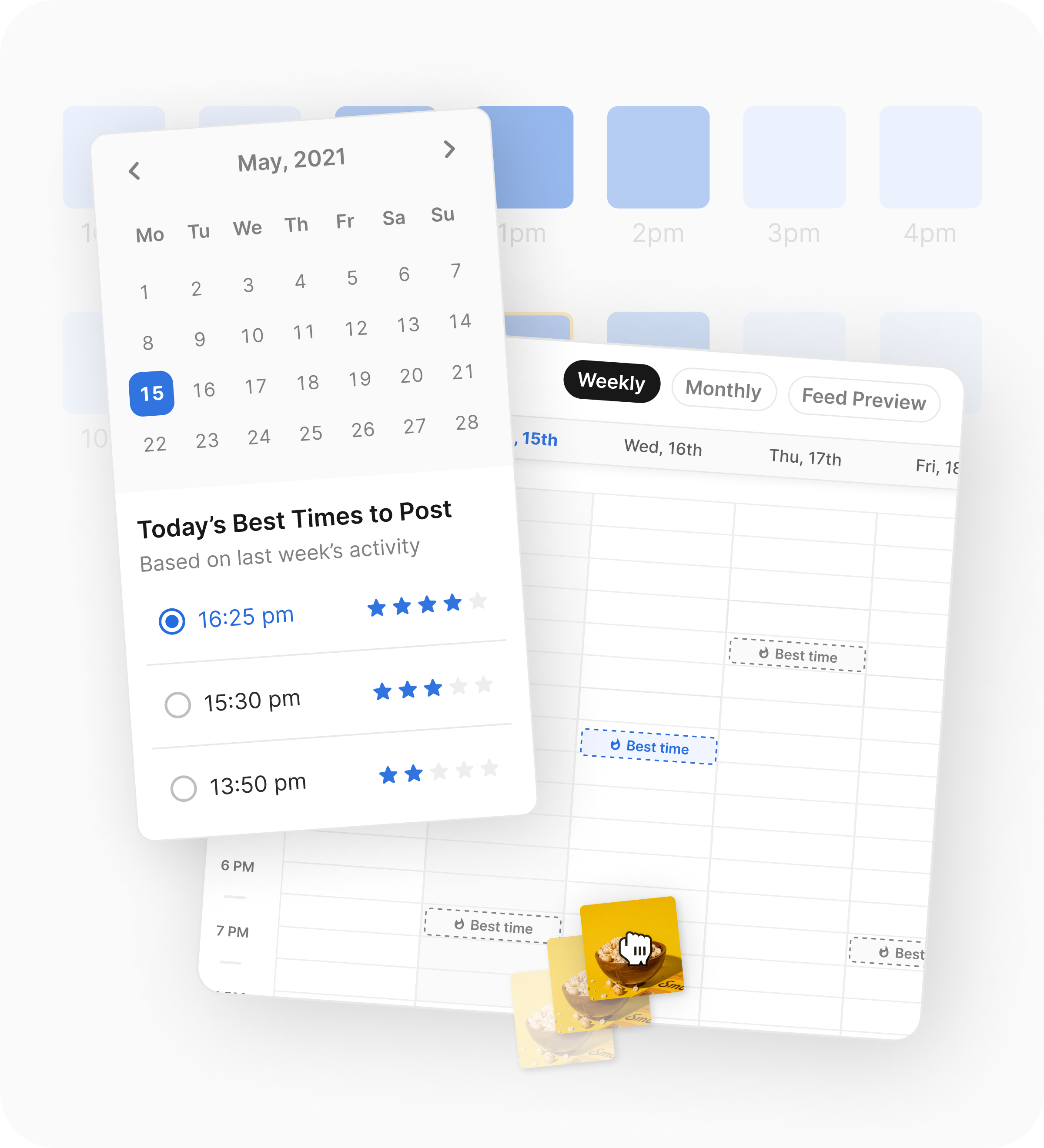
Image source: Flick scheduler page
That is the line you need to draw before paying. If you only want the queue, Buffer is the easier budget pick, but Flick looks better if Instagram optimization is still part of how you win.
The AI side also deserves a realistic expectation. The helpful version of AI here is faster brainstorming, captions, and content planning, not perfect one-click writing that never needs edits.
That matches the general buyer sentiment pretty well. People tend to like the ease of use, scheduling, and hashtag features, while AI caption quality gets more mixed reactions, so you should treat it as an assistant rather than a replacement for judgment.
Pricing and value
Flick starts at £11 per month billed yearly for Solo, moves to £24 for Pro, and £55 for Agency. Solo gives you 4 socials, 1 user, 30 scheduled posts per social each month, and 30 tracked Instagram posts, while Pro removes the posting and tracking caps and doubles the social slots to 8.
That means the real decision is not whether Flick is cheap. The real decision is whether the extra planning and Instagram-specific help save you enough time to beat a simpler tool.
Check the official free trialFlick wins that comparison when your workflow is content-first and Instagram still matters. Buffer wins when you want cheaper scheduling, and GoHighLevel wins when social is only one piece of a much bigger sales and automation stack.
Why you might want to start now
Waiting usually keeps the same messy workflow in place. If you are still writing captions in one place, saving hashtags in another, and scheduling manually when you remember, the delay costs you more than the seven-day test does.
Flick makes the most sense when you already have something to promote and consistency is the part that keeps slipping. In that situation, the trial is not a big commitment, and you can tell fast whether the calendar, hashtag tools, and planning flow are enough to justify paying for it.
You probably should wait if you barely post, hate paying for specialized tools, or only need a cheap queue. You should move now if your current setup feels scattered and you want one place to plan, build, and schedule content without dragging the process out every week.
That is where Flick starts to look like a smart next step instead of just another subscription. It is not for everyone, but for the right buyer, it gives you a faster path from idea to published post.
 Filip Konecny Enterprises