
If you are searching for a Flick coupon, you probably want two things fast: a real discount and a clear answer on whether this tool is worth paying for after the trial. The verified saving that is easiest to confirm on Flick’s official pricing page is the yearly billing discount, which is currently shown as 20% off.
That matters, but the bigger decision is whether Flick actually helps enough to justify even the discounted price. For the right buyer, it can, especially if your current social workflow feels messy, slow, or too dependent on guesswork around hashtags, scheduling, and basic performance tracking.
For the wrong buyer, a coupon will not save the purchase. If you only need a super simple scheduler or you want a much broader CRM-style platform, Flick can feel too specific in some places and not broad enough in others.
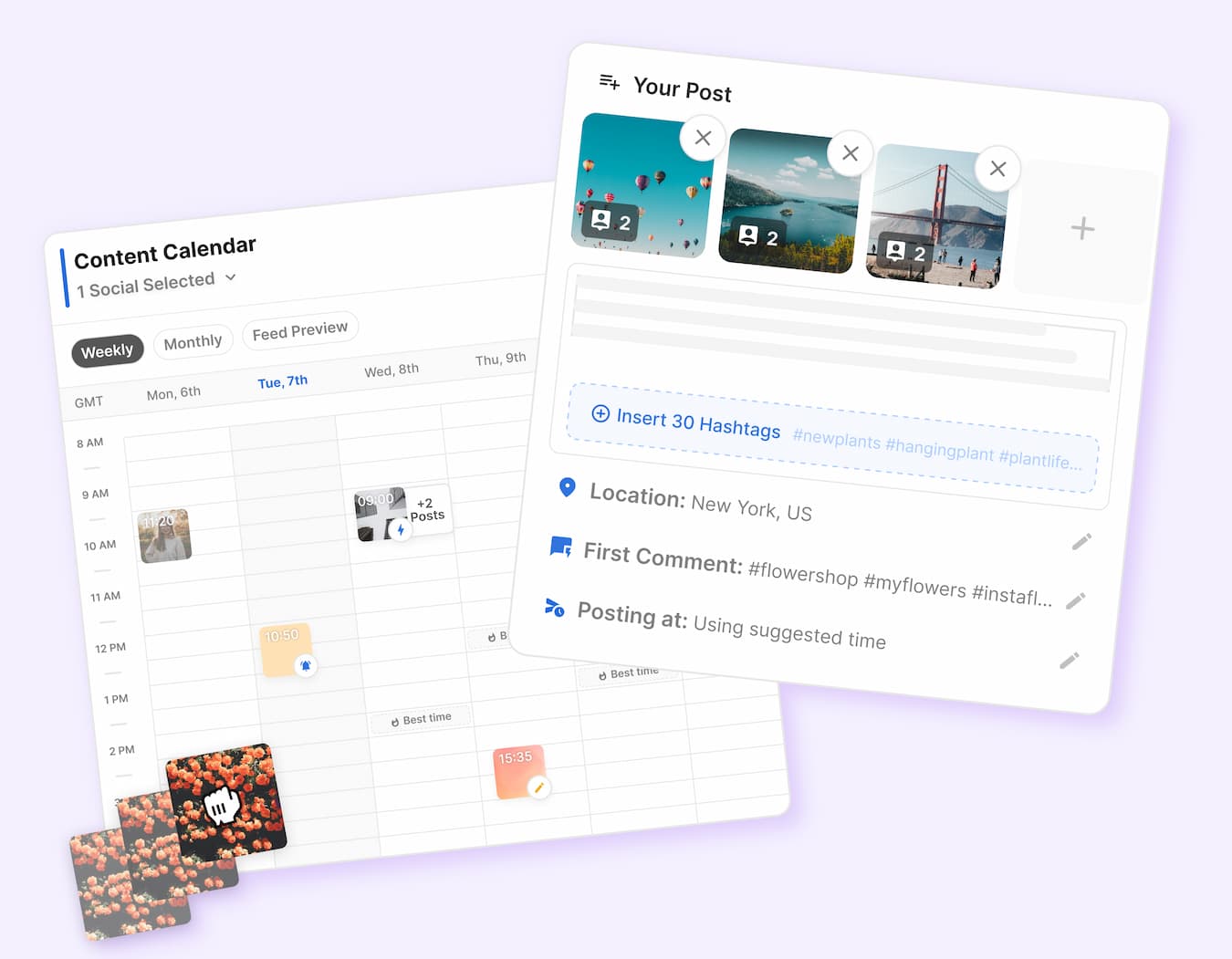
Image source: Flick scheduler page
Is Flick worth trying if you want more than a scheduler?
Flick looks strongest when you want one place for content planning, posting, hashtag work, and Instagram-focused analytics. That is the appeal here: instead of bouncing between a scheduler, a notes doc, a hashtag tool, and another dashboard for post performance, Flick tries to keep the daily work in one cleaner flow.
That does not mean it replaces everything. It is still much more attractive for creators, marketers, and small brands focused on social publishing than for someone shopping for a full sales system, deep team collaboration, or a giant enterprise reporting stack.
That is why a Flick coupon search should not stop at price. Even a good discount is only useful if you are the type of buyer who will actually use the hashtag research, the scheduling limits, and the Instagram tracking enough to save time every single week.
Quick verdict before you go looking for a code
That is the cleanest honest summary at the start. If you were hoping for some huge hidden promo code, this looks more like a trial-plus-annual-discount offer than a wild coupon-stacking deal.
The offer still makes sense for people who already know they need help with consistency, caption planning, hashtags, and Instagram-led reporting. If you barely post, or if 30 scheduled posts and 4 profiles already sound like more than enough for a long time, you should be careful not to buy more tool than you will use.
Check the official Flick trialArticle outline
This review is split into three clear sections so you can jump straight to the decision point that matters most. The structure is built for people searching Flick coupon terms who want a buying answer, not a long theory lesson.
Start here
- Is Flick worth trying if you want more than a scheduler?
- Quick verdict before you go looking for a code
What you will test next
- What you get in the free trial
- The good stuff
- Pricing and cheaper options
- Why starting now may make sense
Final decision path
Next, I will get into the part that usually makes or breaks this purchase: what you actually get during the trial, what feels genuinely useful, and where the paid plans start to make sense. That is where you can tell whether the current Flick deal is a smart next step or just another tool you will cancel next week.
What you get in the free trial
The official pricing page says every Flick plan comes with a 7-day free trial, and you can cancel anytime. That gives you enough time to figure out whether this is actually helping your workflow or whether you are just chasing a Flick coupon because the name sounds useful.
The trial matters most if you already post regularly. If you have content to schedule this week, you can test the calendar, set up your profiles, try the hashtag tools, and see whether the Instagram-only analytics give you enough feedback to keep paying.
Flick looks more practical than a basic scheduler because it bundles a few tasks that usually live in separate tabs. The platform pages and trial guide keep coming back to the same stack: scheduling, hashtags, AI writing help, and analytics.
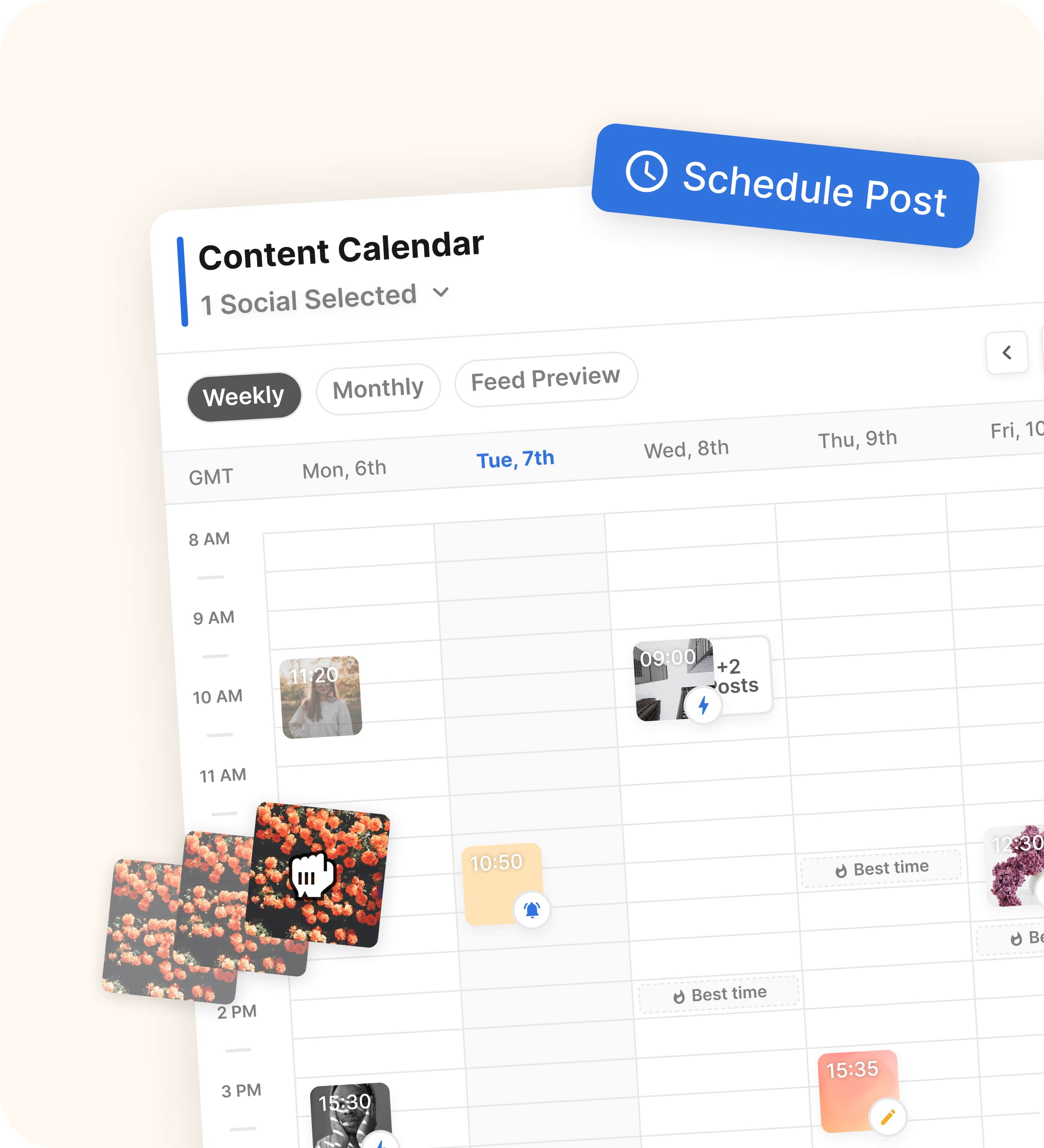
Image source: Flick social media scheduler
That does not mean the trial magically proves long-term value in a weekend. It means you can answer the real buyer question fast: does this save you enough time and mental effort to justify paying for it after day seven?
If you only post once in a while, the trial will probably feel nice but unnecessary. If you post often and your current setup is messy, seven days is plenty of time to tell whether Flick makes content planning easier or whether you should stay with a cheaper tool.
The good stuff
Scheduling is the first clear win. Flick’s scheduler page says you can plan content across Instagram posts and reels, Facebook, TikTok, and LinkedIn, then work inside a drag-and-drop calendar instead of posting on the fly.
That sounds basic until you compare it with doing everything manually. Manual posting usually means random timing, captions copied from notes, forgotten first comments, and zero clean overview of what is going out this week.
Flick also says you can add tags, captions, and locations before scheduling, and it supports automatic scheduling for reels and carousel posts. That is the kind of practical detail that saves time fast if you are already publishing often.
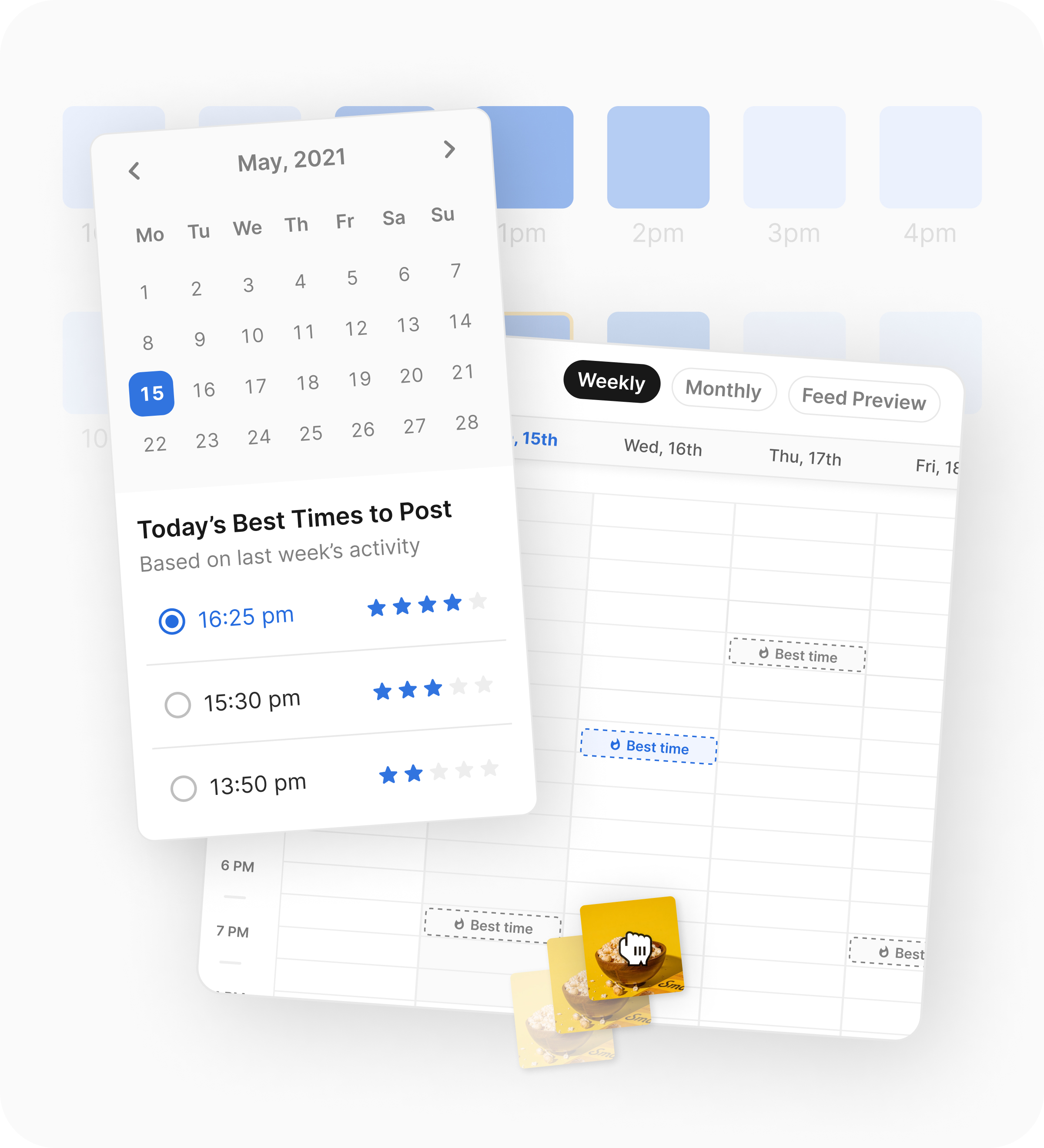
Image source: Flick best times and scheduling tools
The best-times feature is another reason Flick feels more serious than a barebones scheduler. Flick says it uses your Instagram audience insights to highlight the best posting slots for each day, which is much better than guessing or recycling the same posting time forever.
The hashtag tools are still the strongest reason to choose Flick over something simpler. The Instagram hashtag tool page shows 40 suggestions per search, advanced filters, a banned or flagged hashtag checker, and support for 20+ languages.
That matters because most people do hashtag research badly. They reuse the same tired list, pull random tags from competitors, or waste time switching between spreadsheets, notes apps, and free generators that do not tell them much.
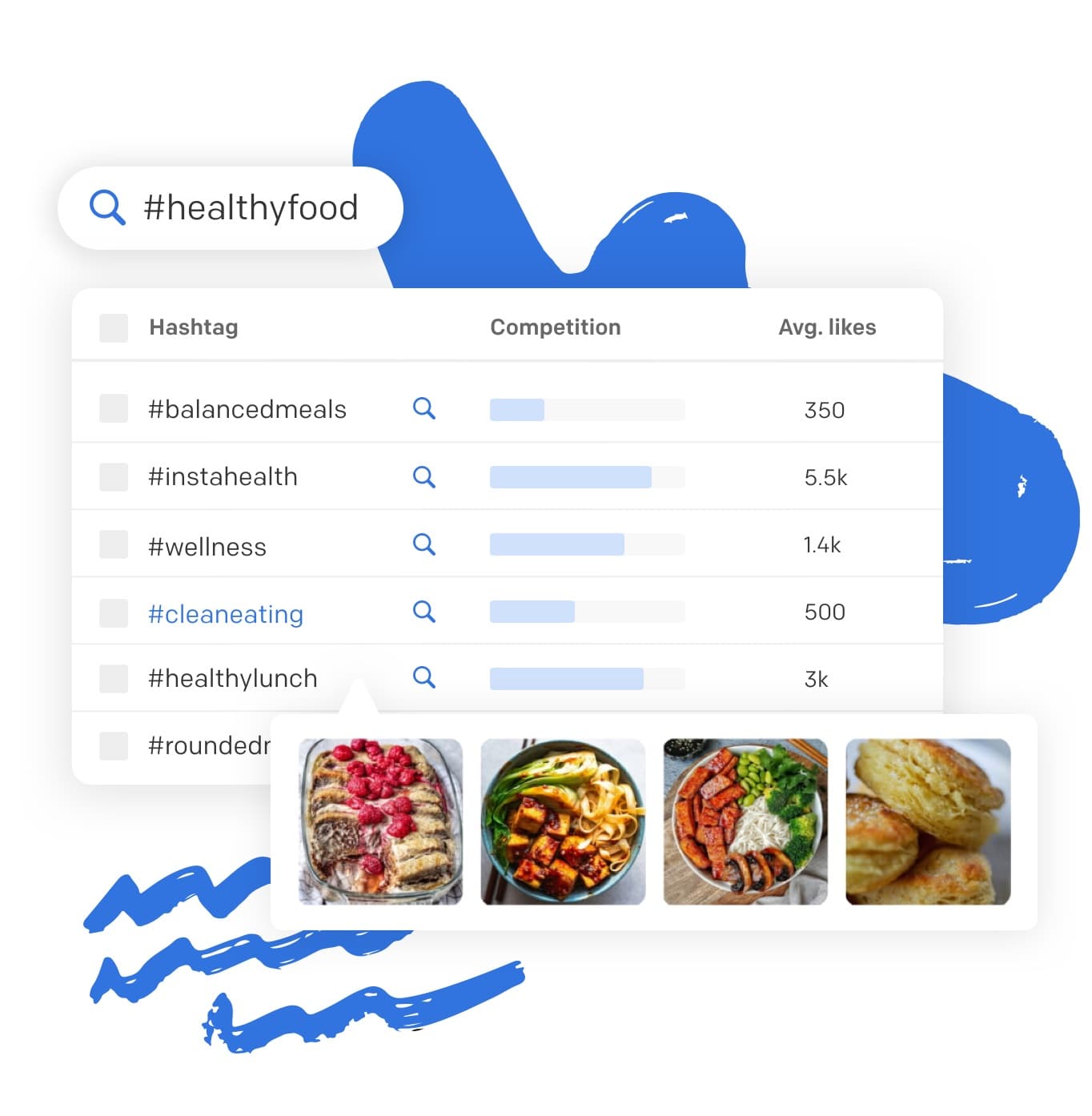
Image source: Flick hashtag research features
The other useful piece is tracking. Flick’s pricing FAQ says all plans include hashtag tracking, and the Solo plan caps that at 30 tracked Instagram posts per month while Pro and Agency remove that limit.
That turns the hashtag feature from a guessing game into something you can actually learn from. If you care about reaching the right people on Instagram, that is a better setup than throwing tags at posts and hoping one of them sticks.

Image source: Flick hashtag tracking tools
Here is the catch. Flick’s analytics are still Instagram-only on the pricing page, so this is not the best pick if your main need is deep cross-platform reporting across every channel you manage.
That limitation does not kill the product. It just tells you who this is for: people who care a lot about Instagram performance and want scheduling plus hashtags plus tracking in one place, not people hunting for a giant social analytics suite.
Pricing and cheaper options
A Flick coupon helps, but the real saving shown publicly is the 20% discount on yearly billing. On the current pricing page, Solo is £11 per month billed yearly, Pro is £24, and Agency is £55.
See current Flick pricingPro is where Flick starts to make the most sense. Solo is cheap enough to test, but the scheduling and tracking caps mean you will probably outgrow it quickly if you are posting often or managing more than one serious brand.
If low cost is the main goal, Buffer’s pricing page is more attractive upfront. Buffer gives you a free plan, paid plans start at $5 per month yearly for one channel, and it is a better fit if you mostly want straightforward scheduling without paying extra for Instagram-focused hashtag research.
If you want a bigger all-in-one system, GoHighLevel’s pricing starts much higher at $97 per month, but it is built for a different job. That is a broader CRM, funnels, automation, and booking play, so it only makes sense if your social tool also needs to sit inside a larger sales and client-management setup.
That leaves Flick in a pretty clear middle position. It is not the cheapest scheduler, and it is not the biggest all-in-one business system, but it is more specialized than Buffer and far less bloated than GoHighLevel for someone who mainly wants better social planning, stronger hashtag work, and cleaner Instagram feedback.
Why starting now may make sense
Flick is worth trying now if you already have content to publish and your current process is slowing you down. Waiting usually means more manual posting, more recycled hashtags, and more time spent guessing whether your Instagram content is improving.
Flick is not worth rushing into if you are still figuring out what to post at all. A coupon does not fix a missing content habit, and a scheduler only helps once there is something worth scheduling.
For the right buyer, this is absolutely worth a real look. If you are serious about posting consistently, want the hashtag side to be less random, and like the idea of keeping planning and tracking under one roof, the trial is easy to justify.
Check the official free trialFlick alternatives
Flick is not the only tool worth looking at. The smart move is to compare it with a cheaper scheduler and a broader all-in-one tool before you decide whether this is the right place to spend your money.
That comparison gets pretty clear once you strip away the marketing. Flick is strongest when you want scheduling, hashtag research, and Instagram-focused analytics in one cleaner workflow, Buffer is better when cost and simplicity matter most, and GoHighLevel is the bigger play if your social tool needs to sit inside a CRM and automation stack.

Image source: Flick official site
Check the official free trialChoose Flick if you are serious about posting, care a lot about Instagram performance, and want one tool to handle the planning and hashtag side together. Choose Buffer if you want the cheaper, simpler route, and choose GoHighLevel if your social tool is only one part of a much bigger sales system.
My final verdict
Flick is worth trying for the right buyer. That buyer is already creating content, already posting often enough to feel the pain of doing everything manually, and already knows that weak hashtag choices and inconsistent scheduling cost reach over time.
The strongest case for Flick is not the coupon itself. The real case is that it can replace a messy process with one place to plan posts, choose better hashtags, and track whether your Instagram content is actually improving.
The weak case is also pretty obvious. If you barely post, do not care much about Instagram, or only want the cheapest way to queue a few posts, Buffer is easier to justify and Flick will feel like more tool than you need.
GoHighLevel is the other edge case. If your real problem is leads, follow-ups, funnels, and client accounts, Flick is too narrow and GoHighLevel makes more sense even though the price jump is big.

Image source: Flick official site
That leaves Flick in a good middle spot. It is more useful than a barebones scheduler, far less bloated than a CRM-heavy platform, and easier to defend if Instagram is still one of your main growth channels.
I would start the trial now if you already have content ready and you know consistency is your problem. I would wait if you are still figuring out your offer, your audience, or whether you will actually post often enough to use what you are paying for.
That is the honest decision. A Flick coupon or yearly discount helps, but the bigger win is buying it only when your workflow is ready for it.
FAQ
Can you get a real Flick coupon code?
The clearest public deal is the 7-day free trial plus the yearly discount shown on Flick’s pricing. I would not keep waiting around for some magical code if you already know you need the tool, because the faster test is simply using the trial and deciding from real workflow fit.
Is Flick better than Buffer?
Flick is better if Instagram performance, hashtag research, and content planning all matter to you at the same time. Buffer is better if you mostly want affordable scheduling and do not need Flick’s stronger Instagram-specific angle.
Is Flick too limited if I need more than Instagram?
Flick can schedule across more than Instagram, but its strongest reporting and hashtag advantages still lean heavily toward Instagram. If your main priority is a broader business system instead of Instagram-led content growth, GoHighLevel is the better fit.

Image source: Flick official site
Bottom line: Flick is a smart buy when your current social workflow feels messy and Instagram still matters enough to deserve real attention. If that sounds like you, the next step is simple.
Get started with Flick Filip Konecny Enterprises