
The Firecrawl demo makes sense fast if you already know why you need it. You are not coming here for another generic scraping tool. You are trying to figure out whether this can actually save you time, clean up messy web data, and give your AI app something usable without you babysitting brittle scrapers all week.
My take up front is simple. If you are building AI workflows, RAG pipelines, agent products, or internal research tools that depend on live web data, the Firecrawl demo is worth trying sooner rather than later. If you are not technical, or you only need the occasional no-code scrape once in a while, this may feel smarter on paper than it does in your actual workflow.
What makes this tool interesting is not just that it scrapes pages. Firecrawl positions itself as a web data API for AI, supports scrape, crawl, map, search, and agent-style extraction, gives new users free credits, and keeps the pricing model tied to credits instead of forcing you into enterprise calls on day one. That combination is exactly why this review matters, because it can be a strong buy for the right builder and unnecessary spend for everyone else.
Quick take
The best reason to try Firecrawl is speed. The platform says you can scrape, crawl, search, and interact through one API, and the docs also show support for structured extraction, dashboard usage tracking, and SDKs for common developer workflows. That is a big deal when your current setup involves a patchwork of scripts, proxy headaches, and post-processing just to get one clean result.
The catch is just as important. Firecrawl is easier to justify when you already have a use case ready to test. If you are still in the “maybe I will build something eventually” stage, free credits are nice, but even a good demo will not magically create a business case for you.

Image source: Firecrawl
Article outline
I am going to keep this review practical. The goal is not to admire features. The goal is to help you decide whether the Firecrawl demo is enough reason to start, whether the paid plans look fair, and when another tool may fit better.
- Quick take — the short answer on whether this looks worth your time.
- What you get in the demo — the free credits, the agent runs, and what you can realistically test before paying.
- The good stuff — where Firecrawl starts to justify itself instead of feeling like another API you will forget about.
- Pricing and value — whether the paid plans look fair once you understand the credit model.
- Why you may want to start now — who benefits from moving fast instead of postponing setup again.
- Alternatives — when a cheaper tool or a broader platform may be the smarter move.
- Final verdict — my honest recommendation for who should buy, wait, or skip.
- FAQ — quick answers to the objections most buyers have before clicking.
If you already have a project where bad web data is slowing you down, the next step is obvious. Check the official demo
What you get in the demo
The Firecrawl demo is not one of those fake “free” offers that gives you almost nothing useful. You get 500 one-time free credits, no card required, and that is enough to run real tests instead of guessing whether the tool fits your workflow.
That matters because Firecrawl charges most standard scrape and crawl work at 1 credit per page. If your goal is to test a docs site, a competitor research workflow, a content ingestion pipeline, or a small AI prototype, the free tier is usually enough to tell you whether this is a smart buy or just another tool you will abandon next week.
The demo also gets more interesting if you want prompt-driven extraction instead of writing everything by hand. Firecrawl gives all users 5 free daily agent runs, which makes it easier to test how well the platform handles harder tasks like multi-page research, structured extraction, and finding data that is not sitting neatly on one simple page.
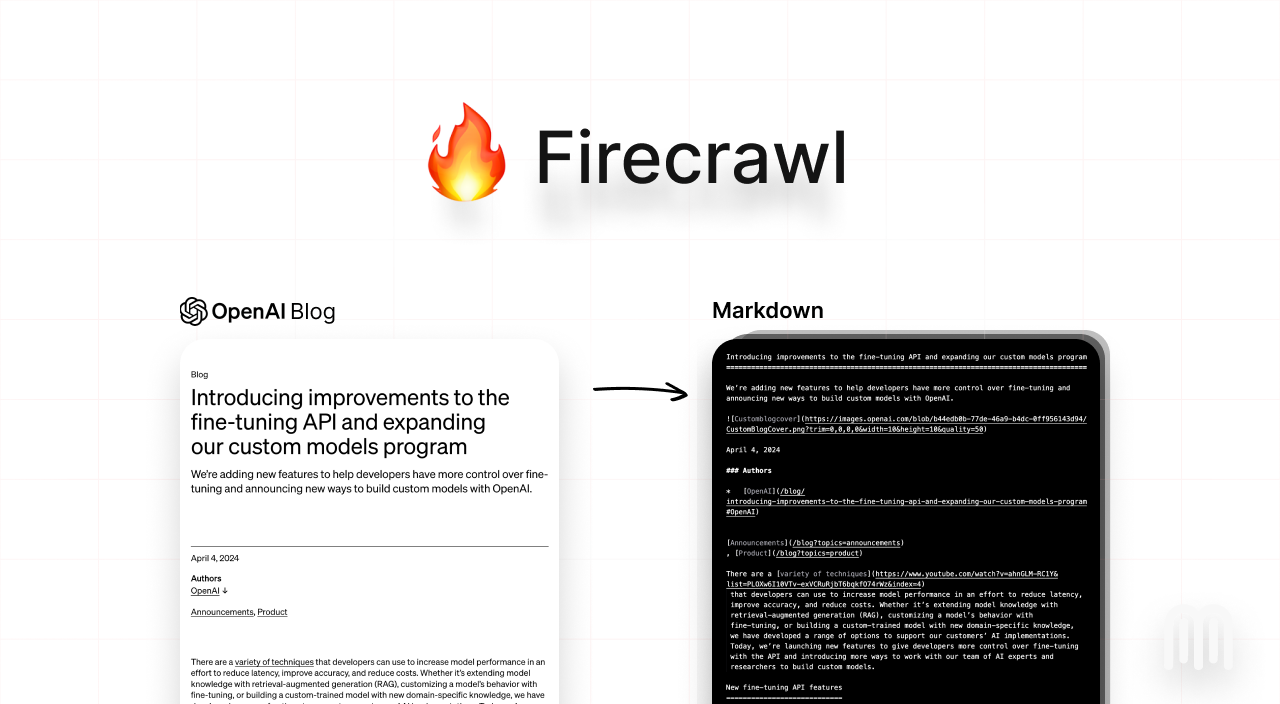
Image source: Firecrawl
Ease of testing is one of the stronger reasons to try it now. The docs and product pages point people to the playground, and that lowers friction fast because you can see how scrape, map, crawl, and search behave before you commit to wiring the API into a bigger app.
Here is the catch. The free credits do not normally roll over, and Firecrawl does not offer a pay-as-you-go plan instead of a monthly subscription. That means the demo is best used when you already have a use case lined up, not when you just want to “look around” for a future project that may never happen.
The good stuff
Firecrawl earns attention because it is built for AI-flavored web data work, not just generic scraping. The platform combines scrape, crawl, map, search, browser features, and agent-style extraction in one product, which is exactly why it can replace a pile of scripts and one-off tools for the right buyer.
That payoff is easy to understand. You can collect clean markdown, HTML, structured JSON, screenshots, and other outputs without spending your time fighting rendering issues, proxies, and brittle selectors every time a site changes something small.
The scrape endpoint is especially easy to justify because it stays predictable. Standard pages cost 1 credit, and when you already know the URL you want, Firecrawl is cheaper and simpler than building a messy crawler stack just to grab one page cleanly and move on.
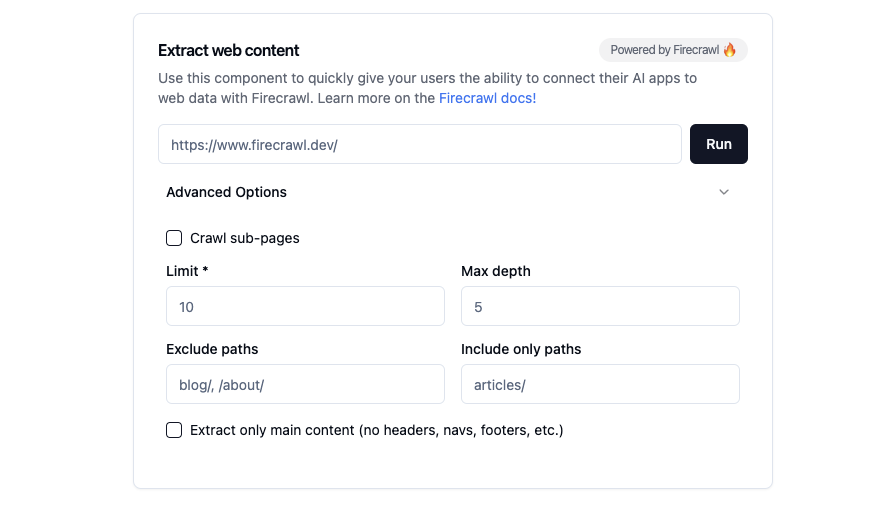
Image source: Firecrawl
The platform also looks better once you think about time, not just subscription price. If your team is losing hours cleaning ugly outputs, troubleshooting JavaScript-heavy sites, or rewriting failed scrapers, Firecrawl starts to look less like software spend and more like a shortcut to usable data.
The agent side adds another layer of value for people doing research-heavy work. Firecrawl offers Spark 1 Mini and Spark 1 Pro, and the docs say Mini uses roughly 60% fewer credits than Pro for equivalent tasks, which makes the lighter model easier to justify when you want speed and cost control instead of max accuracy every time.
This is still a developer-first product. If you are hoping for a full no-code business dashboard with polished reporting, team collaboration, and business-user workflows, Firecrawl will feel narrower than that. It is better at getting web data into your system than at being your whole system.
Pricing and value
Firecrawl’s pricing is easy to understand compared with tools that hide the real cost inside compute units, proxy charges, or usage rules nobody remembers after signup. The free plan gives you 500 one-time credits, then paid plans start at $16 per month billed yearly for Hobby, $83 for Standard, and $333 for Growth.
The value question depends on how close you are to shipping something. If you already know that web data is part of your product, internal workflow, or research stack, the Hobby or Standard plans are not hard to justify. If you are still experimenting with random ideas, even a modest monthly plan can feel unnecessary.
See current pricingFirecrawl also compares well against the wrong tools people sometimes consider just because they are already paying for them. Chatbase is better if your main goal is turning your own content into a site chatbot, not collecting web data across the open web. GoHighLevel is broader if you want CRM, funnels, automation, and client management, but it is not the cleaner choice for AI-ready scraping work itself.
That is why Firecrawl feels more worth it than trying to force another tool into the job. If the core problem is getting live web data into an AI system, you want the product built for that exact pain, not the broader platform that happens to include a few adjacent features.
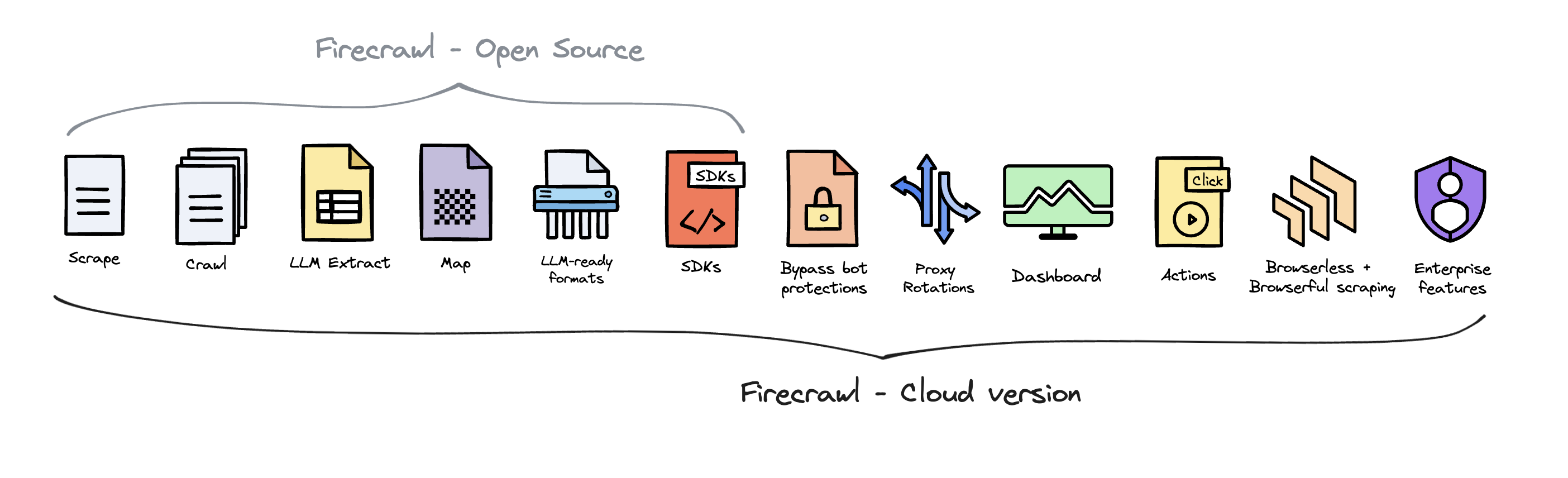
Image source: Firecrawl
Why you may want to get it now
Firecrawl is worth trying now if you already have a project waiting on clean web data. Waiting usually means you keep pushing the actual build later, keep hacking together manual scraping workarounds, and keep spending time on problems this tool is supposed to remove from your plate.
The strongest buyer here is not a complete beginner. It is the person who already knows what they want to collect, where it needs to go, and why broken scrapers or messy outputs are slowing progress. For that person, the demo is not just nice to have. It is the cheapest way to see whether Firecrawl can shorten the path from idea to working product.
You should probably wait if you do not have a real use case yet. You should also wait if you need a point-and-click business tool more than an API-first product. But if you are serious about launching an AI workflow, research pipeline, enrichment system, or live-data feature, Firecrawl is absolutely worth a real look.
The best move for most qualified buyers is simple. Use the demo while you have a concrete task in mind, test the scrape and agent flows on work that actually matters, and upgrade only if the results save enough time to justify the monthly cost. That is a much smarter decision than waiting until your backlog gets uglier.
Check the official demo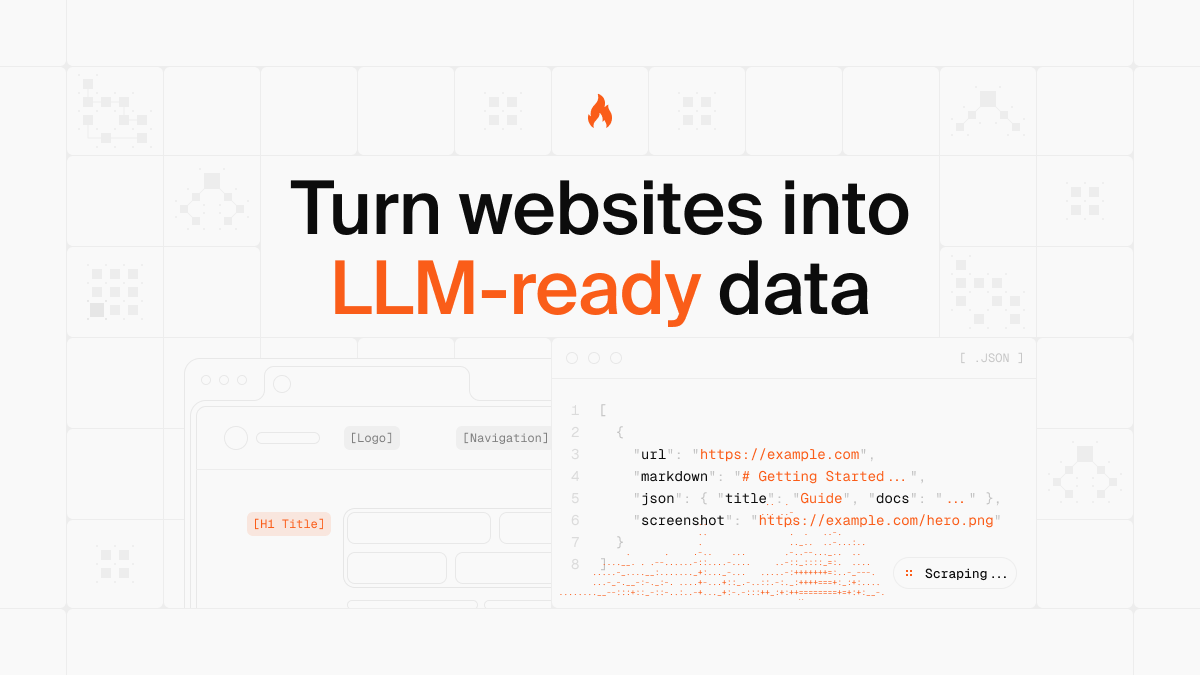
Image source: Firecrawl
Alternatives
Firecrawl is not the only tool worth looking at. It is the best fit when your main job is getting live web data into an AI workflow, but it is not automatically the best choice for every buyer with a vague “AI tools” budget.
That is where a comparison helps. You should not buy Firecrawl just because it sounds smart. You should buy it if your actual bottleneck is scraping, crawling, structured extraction, and keeping web data usable without building half the stack yourself.
Check the official free trialChoose Firecrawl if you need live web data and you are tired of patching together fragile scripts. Choose Chatbase if the real goal is a support bot trained on your own docs, and choose GoHighLevel if you want a broader revenue stack with CRM and automation built in.
That is the cleanest way to think about it. Firecrawl wins when the core problem is extraction, not when you are secretly shopping for a chatbot platform or a full sales system.
Image source: Firecrawl
Final verdict
The Firecrawl demo is worth trying for the right buyer. I would not say that about every AI tool, but this one makes a pretty direct case for itself if you already know that web data is part of what you are building.
The biggest reason to start now is simple. You can test a real workflow with 500 free credits, see how scrape, crawl, map, and agent runs behave, and make a decision without making a big financial commitment first.
Price is not the real objection for most qualified buyers. The real objection is whether this replaces enough manual work to justify another subscription, and for developers, AI teams, and research-heavy workflows, the answer can be yes pretty quickly.
I would skip it for three kinds of buyers. First, people who do not have a concrete use case yet. Second, people who want a polished no-code business tool. Third, people who really need CRM, funnel building, or customer support automation more than they need live data extraction.
I would recommend it for buyers who already have a backlog full of “we still need to scrape this,” “our current outputs are messy,” or “the agent needs live web data.” That is where Firecrawl starts to look less like a nice-to-have and more like a smart next step.
My honest take is blunt. If you are serious about launching an AI workflow that depends on web data, delaying the demo usually just means you keep delaying the build. For that buyer, the best move is to test it now, not keep thinking about it.
Get started with FirecrawlImage source: Firecrawl
FAQ
Is the Firecrawl demo actually enough to test the product?
Yes, for most people it is. The free plan gives you 500 credits, and standard scrape work usually costs 1 credit per page, so you can test a real use case before paying.
Who should try the demo right away?
Try it now if you already have an AI app, research workflow, or enrichment project waiting on usable web data. The demo is easiest to justify when you can point it at real work instead of random experiments.
Who should wait?
Wait if you do not yet know what you want to scrape or where the data needs to go. Wait also if you need a simple no-code support bot or an all-in-one sales platform, because tools like Chatbase or GoHighLevel may fit that better.
Does Firecrawl feel expensive?
It can if you only want to poke around without a clear use case. It feels more reasonable once you compare the cost with the time lost to manual scraping, broken selectors, messy outputs, and maintaining your own workaround stack.
Is Firecrawl beginner-friendly?
It is friendly enough to test because the playground lowers the barrier. It still makes the most sense for technical users or teams that are comfortable working with APIs and structured workflows.
Should you start the demo now or later?
Start now if the build is already waiting on data. Later usually turns into “not yet” again, and that is how simple tooling decisions end up slowing the whole project down.
Explore FirecrawlImage source: Firecrawl
 Filip Konecny Enterprises