
If you are choosing between Fillout and Typeform, the real question is not which one looks nicer in a headline. It is which one gives you the form experience you need without making you overpay for branding, response limits, or features you may never use.
Fillout usually makes more sense for buyers who want flexibility, better value, and room to build more than a simple one-question-at-a-time form. Typeform still has a strong edge if you care most about its familiar interactive style and you want that polished Typeform feel right away.
This comparison is here to help you make that call fast. You will see where Fillout looks like the smarter buy, where Typeform still deserves credit, and who should move now instead of wasting more time patching forms together with cheaper tools that do not really fit.
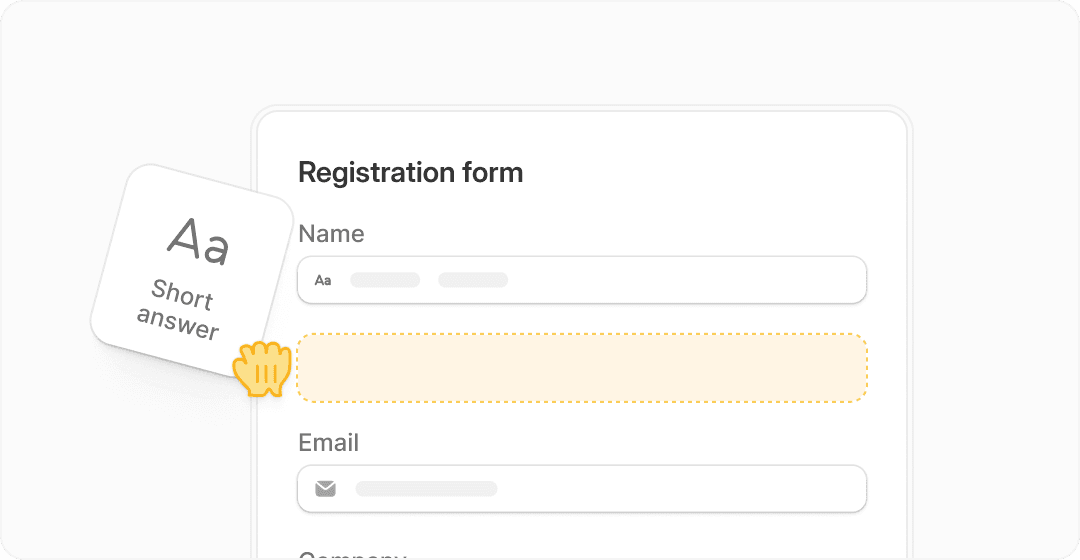
Image source: Fillout
Quick snapshot before you read the full comparison
Fillout comes across as the more practical choice if you want strong customization, logic, payments, scheduling, branding control, and a free plan that does not feel like a toy. Typeform feels more brand-driven and presentation-first, which can still be attractive if design polish matters more to you than raw value.
Explore FilloutThat early edge matters because form software is easy to underestimate. Once you start caring about branding, routing, partial completions, analytics, payments, scheduling, or pushing data into the rest of your stack, the cheap-looking decision often becomes the expensive one.
Article outline
I structured this comparison in a simple way so you can jump to the part that matches how close you are to buying. Start with the section that answers your biggest hesitation first.
- Quick snapshot — the fast read if you want the early winner before getting into details.
- What you get in the free plan and paid plans — useful if price, limits, or upgrade pressure will decide this for you.
- The good stuff — where Fillout and Typeform actually feel different once you look past the homepage polish.
- Pricing and value — the section for anyone asking whether Fillout really gives you more for the money.
- Why buying now could make sense — especially if your current setup is slowing down launches or creating messy handoffs.
- Alternatives worth looking at — because sometimes the smartest move is a cheaper or broader tool instead.
- Final verdict — the blunt answer on who should choose Fillout, who should choose Typeform, and who should skip both.
- FAQ — quick answers to the objections most buyers have right before they make the decision.
My early read is simple. Fillout looks like the stronger option for most businesses that want more capability per dollar, while Typeform still appeals to buyers who are willing to spend more for its well-known style and brand familiarity.
That does not automatically make Fillout the winner for every person. The rest of this comparison is where that gets clearer, because the right choice depends on whether you care more about flexibility, price, design feel, or the speed of getting a working form live without second-guessing your stack.
What you get before you pay
Fillout gives you a lot more room to test serious use cases without feeling boxed in. The free plan includes unlimited forms, unlimited seats, 1,000 responses per month, payments, scheduling forms, PDF generation, conditional logic, workflows, and pre-fill fields, which is unusually generous for a form builder.
Typeform’s free plan is much easier to outgrow. You can create unlimited forms and still use logic, embeddings, exports, and integrations, but the big limiter is 10 responses per month, which makes it fine for light testing and pretty rough for anything real.
That difference matters more than people think. If you want to test a live lead form, client intake, event signup, payment form, or booking flow, Fillout lets you do that without hitting a wall almost immediately.
Image source: Fillout
Paid plans keep the same pattern. Fillout starts cheaper, gives you unlimited seats across its plans, and reaches advanced features without pushing you into the same level of upgrade pressure that Typeform often creates.
Typeform still has a cleaner story if your main goal is simple: you want that classic one-question-at-a-time experience and you are fine paying for it. That is a valid reason to choose it, but it is not the best value reason.
The good stuff
Fillout feels stronger when the form has to do actual work. It is not just collecting answers. It can collect payments, handle scheduling, generate PDFs, support login forms, pre-fill records, and update existing records in tools like Airtable and Notion without making the whole setup feel enterprise-only.
That last part is a big deal. If your business already runs on spreadsheets, databases, CRMs, or internal ops tools, Fillout starts looking less like a form builder and more like a workflow layer that happens to have forms on the front end.
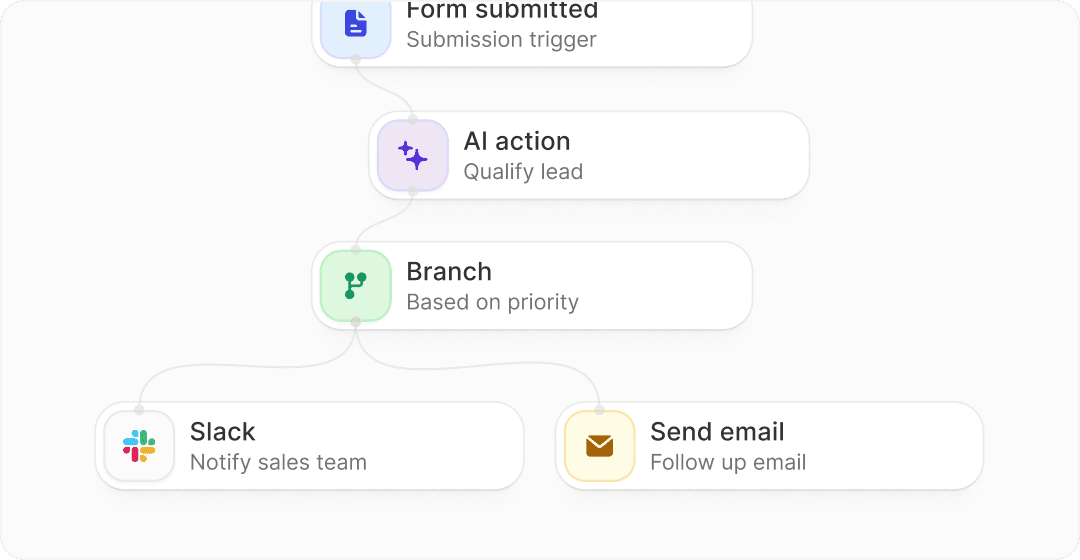
Image source: Fillout
Typeform’s strength is still presentation. It is polished, familiar, and great at making short surveys and lead forms feel more conversational. If you care a lot about respondent experience and brand feel, Typeform still deserves credit because it set the standard that a lot of other tools have tried to copy.
Fillout wins on flexibility, though. You can build multi-page forms, use multiple questions on a page, add calculations, build more practical admin flows, and keep pushing into more advanced use cases without the product nudging you back toward a narrow form style.
That makes Fillout easier to justify for businesses, agencies, operators, and teams with messy processes. If your current setup involves one tool for forms, another for scheduling, another for PDFs, and a bunch of automations holding everything together, Fillout starts replacing real work fast.
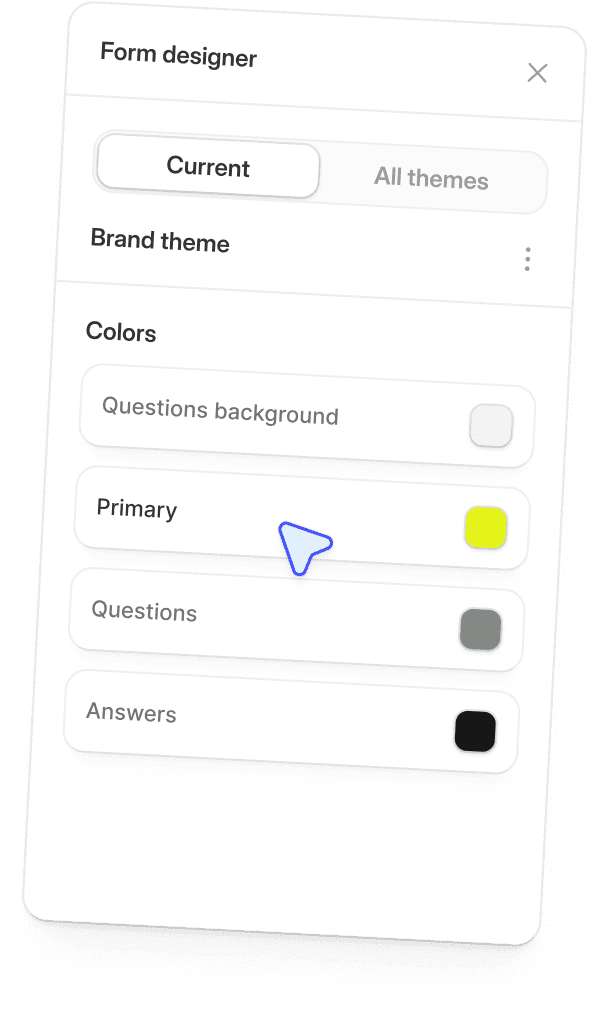
Image source: Fillout
Here is the catch. Fillout is probably more tool than you need if you only want a basic contact form or a tiny internal survey. In that case, the extra flexibility is nice, but it may not change your outcome enough to matter.
Typeform is also easier to explain to non-technical teammates because a lot of people already know what it is. Brand familiarity still helps during buying decisions, especially inside teams that want the safer, more recognizable option.
Pricing and value
This is where Fillout starts pulling away for most buyers. Its paid plans are not just cheaper on paper. They also include more responses per dollar, unlimited seats, and practical features that reduce the need for extra tools.
See current Fillout pricingThis is where Typeform becomes harder to defend on value alone. You are mostly paying for the Typeform experience, the brand, and its clean interactive style, not for a better price-to-capability ratio.
That does not make Typeform bad. It just means Fillout is easier to recommend to buyers who care about budget, scale, and practical feature depth.
Why buying now could make sense
Waiting usually means you keep living with a form setup that is more annoying than you admit. Manual follow-up, weak branding, missing logic, awkward booking flows, and half-connected tools quietly waste time every week.
Fillout makes the most sense when you already know forms matter in your business. If forms are part of lead capture, onboarding, scheduling, payment collection, or internal operations, getting a stronger system in place now usually helps faster than continuing to patch things together.
That is especially true if you are choosing between Fillout and Typeform because you are already beyond basic needs. At that point, the question is not whether either tool can make a form. The question is whether the tool can support your workflow without forcing another upgrade or another workaround a month from now.
For the right buyer, Fillout is absolutely worth trying now. It gives you a more generous starting point, a cheaper path into paid plans, and a better shot at replacing extra tools instead of just adding another subscription.
Get started with FilloutAlternatives worth looking at before you decide
Fillout is not the only smart option here. If you want the cleanest conversational form style, Typeform still makes sense, and if you want a broader business stack instead of a dedicated form tool, Systeme.io or GoHighLevel can be the better move.
The difference is simple. Fillout is the strongest fit when forms are a real part of your workflow, not just a little widget on a contact page.
Image source: Fillout
Check the official Fillout trialChoose Fillout if you want the strongest mix of value and flexibility. Choose Systeme.io if you want the cheapest broader stack, and choose GoHighLevel if you run an agency and want forms inside a much larger client system.
My honest verdict
Fillout is the better buy for most people comparing Fillout vs Typeform. It gives you more room to build useful forms, more responses for the money, and more ways to turn a form into an actual workflow instead of a dead-end submission box.
Typeform is still worth choosing if you are paying for presentation first. Its conversational style is polished, familiar, and still very appealing for surveys, lead capture, and branded experiences where feel matters more than depth.
Image source: Fillout
Here is the blunt version. If you are price-aware and you care about what the tool can actually do after the form is submitted, Fillout is easier to recommend.
If you are just starting and you barely need more than a clean contact form or simple survey, waiting is fine. You probably do not need either paid plan yet, and a cheaper tool or free setup may be enough for now.
If you already use forms for lead capture, onboarding, scheduling, internal requests, or payment collection, waiting usually just keeps the mess alive. That is where Fillout stops feeling like software you are “trying” and starts feeling like software that saves you time every week.
Buy now if your forms already matter and you want better value than Typeform. Wait if your needs are tiny and you are not yet using forms in a serious way.
Get started with FilloutFAQ
Is Fillout better than Typeform for most businesses?
Usually, yes. Fillout makes more sense for most businesses because it is cheaper to start, more generous on usage, and better suited to workflows that need payments, scheduling, PDFs, logic, and integrations.
Should I still pick Typeform?
Pick Typeform if the conversational format is the main thing you want and you are fine paying more for it. That choice is easier to defend when design feel matters more than raw value.
Is Fillout hard to use?
No, but it does give you more options. That is great if your forms are part of real operations, and a little unnecessary if you only need a tiny one-page form.
Image source: Fillout
Can Fillout replace other tools?
For a lot of people, yes. It can reduce the need for separate tools around forms, payment collection, scheduling, PDFs, and some light workflow automation, which is a big reason it feels like a smarter purchase than Typeform for the right buyer.
Should beginners buy now or wait?
Beginners should buy now only if they already have a real use case and they know forms will be part of getting leads, customers, or submissions. If you are still figuring out what you even need, waiting is reasonable.
What is the best cheaper alternative if I want more than just forms?
Systeme.io is the better cheaper all-in-one option if you want funnels and email tools around your forms. GoHighLevel is the bigger move if you want agency-level CRM, automation, and client accounts on top of forms.
My final take is simple. Fillout is the better choice for most buyers comparing Fillout vs Typeform, and it is the one I would look at first unless the Typeform experience itself is the thing you are specifically paying for.
Explore Fillout Filip Konecny Enterprises