

Fillout and Google Forms solve the same basic problem, but they do not feel like the same kind of tool once you get past the first form. Google Forms is still one of the easiest free options on the internet, while Fillout is the one that starts looking better when you care about branding, logic, payments, scheduling, and not duct-taping extra tools together.
That is the real decision here. Are you just trying to collect responses fast, or are you trying to build forms that look better, do more, and save you manual work later?
This review will help you figure that out without wasting your time. You will see where Fillout clearly wins, where Google Forms is still the smarter choice, and whether paying for Fillout is actually justified for the kind of forms you want to build.
My quick take before we get into the details
If you only need a basic internal form, classroom quiz, RSVP, or lightweight survey, Google Forms is still hard to argue against. It is free, familiar, fast to share, and good enough for a lot of simple jobs.
Fillout gets more interesting when “good enough” starts costing you time. If you want a form that matches your brand, supports stronger logic, accepts payments, books appointments, or routes data into the tools you already use, Fillout starts to feel less like a nice extra and more like the obvious upgrade.
That does not mean everyone should switch today. It means Fillout is usually the better fit for businesses, creators, agencies, and operators who already have a real workflow behind the form and want the form builder to pull its weight.
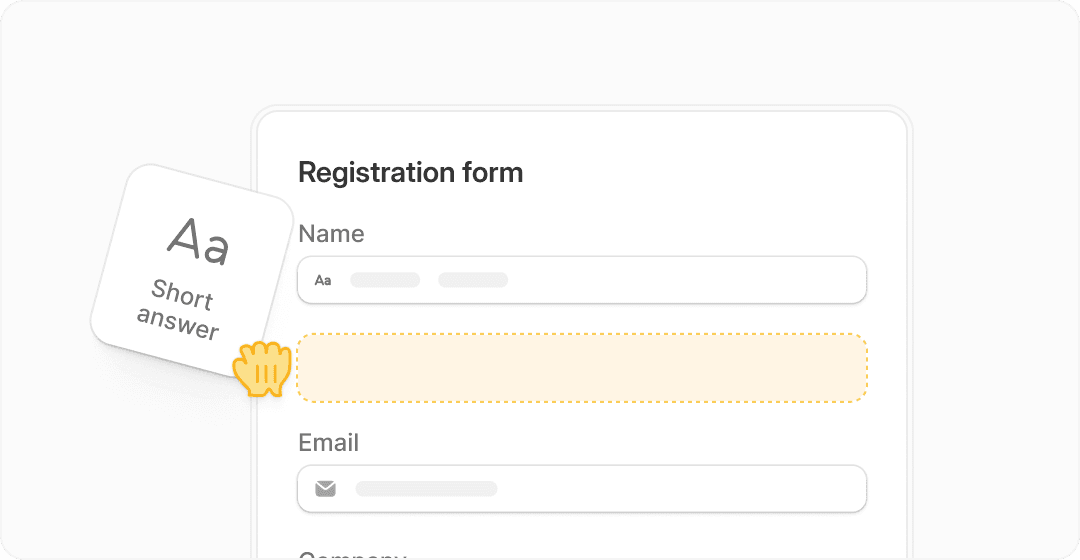
Image source: Fillout product page
The screenshot above gets to the heart of why Fillout keeps coming up in this comparison. It is built to feel more polished and more conversion-friendly from the start, which matters a lot more when the form is part of a customer journey and not just a box for collecting answers.
Check the official free trialIf that table already pushed you toward Fillout, that is usually a sign you need more than a bare-bones form tool. If you looked at it and thought “I only need a simple signup form,” Google Forms may still be enough and there is nothing wrong with that.
Article outline
I built this review in a simple order so you can jump straight to the part that matters most. Start with the section that matches where you are right now, then come back to the rest before you decide whether to switch, stay put, or try Fillout now.
- Start here if you want the practical stuff first: what you get in Fillout, the good stuff, pricing and value, and why starting now may make sense.
- Go here if you are still comparing options: alternatives and the side-by-side comparison table that will make the choice clearer.
- Finish here if you want the bottom line: final verdict and FAQ.
The next section gets into the part most people actually care about before they buy anything: what Fillout gives you that Google Forms does not. That is where this comparison stops being theoretical and starts becoming a real buying decision.
What you actually get with Fillout
Fillout starts where Google Forms usually stops. You still get the basics like multiple question types, logic, and response collection, but the difference is everything around that.
You can accept payments, book appointments, generate PDFs, connect directly to Airtable or Notion, and design forms that actually look like part of your brand instead of a generic survey. That matters more than it sounds, especially if the form is customer-facing.
If your current setup involves sending someone to a form, then manually following up, then moving data somewhere else, Fillout is built to cut that entire process down.

Image source: Fillout conditional logic feature
The logic builder is one of the biggest differences. Google Forms supports basic branching, but Fillout lets you build more dynamic flows that feel closer to an actual funnel instead of a static questionnaire.
That is where it starts replacing other tools. Not just collecting data, but guiding people through a process.
The good stuff (and what actually makes it worth paying for)
Better design is the first thing you notice. Fillout forms simply look cleaner, more modern, and more trustworthy than Google Forms, which still looks like… well, a Google Form.
That matters if you care about conversions. People are more likely to complete something that feels polished and intentional.

Image source: Fillout branding customization
Customization goes much deeper than colors. You can control layout, fonts, spacing, and overall feel in a way Google Forms simply does not allow.
Payments and scheduling are another big upgrade. Instead of sending people to a second tool, you can collect money or let them book directly inside the form.

Image source: Fillout payments feature
This is where Fillout starts saving you time immediately. You are not stitching together Stripe, Calendly, and a form builder anymore.
Integrations are another strong point. Fillout connects directly to tools like Airtable and Notion, which makes it easier to build workflows without needing a separate automation platform.
Here is the honest part. If you do not care about design, automation, or workflow, none of this will feel worth paying for. Google Forms will do the job.
But if your forms are part of how you make money or manage leads, these features are not “nice to have.” They are what makes the tool useful.
Pricing and whether it actually makes sense
Fillout has a free plan, which is already more generous than most tools in this space. You get unlimited forms, unlimited team members, and a monthly response limit that is enough for small projects.
Paid plans unlock higher response limits, more advanced features, and remove branding. That is where it starts making sense for businesses and creators who rely on forms regularly.
Google Forms is still completely free, so the real question is not “is Fillout cheap,” but “does it replace enough work to justify the cost.”
See current pricing and featuresHere is the simple way to think about it. If your form helps you capture leads, close sales, or save manual work, even a small upgrade in efficiency can justify the cost.
If your form is just collecting opinions or event RSVPs, paying for Fillout will probably feel unnecessary.
Why starting now can actually make sense
Delaying usually means sticking with a setup that costs you time. If you are already moving data manually, using multiple tools, or sending people through clunky forms, that inefficiency adds up fast.
Fillout reduces that friction immediately. You can build one form that collects data, processes it, and triggers the next step without needing extra tools.

Image source: Fillout integrations overview
The free plan is enough to test whether it fits your workflow. You do not need to commit upfront, which removes most of the risk.
If you already have a use case in mind, starting sooner usually means you fix your process sooner. Waiting just keeps you in the same setup that made you look for an alternative in the first place.
If you are serious about using forms as part of your business, not just as a side tool, it is worth at least trying Fillout here and seeing how much it simplifies your setup.
Alternatives worth looking at before you decide
Fillout is not the automatic winner for everyone. Google Forms is still the easiest answer for basic surveys, and broader tools like GoHighLevel or Systeme.io make more sense if your form is only one small piece of a bigger sales machine.
The trick is not choosing the “best” tool on paper. It is choosing the one that fits the job without making you pay for a bunch of stuff you will never use.
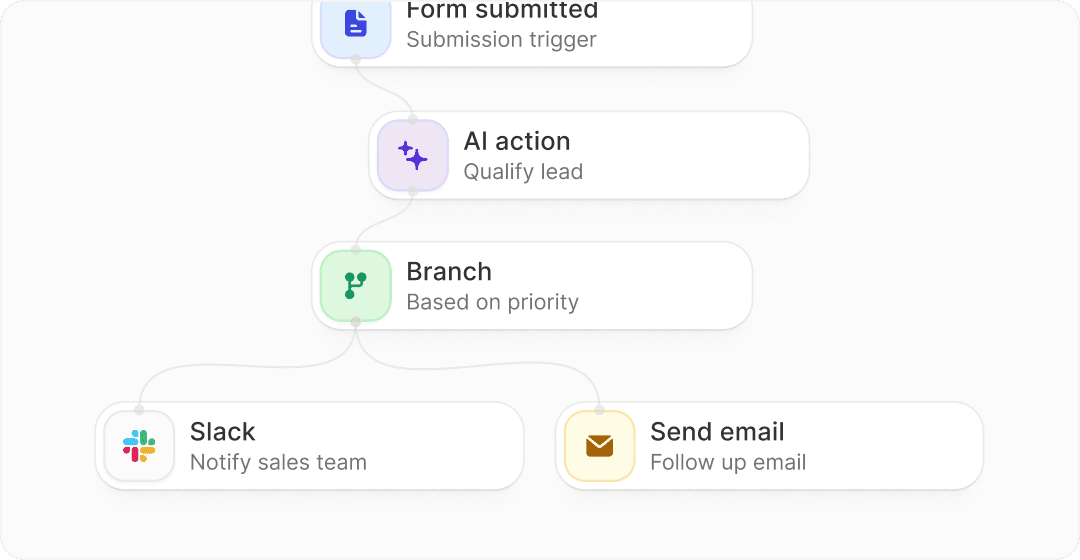
Image source: Fillout workflows
That workflow image shows why Fillout stands out in this category. It is still a form tool first, but it goes far enough into automation that it can replace a lot of the manual cleanup work that usually happens after a submission comes in.
Check the official free trialChoose Fillout if the form itself matters and you want it to look good, handle logic well, and connect cleanly to the rest of your workflow. Choose Google Forms if free and simple beats everything else, and choose a broader all-in-one like Systeme.io or GoHighLevel if the bigger goal is running your whole funnel stack from one dashboard.
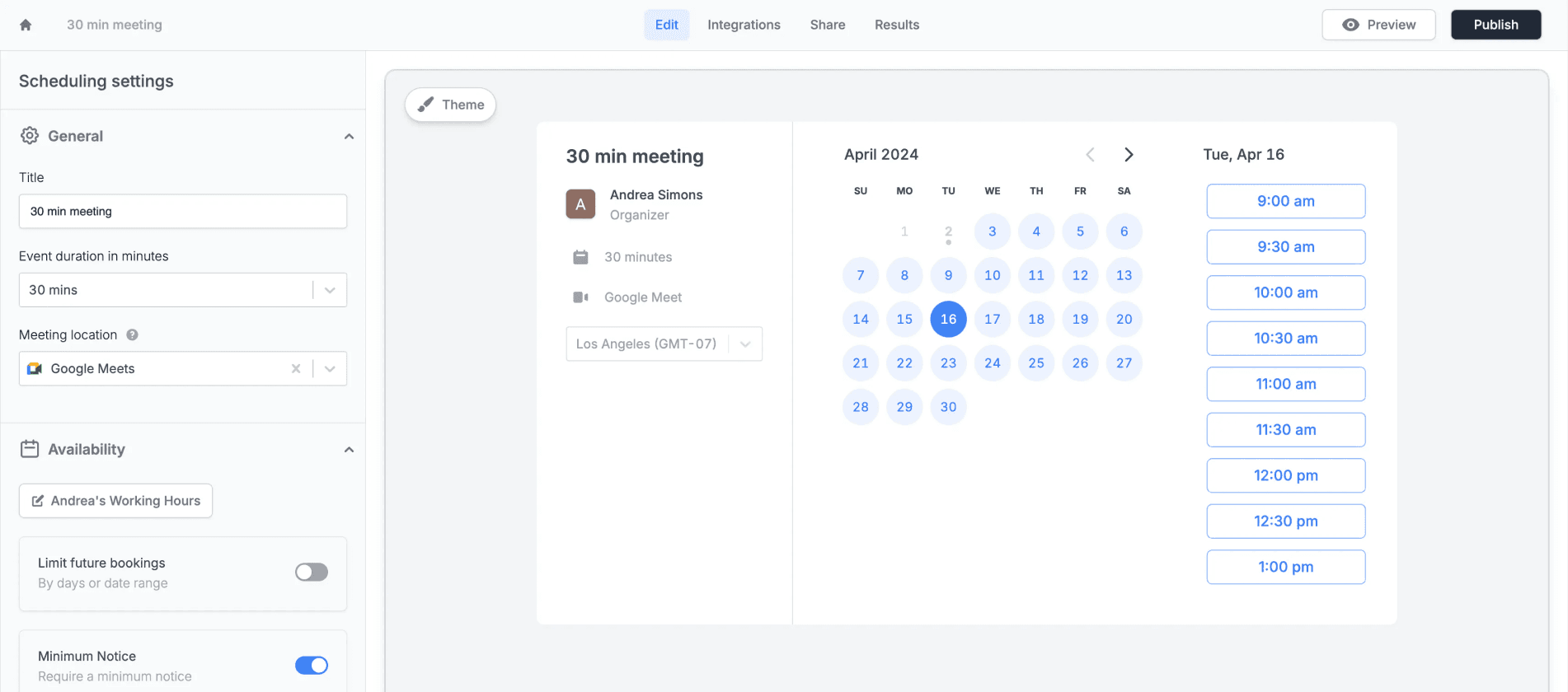
Image source: Fillout scheduling
Scheduling is a good example of where Fillout can save you from adding another tool. Google Forms cannot really play in that lane by itself, while broader platforms can handle it but often bring a lot of extra complexity with them.
My honest take
Fillout is the better pick for most people who have outgrown Google Forms but do not want to jump straight into a heavy all-in-one platform. It gives you a more polished form experience, stronger logic, built-in payments and scheduling, and enough workflow power to justify paying for it once forms become part of how you get leads or run operations.
Google Forms is still the smarter choice for schools, simple internal use, quick polls, and any project where free matters more than polish. Paying for Fillout too early can feel unnecessary if you are only collecting basic answers and nothing happens after that.
GoHighLevel and Systeme.io are not direct replacements in the same way. They are bigger stacks, so they only beat Fillout when you already know you need funnels, CRM, email marketing, and broader automation wrapped around the form.
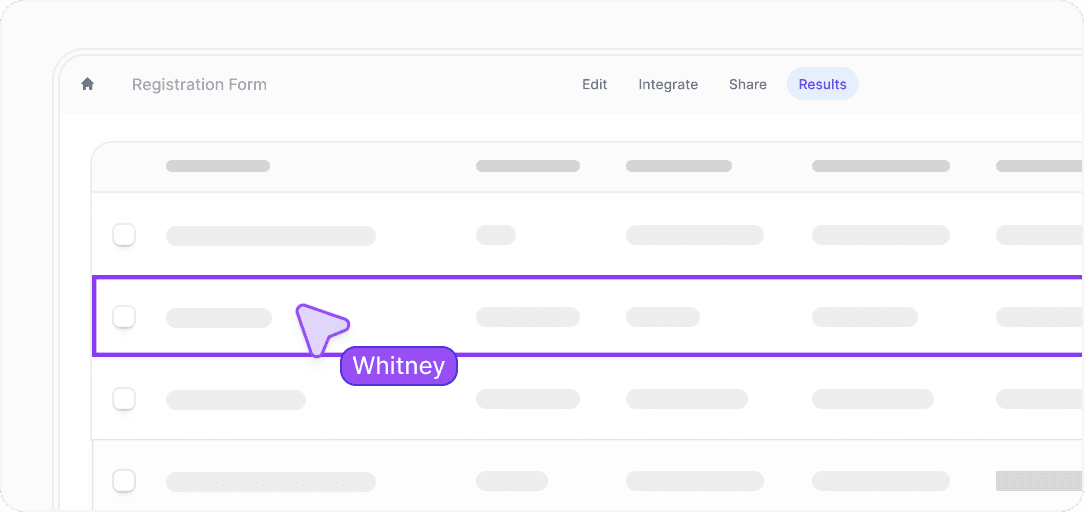
Image source: Fillout results and collaboration
That review screen matters because it shows Fillout is not just about building prettier forms. It is also about making the data easier to work with after people submit, which is where a lot of cheaper tools start feeling clunky.
My bottom line is simple. If your form touches revenue, lead handling, onboarding, booking, or anything that creates manual work later, Fillout is absolutely worth a real look.
If you already know Google Forms feels too basic, waiting usually does not save you money. It usually keeps you stuck with a weaker setup that still needs extra tools and extra work.
FAQ
Is Fillout better than Google Forms?
For simple forms, not always. For branded forms, advanced logic, payments, scheduling, and cleaner workflows, yes, Fillout is the stronger tool.
Is Fillout worth paying for if Google Forms is free?
It is worth paying for when the form saves time or helps you convert better. If you just need a basic survey, the free Google option is still hard to beat.
Who should skip Fillout?
Anyone who only needs occasional internal forms or classroom-style quizzes can probably skip it. The upgrade makes the most sense when the form is customer-facing or tied to a real workflow.
Should you try Fillout now or wait?
Try it now if you already know your current form setup feels limiting. Wait if you do not yet have a real use case beyond basic response collection.
If you are serious about upgrading from Google Forms without overcomplicating your stack, exploring Fillout here is the logical next step.
Get started with Fillout Filip Konecny Enterprises