
If you searched for the Fillout trial, the first thing to know is simple: this is not the usual cramped “7 days and good luck” kind of trial. Fillout’s official pricing page shows a free forever plan with unlimited forms, unlimited seats, and 1,000 responses per month, which makes it much easier to test the product properly before you spend anything.
That alone makes Fillout more interesting than a lot of form builders. You can build a real form, connect it to your stack, test logic, scheduling, payments, and workflows, and decide based on actual use instead of rushing through a short demo window.
The bigger question is whether that free entry point is actually good enough to tell you if Fillout is worth paying for later. For a lot of people, the answer is yes, but only if you know what Fillout is best at and where it starts to get more expensive.
Article outline
- Start here: Is the Fillout trial actually worth trying?
- Part 2: What you get in the Fillout trial, the good stuff, pricing and value, and why starting now may make sense
- Part 3: alternatives, final verdict, and FAQ
Is the Fillout trial actually worth trying?
Yes, for the right buyer it absolutely is. Fillout looks especially strong if you want more than a basic contact form and you are tired of stitching together a form tool, a scheduler, an integration layer, and a separate workflow step just to get one clean submission process working.
The main reason the Fillout trial stands out is that it lets you test real depth without paying first. The free plan includes unlimited forms and unlimited seats, and Fillout also supports features people usually care about before buying, including multi-page forms, conditional logic, scheduling forms, PDF generation, calculations, and workflows.
That matters because you can answer the only question that really counts: can this replace enough manual work to justify paying later? If your current setup is messy, Fillout gives you enough room to find that out without getting blocked after a few clicks.
Check the official free trialThat table is the short version. Fillout is easiest to recommend when you already know you need better forms and want to test a setup that can actually grow with you, not just collect a few email addresses and stop there.
It is also a good fit if your team hates per-seat pricing. Fillout’s pricing page makes a big deal out of unlimited users, and that changes the value calculation fast for agencies, operations teams, internal admins, and anyone who wants more than one person touching forms.
The catch is that some buyers will still find it too much. If you only need one dead-simple form once in a while, Fillout may be more tool than you need, even if the free plan lowers the risk.
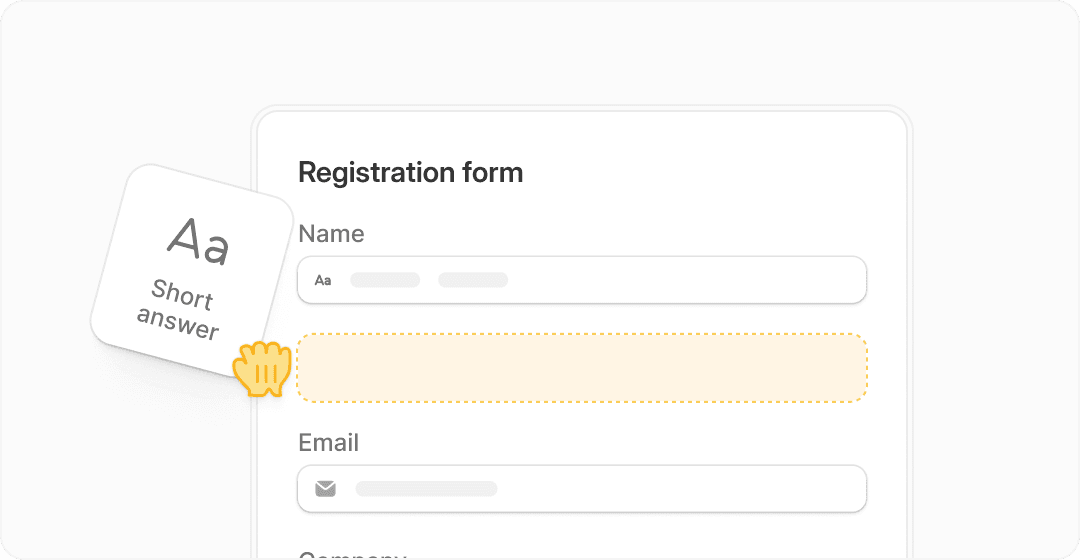
Image source: Fillout homepage
Ease of use is another reason the trial is worth a look. Fillout leans hard into drag-and-drop building, multi-page forms, logic, customization, and native integrations, so you can get surprisingly far before you hit the “okay, now I need a developer” wall.
Security-minded teams also get a decent early signal here. Fillout’s help center covers SOC 2 Type 2 compliance, encrypted forms, deployment region controls, and the option to disable internal storage in some setups, which is the kind of detail buyers usually want to see before trusting a form platform with serious data.
My honest take is simple. If you are comparing Fillout with the usual form-builder crowd and you want a real test environment instead of a tiny teaser, the Fillout trial is one of the easier yes decisions in this category.
Start it now if you already have a use case in mind, like lead capture, client intake, internal approvals, scheduling, or a payment form. Wait if you are still at the “maybe someday I’ll build something” stage, because software only feels valuable once you use it on a real workflow.
What you get in the Fillout trial
The biggest reason the Fillout trial is easy to recommend is that it does not feel stingy. Fillout’s pricing page shows a free forever plan with unlimited forms, unlimited seats, and 1,000 responses per month, so you can test it on a real workflow instead of playing with a crippled demo.
That free plan already includes a lot more than basic text fields. You get multi-page forms, form embedding, payments, answer piping, scheduling forms, PDF generation, conditional logic, unlimited file uploads, workflows, resume-in-progress forms, calculations, and pre-fill or hidden fields.
That matters because you can answer the real buyer question fast. Can this replace enough manual work to justify paying later, or is it still just another form tool sitting on top of your stack?
Check the official free trialThat table is the cleanest way to think about it. Fillout is the smart buy when forms are the actual job, while the others make more sense when forms are just one small piece of a bigger marketing machine.
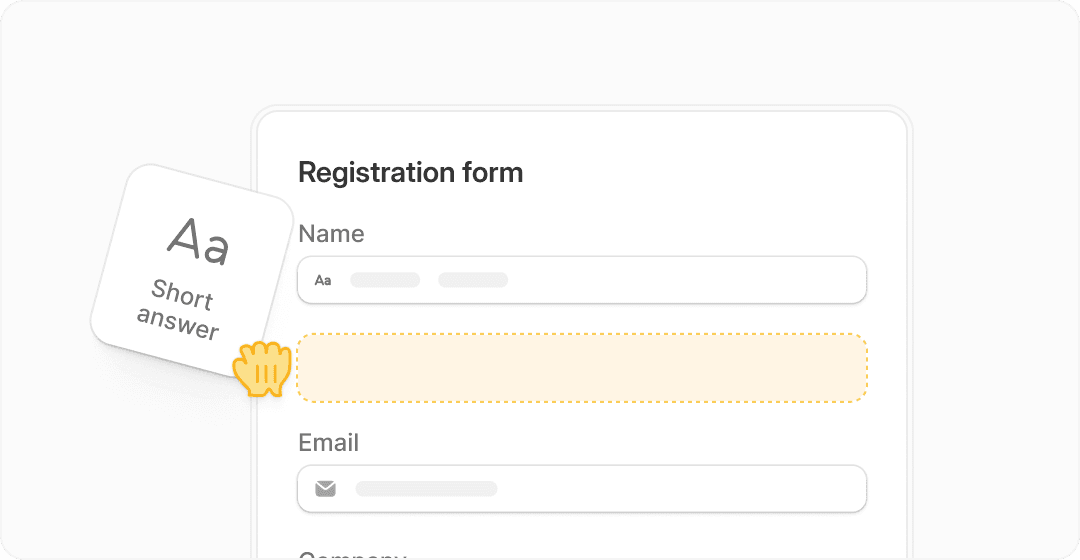
Image source: Fillout homepage
The good stuff
Fillout earns its keep by doing more than simple lead capture. The free plan already covers scheduling, payments, PDF generation, workflows, logic, and integrations, which means one form can often replace a messy chain of tools and manual follow-up.
That is where the value starts to feel real. You are not just building a prettier form; you are building an intake flow that can collect answers, route people, book meetings, take money, send data where it needs to go, and keep moving without extra admin work.
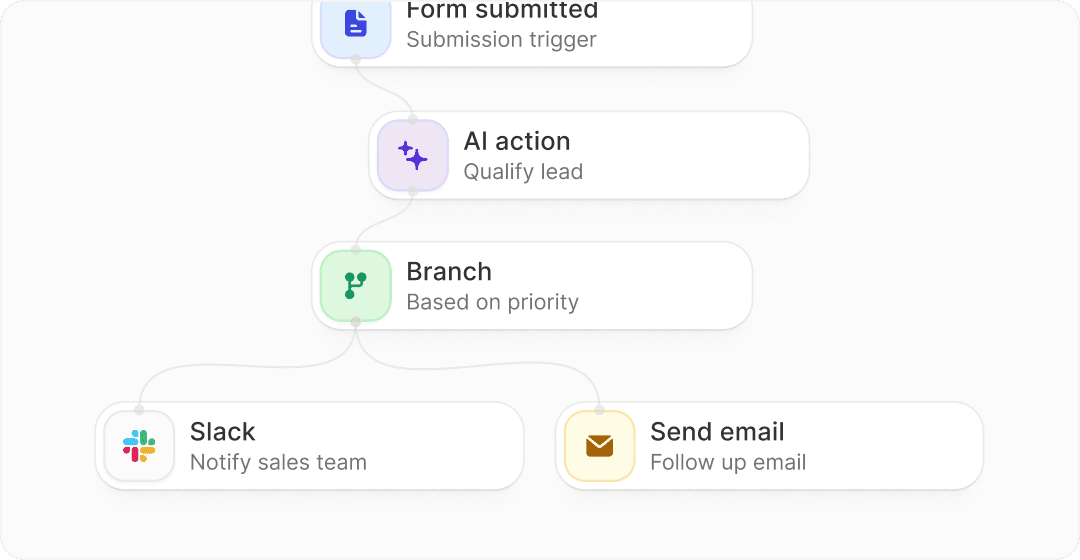
Image source: Fillout homepage
Integrations are another big reason people end up liking it. Fillout’s integrations docs show native connections for Airtable, Google Sheets, Notion, HubSpot, Salesforce, Slack, Twilio, Microsoft tools, and more, plus REST API access for people who need more control.
That makes Fillout much easier to justify if you already work inside Airtable, Notion, HubSpot, or spreadsheets. It slips into an existing stack without asking you to rebuild your whole business around a new platform.
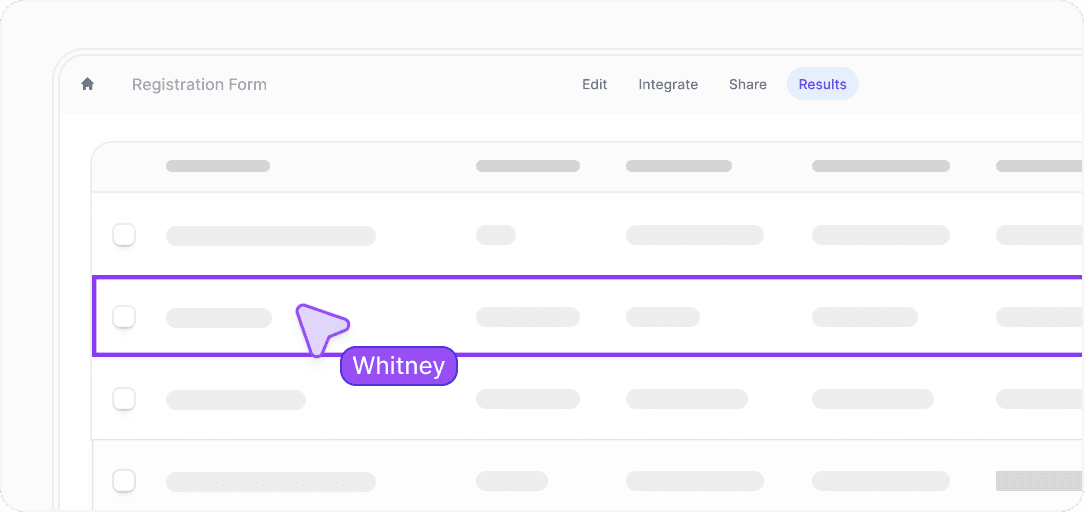
Image source: Fillout homepage
Unlimited seats are a bigger deal than they sound. Plenty of tools look cheap until you invite a teammate, but Fillout keeps that part simple, which is a real advantage for small teams, agencies, internal ops, and anyone tired of being charged extra just to collaborate.
Security also looks strong enough for serious use. Fillout’s security documentation says the company is SOC 2 Type 2 compliant, while its encrypted forms page says data is encrypted in transit over HTTPS/TLS and encrypted at rest.
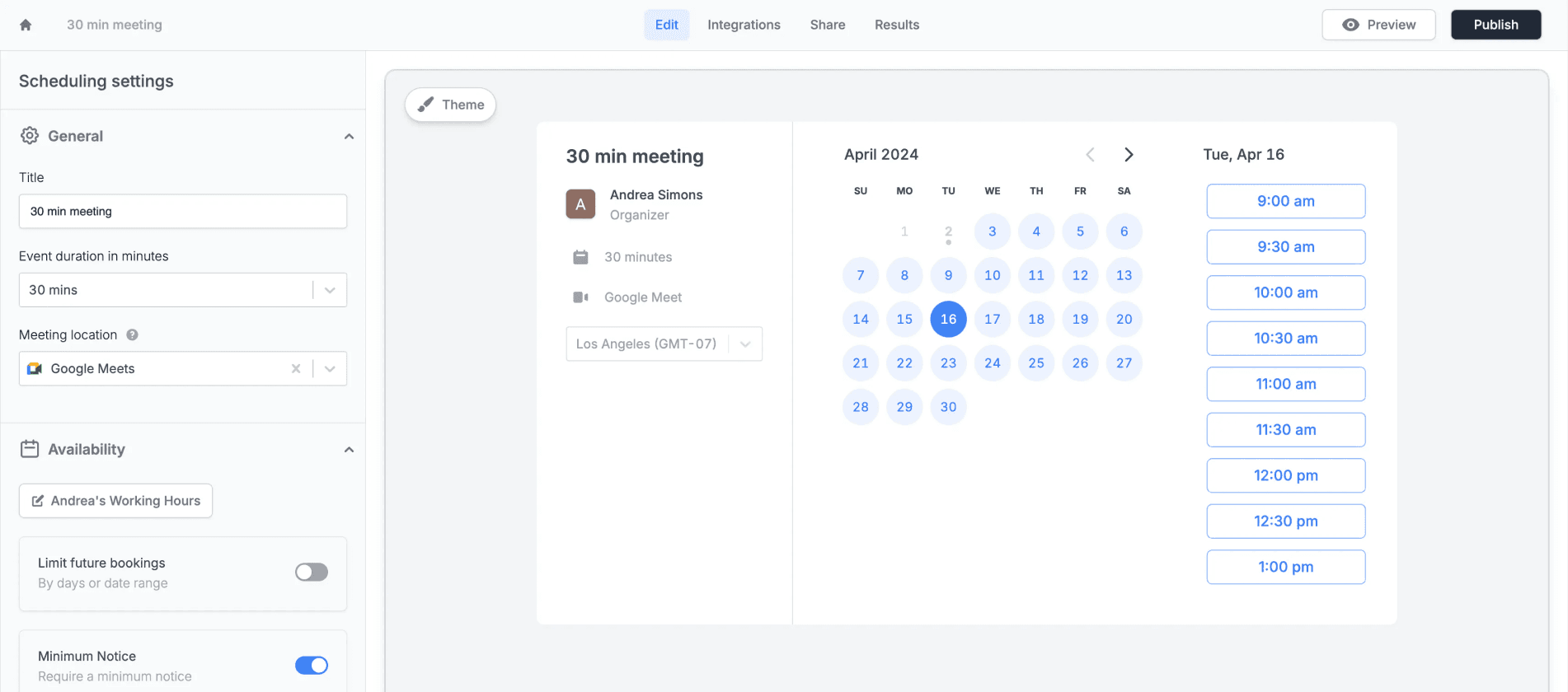
Image source: Fillout scheduling page
Scheduling is another strong point because it does not sit off to the side like a separate product. Fillout’s scheduling docs show you can build a standalone scheduler or add scheduling inside a multi-page form, which is more useful than a basic booking widget when your intake process needs questions before the meeting.
That combination is hard to ignore if you sell services, run demos, book consultations, or qualify leads before a call. You can collect context and book the meeting in one flow instead of sending people through two separate tools.
Pricing and value
Fillout is cheap if you compare it with the time cost of manual admin. Starter begins at $15 per month, Pro is $40 per month, and Business is $75 per month on the official pricing page, while the free plan is already good enough for many early tests and light production use.
That pricing makes Fillout feel especially strong against tools that do a lot more than forms but charge a lot more too. GoHighLevel and ClickFunnels can absolutely make sense, but they are better judged as bigger business systems, not as direct “better form builder” swaps.
Systeme.io is the cheaper all-in-one option worth mentioning here. Systeme.io starts free and then $17 per month, so it is a smarter move if your real priority is funnels, email, courses, and basic online business setup rather than advanced form logic and intake flows.
Why you may want to start now
Waiting usually means you keep patching together the same ugly process for another month. If you already know you need better lead capture, client intake, approvals, applications, bookings, or payment forms, the Fillout trial gives you enough room to build the real thing instead of delaying it again.
That does not mean everyone should jump in today. If you do not yet have a use case, no traffic, and no workflow worth improving, the free plan will still be there later, and a cheaper or broader tool may make more sense once your business direction is clearer.
For the right buyer, though, this is absolutely worth trying now. Fillout makes the most sense when you want to move faster, stop babysitting manual intake, and build forms that actually do something useful after the submission comes in.
Get started with FilloutFillout alternatives worth considering
Fillout is strong, but it is not for everyone. If your main goal is funnels, email marketing, or running an entire business backend, other tools may fit better.
The easiest way to decide is to compare it side by side with tools that solve slightly different problems. That makes it obvious where Fillout wins and where it does not.
Try Fillout freePick Fillout if your biggest pain is messy forms, manual intake, or disconnected tools. Pick Systeme.io if you need a cheap funnel setup, or GoHighLevel if you want a full agency stack, or ClickFunnels if your focus is selling through funnels.
That split matters because a lot of people choose the wrong tool. They buy a big system when they only needed better forms, or they pick a simple form builder when they actually needed a full funnel engine.
My honest take
Fillout is easy to recommend if you already know what you want to build. The free plan gives you enough room to test real workflows, and the paid plans stay affordable compared to larger all-in-one tools.
It is not the right choice if you are trying to run your entire marketing and sales system inside one platform. Fillout solves a specific problem really well, but it does not try to replace everything else.
Image source: Fillout homepage
For the right buyer, this is absolutely worth trying. If your current process feels slow, manual, or spread across too many tools, Fillout will probably feel like a clean upgrade very quickly.
If you are still figuring out what you want to build, you can wait. But once you have a clear use case, delaying usually just means you keep dealing with the same friction longer than necessary.
Quick answers before you decide
Is the Fillout trial really free?
Yes. Fillout offers a free plan rather than a limited-time trial, which means you can use it without a deadline and upgrade only when you need higher limits or advanced features.
Is Fillout easy to use?
The builder is drag-and-drop and relatively straightforward. It is still more advanced than basic form tools, so there is a small learning curve if you start using logic, workflows, or integrations.
Image source: Fillout homepage
Can beginners use it?
Yes, but beginners will use only a small part of what it can do at first. The real value shows up once you start building more complex forms or connecting it to other tools.
Does it replace other tools?
It can replace several smaller tools depending on your setup. A single Fillout form can handle intake, scheduling, payments, and routing, which often replaces multiple disconnected steps.
Image source: Fillout scheduling page
Should you start now or wait?
Start now if you already have a workflow you want to improve. Wait if you do not yet have a real use case, because the tool only proves its value once you apply it to something real.
Get started with Fillout Filip Konecny Enterprises