
Fillout is one of those tools that looks almost too polished at first. You see the clean builder, the Airtable and Notion angle, the scheduling add-on, the built-in workflows, and it starts to feel like a smarter step up from basic form tools instead of just another form app with a nicer homepage.
That does not automatically mean it is the right buy for you. Price, response limits, branding rules, and how much you actually need the advanced stuff will decide whether Fillout feels like a great upgrade or unnecessary software you will barely use.
This review is here to help you make that call fast. I will walk through what Fillout does well, where it gets expensive, who should start with the free plan, and when a cheaper option makes more sense before you try Fillout.
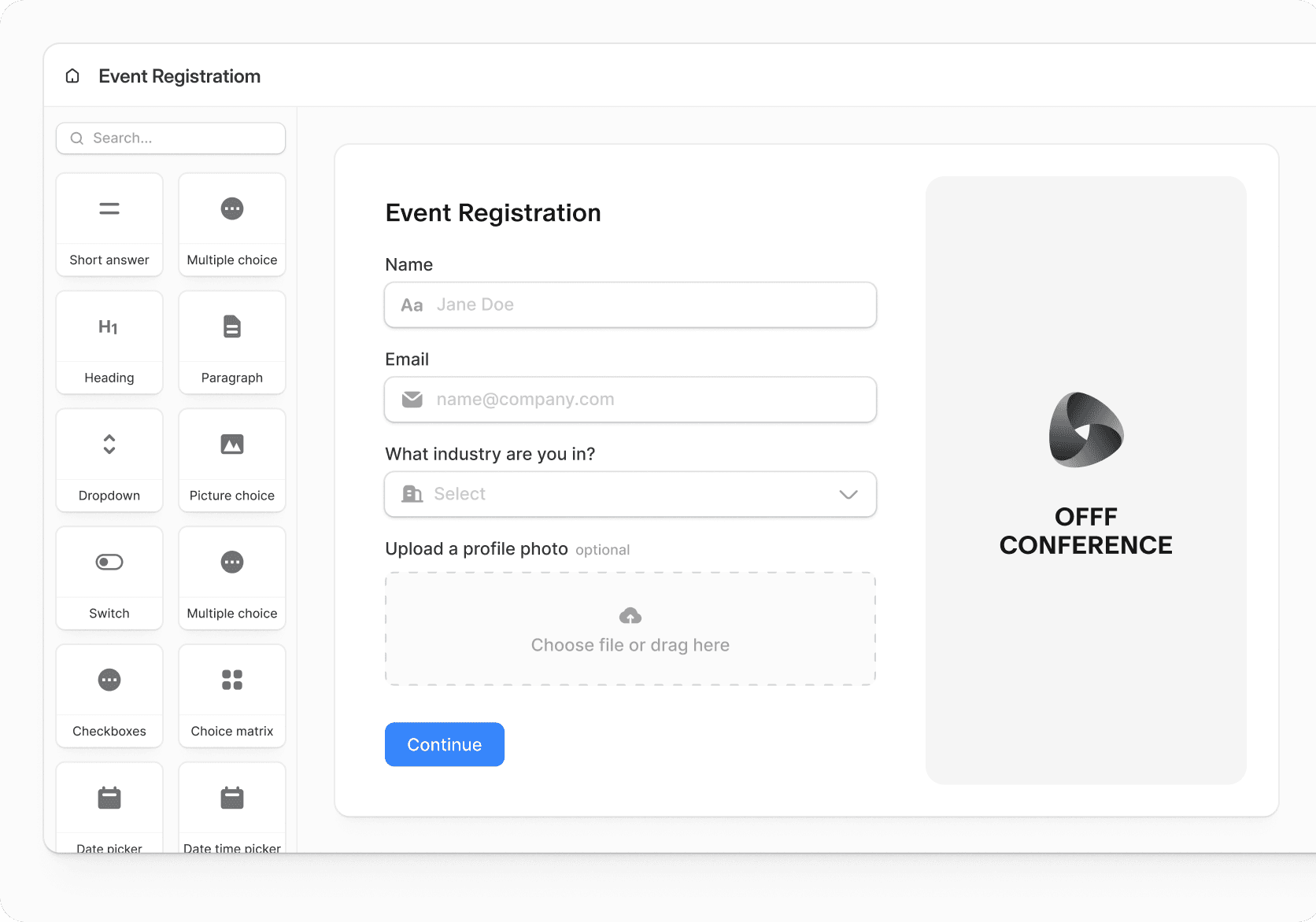
Image source: Fillout official website
Article outline
Use these jumps if you want to skip straight to the buying questions that matter most.
- Is Fillout worth trying at all?
- What you get before paying
- The good stuff
- Pricing and whether the cost is justified
- Why buying now could make sense
- Alternatives worth comparing first
- My honest final verdict
- FAQ
Who this review will help most
Fillout makes the most sense if you are collecting leads, applications, bookings, payments, or internal requests and you are tired of patching multiple tools together. The platform positions itself as an all-in-one form solution with forms, scheduling, PDFs, payments, workflows, signatures, and 50+ integrations, while the official pricing page also shows unlimited seats on every plan, which is a real selling point for teams that do not want per-user pricing creeping up later.
It is also a better fit when branding matters. Fillout’s help docs and pricing pages show support for custom themes, logos, custom fonts, custom CSS, answer piping, calculations, resume-in-progress forms, and custom domains on higher plans, so this is not aimed only at people who need a plain contact form on a sidebar.
You probably do not need it yet if all you want is a basic free form with simple responses going into a spreadsheet. In that case, Fillout can still work, but the reason people pay for it is usually the mix of design control, logic, integrations, scheduling, and workflow automation rather than the simple act of collecting answers.
Check the official free trialWhat to keep in mind before you get too excited
Fillout looks strongest when you compare it to form tools that feel stuck in one lane. The official site leans hard into the idea that you can build forms, surveys, quizzes, booking flows, PDFs, payments, and automations in one system, while its scheduling docs show support for Google Calendar, Outlook, Zoom, and Microsoft Teams, and the integrations page highlights connections with tools many teams already use.
That said, the best version of Fillout is not really the free version. The free plan is generous enough to test the platform properly, but features that make it feel more premium for a business, like removing branding, custom emails, custom domains, form analytics, and partial submissions, sit higher up the pricing ladder.
That is why this review is less about whether Fillout works and more about whether it is worth paying for in your situation. If you already have a live workflow, an offer to sell, or a team that loses time cleaning up form data manually, Fillout gets more interesting very quickly.
The decision this review will help you make
You should keep reading if you want a clear answer to one of these: should you start with the free version first, pay for Starter or Pro, skip it for now, or compare it with something cheaper before spending money. Those are the only questions that really matter in a review like this.
In the next section, I will break down what you actually get before paying, where Fillout starts earning its price, and which buyers will probably feel good about clicking get started with Fillout now versus waiting until they have a more serious workflow to justify it.
What you get before paying
Fillout gives you a surprisingly usable free plan. You get unlimited forms, unlimited seats, and up to 1,000 responses per month, which is enough to actually test real workflows instead of playing around with a crippled demo.
You can already build multi-step forms, connect integrations, collect payments, and use logic. That matters because you can validate whether this tool fits your process before you spend anything, instead of guessing.
The catch shows up when you want to look more professional. Branding removal, custom emails, custom domains, and deeper analytics sit behind paid plans, so if you are using this for clients or a real business, you will hit that wall pretty quickly.

Image source: Fillout homepage
If you are just experimenting or collecting simple leads, the free plan is enough. If you are building something client-facing or revenue-related, the paid plans are where Fillout actually starts to feel like a serious tool.
The good stuff (and why people switch to it)
Fillout stands out because it replaces multiple tools at once. You are not just building a form, you are building a full flow that can include scheduling, payments, PDFs, and automation without jumping between platforms.

Image source: Fillout features page
1. The logic builder actually feels usable
Complex logic is where most form tools start to break down. Fillout keeps it visual and easy to follow, which matters if you are building applications, onboarding flows, or anything with multiple paths.
2. It connects well with tools people already use
Direct integrations with Airtable, Notion, Google Sheets, Slack, and Zapier mean you can plug it into your current workflow instead of rebuilding everything. If your current setup feels messy, this is one of the biggest reasons to switch.

Image source: Fillout integrations
3. Scheduling built into forms
You can collect information and let people book time in the same flow. That removes the need for a separate scheduling tool in many cases, which is a small detail that saves time every day.
4. Clean design without extra work
Forms look modern out of the box, and you can customize them further with themes, fonts, and CSS. This matters more than it sounds, especially if you are sending forms to leads or clients.
5. It scales without charging per user
Unlimited seats across plans makes it easier to bring in team members without worrying about pricing increasing every time someone joins.
The trade-off is that Fillout can feel like overkill if you only need a basic form. You are paying for flexibility and integrations, not just collecting responses.
Pricing and whether it actually makes sense
Fillout starts at $15 per month (billed annually) for the Starter plan. That is not expensive compared to most business tools, but it is still a jump from free alternatives.
The real question is whether it replaces enough tools to justify that cost. If you are currently using separate tools for forms, scheduling, automation, and data syncing, the answer is usually yes.
See current pricingSysteme.io is cheaper if you want funnels and email marketing bundled together. GoHighLevel is stronger if you need a full CRM and agency setup, but it is significantly more expensive and harder to manage.
Fillout sits in the middle. It focuses on doing forms and workflows really well instead of trying to be everything, which is exactly why some people prefer it.
Why buying now can actually make sense
Manual processes cost more time than most people realize. If you are copying form responses, sending follow-ups manually, or using separate tools that do not talk to each other, that friction adds up quickly.

Image source: Fillout workflows
Fillout starts to pay for itself when it replaces that manual work. You build the flow once, and it handles the rest, from collecting data to triggering actions in other tools.
Waiting usually means you keep doing things the slow way. If you already have a use case in mind, like onboarding clients, collecting applications, or booking calls, starting with Fillout now is easier to justify than trying to optimize a messy setup that was never built to scale.
If you are still figuring things out and do not have a real workflow yet, stick with the free plan for now. Once you hit the limits or start caring about branding and automation, upgrading becomes a much clearer decision.
Fillout vs alternatives (what actually makes more sense for you)
Fillout is not trying to be the cheapest tool. It is trying to replace multiple tools with one clean system, which is why comparing it properly matters before you buy anything.
Some people will get more value from cheaper all-in-one platforms. Others will prefer Fillout because it stays focused on forms and workflows instead of trying to do everything.

Image source: Fillout templates
Try FilloutChoose Fillout if your current setup feels fragmented and you want forms, automation, and scheduling working together cleanly. Choose Systeme.io if budget matters more than flexibility. Choose GoHighLevel if you need a full CRM and client system.
Stick with Google Forms if your needs are basic and you do not care about branding, automation, or integrations.
My honest take
Fillout is worth it for the right user. It becomes a strong buy once you stop thinking of it as “just a form builder” and start using it as part of a workflow that replaces other tools.
The free plan is good enough to test everything. The paid plans make sense once you care about branding, automation, and saving time on repetitive tasks.

Image source: Fillout payments
It is not the cheapest option, and it is not meant to be. You are paying for flexibility and a cleaner workflow, not just a form.
If you already have something to run through a form, like leads, applications, bookings, or onboarding, this becomes much easier to justify. If you do not, stick with the free plan until you do.
FAQ

Image source: Fillout embed feature
Is Fillout good for beginners?
Yes, but only if you actually plan to use its features. The builder is easy to use, but the platform makes more sense once you start using logic, integrations, or workflows.
Can Fillout replace other tools?
In many cases, yes. It can replace basic scheduling tools, simple automation setups, and form builders, which is where most of the value comes from.
Is the free plan enough?
It is enough for testing and small projects. Once branding, analytics, and automation matter, you will likely need to upgrade.
Is Fillout better than cheaper options?
It depends on what you need. Cheaper tools win on price, but Fillout wins when you care about flexibility, integrations, and building smoother workflows.
Should you start with Fillout now?
Start if you already have a real use case. You will understand the value much faster when you are solving an actual problem instead of just testing features.
Wait if you are still figuring things out. The free plan will be enough until you hit a clear limitation.

Image source: Fillout dashboard
If your current setup feels slow or messy, this is where Fillout becomes a smart upgrade. It will not magically fix your business, but it will remove a lot of unnecessary friction from your workflows.
Get started with Fillout Filip Konecny Enterprises