

Fillout gets interesting fast because the free plan is not a throwaway demo. You get unlimited forms, unlimited seats, and 1,000 responses per month, which is already enough for a lot of solo creators, small teams, and internal workflows.
The bigger question is not whether Fillout is cheap. It is whether paying for it saves you enough time, cleanup, and tool-switching to justify moving past the free tier.
That is what this review is here to answer. By the end, you should know whether Fillout is a smart buy for your setup, whether the free plan is enough, and whether it makes more sense to start now or wait.
Article outline
- My quick verdict — the short version if you just want to know whether this looks worth trying.
- Who should keep reading — the buyer types Fillout fits best, and who should probably skip it.
- What you get on the free plan and paid plans — the plan limits, feature jumps, and where the paid tiers start to make sense.
- The good stuff — what makes Fillout more compelling than building forms the hard way.
- Pricing and value — where the cost feels fair, and where it can feel like overkill.
- Why you might want to start now — when delaying the switch usually just means more manual work.
- Alternatives — cheaper, simpler, or broader options depending on what you actually need.
- Final verdict — the honest bottom line.
- FAQ — quick answers to the last objections people usually have.
Image source: Fillout brand guidelines
My quick verdict
Fillout looks like a very good buy for people who need more than a basic form builder but do not want an ugly, bloated setup. It stands out because the free plan is genuinely usable, and the paid plans add the kind of features that matter once forms become part of sales, onboarding, scheduling, payments, or internal operations.
I would not call it the cheapest option. I would call it one of the easier products to justify once your forms are tied to revenue, lead collection, client intake, or automation.
The part I like most is that the pricing ladder feels logical. Starter adds practical upgrades, Pro removes branding and opens better customization, and Business is where analytics, custom domains, partial submissions, and higher-end control start to matter.
The catch is simple. If all you need is a lightweight contact form, Fillout can be more tool than you need, and paying early will not magically improve your business.
If you already have traffic, clients, bookings, or internal workflows moving through forms, it is easier to justify. You can see current pricing first, but for the right buyer this already looks like a serious contender.
Who should keep reading
Keep reading if your forms are doing real work. That includes lead capture, client onboarding, quote requests, bookings, payment collection, surveys, quizzes, internal requests, or database updates.
Fillout is also more appealing if you care about how the form looks. The platform leans hard into customization, custom branding, logic, workflows, and integrations, which matters when you want forms to feel like part of your business instead of a generic add-on.
You can probably skip this review if your needs are tiny. If you only want a bare-bones form on a brochure site and you will never touch conditional logic, login forms, analytics, or branded experiences, a simpler tool will usually do the job for less effort.
That buyer split matters because Fillout pricing is not really about paying for one more form app. It is about paying to replace manual patchwork, reduce ugly customer touchpoints, and keep form-driven processes inside one cleaner system.
That is also why waiting is not always the smart move. When forms are already part of your funnel or operations, putting off a better setup usually means you keep wasting time on workarounds instead of fixing the system once.
What you get on the free plan and paid plans
Fillout does not force you into a fake trial that ends before you learn anything useful. The free plan is permanent, and it already includes unlimited forms, unlimited seats, multi-page forms, payments, scheduling forms, conditional logic, PDF generation, and 1,000 responses per month.
That matters because you can build a real workflow before paying. If your current form setup is still small, the free plan gives you enough room to see whether Fillout actually fits your business instead of making you guess.
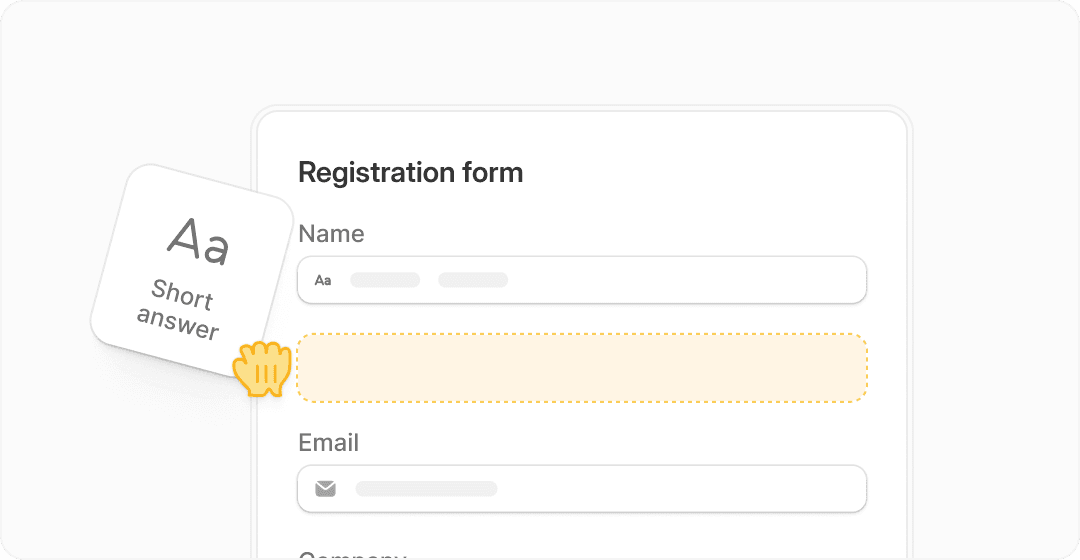
Image source: Fillout
Starter begins at $15 per month on annual billing and raises the response cap to 2,000 per month. It also adds all question types, custom endings, login forms, and redirects after completion, which is where the product starts feeling more business-ready.
Pro costs $40 per month on annual billing and is the tier where Fillout starts looking polished enough for client-facing use. You remove branding, unlock custom emails, custom share links, custom fonts and favicon, and custom CSS, which is a much bigger deal than it sounds if appearance affects trust.
Business is $75 per month on annual billing and removes the response cap entirely. It adds form analytics, custom domains, custom code, partial submissions, pre-fill data, and priority support, which makes more sense for teams using forms as a serious part of sales, intake, or operations.
See current pricingThe annual pricing is the better-looking deal because Fillout says annual billing saves 20%. If you already know the tool will be part of your workflow for months, paying monthly just delays the savings.
The good stuff
Fillout earns its price by doing more than collecting answers. You can build forms, take payments, schedule meetings, generate PDFs, add logic, route data, and connect the result to tools like Airtable, Notion, HubSpot, webhooks, and other apps without turning the setup into a mess.
Unlimited seats on every plan is another strong point. A lot of software gets expensive the moment another teammate needs access, but Fillout does not punish you for collaboration the way many SaaS tools do.
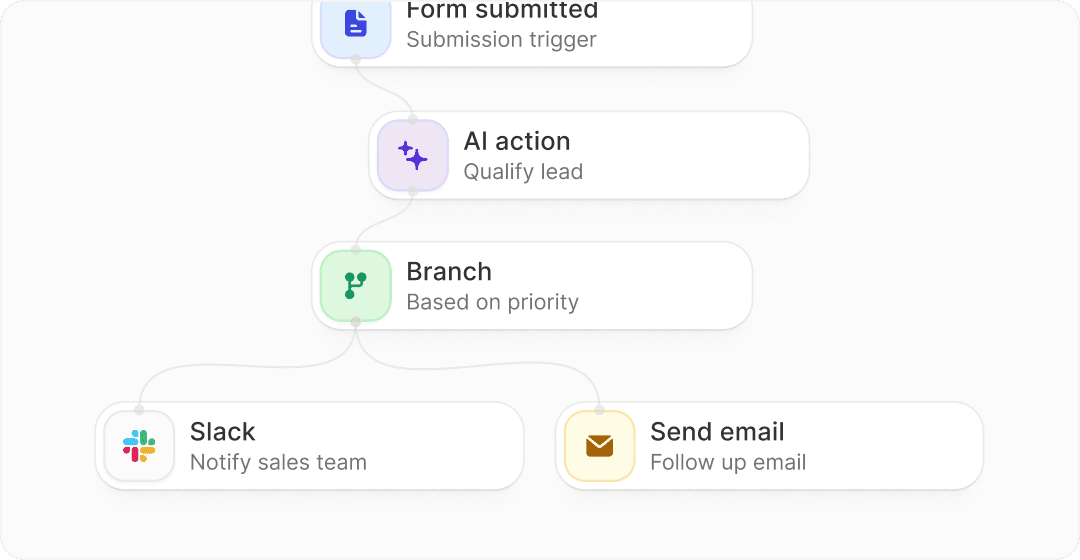
Image source: Fillout
The login form feature is more valuable than it first sounds. It lets you verify respondents, restrict access, limit submissions, and even let people edit previous responses, which is useful for client portals, internal forms, and update flows.
Brand control also looks better here than in many basic form builders. Pro removes branding, while Business adds custom domains, and that combination matters when you want your form to feel like part of your business instead of a borrowed tool.
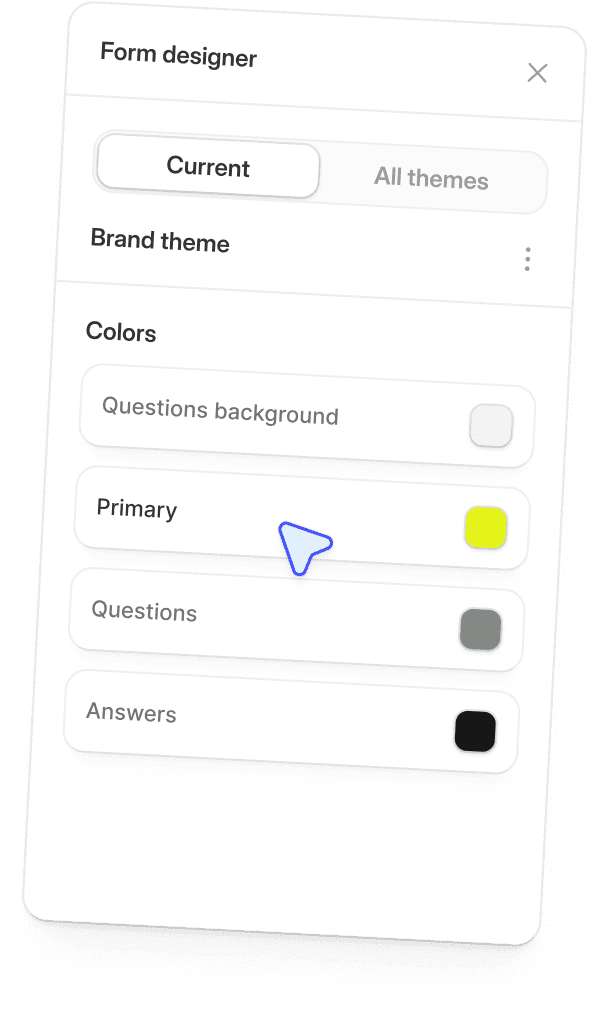
Image source: Fillout
Business adds form analytics, conversion tracking, drop-off rates, and partial submissions. That is the point where Fillout stops being just a form tool and starts helping you improve completion rates instead of only counting submissions.
There is still a limit to the appeal. If you only need a plain contact form, a lightweight tool or even a simple site plugin is easier and cheaper, and Fillout becomes more tool than you need.
Pricing and value
Starter at $15 per month is the easiest plan to justify because it solves real problems without jumping into serious software territory. Login forms, custom endings, redirects, and a higher response cap are practical upgrades, not filler features.
Pro is where the value depends on how much presentation matters to you. If your forms are client-facing, sales-facing, or tied to conversions, removing branding and using custom styling can easily feel worth the extra spend.
Business at $75 per month is not cheap if you only send the occasional form. It starts making sense when you care about analytics, custom domains, partial submissions, larger usage volume, and a more controlled workflow.
Compared with Systeme.io, Fillout is more focused. Systeme.io gives you funnels, email, courses, blogs, automations, and CRM features starting from a free plan and then $17, $47, and $97 tiers, so it is the better buy if you want a broader all-in-one business stack.
Compared with GoHighLevel, Fillout is much easier to justify if forms are the main need. GoHighLevel starts higher, includes a 14-day trial, and makes more sense when you want a CRM, funnels, calendars, messaging, and agency-style automation in one system.
That is the real buying decision. If you need a better form engine, Fillout looks efficient and reasonably priced, but if you want a whole marketing and operations stack, a broader platform may replace more tools at once.
Why you might want to start now
Waiting only helps if you are still figuring out whether you need forms at all. Once forms are already part of lead capture, bookings, onboarding, applications, or internal workflows, delaying the switch usually means you keep living with a clunky system that wastes time every week.
The free plan removes most of the risk, so you do not need a huge leap of faith to begin. You can build the form, connect the workflow, test the experience, and see whether the limits actually block you before paying for anything.
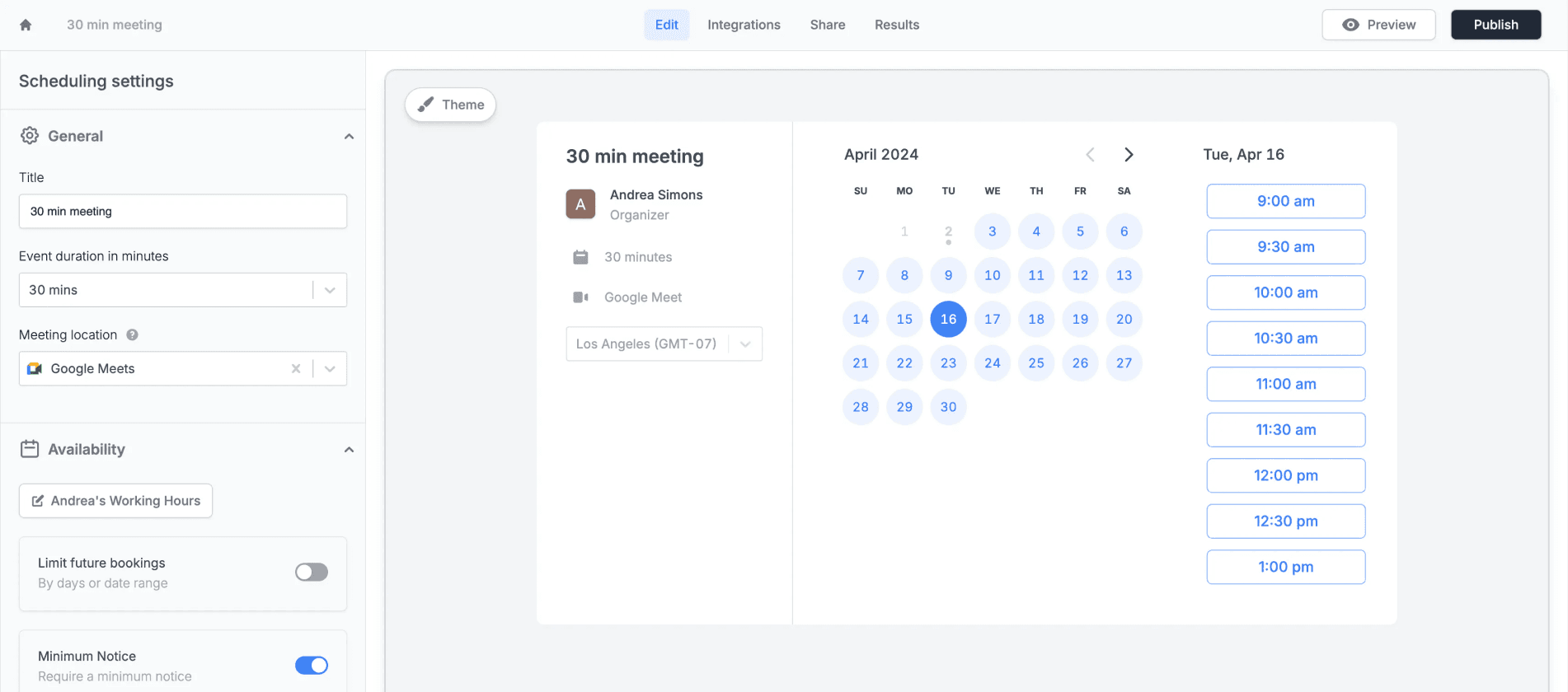
Image source: Fillout
That is why Fillout is easier to recommend than tools that start with a hard paywall. You can start with the free tier, prove the use case, and only upgrade when branding, response caps, analytics, or custom domain needs start affecting results.
If your current setup feels messy, this is worth a real look now. If your needs are still tiny, keep the free plan or skip the upgrade until the workflow becomes important enough to deserve better tools.
Check the official free planAlternatives worth looking at before you decide
Fillout is a strong buy when forms are a real part of how you collect leads, onboard clients, book meetings, or run internal workflows. It is not automatically the best pick for everyone, so this is the part where you decide whether you want a focused form tool, a cheaper minimalist option, or a broader all-in-one system.
The biggest reason to choose Fillout over cheaper tools is flexibility. The biggest reason to skip it is simple too: if your needs are tiny, paying for advanced form logic, analytics, branding, and workflows will feel unnecessary.
Image source: Fillout
That split matters more than people think. A lot of buyers do not need the absolute best form builder, they need the right level of complexity for what they are actually running right now.
Check the official free planChoose Fillout if forms are important enough to deserve a better experience, but not so central that you need a full agency platform. Choose Tally if cost matters most, choose Systeme.io if you want a cheaper all-in-one setup, and choose GoHighLevel if you want the broader stack and are ready for a more serious setup.
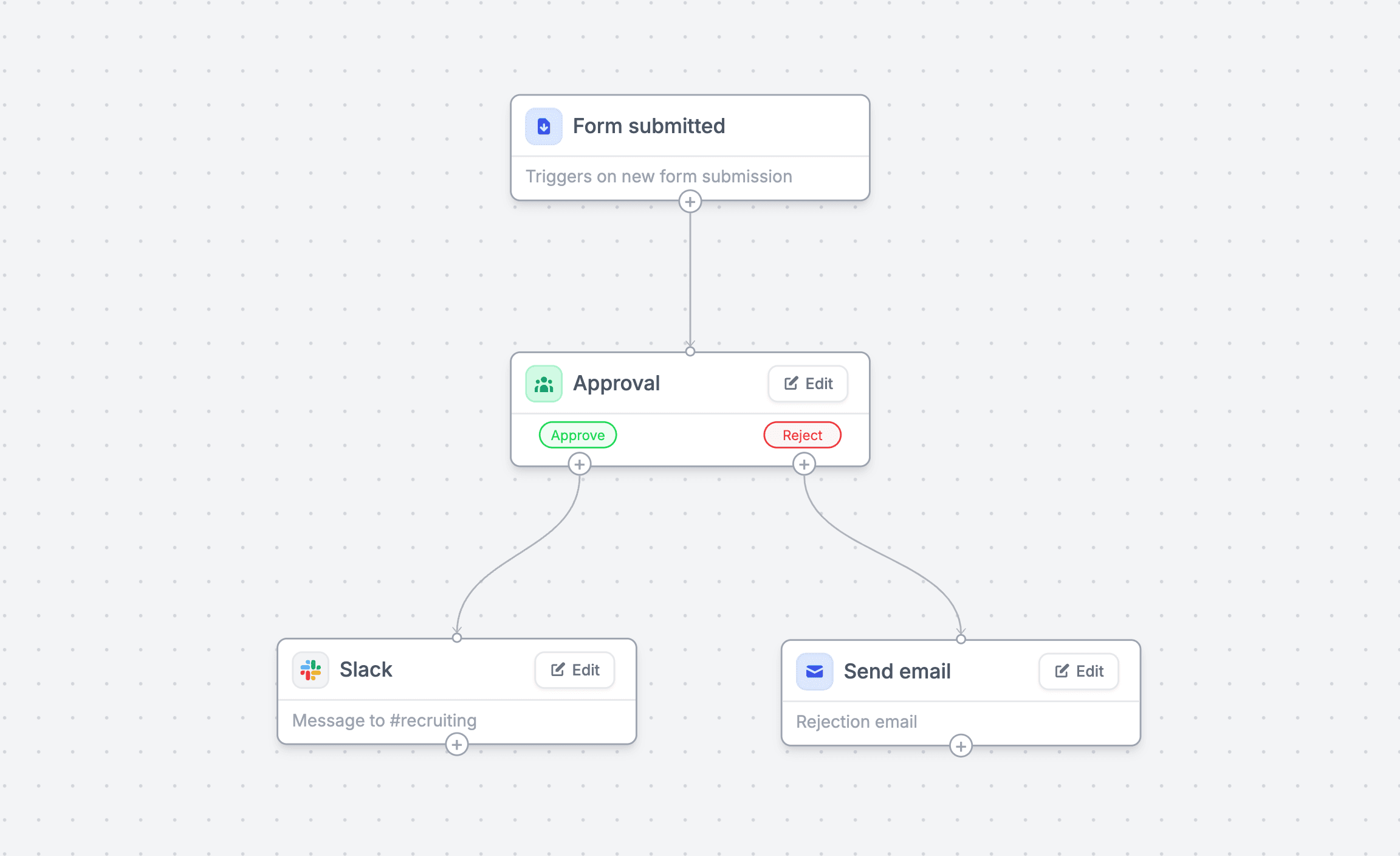
Image source: Fillout
That is why Fillout lands in a pretty attractive middle ground. It is more capable than the cheapest form tools, but it does not force you into the price or complexity of a giant sales platform just to collect better data.
My honest take
Fillout pricing makes sense for the right buyer. The free plan is good enough to start seriously, and the paid plans feel like real upgrades instead of a paywall designed to annoy you.
Starter is the easiest plan to justify because it fixes practical limits without getting expensive. Pro is the sweet spot if branding matters, and Business is only worth it when analytics, partial submissions, custom domains, or high-volume usage are already part of your workflow.
I would skip the upgrade if you only need a plain form on a small site. I would absolutely give Fillout a real shot if your forms affect sales, onboarding, applications, scheduling, or operations, because that is where the cleaner setup starts paying for itself.
That is also why waiting is not always smart. Once form problems are already slowing you down, keeping the manual patchwork in place usually costs more in time and missed conversions than the software does.
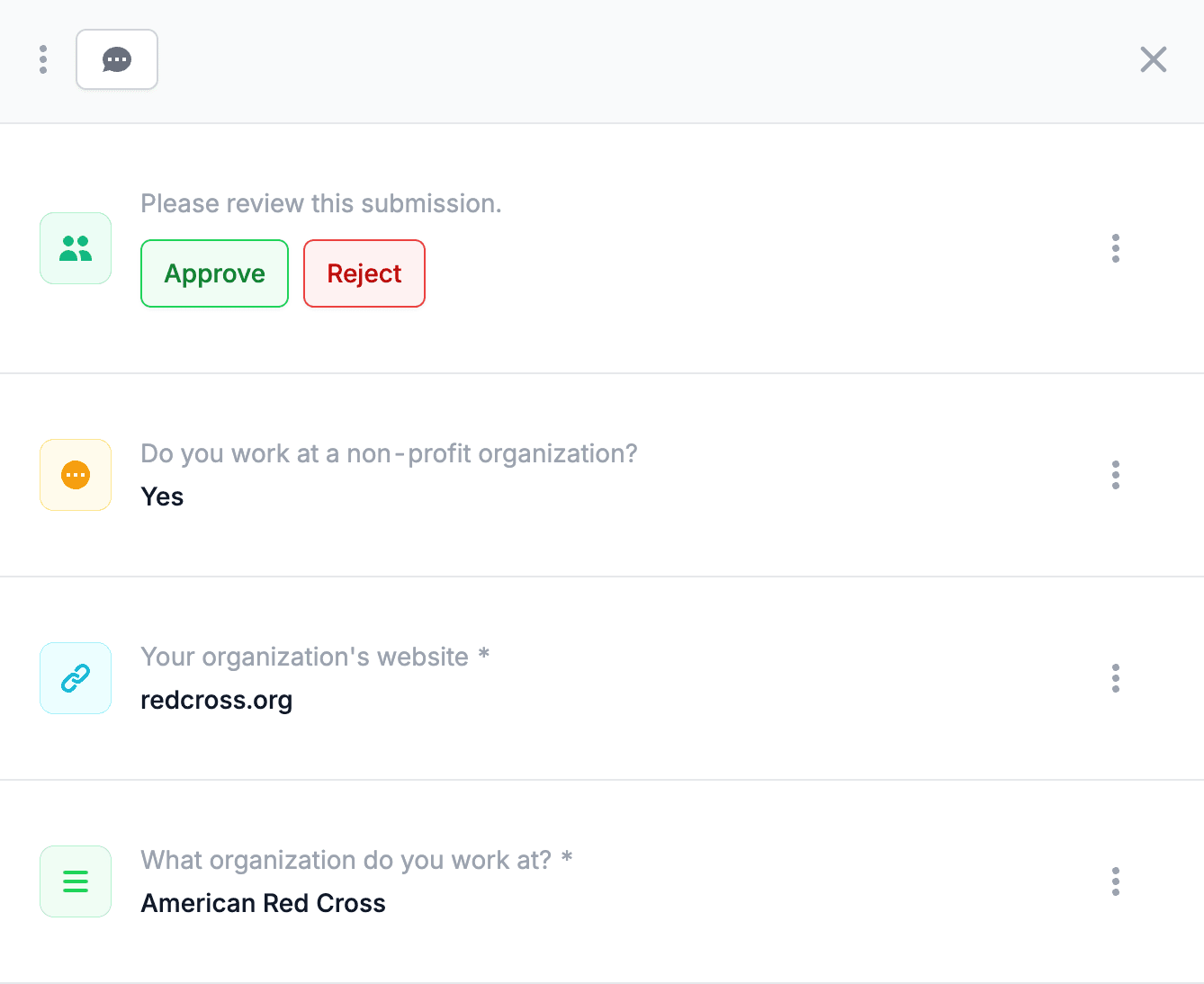
Image source: Fillout
For the right buyer, this is worth trying now. For the wrong buyer, the free plan is still generous enough that you can figure that out without making a bad purchase.
FAQ
Is Fillout worth paying for?
Yes, if your forms are tied to real business activity. It becomes easier to justify once branding, response limits, scheduling, payments, logic, and workflows are doing more than just collecting a name and email.
Is the free plan enough for most people?
It is enough for a surprising number of people. Unlimited forms, unlimited seats, and 1,000 responses per month give you real room to build before paying.
Which Fillout plan should you pick?
Starter makes sense if you need more response room and better form behavior. Pro makes sense if branding and presentation matter, while Business is for heavier usage and teams that need analytics, custom domains, and more advanced control.
Is Fillout better than cheaper options?
It is better when you care about more than basic form collection. Cheaper tools can win on simplicity, but Fillout becomes the better buy once your forms need to look better, do more, and connect to more of your workflow.
Should you switch now or wait?
Start now if your current setup already feels clunky. Wait if you still do not know whether forms are important enough to matter, because in that case the free plan is the safest place to begin.
Image source: Fillout
Fillout is not the cheapest tool in this space, and that is fine. It does enough to justify the price once forms are part of how you make money, save time, or run smoother operations.
If that sounds like you, the next step is easy. Start with the free plan, build one real workflow, and see whether the upgrade solves a real bottleneck instead of just adding another subscription.
Get started with Fillout Filip Konecny Enterprises