
Fillout is one of the more interesting form builders right now because it is not just trying to make pretty forms. It is trying to replace a messy stack of form, scheduling, payment, PDF, and workflow tools with one cleaner setup.
That does not automatically make it the right buy for everyone. Fillout price starts low enough to be tempting, but the real question is whether the platform gives you enough back in saved time, better branding, and less manual work to justify paying for it.
This review is here to help you make that decision fast. You will see who Fillout is best for, where it gets expensive, what you actually get on the plans, and when a cheaper tool makes more sense.
Article outline
- Is Fillout actually worth paying for?
- What you get in the free plan
- The good stuff
- Fillout pricing and value for money
- Why buying now can make sense
- Fillout alternatives worth comparing
- My honest final verdict
- FAQ
Is Fillout actually worth paying for?
For the right buyer, yes. Fillout looks strongest when you care about more than basic form collection and you want forms that can take payments, route people based on answers, generate PDFs, work with your database, and still look like they belong to your brand.
That combination is why Fillout stands out. On its official pricing page, the company lists unlimited forms and unlimited seats on every plan, including free, which is a much better starting point than a lot of tools that get restrictive the second a second teammate needs access.
The catch is simple. If you only need a bare-bones contact form or an internal survey, Fillout can be more tool than you need, and free options like Google Forms may be enough.
The value starts to make more sense when forms are tied directly to revenue or operations. A lead form, booking flow, intake form, quote request, payment form, or client onboarding form is where Fillout has a much better argument than a simple survey tool.
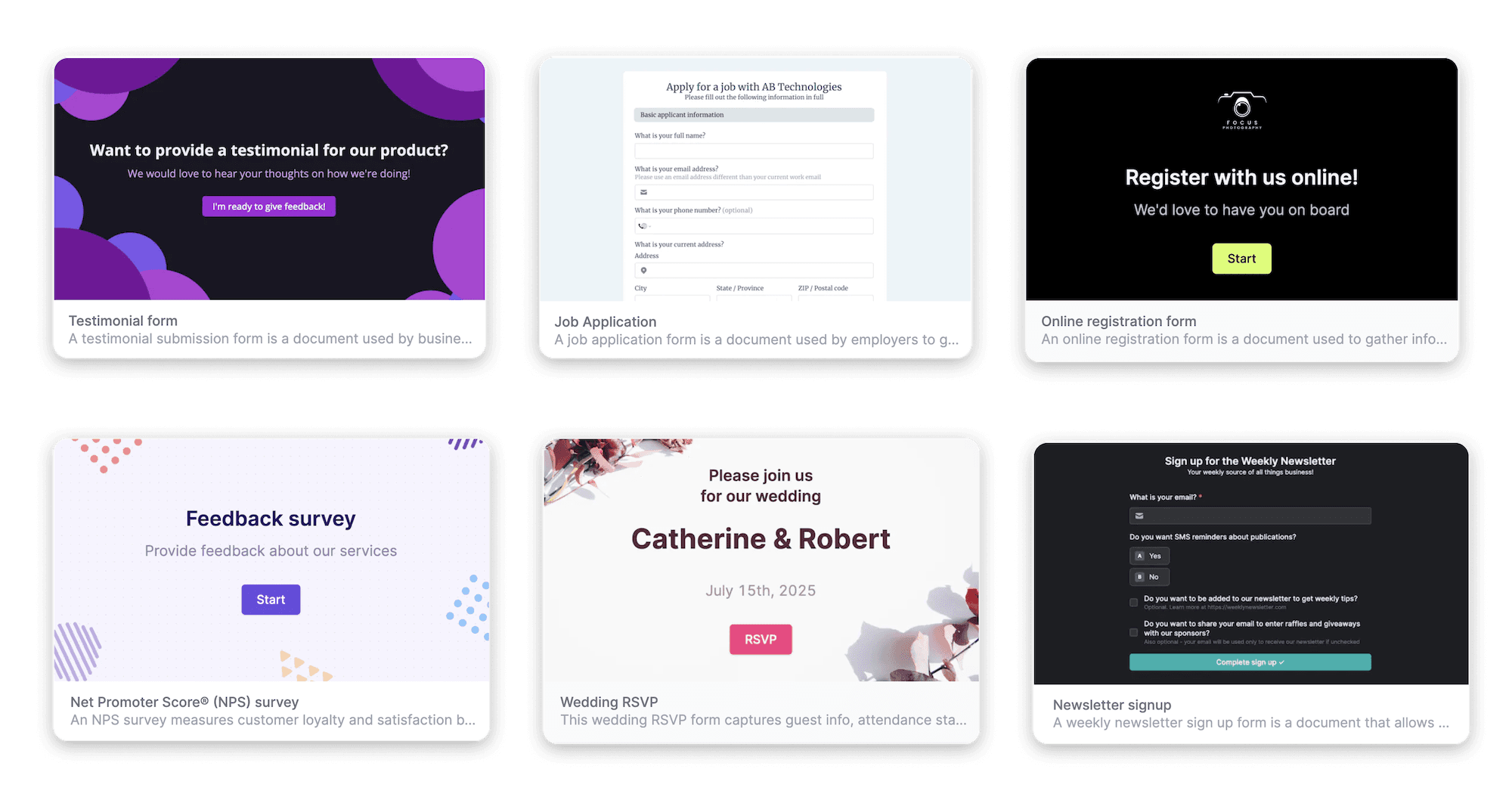
Image source: Fillout form builder comparison
See current pricingWho Fillout makes the most sense for
Fillout is a much better fit for businesses than hobby projects. If you run client intake, lead gen, event registration, quote requests, applications, onboarding, or payment collection, the platform gives you more room to build the process properly instead of patching things together later.
It is also appealing if your current setup feels messy. When one tool handles the form, another handles booking, another sends email, and another creates documents, the monthly cost can look cheap on paper but expensive in wasted time.
Beginners can still use Fillout because the builder is visual and the company highlights drag-and-drop setup plus more than 50 field types in its form creation help guide. Still, if you do not yet know what your funnel or intake process should look like, a paid plan may be premature.
That is the honest split. Fillout is easiest to justify when you already know what you want the form to do and you are ready to build a smoother experience for leads, customers, or applicants.
Who should probably skip it for now
You probably do not need Fillout yet if you only want a free internal form and do not care about branding, custom logic, payments, or workflow automation. Google Forms or another simpler option can handle that without adding another subscription.
It is also not the obvious choice if you want a full CRM-first system. Fillout integrates with a lot of tools, but if your real goal is replacing your CRM, email marketing, pipeline, scheduler, and landing pages all at once, a broader platform may fit better.
That does not make Fillout weak. It just means you should buy it for what it is very good at: high-quality forms that do more work after the submit button gets clicked.
What you get in the free plan
Fillout is easier to test than a lot of tools because it gives you a real free plan instead of pushing you into a short trial countdown. On the official pricing page, the free plan includes unlimited forms, unlimited seats, and 1,000 responses per month.
That matters more than it sounds. You can build the form, share it, collect real responses, and see whether Fillout fits your process before paying anything.
The free plan is not stripped down to the point of being useless either. Fillout also lists payments, scheduling forms, PDF generation, conditional logic, answer piping, and 50+ field types on the free tier, which makes it much more usable than a basic contact-form tool.
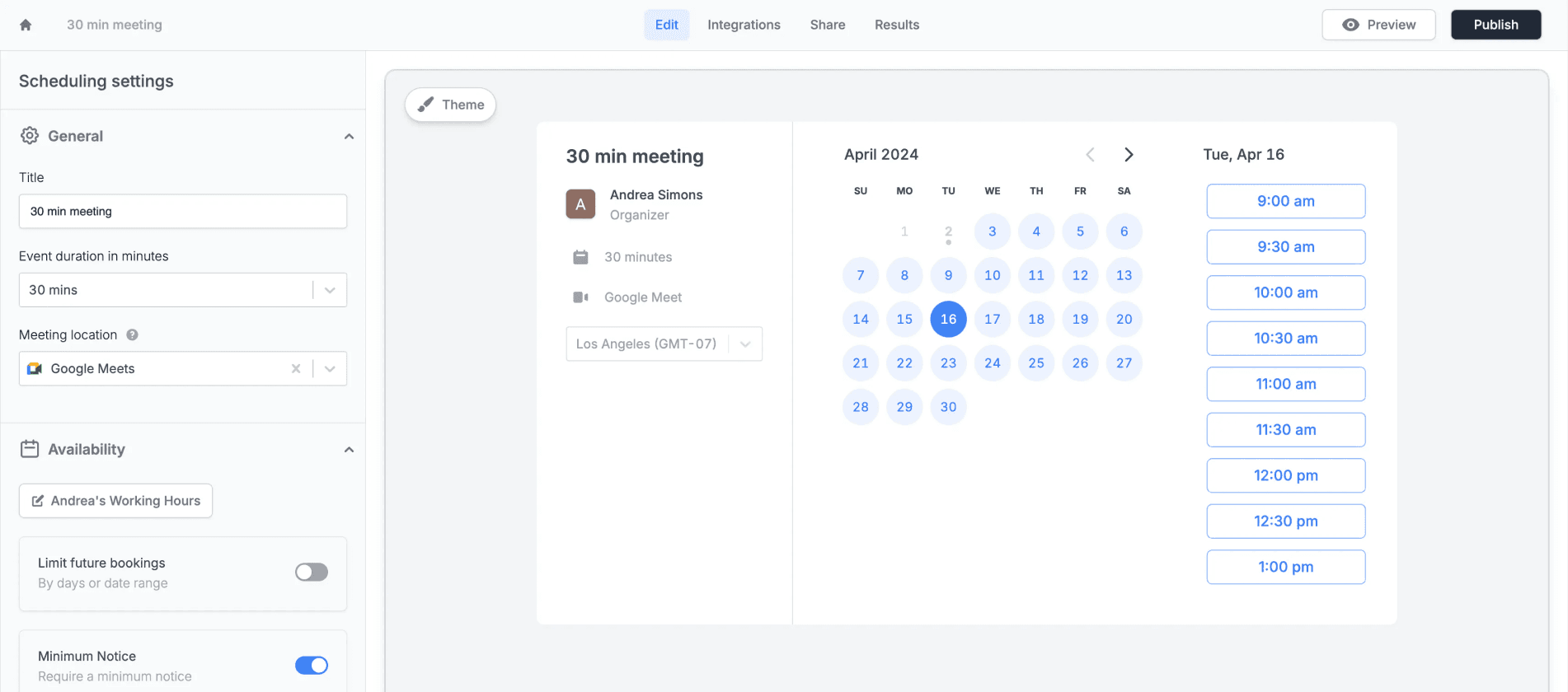
Image source: Fillout scheduling
The strongest part of the free plan is that you can test serious use cases without upgrading right away. If you want a lead form, intake form, booking form, payment form, or a form that spits out a finished PDF, you can get surprisingly far before Fillout price becomes a real decision.
The limits show up when branding and higher volume start to matter. The pricing page shows free forms still carry Fillout branding, file size is capped at 20 MB, and custom domains, full white-label control, analytics, and unlimited responses sit on higher plans.
That is a fair trade for most people. If you are still validating your workflow, the free plan gives you enough room to see whether the platform saves you time or just looks nice on paper.
The good stuff
Fillout looks strongest when the form needs to do more than collect answers. The platform combines logic, payments, scheduling, PDFs, signatures, and workflows well enough that you can replace several smaller tools with one cleaner setup.
That is the real payoff. You are not paying just for prettier forms, you are paying to stop stitching together separate tools every time someone books, pays, uploads a file, signs a document, or needs a custom follow-up.
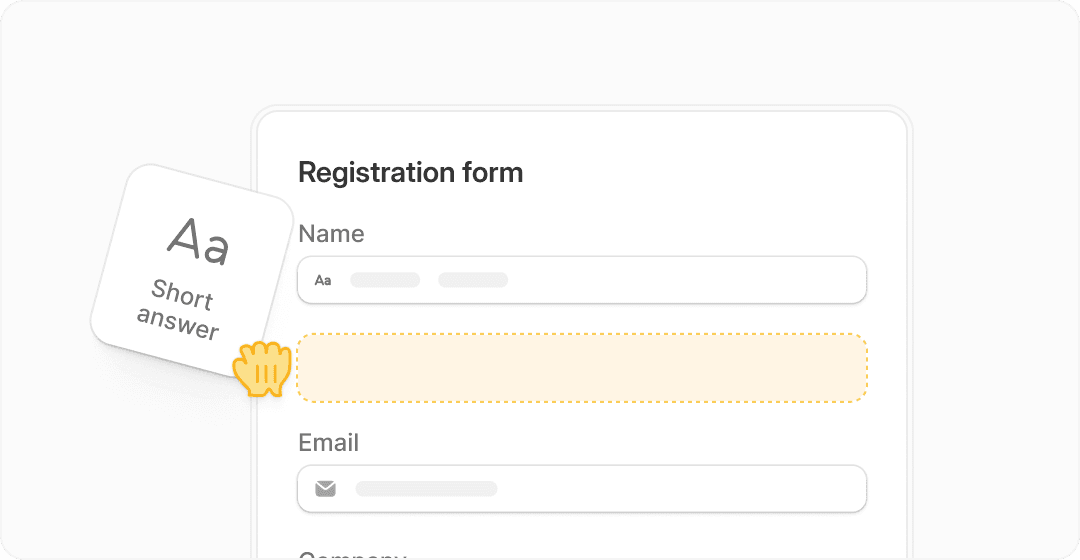
Image source: Fillout homepage
Ease of use is one reason Fillout is easier to justify than some heavier business software. The homepage pushes the drag-and-drop builder hard, and that matters because a form tool stops being helpful fast if every small change turns into a support ticket.
Branding is another big win. Fillout shows pre-built themes on the free plan, then custom themes, custom endings, logos, custom fonts, custom CSS, and eventually custom domains on higher plans, which is a big deal if your forms are part of sales, onboarding, recruiting, or client experience.
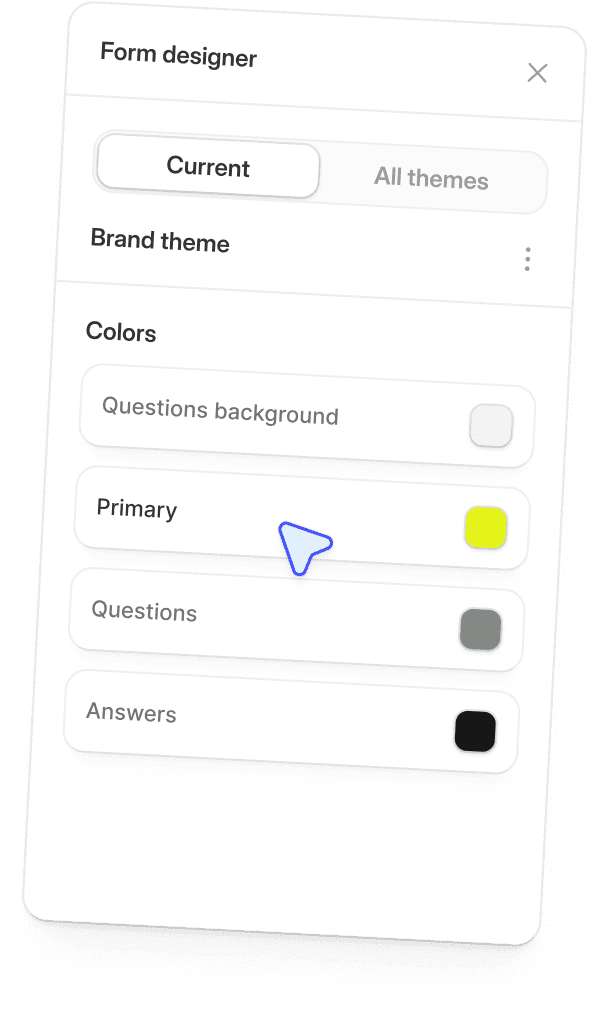
Image source: Fillout homepage
The workflow side is where Fillout starts to feel like a smart buy for businesses. The pricing page includes Fillout Workflows across all plans, and the homepage shows routing, branching, follow-up emails, and automation paths that help you act on submissions instead of just storing them.
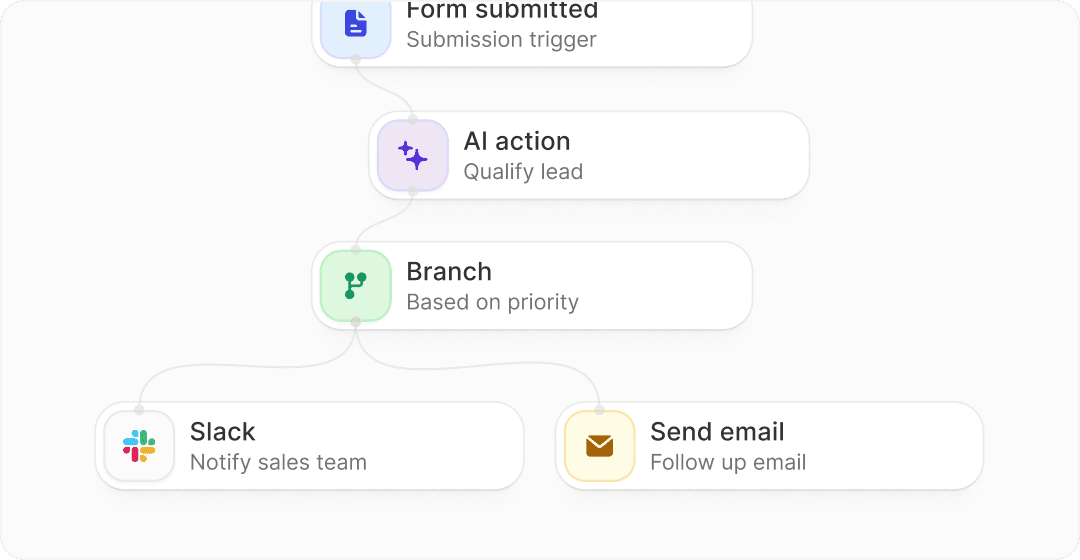
Image source: Fillout homepage
The downside is that the best branding and scaling features are not cheap forever. Starter gets you 2,000 responses a month and useful upgrades like all question types, custom endings, login forms, and redirects, but Pro is where branding gets much cleaner because that is where Fillout removes branding and adds custom emails, custom fonts, and custom CSS.
Business is where the bigger jump happens. That plan adds unlimited responses, form analytics, custom domain, custom code, partial submissions, and pre-fetch data, so it makes sense mainly if forms are already tied to revenue, lead flow, or heavier operational work.
Fillout pricing and value for money
Fillout price starts reasonably, but the right comparison depends on what you are replacing. If you only need a form, free tools stay cheaper, but if you need forms plus booking, payments, logic, workflows, branding, and PDFs, Fillout can be the cheaper setup overall.
The current paid ladder on the official plans page is Starter at $15 a month billed annually, Pro at $40, and Business at $75. That is not bargain-bin pricing, but it is also not wild when you look at what each step unlocks.
Check the official free planFillout wins that comparison when forms are the main job and you still want more than a simple form builder. Systeme.io is better if you want the cheapest broader business stack, and GoHighLevel is better if you need a heavier agency system, but neither is as focused on polished form workflows.
That is why Fillout price feels fair for the right buyer. You are paying for depth in the form experience, not paying for a bloated all-in-one you may never fully use.
Why buying now can make sense
Fillout is worth moving on now if you already have a real use case waiting. A lead form, client intake, booking flow, registration form, payment form, or document workflow is enough reason to stop delaying and build the process properly.
Waiting usually means the messy version keeps running longer. That can mean manual follow-up, patchy branding, extra admin work, and leads dropping out because the current form flow looks clunky or takes too much effort to manage.
Starter is enough for a lot of people who are already getting some traction. Pro starts making more sense when branding matters, and Business becomes easier to justify once you want custom domains, better analytics, unlimited responses, and more control over the submission flow.
You should hold off if you still do not know what you need the form to accomplish. Fillout becomes a smart buy when the process is clear and you want to execute faster, not when you are still guessing what the workflow should be.
For the right buyer, this is absolutely worth trying now. The free plan is generous enough to test seriously, and once the form starts handling real bookings, payments, or onboarding work, paying for Fillout gets much easier to justify.
Get started with FilloutAlternatives worth looking at before you buy
Fillout is not the only good option. It is the one I would look at first if you want forms that can handle payments, scheduling, logic, PDFs, and automation without forcing you into a huge all-in-one system.
Cheaper and broader options still matter. Some people should save the money, and some people need a bigger business platform than Fillout is trying to be.
Image source: Fillout scheduling
The table below is the easiest way to think about it. Fillout sits in a useful middle ground: more powerful than lightweight form tools for serious workflows, but much less bloated than a CRM-heavy agency platform.
Explore FilloutChoose Fillout if forms are a real part of your sales or operations process and you want them to do more work after submission. Choose Tally if staying cheap matters most, choose Typeform if design feel comes first, and choose GoHighLevel if you are really shopping for a broader all-in-one business system.
Image source: Fillout homepage
My honest final verdict
Fillout price makes sense if your forms are doing real work for the business. The platform earns its cost when a form is tied to bookings, payments, client intake, lead qualification, onboarding, document generation, or routing people into the right next step automatically.
The free plan is good enough to take seriously, which lowers the risk. That alone makes Fillout easier to recommend than tools that make you pay before you can tell whether the workflow even fits.
The biggest reason to buy is focus. Fillout gives you a lot of useful depth without dragging you into a giant system that takes forever to learn.
The biggest reason to wait is uncertainty. If you still do not know what your form process should be, or you only need a basic internal form, paying now probably does not help much.
The biggest reason to skip is overlap. If you already pay for a broader system that handles forms well enough, switching just for the sake of switching is not smart.
For the right buyer, though, this is absolutely worth trying. If your current setup feels patched together, Fillout will probably look more attractive the second you map out how many steps it can clean up.
Image source: Fillout homepage
FAQ
Is Fillout free to start with?
Yes. Fillout has a real free plan with unlimited forms, unlimited seats, and 1,000 responses per month, so you can test the platform properly before paying.
When does Fillout price start to hurt?
The price feels heavier when you need branding polish and scale fast. Pro and Business are where custom emails, no branding, custom domain, analytics, and unlimited responses start pushing the monthly cost higher.
Is Fillout better than Typeform?
Fillout looks like the better value if you want more workflow depth for less money. Typeform still has strong appeal if you care most about the conversational form experience and brand familiarity.
Is Fillout better than Tally?
Fillout is stronger for richer business workflows and deeper feature combinations. Tally is hard to beat if your top priority is keeping costs low and stretching a free plan as far as possible.
Should beginners buy Fillout right away?
Beginners should start with the free plan first. Buy once you know the form needs to handle something valuable enough that better branding, more responses, or deeper control will save you time or help you convert better.
Should you start now?
Start now if you already have a real form use case waiting and the current setup feels messy. Waiting usually means more manual follow-up, weaker branding, and more time spent stitching tools together.
Wait if you are still figuring out the process or you only need a simple free form. Skip it if another tool you already pay for covers the job well enough.
Most serious businesses should at least test it. Fillout gives you enough on the free plan to make a smart decision without forcing a blind bet.
Check the official free plan Filip Konecny Enterprises