

If you need a form builder that looks better than the usual clunky options and does more than basic data collection, Fillout is one of the more interesting tools in this space. It is built for forms, surveys, quizzes, scheduling, payments, PDFs, and workflow-heavy intake without forcing you into a messy stack from day one.
That does not automatically make it the right buy for everyone. The real question is whether Fillout gives you enough polish, flexibility, and speed to justify switching now instead of patching together cheaper tools or sticking with something limited.
This review is here to help you make that call fast. You will see who Fillout fits best, where it starts to earn its price, what the free plan and paid plans actually look like, and when a cheaper alternative would make more sense.

Image source: Fillout integrations
Article outline
You do not need to read this from top to bottom. Jump to the part that matches how close you are to buying.
- Quick take before you waste time
- What you get in the trial
- The good stuff
- Pricing and value
- Why you may want to start now
- Alternatives worth looking at
- Final verdict
- FAQ
Quick take before you waste time
Fillout looks strongest for teams that care about how the form feels to the user and what happens after submission. That matters more than most people think, because a form is often the first real conversion step, not just a box for collecting answers.
The best part is that Fillout does not feel stuck in the “simple form builder” category. On the official product and pricing pages, it is positioned as an all-in-one form setup with unlimited seats and forms on every plan, plus features like conditional logic, scheduling, payments, PDF generation, workflows, and access to 50+ native integrations.
The catch is simple. If you only need a bare-bones contact form or internal survey, Fillout can be more tool than you need, and the paid plans make more sense once forms are tied to lead capture, onboarding, client intake, bookings, or anything that saves real admin time.
That is why Fillout is easier to recommend to businesses than hobby users. Once your form is connected to revenue, support, client operations, or a workflow your team repeats every week, better design and automation stop feeling like “nice extras” and start feeling like the reason the tool is worth paying for.
Check the official free trialMy early read is pretty simple. If you are already sending traffic to forms, collecting leads, qualifying prospects, booking calls, onboarding clients, or replacing manual intake work, Fillout looks worth a serious look right now.
If none of that is true yet, waiting may be smarter. You can still keep reading, but the strongest case for Fillout usually starts when your current form setup is already costing you time, polish, or conversions.
What you get in the Fillout demo (and what you don’t)
The free plan is not a stripped-down teaser. You get unlimited forms, unlimited seats, and up to 1,000 responses per month, which is enough to test something real instead of just clicking around.
That matters because most tools lock useful features behind paywalls early. Here, you can actually build a working intake flow, connect integrations, and see if it replaces parts of your current setup before spending anything.

Image source: Fillout homepage
You can build forms with conditional logic, collect payments, generate PDFs, and even add scheduling inside the same flow. That is where the Fillout demo starts to feel different from basic form tools that only collect answers and stop there.
The limitation is branding and scale. Paid plans remove Fillout branding, increase response limits, and unlock more advanced usage if your forms become part of your daily operations.
If you are just experimenting, the free plan is enough. If your forms are tied to leads, bookings, or onboarding, you will hit the limits quickly and that is intentional.
The good stuff (and where it actually saves you time)
The biggest win with Fillout is how much it replaces. Instead of using one tool for forms, another for scheduling, another for payments, and another for automation, you can handle all of that in one place.

Image source: Fillout scheduling
That only becomes valuable once your workflow is slightly complex. If you are collecting leads, qualifying them, and booking calls, having everything inside one flow reduces drop-off and saves time on setup.
It also looks better. Fillout focuses heavily on clean design, which matters more than most people expect because better-looking forms usually convert better than generic ones.

Image source: Fillout features
Conditional logic is another strong point. You can create forms that adapt based on answers, which means users only see relevant questions instead of long, generic forms that feel annoying to complete.
The downside is that this flexibility can feel like overkill if you just want a simple contact form. Tools like Google Forms or Typeform can feel faster for very basic use cases.
Fillout becomes a better choice once your form is doing real work, not just collecting a name and email.
Pricing and value compared to other tools
Pricing starts low enough to test seriously. The Starter plan begins at around $15 per month annually, which is not expensive if the tool replaces even one other subscription or saves time.
The real question is whether Fillout replaces enough tools to justify it. In many cases, it does, especially if you are currently juggling forms, booking tools, and automation manually.
Try Fillout freeFillout wins when forms are central to your workflow. If forms are just a small piece of your setup, a broader tool like Systeme.io or GoHighLevel might make more sense.
Why you might want to start now instead of waiting
If your current setup feels messy, waiting usually means you keep patching tools together instead of fixing the root problem. That costs time every single week.
Fillout becomes easier to justify once you realize how much manual work it replaces. Things like sending PDFs manually, qualifying leads by email, or coordinating bookings across tools add up quickly.

Image source: Fillout PDF feature
If you already have traffic or clients, the free plan is enough to test whether it improves your flow. That lowers the risk because you are not committing upfront.
If you are still figuring things out, you can wait. But if you already know your forms matter, delaying usually just slows down how fast you clean up your system.
For the right buyer, this is where the Fillout demo makes sense. You can try it properly, not just glance at it, and decide based on real use instead of guesswork.
Alternatives worth looking at before you decide
Fillout is not the automatic winner for everyone. It looks strongest when forms sit close to revenue, onboarding, approvals, bookings, or internal workflows that eat up time when handled manually.
If you only need a lightweight form, a cheaper tool can be enough. If you want a broader sales and CRM system, a bigger all-in-one tool may fit better than a form-first product.
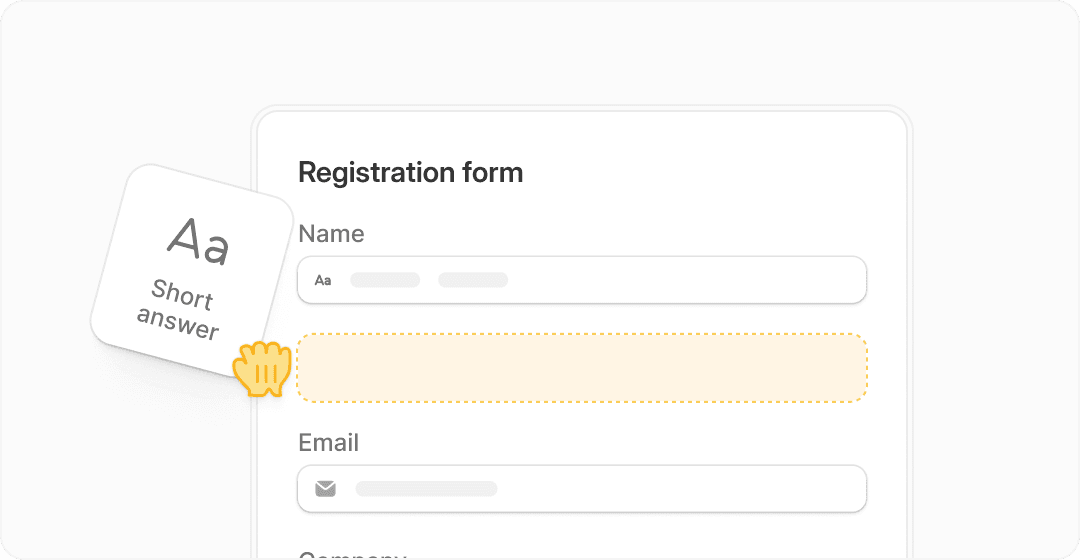
Image source: Fillout homepage
That is why the best comparison is not just “which form builder has more features.” The better question is which tool matches the job you actually need done.
Check the official free trialChoose Fillout if your form is supposed to do real work after submission. Choose Tally if you want the cheapest simple option, and choose GoHighLevel if you need a bigger sales and automation machine around the form.
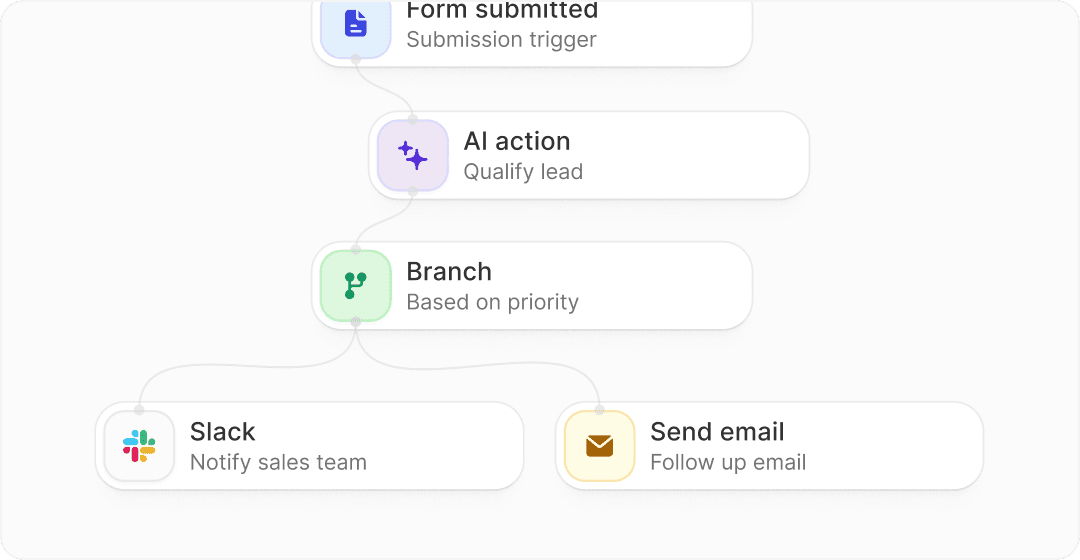
Image source: Fillout automation overview
My honest take
Fillout looks worth trying for the right buyer. That buyer is not someone hunting for the absolute simplest form on earth, but someone who wants a better-looking form that can also handle logic, payments, PDFs, scheduling, and follow-up work without duct-taping five other tools together.
That is where the value shows up fast. If your current setup feels scattered, Fillout is easier to justify because it can clean up a messy process instead of just giving you another form builder to manage.
Here is the catch. If you are still at the stage where a free basic form does everything you need, you probably do not need to pay yet.
But if forms are already tied to lead capture, client intake, approvals, bookings, or paid workflows, waiting usually means you keep losing time to manual steps. That is when the Fillout demo becomes a smart next step instead of just another software trial.
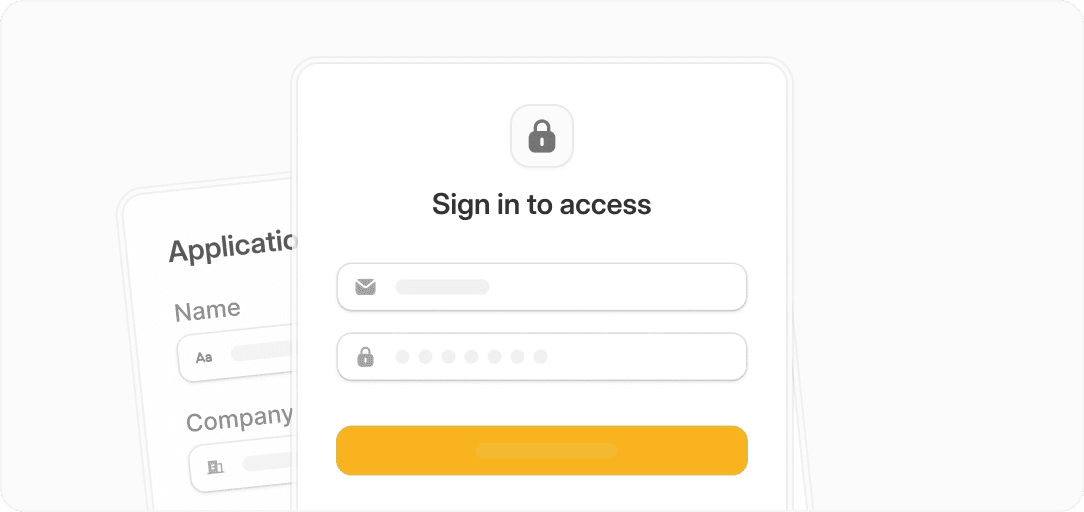
Image source: Fillout secure forms overview
I would put it this way. Fillout is easy to recommend when your form is part of the business, not just a side widget on the website.
For that buyer, this is absolutely worth a real look. The free plan is generous enough to test properly, and the paid plans start low enough that one useful workflow can justify the cost.
FAQ
Is the Fillout demo enough to make a real decision?
Yes, for most small and mid-size use cases it is. The free plan gives you enough room to build a real form, connect it to your workflow, and see whether it saves time or improves the experience for users.
Is Fillout too advanced for beginners?
Not really, but it can be more than a beginner needs. If you only want a simple contact form, it may feel like extra power you will not use yet.
Can Fillout replace other tools?
In a lot of setups, yes. It can cover forms, payments, scheduling, PDFs, logic, and some workflow steps, which makes it more attractive than a tool that only collects answers.
Should you switch from another form builder now?
Switch if your current tool feels limiting, expensive for what it does, or forces too much manual work after a submission. Wait if your current setup is simple, cheap, and still doing the job without friction.
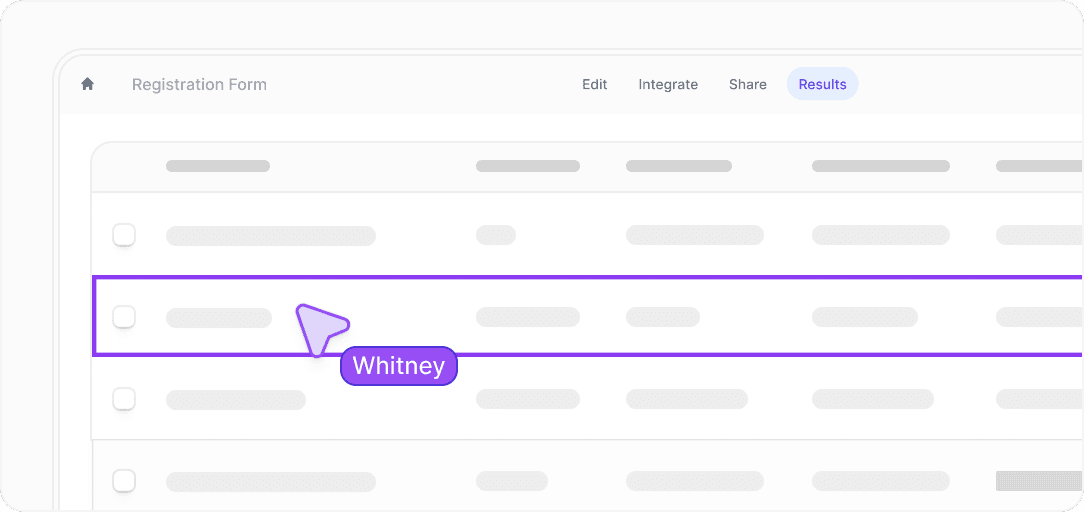
Image source: Fillout analytics and collaboration overview
If you are serious about upgrading the way your forms work, this is the point where it makes sense to stop reading and try it properly. You will know pretty quickly whether it fits your workflow.
Get started with Fillout Filip Konecny Enterprises