
Fillout gets interesting when you stop thinking about it as “just another form builder” and look at what it can replace. You can build the form, collect payments, route submissions, generate PDFs, handle scheduling, and push data into tools like Airtable, Notion, HubSpot, Google Sheets, and Salesforce without stitching together a messy stack.
That matters because Fillout cost is either very reasonable or completely unnecessary depending on what you need. If you just want a basic contact form, the paid plans can feel like overkill, but if you are collecting leads, onboarding clients, qualifying applicants, or running internal workflows, the price starts to make more sense fast.
This review is here to help you make that call before you spend money or waste time testing the wrong tool. If you already know you want to look at the platform yourself, you can explore Fillout here.
Article outline
- Is Fillout actually worth the cost?
- What you get in the free plan and paid tiers
- The good stuff
- Pricing and value compared to other tools
- Alternatives worth considering
- My honest final verdict
- FAQ
Is Fillout actually worth the cost?
Yes, for the right buyer, Fillout is easy to justify. The official pricing starts with a free plan, then paid plans move from Starter at $15 per month when billed annually, to Pro at $40, and Business at $75, which is a pretty fair ladder when you compare it to how many jobs the platform can handle.
The big reason people end up liking Fillout is simple: it saves them from buying one form tool, one scheduler, one PDF tool, and a few automation workarounds on top. If your current setup feels patched together, the monthly cost is often easier to swallow than the ongoing hassle of doing everything manually.
That does not mean everybody should pay for it right away. If you only need a basic lead form, a quick survey, or a lightweight internal request form, the free plan or a cheaper alternative may be enough, and paying early would just be adding software before you actually need it.
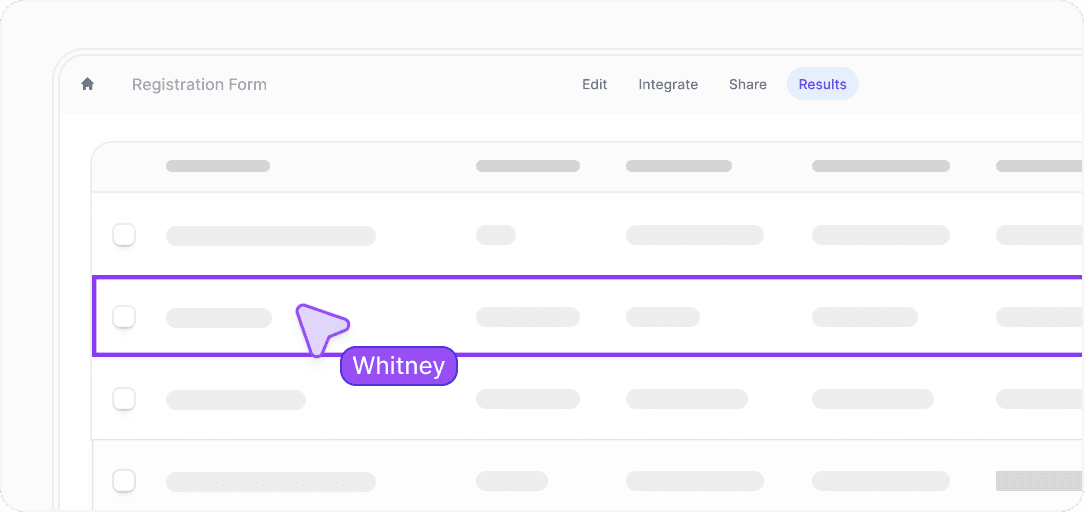
Image source: Fillout official website
The screenshot above shows why Fillout can punch above the “form builder” label. Once you are looking at results, collaboration, integrations, and conversion tracking instead of just a blank form editor, the price starts to look more like software for intake and workflow management than a simple survey tool.
That is also where Fillout beats doing it manually. Manually moving submissions into spreadsheets, chasing incomplete forms, sending follow-up emails, generating documents, and checking payment status sounds cheap until you realize you are paying for it in time every single week.
Check the official free trialMy early take is pretty straightforward. Fillout looks like a smart buy for businesses that already have a real process behind the form, because that is when the automation, branding control, and integrations start paying back the subscription.
Beginners can still use it, and the interface is cleaner than a lot of older form tools, but not every beginner needs it yet. If you have no offer, no workflow, and no clear reason to collect better data, waiting is probably smarter than paying for features you will not touch.
The next part is where the decision gets easier, because the details matter more than the headline price. I’ll break down exactly what you get on the free plan and paid tiers, where the value actually shows up, and when it makes sense to start with Fillout now instead of putting it off.
What you get before you pay
Fillout does not really lean on a flashy time-limited trial the way some SaaS tools do. The real low-risk entry point is the free plan, and it is generous enough that you can build something real before deciding whether the paid upgrade is worth it.
The free plan includes unlimited forms, unlimited seats, and 1,000 responses per month. You also get multi-page forms, payments, scheduling forms, PDF generation, conditional logic, workflows, answer piping, and integrations, which is more than most people expect from a free tier.
That matters because you can test the builder on an actual workflow instead of guessing from a sales page. If your form is still simple after that, you may not need to pay yet, which is exactly the kind of honest pricing setup I like to see.
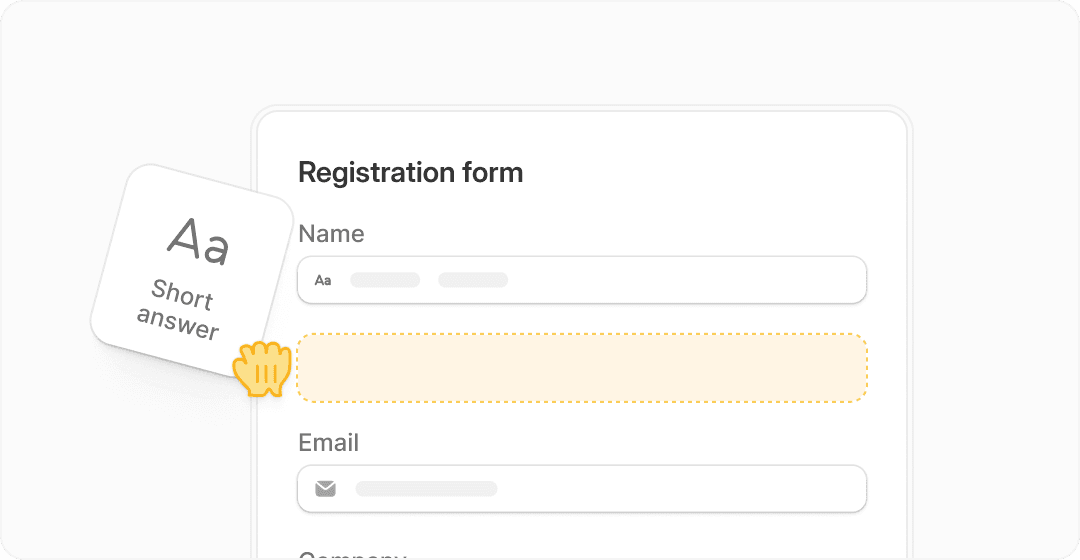
Image source: Fillout homepage
The free plan starts to feel limited when responses grow or when you want tighter brand control. Starter moves you to 2,000 responses per month and adds things like premium field types, CAPTCHA, login forms, custom endings, and redirects, which is usually where small businesses start feeling the upgrade pull.
Pro is where Fillout cost starts to make more sense for client-facing use. That plan removes branding and adds custom emails, custom fonts, favicon control, custom CSS, and custom share links, so the form stops looking like “some tool you embedded” and starts looking like your own process.
Business is the step for teams that care about volume, analytics, and more advanced data control. That is where you get unlimited responses, form analytics, custom domains, custom code, partial submissions, pre-fetch data, and priority support.
A few details make the paid plans easier to justify. Fillout’s payment pages are available on all plans with no extra Fillout fee beyond your usual Stripe charges, and scheduling is offered as a free add-on, so you are not paying separately just to bolt on those two jobs.
That lowers the hesitation a lot if you are comparing Fillout to a stack of separate tools. Paying one subscription hurts less when you can see exactly which extra subscriptions or manual steps it is replacing.
The good stuff
Fillout is strongest when your form is part of a real process, not just a box for collecting names and emails. If you need people to book, pay, upload documents, update an existing record, trigger follow-up actions, or push data straight into a database, Fillout starts looking a lot more useful than a basic form builder.
The builder looks approachable, and that matters more than people admit. A tool can be powerful on paper, but if you dread opening it, you delay the build and nothing ships.
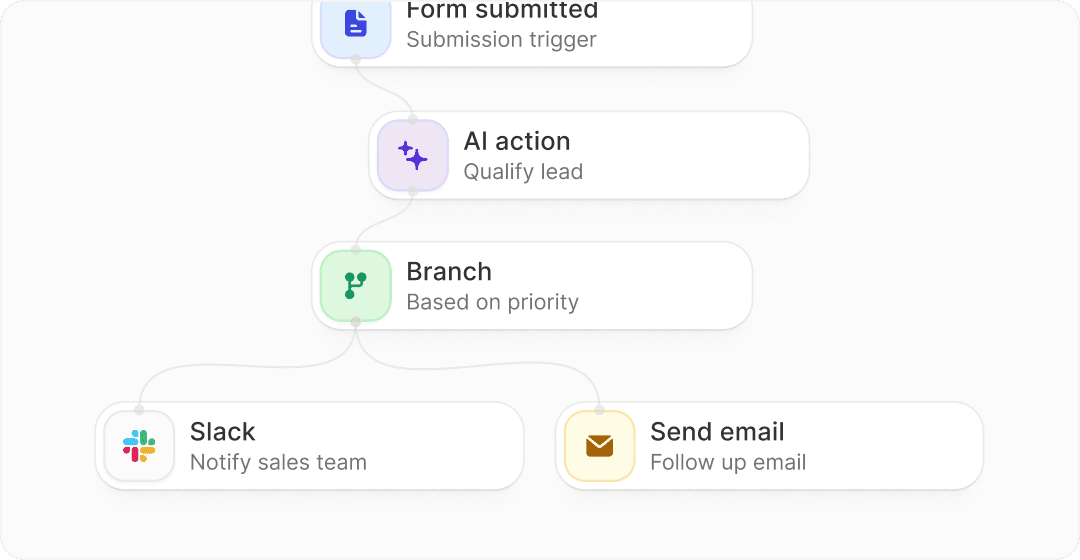
Image source: Fillout homepage
The workflow side is a big reason people stick with it. Smart routing, email follow-up, branching logic, and integrations with tools like Airtable, Notion, HubSpot, Google Sheets, and Salesforce mean the form can actually move work forward instead of just dumping responses into a pile.
Login forms are another feature that makes Fillout feel more serious than a cheap form tool. You can verify email ownership, restrict access, limit submissions, and let people edit previous submissions, which is useful for applications, portals, internal requests, and update forms.
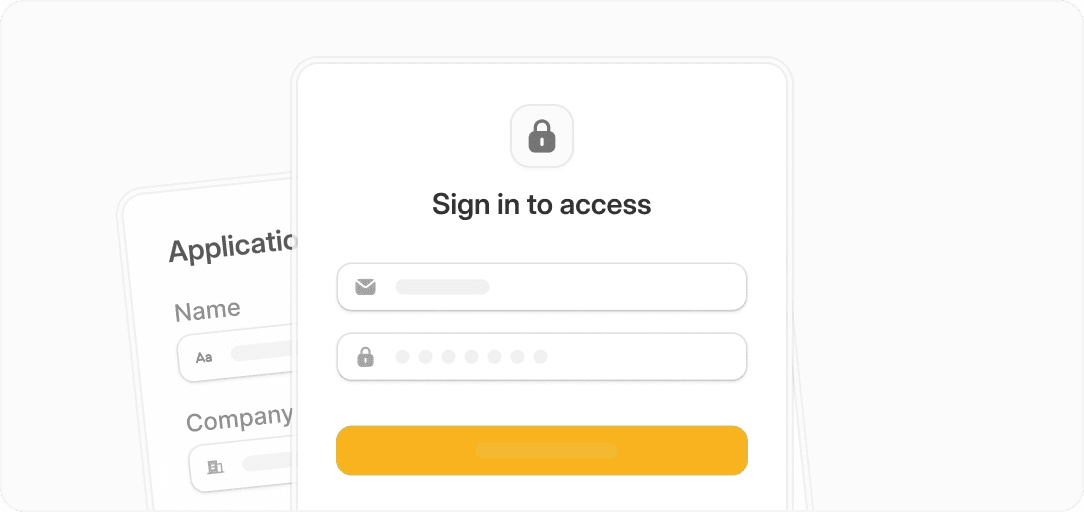
Image source: Fillout homepage
Branding is better than many people expect from a form product. Custom themes, logos, fonts, custom domains, share previews, CSS, and white-label options on higher tiers help if you care about trust and do not want prospects landing on something that feels generic.
Analytics on the Business plan also add real decision value. You can track completion rate, page views, daily submissions, and drop-off points, which helps when you are trying to improve conversion instead of guessing why people stop halfway through.
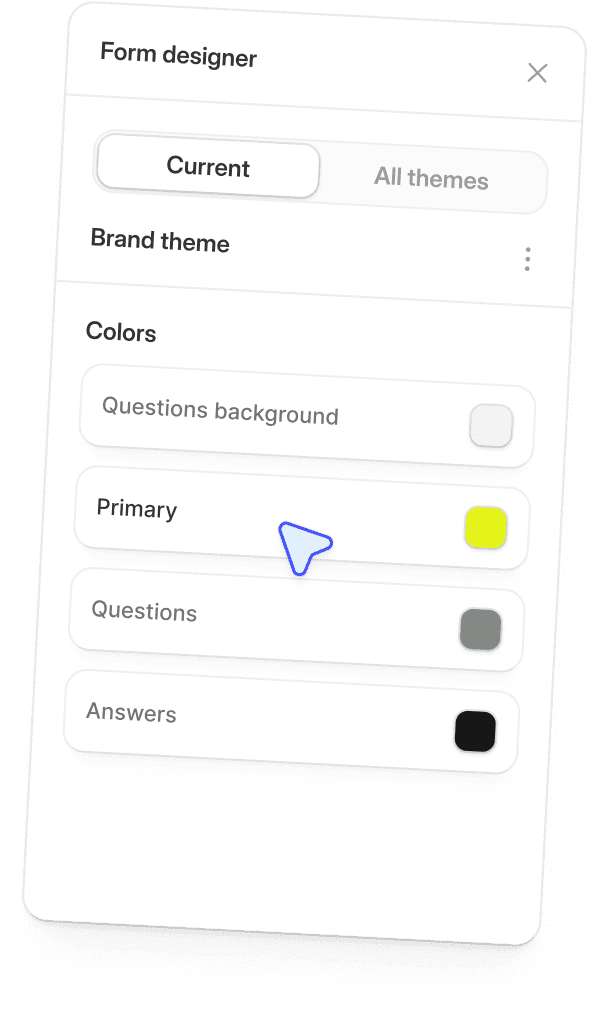
Image source: Fillout homepage
Here is the catch. If you only need a plain lead form or a quick survey, a lot of this power will sit unused, and that makes Fillout cost harder to defend.
This tool makes more sense once your form is tied to money, operations, or client experience. If every submission matters, the extra control starts earning its keep very quickly.
Pricing and value compared to other tools
Fillout starts free, then moves to paid plans at $15 per month billed annually for Starter, $40 for Pro, and $75 for Business. That puts it in a sweet spot where it is not the cheapest option on the internet, but it is still far below broader all-in-one platforms if forms are your main need.
The smarter comparison is not “is this cheap?” but “what else would I need if I do not buy this?” If Fillout replaces a separate scheduler, payment form, PDF tool, and some manual data entry, the monthly price looks much better than it does in isolation.
See current Fillout pricingFillout is the strongest buy when forms are the center of the job and you want them to feel polished, smart, and connected to the rest of your stack. Systeme.io is cheaper if you care more about funnels and selling digital products, while GoHighLevel makes more sense if you need a full agency system and can justify the bigger monthly jump.
That is why delaying the purchase can cost more than it looks. If your current intake process is slow, manual, or split across too many tools, waiting usually means you keep paying in time, missed follow-up, and messy handoffs instead of just fixing the process.
For the right buyer, Fillout is absolutely worth trying now. You can get started with Fillout here if you want to test the free plan and see whether your workflow is already big enough to justify the upgrade.
 Filip Konecny Enterprises