
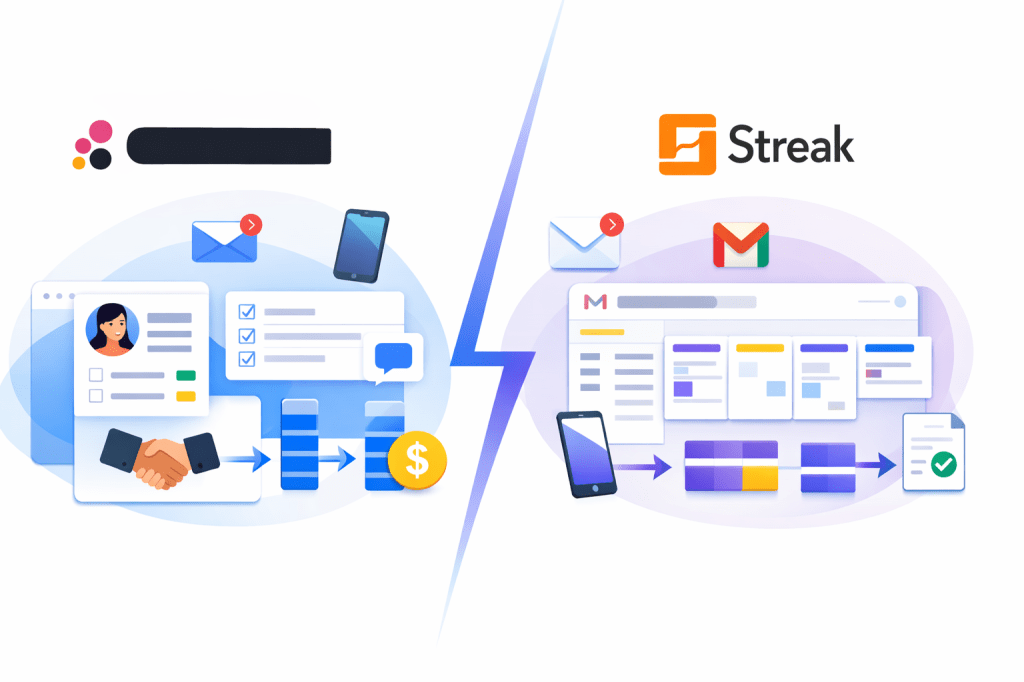
Copper and Streak both go after the same buyer on the surface: teams that live in Gmail and want a CRM that does not feel like homework. The difference is that they solve that problem in pretty different ways, and that gap matters a lot once you start thinking about price, team size, reporting, and how much CRM you actually need.
Copper is the better fit when you want a fuller CRM with room to grow, especially if you work inside Google Workspace and want more structure around contacts, projects, pipelines, automation, and reporting. Streak is usually the more natural fit when you want to stay almost entirely inside Gmail and keep things lightweight, even if that means paying more once you need the stronger team features.
That is why this comparison matters before you sign up for anything. A cheaper starting price does not automatically make Copper the smarter buy, and Streak being inside Gmail does not automatically make it the easier long-term choice for every team.

Image source: Copper
Article Outline
This review is built to answer one thing fast: which one should you actually use if you are choosing between Copper and Streak right now. I am not going to waste your time with CRM theory or generic “features matter” filler.
- Which one is easier to pick if you just want the short answer
- What you get, what you do not get, and what it costs
- Alternatives, who should buy now, and the final verdict
1. Start with the quick decision
The first section keeps the comparison simple. You will see where Copper has the stronger case, where Streak feels more natural, and which one looks better for solo users, small teams, and teams that already know they need a real CRM instead of a clever inbox add-on.
This matters because most people do not need a twenty-tab buying process. They need to know whether Copper is worth a closer look now, whether Streak is enough, or whether both are more than they need.
2. Then get into the real trade-offs
The next section is where the decision usually gets made. I will break down pricing, trial value, what each platform actually includes, and where one starts earning its cost faster than the other.
Copper currently starts much lower on paid pricing, while Streak’s paid plans jump in at a higher per-user cost. That sounds like an easy win for Copper until you factor in how each product is built, how much setup you want, whether you need advanced reporting and automation, and whether staying directly inside Gmail is the whole point for you.
I will also compare Copper against other tools worth considering if neither Copper nor Streak feels quite right. That part is important because a fair comparison should help you avoid overbuying just as much as it helps you pick the stronger option.
3. Finish with the best-fit answer
The last section wraps the whole thing up with a buyer-focused verdict. You will get a clear answer on who should choose Copper, who should choose Streak, who should wait, and who would probably be happier with a cheaper or broader alternative.
That final section is also where I will cover the common hesitation points that usually stall this decision: whether Copper feels too structured, whether Streak becomes expensive too quickly, whether beginners can handle either one, and whether switching now saves more time than waiting. That is usually the difference between reading another comparison and actually making a smart choice.
If you already suspect you need a deeper Google Workspace CRM instead of a Gmail-first extension, explore Copper here while you keep reading. If not, keep going and the next sections will make the call a lot easier.
Which one is easier to pick?
Copper usually makes more sense for businesses that want a proper CRM that still feels close to Gmail. Streak usually makes more sense for people who want Gmail itself to become the CRM and do not want much separation between inbox work and pipeline work.
That sounds subtle, but it is the core of the whole comparison. One feels like a CRM built for Google Workspace, and the other feels like Gmail stretched into a CRM.
What you get and what it costs
The next section will sort out which one gives you better value once pricing, contacts, automations, reporting, and trial access are on the table. That is where the easy “just pick the one inside Gmail” logic usually starts falling apart.
Alternatives and final verdict
The end of this review will make the buying call simple. You will know whether to start now, wait until your process is clearer, or skip both and use something else.
What you can test before you pay
Copper is easier to test seriously. Its pricing page says you can start free with no credit card required, and Copper also promotes a free 14-day trial on its current offer page, which makes it easier to get inside the product without a billing argument on day one.
Streak is a little more mixed. It has free email tools forever, which is useful if you mainly want tracking, snippets, and light Gmail productivity, but the clearer 14-day trial language shows up on Pro+ rather than across the whole CRM lineup.
That difference matters because most buyers comparing Copper vs Streak are not just shopping for email tricks. They want to test pipelines, shared workflows, reporting, and whether the product can hold up once more than one person is using it.

Image source: Copper
The good stuff
Copper wins on balance. It gives you Google Workspace integration from the start, then adds more serious CRM depth as you move up the plans: pipelines and project management on Basic, then workflow automation, reporting, bulk email, and integrations on Professional.
That makes Copper easier to recommend if you already know you want more than a simple inbox add-on. You are not paying Streak-level money just to get into the conversation, and you have a clearer upgrade path if your team grows into reporting, automations, and higher contact limits.
Streak still has a real edge, though. If your whole priority is staying inside Gmail with as little context-switching as possible, Streak feels more native to the inbox experience, and that can matter more than price if adoption has killed past CRM rollouts at your company.
That is also where Streak becomes easier to like than many traditional CRMs. Shared pipelines, automatic email sharing, filters, contact enrichment, and direct Gmail workflow management are exactly the kind of features that make people actually use the thing instead of avoiding it.

Image source: Copper
Pricing and value next to other options
Copper looks strong when you put its pricing next to Streak and then compare both with a cheaper all-in-one or a broader agency-focused platform. That is where the decision gets practical fast.
If you want the cleanest Gmail and Google Workspace CRM path, Copper is the one that usually makes more financial sense first. If you want a funnel-heavy or agency-style system, a broader option like GoHighLevel may replace more tools, while Systeme.io is much cheaper if your real need is selling online rather than running a relationship-first CRM inside Gmail.
See current pricing for CopperCopper is the one I would push you toward if you are stuck between Copper vs Streak and you want the safer financial decision. It gives you more breathing room, a lower starting cost, and a better chance of growing into the product instead of paying a premium just because the inbox experience feels slick.

Image source: Copper
Why buying now can make sense
Waiting usually does not make your CRM decision easier. It usually means your contacts stay scattered, follow-ups keep living in inbox chaos, and you burn more time doing manual work you already know should be inside one system.
Copper is especially easy to justify now if you already live in Google Workspace and your current setup feels messy. You do not need a giant migration story to try it, and you do not need to jump straight into the expensive tiers just to see whether the product fits your workflow.
Streak is still worth paying for when Gmail-native usage is the hill you want to die on. But for most buyers who are trying to be practical with money, structure, and long-term flexibility, Copper is the one I would explore first.
Alternatives and the final call
Copper vs Streak is a tight comparison, but they are not your only options. Some tools are cheaper, and some replace way more than just CRM.
This table makes the decision simple based on how you actually plan to use the tool, not just features on paper.
Explore CopperCopper is the better choice if you want a real CRM that still feels close to Gmail. It gives you structure without forcing you into a heavy system too early.
Streak is better if your biggest problem is adoption. If your team refuses to use CRMs and only works in Gmail, Streak can win purely because people will actually use it.
If price is your main concern, Systeme.io is hard to ignore. If you want everything in one place including funnels and automation, GoHighLevel is the stronger long-term play.
Who should choose what
Choose Copper if you want a CRM that grows with your business and still fits naturally into Google Workspace. This is the safest pick for most teams.
Choose Streak if your workflow must stay inside Gmail and you are willing to pay more for that simplicity.
Choose a cheaper tool like Systeme.io if you are early-stage and mostly care about selling, not managing complex relationships.
Choose a broader tool like GoHighLevel if you want CRM plus marketing, automation, and client management in one place.

Image source: Copper
My honest take
Copper wins for most people comparing Copper vs Streak. It is cheaper to start, more flexible long-term, and easier to justify once you think past just the inbox experience.
Streak is still a smart buy for a very specific type of user. If Gmail is your entire workflow and every extra click kills adoption, Streak solves that better than almost anything else.
Most teams, though, hit a ceiling with inbox-only workflows. That is exactly where Copper starts to make more sense because it gives you structure without losing the Google feel.

Image source: Copper
FAQ
Is Copper easier to use than Streak?
Streak feels simpler at first because it lives inside Gmail. Copper takes slightly more setup, but it becomes easier once you need pipelines, reporting, and team workflows.
Is Streak worth the higher price?
Only if Gmail-native workflow is your top priority. If you care about price-to-feature ratio, Copper usually offers more value.
Can beginners use Copper?
Yes, especially if you already use Google Workspace. It is not the cheapest option overall, but it is one of the easiest CRMs to grow into without switching later.
Should you switch now or wait?
If your current system is messy, waiting usually costs you more in lost time than the software costs. If you are still figuring out your workflow, a cheaper tool might be enough for now.

Image source: Copper
Get started with Copper Filip Konecny Enterprises