
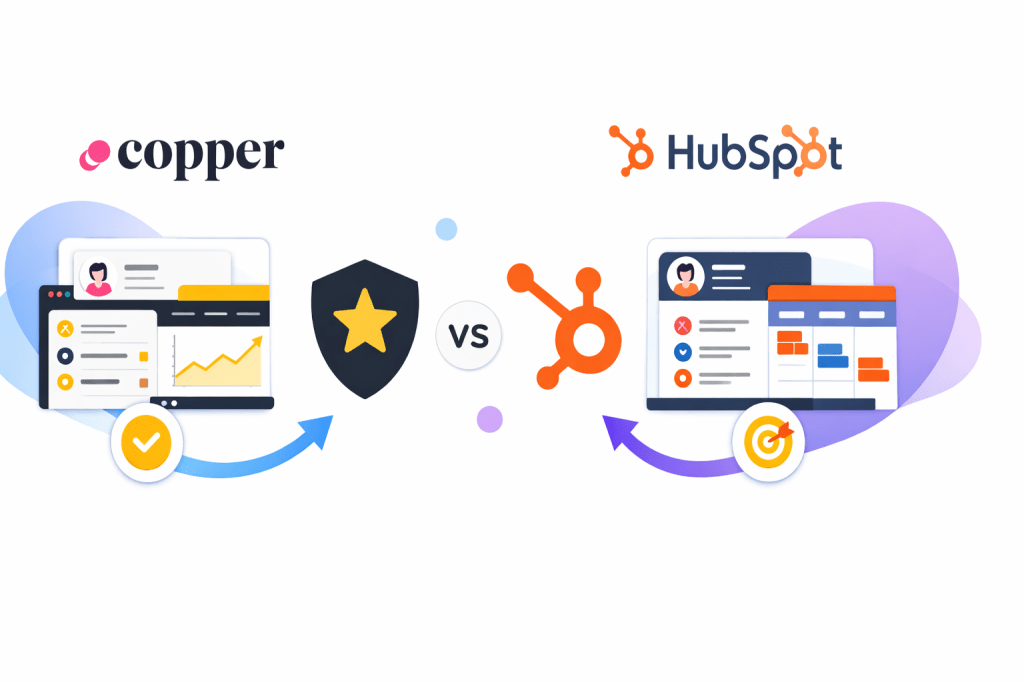
Copper and HubSpot both solve the same basic problem, but they do it for very different buyers. One is built to feel natural inside Google Workspace, while the other is built to pull sales, marketing, and service into one much bigger system.
That difference matters more than feature lists. If your team lives in Gmail and wants a CRM that people will actually use, Copper is immediately more appealing. If you want a forever-free starting point and you can see yourself growing into a broader platform later, HubSpot is hard to ignore.
My short take is simple: Copper looks better for Google-first teams that want speed and less setup, while HubSpot usually makes more sense for businesses that want a wider platform and are comfortable with more complexity over time. The rest of this review is here to help you decide which side you’re really on before you commit.
My quick take
Copper wins on fit when your day already runs through Gmail, Google Calendar, and Google Drive. Copper says it is built specifically for Google Workspace, includes native Google Workspace integration on all plans, and offers a free trial with no credit card required on its pricing page. HubSpot comes at this from the other direction, with a free CRM that includes up to two users and 1,000 contacts, plus a wider stack that can stretch into sales, service, and marketing as you grow.
That is why this comparison is less about which CRM is “better” in the abstract and more about which one wastes less time for your team. Copper is easier to justify when adoption has been your real problem. HubSpot is easier to justify when you want room to expand and do not mind learning a bigger system.

Image source: Copper Google Workspace CRM page
Explore CopperThe table above is the cleanest way to frame the decision before we get into the deeper breakdown. Copper is not trying to be everything for everyone, and that is actually part of its appeal. HubSpot gives you more runway at the low end, but that bigger platform can feel like a benefit or a burden depending on how simple you want your CRM to be.
One important thing to keep in mind is speed. Copper says teams can get their CRM running in days, not weeks, and review sentiment on sites like G2 and Capterra keeps circling back to the same point: people like it when the CRM feels close to the tools they already use. HubSpot gets similar praise for breadth and ease of starting for free, but once your needs move beyond the basic layer, you need to pay closer attention to plan structure and seat costs.
That usually leads to a simple buyer question. Do you want the lighter, Google-native option that may get adopted faster, or do you want the wider platform that may cover more ground later? That is the real decision hiding underneath “Copper vs HubSpot CRM.”
Article outline
- My quick take
- Is either one actually worth trying?
- What you get before you pay
- The good stuff
- Pricing and value
- Why starting now can make sense
- Alternatives to think about
- Final verdict
- FAQ
The next section gets into whether Copper or HubSpot is worth trying right now, not in theory. I am going to focus on practical buying questions like ease of setup, whether the price is justified, and when one choice is clearly smarter than the other.
Is either one actually worth trying?
Copper is worth trying when your team already lives in Gmail and you are tired of asking people to update a CRM they barely open. Copper’s pricing page makes the entry point pretty clear: a 14-day free trial, no credit card required, Google Workspace integration from the first paid tier, and a setup style that is built around the tools your team already uses.
HubSpot is worth trying when your biggest concern is cost at the beginning. The free CRM is still a serious advantage because you can start at no cost, keep up to two users and 1,000 contacts on the free tier, and avoid paying before you know the process even works for your team.
The catch is simple. HubSpot gives you a wider runway for free, but Copper usually looks more attractive once you care more about adoption and speed than about avoiding software spend for another month.
What you get before you pay
Copper gives you a cleaner test for real-world use. The free trial is 14 days, activation is instant, no credit card is required, and the company pushes the Gmail-first angle hard because that is the whole point of the product.
That means you are not just testing a contact database. You are testing whether your sales process feels easier when contact records, emails, calendar context, files, tasks, and pipelines sit closer to where your team already works.
Image source: Copper Google Workspace CRM
HubSpot’s free CRM is more generous on pure price, but the trial question is different. You are testing whether you want to grow into HubSpot’s bigger world of sales, service, and marketing tools, not just whether the CRM fits neatly into Gmail.
That sounds minor, but it changes the decision. Copper feels like a better trial when you want less friction now, while HubSpot feels like a better trial when you want more room later.
The good stuff
Copper’s best feature is still the same one that makes people consider it in the first place. It is deeply tied to Google Workspace, and that matters because a CRM only helps when people actually use it instead of treating it like homework.
That shows up in small ways that matter every day. Copper can pull in contact information and email conversations from Google Workspace, lets users work from Gmail and Calendar, and keeps files, tasks, and deal context closer to the inbox instead of hiding everything in another tab.

Image source: Copper Google Workspace CRM
Copper also gets more compelling once you move past the basic contact-tracking phase. Professional adds workflow automation, bulk email, reporting, and integrations, which is where the product starts replacing more manual follow-up and admin work instead of just storing data.
The bulk email piece is more useful than it first sounds. Copper says users can send bulk, personalized Gmail messages to up to 200 contacts at once with templates and merge fields, which is enough to matter for agencies, consultants, and smaller sales teams that want outreach without buying a separate email platform immediately.

Image source: Copper email automation tools
Reporting is another place where Copper earns its price for the right buyer. The reporting pages and help docs show dashboard templates, scheduled reports, exports, and custom reports on higher tiers, which matters when you are tired of guessing which deals are actually moving and which reps need help.
HubSpot still has the edge on breadth. If you want a larger ecosystem around the CRM, more built-in expansion paths, and a free starting point that lets you wait before paying, HubSpot stays very attractive.
Copper’s edge is focus. It feels easier to justify when you do not want a giant system, you want your CRM to feel native in Google, and you want a smaller team to adopt it without weeks of setup.

Image source: Copper sales reporting
Pricing and value
Copper starts at $9 per seat per month on annual billing, or $12 month to month, and that Starter tier includes 1,000 contacts, Google Workspace integration, tasks, forms, and Zapier. Basic moves to $23 annually or $29 monthly, while Professional goes to $59 annually or $69 monthly and adds workflow automation, bulk email, reporting, integrations, and a 15,000-contact limit.
HubSpot wins the cheapest starting point because free is still free. GoHighLevel is the opposite end of the comparison, starting at $97 per month for its Starter plan with unlimited contacts and users, plus broader marketing and agency-style functionality that can replace more tools if that is what you actually need.
See current Copper pricingCopper is not the cheapest route if free is your whole strategy. Copper is the smarter buy when your team already has revenue to protect, your current setup is messy, and the cost of missed follow-ups is higher than the monthly subscription.
If you need something broader than Copper, GoHighLevel is the more aggressive all-in-one option. If you mainly want funnels and digital business tools on a lower budget, Systeme.io is the cheaper move, but it is not really a Copper-style CRM replacement for Google Workspace teams.
Why starting now can make sense
Waiting usually feels cheaper than it really is. If your team is still managing leads across inboxes, notes, spreadsheets, and memory, you are already paying for the problem in slower follow-up, weaker visibility, and sloppy handoffs.
Copper makes the strongest case when your current process is already annoying you. If your team works inside Google every day, there is a decent chance the CRM gets used faster simply because it asks people to change less.
HubSpot still makes sense if you are not ready to pay yet. But if you already have leads coming in and you want a CRM that feels natural instead of another software project, Copper is easier to justify right now than six months from now.
That is also why the trial matters. A no-credit-card trial is enough time to see whether Copper actually saves clicks, makes follow-up easier, and gives your team a clearer view of deals without forcing everyone into a bigger system than they want.
For the right buyer, that is the real payoff. You are not buying a flashy database. You are buying a better chance that your team finally keeps the CRM updated because it fits the way they already work.
The next section gets into alternatives and the final decision. That is where I would sort this into three buckets: choose Copper now, stay with HubSpot for a while longer, or skip both and go with a broader or cheaper option instead.
Alternatives you should actually consider
Copper vs HubSpot CRM is not the only decision. There are cases where neither is the best move, especially if you either want something cheaper or something much bigger than a CRM.
This is where most people get stuck. They compare features instead of asking what they actually need right now: simple CRM adoption, a free starting point, or a full sales + marketing system.
Try CopperPick Copper if your team already lives in Google Workspace and you want a CRM people will actually use. Pick HubSpot if you want to stay free longer and are okay growing into a bigger system later.
Pick GoHighLevel if you want a full business engine, not just a CRM. Pick Systeme.io if your priority is keeping costs low and you can live with simpler CRM functionality.
My honest take
Copper vs HubSpot CRM comes down to how your team actually works, not which platform has more features. Copper feels like the smarter choice when adoption has been your biggest problem and your team already runs on Gmail.
HubSpot still makes sense if budget is your main concern or if you want to grow into a larger system over time. The free plan removes risk, but you will eventually face more complexity and pricing decisions as you scale.
Copper earns its price when you already have leads and you want a CRM that fits into your daily workflow instead of competing with it. If your current setup feels messy, switching sooner usually saves more time than waiting.
FAQ
Is Copper better than HubSpot?
Copper is better for teams that live inside Google Workspace and want a CRM that feels built into Gmail. HubSpot is better if you want a free starting point and a broader platform you can expand into later.
Is Copper worth paying for?
Copper is worth paying for when your team already has deals coming in and your current system is slowing you down. If you are still experimenting or have no clear sales process, HubSpot’s free plan may be enough for now.
Is HubSpot enough as a free CRM?
For small teams, yes. The free CRM covers basic contact management and pipelines, but once you need deeper automation or reporting, you will likely move into paid plans.
Should beginners start with Copper or HubSpot?
Beginners usually start with HubSpot because it is free. Copper makes more sense when you already know you want a Gmail-first workflow and you want something your team will adopt faster.
Check the official Copper free trial Filip Konecny Enterprises