
Copper pricing looks reasonable when you glance at the first seat, but it stops being a casual buy once you add a team. That does not automatically make it expensive, though, because the real question is whether it saves enough time inside Gmail and Google Workspace to earn back the monthly cost.
Copper is easiest to justify when your business already lives in Gmail, Google Calendar, and Google Drive. If that sounds like you, the payoff is pretty clear: less manual logging, fewer disconnected tools, and a CRM your team is actually more likely to use instead of ignoring after week two.
If you are only chasing the lowest monthly number, Copper probably will not be your first pick. If you already suspect a Google-first CRM is the better fit, you can see current pricing or start the free trial and use the rest of this review to decide whether the upgrade is actually worth it for your setup.
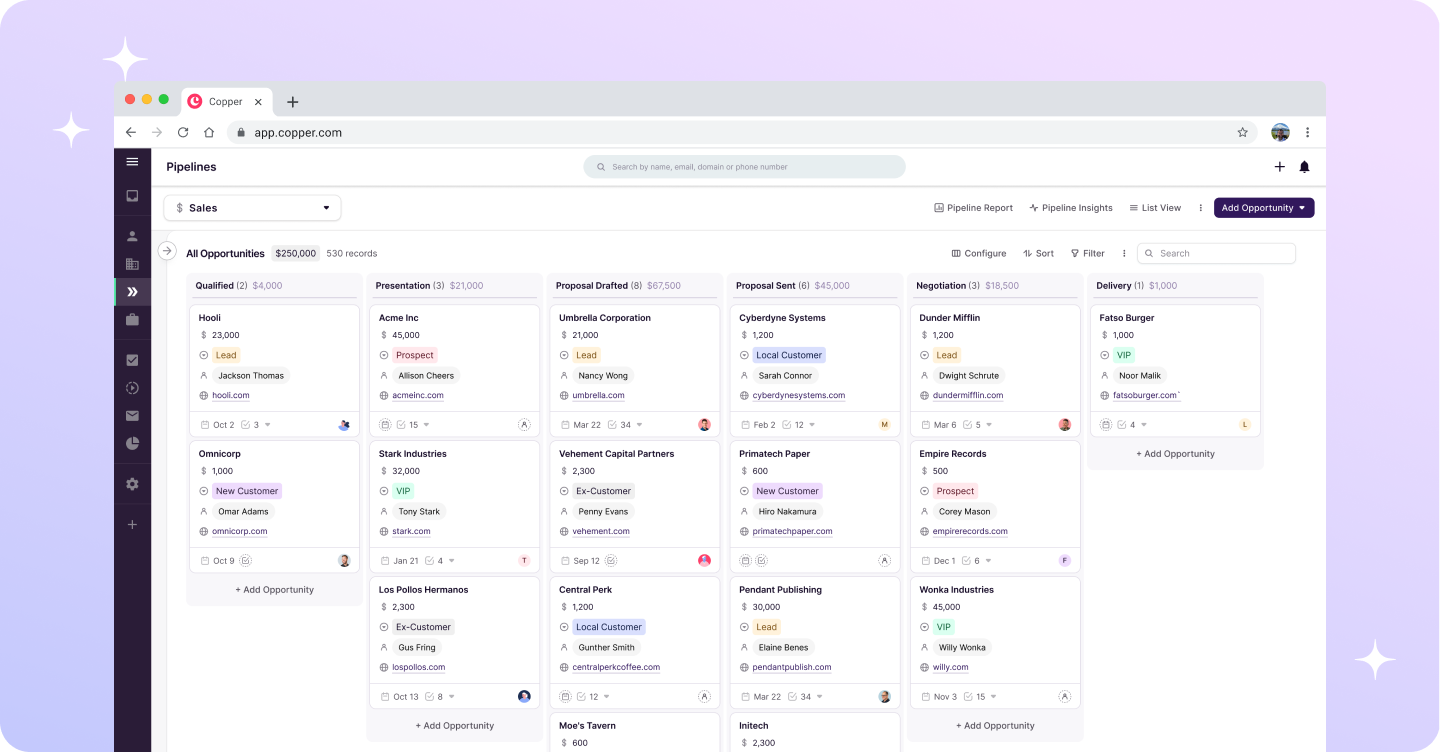
Image source: Copper CRM
That screenshot is a good reminder of what you are really paying for here. Copper is not trying to win with flashy enterprise complexity; it is trying to make contact management, pipelines, and follow-up work feel lighter for teams that already spend their day inside Google tools.
Copper pricing at a glance
Copper keeps the pricing structure simple. There are four paid plans, annual billing brings the seat price down, and the jump from one tier to the next mostly comes down to how much automation, reporting, and scale you actually need.
Starter looks cheap, but it is also where many buyers realize Copper is not meant to be a glorified address book. Basic is where the platform starts to feel like a real day-to-day CRM because pipelines and automation finally show up, and that is usually the first tier worth serious attention for a working sales or client team.
Professional is where Copper starts earning its price for teams that want reporting, bulk email, and workflow automation without stitching together extra apps. Business makes sense when Copper is already central to how you sell and manage accounts, not when you are still wondering whether your team will even adopt the software.
Seat pricing also matters more than people think. A five-user team on Basic is $145 a month on monthly billing, while the same team on Professional is $345, so this is the kind of tool you should match to your workflow on purpose instead of buying because the homepage looks clean.
My early take is pretty simple: Copper pricing is fair for Google Workspace-heavy businesses, less compelling for pure bargain hunters, and probably too much if you still run everything from a spreadsheet and a few inbox labels. That split is helpful because it tells you whether Copper deserves a real trial or whether you should keep shopping.
Article outline
This review is built to answer one thing fast: should you pay for Copper now, wait until you are more ready, or skip it completely. I am going to break that decision into three simple steps so you can move through the article without wasting time.
- First: Copper pricing at a glance so you can see whether the seat cost is even in the right range before you get pulled into feature talk.
- Next: what you get in the free trial, the features that actually make Copper worth paying for, and how the price compares with cheaper or broader tools.
- Last: the alternatives worth comparing, the final verdict, and a quick FAQ so you can decide whether to buy now, wait, or pass.
The goal here is not to pretend Copper is perfect. The goal is to make the buying decision easier by showing where the pricing feels justified, where it starts to sting, and who should not force the fit.
If you are a solo user who mainly needs a lightweight contact manager, you may stop at Starter or decide Copper is more tool than you need. If your team already works in Google Workspace and you are tired of juggling inboxes, spreadsheets, and half-used CRMs, the next sections are where Copper gets a lot more convincing.
What you get in the free trial
Copper gives you a 14-day free trial with no credit card, which is already a good sign if you hate software that makes you fight to leave. The more useful part is that the trial is not a watered-down teaser, because Copper lets you experience the Business plan during the trial instead of hiding the best stuff behind an upgrade wall.
That matters because Copper is hard to judge from a feature list alone. You need to see how it fits inside Gmail, how fast you can move through pipelines, and whether the activity history actually makes your follow-up work easier instead of adding another place to click.
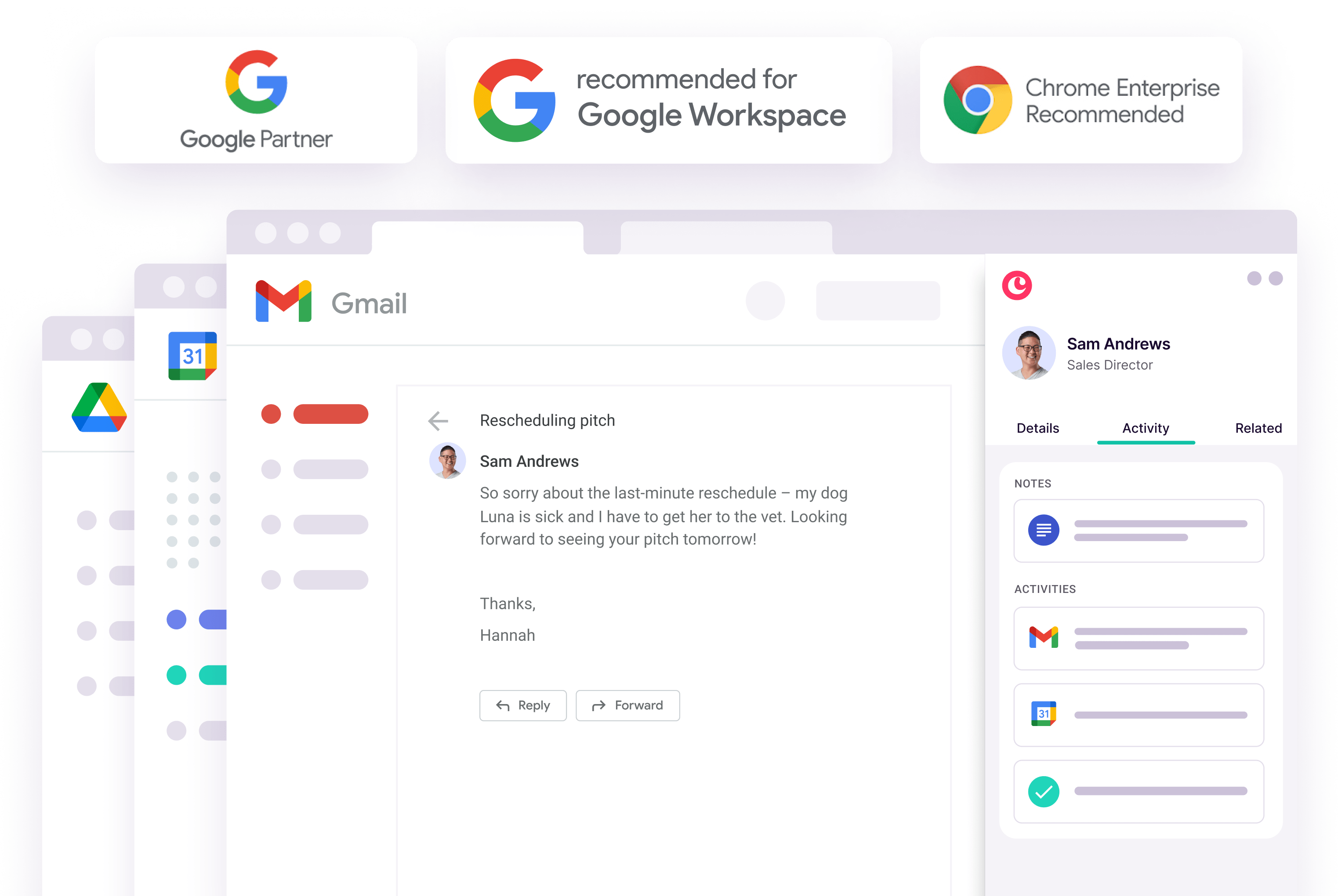
Image source: Copper
The free trial is strongest if your business already runs on Google Workspace. Copper includes Gmail, Google Calendar, Google Contacts, and Google Drive connections across all plans, so you can test the Google-first experience right away instead of pretending you will “set that up later.”
You can also test integrations during the trial, which is useful because long-term access to many third-party integrations starts higher up the pricing ladder. That makes the trial a real decision tool, not just a login screen with half the menu grayed out.
Email automation is another reason the trial helps. Copper’s higher tiers unlock stronger automation, and that matters if you want follow-ups, onboarding emails, or warm lead nudges to happen without babysitting every step by hand.
The good stuff
Copper earns its price when your team lives in Gmail and wants a CRM that feels close to invisible. The appeal is not that it does everything under the sun, but that it handles contacts, conversations, files, tasks, and deal stages without making people bounce between six tabs all day.
That sounds small until you compare it with a messy setup. If your current process is Gmail plus spreadsheets plus sticky-note memory, Copper starts looking less like “another monthly bill” and more like the thing that stops leads and client details from slipping through the cracks.
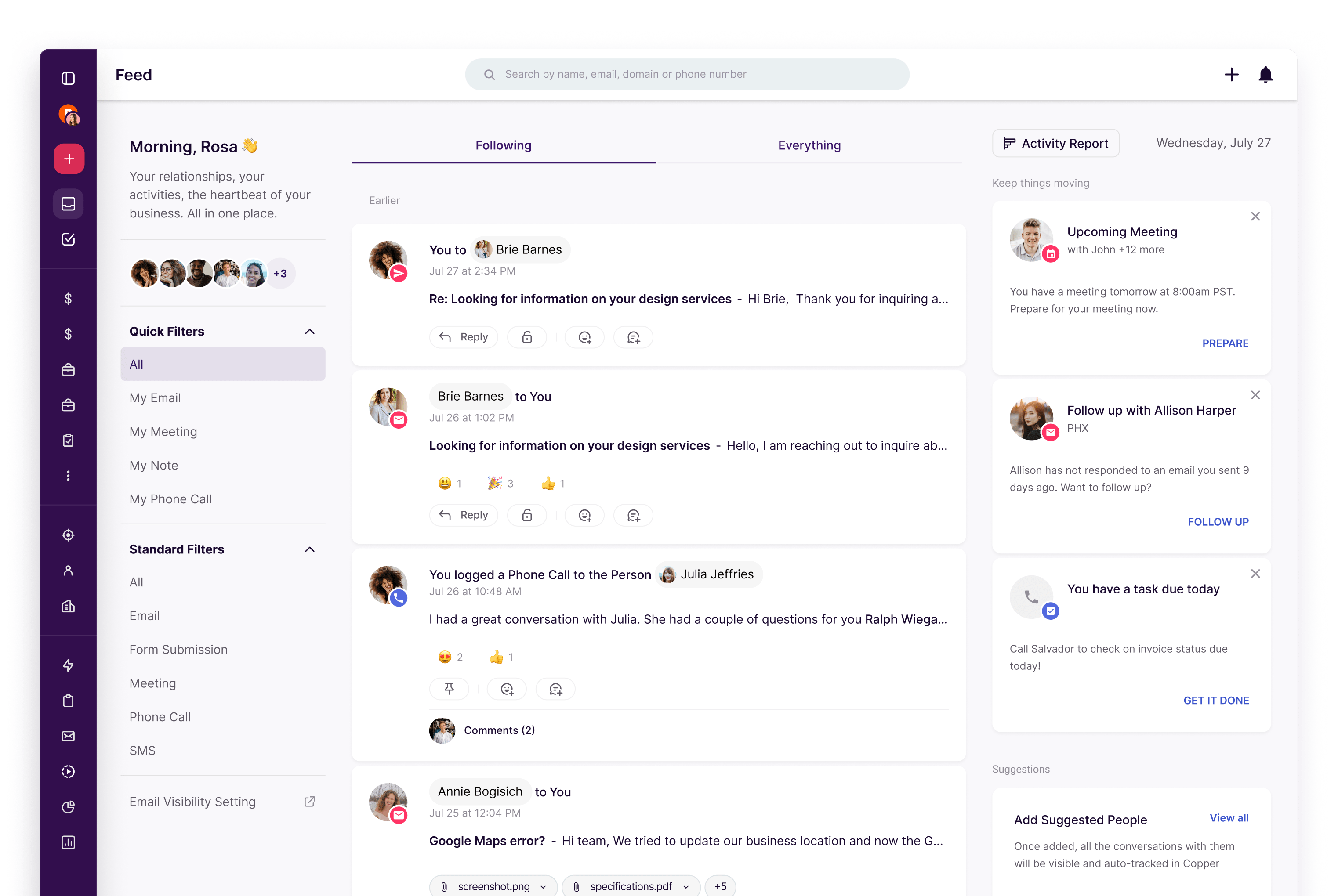
Image source: Copper
The activity feed is a big part of that value. It puts emails, meetings, notes, tasks, and reminders into one running history, which makes it easier to know what happened with a contact before you send another message or jump into another call.
Pipelines are another bright spot. Copper’s Basic plan is where this starts to feel useful for real work, because flexible pipelines, task automation, project management, and contact enrichment do a lot more than a basic contact list ever will.
Professional is where Copper gets more serious. Workflow automation, bulk email, reporting, and broader integrations turn it from a lightweight CRM into something a growing sales or service team can actually build around.
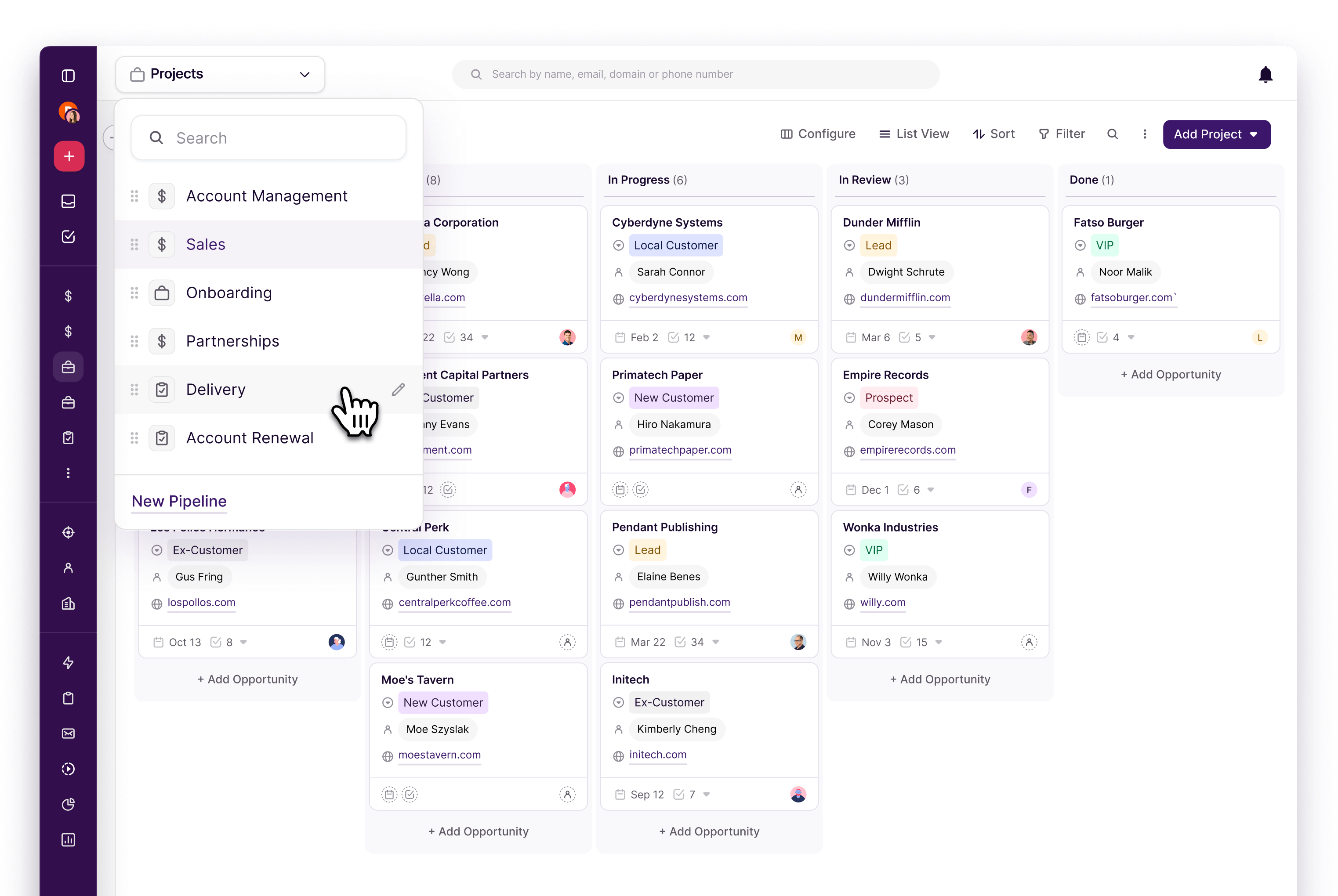
Image source: Copper
There is a catch, though. Copper is great for some people and overkill for others, so if you mainly need landing pages, funnels, and checkout flows more than relationship management, you will probably get more value from a different kind of tool.
Copper also gets less “cheap” once you add seats. A solo operator can look at Starter or Basic and feel fine about the price, but a five-person team needs to do the math before clicking buy, especially if only one or two people will use the CRM heavily.
Copper pricing vs other tools
Copper is not the cheapest software in your stack, but it can still be the smartest spend if CRM is the actual bottleneck. If the bigger problem is poor follow-up, scattered customer history, weak pipeline visibility, and team adoption inside Gmail, cheaper funnel tools will not fix that.
The comparison gets interesting when you look at tools that cost more or less but solve a different problem. Copper is a better fit when you want a Google-first CRM, while broader all-in-one platforms make more sense when you want funnels, automations, websites, and client accounts bundled together.
Check the official free trialCopper wins this comparison when you care more about adoption and clarity than raw feature volume. If your team already works in Gmail all day, Copper usually makes more sense than forcing everyone into a heavier platform they will never fully use.
Systeme.io is the better choice when budget is the main problem and you need funnels more than CRM depth. GoHighLevel is better when you want a broader all-in-one stack, and ClickFunnels is better when your priority is selling through pages and offers instead of managing ongoing relationships.
Why paying for Copper now can make sense
Waiting makes sense if you are still figuring out your offer, your sales process, or whether you even need a CRM. Paying for Copper makes more sense once leads are already coming in and the cost of missed follow-up is higher than the subscription.
That is where Copper starts to justify itself. Manual tracking feels cheap until deals go quiet, teammates miss context, and the next client conversation starts with “Can you remind me what happened here?”
For the right buyer, Copper is absolutely worth trying now. If you are serious about keeping your Google-based workflow clean, speeding up follow-up, and giving your team a CRM they are actually likely to use, the trial is a very easy yes.
Copper vs the main alternatives
Copper is not trying to beat every tool at everything. It is trying to be the CRM that feels easiest to use when your business already runs on Gmail, Google Calendar, and Drive.
That makes the comparison pretty simple. If you want a Google-first CRM, Copper is the stronger fit. If you want funnels, websites, automations, and broader marketing features in one place, one of the alternatives below will usually make more sense.
Check the official free trialChoose Copper if your team already lives in Google Workspace and you want CRM adoption without drama. Choose Systeme.io if the main goal is spending less, and choose GoHighLevel if you want a broader all-in-one stack even if it takes more setup.
ClickFunnels makes more sense when the money is made through funnels and offer pages, not through managing a Google-based relationship workflow. Copper wins when clarity, speed, and Gmail integration matter more than having the longest feature list.
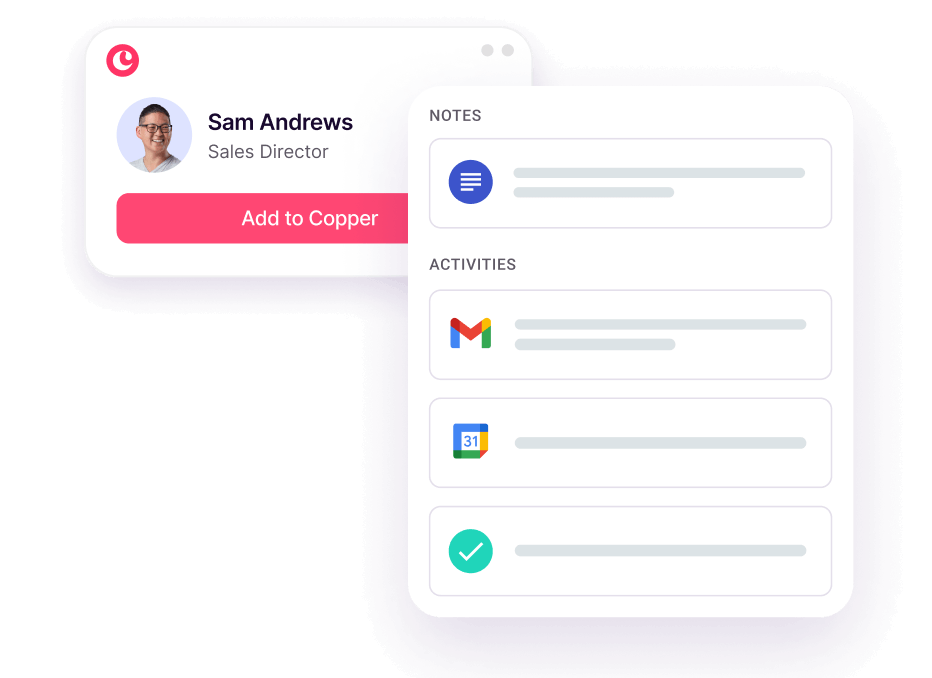
Image source: Copper
My honest take
Copper pricing is worth it for the right buyer. That buyer is not “everyone who needs a CRM.” It is the person or team already working in Gmail every day, already losing time to scattered contact history, and already feeling the cost of weak follow-up.
Starter looks attractive, but Basic is where Copper starts feeling like real working software. Professional is where the platform becomes easier to justify for teams that want automation, reporting, and broader integrations without jumping into something as wide as GoHighLevel.
Copper is not the best deal if you only want the cheapest tool. It is also not the best choice if your main goal is building funnels, websites, or a broader marketing stack, because that is where ClickFunnels, GoHighLevel, or Systeme.io start looking stronger.
Copper becomes easy to recommend when your current setup is Gmail plus spreadsheets plus memory. At that point, “waiting” usually means you keep paying in missed follow-ups, messy handoffs, and contacts nobody on the team can fully see.
Current user feedback lines up with that split. People keep praising the Gmail integration and clean interface, while price and feature depth come up more often once teams grow or want heavier automation.
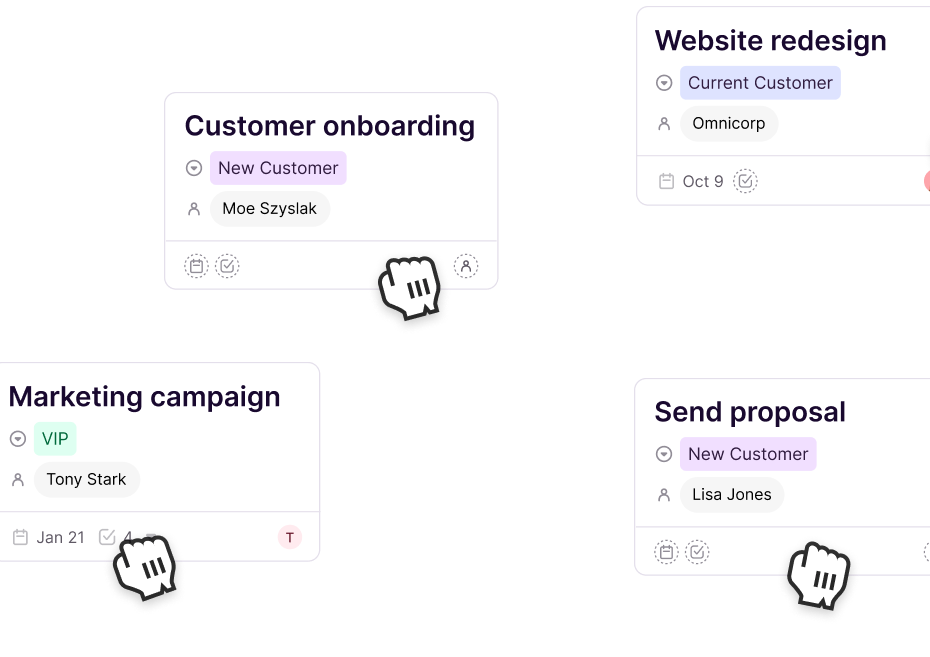
Image source: Copper
That is why the best decision here is pretty clean. Buy now if you already have active leads or clients and your team works in Google Workspace. Wait if you are still figuring out your offer or still too early to feel pain from manual follow-up.
Skip it if you mostly need funnels or if every extra seat will feel painful right away. For the right buyer, though, Copper is absolutely worth trying because the 14-day trial lets you test the real workflow before paying.
FAQ
Is Copper too expensive for a small team?
It can be if only one person will use it seriously. It becomes much easier to justify when several people need the same contact history, pipeline visibility, and Gmail-based workflow every day.
Which Copper plan makes the most sense?
Basic is the first plan most real teams should look at because pipelines, task automation, and contact enrichment make the CRM feel useful fast. Professional is the better choice when reporting, workflow automation, and integrations are part of the job already.
Should you start the trial now or wait?
Start now if leads or client work are already active and your current process feels messy. Wait if you are still so early that a spreadsheet and inbox labels are honestly enough for the next few weeks.
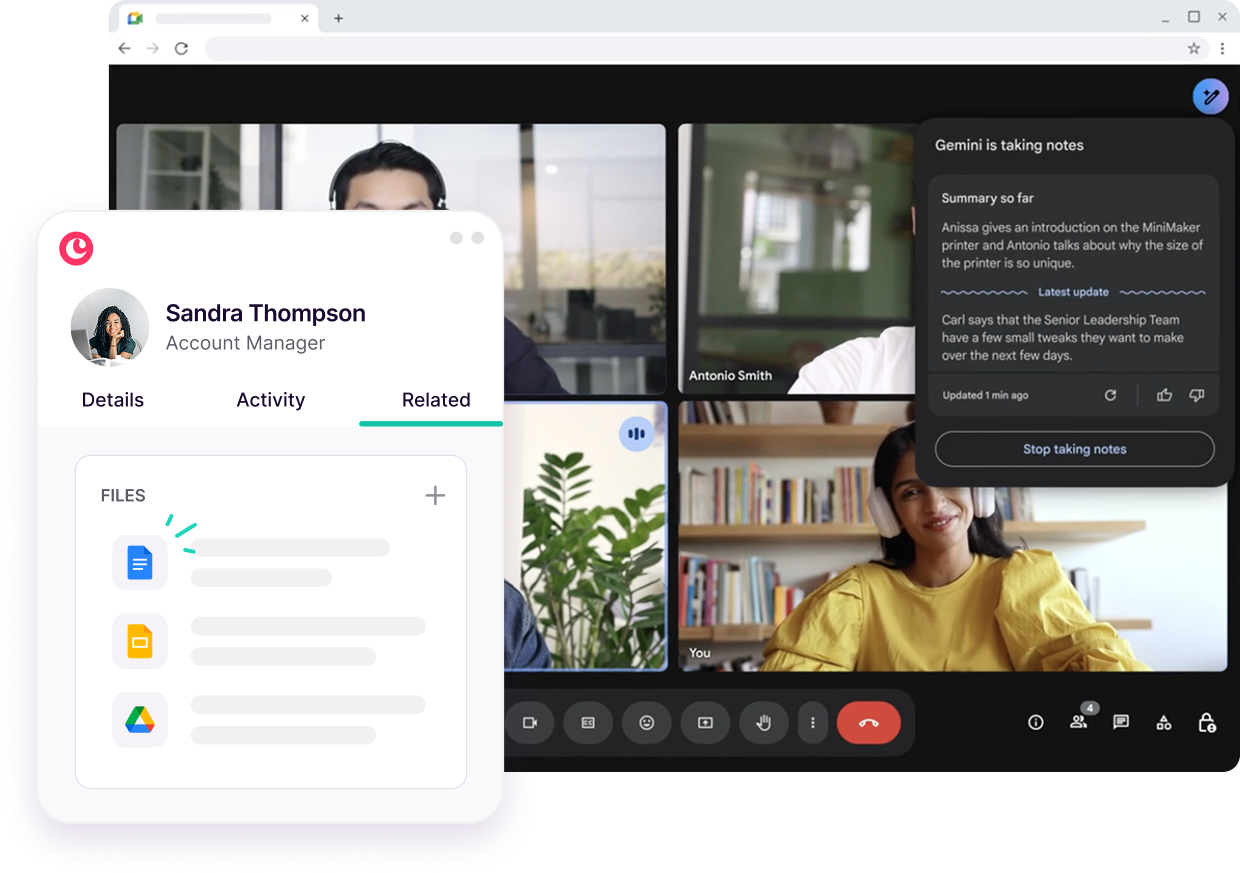
Image source: Copper
Should you try it?
Yes, if you want a CRM that fits the way you already work instead of forcing a new routine. Copper is one of the easier products in this category to understand: if your business runs on Google Workspace and the team needs better visibility, it solves a real problem fast.
No, if you want the cheapest possible software or you really need a funnel builder more than a Gmail-first CRM. That is not a knock on Copper. It just means you should buy the tool that matches the job.
Get started with Copper Filip Konecny Enterprises