

If you are searching for Copper price, you are probably not looking for a bare list of plans. You want to know whether this CRM is worth paying for, whether the cheaper tiers are enough, and whether the jump to the serious plans is justified.
Copper looks a lot more appealing when your business already runs on Gmail, Calendar, Drive, and Chrome. If that is your setup, the price can feel reasonable fast because the product is built around the way you already work instead of asking you to rebuild your process from scratch.
The catch is simple: the entry price is easy to like, but the real buying decision usually starts higher up. Starter and Basic are fine if you mainly want contact management and lighter workflow organization, but Professional is where Copper starts looking like a full sales CRM instead of a tidy add-on.

Image source: Copper official site
Copper price at a glance
Copper currently lists four paid tiers, with lower per-seat pricing when you pay annually and a higher monthly rate if you want more flexibility. The annual discount matters, but the bigger story is feature access, because the plans are separated by real capability gaps, not just contact limits.
That matters for buyers because the cheapest plan is not automatically the best deal. If you need leads, opportunities, workflow automation, bulk email, or reporting, your real starting point is not Starter or Basic, which changes the math pretty quickly.
See current Copper pricingWho Copper makes sense for right away
Copper is easiest to justify when your team already lives in Google Workspace and wants the CRM to sit closer to Gmail instead of acting like a separate universe. That is where the platform earns its price, because less tab-switching and less manual data entry can save time every single day.
Copper is harder to recommend if you mainly care about getting the cheapest possible CRM or you are not especially tied to Google. The lower plans look affordable, but buyers who need deeper sales tracking usually end up judging Professional, so you need to be honest about whether you want a lightweight contact system or a fuller pipeline tool.
That does not make Copper overpriced. It means the best buyer is someone who already has an offer, already works in Gmail, and wants cleaner sales and client management without piecing together five separate tools.
Article outline
Here is the path through the rest of the review. Use the jumps below if you already know the one question you need answered before you decide to try Copper, wait a bit, or move on.
- Is Copper actually worth paying for?
- What you get in the free trial
- The good stuff
- Pricing, value, and how it compares with other tools
- Alternatives worth a real look
- My final verdict
- FAQ
The rest of this review will answer the only question that matters: whether Copper is a smart buy for the way you already work. If you are deep in Google Workspace, there is a good chance the answer is yes, but the plan you choose will decide whether the price feels light or starts to sting.
Is Copper actually worth paying for?
Copper looks cheap at the bottom end, but most growing teams should judge it on Professional, not Starter. Starter and Basic are lighter plans, while leads and sales opportunities only show up once you move up the stack.
That matters because Copper is best when it is doing real CRM work inside Gmail, Calendar, and Drive instead of acting like a simple contact list. If your team already lives in Google Workspace, the price starts to make more sense because the product fits your day instead of forcing a whole new routine.
If you are not especially tied to Google, Copper gets harder to justify against broader tools or cheaper funnel-first platforms. This is great for some buyers and overkill for others.
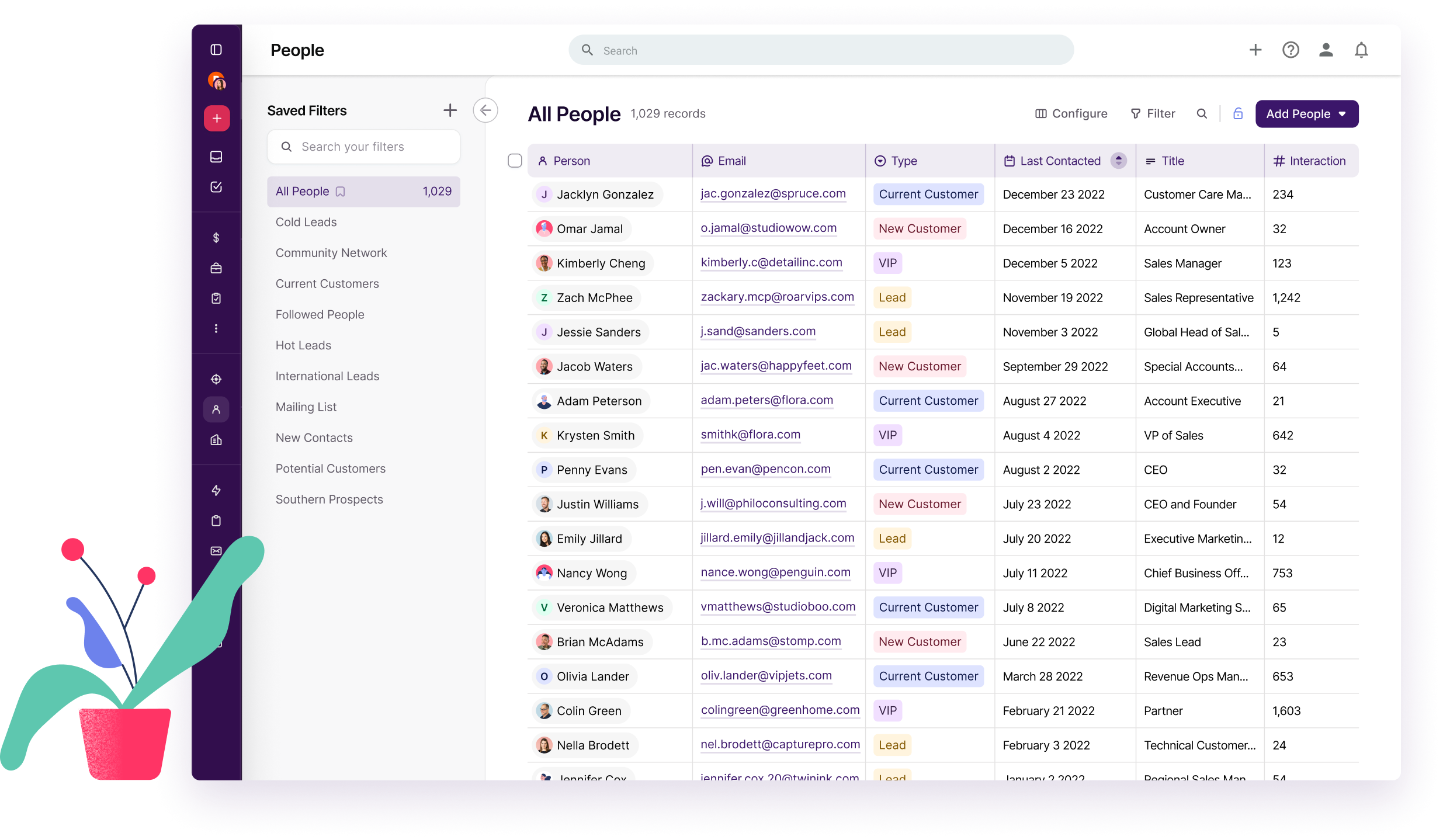
Image source: Copper
What you get in the free trial
Copper gives you a 14-day free trial with instant activation and no credit card. That removes most of the hesitation right away because you can answer the fit question before you pay for seats.
The trial is not really for poking around random menus. It is for checking whether Copper feels faster than your current mix of inbox tabs, spreadsheets, reminders, and half-finished follow-ups.
- Connect Google Workspace and see whether email and calendar context shows up where you need it.
- Build one live pipeline and move a few real contacts or deals through it.
- Open the Chrome extension in Gmail and check whether updates feel easier there than in a separate CRM tab.
- Test reporting, automations, and bulk communication if you are considering Professional or Business.
The trial is usually enough to tell you whether Copper will save time or just become another tool to manage. If you already have active leads or client work moving every week, you will know pretty fast.
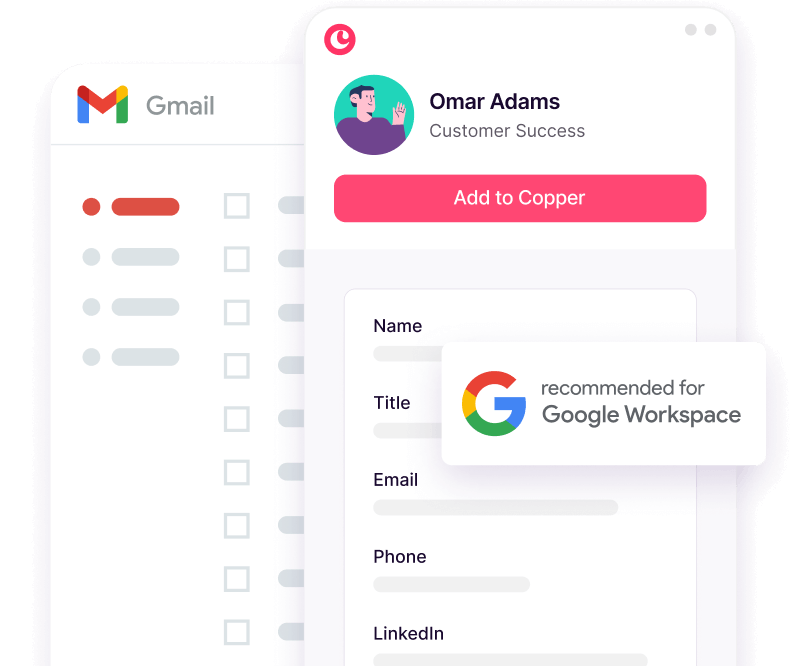
Image source: Copper
The good stuff
Copper’s best feature is not some flashy dashboard. It is the way the CRM sits close to Gmail, which makes updating contacts, checking context, and following up feel less annoying than it does in heavier CRMs.
That is why small teams tend to like it. Buyer feedback keeps pointing to the same upside: easy adoption, a cleaner interface, and strong Google Workspace fit for teams that do most of their work in email.
The weak spots show up in the same places too. Some buyers mention duplicate records, occasional clunky moments, and support or setup frustration, so this is not a magic tool that removes every headache.

Image source: Copper
Professional is where Copper starts earning its price for a growing team. That plan adds leads, sales opportunities, workflow automation, bulk email, reporting, and broader integrations, which is why the lower tiers can feel like warm-up plans if you already have a sales process.
Business goes further with unlimited contacts, email series, custom report builder, and premium support. That is useful, but it also pushes the bill high enough that you should be honest about whether you want a Google-first CRM or a broader all-in-one stack.
Another catch is integrations. Google apps are included across plans, but most non-Google integrations start at Professional and some are held for Business, so the entry plan can feel lighter than the price alone suggests.
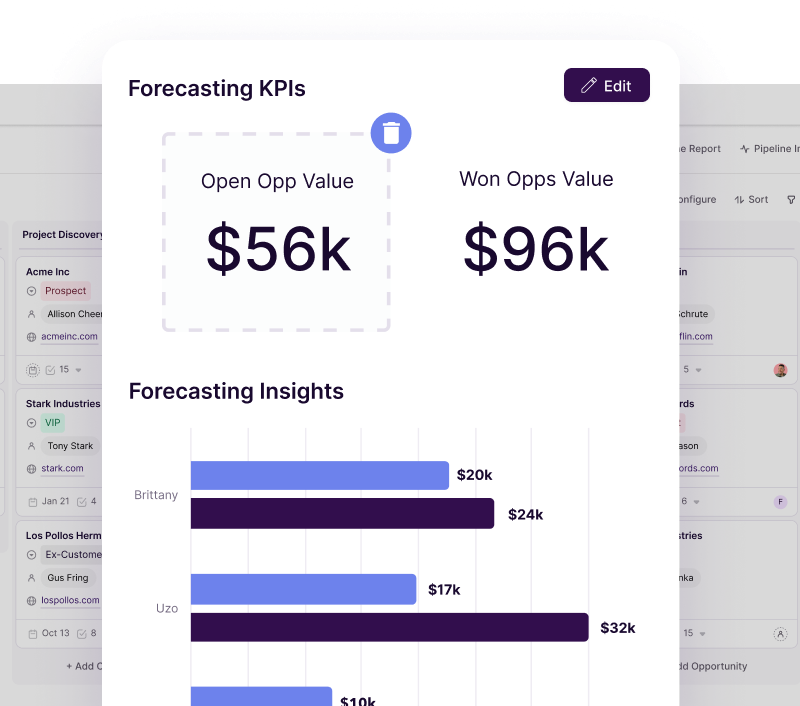
Image source: Copper
Copper pricing and value next to other tools
Copper is not the cheapest option here, but the cheaper tools are not trying to solve the exact same problem. This is where buying on price alone can send you the wrong direction.
Copper is a CRM first, especially for Google Workspace teams. GoHighLevel is broader and heavier, while Systeme.io and ClickFunnels lean much harder into pages, funnels, and online selling.
See current Copper pricingCopper wins when Gmail is the center of your workday and you want cleaner follow-up, cleaner visibility, and less manual entry. GoHighLevel wins when you want a bigger agency stack, while Systeme.io and ClickFunnels win when the real goal is selling through funnels more than managing relationships inside Google.
Why starting now can make sense
If your current process is inbox flags, spreadsheets, and memory, waiting usually does not save money. It usually means slower follow-up, messier handoffs, and more admin work than you want to admit.
Copper is a smart buy now if you already have leads, customers, or active deals moving through Gmail every week. If you are still very early and mostly need a place to store a small list of contacts, you can wait and keep the software bill lighter.
Copper price feels fair when it replaces daily friction you already feel. If that pain is already showing up, check the official free trial and see whether it clicks before you commit.
Alternatives worth looking at
Copper is not the only good option in this price range. It is the best fit for a specific buyer, and that usually means a team that already works inside Gmail, Calendar, Drive, and Chrome all day.
If that is not you, another tool may be the smarter buy. A broader all-in-one can beat Copper on raw feature count, and a cheaper tool can beat it on entry price if you care more about funnels or simple automation than Google-native CRM work.
Check the official free trialChoose Copper if your team already works in Google and wants a CRM that feels easier to live with. Choose Systeme.io if price matters more than CRM depth, and choose GoHighLevel if you want a broader all-in-one with more moving parts.
Choose ClickFunnels if the real goal is funnel sales, not relationship management inside Google Workspace. Copper price feels easiest to justify when you want cleaner pipeline control without turning your team into accidental software operators.
Image source: Copper
My final verdict
Copper is worth it for the right buyer. That buyer is usually a small team or growing business that already lives in Google Workspace and wants the CRM to fit the workday instead of fighting it.
Copper is not the best value for everyone. If you only need a cheap tool, or you want a bigger marketing engine, or your team is not centered on Google, you can probably get more for the money somewhere else.
The sweet spot is simple. If Gmail is already where your deals, conversations, and next steps happen, Copper can save time fast and make the higher price feel a lot more reasonable than it looks at first glance.
Image source: Copper
Here is the catch. Many teams will outgrow the cheapest Copper tier quickly, which means the real decision is often whether Professional is worth it, not whether Starter looks affordable.
That is why I would not pitch Copper as a universal recommendation. I would pitch it as a smart buy for Google-first teams that want cleaner contact management, clearer pipelines, easier adoption, and less manual admin than a spreadsheet-and-inbox setup usually creates.
If that sounds like your situation, this is absolutely worth trying. If it does not, waiting or picking a cheaper alternative is the better call.
Image source: Copper
FAQ
Is Copper expensive for a small team?
It can be. Copper starts cheap, but the plans most sales teams actually want cost more, so the bill changes fast once you add seats.
The price is easier to justify when your team already uses Gmail heavily and will actually save time from tighter Google integration. If you just need a cheap starter tool, Systeme.io is usually easier on the budget.
Does Copper still make sense if I do not use Google Workspace much?
Usually not. Copper’s biggest selling point is how naturally it fits into Google, so that advantage shrinks fast if your team does not really work that way.
If you want a broader system with more marketing and automation built in, GoHighLevel may be the stronger fit. If you mainly want a funnel-first selling tool, ClickFunnels makes more sense.
Should I switch from another CRM just to get Copper?
Only if the Google fit is going to matter every day. Switching CRMs always has a cost, so Copper needs to fix a real problem, not just look cleaner on the pricing page.
If your current CRM already works and your team is not frustrated by clunky adoption, it may not be worth the move. If your current setup feels messy and Gmail is where work already happens, Copper becomes much easier to justify.
Should I start the trial now or wait?
Start now if you already have leads, clients, or active deals moving each week. You will learn a lot more from a live workflow than from reading another pricing comparison.
Wait if you are still early and mainly need a place to store a few contacts. Software usually earns its keep once the manual follow-up and pipeline mess start costing you time.
Ready to make the call?
Copper is not the cheapest CRM, and that is fine. It does not need to be if it gives the right team a cleaner way to manage relationships inside the tools they already use.
If you are serious about getting out of the spreadsheet-and-inbox cycle, explore Copper and see whether the fit is obvious once your real workflow is inside it. That is usually the fastest way to know whether Copper price feels fair, easy to justify, or still too much for where you are right now.
Get started with Copper Filip Konecny Enterprises