
Copper makes the most sense when your team already lives in Gmail and Google Workspace. That is the whole pitch: less tab-switching, less manual CRM cleanup, and a setup that feels lighter than a lot of traditional sales software.
Price is also where people hesitate. Copper starts cheap enough to look approachable, but the plans that unlock serious sales workflow features climb fast, so this is not the kind of CRM you buy blindly just because the entry plan looks harmless.
This review is here to help you decide whether Copper is a smart buy now, whether you should wait until your process is more mature, or whether a cheaper or broader tool would fit better.
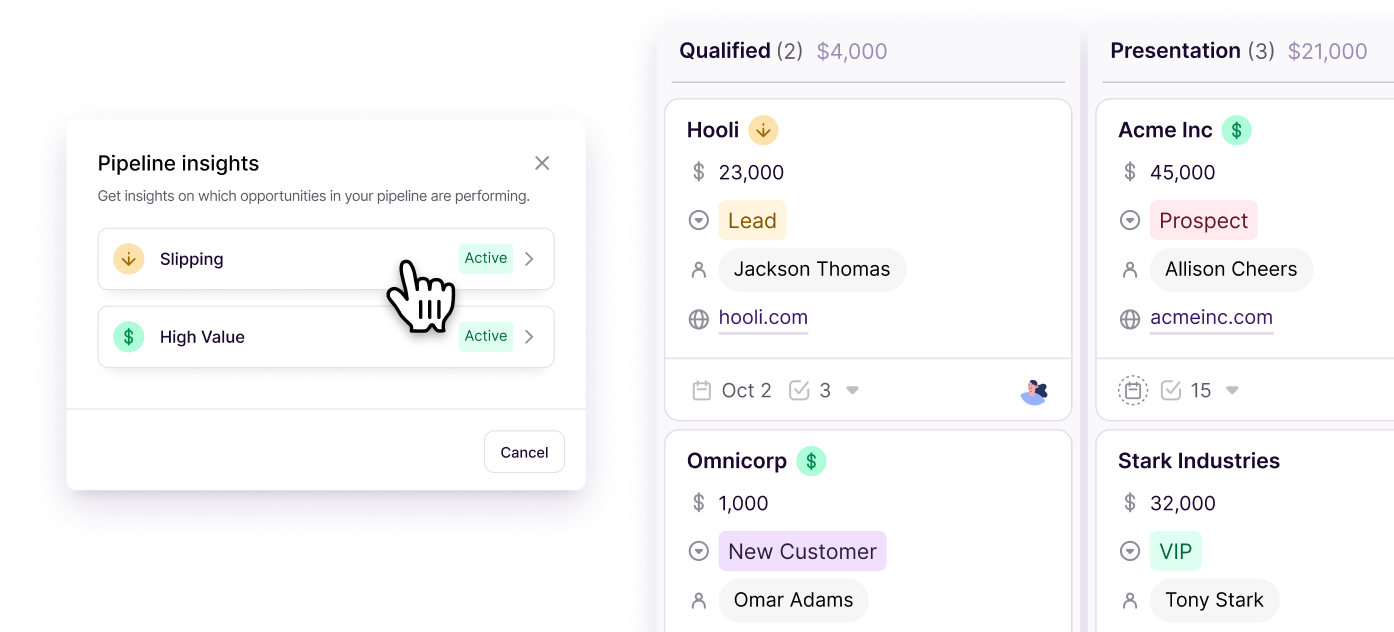
Image source: Copper
Article outline
Copper pricing at a glance
Copper currently has four plans, and the jump between them matters more than the marketing copy suggests. Starter is inexpensive, but it is mostly there to get you organized inside Google Workspace, while Professional and Business are the plans where Copper starts acting like a real growth CRM instead of a light contact manager.
That split matters because a lot of buyers look at the low starting price and assume Copper is a bargain across the board. It can be, but only if the plan you actually need matches the way your team sells.
The first takeaway is simple: Copper is not expensive at the bottom end, but it is not a budget CRM once you need serious sales features. The second takeaway is even more important: the cheaper tiers leave out the exact things many buyers assume are standard, especially leads and opportunities.
That does not make Copper overpriced. It just means you need to buy it with open eyes, because the wrong plan will feel limited fast and the right plan will cost enough that you should expect real time savings in return.
Who should keep reading
Copper is worth a closer look if your team works inside Gmail all day, hates manual CRM updates, and wants something easier to adopt than a heavyweight platform. Agencies, consultancies, service businesses, and relationship-driven teams are usually the clearest fit.
You should be more cautious if you are not heavily tied to Google Workspace, if you want deep enterprise customization, or if you mainly care about getting the absolute cheapest CRM possible. Copper can be a clean time-saver, but it is not trying to be the cheapest option in the category and it is definitely not built to impress buyers who want a giant all-purpose enterprise stack.
The next section gets into the part that decides whether Copper earns its price: what you actually get in the trial and in the paid plans, where the real value shows up, and where the upgrade pressure starts.
What you get in the free trial
Copper gives you a 14-day free trial, no credit card required, and the setup is quick enough that you can tell pretty fast whether the product fits your team. That matters because this is not the kind of CRM you need weeks to understand.
The trial is more generous than it looks because Copper lets you use the Business plan during the free trial. You can test the higher-end stuff that usually decides the purchase, including integrations, email series, and deeper reporting, instead of guessing whether an upgrade will be worth it later.
There is one hard filter before you even start: Copper is built around Gmail and Google Workspace. If your company runs on Microsoft 365 or you want a CRM that feels neutral across email ecosystems, this is probably not your tool.

Image source: Copper
The smart way to use the trial is simple. Connect Gmail, create a real pipeline, pull in a few contacts, test task automation, and see whether your team actually updates the CRM more often because it is sitting closer to the tools they already use.
That is where Copper usually wins or loses. If it reduces manual logging right away, the price starts making more sense; if your workflow still feels clunky, paying for more seats will not fix that.
The good stuff
Copper is appealing because it does not try to feel like some giant enterprise machine. It feels smaller, faster, and easier to adopt, which is a big deal if your team hates CRMs and only uses them when forced.
The Google Workspace fit is the main reason people pay for it. Gmail, Calendar, Contacts, and Drive are included across all plans, so Copper makes more sense when your sales process already lives inside Google and you want the CRM to sit closer to the action.
Image source: Copper
- Starter gives you contact management, Google Workspace integration, forms, tasks, and a 1,000-contact cap.
- Basic adds pipelines, task automation, project management, contact enrichment, and a 2,500-contact cap.
- Professional is where Copper starts acting like a serious sales CRM, with sales opportunities, workflow automation, bulk email, reporting, integrations, and a 15,000-contact cap.
- Business adds unlimited contacts, email series, custom reports, multi-currency, and premium support.
The biggest pricing catch is easy to miss on a quick skim. Starter and Basic do not include sales opportunities, so the cheap plans look better than they really are if you want Copper for active pipeline management instead of light relationship tracking.
That is why Professional is usually the real decision point for sales teams. Basic is good if you mainly want organization and simple process control, but Professional is the tier where automation, bulk outreach, and real deal tracking start to justify spending more.
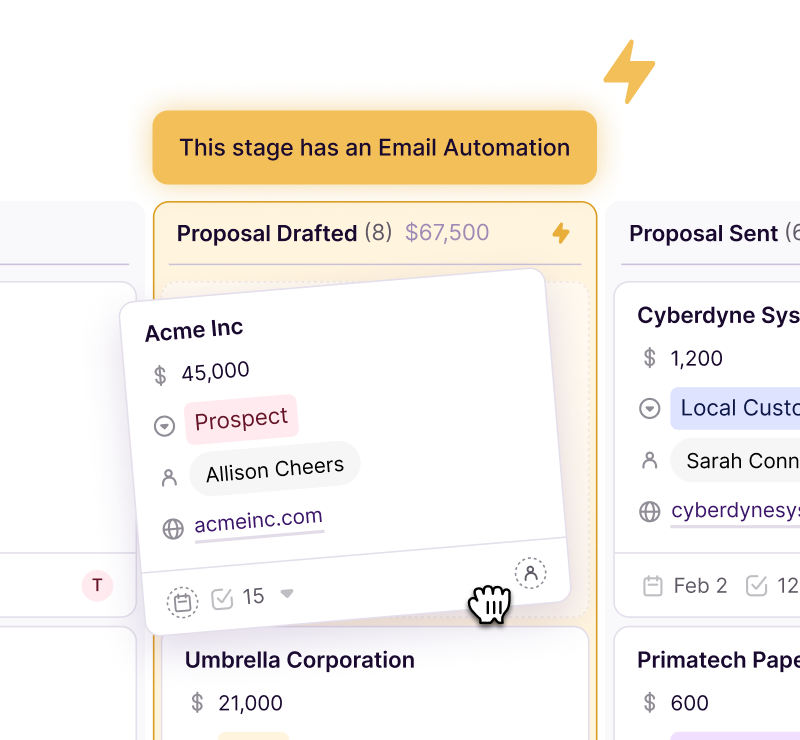
Image source: Copper
Automation is another reason Copper can earn its price. Copper supports task automation and workflow-based follow-up, and bulk email works with Gmail sync, templates, and merge fields so you are not stuck doing everything one contact at a time.
That does not mean it replaces a full marketing stack. Copper is still strongest as a CRM for relationship-driven teams, not as a heavy funnel builder, not as a white-label agency machine, and not as the cheapest way to send marketing campaigns.
Copper price vs broader tools
Copper looks cheap next to broader all-in-one tools until you remember the seat-based model and the missing sales features on lower tiers. If you have a small Google Workspace team and mostly need CRM, that can still be a great trade; if you need funnels, client sub-accounts, or a bigger marketing engine, the math changes fast.
Check the official free trialThat table is the real pricing story in plain English. Copper is the cleaner fit when CRM is the core job and your team already lives in Google, while the others make more sense when you want a broader marketing stack or a lower-cost launch option.
Image source: Copper
Why starting now can make sense
Copper is worth trying now if your pipeline already exists and your team is still managing too much of it from inboxes, notes, and spreadsheets. Waiting usually just means more manual updates, slower follow-up, and more sales activity disappearing into Gmail threads.
Copper will not magically create a sales process for you. It works best when you already know how you sell and you want a CRM that gets out of the way instead of turning adoption into a side project.
I would not rush into Copper if you are brand new, barely have any contacts, or mainly want landing pages and funnel pages. In that case, Systeme.io is the easier cheap option, and ClickFunnels makes more sense if the funnel itself is the business.
Copper becomes the smarter buy when you already have sales motion, you use Google Workspace every day, and you are tired of doing CRM admin by hand. If that sounds like your team, see current pricing and run the trial while the pain points are still easy to spot.
Alternatives worth comparing before you buy
Copper is not the default winner just because it fits Google Workspace well. The smarter move is comparing it against tools that solve a slightly different problem, because that is usually where the buying decision gets clearer.
Copper is strongest when you want a CRM that your team might actually use inside Gmail. If you care more about funnels, heavier automation, or the lowest possible entry price, one of the alternatives below can make more sense.
Image source: Copper
See current pricingChoose Copper if Gmail is where your team already works and you want a CRM that feels close to that workflow instead of fighting it. Choose Systeme.io if you want the cheapest way to get moving, GoHighLevel if you want a broader all-in-one, and ClickFunnels if the funnel itself matters more than the CRM.
Image source: Copper
My honest take
The Copper price is fair for the right buyer and annoying for the wrong one. That sounds obvious, but here the difference is unusually sharp because Copper is not trying to win with the lowest price or the biggest feature list.
Copper earns its keep when your team already lives in Gmail and mostly needs better follow-up, cleaner pipelines, and less manual CRM admin. That kind of team can justify the cost faster because the product is built around work they already do instead of forcing a whole new operating system on them.
Copper gets harder to justify when you are still figuring out your sales process, barely use Google Workspace, or mainly want landing pages, heavy marketing automation, and funnel-building. In those cases, paying per seat for a CRM-first tool can feel like buying the wrong answer to the right problem.
Professional is usually the real starting line if you need actual sales tracking. Starter and Basic can help with organization, but they leave out leads and sales opportunities, so many buyers looking at Copper for revenue workflow will outgrow the cheaper plans faster than they expect.
That is the catch. Copper looks inexpensive at the bottom, but the useful sales version of Copper often costs more than the first number you notice on the pricing page.
I still think it is worth trying if your current setup feels messy and Gmail is the center of your sales process. Paying more for a tool people actually use can be smarter than paying less for a tool your team quietly ignores.
Image source: Copper
Should you buy now, wait, or skip it?
Buy now if you already have leads, already use Gmail heavily, and you are tired of pipeline updates happening in spreadsheets, inbox threads, and people’s heads. Copper is one of the cleaner upgrades for teams that want a CRM without turning setup into a second job.
Wait if you are still too early. If you do not have a repeatable sales process yet, or you only have a handful of contacts, the Copper price will probably feel like more software than you need.
Skip it if your real need is broader than CRM. GoHighLevel is better when you want a heavier all-in-one, and ClickFunnels makes more sense when sales pages and checkouts are the main game.
Image source: Copper
FAQ
Is Copper overpriced for small teams?
Only if the team does not really need it. Small teams that live in Gmail can get solid value from Copper, but very early-stage teams may be better off starting with Systeme.io or even a simpler manual setup until the sales process is more defined.
Which Copper plan usually makes the most sense?
Professional is usually the plan that makes Copper feel like a real sales CRM. Starter is fine for light relationship tracking, Basic adds pipelines and automation, but Professional is where leads, opportunities, workflow automation, reporting, and bulk email start making the price easier to justify.
Can Copper replace funnel builders or agency all-in-one tools?
Not really. Copper is a CRM-first buy, so if you need funnel pages, broader client automation, or a more aggressive all-in-one stack, ClickFunnels or GoHighLevel are stronger fits for that job.
Final verdict
Copper is worth it for Google Workspace teams that want a CRM people will actually use. It is not the cheapest route, and it is not the broadest route, but it is one of the cleaner answers for teams that want better sales follow-up without dragging everyone into a bloated system.
That means the best buyer for Copper is pretty specific. If that sounds like you, start the trial and judge it against your real workflow instead of trying to overthink it from a pricing page alone.
Check the official free trial Filip Konecny Enterprises