
Copper looks straightforward until you have to choose a plan. Starter is cheap enough to tempt solo users, Basic looks like the obvious middle ground, Professional is where the serious sales features show up, and Business jumps into real-money territory fast.
Copper makes the most sense when your team already lives in Gmail and Google Calendar. That Google Workspace angle is the main reason to consider it in the first place, and it is also the main reason to skip it if your business is not built around Google.
You are here because you want a clear answer on whether Copper is worth paying for, which plan fits your stage, and whether the trial is worth starting now. If you are already close to a decision, you can check the official free trial while you read.
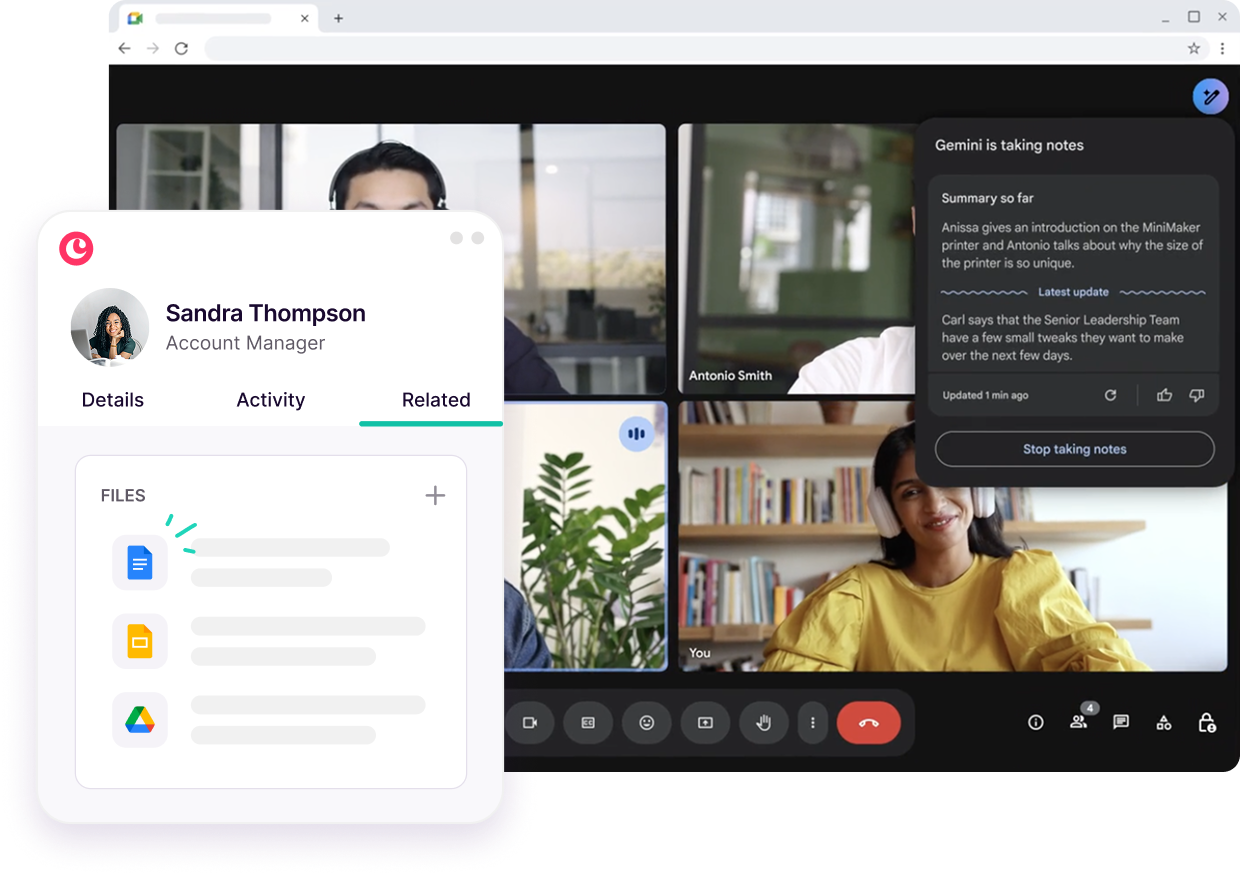
Image source: Copper Google Workspace CRM page
Copper plans at a glance
Copper is not trying to win by being the biggest CRM on the market. It is trying to be the CRM that feels easiest to use if your work already runs through Gmail, Calendar, Drive, and the rest of Google Workspace.
That matters when you compare the plans, because the pricing is not really about raw contact storage alone. It is about how much manual work you can remove once Copper starts handling pipelines, task automation, email follow-up, reporting, and deeper workflow rules.
Starter is the cheapest way in, but it is also intentionally narrow. You get Google Workspace integration, tasks, activity feed, forms, Zapier, and a 1,000-contact cap, which is fine for a freelancer, consultant, or tiny team that mainly wants a lightweight relationship tracker.
Basic is the first plan that feels like a proper operating system for a small team. Copper adds pipelines, task automation, project management, contact enrichment, and raises the contact limit to 2,500, which is enough for a lot of service businesses that have moved past the spreadsheet stage but are not ready for a bloated CRM.
Professional is where Copper starts to justify a bigger spend. You jump to 15,000 contacts and unlock workflow automation, bulk email, reporting, and integrations, which means the platform stops being just a neat Gmail companion and starts replacing more of the patchwork tools and manual follow-up that slow teams down.
Business is for teams that already know they need scale. Unlimited contacts, email series, custom reports, multi-currency, and premium support can absolutely be worth it, but only if you will use those extras often enough to justify the jump from Professional.
Copper lists those prices in USD per seat per month, with annual billing priced lower than monthly billing. The trial is 14 days and Copper says no credit card is required, which makes it easy to test without getting trapped in a checkout decision too early.
My early read is simple: Starter is fine, Basic is the first plan most small teams should seriously look at, Professional is where Copper starts earning a premium, and Business only makes sense when your reporting and scale needs are already obvious. If you want to compare the live numbers yourself, use Copper’s pricing page instead of guessing from outdated review posts.
See current Copper pricingArticle outline
I split this review into three clean sections so you can jump straight to the decision you are trying to make. Read them in order if you want the full picture, or skip to the section that matches where you are right now.
- First: you are here now with the Copper plans snapshot and this roadmap, so you can quickly see how the pricing ladder is built and where each tier starts to make sense.
- Next: I will break down what you get in the trial, the good stuff, pricing and value, and why waiting can keep you stuck with manual work longer than you should be.
- Last: I will compare real alternatives, give you the final verdict, and finish with a short FAQ so you know whether to buy now, wait, or pick something else.
Keep reading if you are choosing between Starter and Basic, or if you suspect Professional is the tier where Copper finally becomes worth the money. The next section matters even more if you are wondering whether the free trial is enough to test the product properly before you commit.
What you get in the free trial
Copper gives you a 14-day free trial, says no credit card is required, and starts instantly. That removes a lot of the usual hesitation because you can actually get into the product fast instead of getting pushed into a sales call first.
The part most people miss is on Copper’s integrations page: the trial runs on the Business plan so you can test the deeper feature set before paying. That is generous, but it also means you should compare the live plan limits on Copper’s pricing page before you assume Starter or Basic will do everything you just tried.
That trial is enough for the right kind of buyer. If you already have a real pipeline, a few active deals, and a Gmail-based workflow, two weeks is plenty of time to see whether Copper feels natural or whether you would rather keep patching together spreadsheets, inbox labels, and task tools.
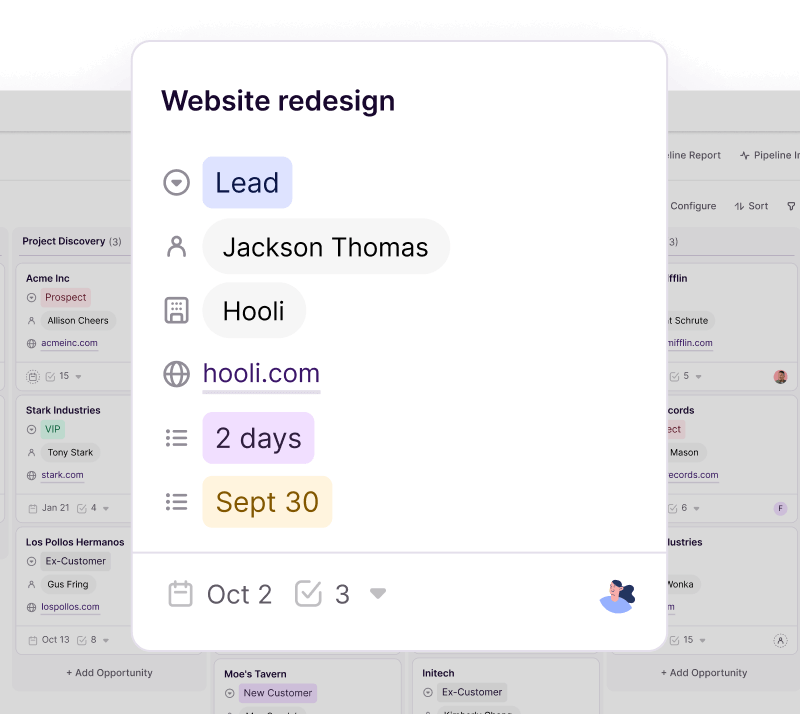
Image source: Copper project management page
Starter is a light entry point, not a full power-user plan. Copper lists Google Workspace integration, tasks, activity feed, forms, Zapier, and a 1,000-contact cap there, so it is better for basic relationship tracking than for teams that already need automation, richer reporting, or broader integrations.
Basic is where the product starts feeling practical for a small service team. Pipelines, task automation, project management, contact enrichment, and the higher contact cap make it easier to run day-to-day work in one place instead of bouncing between Gmail, a task app, and some half-maintained sheet nobody enjoys updating.
The good stuff
Gmail and Calendar are the whole point
Copper is strongest when your business already lives inside Google Workspace. Copper says all plans include Gmail, Google Calendar, Google Contacts, and Google Drive integrations, and that is the reason this tool feels different from a generic CRM you have to force into your workflow.
That setup matters more than it sounds. If your team already works in Gmail all day, logging contacts, checking activity, and keeping deal context close to the inbox saves real time because you stop asking people to maintain a second system they never wanted to open in the first place.
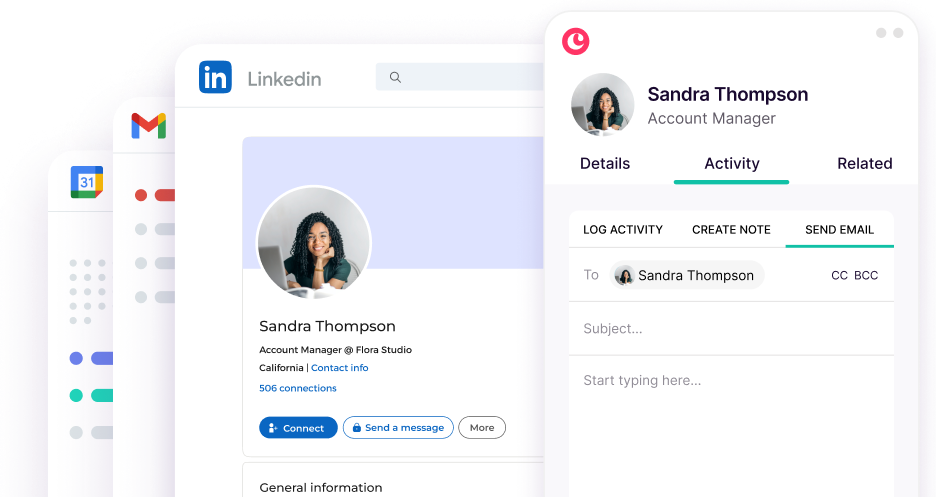
Image source: Copper marketing tools page
Automation starts paying off on Basic and Pro
Copper gets more convincing once you move beyond Starter. Basic adds pipelines and task automation, while Professional adds workflow automation, bulk email, reporting, and broader integrations, which is where the platform stops feeling like a simple contact manager and starts replacing manual follow-up work.
That is the payoff buyers usually care about most. When a deal moves, a task gets created, an email gets sent, and the next step stays visible, your team is less likely to forget follow-ups or leave client handoffs hanging because someone assumed another person would handle it.
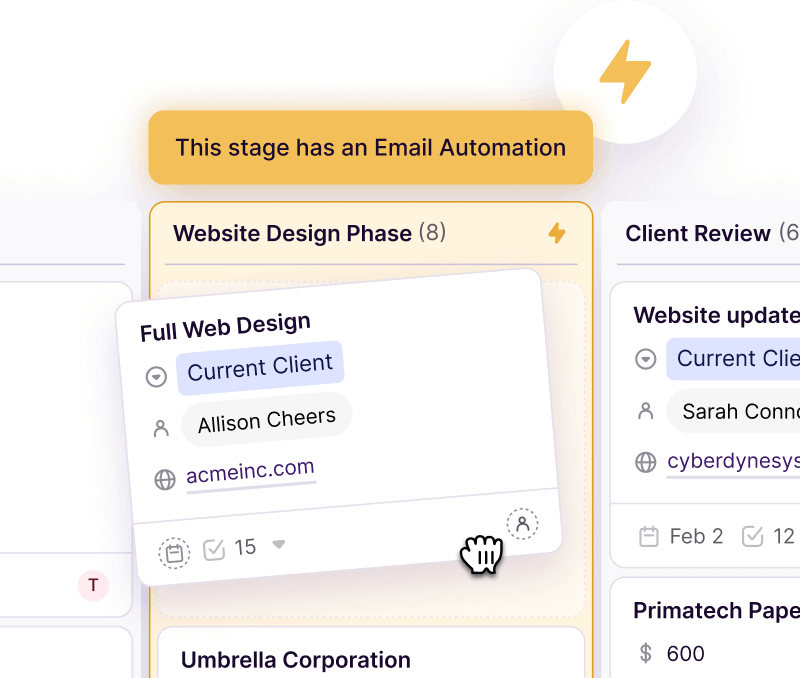
Image source: Copper project management page
Copper also puts AI writing assistance on Professional and Business, based on its email tools page. I would not buy the platform for AI alone, but it is useful when your team sends a lot of follow-ups and wants help tightening copy without adding another writing tool.
Reporting is where Professional stops feeling optional
Professional is the plan that starts to look serious for managers, not just reps. Copper puts reporting on Professional, then adds custom reports on Business, which means Basic can keep work organized but higher plans are the ones that help you spot stalled deals, weak follow-up, and where revenue is really coming from.
That is also where the price jump starts making sense. If better visibility helps you catch missed opportunities and fix sloppy handoffs, paying more for the right plan can be cheaper than staying on a lighter tier that keeps your team busy but leaves leadership guessing.
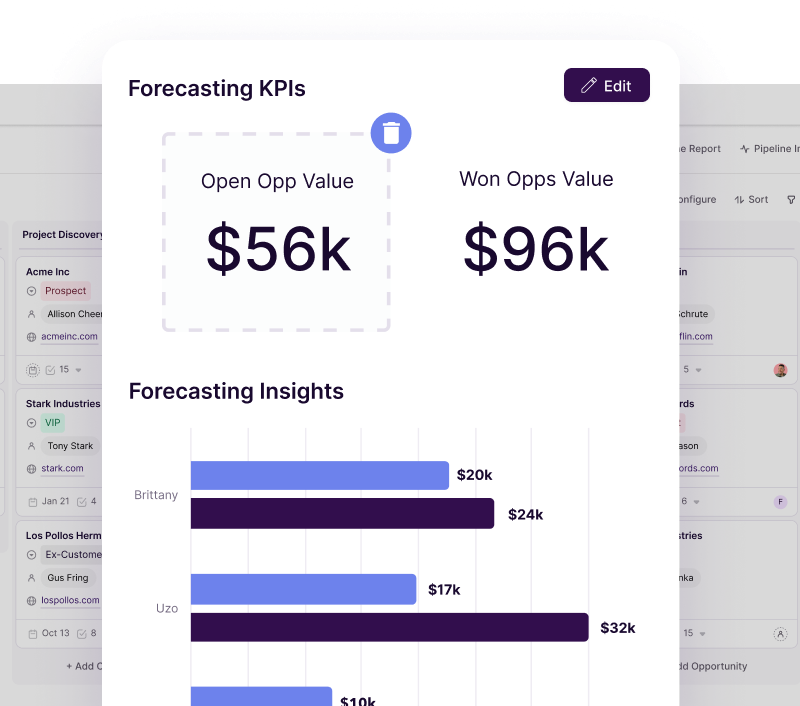
Image source: Copper reporting page
Pricing and value
Copper’s pricing is easy to understand and harder to justify if you pick the wrong tier. Starter is cheap, Basic is the first real small-team plan, Professional is where the useful scale features show up, and Business is for teams that already know they need custom reporting, email series, unlimited contacts, or premium support.
The honest catch is that Copper is not the cheapest way to manage contacts or build funnels. It is worth more when you want a Google-first CRM that feels easy to adopt, and worth less when you mainly want a broad all-in-one marketing stack or the absolute lowest monthly cost.
Check the official free trialCopper wins when your team works in Gmail all day and wants a CRM that people will actually use. GoHighLevel is stronger if you want a heavier marketing machine, and Systeme.io is the obvious cheaper pick if your budget matters more than deep Google-native CRM behavior.
Why you may want to start now
Copper is easier to justify once you are already selling, onboarding clients, or managing repeat follow-up inside Gmail. Waiting usually means your team keeps logging notes manually, forgetting next steps, and losing visibility because the real workflow is still scattered across inboxes, calendars, and random documents.
That does not mean everyone should buy today. If you have not settled your sales process yet, do not even know what pipeline stages you need, or mainly want a cheap funnel builder, you are better off waiting or choosing a simpler tool like Systeme.io.
Copper makes the most sense when you already know your business runs on Google and you want a calmer way to manage relationships without forcing the team into a giant CRM they will hate. If that sounds like you, Copper is worth a real look right now.
Alternatives worth looking at before you pick a Copper plan
Copper is not the automatic winner just because it feels clean. It wins for a pretty specific buyer: a team that lives in Gmail, wants CRM and project flow in one place, and does not want a bloated system that takes forever to adopt.
If that is not you, one of the other tools below may fit better. The smartest move is not finding the “best” software in a vacuum, but picking the one that matches how you already work.
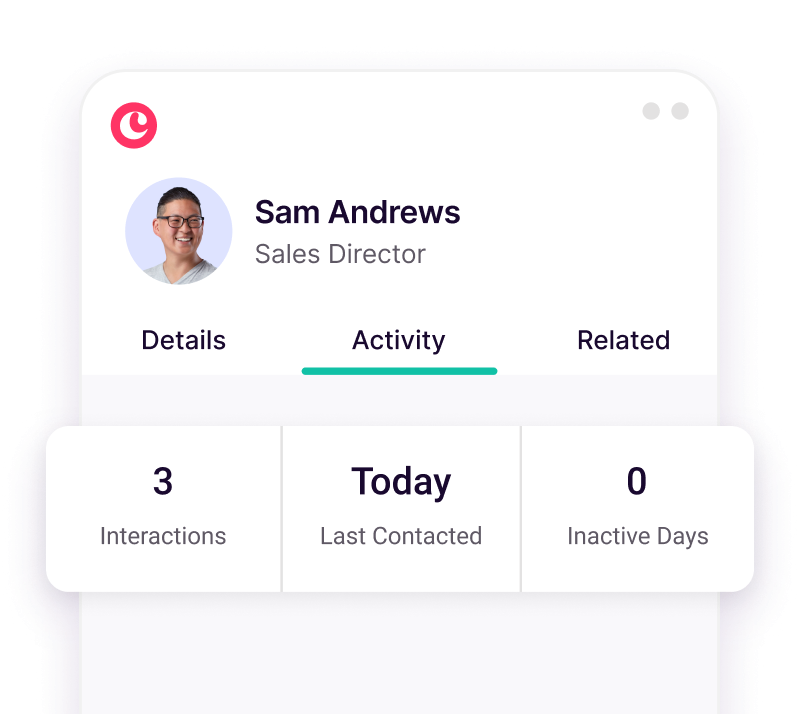
Image source: Copper sales reporting page
Check the official Copper trialChoose Copper if your team already works in Gmail and you want the CRM to feel like an extension of what you already do. Choose Systeme.io if price is the main issue, and choose GoHighLevel if you want the broader all-in-one stack and are willing to trade simplicity for more moving parts.
ClickFunnels makes more sense when your business is built around selling through funnels, not managing ongoing client relationships. That is the main dividing line.
My honest take on Copper plans
Copper is a strong buy for the right buyer. It is not the cheapest option, not the broadest option, and not the one I would pick for everyone, but it solves a very real problem for Google Workspace teams that are tired of juggling inboxes, spreadsheets, notes, and follow-up tasks across too many places.
Starter only makes sense if you are solo or barely beyond the spreadsheet stage. Most small teams should start by looking at Basic, and most teams that care about reporting, automation, or scale should look hardest at Professional because that is where Copper starts earning its higher price.
Image source: Copper project management page
Basic is the plan I would point most service businesses toward first. Professional is the better pick if missed follow-ups, weak visibility, or too much manual work are already costing you time, because the added automation, reporting, bulk email, and bigger limits give you more room before you outgrow the setup.
Business is easier to justify once you already know you need unlimited contacts, custom reports, email series, or premium support. If you are not sure you need those things yet, you probably do not.
Copper is not for everyone. Skip it if you want the cheapest all-in-one, if your team is not built around Google, or if you mainly need funnels and heavy marketing automation more than relationship management.
Copper becomes worth it when your current setup feels messy and your team keeps doing work twice. At that point, paying for a cleaner system is often cheaper than continuing to lose time inside a stack that never quite fits.
FAQ
Does Copper have a free plan?
Copper pushes a free trial, not a free-forever plan, on its pricing page. If you need something you can keep using for free, Systeme.io is the cheaper place to start.
Which Copper plan is best for most teams?
Basic is the safest starting point for small teams that want pipelines, project management, and task automation without jumping straight to premium pricing. Professional is the better move when you already need workflow automation, reporting, bulk email, and more room to grow.
Is Professional worth the jump?
Professional is where Copper starts feeling like more than a tidy CRM. If reporting and automation will save your team real time, that jump is easier to justify than staying on a cheaper plan that keeps everyone organized but still leaves too much manual work in place.
Image source: Copper sales reporting page
Is Copper hard to set up?
Copper looks easier to adopt than a lot of bigger CRMs because it is built around Gmail, Calendar, and the Google workflow many teams already use. That does not remove all setup work, but it does make the switch feel less disruptive if your business already lives in Google.
Should you buy now, wait, or skip it?
Start the trial now if your team already sells, follows up, and manages client work inside Gmail. Wait if you are still figuring out your process, and skip it if you mainly need the cheapest all-in-one or a funnel-first tool.
Copper plans make the most sense when you want a CRM that people will actually use instead of avoid. If that sounds like your team, Copper is worth exploring before you spend another month managing everything manually.
Explore Copper plans Filip Konecny Enterprises