
Most people searching for Copper enterprise pricing are not really asking for a mysterious custom quote. They are trying to figure out whether Copper’s higher-end plans feel justified once the team grows, the pipeline gets messy, and Gmail is still where everyone works all day.
That is the right question to ask, because Copper is a little unusual. It has an enterprise-focused page, but the public pricing still runs through four visible plans, and the real buying decision usually comes down to whether Professional or Business gives you enough automation, reporting, and Google Workspace convenience to justify the jump.
If you want the cheapest CRM on the market, Copper is probably not the one to rush into. If your team already lives in Gmail and you are tired of forcing people into a clunky CRM they avoid, Copper gets a lot more interesting fast, and it is worth a close look before you keep patching the problem with spreadsheets and manual follow-ups.
Copper enterprise pricing at a glance
Copper’s public pricing starts low, but the plans that matter for heavier use are not the entry tiers. The higher you go, the more the value shifts from simple contact management into workflow automation, reporting, integrations, bulk email, and the kind of visibility that makes a growing team easier to manage.
That matters because Copper does not win on raw feature overload. It wins when the Google Workspace fit saves enough time and enough admin work that the monthly price feels smaller than the cost of using a cheaper tool your team barely updates.
For a small team with a basic sales process, Starter or Basic can be enough. For buyers using the phrase Copper enterprise pricing, the real conversation starts at Professional and usually gets serious at Business, where you get unlimited contacts, custom reports, email series, multi-currency support, and premium support on the public pricing page.
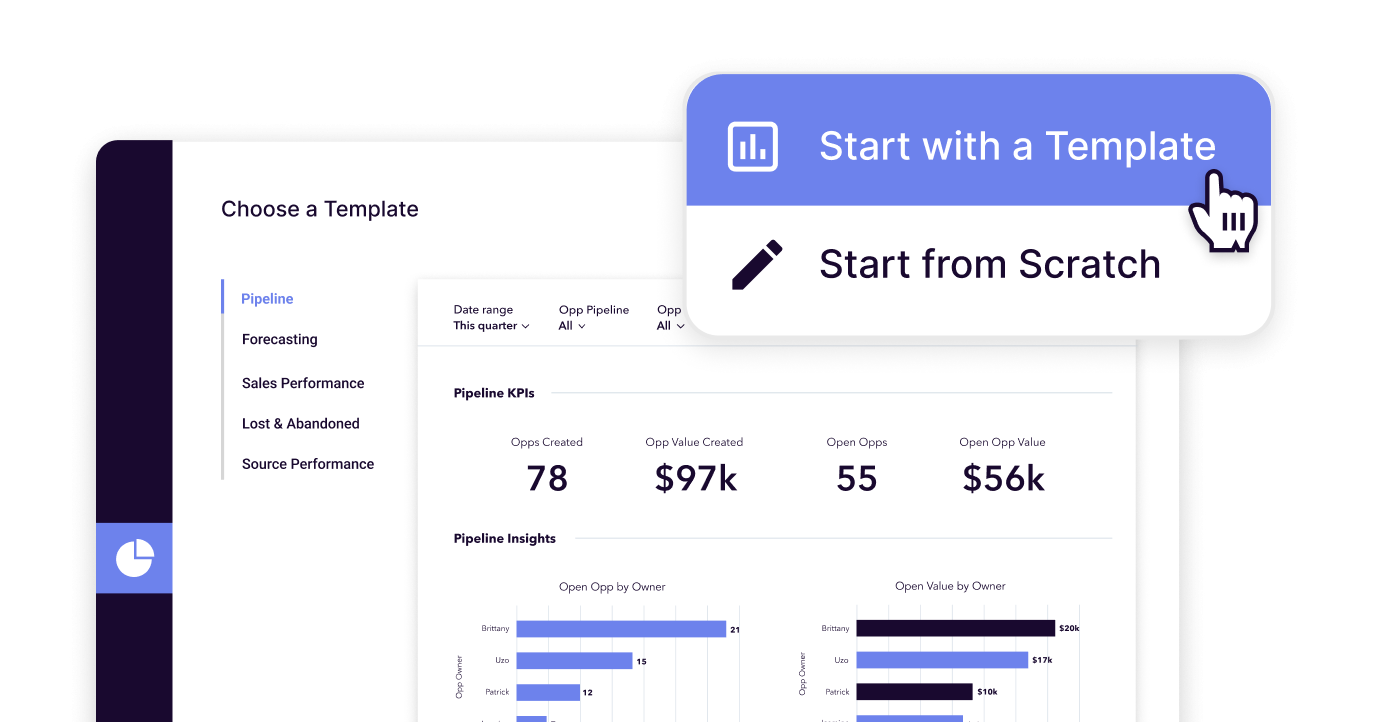
Image source: Copper sales reporting page
See current pricingHere is the catch. Copper’s price starts feeling steep only when you compare it to stripped-down CRMs on a feature checklist, but that can miss the point if your team spends all day in Gmail and hates switching tabs. In that situation, smoother adoption can be worth real money.
There is also a limit to that argument. If you need a giant ecosystem, deep enterprise admin controls on a custom quote, or an all-in-one marketing machine, Copper may feel more focused than broad, and you should not assume the Business plan automatically beats every alternative just because it is the top public tier.
Article outline
- Copper enterprise pricing at a glance — a quick read on where Copper sits, why the higher tiers matter, and who should keep reading instead of bouncing to a cheaper CRM.
- What you get and what it costs — the free trial, the good stuff, the pricing jumps, and whether Copper earns its price once you need reporting, automation, and a cleaner Google Workspace workflow.
- Alternatives and final verdict — where Copper wins, where a cheaper option makes more sense, and whether you should start the trial now, wait, or skip it.
That structure matters because Copper is not a casual purchase once you move above the entry tiers. You need to know whether the Gmail-native experience is enough of an advantage for your team, or whether you would be paying extra for simplicity when another tool would do the job for less.
In the next section, I will get into the part that usually decides the sale: what the free trial actually lets you test, what starts to justify the higher plans, and why waiting often means you keep losing time to manual follow-ups, scattered notes, and pipeline guesswork that should already be handled inside the CRM.
What you get and what it costs
Copper’s free trial is stronger than the usual watered-down SaaS demo. You get 14 days, no credit card is required, and Copper says the trial runs on the Business plan so you can actually test the expensive stuff before paying for it.
That matters because Copper enterprise pricing only makes sense if the higher tiers save your team real time. If the trial hid automation, reporting, or integrations, you would be guessing, and that would make the whole offer much harder to trust.
What you get in the free trial
Copper also says in its integrations FAQ that you can test integrations during the trial. That is a big deal if your shortlist depends on whether Copper can connect cleanly with the tools your team already uses.
You are not just kicking the tires on contact storage. You can see how Copper feels inside Gmail, how records move through pipelines, and whether the Google Workspace fit is actually smoother than the CRM you are using now.
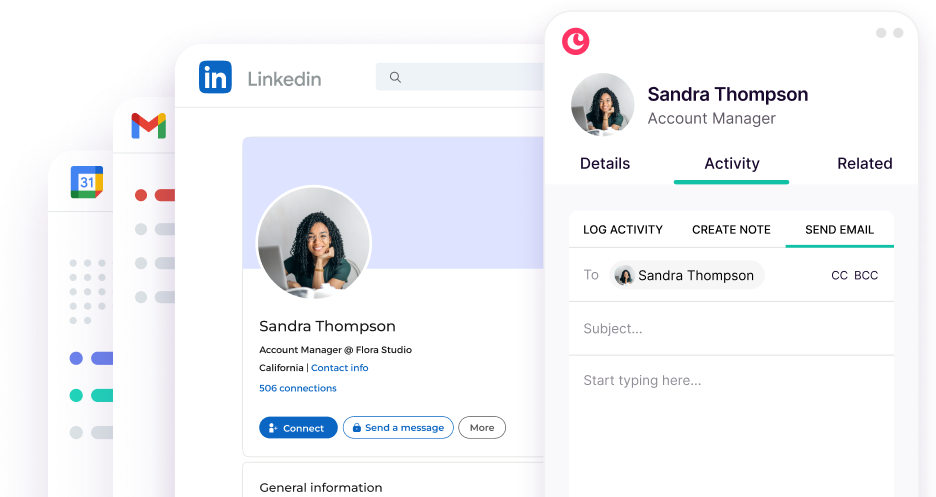
Image source: Copper email tools page
Starter and Basic are fine for lighter teams, but they are not why most people look up Copper enterprise pricing. The serious value test starts when you want the features on the Professional and Business plans to replace manual follow-ups, loose spreadsheets, and half-used CRM fields.
The good stuff
Copper is easiest to justify when your team already lives in Gmail and hates leaving it. The platform leans hard into Google Workspace, and that lowers the learning curve in a way cheaper CRMs often do not.
Professional is where Copper starts to feel like more than a tidy contact database. The public plan breakdown says this is the tier where workflow automation, bulk email, reporting, integrations, and a 15,000-contact limit show up, which is exactly where a growing team starts feeling the pain of doing too much by hand.
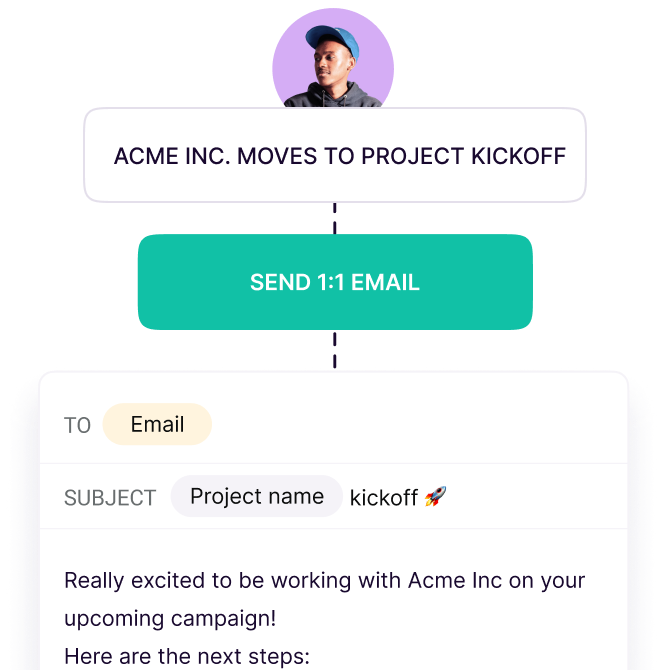
Image source: Copper automation page
That automation angle is one of Copper’s best selling points. Copper’s automation page shows email automations, workflow automations, and task automations, and that matters because the tool is not just helping you remember work, it is helping you trigger the next step automatically.
Project handoff is another reason the price can make sense. Copper’s project management page makes it clear that the product is built to move from sale to delivery, which is valuable for agencies, consulting teams, and other service businesses that do not stop working once the deal closes.
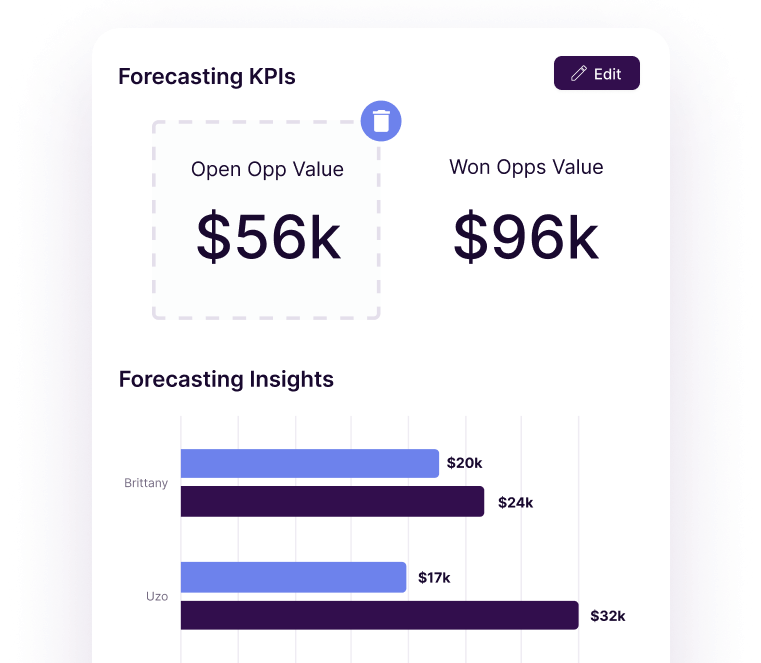
Image source: Copper lead tracking page
Reporting is where Business starts to earn its premium. Copper’s Business plan adds unlimited contacts, email series, custom reports, multi-currency, and premium support, which is a much stronger package for teams that already know basic CRM is not enough.
That does not mean everybody should jump straight there. If you do not need unlimited contacts, deeper analytics, or cleaner sales reporting yet, Professional is usually the smarter place to start because it unlocks most of the features that actually change day-to-day work.
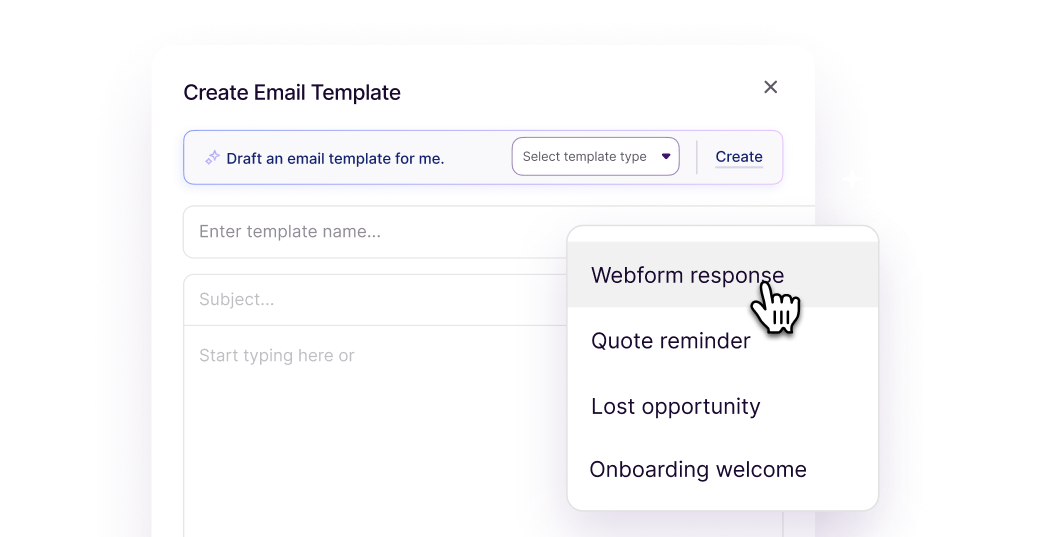
Image source: Copper email templates page
Copper is also better than it looks on communications. The email tools page shows bulk sending, templates, click tracking, merge fields, and AI-assisted writing, which means the higher tiers can replace more of the messy outreach stack than you might expect at first glance.
Copper enterprise pricing vs other tools people actually compare it to
Price is where hesitation usually kicks in. Copper does not look cheap once you reach Professional or Business, so the fair question is whether you are paying for a better fit or just paying more.
Check the official free trialCopper does not win that comparison by being the cheapest. It wins when your team wants a CRM that feels natural inside Google Workspace and you are tired of paying for tools people technically have but never really use.
GoHighLevel is broader, ClickFunnels is more funnel-driven, and Systeme is cheaper for people who just want more tools for less money. Copper is the better buy when the CRM itself needs to be simple enough that your team will actually keep it updated.
Why buying now can make sense
Waiting is smart if you are still figuring out your offer, barely have any pipeline, or you are a solo operator who can still manage relationships in a sheet without dropping balls. In that stage, Copper can be overkill, and a cheaper option like Systeme.io or a broader all-in-one like GoHighLevel may be easier to justify.
Buying now makes more sense when leads are already coming in, client work is already moving, and your current process feels messier every month. That is usually the point where manual follow-ups, missing notes, weak reporting, and scattered handoff steps cost more than the software does.
For the right buyer, Copper is absolutely worth trying now. If your team sells and delivers work from Gmail, the 14-day trial gives you enough room to see whether Professional is the smart buy or whether Business is the version that finally gives you the scale, reporting, and breathing room you actually need.
Alternatives and final verdict
Copper is not the universal winner. It is the right pick when your team already works inside Gmail, wants a CRM people will actually keep updated, and needs sales plus client delivery in one place.
That is also why Copper enterprise pricing feels justified for some teams and overpriced for others. If you want the broadest possible all-in-one stack, or you care more about lowest cost than Google Workspace fit, one of the alternatives below will probably make more sense.
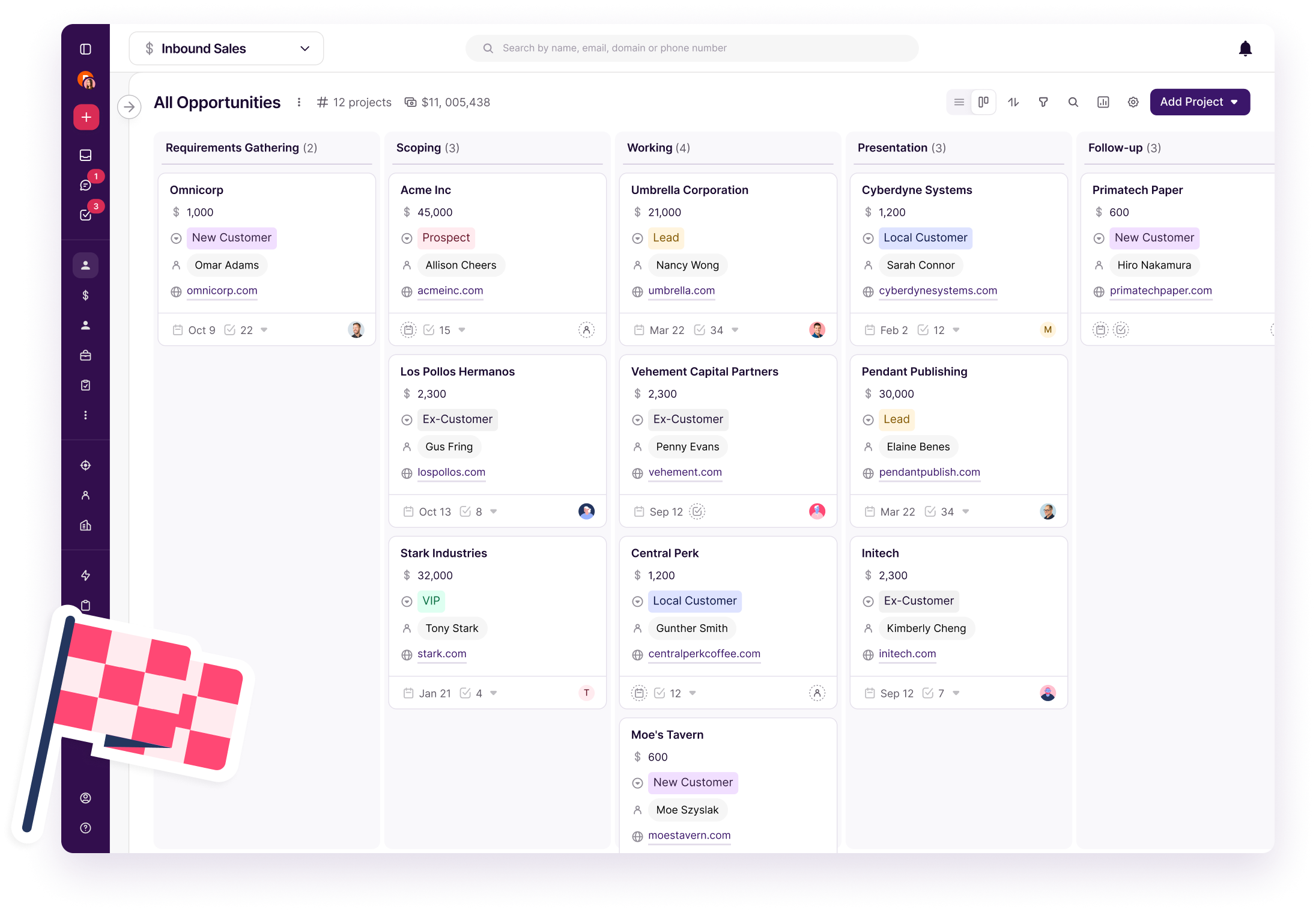
Image source: Copper pipeline management page
Here is the cleanest way to think about it. Copper is the CRM-first choice, GoHighLevel is the broader all-in-one choice, ClickFunnels is the funnel-first choice, and Systeme.io is the budget-first choice.
See current pricingChoose Copper if your team works from Gmail and the real problem is adoption, visibility, and follow-through. Choose Systeme.io if budget is tight, choose GoHighLevel if you want a broader operating system, and choose ClickFunnels if funnels are the main revenue engine.
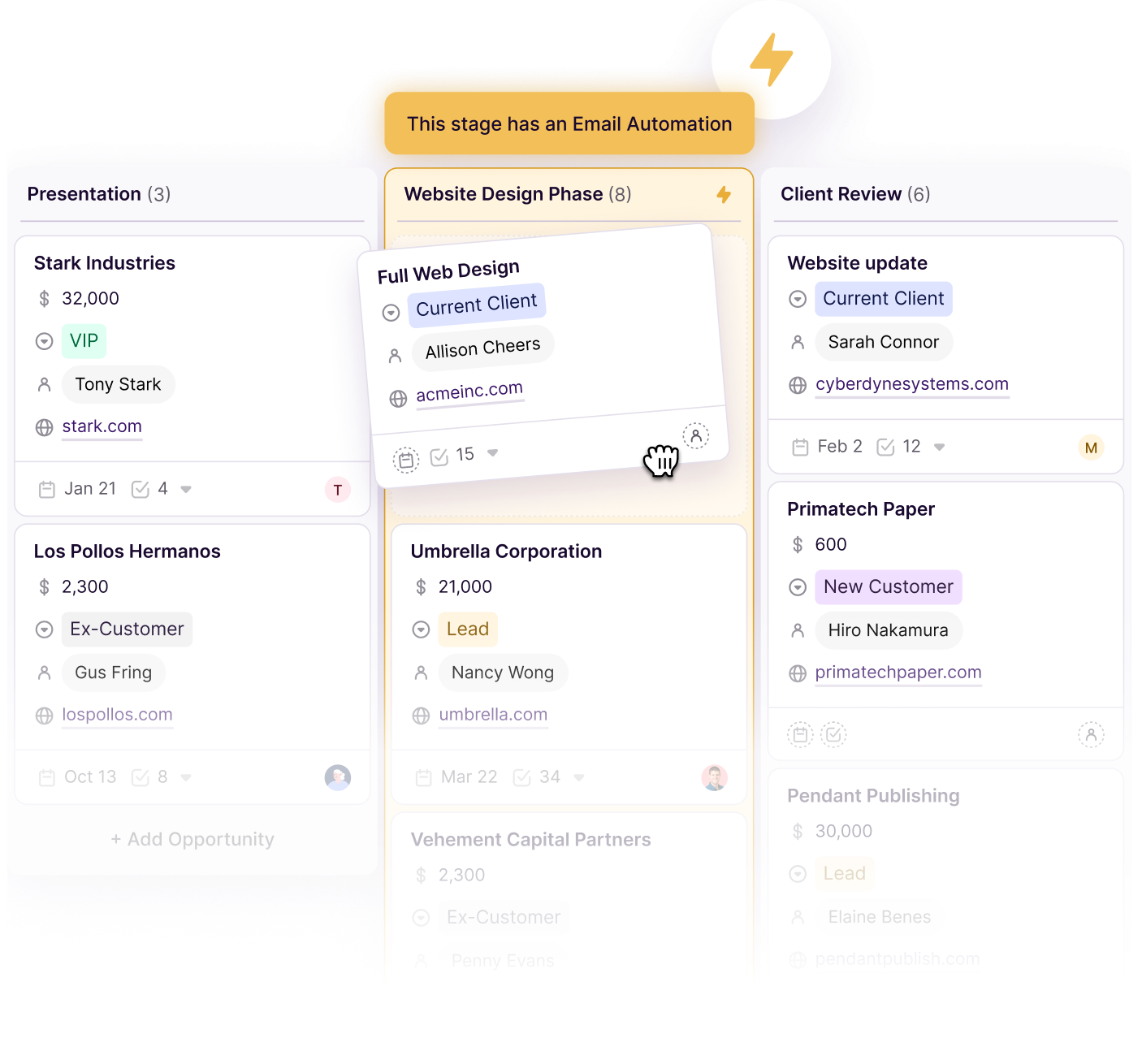
Image source: Copper automation page
My honest take
Copper is worth it for the right buyer. If your team already sells and delivers work in Google Workspace, the higher tiers can pay for themselves by cutting manual logging, keeping the pipeline current, and making client handoff less messy.
Copper is not the best deal for everybody. If you are a solo beginner, still validating your offer, or mostly need landing pages and email sends, you can save money with a simpler tool and come back later.
Professional looks like the sweet spot for a lot of serious teams. Business starts making sense once unlimited contacts, custom reports, email series, and premium support are not “nice to have” anymore but actual operating needs.
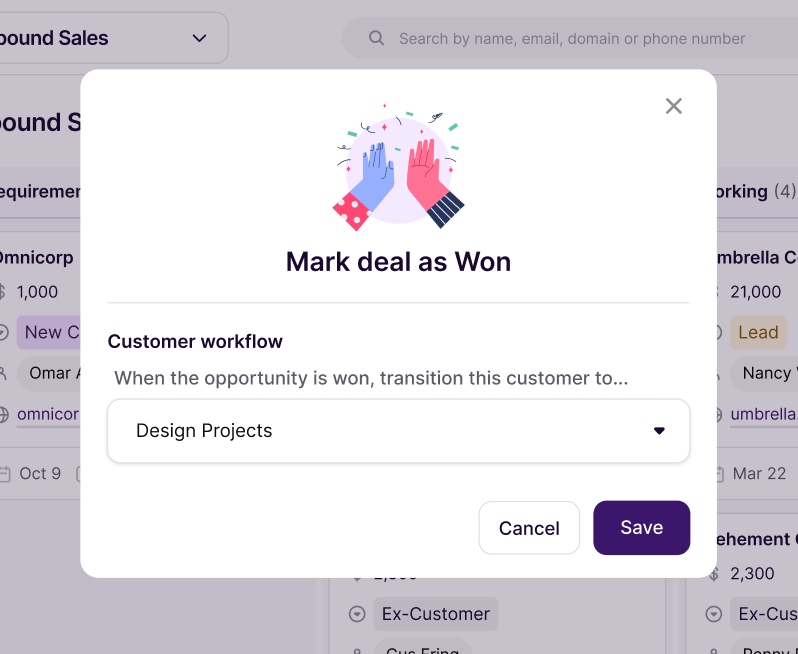
Image source: Copper workflow automation page
The biggest reason to buy now is not hype. It is that waiting usually means your team keeps doing the same manual work inside inboxes, notes, sheets, and half-finished CRM fields while leads and client details keep getting scattered.
The biggest reason to wait is also simple. If you do not have enough volume, enough team complexity, or enough follow-up pain yet, Copper can feel like a premium fix before the problem is expensive enough to deserve one.
That makes the decision pretty clean. If your setup already feels messy, Copper is worth a real look now, and the 14-day trial is enough to see whether the Google-first workflow is the missing piece or whether you should go cheaper.
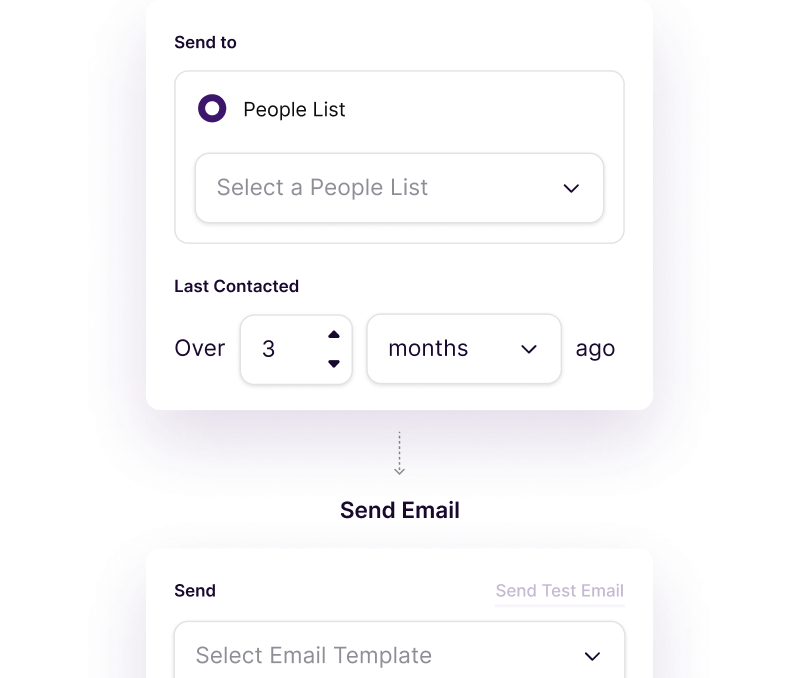
Image source: Copper email automation builder page
FAQ
Is Copper worth the Business plan?
Yes, but only when you are actually hitting the limits of Professional. Business is easier to justify when unlimited contacts, custom reports, multi-currency, email series, and premium support will change how the team works every week, not just look nice on a pricing page.
Is Copper too expensive for small teams?
Sometimes, yes. A very small team can absolutely feel the price once you move above Basic, especially if you are not using the automation, reporting, and project handoff features that make Copper more than a simple contact manager.
Can Copper replace other tools?
It can replace more than people expect if your workflow is relationship-heavy. Copper combines CRM, pipeline tracking, task management, project handoff, email tools, and workflow automation well enough that some teams can cut back on separate tools and on manual work.
Should you choose Professional or Business?
Choose Professional if you need the real productivity layer but still want to control cost. Choose Business if your contact volume is growing fast, reporting matters to management, and you already know Copper fits your team well enough to commit deeper.
Image source: Copper visual pipeline page
Should you start the trial?
Start the trial if you are already running real sales activity in Gmail and your current setup feels harder to manage every month. Copper becomes much easier to justify once you can see your team working in one place instead of bouncing between inboxes, spreadsheets, and disconnected tools.
Wait if you are still early, barely managing any deal flow, or mainly shopping for the cheapest possible software. For the right buyer, though, Copper is not just worth browsing, it is worth testing properly before you lose another quarter to a process your team already hates.
Check the official free trial Filip Konecny Enterprises