

Copper is easier to size up than most tools people search when they type “enterprise pricing.” The public pricing page shows four plans, and the top published tier is Business at $99 per seat per month when billed annually or $134 when billed monthly.
That matters because Copper does not hide the real numbers behind a sales call. Its separate enterprise page leans into demos and fit, but the buying model is still seat-based and much more transparent than the enterprise CRM tools that make you talk to a rep before you can even start doing math.
The catch is simple. Copper looks strongest when your team already lives in Gmail, Google Calendar, and Google Drive; if that is not your world, the value story gets weaker fast.

Image source: Copper enterprise CRM page
Copper pricing at a glance
This is the first big takeaway from Copper enterprise pricing. The platform is not trying to be Salesforce for giant org charts; it is trying to be the cleanest paid path for teams that want CRM, pipelines, project visibility, reporting, and Google Workspace sync without a bloated setup.
See current pricingIs Copper actually an enterprise fit?
For some buyers, yes. For others, not even close.
Copper’s Business plan includes unlimited contacts, email series, custom reports, multi-currency, and premium support on the official pricing page. That is enough for a lot of agencies, consulting firms, deal teams, and service businesses that need serious day-to-day CRM usage without paying for a heavyweight platform they will only half use.
It becomes less convincing if you need deep enterprise administration, huge cross-department customization, or a stack of advanced controls that usually come with bigger custom-quote CRMs. Copper’s own positioning keeps pulling back to ease of use, fast setup, and working inside Google Workspace, which tells you a lot about who this is really for.
That is not a weakness if your team already spends the day in Gmail. It is the main reason Copper can feel worth the money, because you are not just buying another dashboard — you are paying to stop bouncing between inbox, notes, spreadsheets, tasks, and deal tracking.
Copper also gives free-trial users access to the Business plan during the trial, and its integrations page says you can set up integrations while testing it. That makes the trial more useful than a stripped-down sandbox, which is a big deal when you are trying to decide whether the higher plans actually replace enough manual work.
Article outline
This review is built to answer one question: should you pay for Copper now, later, or not at all. Use the jumps below to go straight to the part that matters most to your buying decision.
Start here
Before you pay
- What you get in the free trial
- The good stuff
- Pricing vs other tools I’d actually compare it to
- Why buying now could make more sense than waiting
Decision time
My early take is pretty simple. Copper enterprise pricing makes the most sense when you already have real client or deal volume, your team works inside Google Workspace all day, and you want one tool to handle relationship management without dragging everyone into a long CRM rollout.
If you are expecting a giant enterprise stack with endless admin depth, this probably is not your tool. If you want a cleaner, faster CRM that still gets serious on the Business tier, it is absolutely worth reading the next section before you move on.
What you get in the free trial
Copper makes the trial easy to take seriously. The official free trial is 14 days, does not ask for a credit card, and gives you access to the Business plan instead of some watered-down teaser.
That matters more than it sounds. You can test the stuff that actually decides whether Copper is worth paying for, including integrations, project pipelines, reporting depth, and the higher-end workflow features that separate it from a basic contact tracker.
You also get a quick answer if the platform is wrong for you. Copper is built around Gmail and Google Workspace, so the trial is most useful when your team already works in Gmail, Calendar, Drive, and Sheets instead of trying to force Copper into a Microsoft-first setup.
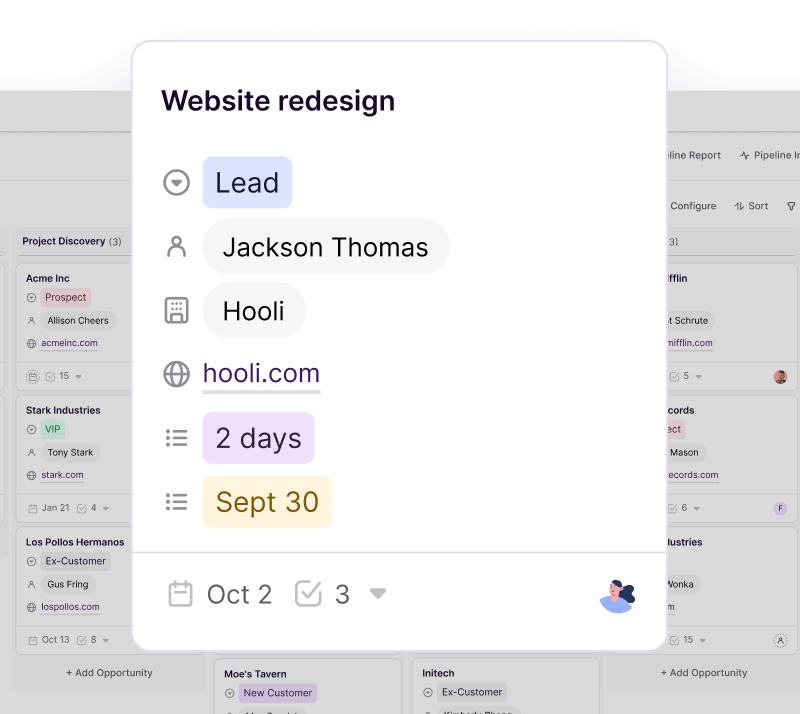
Image source: Copper project management page
That is why the trial is not just a box-checking freebie. If you already have live deals, client work, or onboarding steps running through inboxes and spreadsheets, two weeks is enough to see whether Copper reduces admin or just gives you another tool to babysit.
The good stuff
Copper earns its price when your team wants a CRM that feels close to Gmail instead of a separate universe. The strongest part of the product is still the Google Workspace flow, because adding contacts, checking context, pulling up files, and keeping records current feels much closer to your real workday.
That is also why Copper is easier to justify for service businesses than for generic “every company needs a CRM” shopping. When your pipeline, communication history, project delivery, and follow-ups live close together, the payoff is less tab-switching and fewer details getting lost between sales and delivery.

Image source: Copper Google Workspace CRM page
Pipelines are another reason Copper feels more serious than the entry price suggests. Basic unlocks opportunity and project pipelines, Professional adds workflow automation and reporting, and Business adds unlimited contacts, email series, custom reports, multi-currency, and premium support.
That feature ladder makes sense. Copper does not try to win with the cheapest headline number once your needs get real; it wins by giving smaller teams a cleaner path into automation and reporting without throwing them into a giant enterprise system they will hate using.
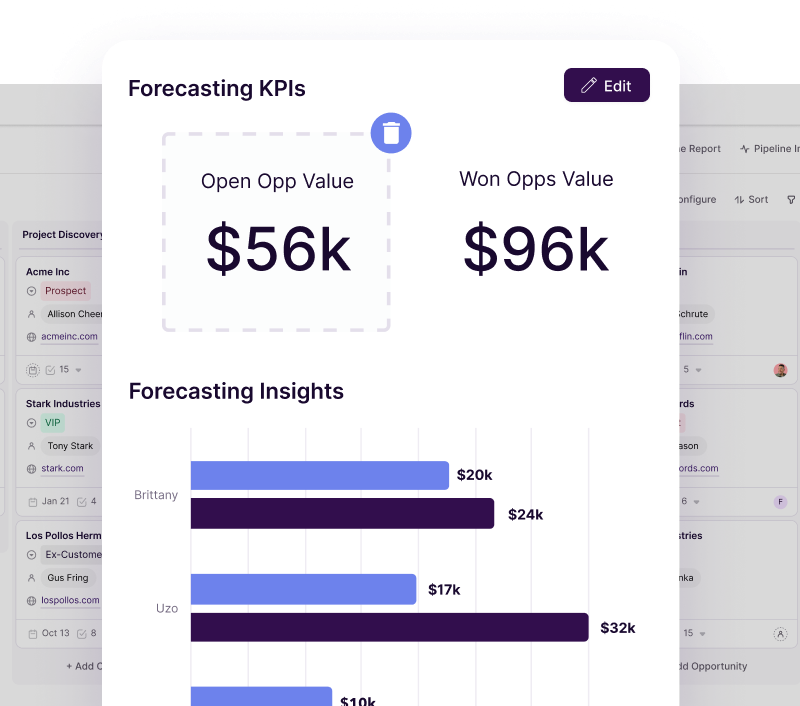
Image source: Copper sales reporting page
Reporting is where Copper starts looking like a real upgrade instead of a nicer spreadsheet. Professional gives you pipeline and activity reporting, while Business unlocks custom report building, which matters if you need clearer visibility into deal health, inactivity, or team workload without exporting everything manually.
The catch is price creep. Copper can feel affordable at the low end, but once you need Professional or Business across several seats, the total jumps fast, so you need the Google-native workflow and service-delivery angle to be a real advantage, not just a nice extra.
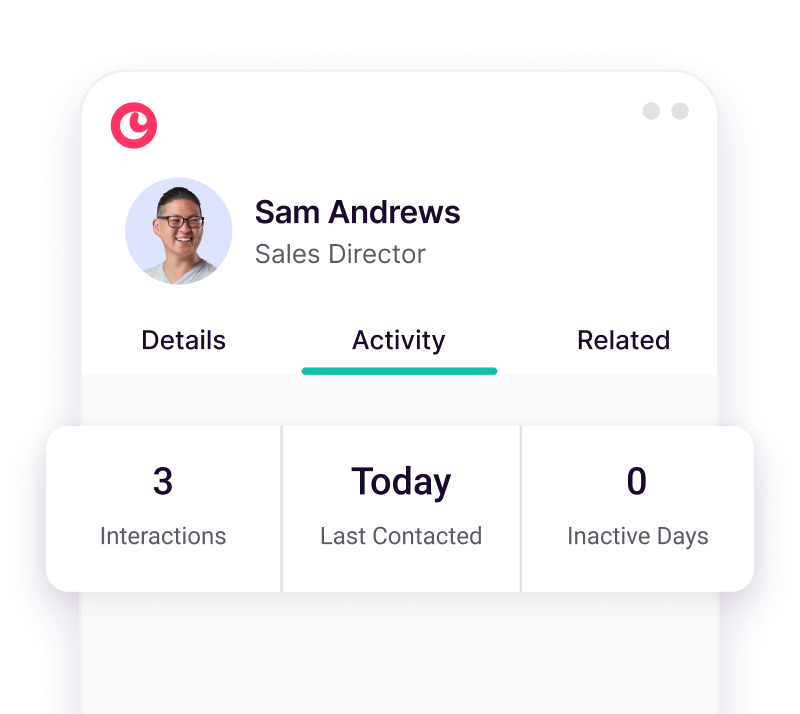
Image source: Copper reporting and customer insights page
Pricing vs other tools I’d actually compare it to
Copper is not the cheapest way to get CRM, automation, and project visibility in one place. It starts looking expensive when you compare it against broader all-in-one tools that charge by account instead of charging per seat.
That does not automatically make Copper a bad deal. It means you should compare it against tools that solve a similar business problem, not against giant enterprise CRMs you were never going to implement properly anyway.
Check the official free trialCopper wins this comparison when your work already happens in Google Workspace and you need CRM plus project follow-through in the same place. GoHighLevel makes more sense if you want a broader agency operating system, while ClickFunnels is the smarter buy if funnel sales matter more than day-to-day relationship management.
Why buying now could make more sense than waiting
Waiting is fine if you are still guessing at your sales process. Copper is not the tool to buy just because you feel guilty about messy spreadsheets.
Buying sooner makes more sense when your process already exists and your team is wasting time recreating context. If leads, meetings, files, follow-ups, and project handoffs are spread across Gmail, Calendar, Drive, and manual notes, Copper has a clear job to do right away.
That is where the seat cost starts feeling fair. You are paying to stop losing information, stop repeating admin work, and stop relying on people to remember details that software should already surface for them.
I would not rush into Copper if you are solo, price-sensitive, and mostly need pages or funnels. I would look much harder at ClickFunnels or GoHighLevel first if that sounds like you.
Copper becomes a strong buy when you already have enough activity that delay costs more than the software. If your team is serious about cleaning up delivery, tracking relationships better, and keeping work inside the Google tools you already use, this is absolutely worth a real look.
Alternatives worth looking at
Copper beats most alternatives for one specific buyer. Your team lives in Gmail, Google Calendar, and Drive all day, and you want the CRM to sit close to that workflow instead of dragging everyone into a bigger, heavier system.
You should look elsewhere when that is not your setup. The main reasons to skip Copper are seat-based pricing, lighter marketing depth than all-in-one growth tools, and the simple fact that Copper says its product is built for Gmail and Google Workspace.
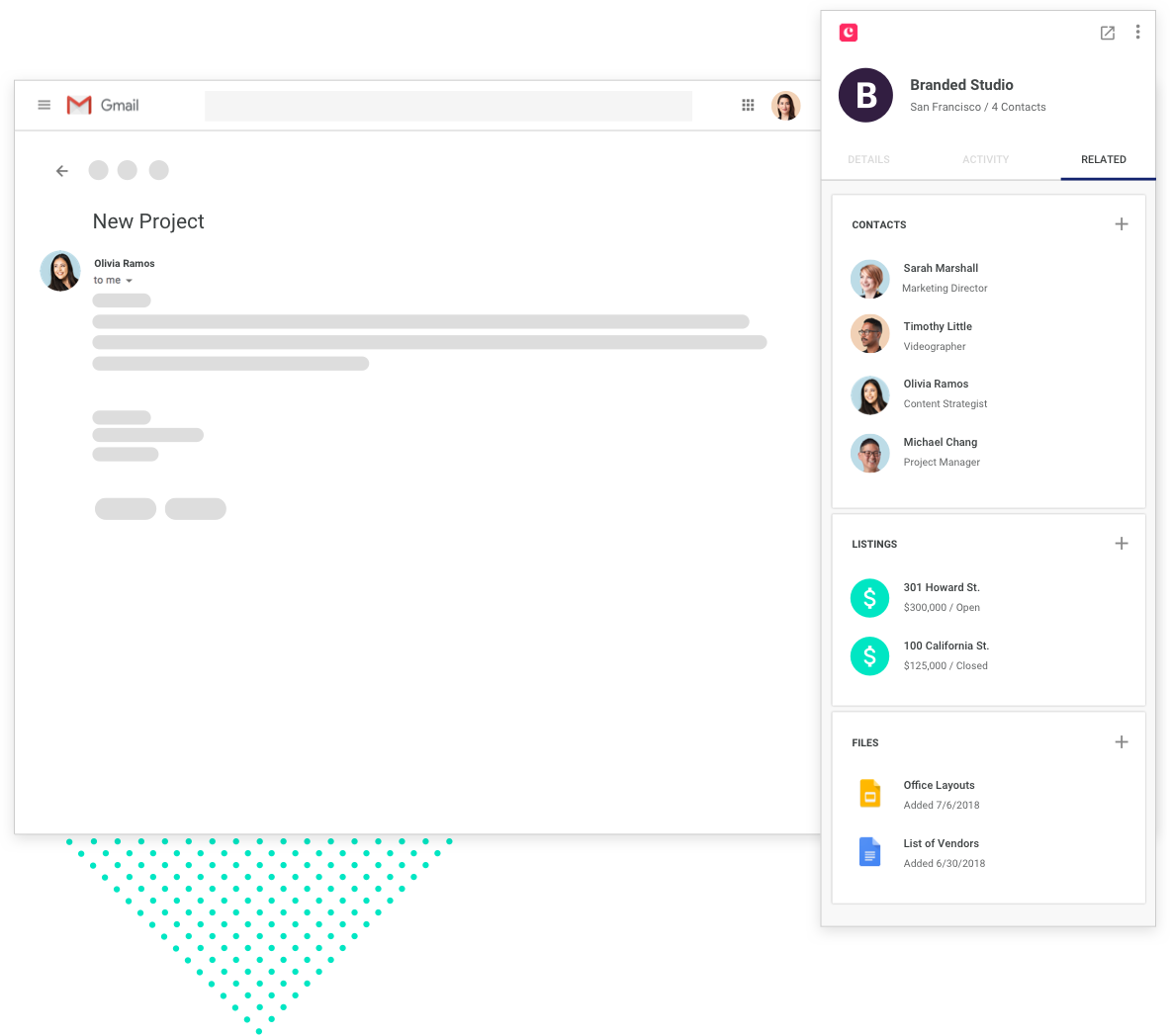
Image source: Copper CRM
That is why the alternatives that actually matter here are not giant enterprise CRMs. The better comparison is between Copper and the tools that help smaller teams sell, follow up, automate, and keep work moving without building a giant software stack.
Check the official free trialChoose Copper if Google Workspace is already your operating system and you need CRM plus delivery visibility in one place. Choose a cheaper option like Systeme.io if budget is the main constraint, and choose a broader all-in-one like GoHighLevel if you need more marketing, more client accounts, and less seat-based pricing.
My honest take
Copper enterprise pricing makes sense for the right buyer, but it is not a blanket recommendation. It is strongest when your team already has real lead flow, active clients, and enough moving parts that Gmail, notes, files, and project updates are starting to sprawl.
That is where Copper starts earning its cost. You are not just paying for contact records; you are paying to keep conversations, follow-ups, deal context, and delivery work closer together so less falls through the cracks.
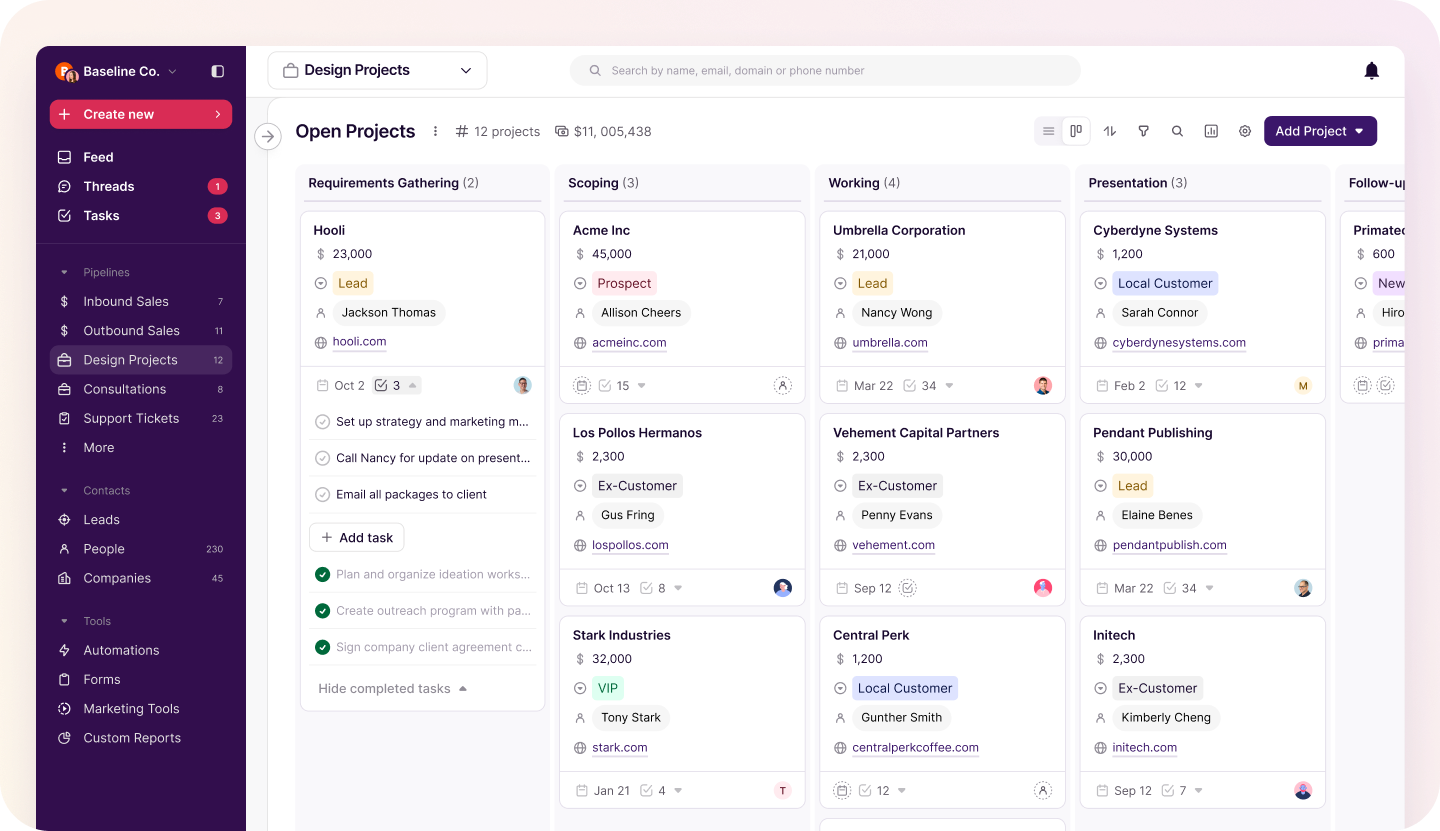
Image source: Copper CRM
The best part of Copper is still usability. Public review trends line up with the official product story here: people tend to like the Gmail integration and easier adoption, while the more common complaints center on reporting depth, duplicate cleanup, and the feeling that higher tiers are where the real power starts.
That is a fair criticism. Copper can look affordable at the low end, but many growing teams will end up needing Professional or Business, and that is where the monthly spend becomes a real decision instead of a casual software add-on.
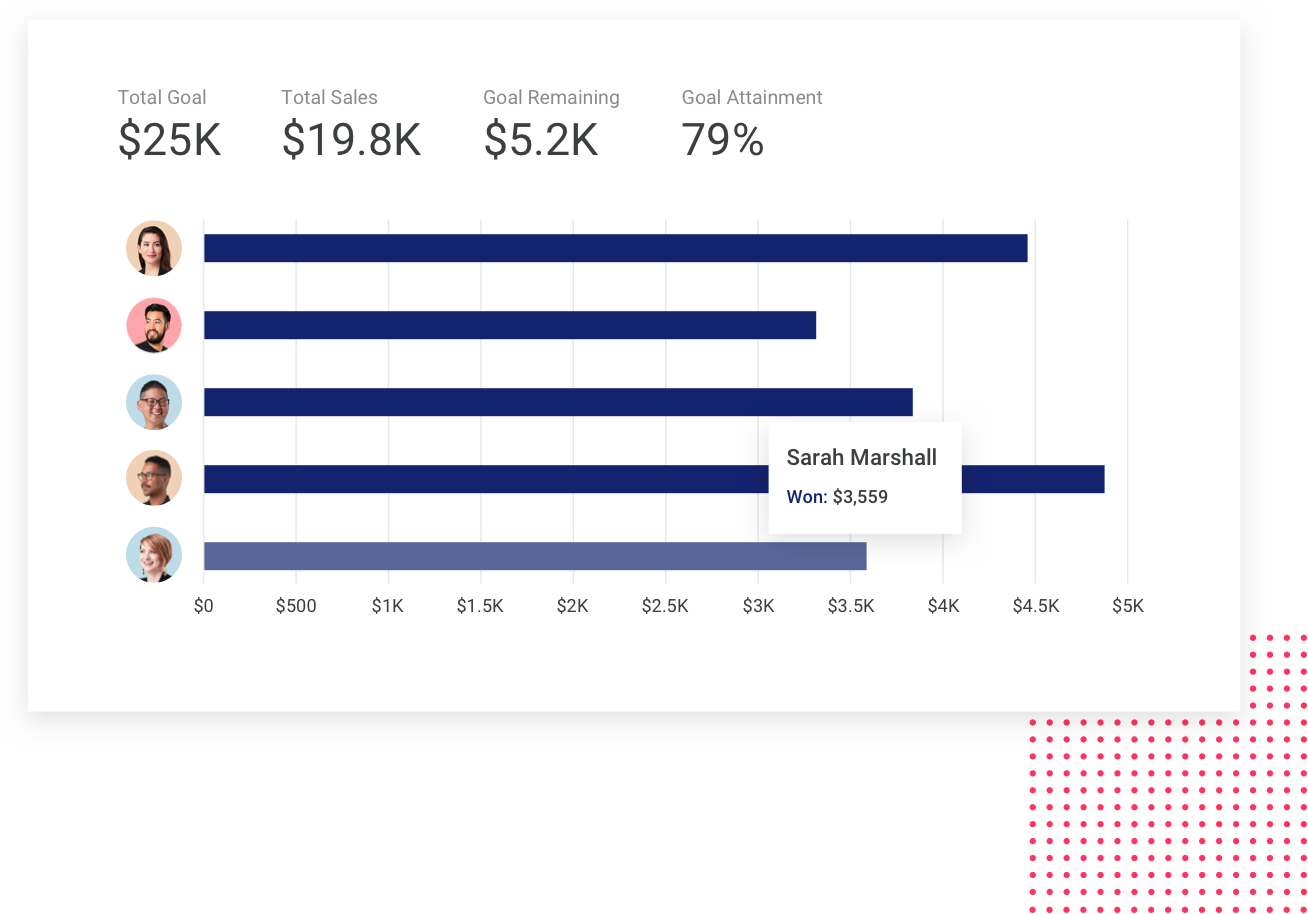
Image source: Copper CRM
I would still lean positive for the right team. If your current setup feels like inboxes, spreadsheets, and memory are doing too much of the work, Copper is one of the cleaner ways to fix that without jumping into a bloated CRM project.
I would not push Copper on everyone. If you are mainly building funnels, selling courses, or trying to keep software spend brutally low, ClickFunnels, Systeme.io, or GoHighLevel will often make more financial sense.
The bigger point is simple. Copper is worth paying for when the Google-native workflow is not just nice to have, but the main reason your team will actually use the CRM properly.
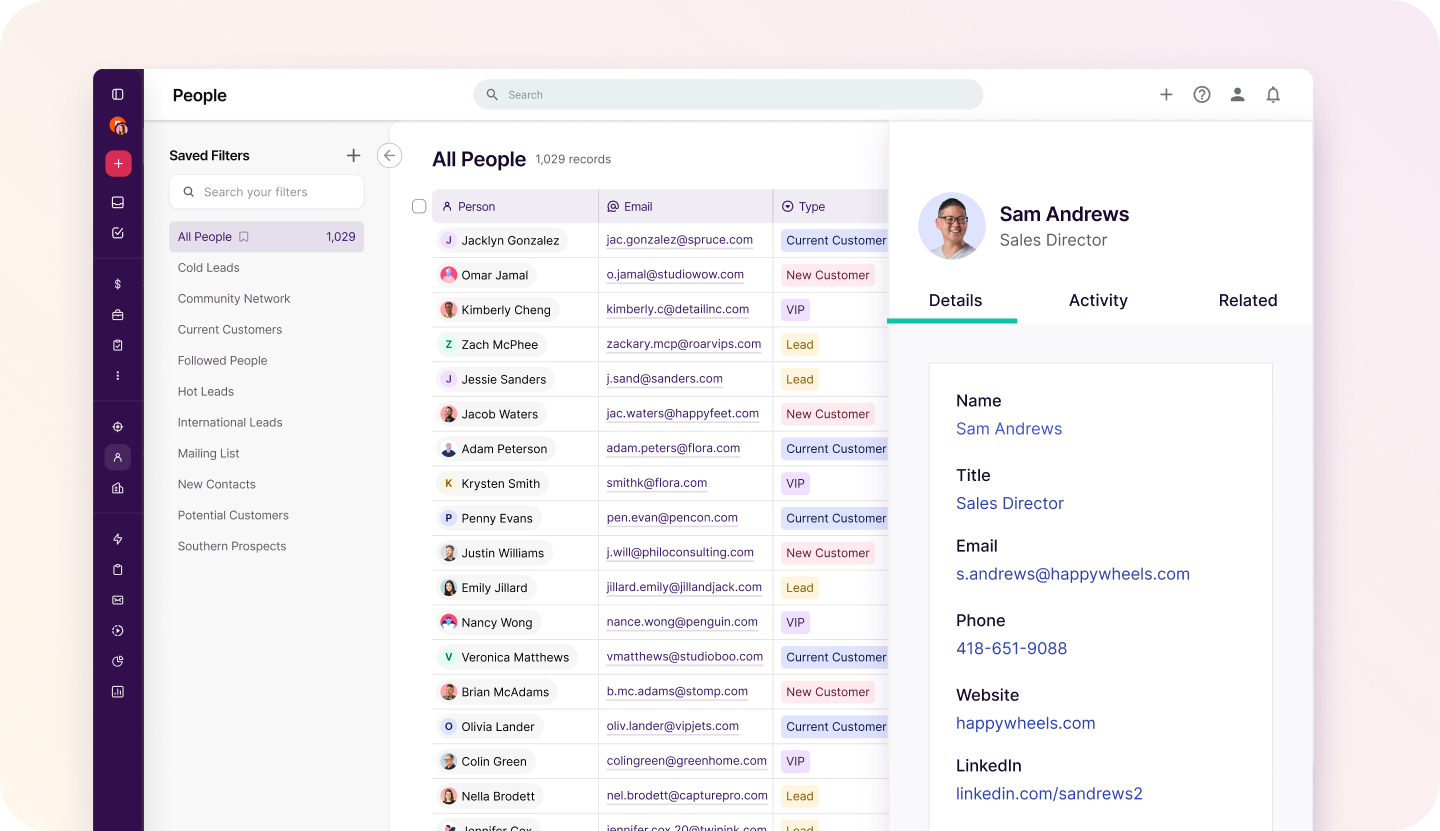
Image source: Copper CRM
FAQ
Does Copper have separate public enterprise pricing?
Not in the way some big CRMs do. Copper publicly lists Starter, Basic, Professional, and Business, while its enterprise page pushes more toward demos and fit than a separate public enterprise rate card.
Is Copper only for Google Workspace teams?
Copper says the trial and core setup are built around Gmail and Google Workspace, and that is where the product makes the most sense. If your company runs on Outlook and Microsoft tools, Copper is probably the wrong fit from the start.
Which Copper plan usually makes the most sense for a growing team?
Professional is where Copper starts feeling like a real upgrade because that is where workflow automation, bulk email, reporting, and integrations show up. Business makes more sense when you need unlimited contacts, custom reports, and more room to grow without watching limits.
Is Copper cheaper than the alternatives?
Usually not once your team grows. Copper can start low, but the seat-based model often becomes more expensive than account-based tools like GoHighLevel or low-cost all-in-one options like Systeme.io.
Should you buy now, wait, or skip it?
Buy now if your team already has active deals or client work and your current setup is wasting time every week. Wait if you are still validating the business, and skip it if funnels or low-cost marketing automation matter more than Google-centered CRM workflow.

Image source: Copper CRM
Should you start the trial?
Start the trial if you already know the pain. You have enough leads, clients, meetings, and files moving around that staying manual is costing you time, visibility, and follow-through.
Hold off if you are still piecing together your offer or you mainly need funnel-building. For the Google Workspace-heavy team that wants a cleaner CRM without a monster setup, Copper looks like a smart next step.
Get started with Copper Filip Konecny Enterprises