
Most people searching for a Copper discount are not really hunting for a coupon. They are trying to answer a more useful question: is Copper good enough to justify paying for it at all?
That is the angle that matters here. A small discount helps, but the bigger win is knowing whether Copper will actually save you time, clean up your follow-up process, and fit the way your team already works inside Google Workspace.
Copper gets interesting fast if you live in Gmail and hate bouncing between tabs just to keep your CRM updated. It gets less interesting if you want a super deep, highly customized sales machine or the cheapest CRM you can find.
Article outline
- Is Copper actually worth paying attention to?
- What you get in the trial
- The good stuff
- Pricing and value
- Alternatives worth looking at
- Final verdict
- FAQ
Is Copper actually worth paying attention to?
Copper is one of those tools that makes more sense the closer your business already is to Google Workspace. The core appeal is simple: contacts, deals, tasks, pipeline activity, and follow-up context can sit much closer to Gmail, Calendar, and Drive instead of living in a CRM that feels like a separate job.
That matters because most small teams do not fail from lack of features. They fail because the CRM becomes annoying, nobody keeps it updated, and the whole thing turns into a messy database that management wants and the team quietly ignores.
Copper tries to fix that problem by making the CRM feel less like admin work. If your team already works from Gmail all day, that pitch is strong enough to make a discount helpful but not the main reason to try it.
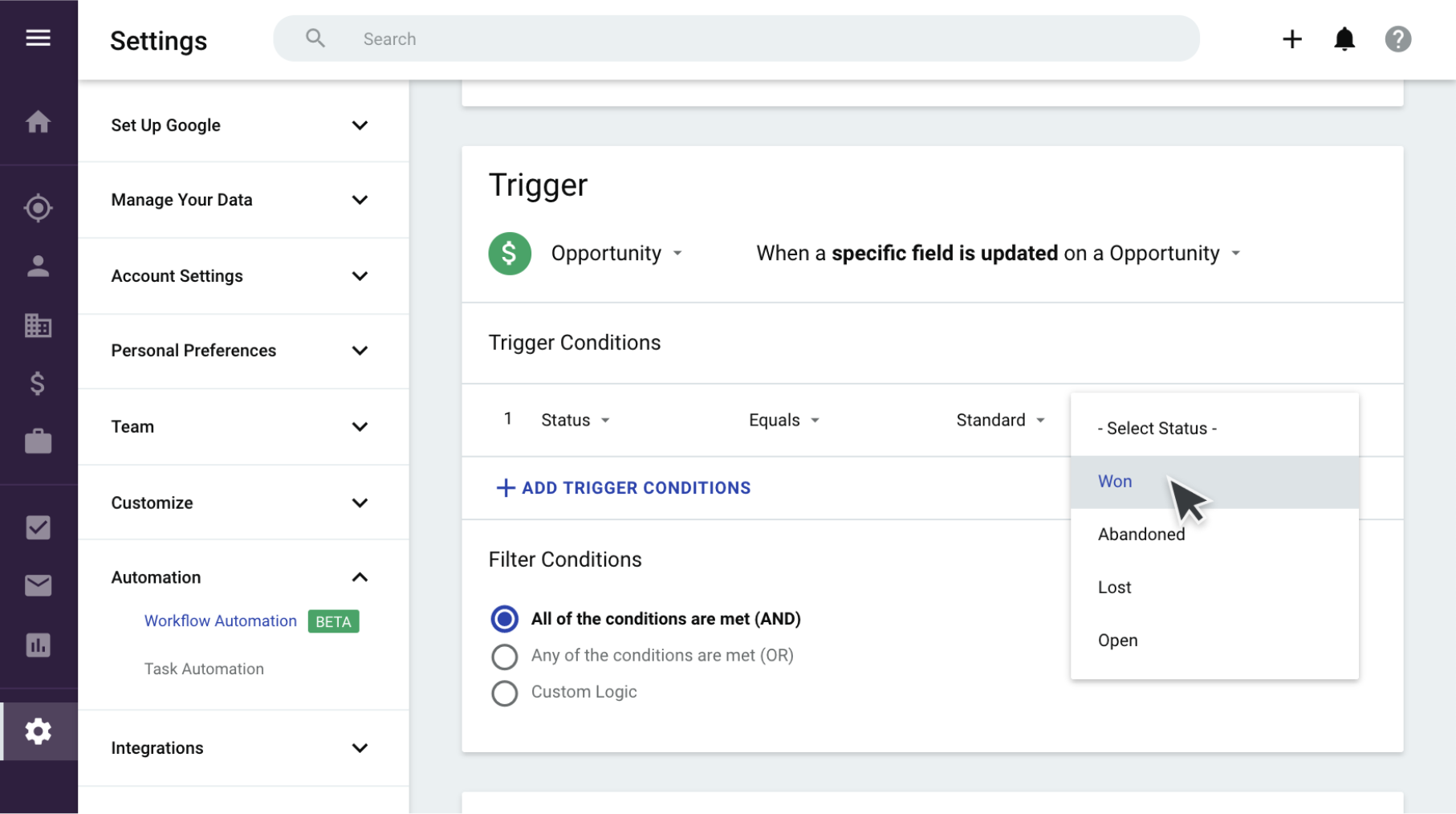
Image source: Copper Help Center
The pricing page currently shows four paid plans, with Starter at $9 per seat per month when billed annually, then Basic at $23, Professional at $59, and Business at $99. Monthly pricing is higher, so the word discount matters most when you are deciding whether annual billing is justified for your team size.
Copper also says you can start free with no credit card, which lowers the risk a lot. That is important because this is not a tool you should buy from a feature list alone; you need to see whether it actually reduces friction in your inbox and follow-up process.
The good news for the right buyer is that Copper does not try to win by doing everything for everyone. It wins by being easier to live with if your business depends on relationships, repeat work, and a team that already spends most of the day in Google tools.
The catch is that ease of use and Google-native convenience do not automatically make it cheap. If you only need a simple contact database or a bare-bones pipeline, a lower-cost CRM can still beat Copper on pure price.
That is why chasing a Copper discount only makes sense after you answer the fit question first. A mediocre-fit tool at 20% off is still the wrong tool, while a strong-fit CRM at full price can save more time than the discount ever would.
My early read is simple. Copper looks most appealing for agencies, consultants, service businesses, and smaller teams that want sales tracking, task management, and relationship context without turning CRM upkeep into a second job.
It looks weaker for companies that need very advanced reporting from day one, lots of custom process layers, or a broad all-in-one platform with built-in marketing weight far beyond CRM basics. That does not make Copper bad; it just means the product is sharper for a specific kind of buyer.
If your current setup is scattered across Gmail, spreadsheets, reminders, and half-finished follow-up notes, Copper deserves a serious look. If your setup is already disciplined and cheap, the discount alone probably will not be enough to make switching worthwhile.
The next section gets into the part that usually decides everything: what you actually get in the trial, what you can test in a couple of weeks, and whether Copper gives you enough hands-on proof before you pay.
What you get in the trial
Copper gives you a 14-day trial with no credit card required, which is exactly how this kind of software should be tested. You can start with Google, and Copper makes it very clear that the product is built around Gmail and Google Workspace.
That last part matters more than people think. If your team lives in Google already, the trial feels immediately relevant, and if you do not, Copper tells you early that it may not be your best fit.
Copper also says you can use integrations during the trial and that the trial runs on the Business plan experience. That is a big deal because you are not testing a watered-down demo with the good stuff hidden behind a paywall.
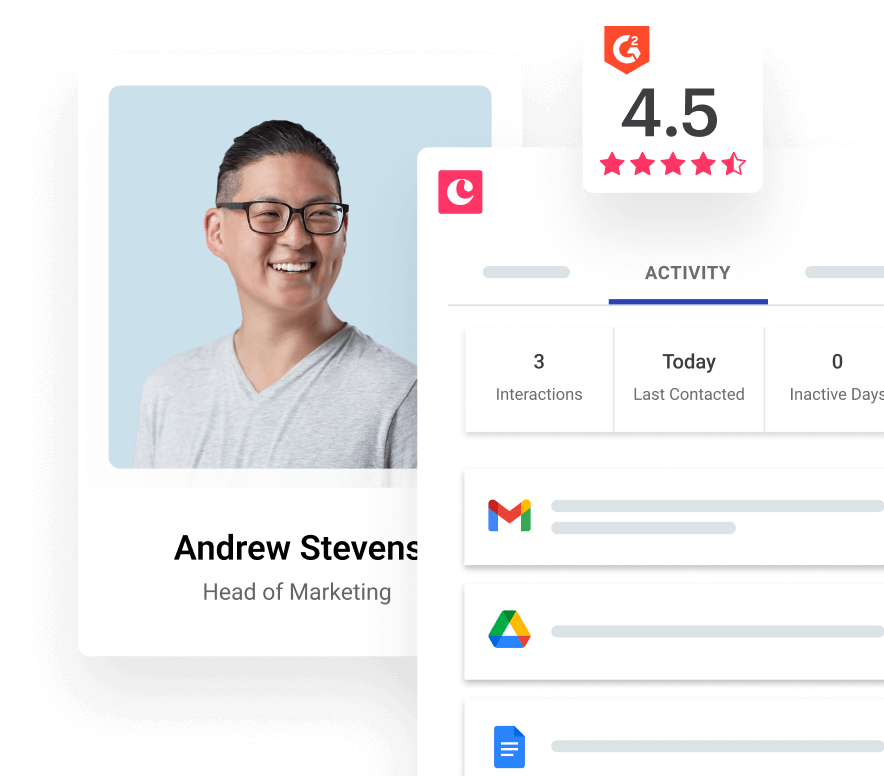
Image source: Copper pricing page
That makes the trial useful for a real buying decision. You can test whether the Gmail connection feels natural, whether your follow-up process fits inside Copper, and whether the automations actually save you from repetitive admin.
The simplest way to judge the trial is this: add real contacts, move a few deals, create a task workflow, and see whether your team updates Copper without being chased. If that happens, the product is doing its job.
The limitation is obvious too. If you want a CRM that is mostly independent from Google tools, or you do not want to grant Google permissions, the trial will probably push you away fast.
What you should test before the 14 days are over
Start with the basics that usually break adoption: adding contacts, logging activity, moving deals, and finding the next task without clicking all over the place. Copper is strongest when those boring daily actions feel lighter, not heavier.
Then test the higher-value stuff that justifies paying more than a bare-bones CRM. That means pipelines, task or workflow automations, reporting, and whether your team can stay inside Gmail longer instead of bouncing between tabs.
The good stuff
Copper’s best angle is still the one that makes it easy to understand: it is a CRM that wants to live where you already work. That sounds small until you remember how many CRMs fail because nobody enjoys opening them.
Copper is much easier to justify if your current setup is Gmail, Calendar, notes, and a pile of half-tracked follow-ups. In that situation, the payoff is not just nicer software; it is fewer dropped leads and less nagging about updating records.
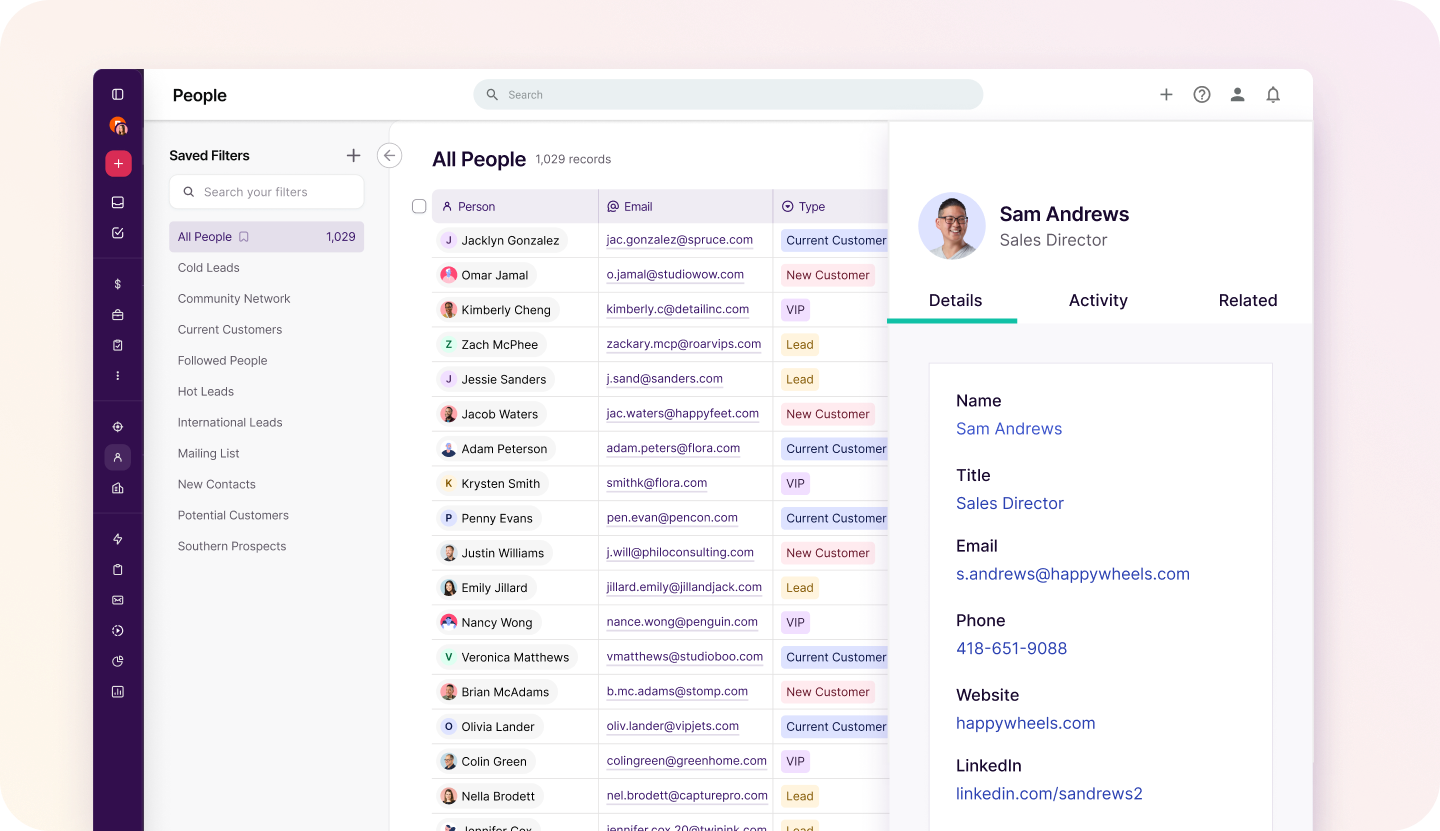
Image source: Copper lists experience article
The list and preview views are a good example of why the product feels approachable. You can scan records, update details, and keep context visible without getting dragged into the usual endless-click CRM routine.
That matters for small teams because ease of use is not a soft benefit. It is the difference between a CRM that becomes your operating system and one that turns into shelfware.
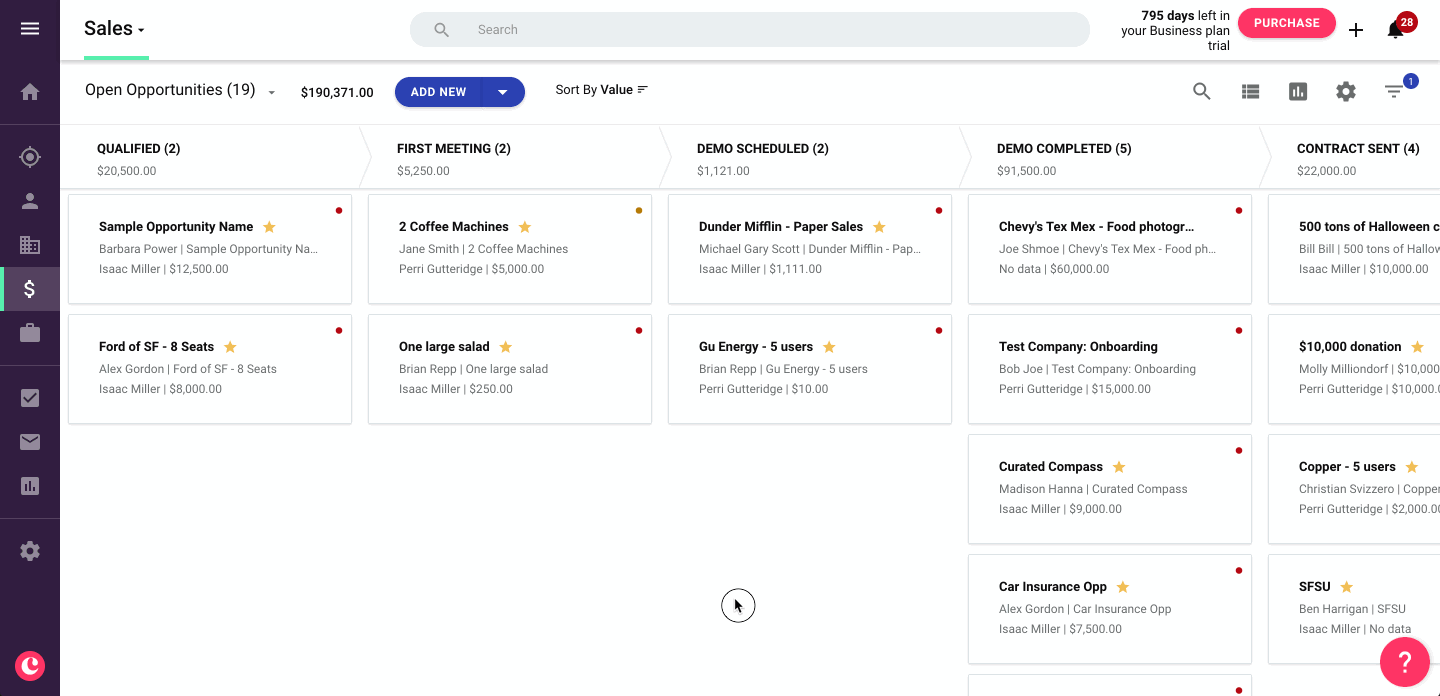
Image source: Copper customer story page
Pipelines are where Copper starts feeling worth paying for instead of just interesting. The visual board is clear, and on the paid plans that matter more, you move beyond simple contact storage into a workflow your team can actually run on.
Basic is where Copper starts getting more serious because that is where you get pipelines, task automation, project management, and contact enrichment on the official pricing page. Professional is where it becomes much more compelling for teams that want workflow automation, reporting, bulk email, and broader integrations.
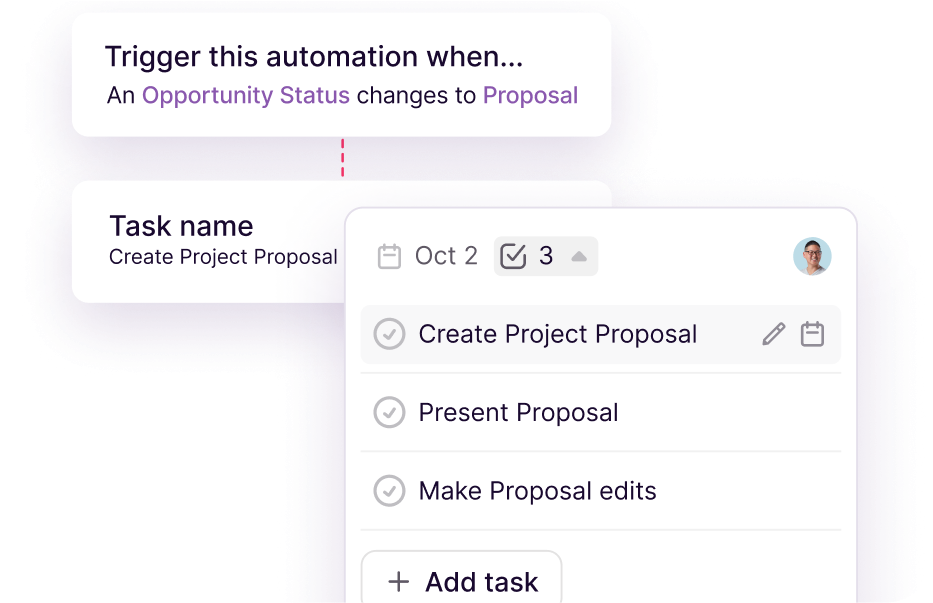
Image source: Copper automation page
Automation is the part that helps Copper earn its price. When follow-ups, reminders, and stage-based next steps happen automatically, your team stops relying on memory and starts moving deals with less friction.
That said, Copper is not magic. If your sales process is still messy, the software will not invent a clean process for you, and if you barely have any leads yet, you may not feel the value fast enough.
Copper also gets more expensive as your team grows because it is priced per seat. That is fine when adoption is strong, but it is a real drawback if you are adding users who only need light access.
Pricing and value
If you came here hoping for a secret Copper discount code, the verified savings I can actually find are on the pricing page. Copper currently shows up to 26% off with annual billing, and the annual prices are meaningfully better than month-to-month.
Copper lists Starter at $9 per seat per month annually or $12 monthly, Basic at $23 or $29, Professional at $59 or $69, and Business at $99 or $134. That pricing structure tells you a lot: Starter is the cheap entry, Basic is the practical small-team tier, Professional is where more serious automation and reporting show up, and Business is for teams that need the full experience.
That also means the real Copper discount is not just the annual price. It is choosing the right tier so you do not overpay for features you will not touch or underbuy and then outgrow it in a month.
See current pricingCopper is not the cheapest option in that table, and pretending otherwise would make this review less useful. The reason to pay more is not because it has the longest feature list, but because it is easier to adopt when your business already runs in Gmail and Google Calendar.
That is the part people miss when they only compare sticker prices. A cheaper tool is not really cheaper if your team avoids it, updates it late, or keeps doing half the work manually outside the system.
Starter is fine for light relationship management, but Basic is where I think the value starts getting real for many small teams. Pipelines, task automation, project management, and contact enrichment move Copper from “nice contact tracker” into “actual operating system for deals and delivery.”
Professional is where Copper becomes easier to defend if you already have active leads and a repeatable process. Workflow automation, reporting, bulk email, and integrations are the things that stop it feeling like another monthly subscription and start making it feel like a time saver.
Why buying now can make sense
If leads are already coming in and follow-ups are slipping, waiting usually means you keep paying the hidden cost of messy admin. Copper helps most when you already have motion and need a cleaner system, not when you are still staring at a blank page.
That is also why the Copper discount question matters less than fit and timing. Saving a little on annual billing is nice, but the bigger gain is getting your process out of scattered inboxes and into something your team can actually run every day.
Start the trial now if you already sell through Gmail, you have real deals moving, and you want a CRM your team will not fight. Wait if you are still pre-offer, barely using Google Workspace, or you really need a cheaper all-in-one like Systeme.io or a broader agency stack like GoHighLevel.
Alternatives worth looking at
Copper is not the automatic winner for everyone. It wins when your business already runs in Gmail and Google Calendar, and it loses some of its shine when you need the cheapest tool, the broadest all-in-one, or a funnel-first setup instead of a relationship-first CRM.
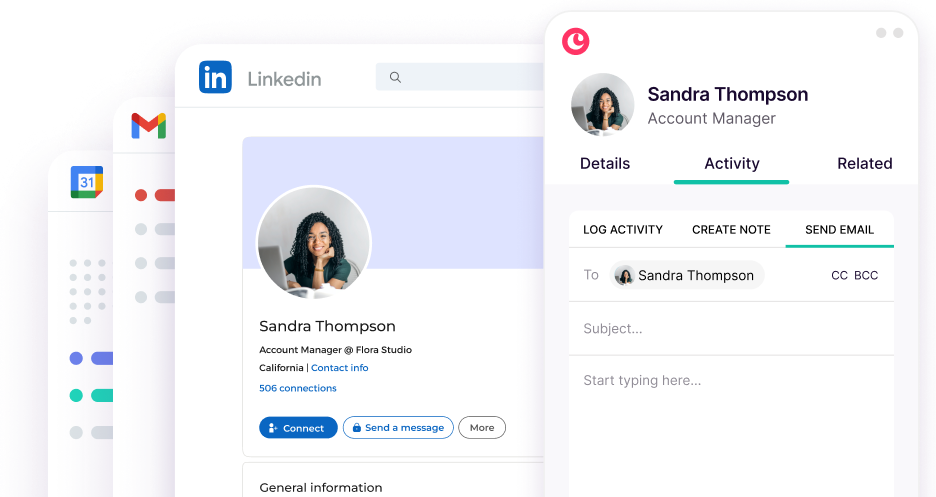
Image source: Copper Google Workspace page
That is why the Copper discount question should never be asked in isolation. A cheaper tool is better if it still fits how you work, and a broader tool is better if you actually need the extra moving parts.
Check the official free trialChoose Copper if your team already works inside Google and needs a CRM people will actually keep updated. Choose Systeme.io if saving money matters most, choose GoHighLevel if you want a broader agency stack, and choose ClickFunnels if funnels and checkout flow matter more than a Google-native CRM.
My honest take
Copper is worth trying for the right buyer. That buyer is not someone chasing a random coupon code; it is someone who already has leads, conversations, or client work moving through Gmail and wants a cleaner system before more opportunities slip through the cracks.
Copper’s annual pricing is the closest thing to a reliable Copper discount, with the page showing up to 26% off compared with monthly billing. I would not make the decision based on hoping for some bigger hidden deal, because the real payoff is whether Copper saves your team enough time to justify the subscription.
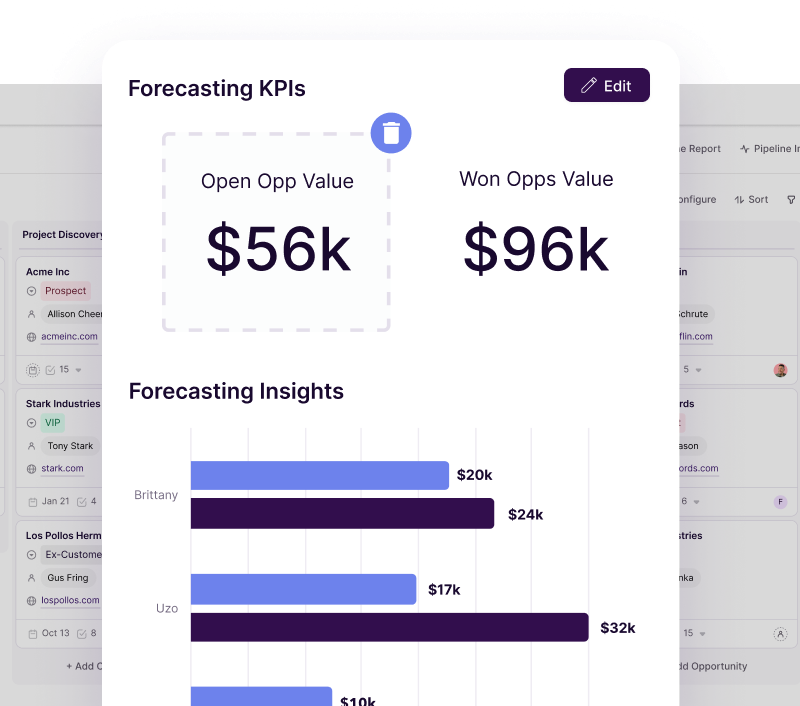
Image source: Copper reporting page
Copper earns its price when you are already doing real work and the mess is starting to cost you. The stronger tiers matter because that is where pipelines, task automation, workflow automation, reporting, and broader integrations start pulling their weight.
Copper is not the right buy if you want enterprise-level complexity, a huge outbound sales machine, or the lowest possible monthly cost. It is also not the smartest buy if your business barely touches Google Workspace, because a big part of the appeal disappears.
Start the trial now if your team lives in Gmail, you already have an active pipeline, and manual follow-up is getting sloppy. Wait if you are still validating your offer, skip it if you need something broader like GoHighLevel, and go cheaper if a simple stack like Systeme.io covers what you need.
FAQ
Is there a real Copper discount code?
The consistent savings showing on Copper’s official pricing page come from annual billing, not from some evergreen promo code that changes everything. If you are a fit, that annual discount helps, but it is still smarter to judge the tool by adoption and time saved.
Is Copper too expensive for a small business?
It can be if you only need a contact list and a few reminders. It looks much more reasonable when the CRM replaces spreadsheet chaos, missed follow-ups, and the constant need to ask people where a deal stands.
Is Copper hard to set up?
Copper looks easier to adopt than a lot of heavier CRMs because the product is built around Gmail and Google Workspace from the start. That does not mean zero setup, but it usually means less training pain if your team already works in Google every day.
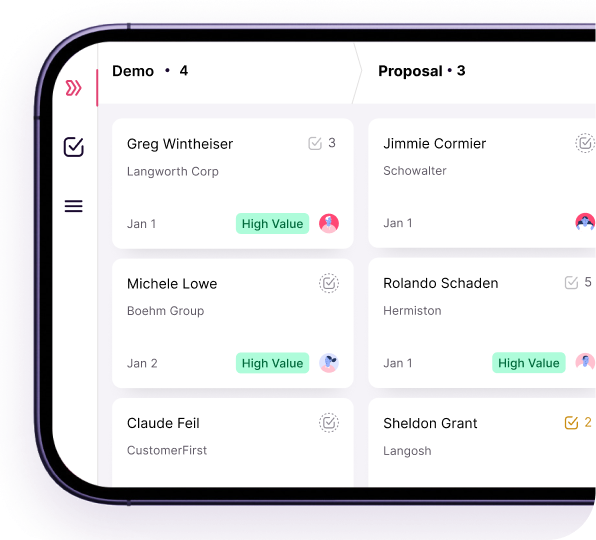
Image source: Copper mobile CRM page
Can Copper handle work on mobile too?
Yes, Copper has a mobile CRM experience with pipelines, tasks, activity logging, and notifications. That matters if your team is out in the field or needs to update deals without waiting to get back to a laptop.
Should you start Copper now or wait?
Start now if you already have leads, client conversations, or project handoffs happening inside Gmail and the process feels messy. Wait if you are still too early to feel the value, because software is easier to justify once there is real workflow pain to fix.
Copper is a strong buy for Google Workspace teams that want a CRM people will actually use. If that sounds like you, the smartest next step is to test the trial with your real pipeline instead of guessing from a feature list.
Get started with Copper Filip Konecny Enterprises