
If you are searching for a Copper demo, you probably do not want a long CRM lecture. You want to know whether Copper is worth your time, whether the demo will actually help, and whether this tool fits the way your team already works.
Copper gets interesting fast when your business already runs inside Gmail, Google Calendar, and Google Drive. If that is your setup, the pitch feels simple: keep relationships, deals, and follow-ups close to where you already spend the day instead of forcing your team into another bloated system.
That also means Copper is not for everybody. If you want a super cheap CRM, a giant enterprise system, or a platform built more around marketing than relationship management, you should know that now before you waste time on a sales call.
Article outline
- Should you even spend time on the Copper demo?
- What you get in the free trial
- The good stuff
- Pricing and value
- Why buying now may make more sense than waiting
- Alternatives worth looking at
- Final verdict
- FAQ
Should you even spend time on the Copper demo?
Yes, but not for the same reason every buyer thinks. For most small teams, the smarter move is to check current pricing, start the free trial, and use the Copper demo only when you want help with setup, migration, or plan selection.
Copper already tells you a lot before you ever talk to sales. The company offers a 14-day free trial with no credit card, all plans include Google Workspace integration, and the more serious deal and automation features show up as you move from Starter to Basic and then Professional.
That matters because Copper is easy to misjudge if you look at the wrong tier. If you only need contact management inside Google Workspace, Starter can be enough, but if you want pipelines, project handoff, workflow automation, and reporting, the real buying decision starts higher up.
My honest take is simple: book the Copper demo if your team already sells or manages clients inside Google Workspace and you want to see how quickly Copper can clean that up. Skip the demo for now if you are still figuring out your process, do not use Gmail much, or mainly need the cheapest possible CRM.
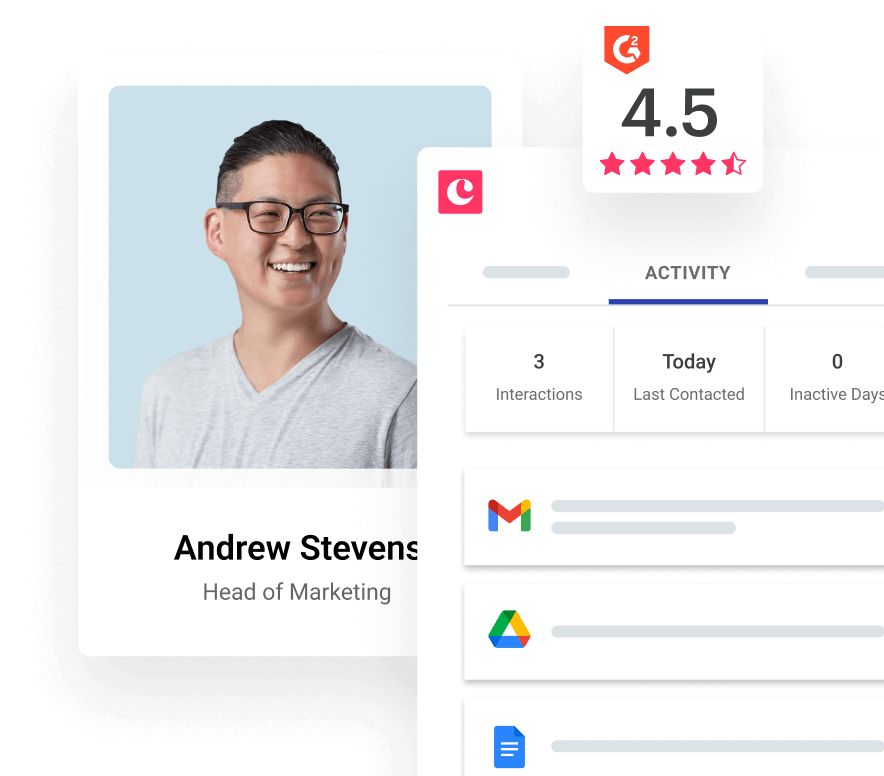
Image source: Copper pricing page
This quick snapshot will save you time before you book a call. It shows where Copper already looks like a fit and where the demo is more likely to confirm a mismatch than create one.
Check the official Copper demoCopper looks strongest for agencies, consultancies, service businesses, and small sales teams that want less CRM maintenance and more visibility inside tools they already use. The platform also leans hard into its Google position, including its Recommended for Google Workspace message, which tells you a lot about who this product is built for.
The catch is that Copper can feel too narrow for some buyers and too expensive for others once you need better automation or deeper reporting. That does not make it a bad buy, but it does mean the demo only makes sense when you already know you want a Google-friendly CRM and are deciding whether Copper is the right version of that idea.
Next, I will get into what you can actually test in the free trial, what Copper does especially well, and where the price starts to earn its keep. That is where the decision usually gets a lot clearer.
What you get in the free trial
Copper keeps the first step pretty low risk. You can start a 14-day free trial with no credit card, so you do not have to sit through a demo just to see whether the product feels right.
The bigger detail is easy to miss. Copper says on its integrations pages that the free trial runs on the Business plan, which gives you a much better test than a stripped-down sandbox.
That makes the Copper demo more useful after you have clicked around a bit on your own. You can use the trial to answer the basic question first: does this feel faster than your current mix of Gmail, spreadsheets, notes, and follow-up reminders?
- You can test whether Copper actually feels native in Gmail instead of feeling like another tab you have to babysit.
- You can see whether your team would benefit from pipelines, project handoff, and task automation before you pay.
- You can check if the reporting and bulk email tools are strong enough for your workflow or just nice extras.
- You can figure out fast whether Copper is a fit for a Google Workspace team or overkill for a tiny business still running loose.
Image source: Copper Gmail integration page
All plans include Copper’s core Google Workspace integrations for Gmail, Google Calendar, Google Contacts, and Google Drive. That matters because the whole point of Copper is not just storing contacts, but keeping relationship activity closer to the tools your team already uses.
Use the trial to test three things before you book the Copper demo. Add a few real contacts, move a few deals through a pipeline, and check whether the activity history gives you enough context to stop chasing people across inboxes and docs.
The good stuff
Copper looks strongest when your business already lives in Google. That is the part reviewers on Copper’s own site and verified review platforms keep circling back to, and it is also the part that makes the demo worth booking for the right buyer.
The first win is less tab switching. Copper keeps contact details, email history, files, and reminders tied to the relationship instead of scattering them across Gmail, Calendar, Drive, and whatever spreadsheet somebody forgot to update.
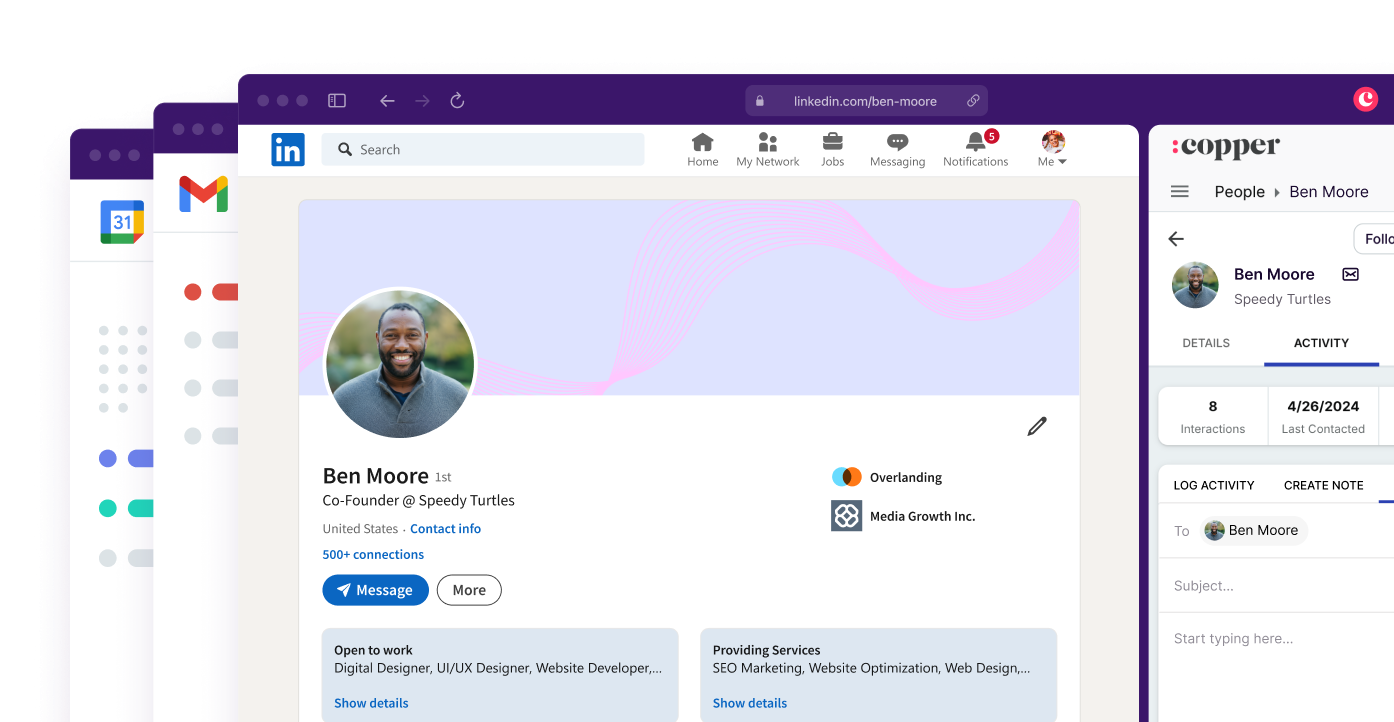
Image source: Copper LinkedIn CRM page
The second win is that Copper is not just a contact database. On the Basic plan and above, you start getting pipelines, project management, contact enrichment, and task automation, which is where the product starts to feel like a real operating system for client work.
The third win is workflow automation. Copper’s current product pages and help docs show automations for stage changes, follow-ups, reminders, and project handoff, which means fewer dropped balls once deals move from sales into onboarding or delivery.
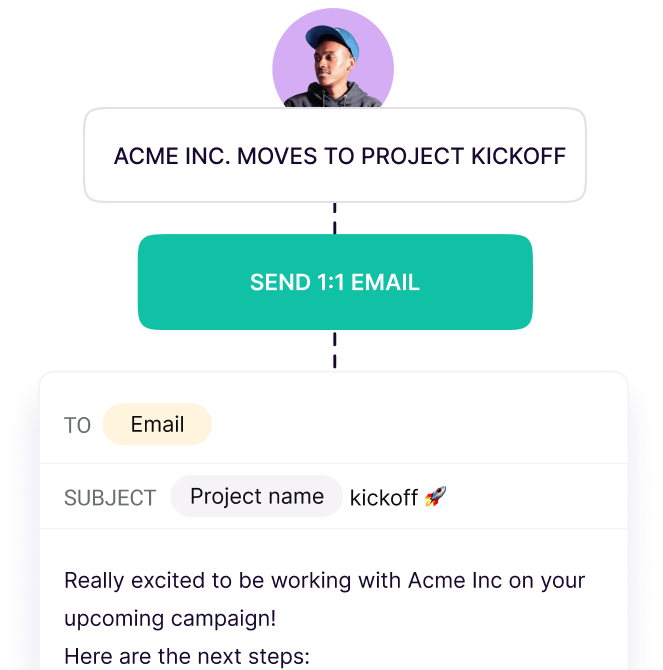
Image source: Copper track leads page
That is where Copper starts earning its price. If your current process depends on somebody remembering to send the next email, create the next task, or move the deal manually, this can save time fast.
Customization is another real strength. Copper’s newer pipeline and project views let you shape stages, fields, and labels around your workflow instead of forcing your team into a rigid sales-only setup.
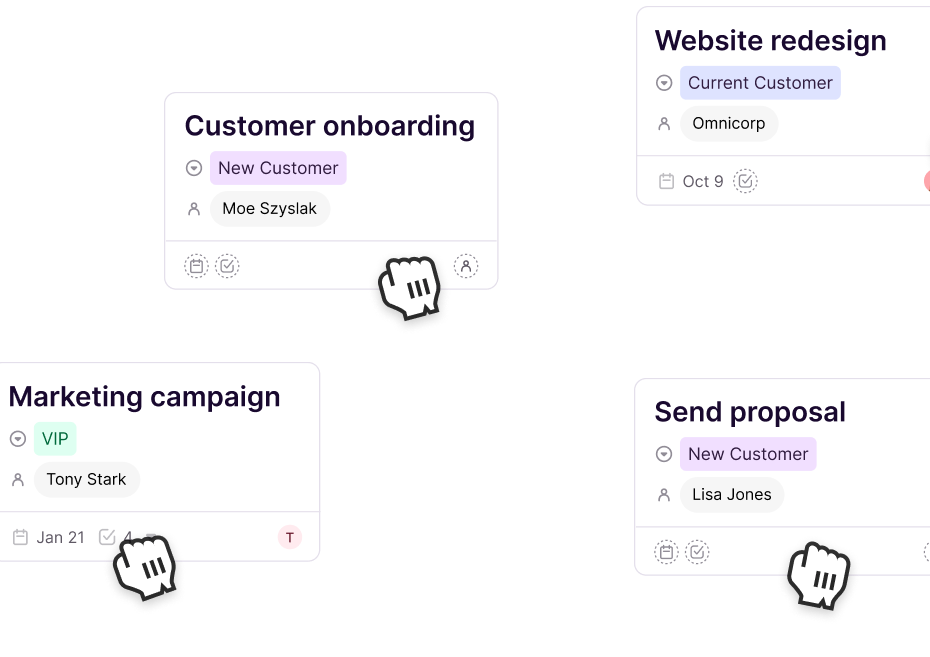
Image source: Copper homepage
Here is the catch. Copper makes the most sense when you already have a real client process to organize, because that is when the native Google workflow, automation, and visibility start paying you back.
If you are brand new, still selling casually, or mostly need landing pages and checkout flows, Copper can feel like the wrong first buy. It is better at managing relationships and work than at replacing funnel builders.
Pricing and value
Copper is not the cheapest CRM once you need the good stuff. The live pricing page shows four plans, and the jump from simple contact management to real automation is where your buying decision gets serious.
See current Copper pricingStarter is fine for contact tracking, but most serious buyers will end up looking at Basic or Professional. If you want the Copper demo to be worth your time, ask them to show the plan you would actually need, not the cheapest one on the page.
Copper also gets judged against tools that do different jobs. If you want a broader agency-style system with marketing automation, funnels, and more built-in operations features, GoHighLevel is the more all-in-one bet.
If your main goal is selling through funnels, checkout pages, and front-end offer flows, ClickFunnels or Systeme.io make more sense than Copper. Copper is better when the messy part of your business is relationship tracking, handoff, follow-up, and keeping your Google-based workflow sane.
Why buying now may make sense
Waiting usually means you keep paying the hidden cost of manual follow-up. Leads sit in Gmail, next steps live in somebody’s head, project handoff gets messy, and nobody has a clean view of what is moving or stuck.
Copper becomes a smart buy when your team already has leads, conversations, and files moving through Google Workspace every week. That is when the platform stops feeling like software overhead and starts feeling like a cleaner way to run the business.
Image source: Copper LinkedIn CRM page
You do not need to force this if you are not ready. Skip it for now if you are still validating your offer, barely use Google Workspace, or mainly need a funnel builder before you need a relationship system.
For the right buyer, though, this is absolutely worth trying now. The free trial removes most of the risk, and the Copper demo becomes much more useful once you already know the workflow problems you want them to solve for you.
Check the official Copper demoAlternatives worth looking at
Copper is not the automatic winner just because you searched for a Copper demo. It wins when your team already works inside Gmail and Google Calendar, wants cleaner relationship tracking, and needs a CRM that feels close to invisible once it is set up.
It loses ground when your real problem is something else. If you need funnels first, agency-style marketing automation, or the cheapest all-in-one you can find, another tool may fit faster and cost less.
Image source: Copper project management page
Explore CopperChoose Copper if your business already runs inside Google Workspace and your biggest problem is messy relationship management. Choose Systeme.io if price matters most, and choose GoHighLevel if you want a broader all-in-one system that goes much heavier on agency and marketing automation.
Choose ClickFunnels if your main job is building funnels and selling offers, not keeping client communication tidy inside Gmail. That is the cleanest way to think about the alternatives without talking yourself into the wrong category.
My honest take
Copper is worth serious consideration for the right buyer. A Copper demo makes the most sense when your team is already active in Gmail every day, you have leads or clients moving through a repeatable process, and you are tired of pretending that inbox folders and spreadsheets count as a system.
Copper is not the cheapest option and it is not the broadest option. It earns its place when clean Google Workspace integration matters more to you than having every marketing feature under the sun.
Image source: Copper lead tracking page
That is also why waiting too long can cost more than the software. Manual follow-up looks cheap until leads stall, next steps get missed, and your team wastes time piecing together the same context from Gmail, Calendar, Drive, and random notes.
I would start the trial now if you already have a process worth organizing. I would wait if you are still figuring out your offer, rarely use Google Workspace, or mainly need funnel pages before you need a CRM that keeps relationships and work moving.
Book the Copper demo after you have spent a little time in the trial. That way the call becomes about your real workflow, your handoff problems, your reporting needs, and the plan you would actually pay for.
FAQ
Should you book the Copper demo before starting the trial?
Usually no. The free trial is enough to tell you whether Copper feels right in your daily workflow, and that makes the demo more useful because you can ask better questions.
Book the demo first only if you already know you need help with migration, seat planning, or choosing between Basic, Professional, and Business. Otherwise, start clicking around on your own before you jump on a call.
Is Copper hard to set up?
Copper looks easier than many CRMs because it is built around Google Workspace instead of fighting it. That does not mean no setup, but it usually means less friction for teams already using Gmail, Calendar, Contacts, and Drive every day.
The harder part is not the software. The harder part is deciding how you want leads, deals, projects, and follow-ups to move through your business.
Is Copper good for beginners?
It can be, but only for a certain kind of beginner. If you are already running client conversations in Gmail and you want structure without a monster CRM, Copper can be a smart first serious tool.
If you are early, cash-sensitive, or still validating what you sell, a cheaper option like Systeme.io may be easier to justify. Copper starts to make more sense once a messy workflow is already costing you time.
Does Copper replace GoHighLevel or ClickFunnels?
Not cleanly. Copper is strongest as a Google-first CRM with pipelines, project flow, and automation around relationships, while GoHighLevel goes much wider on agency and marketing automation, and ClickFunnels stays more funnel-first.
That is why the “best” tool depends on what feels broken in your business right now. If the pain lives in Gmail follow-up and team handoff, Copper has the cleaner argument.
Image source: Copper Gmail integration page
Copper looks like a smart next step when your team already sells or serves through Google Workspace and needs a CRM that stays close to that reality. For that buyer, the trial is worth taking and the Copper demo is worth booking once you know what you want to see.
Check the official Copper demo Filip Konecny Enterprises