
Most people searching for a Copper coupon are really trying to answer a simpler question: can I get into Copper without overpaying, and is the platform worth paying for once the discount is gone? That is the right question, because a weak coupon on the wrong CRM still costs more than a better-fit tool at full price.
Copper looks most appealing if your team already lives in Gmail and Google Workspace. The savings angle matters, but the bigger decision is whether Copper will actually replace enough spreadsheet chaos, scattered follow-ups, and manual pipeline tracking to justify the subscription.
This part gives you the fast decision version. You will see the most realistic ways to save, what kind of buyer should keep reading, and where the rest of this review is going so you can jump straight to the section you care about.
Article outline
Best ways to save with Copper right now
What you get and why people pay for it
Copper coupon quick take
Copper is worth hunting a deal for if you want a CRM that fits naturally into Google Workspace instead of forcing your team into a heavier sales system. It makes the most sense for small businesses, agencies, consultants, and service teams that care more about speed and adoption than deep enterprise complexity.
You probably should not chase a Copper coupon if your real goal is getting the absolute cheapest CRM possible. Copper starts light on price at the entry tier, but the platform gets more interesting on the higher plans, so buyers who only want a bare-bones contact database may end up happier with a simpler alternative.
The stronger reason to consider Copper is not the promo itself. It is the chance to test a CRM that can pull your contacts, email activity, tasks, pipelines, and follow-up work much closer to the tools your team already uses every day.
Best ways to save with Copper right now
Copper gives you a few realistic ways to lower the upfront cost, and some are better than random coupon-code sites. Official savings matter more here because they are far less likely to waste your time at checkout.
The safest move is still the trial first, then annual billing if the fit is obvious. That protects you from buying too early just because a coupon exists.
If you want to check the official Copper route now, start here: explore Copper. If you already know you want to look at plan pricing, use see current pricing.
What you get and why people pay for it
Copper is built for people who hate babysitting a CRM. The draw is that it sits close to Gmail and Google Workspace, so logging contacts, following deals, assigning tasks, and keeping a relationship history can feel less like extra admin work.
That matters because most small teams do not fail with CRM because they picked the wrong feature list. They fail because nobody wants to keep the system updated, and the tool ends up becoming one more thing to ignore.
Copper has a better shot at sticking when your business already runs on Google tools. That does not automatically make it cheap, but it makes the price easier to defend when the alternative is more manual work and lower team adoption.
What the good parts look like
The big appeal is simplicity without feeling toy-level. Copper gives you contact management, pipeline tracking, task handling, forms, automation on higher tiers, and more reporting power as you move up plans.
The catch is just as important. If you want a super-deep enterprise CRM, or you need a huge amount of advanced customization on day one, Copper may feel too narrow compared with bigger systems.
That trade-off is exactly why this review matters. A Copper coupon is useful when Copper is already close to the right fit, not when you are trying to force the wrong platform into your business because the discount looked nice.
What happens next in this review
The next section gets into the free trial, the better features, and the price jumps that decide whether Copper stays reasonable or starts feeling expensive. That is the point where most buyers either lean in or back off.
After that, the final section compares Copper against a few smarter alternatives so you can tell whether you should buy now, wait until your setup is more mature, or choose something cheaper. That comparison matters because the best CRM is not the one with the loudest promo, but the one you will actually use.
What you get in the free trial
Copper gives you a 14-day trial, instant activation, and no credit card requirement. That is long enough to answer the real buying question: does this feel easier than managing contacts, follow-ups, and deal stages from Gmail and spreadsheets?
The trial makes the most sense for Google Workspace teams because Copper is built around Gmail, Calendar, Drive, and Chrome. If your business already lives there, you can tell pretty quickly whether Copper will save time or just become another login nobody uses.
A Copper coupon helps, but the trial is still the smarter first move. You should connect your Google account, import a real contact list, create one working pipeline, and assign a few tasks before you spend a dollar.
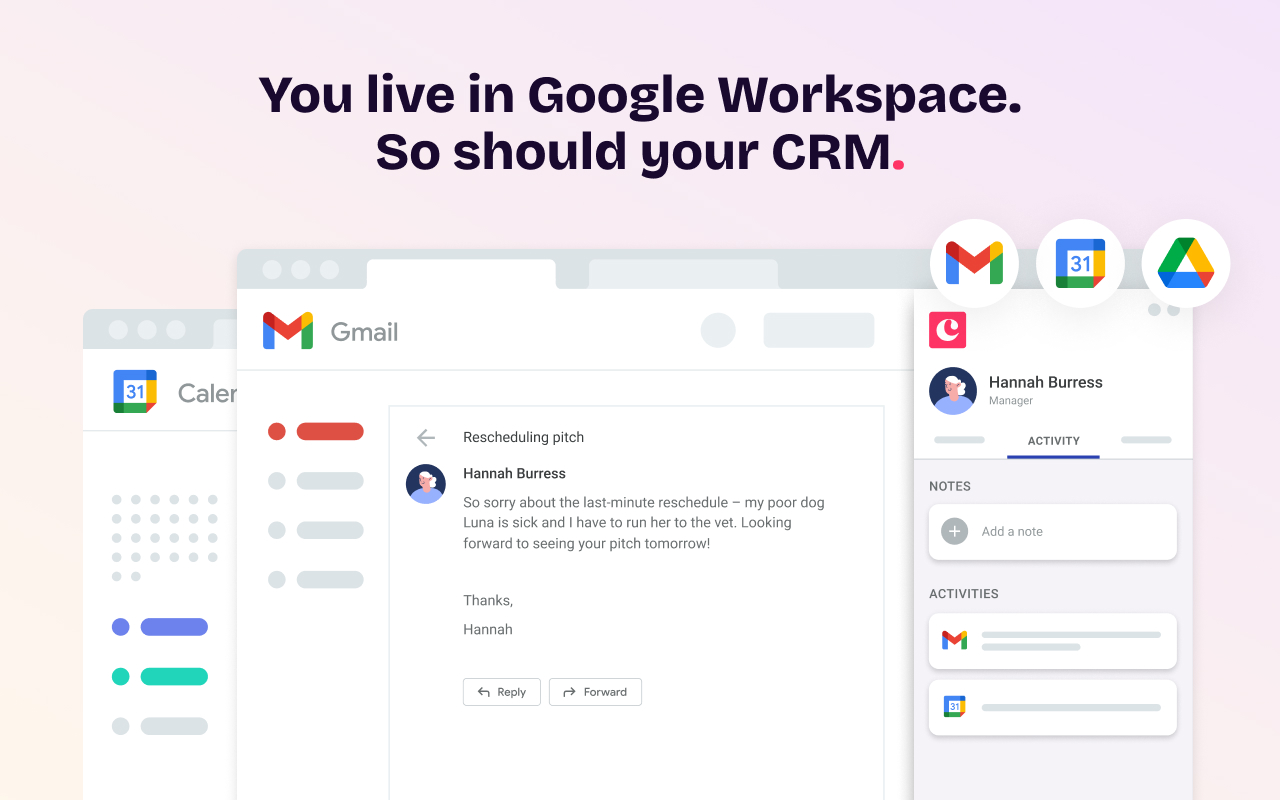
Image source: Copper
Copper does not win on trial length alone. It wins when the setup feels natural enough that your team will actually keep using it after the trial ends.
That is also the catch. If you only poke around the dashboard and never run a real workflow through it, you can leave the trial thinking it is nice but not necessary. The payoff shows up when you use it the way you would on a normal workday.
The good stuff
Copper is strongest when you want CRM structure without the usual CRM drag. It keeps contact history, tasks, notes, files, and deal stages much closer to the inbox and calendar your team already checks all day.
That sounds small until you compare it with a heavier CRM that demands constant tab-switching and manual logging. For the right buyer, this is the difference between a system people actually keep updated and one that dies after two weeks.
Starter is the cheap entry point, but most businesses will judge Copper on what starts showing up after that. Basic adds pipelines, project management, task automation, and contact enrichment, which is where Copper starts feeling like a real operating system for small service teams.
Professional is the tier where Copper becomes much more convincing for growing teams. Workflow automation, bulk email, reporting, and integrations are the features that make the price easier to defend if you are already handling active leads and ongoing client work.
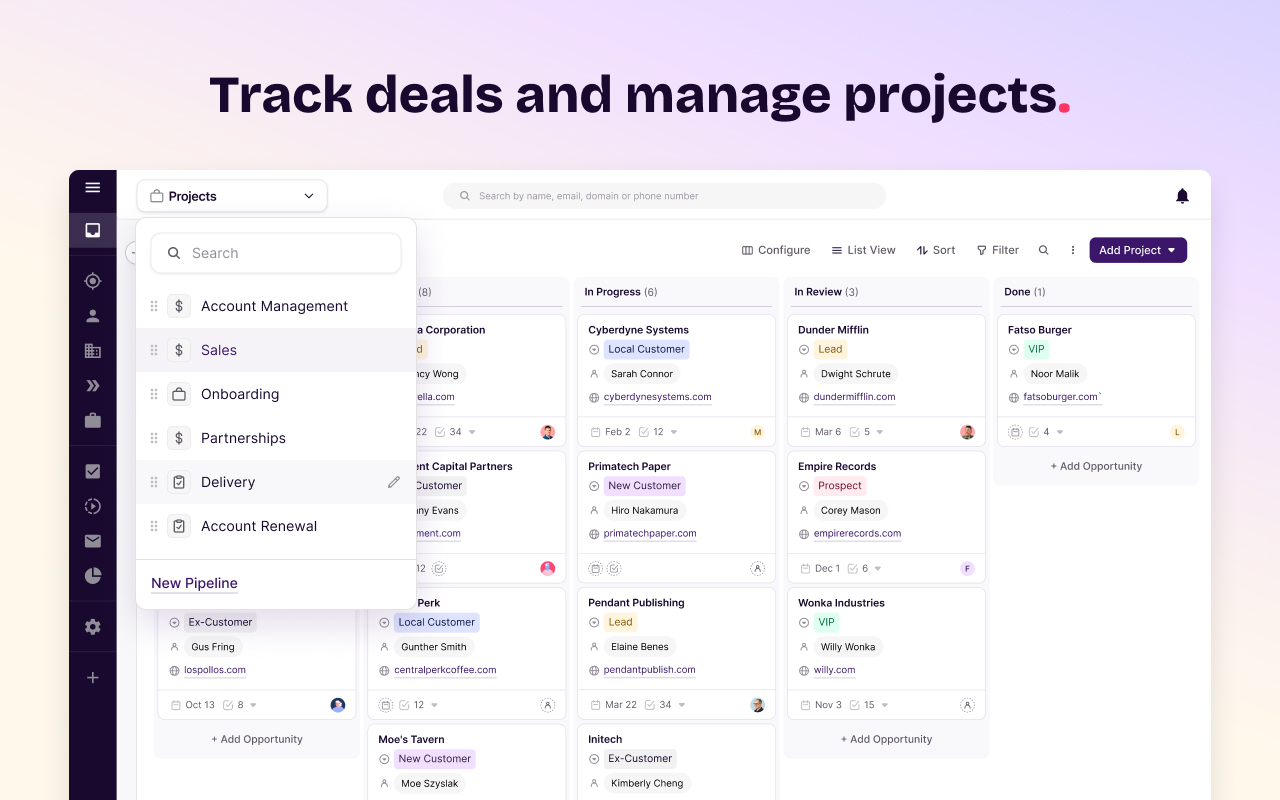
Image source: Copper
Business pushes further with unlimited contacts, email series, custom reports, multi-currency, and premium support. That tier is clearly for teams that already know Copper is central to how they sell or manage clients.
The biggest limitation is easy to spot. Copper gets more interesting as the tiers go up, so the cheapest plan is not always the most realistic plan for a busy team.
That does not make Copper overpriced. It just means you should be honest about what you need before chasing a Copper coupon and telling yourself the entry plan will cover everything.
The second limitation is fit. If you are not a Google Workspace-first business, part of Copper’s biggest advantage disappears right away.
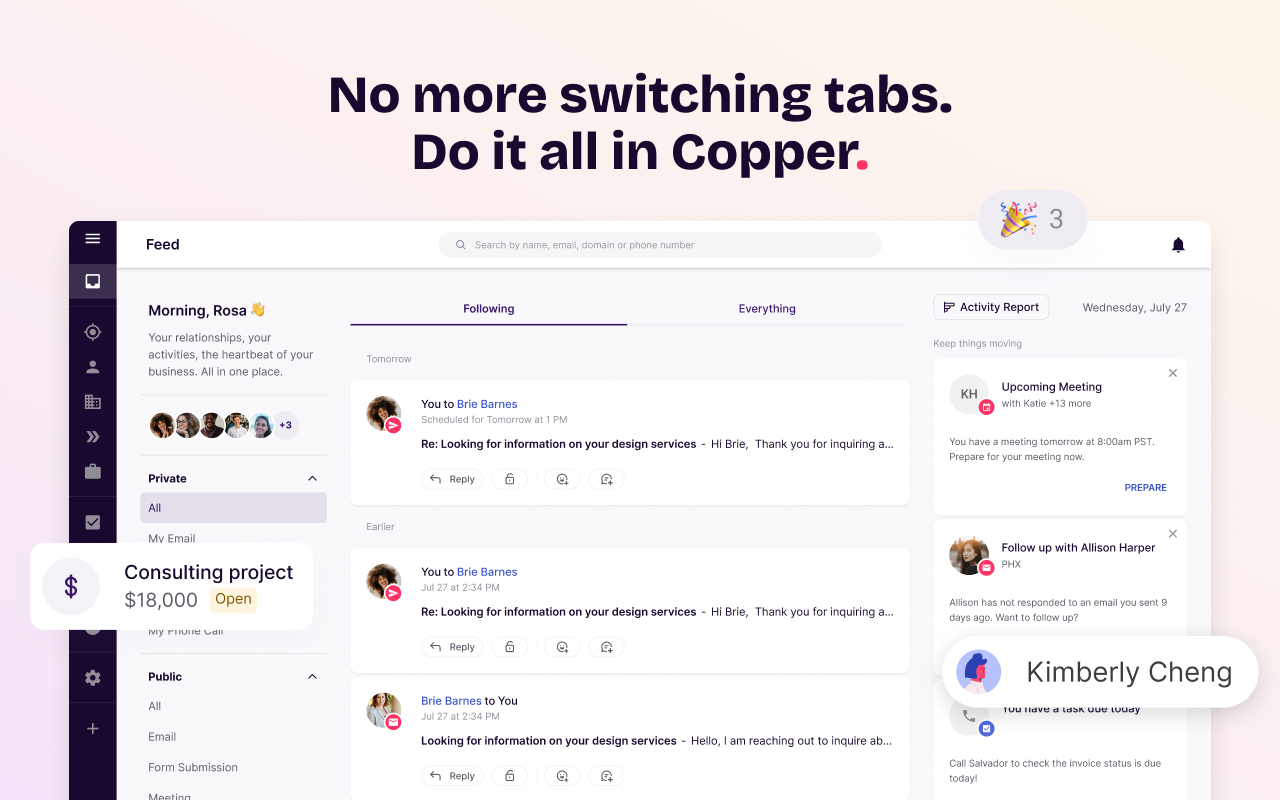
Image source: Copper
If your team mainly needs funnel pages, checkout flows, or aggressive marketing automation, Copper may feel too focused on relationship and workflow management. In that case, a broader marketing tool can make more sense.
Pricing and a quick comparison with cheaper or broader options
Copper currently starts at $9 per seat per month when billed annually, or $12 on monthly billing. Basic is $23 annually or $29 monthly, Professional is $59 annually or $69 monthly, and Business is $99 annually or $134 monthly.
That pricing is reasonable if Copper replaces manual follow-up work and gets your team using the CRM consistently. It feels less attractive if you only need a basic contact list or you are really shopping for a funnel builder instead of a Google-friendly CRM.
Check the official free trialCopper is not the cheapest option in that table, and it is not trying to be. It is the cleaner choice when your business already runs inside Google and you want a CRM people will actually keep updated.
GoHighLevel is the broader bet if you want a much bigger marketing machine and can handle the extra complexity. Systeme.io is the budget play if you care more about low-cost funnels and email than a Google-native CRM workflow.
Why buying now can make sense
Copper is worth moving on now if you already have active leads, repeat clients, or a team losing time inside inboxes and spreadsheets. Waiting usually means more manual cleanup, more missed follow-ups, and another month of working around a system that already feels messy.
You do not need Copper just because you found a Copper coupon. You need it when the cost of staying manual is starting to beat the cost of software.
That line gets crossed faster than people think. Once leads, tasks, files, and conversations are scattered across Gmail, Sheets, and personal notes, the admin burden keeps growing even if your sales volume only grows a little.
Skip it for now if you are still validating an offer, barely using Google Workspace, or only need a cheap funnel tool. Start the trial now if your business already runs on Gmail and you want a CRM that feels like a natural extension of the way you work.
Copper is not the best fit for everyone. For Google Workspace-first teams that want less friction and better follow-through, it is easy to make the case that this is worth a serious look.
If that sounds like you, get started with Copper before another month disappears into manual follow-up work.
Alternatives
Copper is not the only smart option here. The better question is whether you want a Google-first CRM, the cheapest way to get basic funnels and email, or a much broader all-in-one system that can replace more tools at once.
That decision matters more than the Copper coupon itself. A discount helps, but picking the wrong tool still costs you more in time, setup pain, and team resistance.
Image source: Copper
Check the official free trialChoose Copper if your team already runs inside Gmail and you want less admin work, cleaner follow-up, and better CRM adoption. Choose a cheaper option like Systeme.io or Brevo if price matters more than a Google-native setup.
Choose a broader all-in-one like GoHighLevel if you want a bigger marketing machine and can handle more complexity. Copper sits in the sweet spot for buyers who want structure without turning their CRM into a full-time job.
Image source: Copper
Final verdict
A Copper coupon is nice, but it is not the main reason to choose Copper. Copper is worth it when your business already works inside Google Workspace and your current process is getting held together by inboxes, spreadsheets, and memory.
That is where Copper starts to earn its price. It gives you a cleaner place to manage contacts, tasks, pipelines, and client history without forcing your team into a bulky setup they will resent using.
Copper is not the best buy for everyone. If you want the absolute cheapest tool, or you need a giant all-in-one system with more aggressive marketing features, you can get a better fit elsewhere.
Copper is a strong buy for the right person. Small teams, agencies, consultants, and service businesses that already live in Gmail will usually understand the value fast once they run real work through the trial.
Start the trial now if your leads, tasks, and follow-ups are already messy enough to slow people down. Wait if you are still validating your offer or barely using Google Workspace, because the value will not feel as obvious yet.
My honest take is simple. For Google-first teams, Copper looks like one of the easiest CRMs to justify because the odds of real adoption are higher than with heavier tools.
Get started with CopperImage source: Copper
FAQ
Is there a real Copper coupon?
Sometimes, yes. Copper has run partner offers and annual savings, but the most reliable money-saving move is usually the free trial first and annual billing after you know the fit is real.
Does Copper have a free trial?
Yes. Copper offers a 14-day free trial with no credit card required, which is enough time to connect Google Workspace, build a pipeline, and test whether your team actually likes using it.
Is Copper worth it for a small business?
It can be a very good fit for a small business that already runs on Gmail and needs a CRM people will keep updated. It is less compelling if you only need the cheapest possible contact database or mostly care about funnel building.
Should I pick Copper or GoHighLevel?
Pick Copper if you want a lighter CRM that feels natural inside Google Workspace. Pick GoHighLevel if you want a much broader all-in-one stack and do not mind a heavier setup.
When is a cheaper alternative the smarter move?
A cheaper tool makes more sense when you are still early, your sales process is simple, or you care more about low-cost funnels and email than Google-native CRM workflow. That is where Systeme.io or Brevo can be easier to justify.
Should I pay monthly or annual?
Monthly is safer if you are still testing fit. Annual is the better value once your team is clearly using Copper and you know you are not going back to spreadsheets.
If your team already lives in Gmail and your current setup feels messy, dragging this out usually just means more manual follow-up and more lost time. Explore Copper and see whether the trial makes the decision easy.
 Filip Konecny Enterprises