
If you searched for a Copper coupon, you probably do not want a cute little promo code. You want to know whether there is a real way to pay less, and whether Copper is good enough to justify paying for at all.
That is the right question. A weak CRM with a discount is still a bad buy, while a tool that genuinely saves you time inside Gmail, Calendar, Drive, and Gemini can be worth starting even if the savings are not dramatic.
The cleanest savings I could verify on Copper’s own pages are the annual discount of up to 26% and a 14-day free trial with no credit card required. I also found a live Copper promo page advertising one free month, but because that page is tied to a named campaign, I would treat it as a bonus to check before signup, not the baseline offer you should count on.
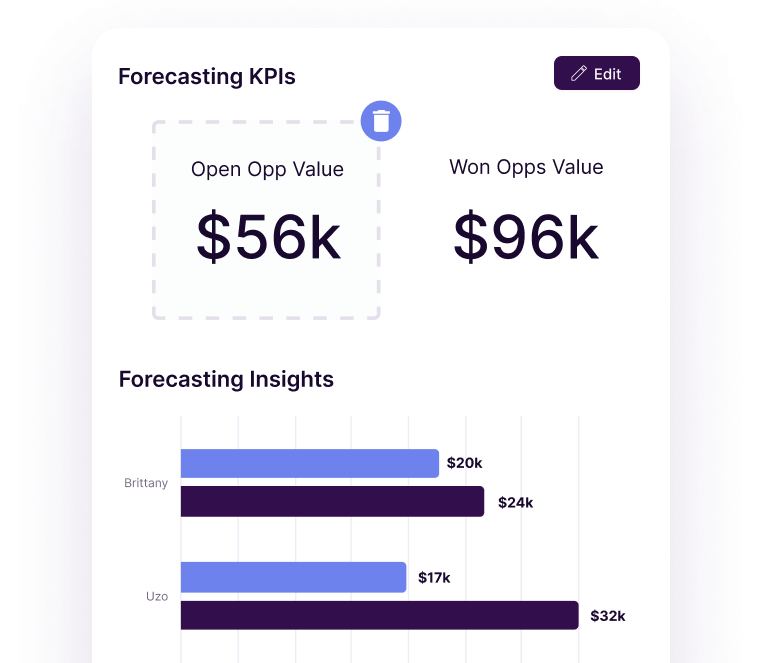
Image source: Copper sales pipeline page
Quick take before you go hunting for codes
Copper looks strongest when your business already lives in Google Workspace and you are tired of updating a CRM by hand. If that sounds like you, the free trial matters more than coupon-code hunting because it lets you test whether Copper actually removes daily friction.
If you just need a very basic pipeline and simple contact storage, Copper can feel expensive fast. That is the catch, and it is exactly why this review is not going to pretend every visitor should rush into it.
Check the official free trialArticle outline
This review is built to answer one thing: should you try Copper now, wait until you are more ready, or skip it and use something simpler. I am going to keep it focused on buying decisions, not generic CRM theory.
- Is Copper actually worth trying? This section deals with the core question first, because a discount does not matter if the product is wrong for you.
- What you get in the free trial, the good stuff, pricing and value, and why you might want to start now. This is the part that shows whether Copper replaces enough manual work to earn its price.
- Alternatives to Copper, final verdict, and FAQ. A review only earns trust when it also tells you who should pick a cheaper tool or a broader all-in-one instead.
Copper becomes more interesting when your current setup is messy and your team is already buried in Gmail threads, follow-up reminders, and scattered client notes. If that is your situation, waiting usually does not save money; it just keeps the manual chaos around longer.
Start with the official trial, not a random coupon site. You will learn more from a short hands-on test inside your real workflow than from ten pages promising “exclusive” Copper codes they probably cannot verify.
What you get in the free trial
The trial is one of the best reasons to stop obsessing over a Copper coupon and just test the product. Copper’s pricing page shows a 14-day free trial, and Copper’s homepage makes it clear that there is no credit card required.
That lowers the risk a lot. You can connect your real Google Workspace, move a few real contacts through a real pipeline, and decide whether Copper actually makes your day easier instead of guessing from a landing page.
Copper also says on its integrations page that free trials use the Business plan so you can test the fuller set of capabilities. That matters because a short trial is only useful when you can actually stress-test the product before paying.
Use those 14 days to do four things. Connect Gmail and Calendar, import a slice of active contacts, build one pipeline, and move one deal into a project or automated follow-up.
If that flow feels clean, Copper will probably make sense for you. If you spend the whole trial with no real leads, no real follow-ups, and no real client handoffs, the product will look flatter than it actually is.
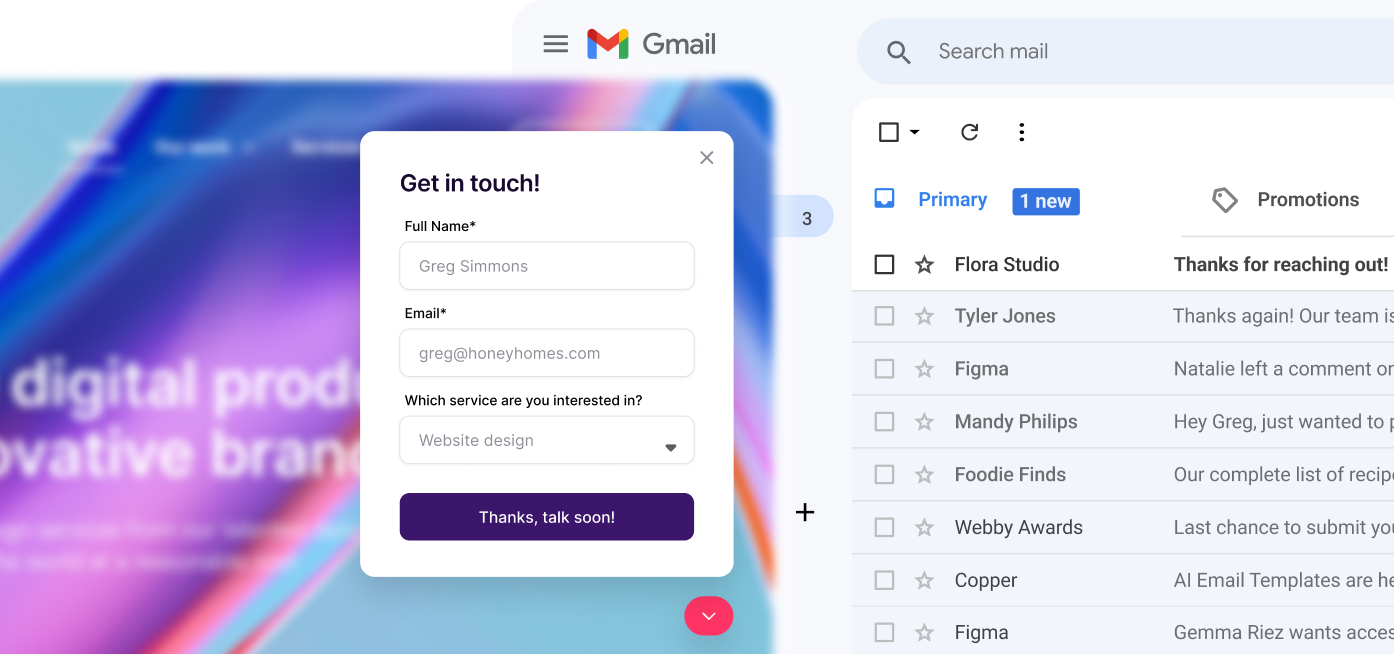
Image source: Copper track leads page
The good stuff
Copper’s biggest advantage is still the obvious one. It is built around Google Workspace, so it makes the most sense for teams that already live in Gmail, Calendar, and Drive all day.
The entry plan is fine for simple relationship tracking, but the product gets more interesting once you hit Basic. On Copper’s pricing page, Basic adds pipelines, project management, task automation, and contact enrichment, which is where this stops feeling like a glorified address book.
That matters if you sell services, not just products. Copper lets you move from closing the deal to handling delivery inside the same system, which is a much better workflow than closing in one tool and then rebuilding the job somewhere else.
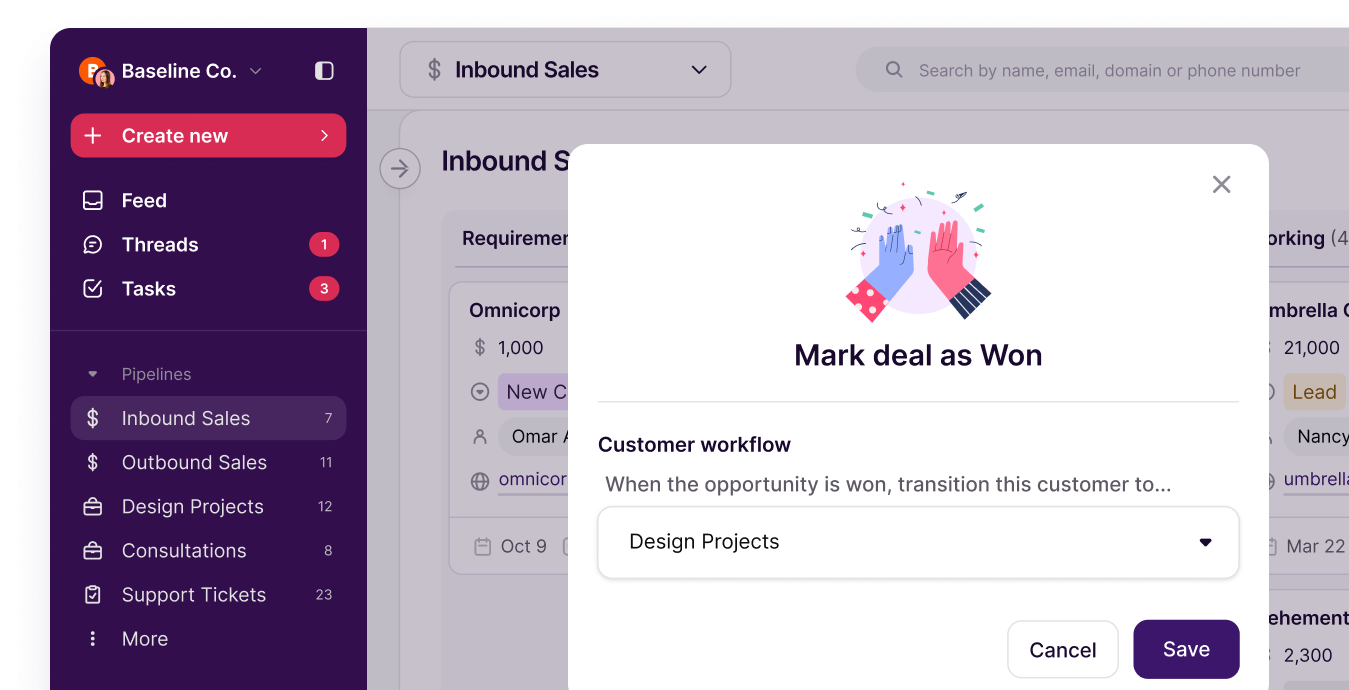
Image source: Copper track leads page
Professional is where Copper starts earning the higher price for teams with real volume. Copper says that tier adds workflow automation, bulk email, reporting, and integrations, while Business adds unlimited contacts, email series, custom reports, multi-currency, and premium support.
The reporting side is not a throwaway extra. If you need more than a pretty pipeline and want to see forecasting, team activity, and revenue trends, the higher tiers make a stronger case than Starter ever will.
Image source: Copper track leads page
Here is the catch. Copper is not trying to be the best funnel builder, the cheapest CRM, or the broadest agency operating system on the market.
It wins when your business runs on relationships, inbox activity, follow-ups, and client delivery. If your team hates updating CRMs manually, Copper looks much better because it stays closer to the work instead of asking people to live in a separate tool all day.
Copper pricing and value
Copper starts at $12 per seat per month on monthly billing or $9 per seat per month billed annually. Basic is $29 monthly or $23 annually, Professional is $69 monthly or $59 annually, and Business is $134 monthly or $99 annually on the official pricing page.
That makes Starter look cheap, but it is not the plan most small service teams should judge Copper by. Basic is the first tier where the platform starts feeling complete because that is where pipelines, project management, and task automation show up.
Copper’s own pricing page also says annual billing saves up to 26%. For most buyers, that is the closest thing to a reliable Copper coupon instead of chasing random code sites that may or may not work.
See current pricingChoose Copper when your business already runs inside Google Workspace and you want the CRM to stay close to the work. Choose Systeme.io or ClickFunnels when pages, funnels, and offer delivery matter more than relationship tracking, and look harder at GoHighLevel if you want a bigger agency operating system.
Why you might want to start now
Copper is easiest to justify when manual follow-up is already slowing you down. If deals sit in inbox threads, task reminders live in people’s heads, and client onboarding starts with copy-pasting notes from one tool to another, waiting usually means you keep paying that admin tax every day.
Copper is not a miracle if you have no sales activity yet. If you are still validating an offer or barely have any leads, a spreadsheet or a cheaper tool can be smarter until the process gets painful enough to deserve real software.
For the right buyer, though, this is absolutely worth trying. If you already have something to sell or deliver, and your team lives in Gmail, Copper can clean up the handoff between conversations, next steps, and client work much faster than doing it manually.
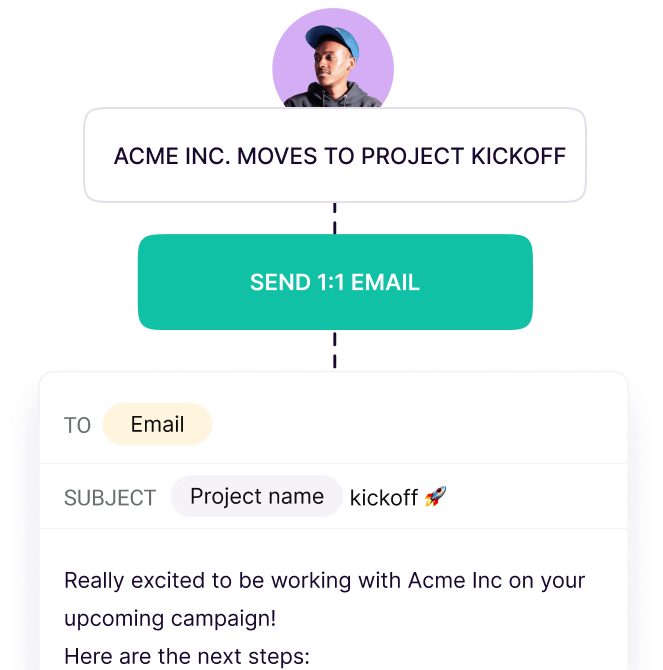
Image source: Copper automation page
That is the real reason to start the trial now instead of waiting for the perfect Copper coupon. At some point, keeping everything manual costs you more than the software does.
Check the official free trialAlternatives worth looking at
Copper is not the automatic winner just because you found a Copper coupon or a free trial. It wins for a specific buyer: a service business that already works inside Google Workspace and wants sales, follow-up, and client delivery to stay connected.
If that is not you, one of these alternatives can make more sense. A cheaper tool is better when you are still proving the offer, and a broader platform is better when you need more marketing muscle than Copper is built to give you.
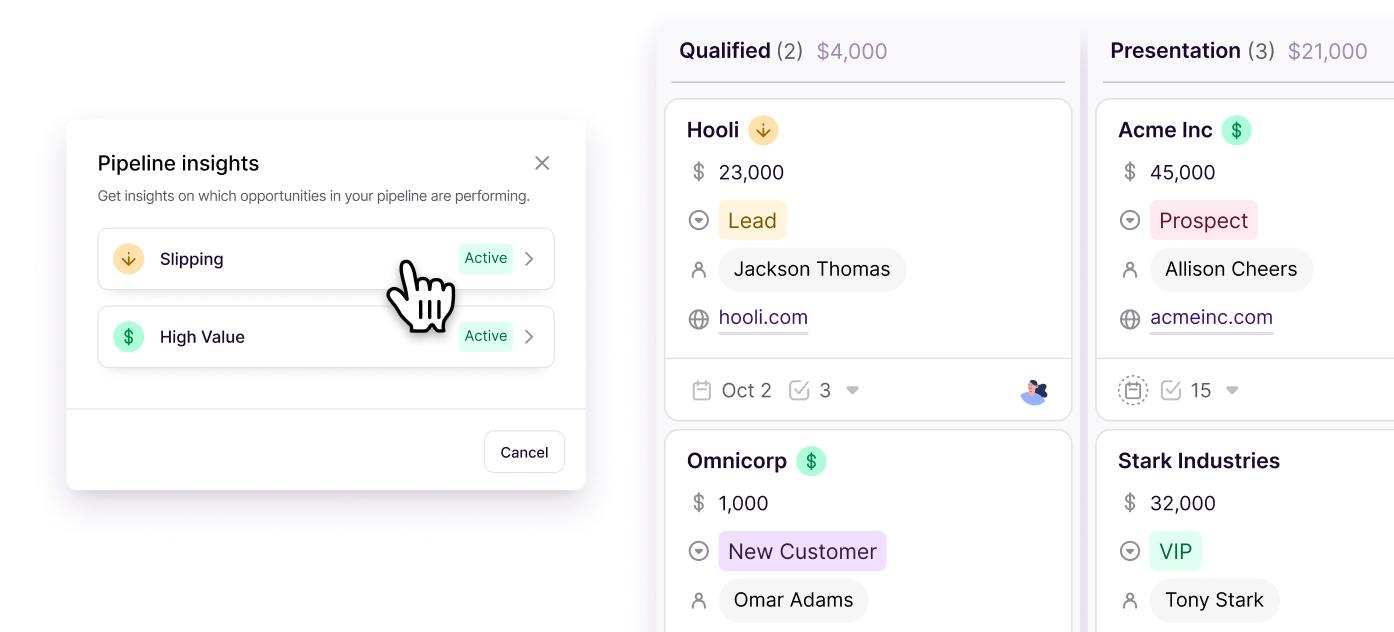
Image source: Copper track leads page
Check the official free trialChoose Copper if your biggest problem is messy follow-up, scattered client context, and a handoff gap between sales and delivery. Choose Systeme.io if price matters most, choose ClickFunnels if funnels are the real priority, and choose GoHighLevel if you need the broader agency stack more than a Gmail-native CRM.
Image source: Copper track leads page
My honest take
Copper is worth trying for the right buyer. That buyer already uses Google Workspace heavily, has real client work moving through the business, and is tired of losing context between inbox conversations, sales stages, tasks, and project delivery.
Copper is not the smartest buy for everyone. If you are still validating your offer, barely have any leads, or mostly need funnels and pages, a cheaper tool or a more sales-front-end platform will usually give you more immediate value.
The strongest part of Copper is how practical it feels for relationship-driven work. You can track the lead, close the deal, push the client into delivery, and keep the history close to the team without trying to glue together five separate tools.
The weakest part is price perception. Starter gets you in the door, but many small teams will not feel the full value until Basic or above, so the cheap entry point can look more generous than it really is if your workflow needs pipelines, automation, and better reporting.
If you came here hunting for a Copper coupon, the real answer is simple. The best public savings are the free trial and annual billing, and those matter more than a random code anyway because they let you test whether Copper actually saves enough time to pay for itself.
For the right buyer, this is absolutely worth trying now. Waiting tends to keep the same manual follow-up mess in place, and once that mess is already costing hours every week, the software usually becomes easier to justify than another month of patchwork.
Image source: Copper track leads page
Copper FAQ
Is there a real Copper coupon right now?
Sometimes there are campaign-style offers, but the dependable deal is the free trial plus the annual discount. Most buyers should treat that as the real savings path instead of trusting coupon directories.
Is Copper worth it for a small business?
Yes, if the business already has active leads, repeat follow-up, and client work to manage. No, if the business is still so early that a spreadsheet or very cheap tool can handle the workload.
Who should skip Copper?
Skip it if your team is not centered on Google Workspace, if your budget is extremely tight, or if your main need is building funnels instead of managing relationships. In those cases, Systeme.io, ClickFunnels, or GoHighLevel may fit better depending on what you are trying to do.
Should you start the trial now or wait?
Start now if you already have real sales or client activity and want to see whether Copper cleans up the workflow fast. Wait if you do not have enough live activity to test the product properly, because a CRM always looks less useful when there is nothing moving through it.
Get started with Copper Filip Konecny Enterprises