
Copper can look cheap at first glance. The headline price starts at $9 per seat per month billed annually, but that number does not tell the whole story if you need a real sales pipeline, automation, and reporting instead of a lightweight contact manager.
That is the real question behind Copper cost. You are not just trying to find the lowest monthly number, you are trying to figure out whether Copper gives you enough value to replace messy spreadsheets, disconnected Gmail follow-ups, and too many separate tools.
Copper gets much more interesting if your team already lives in Gmail and Google Workspace, and much less interesting if you do not. If you want to check the official plans while reading, you can see current Copper pricing here.
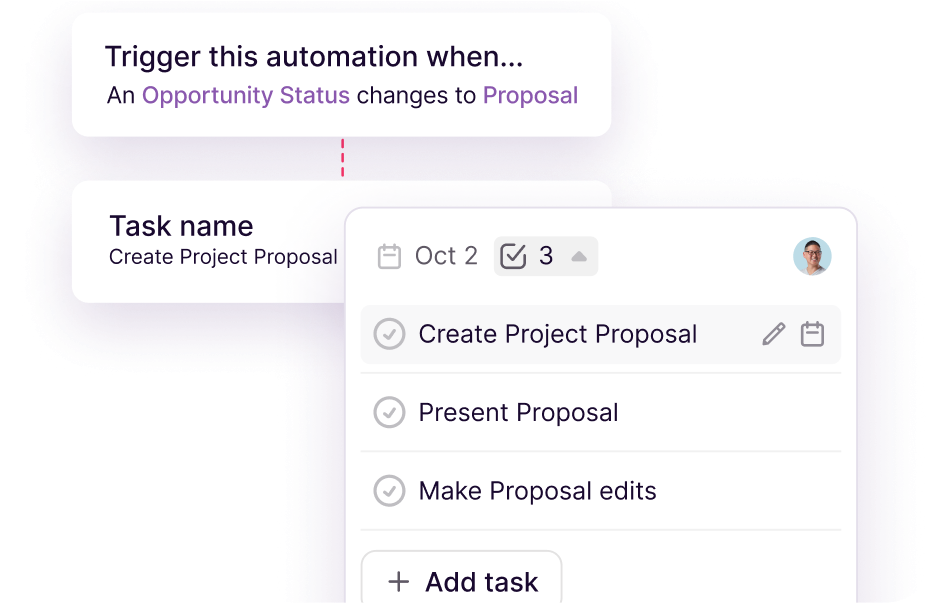
Image source: Copper automations page
Copper is built around Google Workspace, and that is both its biggest strength and its biggest filter. Copper itself says the trial includes 14 days with no credit card required, and its own signup flow makes it clear the product is centered on Gmail and Google Workspace rather than trying to be everything for everyone.
The cheap plan also needs context. Copper’s pricing page shows Starter and Basic are missing sales opportunities and leads, while those show up on the higher tiers, so the lowest advertised Copper cost can feel better on paper than it does in real buying situations once you know what is missing.
That does not make Copper a bad buy. It just means the right buyer is not someone chasing the absolute cheapest CRM, but someone who wants a cleaner Google-first setup, faster adoption, and a tool that can handle contact management, pipelines, projects, and follow-up without turning into a giant enterprise system.
Article outline
I split this review into three clear parts so you can get to the answer fast. You will see where Copper feels worth the money, where it starts to get expensive, and when you should buy now, wait, or pick something else.
1. Start with the real cost and fit
The first part is about whether Copper even belongs on your shortlist. A lot of people see the entry price, assume they found a budget CRM, and only later realize the plan they actually need costs more.
This section matters because Copper is not trying to win every CRM buyer. It is much stronger for agencies, consultants, and service businesses that already work inside Gmail than it is for teams that want a broad enterprise sales stack or a Microsoft-first setup.
2. Then look at what you get for the money
The middle of the review is where Copper has to earn its price. I will walk through the trial, the features that actually save time, the pricing tiers that make sense, and the point where paying more starts to feel justified instead of annoying.
- What you get in the free trial
- The good stuff
- Copper pricing and value
- Why buying now can make sense
Copper has a strong case when you care about Gmail sync, task automation, project handoff after the sale, and faster team adoption. It has a weaker case if you only need a basic pipeline tool and do not care much about deep Google Workspace integration.
3. Finish with the alternatives and the final call
No honest review stops at the product page. I am also comparing Copper with a few realistic alternatives so you can see when Copper is the smart choice, when a cheaper option is enough, and when a broader all-in-one platform gives you more room to grow.
By the end, you should know whether Copper is a smart buy for the way you work. If you already run your business through Gmail and want one place to manage contacts, deals, tasks, and follow-up, Copper has a real shot at being worth the price instead of just looking good on the pricing page.
What you get in the free trial
Copper gives you a 14-day free trial, instant activation, and no credit card requirement, which already makes the Copper cost easier to evaluate without the usual risk. More importantly, Copper’s own integration pages say the trial runs on the Business plan, so you are not testing a stripped-down version and guessing what the paid product feels like.
That matters because the cheap plans do not tell the full story. Starter is mostly contact management and Google Workspace basics, Basic adds pipelines, task automation, project management, and contact enrichment, while Professional is where sales opportunities, leads, reporting, bulk email, and broader integrations really show up.
The trial is long enough to answer the only question that matters here: does Copper fit the way you already work in Gmail? If you connect your inbox, build one real pipeline, import a few live contacts, and test one automation, you will know pretty quickly whether this feels like a smart buy or just another tool you will stop opening.
You can check the official trial and current plan details here: view plans and features.

Image source: Copper pricing page
The good stuff
Copper earns its price when your team already lives in Gmail. The biggest payoff is not some flashy dashboard. It is that contacts, calendar activity, files, notes, and follow-up work feel much closer to the inbox your team already uses all day.
That lowers the adoption problem that kills a lot of CRMs. Copper itself leans hard into that Google Workspace fit, and most of the positive third-party feedback around the product keeps landing in the same place too: teams like it because it feels easier to use than heavier systems and because Gmail integration saves admin work.
The second big win is that Copper does not stop at contact tracking. Basic and up bring pipelines and project management into the same tool, which is useful if your work does not end when the deal closes and you need client onboarding, delivery, or handoff tracked in the same place.
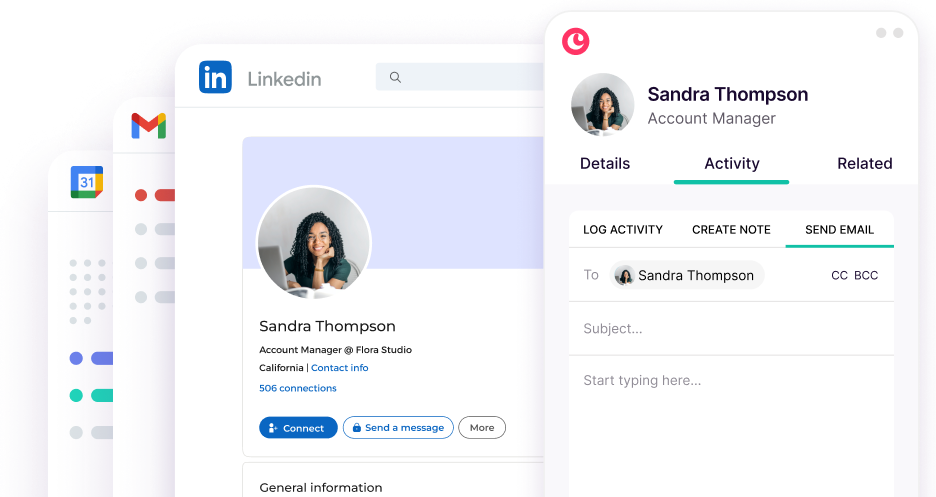
Image source: Copper marketing tools page
Professional is where Copper starts to feel like a real revenue tool instead of a tidy contact manager. That tier adds workflow automation, bulk email, reporting, integrations, leads, and sales opportunities, which is a much more believable setup for a team that wants the CRM to do actual work.
Copper also gets more attractive if your current setup is messy. If you are bouncing between Gmail, Sheets, a light CRM, and a separate project tool, Copper can justify its monthly price by collapsing some of that sprawl into one place.
The email side is stronger than a lot of people expect. Copper’s marketing tools pages show Gmail-based automation, templates, AI writing help, and email visibility features, which means the platform can handle more follow-up work without forcing you into a separate email-first product right away.
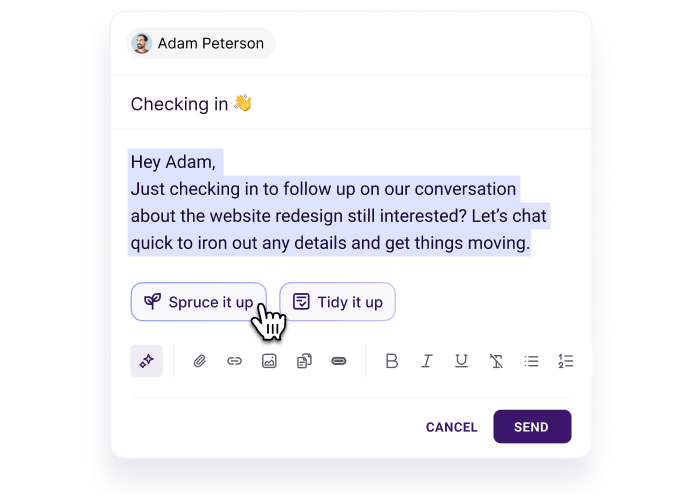
Image source: Copper marketing tools page
Reporting is another reason some buyers will accept a higher Copper cost. Copper’s reporting pages show pipeline forecasting, customer insights, and team activity views that make more sense once you want visibility without buying a separate analytics layer too early.
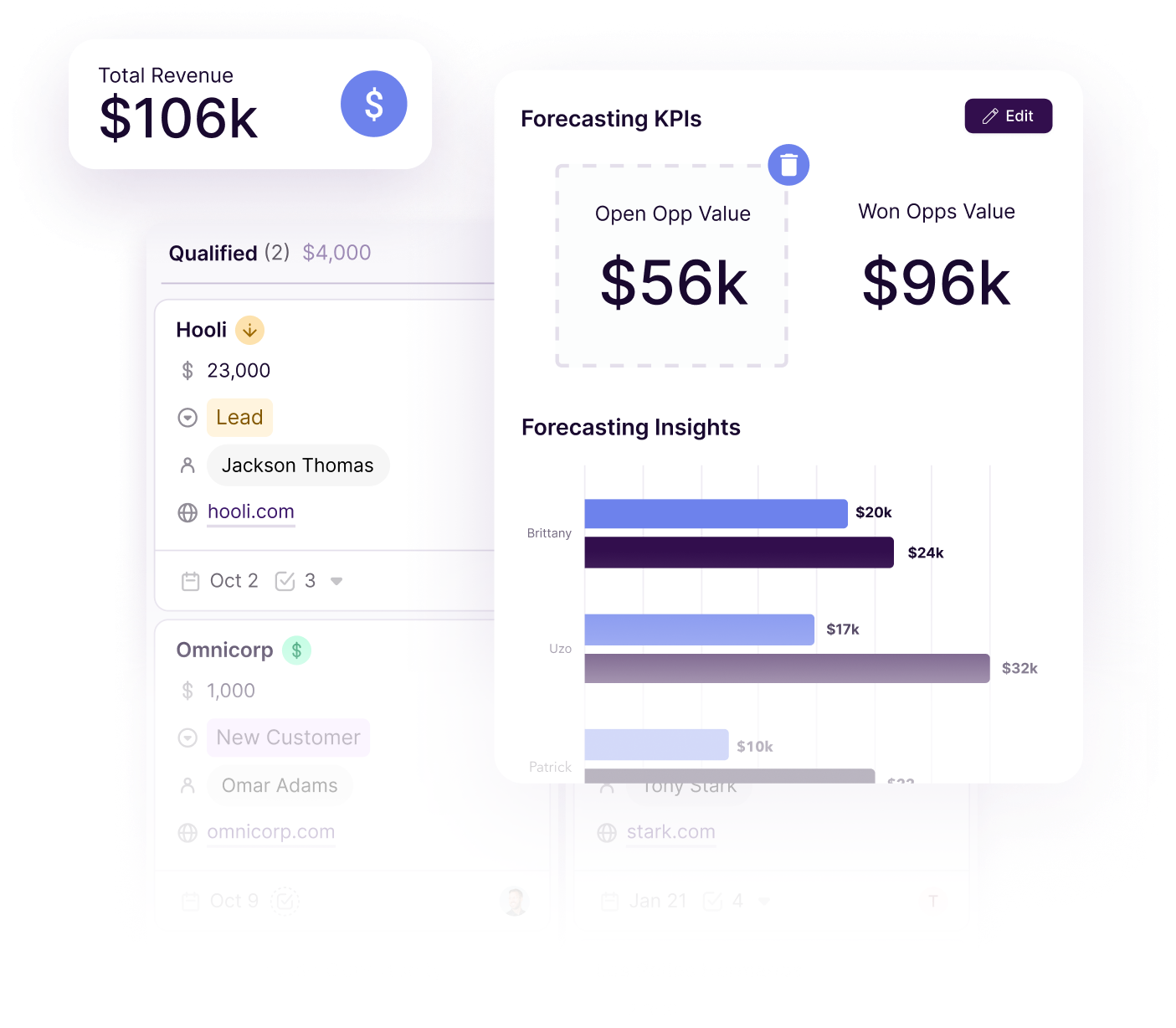
Image source: Copper sales reporting page
Copper pricing and value
Copper looks cheap until you match the plans to the work you actually need done. Starter is fine for lightweight relationship management, Basic becomes more usable for client work because it adds pipelines and projects, and Professional is where most sales teams will stop pretending the cheaper plans are enough.
That is the main pricing catch. If you need leads and opportunities, the real Copper cost often starts closer to Professional than Starter, and that changes the conversation from “cheap CRM” to “specialized Gmail-first CRM that needs to earn its keep.”
That does not automatically make Copper overpriced. It just means you should compare it against what you are replacing, not against the cheapest tool on a pricing page.
See current Copper pricingCopper is the strongest buy in that table if your business runs inside Google Workspace and you want fewer moving parts without buying a bloated agency platform. It is not the cheapest path, but it can be the cleanest one for the right team.
Why buying now can make sense
Copper is easier to justify when your current setup already wastes time. If contacts live in Gmail, tasks live somewhere else, reporting lives in a spreadsheet, and project handoff happens in chat threads, waiting usually means you keep paying with slow follow-up and messy execution instead of a software invoice.
The best reason to start now is not hype. It is speed. Copper lets you test whether one tool can handle your inbox-driven relationships, your pipeline, and your client delivery without asking your team to learn a giant new system first.
You should still wait if you are not committed to Google Workspace, if you only need the cheapest funnel builder, or if your business is so early that a spreadsheet is still enough. But if you already have leads, clients, and repeat work to manage, this is the point where delaying the purchase usually keeps the mess in place.
For the right buyer, Copper is absolutely worth trying now. You can check the official free trial or view plans and features and decide with real workflow context instead of guessing from the headline price.
Alternatives worth comparing
Copper is not the automatic winner just because it works well with Gmail. Copper cost makes the most sense when your team lives in Google Workspace and wants CRM, pipeline tracking, and post-sale project work in one cleaner setup.
You should compare it against cheaper and broader options before you buy. That makes the final decision easier, and it also stops you from paying for the wrong shape of tool just because the homepage sounds good.
Check the official Copper pricingChoose Copper if your business already runs through Gmail and you want the CRM to feel close to the work instead of off to the side. Choose Systeme.io if price matters more than CRM depth, and choose GoHighLevel if you want a broader all-in-one agency machine and are ready for more setup.
ClickFunnels makes more sense when your biggest bottleneck is getting a funnel, checkout, and sales flow live fast. Copper wins when the relationship and delivery side of the business matters just as much as the initial sale.
Image source: Copper marketing tools page
My honest take
Copper is worth the money for the right buyer, but not because it is the cheapest option. Copper cost starts to make sense when the tool saves you from scattered inboxes, manual follow-up, spreadsheet tracking, and awkward handoff between sales and delivery.
The biggest reason to buy it is fit. If your team already works in Gmail and Google Workspace, Copper feels much more natural than a lot of CRMs that ask you to live in a separate system all day.
The biggest reason to skip it is also fit. If you are not very tied to Gmail, or if you mostly need funnels and automated marketing instead of relationship management, you can get more value from a different type of platform.
Copper also gets expensive faster than the entry plan suggests. The lower tiers are fine for simple contact management, but the platform becomes more compelling on Professional and above because that is where revenue tracking, workflows, leads, opportunities, and stronger reporting start to justify the bill.
That is why this is not a blanket recommendation. For a Gmail-heavy service business, agency, consultancy, or client-based team that wants fewer moving parts, Copper is a strong buy and a very reasonable next step.
For someone who is still validating an offer, barely using CRM, or mainly chasing the cheapest setup possible, it is probably smarter to wait. Copper is better when there is already enough client and pipeline activity for the time savings to matter.
Image source: Copper sales reporting page
FAQ
Is Copper worth it for a small team?
Yes, if the team already lives in Gmail and needs one place for contacts, pipelines, tasks, and client work. No, if the team barely uses CRM yet or only needs the cheapest funnel and email tool possible.
Is Copper better than GoHighLevel?
Copper is better if you want a simpler Google-first CRM that feels easier to adopt. GoHighLevel is better if you want a much broader all-in-one stack and are willing to deal with more setup and more moving parts.
Is Copper better than Systeme.io for the price?
Copper is usually better for relationship-heavy businesses that depend on Gmail and client follow-up. Systeme.io is better when your first priority is keeping software cost low while getting funnels, email, and automation live.
Should you buy Copper now or wait?
Buy now if your current setup already feels messy and your team is losing time to manual tracking and follow-up. Wait if your business is still early, your process is not settled yet, or you do not actually need a Google Workspace-centered CRM.
Does Copper replace project management tools?
It can replace some of them for service teams that mostly need project handoff, tasks, and delivery tracking tied to the client record. It probably will not replace a very deep standalone project tool for teams with complex production workflows.

Image source: Copper Google Workspace CRM page
Copper is not the cheapest way to stay organized. It is one of the cleaner ways to run client relationships inside Google Workspace without patching together too many separate tools.
If that sounds like your business, the next step is simple. Look at the live plans, start the trial, and see whether Copper makes your day feel lighter within the first few hours.
Check the official free trial Filip Konecny Enterprises