
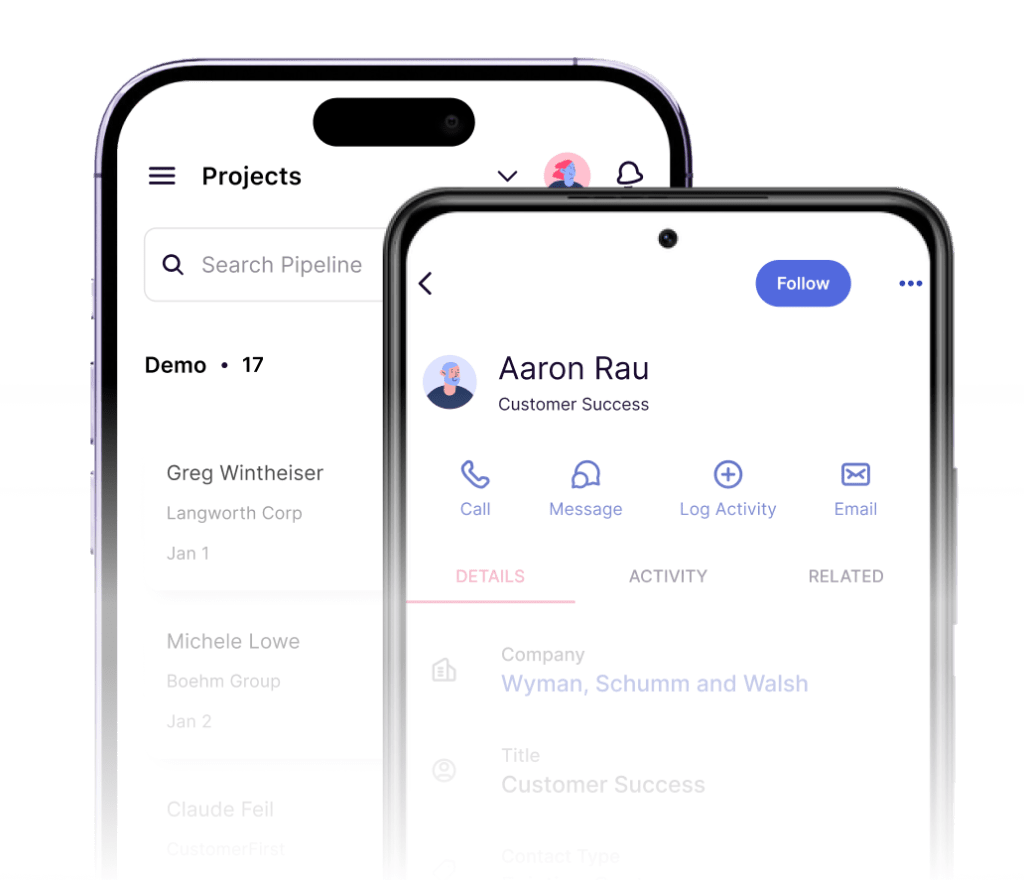
Copper is one of those CRMs that clicks fast when your team already works inside Gmail, Google Calendar, and Google Drive all day. Its best features are not flashy enterprise extras. They are the small, practical things that cut admin work, keep contact history organized, and stop you from bouncing between tabs.
That is also the catch. If your business runs outside Google Workspace, wants deep analytics on a cheap plan, or needs a giant all-in-one marketing machine, Copper can feel narrower than the price suggests.
For the right buyer, though, Copper can be a smart next step because it makes follow-up easier and manual CRM busywork lighter. This review is built to help you decide whether Copper is worth trying now, better saved for later, or easy to skip.
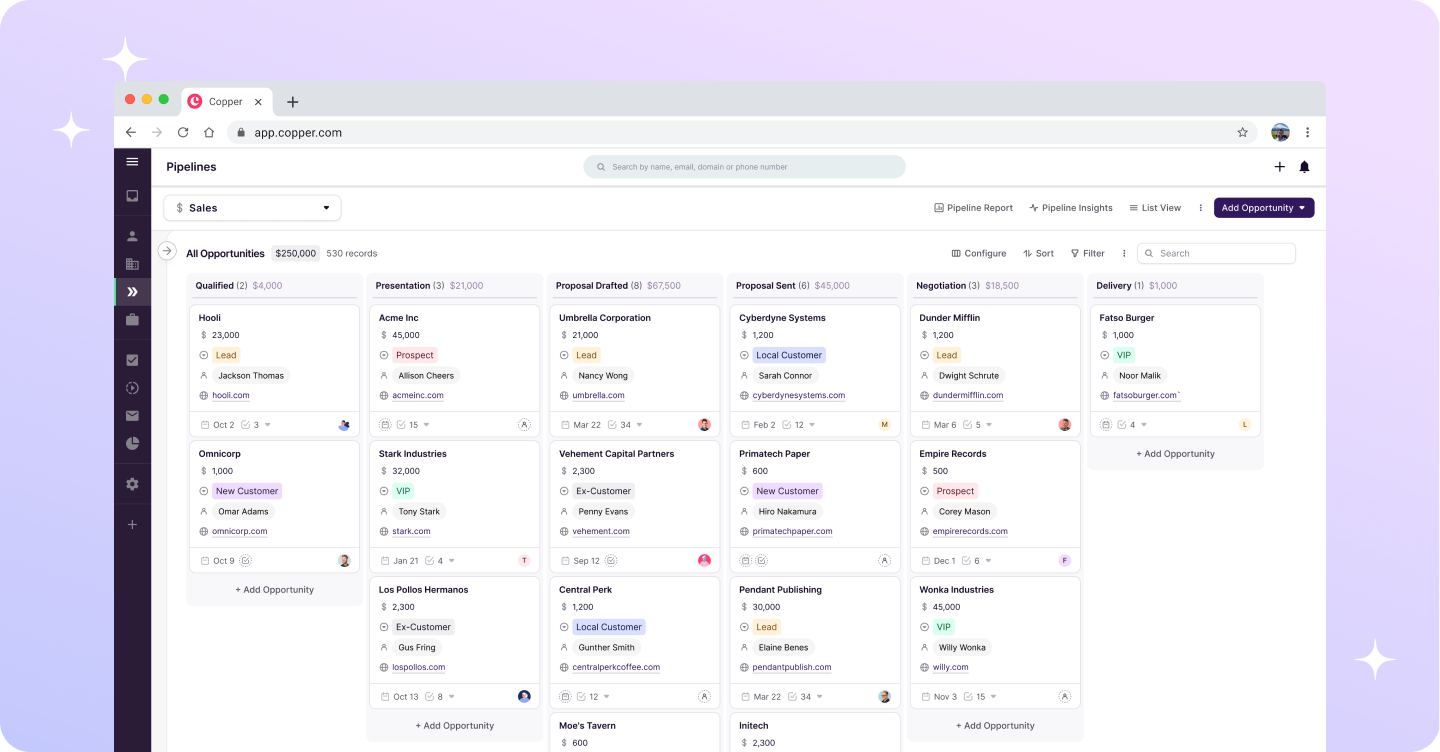
Image source: Copper
Article outline
I split this review into three simple parts so you can jump straight to the section that matches where you are in the buying process. If you already know you want a Gmail-friendly CRM, skip ahead to the trial and pricing sections. If you are still unsure whether Copper is even your kind of tool, start with the first section below.
- Start here: is Copper worth a closer look?
- Next: what you get, what it costs, and why people buy it
- Finish here: alternatives, final verdict, and common questions
Copper at a glance
Is Copper worth a closer look?
Yes, if your team already treats Gmail like mission control. Copper’s biggest advantage is that it does not ask you to rebuild your whole workflow around a heavy CRM. It pulls the CRM closer to the tools you already use.
That matters more than it sounds. A lot of CRMs look powerful in demos but create more admin once the team has to keep records updated, switch tabs, and remember where conversations happened. Copper gets attention because it tries to shrink that mess instead of adding to it.
The best Copper features are easy to explain in plain English. Gmail and Google Calendar sync are built in, the Chrome extension lets you work from your inbox, activity history stays attached to the right people and companies, and the platform adds pipelines, projects, reporting, and automations as you move up the plans.
That stack makes Copper especially appealing for agencies, consultants, service businesses, and smaller sales teams. Those teams usually care less about giant enterprise customization and more about keeping leads, client work, and follow-ups moving without turning CRM hygiene into a full-time job.
The catch is just as clear. Copper is heavily tied to Google Workspace, so the appeal drops fast if your company runs on Outlook or needs a platform built around broad marketing automation first. You can still like the product and still admit it is not universal.
Pricing is the second hesitation point. Copper starts low enough to test, but some of the more meaningful features sit on Basic, Professional, and Business rather than the entry tier, so the real question is not whether the cheapest plan looks affordable. The real question is whether Copper replaces enough manual work and tool-switching to justify the plan you would actually use.
For a lot of Google-first teams, the answer can be yes. When contacts, calendar events, files, tasks, and deal records stay connected with less effort, people actually use the CRM instead of quietly avoiding it. That is where a tool like Copper starts earning its price.
For beginners with a tiny contact list and no real sales process yet, waiting can make sense. A spreadsheet or simpler setup may be enough until follow-up starts slipping, leads get messy, or client work becomes harder to track. Copper gets more compelling once disorganization is already costing you time.
My first take is simple. Copper looks strongest when you want a CRM that feels natural inside Google Workspace, and it looks weaker when you need deep reporting, broader marketing features, or cross-ecosystem flexibility at a lower price. The next section gets into the free trial, because that is where you can tell very quickly whether Copper feels like a helpful shortcut or just another monthly bill.
What you get in the free trial
Copper gives you a 14-day free trial, instant activation, and no credit card requirement. That lowers the risk a lot because you can test the product properly before you commit to a paid seat.
The smartest way to use the trial is not to click around randomly. Connect Gmail and Google Calendar, import a few real contacts, build one simple pipeline, and see whether the CRM feels easier than your current mess.
You will know pretty fast whether Copper fits. If your work already runs through Gmail, the trial usually makes sense quickly. If you barely manage deals yet, the same trial can feel like more software than you need.
The fastest way to judge it
- Connect your Google account and check whether contact history starts looking cleaner than your inbox alone.
- Create a small pipeline with your real stages instead of the generic demo view.
- Add a few follow-up tasks so you can see whether Copper actually reduces the stuff you normally forget.
- Open the Chrome extension and decide whether working from Gmail feels natural enough to keep using every day.
That last point matters more than most buyers expect. A CRM only helps when your team keeps it updated, and Copper’s whole pitch is that it feels close enough to Gmail that people will actually use it.
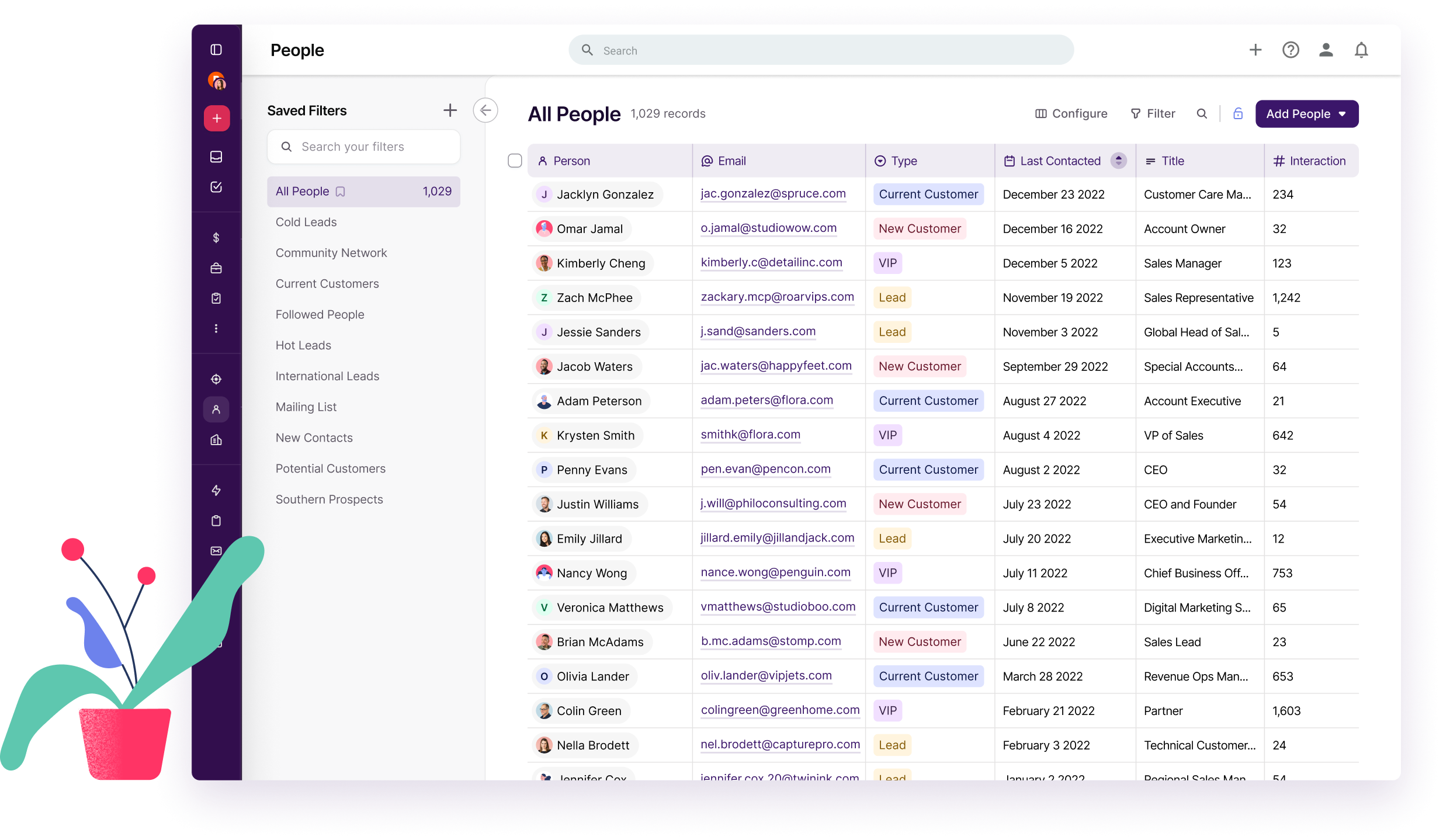
Image source: Copper
The good stuff
Copper best features are not hard to spot. Gmail sync, Google Calendar sync, contact history, pipelines, project tracking, and automation are the pieces that make the platform feel useful instead of bloated.
That does not mean every feature hits at the same level. Some are great from the start, while others only become worth paying for once you move up from the cheaper plans.
Gmail and Google Workspace are the main reason to care
Copper is strongest when your business already lives in Google Workspace. Gmail email, contact, and file sync sit in the lower tiers, and Google Calendar plus Google Drive integration are part of the product from the start.
That means less manual logging and less tab switching. Instead of digging through inbox threads, calendar invites, and loose files, you get a cleaner record of who said what and what needs to happen next.
Here is the catch. If your company is built around Microsoft tools or you want a CRM that feels neutral across ecosystems, Copper loses a big chunk of its appeal.
Pipelines and projects do more than just look pretty
Basic is where Copper starts to feel like a real sales and delivery tool. That plan unlocks opportunity pipelines, project pipelines, pipeline-level customization, task automation, and a bigger contact limit.
That matters because Copper is not just trying to store contacts. It is trying to move work forward, from deal tracking to onboarding to client delivery, without making you bolt on another project tool too soon.
This is especially useful for agencies, consultants, and service businesses. Once a deal closes, the handoff into project work is much easier to keep organized when both sides live in the same system.
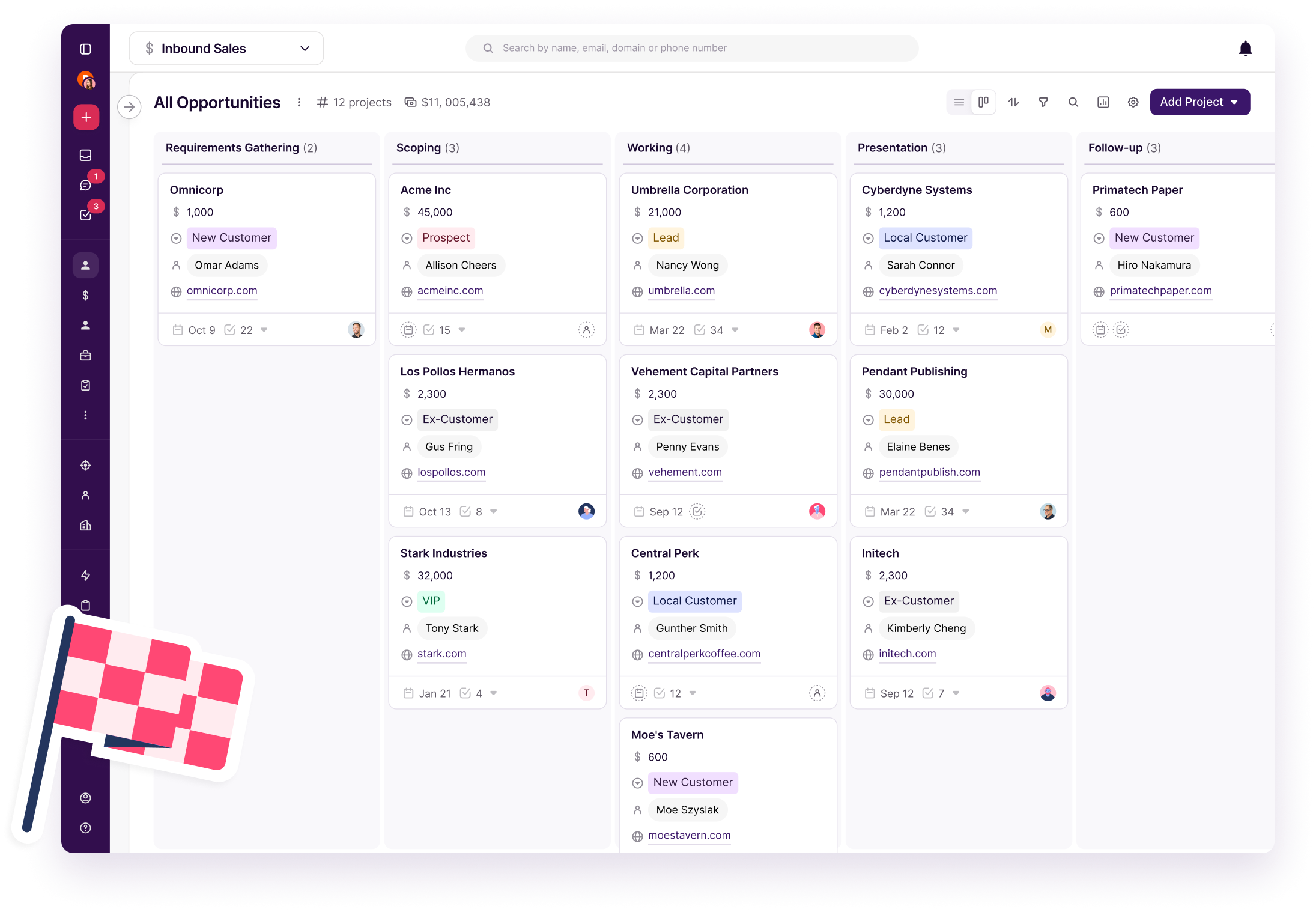
Image source: Copper
Automation and reporting are where the price starts to make sense
Professional is the tier that makes Copper feel more serious. You get workflow automation, single-email automation, bulk emailing, reporting, more native integrations, Google Sheets add-on access, Looker Studio integration, and the API.
That is a meaningful jump from the lower plans. If your team is already chasing leads, running repeat follow-up steps, and trying to understand where deals get stuck, these features are not fluff. They are the reason the CRM can save time instead of just storing data.
Business pushes further with email series, custom report builder, unlimited contacts, and multi-currency. Smaller teams do not always need that, but teams with heavier reporting needs or more complex account management may care a lot.
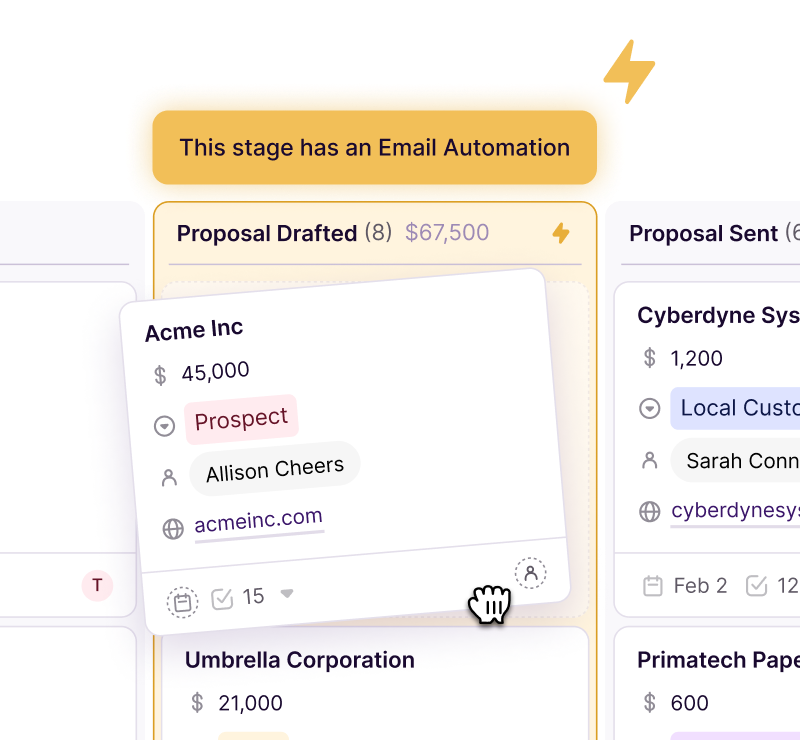
Image source: Copper
The mobile app is more useful than it sounds
Copper’s mobile app is not the headline feature, but it helps if your team works away from the desk. The app is built to keep calls, texts, emails, voice notes, contacts, and project activity moving even when people are out in the field.
That is a real plus for service businesses and client-facing teams. You do not need the mobile app to justify Copper, but it makes the platform easier to stick with once people stop living in their laptops all day.
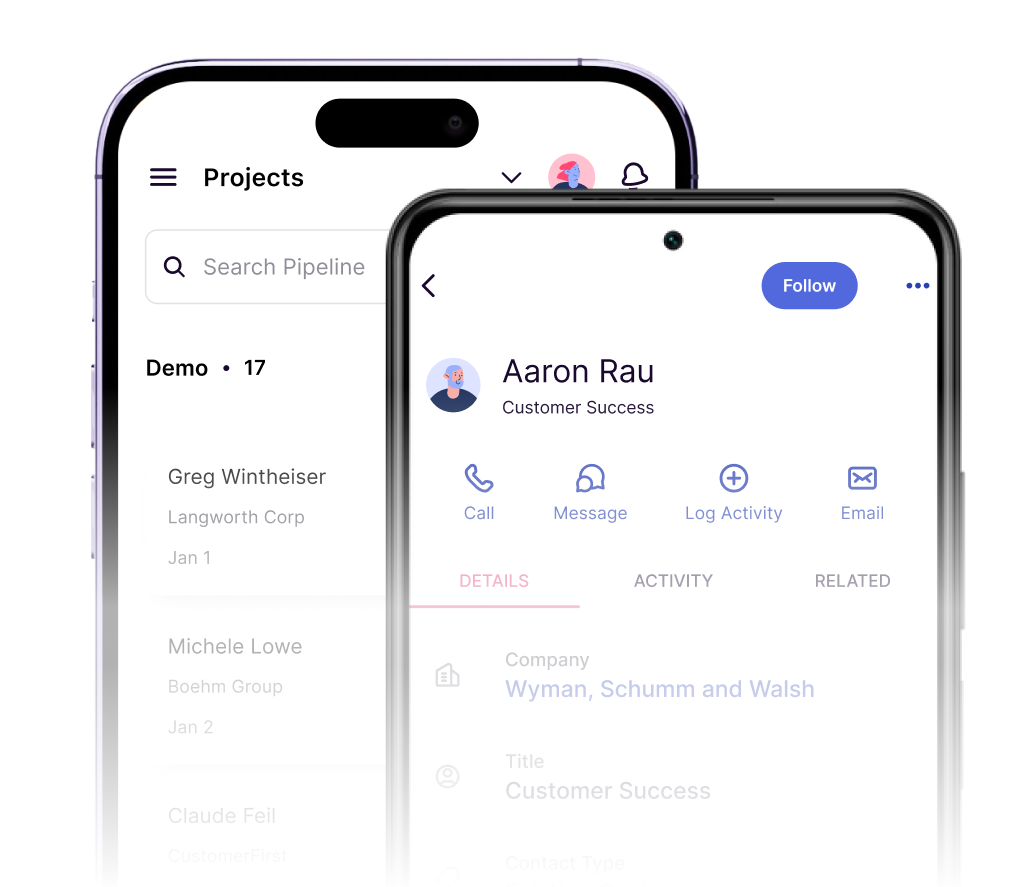
Image source: Copper
Pricing and value
Copper starts cheap enough to test, but the lowest tier is not the one most growing teams will stay on. Starter is mostly about relationship management and Google integration, while Basic and Professional are where pipelines, automation, and reporting turn it into a fuller operating system.
See current pricingBasic is the first tier I would seriously look at if you want Copper for sales or service work. Starter is fine for light relationship tracking, but many buyers will hit the wall the second they want pipelines and structured process management.
Professional is where Copper starts to justify a bigger bill. If you already have deal flow, onboarding steps, or repeat follow-up work, automation and reporting can save enough admin time to make the jump feel reasonable.
How it stacks up against cheaper and broader options
Systeme.io is much cheaper, starts free, and makes more sense if your main goal is funnels, email marketing, and simple selling on a tight budget. It is a smart alternative for beginners, but it does not have Copper’s Google-first feel or the same reason to buy if your day already runs through Gmail.
GoHighLevel starts at $97 a month and gives you a broader all-in-one stack with CRM, funnels, calendars, websites, and heavy automation. That can be a better fit for agencies or businesses that want a bigger operating system, but it is also more platform than many Google Workspace teams need.
Copper wins when you want the CRM to feel close to the tools your team already uses. If you want the cheapest all-in-one option, Copper is not that. If you want the broadest agency machine, Copper is not that either.
Why starting now can make sense
Waiting usually keeps the same messy routine in place. Leads stay buried in inboxes, follow-ups depend on memory, and client history keeps getting split between emails, notes, and spreadsheets.
Copper makes the most sense once that mess is already costing you time. If you have real client work, repeat onboarding, active deals, or a team that keeps asking where something stands, this is the point where trying Copper becomes a practical move instead of a nice idea.
Skip it for now if you are still very early and barely have a process to manage. If your workflow is already busy enough to feel annoying, check the official free trial and see whether Copper feels lighter than doing all of this by hand.
Alternatives worth looking at
Copper is not the automatic winner for everyone. It wins for a specific kind of buyer: a small team that lives in Gmail, wants a CRM that feels easy to keep updated, and cares more about clean follow-up than giant enterprise depth.
Price changes the decision fast. If you want the cheapest way to manage contacts and sell online, Copper is not the bargain pick. If you want a broader all-in-one that piles on funnels, websites, and heavy automation, Copper also stops being the obvious choice.
That does not make it weak. It just means the right comparison is not “Is Copper the biggest tool?” It is “Does Copper fit the way my team already works better than the cheaper and broader options?”
Image source: Copper
The table below makes the choice easier. I kept it focused on the buyers most likely to compare Copper with other affiliate-supported tools that solve part of the same problem in a different way.
Check the official free trialChoose Copper if your team works in Gmail all day and needs a CRM that will not be ignored after the first week. Choose Systeme.io if budget matters most, and choose GoHighLevel if you want a broader all-in-one that can replace more tools but also asks more from you.
My honest take
Copper best features make the most sense when you care about speed, clarity, and day-to-day adoption. Gmail sync, Google Calendar fit, contact history, visible pipelines, and better follow-up are the reasons to buy it. Those are practical gains, not demo fluff.
The weak spot is easy to name. Copper gets more compelling as you move into Basic and Professional, which means the version you really want may cost more than the entry plan first suggests.
I would not push Copper on a total beginner with no sales process. A spreadsheet, a cheaper CRM, or Systeme.io can be enough while you are still figuring out what you sell and how you follow up.
I would seriously look at Copper if you already have leads, client work, or a small team and your current setup feels messy. That is where it starts to earn its cost because keeping everything manual usually wastes more time than the software bill.
Image source: Copper
Buy now if you are already selling and your team lives in Google Workspace. Wait if your process is still too early to justify a paid CRM. Skip it if you want the cheapest all-in-one or need a broader marketing machine more than a Gmail-first CRM.
For the right buyer, this is absolutely worth trying. Copper is not trying to be everything. It is trying to make CRM feel less annoying for Google-first teams, and that is exactly why it can be a smart buy.
FAQ
Is Copper worth it for a small team?
Yes, if the team already uses Gmail as its main workspace. Small teams usually get the most value when they need cleaner follow-up, better visibility, and less manual CRM admin.
Is Copper too expensive?
It can feel expensive if you only need a simple contact database. It feels much more reasonable once pipelines, automation, and reporting save enough time to replace messy manual work.
Does Copper replace tools like GoHighLevel or Systeme.io?
Not fully. GoHighLevel is broader, and Systeme.io is cheaper for funnels and simple selling, but neither has the same reason to win for a team that wants CRM work to stay close to Gmail.
Do I need Google Workspace to get the point of Copper?
Pretty much, yes. Copper can still be understood without it, but the product is most attractive because it fits Gmail, Calendar, Chrome, and the rest of the Google workflow so well.
Can I use Copper on mobile?
Yes. Copper has mobile apps, which helps if your team is away from the desk and still needs access to contacts, activity, and project updates.
Image source: Copper
Should you start the trial?
Start it if you already have live leads, active client work, or a team that keeps losing track of follow-up. Wait if you are still so early that a spreadsheet handles everything without pain.
Copper is easiest to recommend when your business already runs inside Google Workspace and you are tired of scattered follow-up. If that sounds like you, the next step is simple.
Get started with Copper Filip Konecny Enterprises