
Wispr Flow is one of the more interesting dictation tools right now because it is trying to do more than dump raw transcript into a text box. It is built to turn speech into cleaner writing across Mac, Windows, iPhone, and Android, which makes it much easier to picture inside a real workday.
The buying question is not whether voice dictation sounds cool. The real question is whether the current $12 per user monthly annual price, $15 month-to-month option, and 14-day Pro trial are enough to make this a smart upgrade instead of another app you forget about.
The biggest catch shows up early. Flow still needs an internet connection for transcription, so this is not the right buy if fully local, offline voice typing is non-negotiable for you.
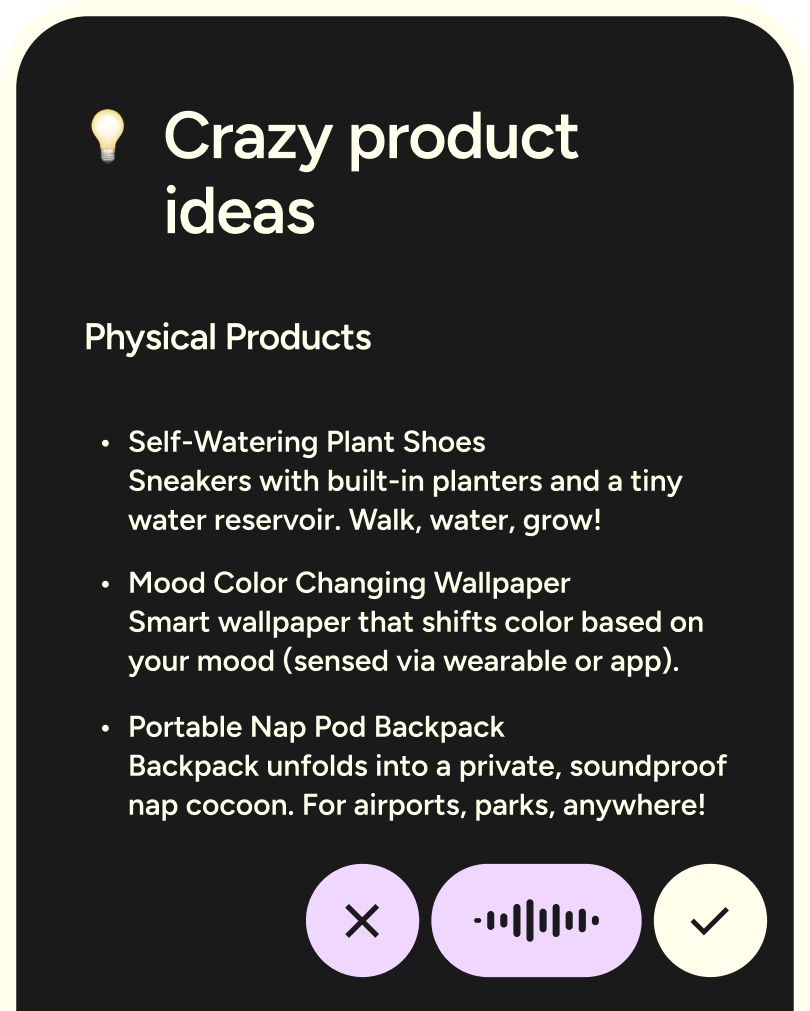
Image source: Wispr Flow homepage
My quick take
Wispr Flow looks strongest for people who write all day and hate losing momentum to the keyboard. If your work happens across chat, docs, email, notes, and AI prompts, the idea here is immediately more compelling than basic speech-to-text.
The platform also gives you a real test window instead of forcing a blind purchase. The current free setup includes platform-specific limits, supports 100+ languages, custom dictionary tools, snippets, and a 14-day Pro trial path, which is enough to figure out whether speaking into your workflow actually sticks.
I would still be careful if privacy is your main buying trigger or if you only dictate once in a while. Wispr has real privacy controls and enterprise security options, but the value is much easier to justify when you plan to use it often enough that saved time starts beating the monthly cost.
My early verdict: this is worth trying now if typing slows you down and you want voice input that feels more polished than the built-in stuff. Wait if you are only curious, and skip it if offline dictation or one-time pricing matters more than speed and convenience.
Check the official free trialArticle outline
This review moves in three steps. First, I am helping you decide whether Wispr Flow is even a fit for your workflow. Next, I will break down the free trial, the features that matter, the pricing, and the reason some buyers will want to start now instead of waiting.
Then I will compare Wispr Flow against other options and give a final buy, wait, or skip verdict. That matters because this is not the kind of tool everyone should subscribe to just because the demo looks impressive.
- My quick take — the fast fit check before you spend more time on the details.
- What you get in the free trial — whether the trial is generous enough to test real use, not just click around.
- The good stuff — the features that make this better than basic voice typing.
- Pricing and value — what you pay, what you actually get, and when the monthly cost makes sense.
- Why you might want it now — when delaying the switch keeps costing you time.
- Alternatives — who should choose a cheaper, simpler, or broader option instead.
- Final verdict — the short answer on whether Wispr Flow is worth it for the right buyer.
- FAQ — the leftover objections buyers usually still have at the end.
If you already know offline dictation matters more than polished cloud-based writing, the alternatives section later will probably matter most to you. If you mainly want to know whether the trial gives you enough time to make a confident decision, the next section is where this review gets practical.
What you get in the free trial
Wispr Flow handles the trial in a way I actually like. New accounts start with a 14-day Pro trial, there is no credit card required, and the free plan still gives you enough room to tell whether voice-first writing fits your day.
The free limits are not the same on every device. Desktop gets 2,000 words per week, iPhone gets 1,000, and Android is currently much more generous during launch, which makes mobile testing easier than you might expect.
- You can test cross-device dictation instead of being stuck on one machine.
- You get support for 100+ languages, which matters if you switch languages mid-thought.
- You can use Privacy Mode, custom dictionary tools, and the core writing workflow before deciding to pay.
That makes the trial useful for a real decision, not just a quick demo. If you already write a lot of emails, prompts, messages, or notes every day, two weeks is long enough to notice whether you keep reaching for it without forcing yourself.

Image source: Wispr Flow official site
Setup is not magic, and that is worth knowing before you install it. On desktop you need microphone and accessibility permissions, and on Android you also need accessibility service, display-over-other-apps permission, and battery optimization disabled so it can stay ready when you want to talk.
That sounds like a lot on paper, but it is still a fast setup if you are comfortable granting the permissions. If permission prompts already annoy you, built-in dictation may feel simpler even if it gives you rougher results.
The good stuff
Wispr Flow is most appealing when you look at what it fixes after the words leave your mouth. It does not just transcribe speech; it tries to clean the result so the text reads like something you meant to type.
That matters more than it sounds. Cheap or built-in dictation often saves time on typing but gives some of that time back in punctuation fixes, awkward phrasing, and cleanup on names or technical words.
It is built for actual writing, not raw transcript dumps
The strongest part of Wispr Flow is the writing polish. It supports auto-edits, app-aware formatting, and style changes that help a Slack message sound different from an email or a document, which is a much better fit for people who live in text all day.
You also get a custom dictionary that syncs across devices. That is a bigger deal than it sounds if your work includes names, acronyms, product terms, or niche vocabulary that normal dictation tools keep mangling.
The paid features are easy to understand
Pro adds unlimited words, Command Mode for voice-powered editing, prioritized support, early feature access, and team features. Command Mode is especially important because it moves the tool closer to hands-free editing instead of basic talk-to-type.
Snippets are another practical win. You can speak a trigger phrase and drop in a saved chunk of text like an intro, address, scheduling line, or repeated reply, which is exactly the kind of small speed boost that adds up over a week.
Image source: Wispr Flow official site
There are limits, and they matter. Styles are currently desktop-only and English-only, Context Awareness is available on Mac and Windows with Windows still more limited, and Android support for snippets is still catching up.
Privacy is another place where the good stuff comes with a real caveat. Privacy Mode is available and serious buyers will appreciate that, but Context Awareness is on by default on desktop, so anyone sensitive about app-level context should plan to review those data settings instead of assuming the defaults will match their comfort level.
Mobile looks stronger than a lot of people expect
A lot of dictation tools feel like desktop tools that were forced onto phones later. Wispr Flow looks more credible on mobile because it gives you both tap mode for longer dictation and hold mode for quick bursts, which makes it easier to use in the spaces where people usually abandon voice apps.
That makes the app easier to justify if you capture ideas while walking, between meetings, or in your car before a thought disappears. If you only write at a desk, mobile support is nice; if your best ideas show up away from the keyboard, it becomes a stronger buying reason.
Image source: Wispr Flow official site
Pricing and value
Wispr Flow becomes easier to judge once you stop thinking about it as a novelty app. The real question is whether saving typing time, cleanup time, and mental context-switching is worth about $15 per month, or $12 per month if you pay annually.
For daily writers, that is a reasonable number. For occasional dictation, it is probably too much, and the free tier or built-in dictation will be enough.
See current pricingI would not compare Wispr Flow to a big all-in-one and pretend they do the same job. GoHighLevel and ClickFunnels help you run parts of a business, while Wispr Flow fixes the writing bottleneck before any of that work happens.
The same logic applies to publishing tools. Buffer helps you schedule finished content, but it does not help you get the draft out of your head faster in the first place.
Why you might want it now
Waiting makes sense if you barely dictate and mostly want to experiment. Waiting does not make much sense if you already know typing slows you down every single day.
That is the buyer Wispr Flow is built for. If you already have work that depends on getting words out quickly, the cost of waiting is usually more delay, more friction, and more time spent fixing text that never needed to be messy in the first place.
This is also easier to justify if your current setup feels patched together. Speaking straight into messages, prompts, notes, and drafts is much cleaner than bouncing between a recorder, a transcript app, and a second editing pass.
I would hold off if you need fully offline dictation, hate recurring software costs, or only write in short bursts. I would start the trial now if you already create enough text every week that shaving even a few minutes off each writing session will compound fast.
Check the official free trialAlternatives that make sense
Wispr Flow is not the only dictation option worth looking at. The right choice depends on whether you care more about polished cross-device writing, offline privacy, built-in simplicity, or a more developer-heavy setup.
Wispr Flow still looks strongest for people who want the easiest voice-first writing workflow across Mac, Windows, iPhone, and Android. If your main concern is price, offline use, or avoiding another subscription, one of the options below may fit better.
Check the official free trialChoose Wispr Flow if you want the cleanest balance of ease, polish, and cross-device coverage. Choose Apple Dictation if free matters most, choose Superwhisper if offline and local control are your priority, and choose Aqua Voice if your work is more desktop-heavy and closer to coding or prompt building all day.
My honest take
Wispr Flow is worth it for the right buyer. That buyer is not someone who dictates once in a while just to save a few keystrokes.
The right buyer is someone who writes constantly and hates how typing breaks their momentum. If your day is full of emails, messages, prompts, notes, and first drafts, Wispr Flow starts to look a lot better because it is not just hearing your words, it is helping shape them into something usable right away.
That is the real reason to pay for it. You are buying less cleanup, fewer awkward transcript fixes, and a much easier way to get thoughts out before they disappear.
Image source: Wispr Flow official site
I would not recommend it to everybody. If free built-in dictation already feels good enough, or if offline processing is a hard requirement, this is where you should wait or skip it.
I would recommend starting the trial now if you already know manual cleanup is slowing you down. Recording voice notes, pasting transcripts somewhere else, and fixing the result by hand is a worse workflow than just speaking once into a tool designed for real writing.
Get started with Wispr FlowFAQ
Should you choose Wispr Flow over built-in dictation?
Choose Wispr Flow if you care about polished output, custom vocabulary, snippets, and a tool that follows you from desktop to phone. Stick with built-in dictation if you only need basic voice typing and do not mind doing more cleanup yourself.
Does it work well on mobile?
Yes, and that is one of the reasons this review leans positive for the right buyer. A lot of dictation tools feel usable only at a desk, while Wispr Flow is clearly pushing harder on iPhone and Android support than many cheaper options.
Image source: Wispr Flow official site
Is it safe enough for work?
For a lot of professional users, yes. Wispr Flow publicly states SOC 2 Type II, HIPAA, and ISO 27001 compliance coverage, with some of the strongest controls reserved for enterprise plans, which is better than what you get from most casual dictation apps.
Image source: Wispr Flow official site
Can healthcare or compliance-heavy teams use it?
They can, but this is where you should read the plan details before buying for a team. Wispr Flow says HIPAA support is available on all plans with a Business Associate Agreement, while stricter enterprise controls cover the heavier admin and compliance needs.

Image source: Wispr Flow official site
Should you try it now, later, or not at all?
Try it now if writing volume is already high and typing keeps slowing you down. Wait if you are still unsure voice input fits your workflow, and skip it if offline-first privacy or free built-in tools already cover what you need.
Bottom line: Wispr Flow is not the cheapest option, but it does make a strong case for itself if your real problem is not transcription alone, but getting clearer writing out of your head faster. For that buyer, the trial is absolutely worth taking seriously.
Try Wispr Flow Filip Konecny Enterprises