

Wispr Flow gets the kind of ratings that make people curious fast. The iPhone score looks excellent, business reviewers on G2 are positive, and then you hit Google Play or Trustpilot and the story gets a lot less clean.
That split is why a simple star average is not enough here. You need to know whether the strong ratings are coming from people on your device, using it for your kind of work, and sticking with it long enough to see where the friction shows up.
This review is here to help you make that call without wasting time. You will see where Wispr Flow looks genuinely strong, where buyers are still running into issues, and whether the free trial looks worth starting now or saving for later.
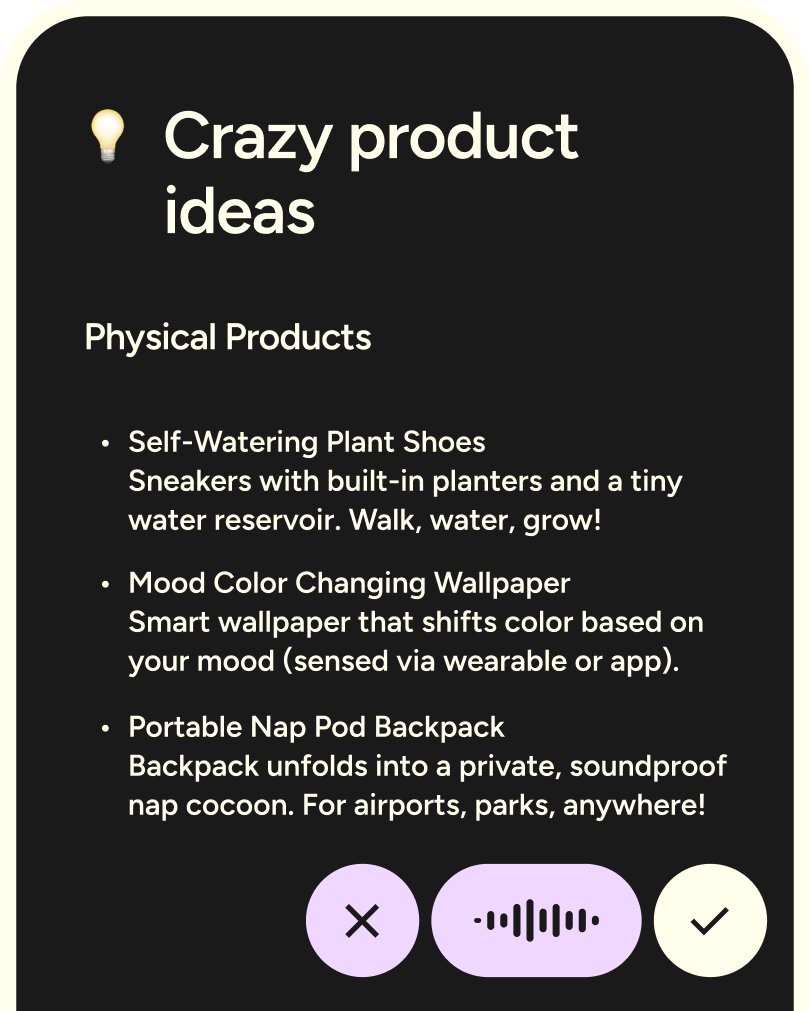
Image source: Wispr Flow homepage
Wispr Flow ratings at a glance
Wispr Flow looks better when you separate the ratings by platform instead of pretending there is one universal score. The iPhone app and G2 profile point to a product people like once it fits their workflow, while Android and Trustpilot show more frustration around reliability, support, or overall polish.
That matters if you are deciding whether to pay. If you work mostly on Mac or iPhone and want a cleaner voice-to-text experience across apps, the ratings are encouraging. If you live on Android or hate dealing with setup issues, the mixed scores should slow you down just enough to test it properly before committing.
Check the official free trialHow to read these ratings without fooling yourself
Star ratings flatten very different kinds of feedback into one number. A glowing review from someone who mainly uses Wispr Flow for quick iPhone messages is useful, but it does not answer the same question as a frustrated review from someone trying to run it all day on a Windows machine with a heavier workload.
That is why I would treat the ratings as a filter, not a verdict. They are strong enough to justify trying Wispr Flow if you already know voice input could save you time, but not clean enough to skip your own test inside email, docs, chat, and whatever else you touch every day.
The short version is simple. Wispr Flow looks like a real product with real upside, not just a flashy AI toy, but it still has enough mixed feedback that the smart move is usually to test it before you trust it.
Article outline
This review moves in three clear steps so you can decide fast. First, I sort out whether the ratings point to a real product win or just early hype; next, I get into the trial, the good stuff, and the price; then I stack Wispr Flow against the best alternatives and give a straight verdict.
- Is Wispr Flow actually worth trying? — a direct answer for people deciding whether to install it now.
- What you get in the trial — what you can test before paying and where the limits show up.
- The good stuff — the features that make people keep using it once the novelty wears off.
- Pricing and value — whether the paid plan earns its price or just sounds smart on the landing page.
- Alternatives worth considering — who should choose something cheaper, simpler, or more mature.
- Final verdict — who should start the trial now, who should wait, and who should skip it.
You should be able to leave the full article with one of three answers. Start the trial now, wait until your workflow is ready for it, or choose something else because Wispr Flow is not yet polished enough for the way you work.
This is not a tool you buy for a feature list. You buy it because it helps you write faster, stay in flow, and stop bouncing between typing, correcting, and rewriting. If it clicks in your workflow, the price becomes easy to justify. If it does not, even a highly rated dictation tool turns into background noise you stop opening after a week.
What you get in the trial
Wispr Flow keeps the entry point simple. New accounts start with 14 days of Flow Pro, and the pricing page says you do not need a credit card to begin.
That matters because the paid version is the one worth judging. The free plan is useful for light testing, but the trial is where you actually find out whether unlimited dictation, Command Mode, and the faster workflow make this feel like a daily tool instead of a novelty.
The trial is also broad enough to test the parts people usually care about most. You can check how it handles longer writing, whether it cleans up messy speech the way you want, and whether speaking edits out loud feels faster than reaching back for the keyboard.
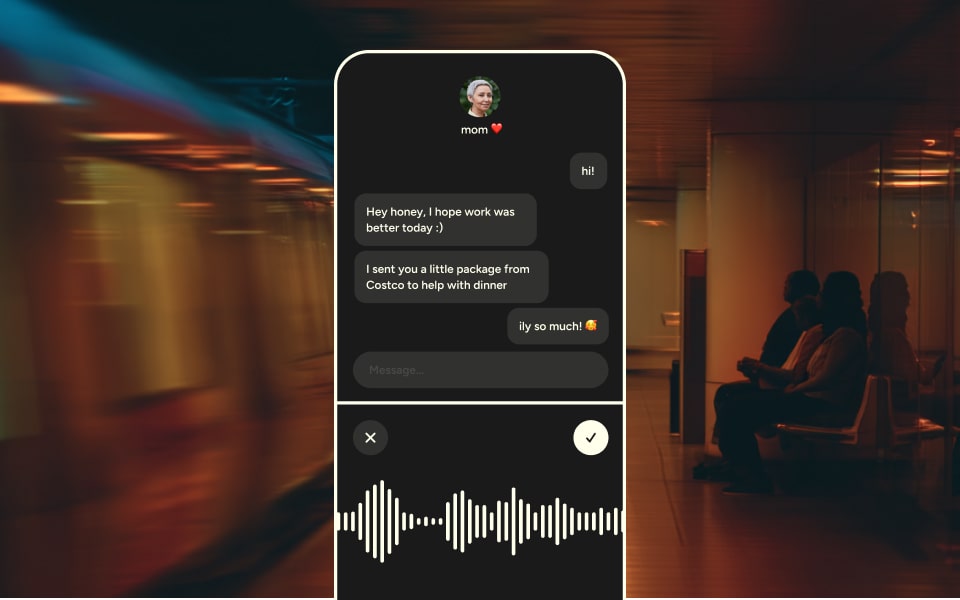
Image source: Wispr Flow
How to tell fast if the trial is actually working for you
Use it where typing normally slows you down. Email, Slack, notes, long messages, and first drafts will tell you much more than a few short texts.
If you only test one quick sentence, you will probably miss the real payoff. Wispr Flow starts to make more sense when you let it handle a messy paragraph, a rewrite, or a follow-up you would usually put off because typing it feels annoying.
There is a real limitation here. Android still does not have every desktop feature yet, and the official Android page says features like Dictionary, Snippets, Styles, and Spell Names Right are still coming there, so Android-only buyers should test with extra skepticism.
The good stuff
Wispr Flow gets more interesting once you stop thinking of it as plain speech-to-text. The strong part is not just that it catches your words. It also cleans up filler, formatting, and course corrections so the output is closer to something you would actually send.
That is the difference between “cool demo” and “I might keep paying for this.” Built-in dictation can be fine for rough capture, but Wispr Flow is trying to remove the cleanup step that usually kills the speed advantage.
Image source: Wispr Flow
Where it earns its price
Unlimited words are a bigger deal than they sound. Once you start dictating for real work, caps become annoying fast, so Pro is the version that makes sense for anyone writing a lot every week.
Command Mode is another reason the paid plan feels more serious. Wispr’s help docs say Command Mode is available to paying users and people on an active free trial, which means you can test voice-powered editing before you spend anything.
The desktop feature set is also stronger than the raw rating averages suggest. The official plan details include custom dictionary, snippets, 100+ languages, Privacy Mode, and HIPAA-ready support on the free tier, then Pro adds unlimited use, Command Mode, and prioritized support.
Where it still falls short
Wispr Flow is not equally polished everywhere. The Android docs are pretty clear that some desktop features are not there yet, and Privacy Mode is not available on Android.
It also does not work offline. If you want a dictation tool that keeps working on a plane, in a bad signal area, or in stricter offline environments, that limitation matters.
Support is another hesitation point, and that is not just nitpicking. Mixed public reviews make it hard to treat Wispr Flow like a zero-risk purchase if you know you get frustrated fast when software breaks and support goes quiet.
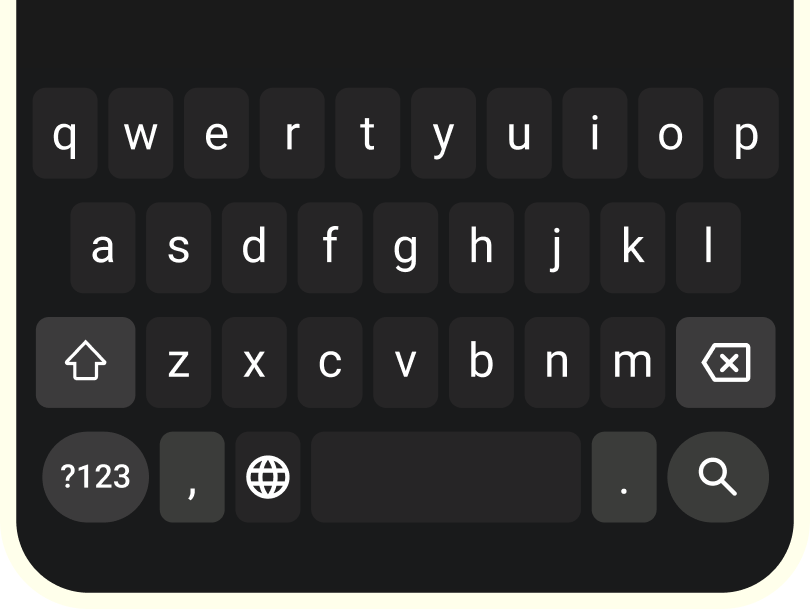
Image source: Wispr Flow
Pricing and value
Wispr Flow is easy to justify for heavy writers and much harder to justify for casual users. If you only dictate a few short messages a week, the free plan is enough and paying early would probably be overkill.
Pro is where the product starts acting like a real replacement for manual typing. The official pricing page lists Pro at $15 per user each month on monthly billing or $12 per user each month on annual billing, while the App Store listing shows the same monthly price and an annual option at $143.99.
See current pricingThe best value move for most people is obvious. Start the 14-day Pro trial, try it in your real workflow, and downgrade later if you do not hit enough volume to justify paying.
The student deal makes the math even easier if it applies to you. Wispr’s pricing page says students get three months free and 50% off Pro, which turns this from a maybe into a pretty easy test.
Why starting now can make sense
Waiting is smart if you barely write, dislike talking to your devices, or need an offline tool. Waiting is not smart if you already know typing is the bottleneck in your day and you keep patching it with rough dictation that still needs cleanup.
That is the core sales pitch here, and it is a fair one. Every extra week you keep doing the slow version of a job you repeat every day has a cost, even if it does not show up as a line item on your card.
For the right buyer, Wispr Flow is absolutely worth a real trial now. Heavy writers, people who live in chat and email, and anyone who already thinks faster than they type are the ones most likely to feel the payoff quickly.
For the wrong buyer, the answer is also clear. Stay on Basic, keep your money, and only upgrade when the limits start getting in your way.
Alternatives worth considering
Wispr Flow is not the automatic pick for every buyer. The better question is whether you want polished, ready-to-send dictation across devices or just a cheaper way to stop typing so much.
That is where the alternatives actually help. They make it easier to see whether Wispr Flow ratings point to the right kind of product for you, or whether a simpler tool will get the job done for less money.
Image source: Wispr Flow
Check the official free trialChoose Wispr Flow if you want the cleanest jump from talking to sending. Choose a cheaper alternative if your workflow is lighter, or you mostly stay on Apple devices and do not need cross-platform support.
Choose a broader tool like Otter if meetings are the real problem, not typing. That is a different job, and Wispr Flow is not pretending to be the best meeting assistant on the market.
My honest take
Wispr Flow ratings are good enough to justify a trial, but not clean enough to buy blindly. The product looks strongest for people who write a lot, move across devices, and care more about polished output than raw transcription.
That is where it separates itself from cheaper or built-in options. Wispr is trying to save you from the cleanup step, and that is the part that usually makes normal dictation feel slower than it should.
I would not push it on everyone. Android-first buyers should test before paying, occasional typers can stay free longer, and anyone who needs offline dictation should skip it for now.
Image source: Wispr Flow
For the right buyer, this is absolutely worth trying now. If you already know typing slows down your emails, messages, notes, and first drafts, waiting usually means you keep paying that time cost every day.
For the wrong buyer, the answer is easy too. If speaking into your device feels unnatural, or you only need dictation once in a while, a free or cheaper option will probably feel smarter.
Quick questions buyers still ask
Is Wispr Flow better than built-in dictation?
Built-in dictation is cheaper because it is already there. Wispr Flow becomes the better buy when you want speech cleaned up in real time, better handling of rephrasing, and a tool that feels closer to finished writing than plain voice capture.
Should Android users buy now or wait?
Android users should absolutely test now, but they should not pay before that test feels convincing. Wispr’s own docs still show some desktop features as coming later on Android, so the free access matters more here than it does on iPhone or desktop.
Is the free plan enough?
The free plan is enough for light use and honest testing. It stops being enough the moment you start dictating every day, because the word caps will make the product feel smaller than it really is.
Does Wispr Flow replace Otter or meeting note tools?
Not really. Wispr is much closer to a writing tool than a meeting archive, so it helps most when you are replying, drafting, and thinking out loud instead of recording long meetings for later search.
Image source: Wispr Flow
Should you start the trial?
Start the trial now if you already have real writing volume and you want speech to turn into usable text fast. That is the buyer most likely to feel the value within a few days.
Wait if you barely dictate, need offline use, or mainly want meeting transcripts. Skip the paid plan entirely if the free tier already covers your volume without annoying you.
The simplest test is the best one. Use Wispr Flow for two weeks in email, chat, notes, and rough drafts, then see whether you keep reaching for it without forcing yourself.
Get started with Wispr Flow Filip Konecny Enterprises