
Wispr Flow makes sense for B2B SaaS the second you look at where your team actually loses time: Slack replies, Gmail drafts, CRM notes, AI prompts, docs, tickets, and internal updates that pile up all day. If people on your team think faster than they type, the pitch is strong because this tool is trying to turn voice into polished text across the apps you already live in instead of forcing everyone into one new workspace.
That pitch gets more interesting once you see the current offer. Wispr Flow runs on Mac, Windows, iPhone, and Android, supports 100+ languages, and the paid plans add things B2B SaaS teams actually care about like command-based editing, shared snippets, shared dictionaries, centralized billing, dashboards, and stronger admin and compliance controls. If you already know typing is the bottleneck, you can check the official free trial or see current pricing now and keep reading with the right context.
The catch is that this is not an automatic yes for every team. Public feedback keeps circling around the same split: people love the speed, accuracy, and cross-app feel, while the recurring complaints point to mobile rough edges for some users, support frustration in some cases, and privacy anxiety from buyers who want fully local transcription. That tension is exactly why this review matters, because a tool can be great for a founder, marketer, AE, PM, or support lead who writes constantly and still be the wrong fit for a company with stricter local-only policies or a team that will never fully adopt voice workflows.

Image source: Wispr Flow changelog
Quick snapshot
Most reviews take too long to say something simple. Wispr Flow looks strongest when your B2B SaaS team writes all day in many different apps and wants faster output without adding another bloated collaboration platform. It looks weaker when your main priority is fully local processing, the budget is tight enough that every per-seat tool gets challenged, or your team is unlikely to build real habits around speaking instead of typing.
See current pricingMy early take is simple. For B2B SaaS people who spend hours every day writing across Slack, Gmail, docs, support threads, CRM records, and AI tools, Wispr Flow already looks like a serious productivity buy. For companies that need on-device-only transcription or for teams that barely write more than short chat messages, it already looks easier to delay, test later, or skip.
Article outline
This review is split into three parts so you can jump straight to the decision point that matters most. I am not going to pad this out with generic voice-tech filler, because you are here to figure out whether Wispr Flow is worth paying for in a B2B SaaS workflow.
- Part one starts here with the fast read: what the tool promises, where it already looks strong, and where the obvious friction points show up for a business buyer.
- Part two moves into the real buying questions: what you get in the free trial, the good stuff, pricing and value, and why some B2B SaaS teams should seriously consider adopting it now instead of waiting.
- Part three closes the loop with alternatives, a direct buyer comparison table, the final verdict, and a short FAQ for the last objections people usually have before they buy or walk away.
If your main concern is whether Wispr Flow replaces enough typing to justify the cost, the sections on the good stuff and pricing and value will be the fastest reads. If your bigger question is whether there is a cheaper or safer option for your team, jump later to alternatives before you make up your mind.
What you get in the free trial
Wispr Flow does one thing right away that makes it easier to take seriously for B2B SaaS teams: the app starts with 14 days of Flow Pro for free with no credit card required. That matters because you can test real day-to-day usage instead of guessing from a product demo.
The team angle is stronger than most free trials. Wispr says every teammate you invite gets their own 14-day trial, with no seat minimums and no email domain restrictions, so you can test this with employees, contractors, or a small pod before rolling it out wider.
That also answers the “is the trial too limited to learn anything useful?” objection. On the current plan pages and team FAQs, Pro trial access includes the paid features that actually decide the purchase, like unlimited dictation, Command Mode, and team collaboration features, which gives you enough room to tell whether this becomes a daily habit or just another app that fades out after a week.
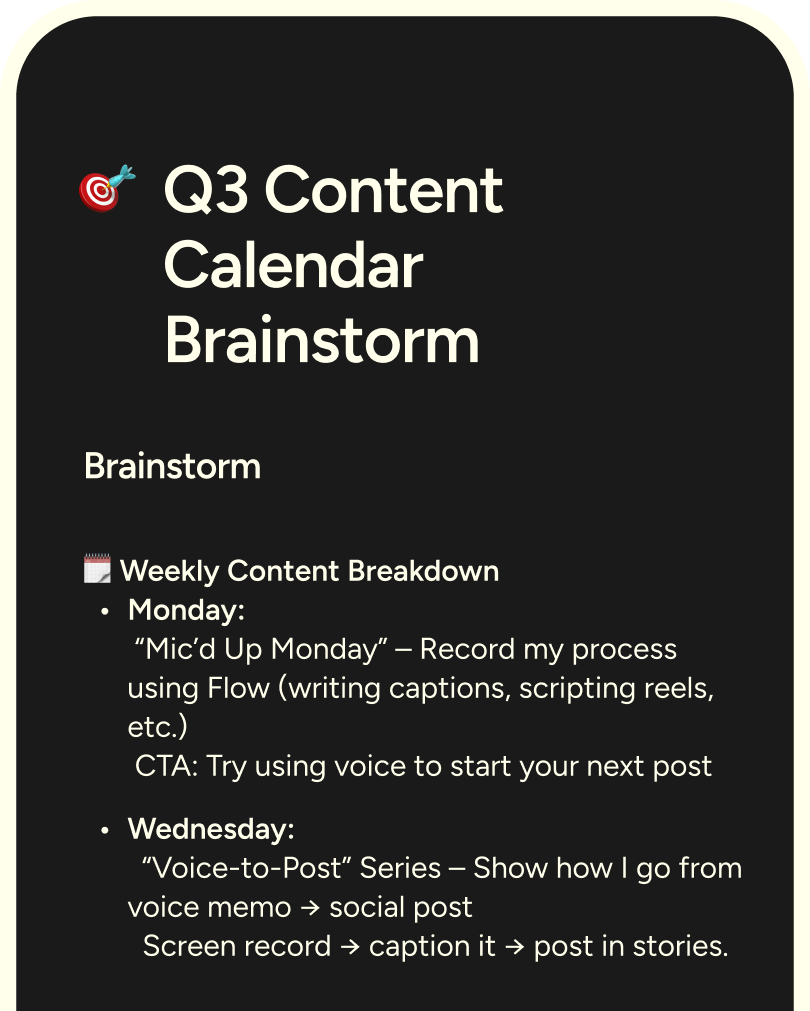
Image source: Wispr Flow content creators page
Free does not mean fully usable for a writing-heavy SaaS team long term. The public plan breakdown shows Basic is capped at 2,000 desktop words per week and 1,000 on iPhone, so anyone writing sales emails, support replies, specs, prompts, and internal notes every day will run into the ceiling fast.
The good stuff
The best thing about Wispr Flow for B2B SaaS is that it does not ask your team to move work into some new editor first. Wispr positions Flow as voice-to-text that works across desktop and mobile and anywhere you can type, which is exactly why it is easier to justify than a bigger workflow migration.
That matters more than it sounds. If your sales team lives in Gmail and the CRM, your support team lives in Slack and tickets, and your product team lives in docs, Linear, and AI tools, a voice layer that follows them around is worth more than a beautiful standalone app nobody opens.
The second big win is team consistency. Wispr’s business and plan pages show shared dictionary, shared snippets, centralized billing, and basic admin controls, which is the stuff that helps a SaaS team stop misspelling product names, acronyms, customer names, and internal shorthand.
That sounds small until you picture the real use cases. Shared snippets are useful for outbound intros, support answers, handoff notes, calendar links, and policy language, while the shared dictionary helps keep technical language clean across the whole team instead of relying on every rep or PM to fix the same errors by hand.
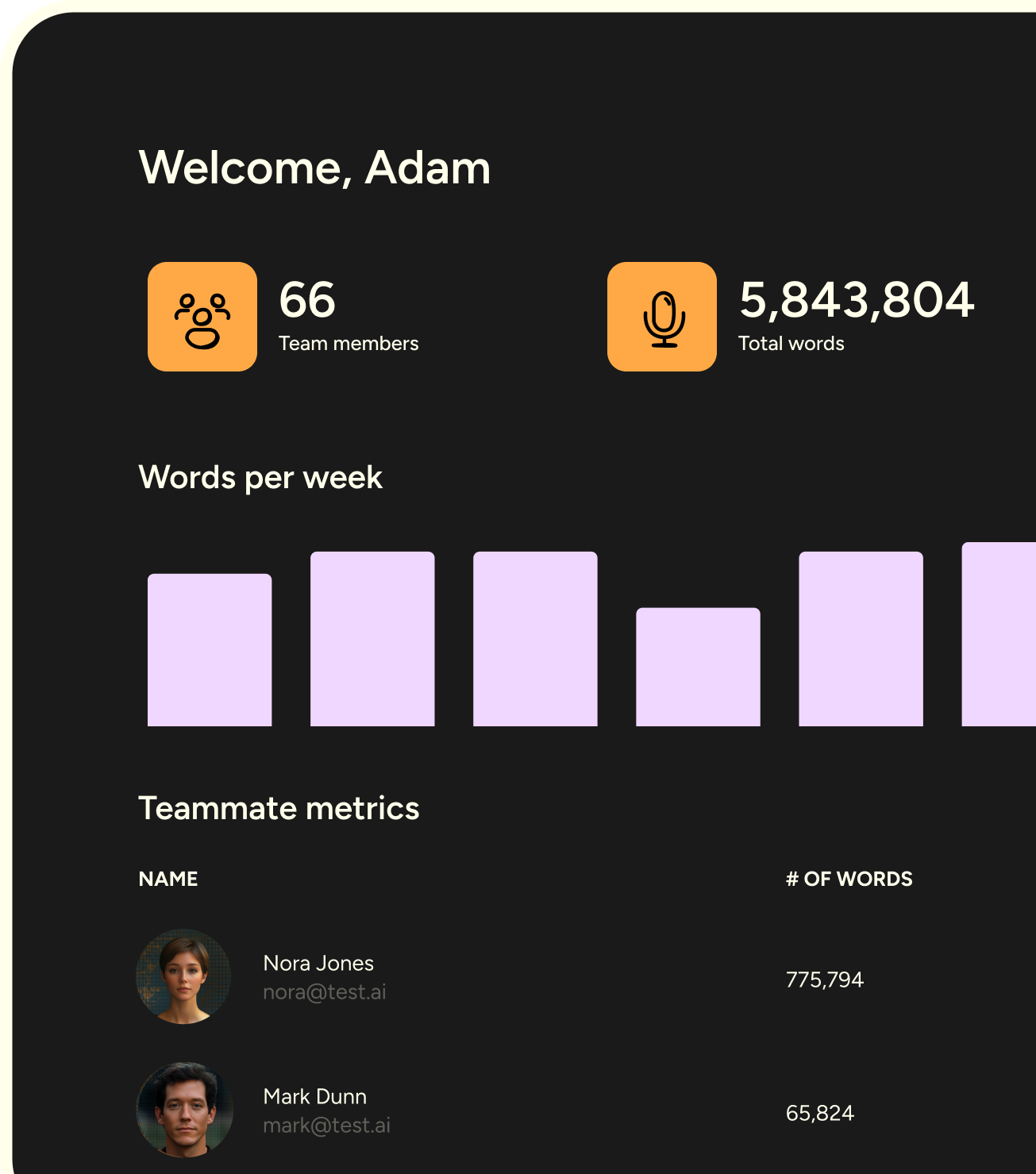
Image source: Wispr Flow business page
The security story is better than you usually get from a lightweight AI writing utility. Wispr’s current security and compliance pages say Privacy Mode stops dictation data from being stored or used for model training, while Enterprise adds enforcement options, local data policies, and stronger admin controls.
It still is not the same thing as fully local transcription, and that is the real catch. Wispr’s data controls page explains that Context Awareness can use relevant text from the active app window when you turn it on, so teams with strict internal rules or buyers who dislike any cloud context processing should not wave that away.
Image source: Wispr Flow business page

Image source: Wispr Flow business page
If compliance is part of the buying conversation, Wispr gives you more than marketing talk. The current compliance docs say Enterprise supports SOC 2 Type II, ISO 27001:2022, SSO or SAML, and enforced privacy controls, which makes the product easier to defend internally if your team already knows voice input would save time but security is slowing the decision.
Pricing and value
Wispr Flow gets easier to justify once you look at it as a typing replacement for heavy writers instead of another “AI tool” fighting for budget. Current public pricing shows Basic is free, Pro is $15 per user monthly or $12 per user monthly when billed annually, and Enterprise is custom-quoted.
That is not hard to defend if someone on your team spends hours every week drafting replies, notes, prompts, specs, and follow-ups. It is much harder to defend for occasional users, which is why the right rollout is usually a small test with your heaviest writers first, not an instant company-wide purchase.
Check the official free trialIf you are comparing this to a broader operations stack, keep the category straight. GoHighLevel is the better buy when you need CRM, funnels, messaging, and automation, but Wispr Flow is the cleaner buy when your stack already exists and the real problem is that your team is still typing too much inside it.
Why B2B SaaS teams buy it anyway
Most SaaS teams underestimate how much writing they do because it is scattered everywhere. It shows up in prospecting, demos, follow-ups, support replies, internal handoffs, Jira or Linear updates, AI prompts, docs, meeting summaries, and all the small messages that quietly eat hours.
That is why Wispr Flow can pay for itself faster than the sticker price suggests. If one founder, AE, CSM, PM, or support lead uses it constantly, the cost stays small while the time savings hit every workday instead of showing up once a month.
Waiting is fine if your team is still figuring out the process, barely writes, or would never feel comfortable dictating in the first place. Waiting is expensive when you already know the work is there, the writing load is heavy, and people are still burning time typing the same kind of content manually across five different tools.
That is the buyer split in plain English. If your company needs fully local-only transcription or you know adoption will be weak, hold off; if your current setup feels fine except for the sheer amount of writing, Wispr Flow is worth a real try now because the trial is long enough to tell you quickly whether it belongs in the stack.
Alternatives worth looking at before you decide
Wispr Flow is not the only way to solve the “my team writes too much” problem. The smarter question is whether you need a cleaner voice layer inside your current stack, a cheaper dictation tool, or a much broader system that tries to replace the stack itself.
That is why the comparison matters. Wispr Flow is strongest when your B2B SaaS team already has tools it likes and just wants to move faster inside them, while cheaper dictation apps and broader platforms win when your priorities are different.
Check the official free trialChoose Wispr Flow if your team already lives in Slack, Gmail, docs, CRM records, support tools, and AI apps, and the real bottleneck is how much writing happens inside all of them. Choose a cheaper dictation option like Aqua Voice if budget pressure is high and you do not need the stronger team and compliance angle, and choose a broader tool like GoHighLevel if your real problem is operational sprawl instead of typing.
Image source: Wispr Flow business page
There is one more split worth calling out. If you need fully local, offline-first dictation because cloud processing is a hard no, Wispr Flow is probably not your best fit even if the rest of the product looks great. That buyer should lean toward a local dictation app instead of trying to talk themselves into a compromise they will regret later.
My honest take
Wispr Flow for B2B SaaS is worth trying now for the right buyer. That buyer is not “every company.” It is the team that already knows writing is a daily tax on sales, support, product, success, ops, or founder work and wants a faster layer across the tools it already uses.
The biggest reason to buy is not the feature list. It is the payoff behind the features: fewer drafts typed by hand, faster follow-ups, quicker internal updates, cleaner prompts, and less time lost switching mental gears every time someone has to turn thoughts into polished text.
The main limitation is clear too. Wispr does not replace your CRM, help desk, docs, or automations, and it does not solve local-only privacy concerns, so you should not buy it expecting a broader business operating system or an offline transcription engine.
That is also why delaying the trial only makes sense in a few cases. Wait if your team barely writes, if nobody will actually use voice, or if security policy rules cloud dictation out; start now if your team is already drowning in text work and the cost of staying manual keeps showing up every single day.
Image source: Wispr Flow content creators page
For the right team, the value is easy to understand. You are paying a relatively small per-seat cost to remove a daily bottleneck that shows up across your whole workday, and that is a much easier purchase to defend than a big platform migration.
My bottom line is simple. If your B2B SaaS team already has the stack it wants and just needs to move faster inside it, Wispr Flow is a smart next step; if your team needs a cheaper dictation app or a full ops suite instead, go that direction instead of forcing the wrong fit.
FAQ
Will Wispr Flow replace other tools?
No. Wispr Flow replaces a lot of manual typing, but it does not replace your CRM, support desk, docs, or automation stack, which is exactly why it works best as a speed layer on top of an existing setup.
Can beginners use it without a long setup?
Yes, and that is one of the product’s strongest selling points. The free trial is long enough to tell quickly whether speaking instead of typing feels natural for you, and most of the learning curve is habit change, not technical setup.
Is it safe enough for a B2B SaaS team handling sensitive work?
Wispr gives serious buyers a better answer than most lightweight AI writing tools because it offers Privacy Mode, HIPAA support, and higher-end enterprise controls like SSO or SAML and compliance options. That still does not make it the right choice for companies that require fully local transcription, because Flow’s transcription runs in the cloud.
Image source: Wispr Flow privacy page
How fast will I know if it is worth paying for?
Usually fast. If you are a heavy writer, a few real workdays are enough to feel whether the tool is saving time in emails, prompts, tickets, docs, and notes, which is why the trial is much easier to justify when you already have a real writing workload.
Who should skip it for now?
Skip it if you write only occasionally, if your team will not actually adopt voice workflows, or if local-only transcription is non-negotiable. In those cases, a cheaper dictation tool, a local app, or no new tool at all is the better call.
If none of those red flags apply, you are probably close to the right fit already. Trying Wispr Flow now is the fastest way to find out whether your team has been paying a hidden tax in typing time this whole time.
Get started with Wispr Flow Filip Konecny Enterprises