
Alternatives to Wispr Flow commands
Wispr Flow commands are not competing with one kind of alternative. They are competing with free built-in dictation, cheaper paid dictation apps, and the option of doing your cleanup manually after you speak.
That is why the comparison matters. If you only need plain speech-to-text, cheaper options can be enough, but Wispr starts to pull away when voice shortcuts, app-aware formatting, and spoken edits save you from touching the keyboard again.
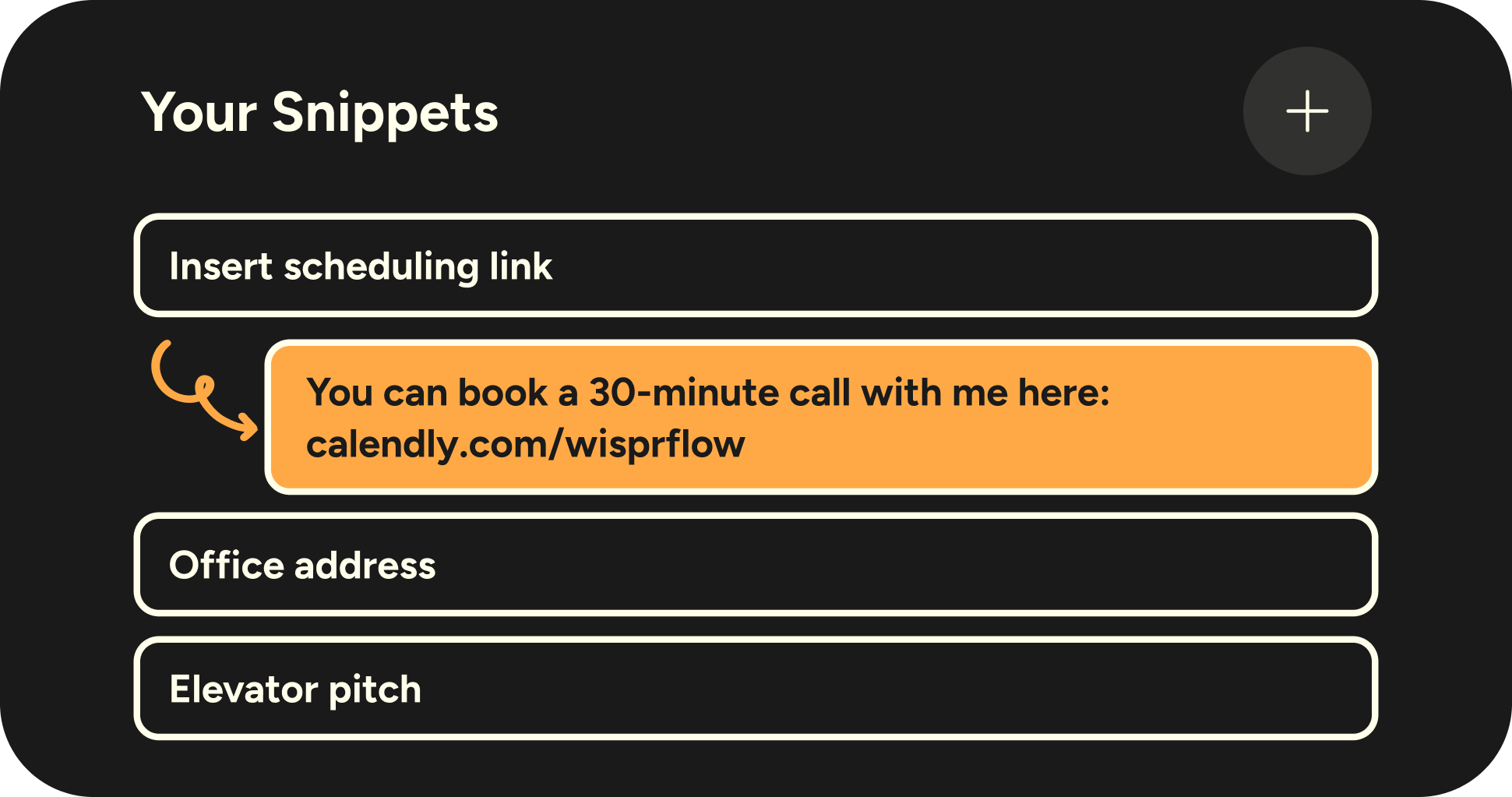
Image source: Wispr Flow snippets post
That snippets screen is a good example of the difference. Free dictation can get words onto the page, but a spoken shortcut that drops in a full reply, scheduling link, or standard answer is closer to replacing repetitive work than basic dictation ever is.
Check the official free trialChoose Wispr Flow if you want one tool that covers dictation, voice edits, shortcuts, and style control without forcing you into a Mac-only routine. Choose Aqua Voice or Superwhisper if price or a lifetime payment matters more than broader device support, and choose a broader all-in-one like GoHighLevel only if your real bottleneck is CRM, follow-up, and automation rather than writing speed.
Final verdict
Wispr Flow commands look worth it for the right buyer. That buyer is not someone casually testing voice typing once a week; it is someone who writes all day and wants fewer keyboard fixes after the draft lands.
The strongest reason to pay is not raw dictation. It is the combination of Command Mode, snippets, and style control, because that stack turns your voice into something closer to a workflow than a microphone toy.
I would start the trial now if you already know typing and cleanup are slowing you down. I would wait if the free plan still covers your weekly use and you are not feeling any real friction yet.

Image source: Wispr Flow personalized style post
Formal output is where Flow makes the most practical sense for a lot of people. If your day is full of emails, docs, proposals, support replies, or long notes, getting cleaner punctuation and structure before you edit saves real time.

Image source: Wispr Flow personalized style post
Work chat is another place where Wispr Flow commands make sense. Slack and Teams messages usually need to sound clear without sounding stiff, and that is exactly the kind of annoying small edit most free dictation tools leave you to handle yourself.

Image source: Wispr Flow personalized style post
Personal messages matter too because they show whether the tool feels natural enough to keep using. If dictated text keeps sounding robotic, people stop using it, and Wispr looks stronger precisely because it tries to adapt to context instead of treating every app like the same blank box.
Here is who should probably skip it for now. If you only need occasional speech-to-text, or you mainly want to save money and do not care about voice editing, a free built-in option or a cheaper paid app is the smarter move.
Here is who should probably buy. If you already have heavy writing volume, hate doing the same cleanup over and over, and want your voice to handle more of the finished draft, Wispr Flow is a strong buy for that job.
Get started with Wispr FlowFAQ
Are Wispr Flow commands on the free plan?
No. Command Mode is part of the paid experience, but new accounts start with a 14-day Pro trial, so you can test it before paying.
Is Wispr Flow better than built-in dictation?
Yes, if you care about more than raw transcription. The gap gets clearer when you use snippets, app-aware style, and spoken edits, because those features reduce the second round of manual cleanup.
Should beginners start the trial now or wait?
Start now if you already write a lot every day and you are serious about replacing some keyboard time. Wait if you are still testing whether voice input fits your workflow at all, because the free plan already tells you a lot.
Does Command Mode work on phone?
The current help docs put Command Mode on Mac and Windows. Mobile is still useful for dictation, but the command editing angle is a desktop-first reason to upgrade right now.
If you are already close to buying, the best next step is simple. Use the trial long enough to dictate real emails, real chat replies, and one or two longer drafts, because that is where Wispr Flow commands either earn the subscription fast or make it obvious you should stay on free.
Try Wispr Flow Filip Konecny Enterprises